HR & People
Turn hours worked and an hourly rate into an estimated gross pay figure per employee, with overtime, bonuses and deductions handled automatically. Not a real payroll or tax filing tool - a quick estimate before you run actual payroll.
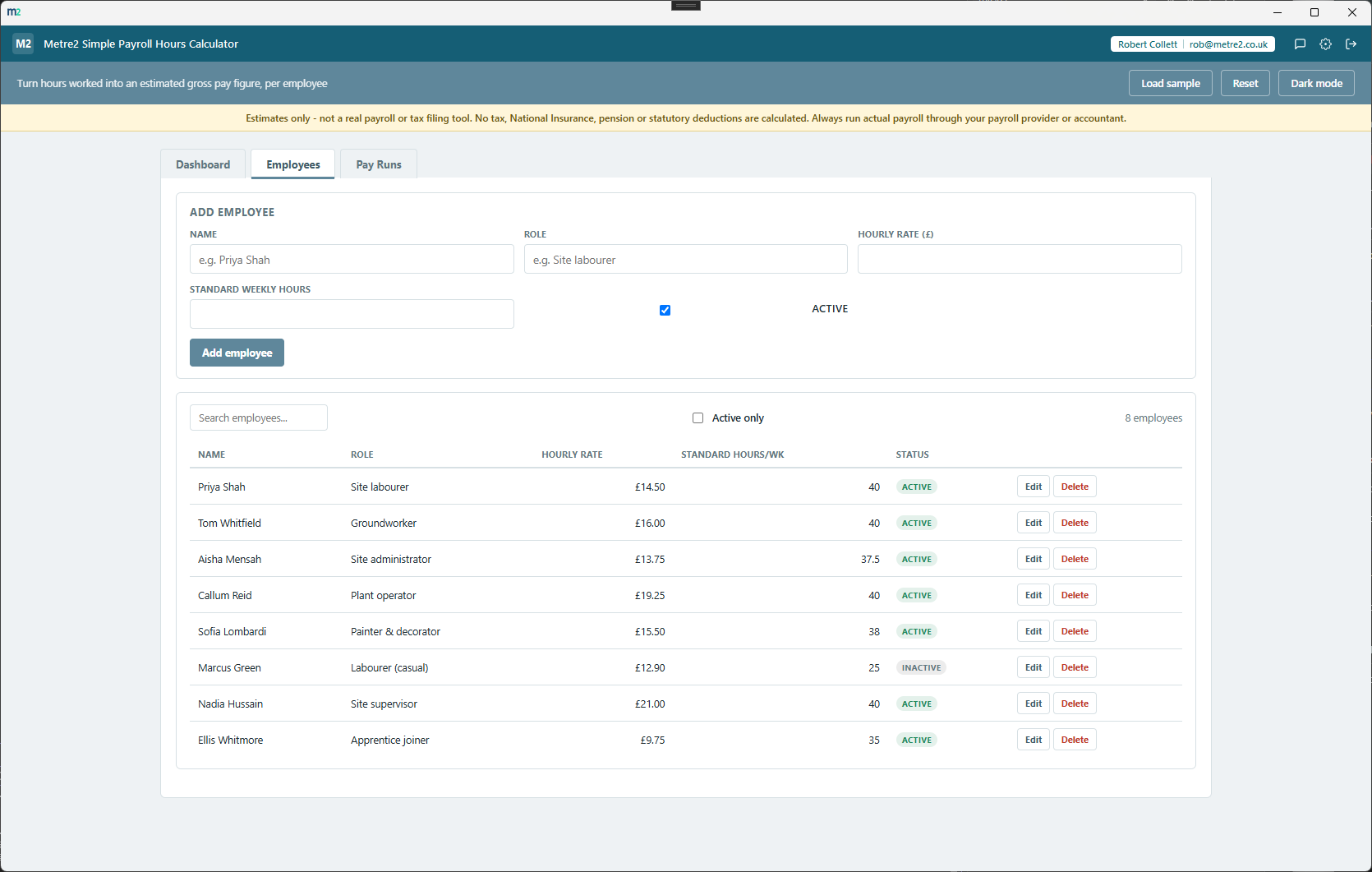
Each employee has their own hourly rate and pay history, so every gross pay estimate is calculated against the right rate automatically.
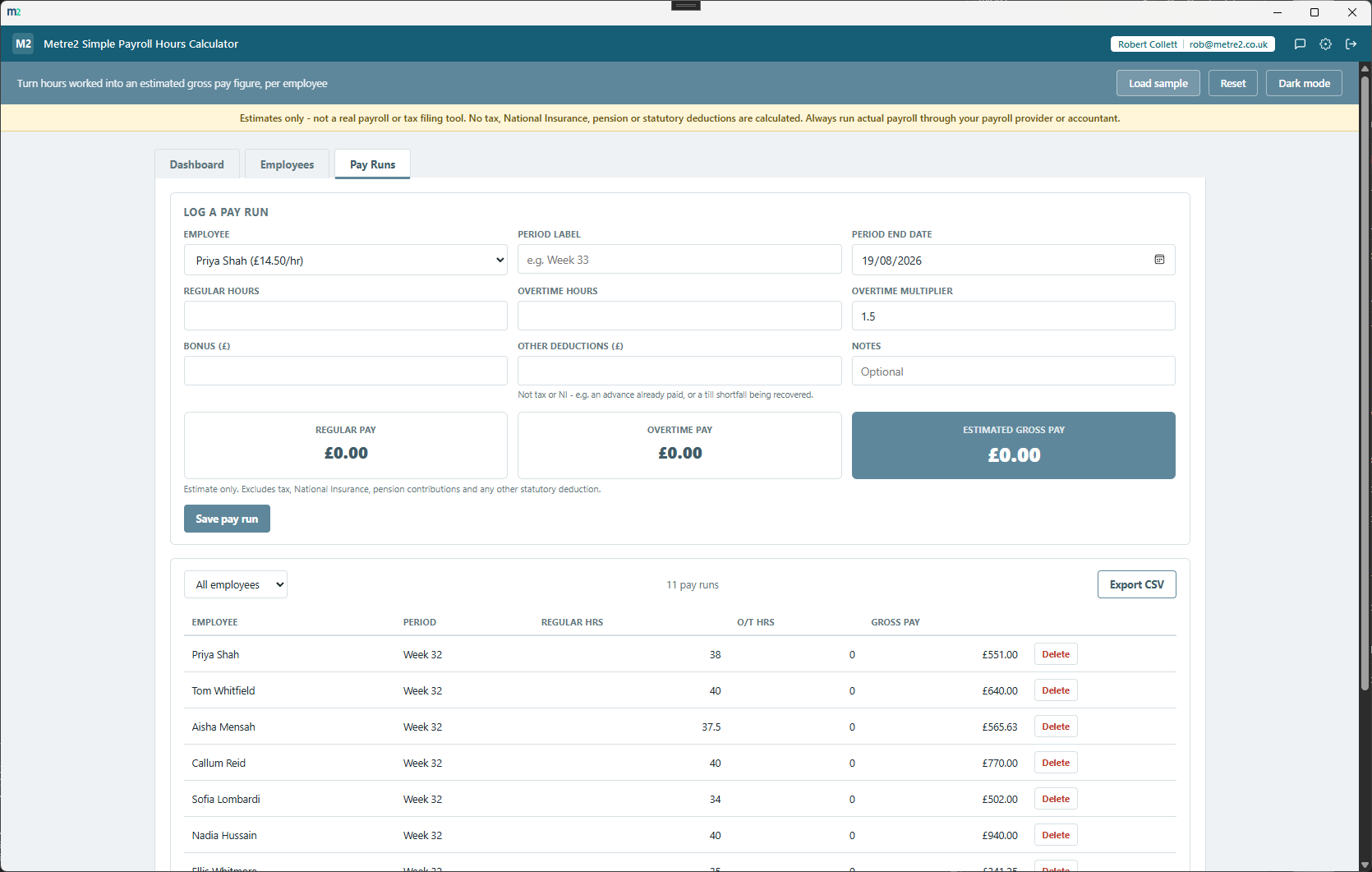
Log regular and overtime hours separately for each pay run - overtime is paid at a configurable multiplier of the employee's normal rate, 1.5x by default.
Add an optional bonus or deduction to any pay run - both are folded straight into the gross pay estimate for that employee and that run.
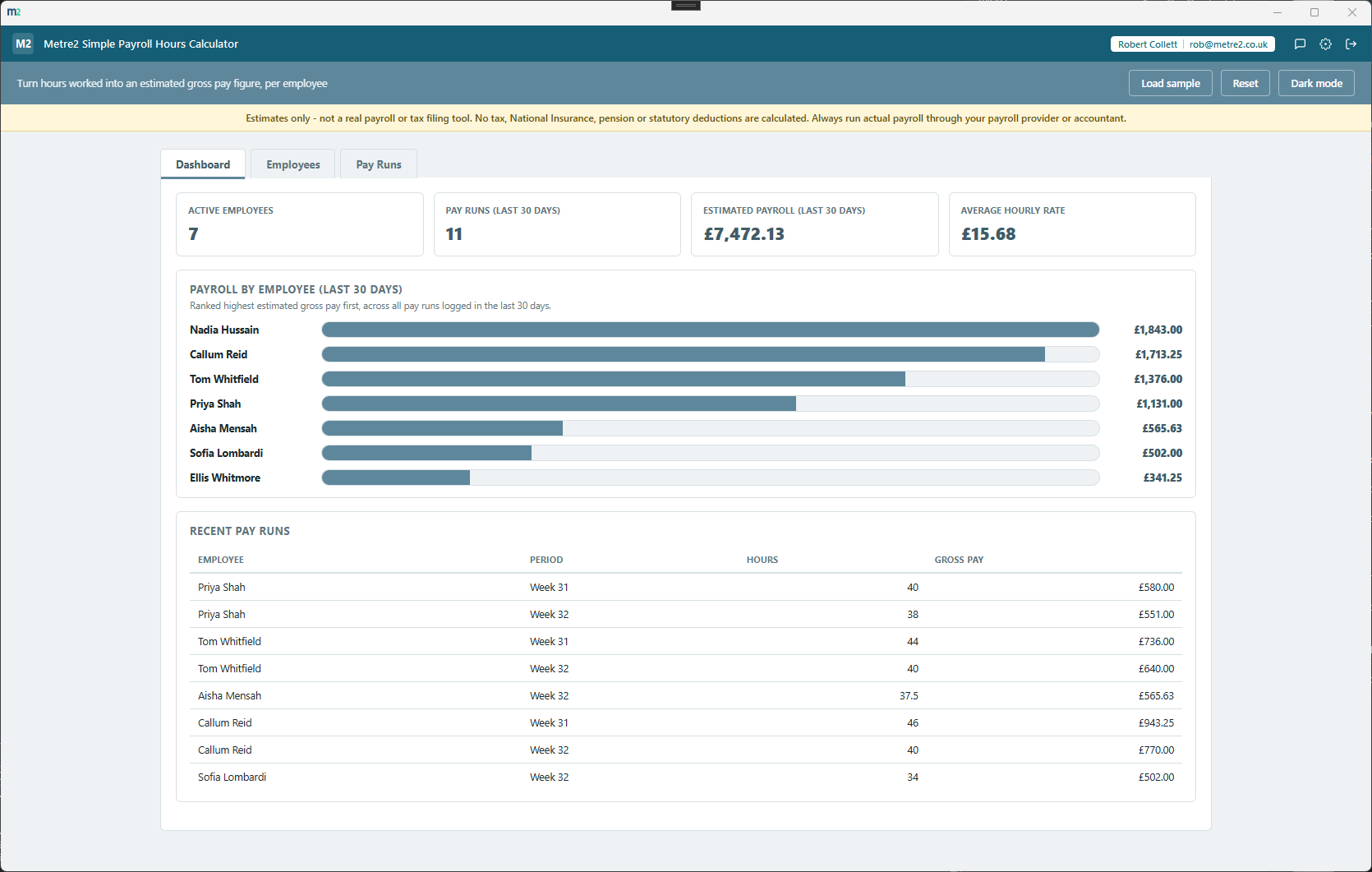
The Dashboard ranks every employee by estimated pay over your chosen window, so who's costing the most this month is obvious at a glance.
Every pay run logged is searchable and filterable by employee, so tracking down a specific week's figures never means scrolling a long flat list.
Export the full pay run history to CSV, ready to hand to your payroll provider or accountant as a starting point for actual payroll.
A persistent banner and every figure in the app makes clear this is an estimate - no tax, National Insurance, pension or other statutory deduction is calculated.
Light/dark theme remembers your choice, matching the rest of the Metre2 portfolio.
Clockify is a widely used cloud time-tracking tool whose free plan covers basic time tracking, with billable rates, invoicing and CSV export moved behind its paid Standard plan as of an April 2026 pricing change. Here's how a focused, offline gross-pay estimator compares for a small business that just wants a quick pay figure from hours worked.
| Feature | Simple Payroll Hours Calculator | Clockify |
|---|---|---|
| Pricing model | One-off after trial - no per-seat fee | Free plan capped at 5 users; Standard plan from $5.49/seat/month (billed annually) for billable rates and invoicing |
| Cost scales with headcount | ✕ | ✓ |
| Works fully offline | ✓ | ✕ |
| Gross pay estimate with overtime, bonus and deduction | ✓ | ✕ |
| CSV export on the free tier | ✓ | ✕ |
| Live time tracking, timers and timesheets | ✕ | ✓ |
| Focused single-purpose tool, nothing else to configure | ✓ | ✕ |
| One account across a whole app portfolio | ✓ | ✕ |
Comparison based on Clockify's publicly listed pricing as of August 2026 (clockify.me and third-party pricing round-ups), reflecting an April 2026 change that moved billable rates, invoicing and CSV export to the paid Standard plan - exact rates vary by billing cycle and plan, and pricing/features change over time, so check clockify.me for current details. Clockify is a trademark of its respective owner; this comparison is for informational purposes and isn't sponsored by or affiliated with Clockify.
The Dashboard overview, the Employees list, and Pay Runs.
Dashboard: headcount, payroll total, and who's costing the most
Employees: hourly rate and status per person
Pay Runs: log hours, see the gross pay estimate instantly
No. Simple Payroll Hours Calculator produces an estimated gross pay figure per employee - it does not calculate tax, National Insurance, pension or any other statutory deduction, and it does not file anything with HMRC. Always run actual payroll through your payroll provider or accountant.
Simple Payroll Hours Calculator is a Windows desktop app, free to try from the Microsoft Store.
Yes - it uses the same shared Metre2 account as Vector, Forma and every other Keystone app. Sign in once and it works everywhere.
Overtime hours are paid at the employee's hourly rate multiplied by an overtime multiplier, which defaults to 1.5x and is configurable in Settings. Regular pay, overtime pay, any bonus, and any deduction are combined into the gross pay figure for that pay run.
Yes - each pay run has optional bonus and deduction fields, both added into the gross pay estimate for that employee and that run.
Yes - the Pay Runs table exports to CSV, ready to hand to your payroll provider or accountant as a starting point.