An internal staff directory with a live reporting-line view
Name, job title, department, phone, email, start date, work location and employment status for everyone on your team - searchable and filterable in a persistent two-pane layout, with a "reports to" chain and direct-reports view computed live for whoever you select. Not a full HR system: no payroll, no performance reviews, no leave management.
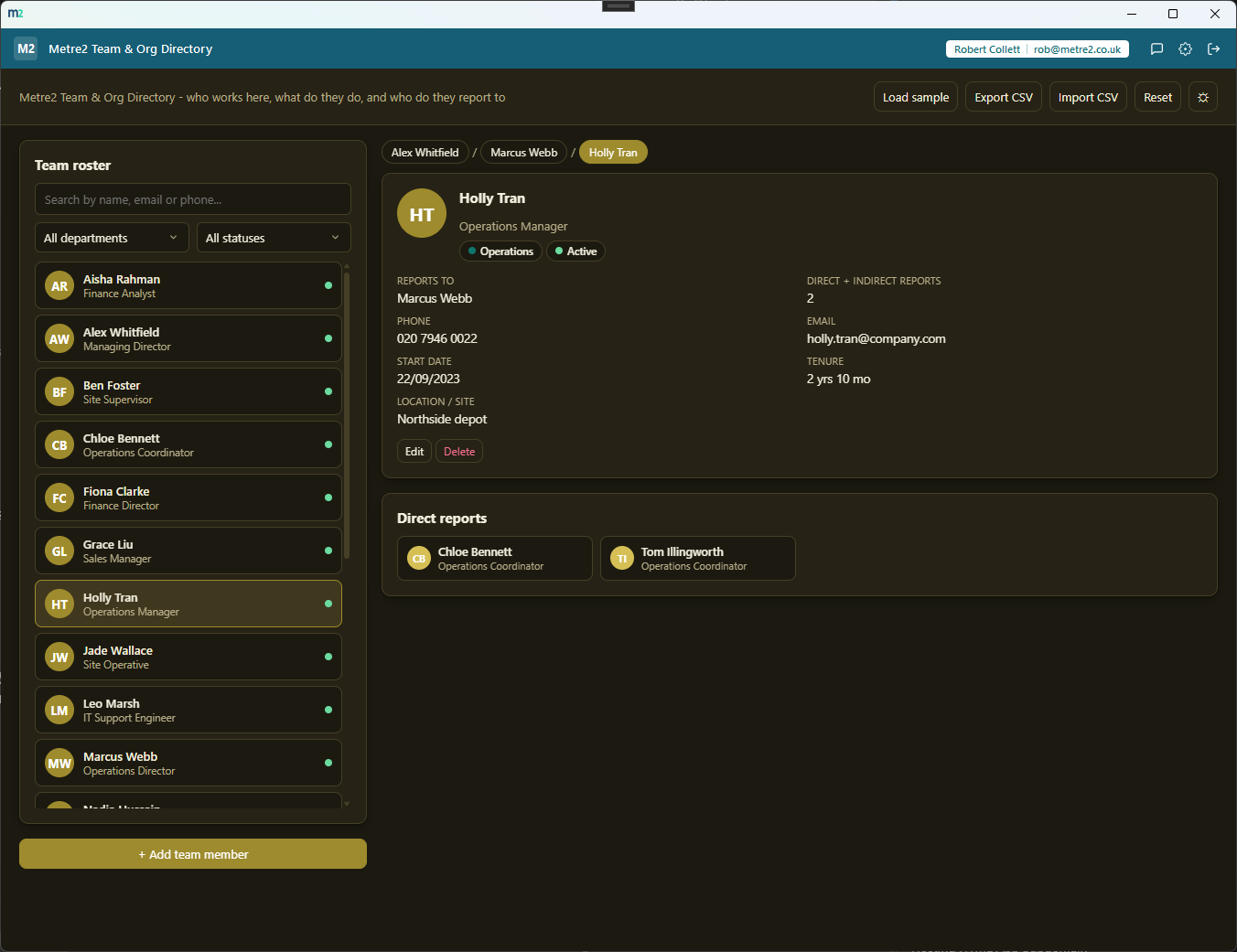
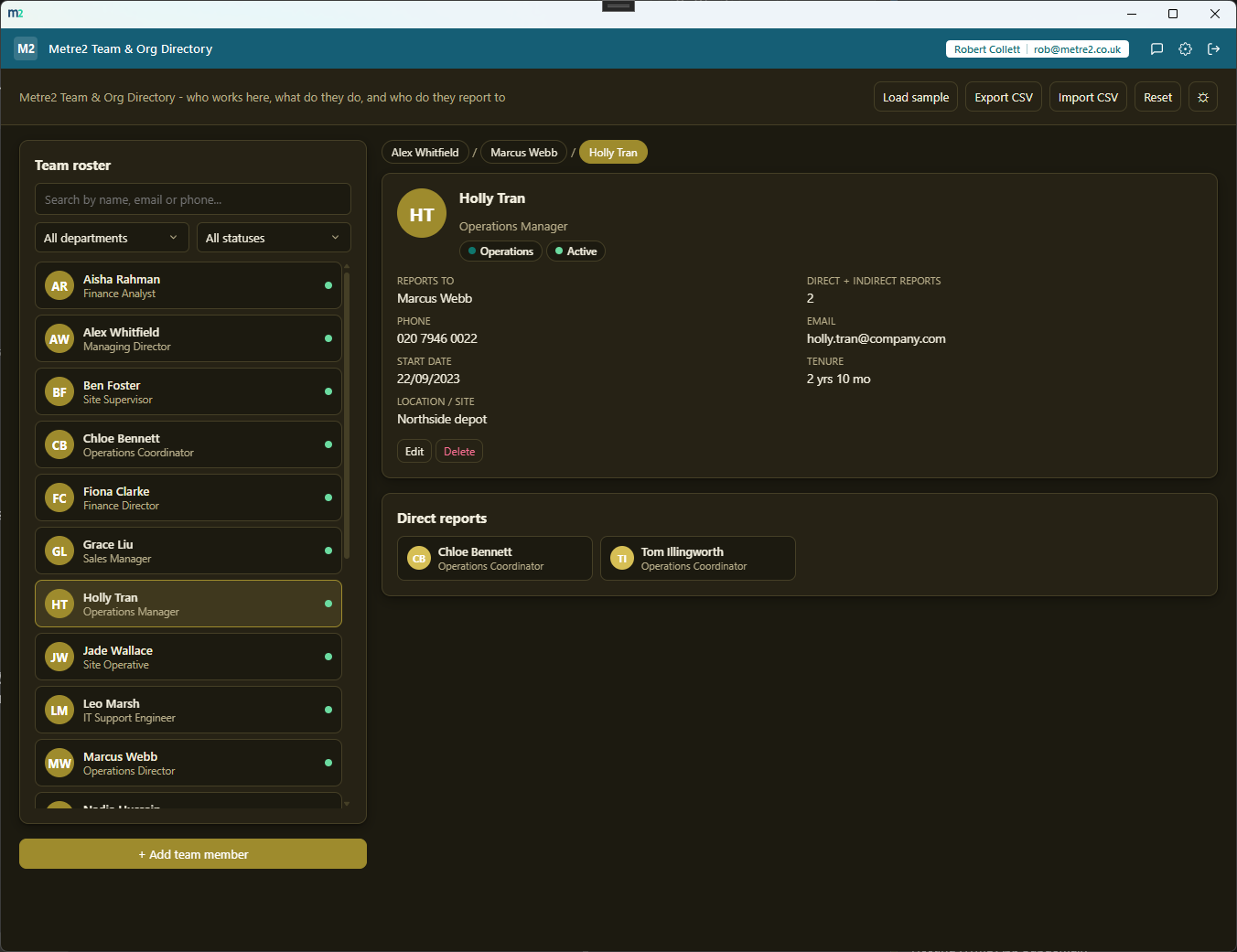
Roster and detail pane - manager chain breadcrumbs and direct reports, computed live
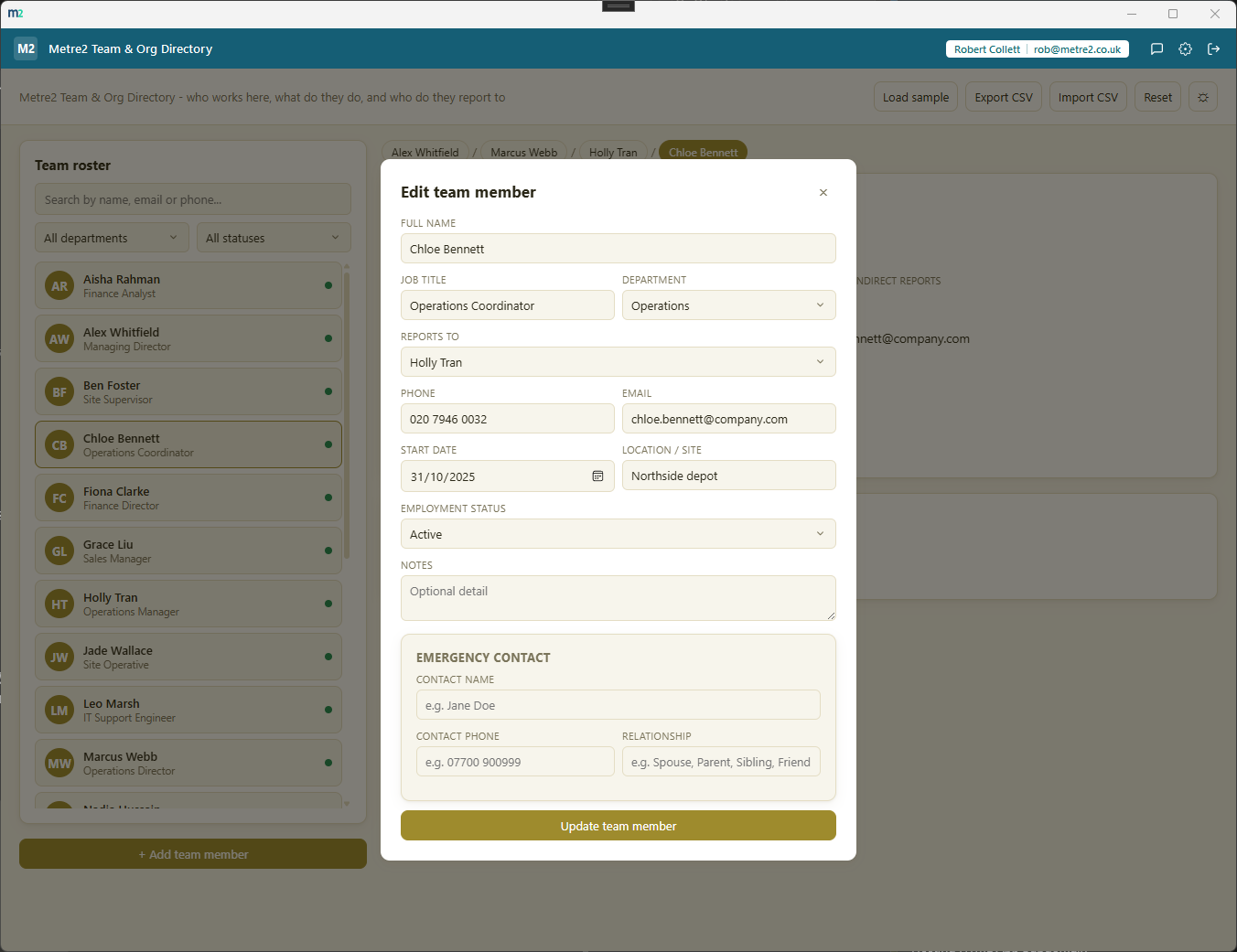
Add/edit as a centred modal, with an emergency contact section
The roster stays down the left at all times; a detail pane is always visible on the right. Selecting someone updates the right pane in place - nothing slides over the list and nothing switches you to a different tab.
Select anyone and their manager chain appears as clickable breadcrumbs above their profile, with their direct reports as a card grid below - both derived from the "reports to" field on every record, so the chart is never out of sync with the data.
One search box matches name, email and phone; dropdown filters narrow by department and employment status - a directory of any size stays quick to scan.
Leadership, Sales, Marketing, Operations, Finance, HR & People, IT, Customer Support or Production/Site covers most teams out of the box - pick Other and add your own label for anything that doesn't fit.
When nobody's selected, the right pane shows headcount by department, headcount by employment status, and average tenure since start date across the current team - not a separate tab you have to remember to visit.
Every team member carries one of three employment statuses, shown as a coloured dot in the roster and filterable in one click - enough to keep the directory current without turning it into an HR system.
Name, phone and relationship (Spouse, Parent, Sibling, Friend or your own free-text label) in their own clearly labelled block - never required, but there the moment it's needed, and never mixed in with work fields.
Export the whole directory to a CSV file with the manager's name in a "Reports To" column, and import a CSV back in - names are matched case-insensitively to rebuild the reporting lines automatically, so a spreadsheet round-trip never loses the org chart or anyone's emergency contact details.
Delete someone with direct reports and they're automatically re-pointed to that person's own manager. Try to set a reporting line that would create a loop and the app blocks it before it happens.
"Load sample" fills the directory with a ~19-person team - a managing director at the top, several directors reporting to them, and two to three levels of reports below - so the reporting-line view has something worth exploring from the first launch.
A one-click theme toggle that persists between sessions, matching the shared look and feel across every Metre2 desktop app.
Everything lives in local storage on your device - no account, no server, no internet connection required to use it day to day.
No payroll, no performance reviews, no leave management - Metre2 Staff Holiday & Absence Tracker already does that job. This is just "who works here, what do they do, and who do they report to."
Most small teams keep a staff list in a spreadsheet, or scattered across email signatures and an org chart nobody updates. Here's how a dedicated, focused directory compares.
| Feature | Team & Org Directory | Spreadsheet / static org chart |
|---|---|---|
| Pricing model | £0.79 one-off after trial | Free spreadsheet, or a paid HR platform's directory module |
| Works fully offline | ✓ | ✕ (most HR platforms are cloud-only) |
| Built-in search across name, email, phone | ✓ | ✕ (manual sort/filter in a spreadsheet) |
| Reporting chain computed live, not redrawn by hand | ✓ | ✕ (a static org-chart image goes stale fast) |
| Blocks circular reporting lines automatically | ✓ | ✕ |
| CSV import and export, reporting lines included | ✓ | ✓ (export only, no reporting-line rebuild) |
| Headcount/department/tenure insights built in | ✓ | ✕ (manual pivot table) |
| Single-purpose, no unrelated HR modules to learn | ✓ | ✕ (full HR platforms bundle payroll, leave, reviews) |
Comparison based on typical spreadsheet staff-list tracking and static org-chart documents as of August 2026 - features vary by product, so this is a general comparison rather than a specific product review. Not sponsored by or affiliated with any spreadsheet application or HR platform vendor.
Team & Org Directory is a Windows desktop app. It is not yet available on the Microsoft Store - a Store listing is planned, but for now the app is built and ready ahead of submission.
No. It's a lightweight "who works here, what do they do, who do they report to" directory - there is no payroll, no performance reviews, and no leave management (Metre2 Staff Holiday & Absence Tracker handles that). It deliberately does one job well.
Customer Contact Book is for external clients and prospects, and Supplier & Vendor Directory is for suppliers. Team & Org Directory is purely internal - your own staff, with a reporting-line field neither of those tools has.
Name, job title, department (a fixed set plus a free-text Other), a "reports to" reference to another team member, phone, email, start date, work location/site, employment status (Active, On leave or Left), notes, and an emergency contact (name, phone and relationship - free text, never required).
Select anyone in the roster and their manager chain appears as clickable breadcrumbs above their profile, with their direct reports shown as a card grid below - both computed live from the "reports to" field, not maintained separately. It's not a full drag-and-drop org-chart canvas, just a simple upward-and-downward view for any one person.
A persistent two-pane layout - the searchable roster stays down the left at all times, and a detail pane is always visible on the right. There's no slide-over drawer and no tab bar; selecting someone just updates the right pane in place. When nobody is selected, the right pane shows a Team Insights dashboard instead.
Headcount by department, headcount by employment status (Active / On leave / Left), average tenure across the current team, and who sits at the top of the org chart.
Yes - export the full roster to a CSV file (the "reports to" column is exported as the manager's name), and import a CSV with the same column layout. On import, "reports to" names are matched case-insensitively against the names in the file to rebuild the reporting lines automatically.
Their direct reports are automatically re-pointed to that person's own manager, so the reporting chain never leaves an orphaned branch pointing at someone who no longer exists.
Yes - if setting someone's manager would create a loop (for example, making a director report to their own junior), the app blocks the change and tells you.
Yes - "Load sample" fills the directory with a realistic ~19-person team, a managing director at the top, several directors reporting to them, and two to three levels of reports below that, so you can try the reporting-line view immediately.
Everything persists on your device between sessions - nothing is uploaded anywhere. The app works entirely offline with no server dependency, and data doesn't currently sync across multiple devices.