How-to guides
Practical guides for working out quantities, sizes and costs on site, and short video walk-throughs of Metre2's free apps.
Earthworks guide · 10 Nov 2026
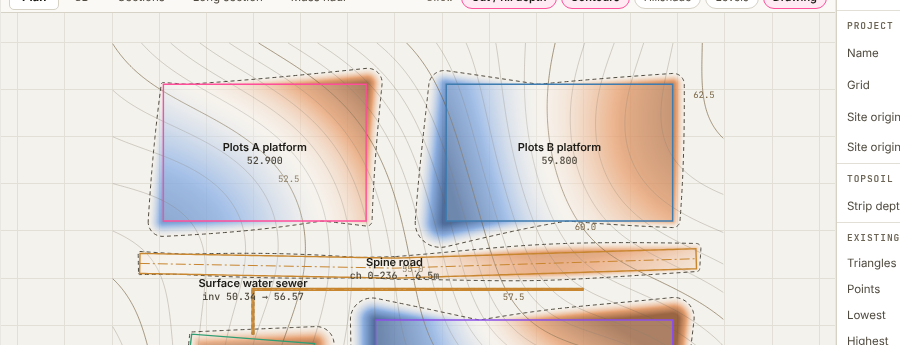
Looking for a Kubla Cubed alternative? How Metre2 Earthworks compares: in the browser on Windows or Mac, with strata, mass haul, progress valuations and a priced NRM2-shaped bill, at £19.99 a month or £179 a year.
Earthworks guide · 10 Nov 2026
Many cut and fill volumes are still worked out in Excel by the grid method. How accurate is it, where it goes wrong (batters, falls, formation, bulking), and what earthworks software does differently.
Verification · 10 Nov 2026
How Metre2 Earthworks' volumes are checked: exact volumes against closed-form solids (pyramids, sphere caps, prismoids), every design element against hand formulas, the composite against brute force, file imports round-tripped - with the results and the limits.
Help · 10 Nov 2026
The Metre2 Earthworks help manual: bringing in the ground, tracing PDFs, every design element, how volumes are worked out, topsoil and strata, the balance, haul, progress surveys, outputs, keyboard shortcuts and what's new.
Verification · 9 Nov 2026
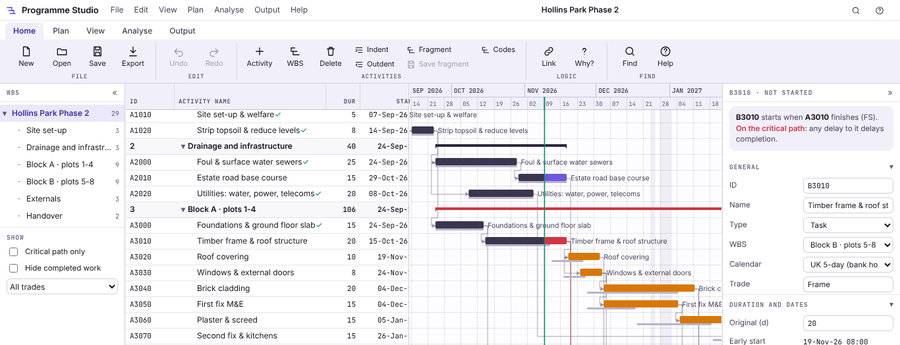
How Metre2 Programme Studio's critical path dates are checked: hand-worked cases, programmes saved by Primavera P6 and MS Project compared activity by activity, round trips through every file format, and browser tests - with the results and the limits.
Help · 9 Nov 2026
The Metre2 Programme Studio help manual: getting started, the table, logic and lags, the critical path and float, calendars, files, views, codes, progress, delay analysis, resources, printing, keyboard shortcuts and what's new.
Verification · 9 Nov 2026
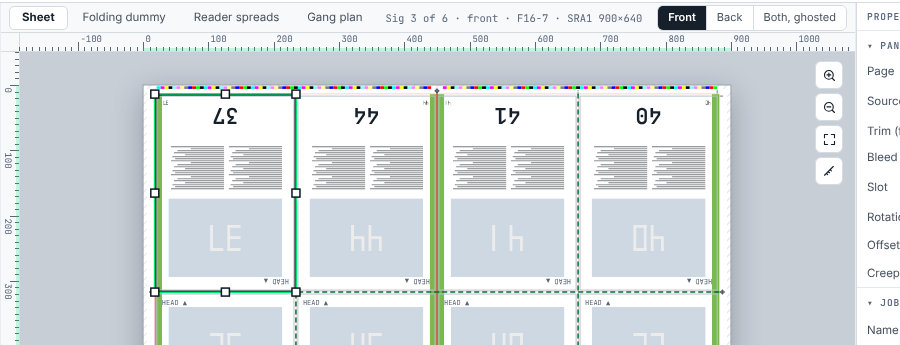
How Metre2 Print Imposition's layouts are checked: every fold scheme folded in a simulator, imposed PDFs read back page by page, marks checked clear of trim and bleed, the gang optimiser against brute force - with the results and the limits.
Help · 9 Nov 2026
The Metre2 Print Imposition help manual: opening PDFs, booklets, signatures and fold schemes, n-up, step and repeat, cut and stack, gang-up, tiling, creep, work styles, marks, preflight, output, keyboard shortcuts and what's new.
Print guide · 9 Nov 2026
A Quite Imposing Plus alternative for booklets, signatures, n-up, step and repeat and cut and stack: imposes PDFs in your browser with no Acrobat needed, a folding dummy, creep and gang-up. Prices compared.
Planning guide · 9 Nov 2026
A Primavera P6 alternative for construction planners and subcontractors: opens and saves P6 XER and XML, schedules the critical path the way P6 does, with progress, baselines, delay analysis and the 14-point check. In your browser.
Planning guide · 9 Nov 2026
An MS Project alternative built for construction: UK calendars and bank holidays, the critical path, P6 and MS Project files, progress, baselines, delay analysis, line of balance and NEC4 checks. In your browser, free for small programmes.
Print guide · 9 Nov 2026
A Kodak Preps alternative for small printers and print buyers: signatures and fold schemes, booklets, work and turn, creep, gang-up and cut and stack, imposed in your browser. What Preps still does better, and the price.
Print guide · 9 Nov 2026
A Fiery Impose alternative for digital and offset printers: booklets, signatures, n-up, step and repeat, cut and stack and gang-up, imposed in your browser with no Fiery server or Command WorkStation. Prices compared.
Planning guide · 9 Nov 2026
An Asta Powerproject alternative for UK construction programmes: the critical path, P6 and MS Project files, progress, baselines, line of balance, time impact analysis and NEC4 checks, in your browser and free for small programmes.

How-to guide · 8 Nov 2026
How to write a snagging list that gets defects fixed: walk room by room, describe each snag clearly, add a photo, assign the trade and track it to verified.
How-to guide · 8 Nov 2026
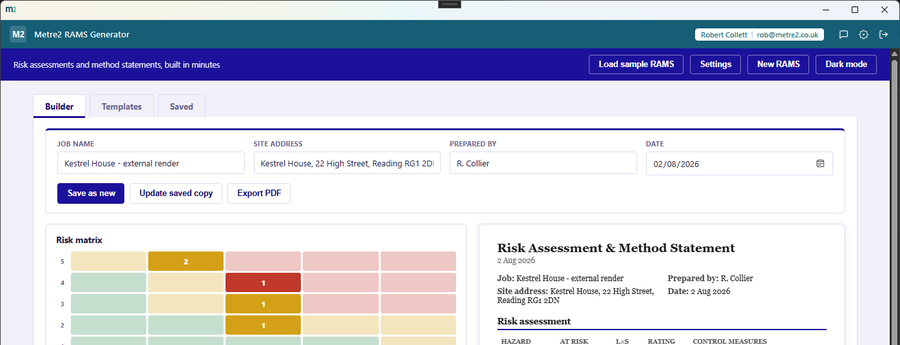
How to write a risk assessment and method statement (RAMS) for a small building job: hazards, a 5x5 risk rating, controls, PPE and the method, step by step.

How-to guide · 8 Nov 2026
How to work out UK statutory holiday entitlement: 5.6 weeks, the 28-day cap, part-time pro rata, bank holidays, and irregular-hours accrual.

How-to guide · 8 Nov 2026
How to track tenders from first sight to result: bid/no-bid, deadlines and clarification dates, document checklists, and learning from wins and losses.

How-to guide · 8 Nov 2026
How to keep track of retention money owed to you: the two release dates, practical completion and the end of the defects period, and chasing what's overdue.

How-to guide · 8 Nov 2026
A simple way for a small business to track every enquiry from first contact to won or lost - stages, follow-ups and what's working - without paying for a CRM.

How-to guide · 8 Nov 2026
How to track certificate, insurance, PAT and training expiry dates in one place, so nothing lapses before a job or an audit.

How-to guide · 8 Nov 2026
How to set up a simple purchase order process: PO numbers, approval, chasing deliveries and matching invoices before you pay.

How-to guide · 8 Nov 2026
How to set up a lone worker check-in procedure: risk assessment, check-in intervals, what happens when someone misses one, and keeping a log.
How-to guide · 8 Nov 2026
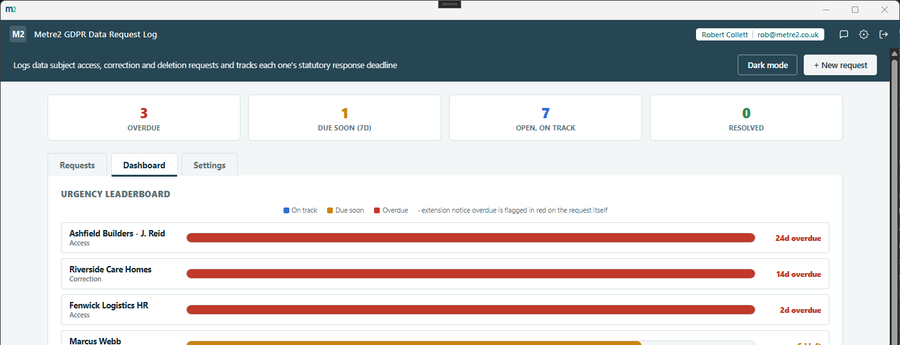
How to respond to a subject access request: the one-month deadline, when you can extend it, pausing for ID or clarification, fees, and keeping a record.
How-to guide · 8 Nov 2026
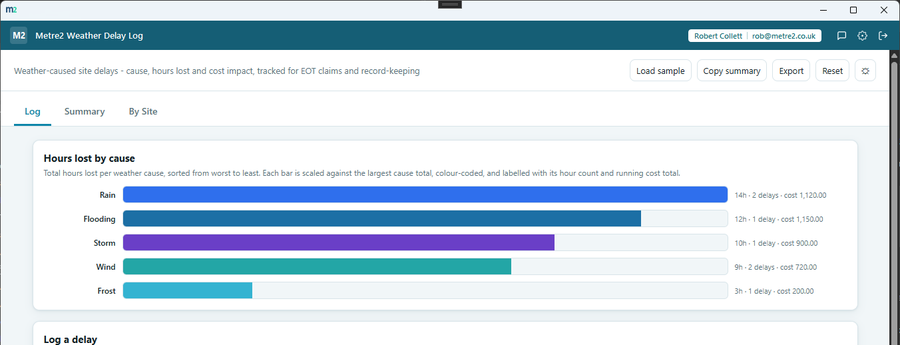
How to record weather delays on a construction site: what to log each day, why records matter for extension of time, and the usual contract tests.
How-to guide · 8 Nov 2026
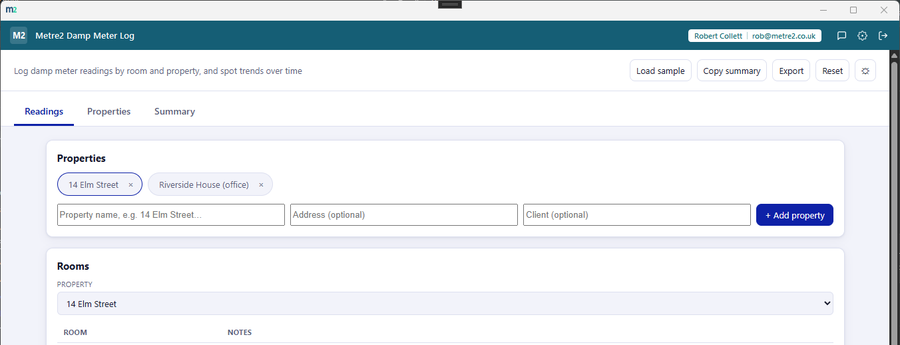
How to take and record damp meter readings so they're useful: same points, same meter, the right material setting, and watching the trend over time.

How-to guide · 8 Nov 2026
How to plan LOLER thorough examinations and PUWER inspections for plant and lifting equipment, alongside services and MOTs, and keep the records.
File guide · 9 Nov 2026
Open a Primavera P6 .xer file free without P6: the activities, WBS, Gantt chart, critical path, float and calendars in your browser, and edit it or export it to Excel. Nothing uploaded.
File guide · 8 Nov 2026
Open an .stl file free in your browser with nothing to install or upload: turn it, measure it, cut a section and get its volume for 3D printing.
File guide · 8 Nov 2026
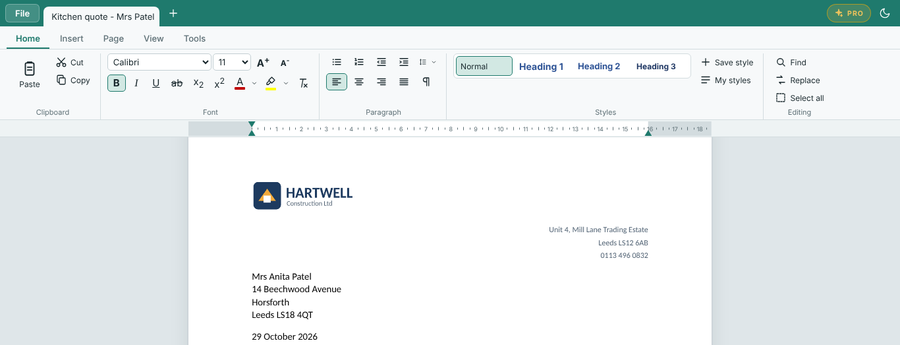
Open an .odt file on Windows 10 or 11 free, without installing an office suite: edit it, save it back as .odt, or convert it to .docx or PDF.
File guide · 8 Nov 2026
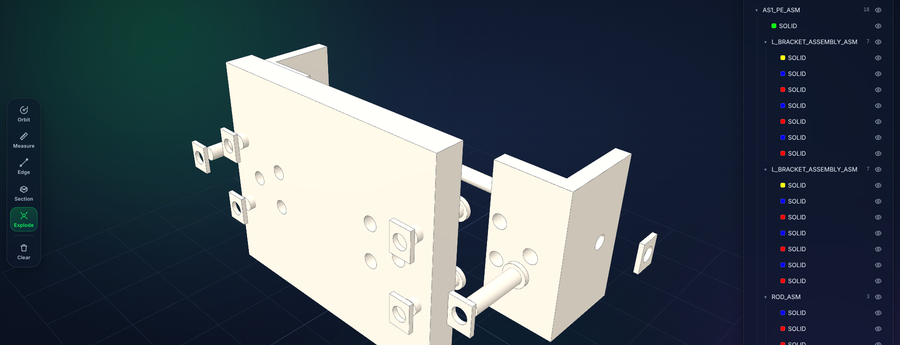
Open a .step or .stp file free in your browser without CAD software: turn the model, measure it, cut sections and see its size. Nothing is uploaded.
How-to guide · 8 Nov 2026
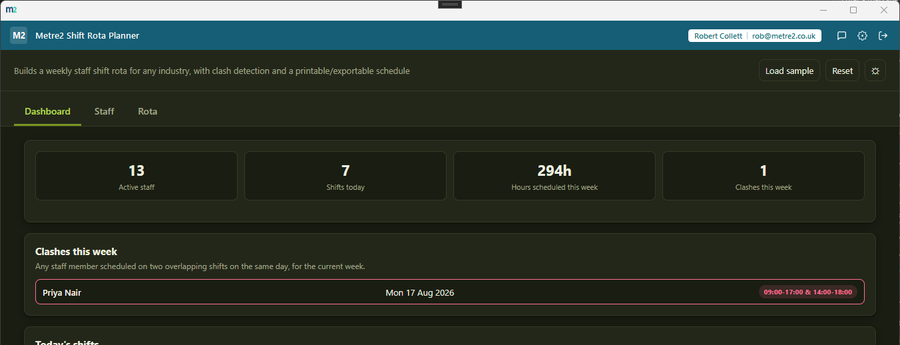
How to make a weekly staff rota: shift patterns, avoiding clashes and overnight overlaps, hours against target, and copying a good week forward.

How-to guide · 8 Nov 2026
How to log business mileage for HMRC: what to record for each trip, the 2026/27 approved mileage rates (55p then 25p for cars and vans), and the 10,000-mile threshold.
How-to guide · 8 Nov 2026
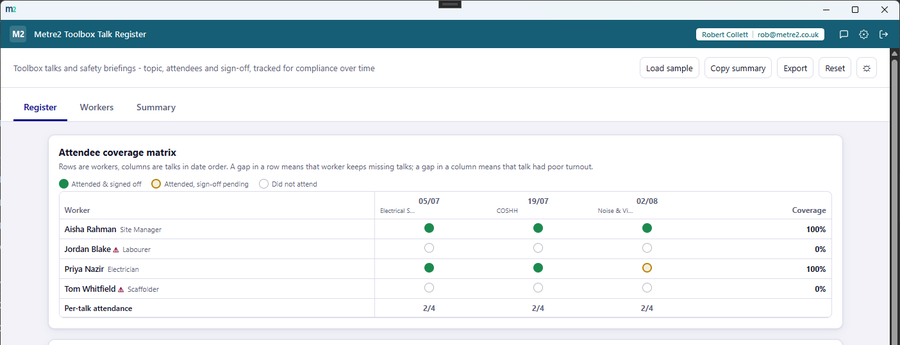
How to keep a toolbox talk register: what to record for each talk, getting sign-off from attendees, and spotting who has missed talks.
How-to guide · 8 Nov 2026
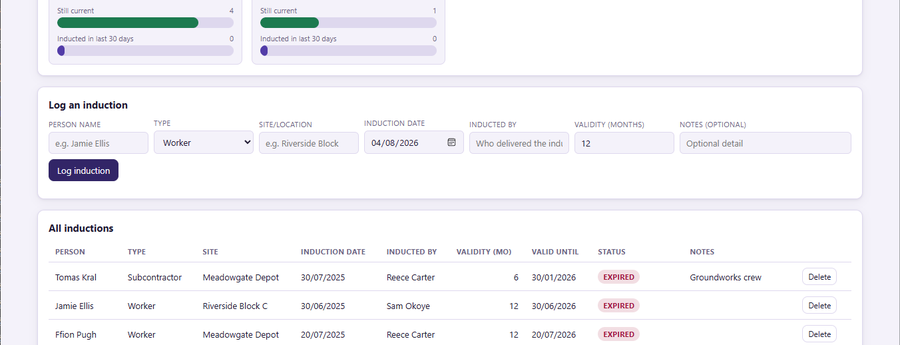
How to run and record site inductions: who needs one under CDM 2015, what to cover, when to refresh it, and keeping the record per site.
How-to guide · 8 Nov 2026
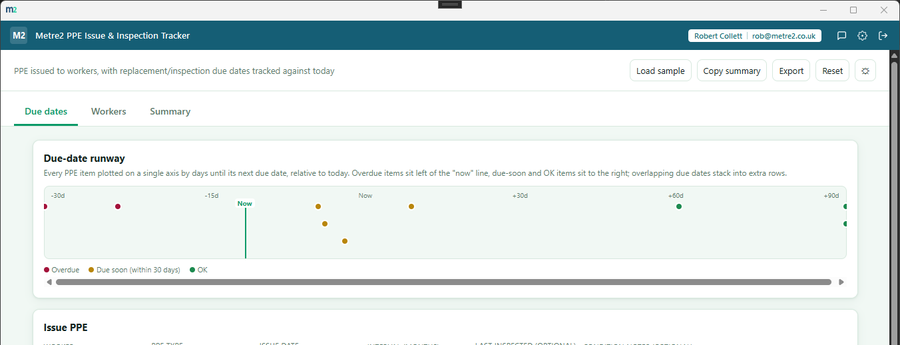
How to keep a PPE issue register: what to record for each item, inspection and replacement dates, and who the PPE rules cover since April 2022.

How-to guide · 8 Nov 2026
How to do and record a daily vehicle walkaround check for vans, site vehicles and plant: what to check, pass or fail, and keeping a log of defects.

How-to guide · 8 Nov 2026
How to work out the cost of a recipe per portion from your ingredient prices, set a selling price at your target margin, and keep the 14 allergens recorded.

How-to guide · 8 Nov 2026
How to calculate the Bradford Factor for staff sickness absence: the formula, a worked example, and using it fairly alongside return-to-work conversations.
Windows guide · 1 Nov 2026
WordPad has been removed from Windows 11. What to use instead to open and edit .rtf files, plus .docx, .odt and .txt, free in your browser or as a Windows app.
Windows guide · 5 Nov 2026
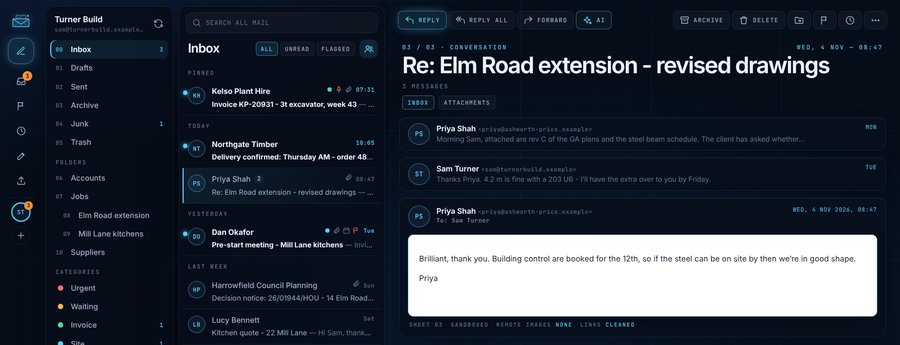
The Windows Mail app stopped working at the end of 2024. How to set your email up in another app with IMAP, the settings you need, and app passwords explained.
Windows guide · 1 Nov 2026
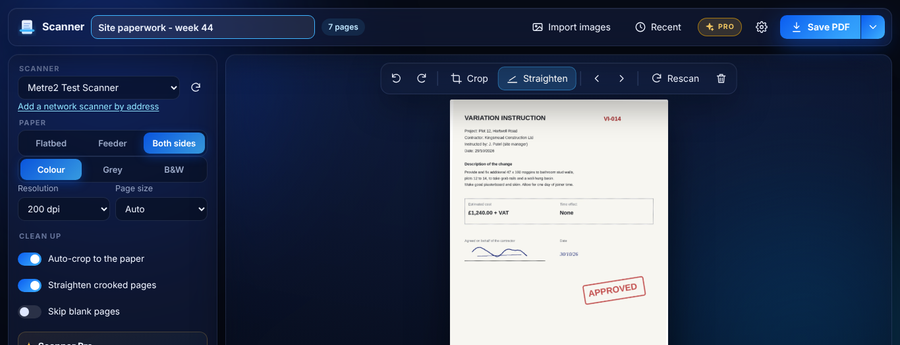
Windows Fax and Scan isn't installed on many Windows 11 PCs. How to add it as an optional feature, what it can't do, and a free app that scans to PDF.
PDF guide · 1 Nov 2026
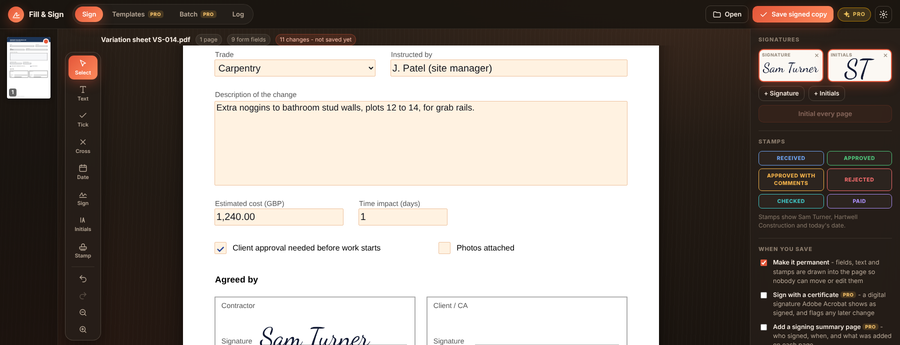
Fill in a scanned or non-fillable PDF form without printing it: type on the printed lines, tick the boxes and sign. Free in your browser, nothing uploaded.
Windows guide · 1 Nov 2026
How to scan several pages into a single PDF on Windows 11 from a flatbed or document feeder, then reorder, straighten and save. Free app, nothing uploaded.
Windows guide · 5 Nov 2026
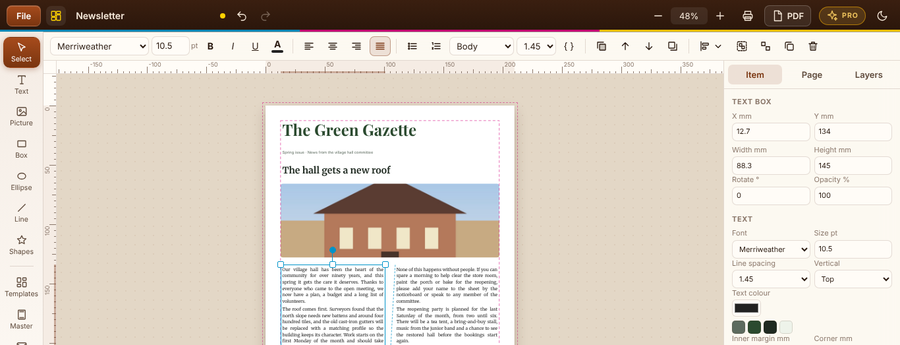
Publisher's support has ended. A free alternative for flyers, newsletters, posters and certificates that also opens your .pub files: what it does and how to switch.
Windows guide · 1 Nov 2026
How to open, edit and save .rtf files on Windows 11 now WordPad has gone, make them open with a double-click, and convert RTF to PDF or .docx. Free.
Windows guide · 5 Nov 2026
How to open a .pub file on Windows without Publisher: open it in the free Metre2 Desktop Publishing, see what converted, and keep editing. Nothing uploaded.
PDF guide · 1 Nov 2026
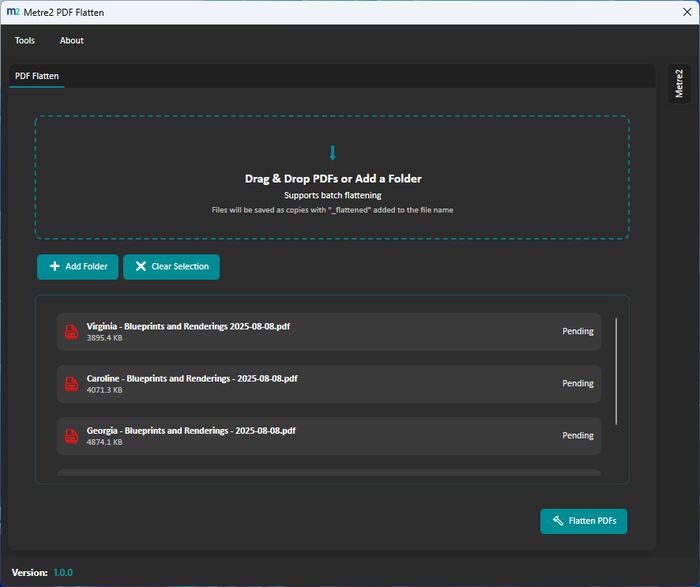
Flatten a filled-in PDF form so the answers become part of the page and can't be retyped. Free in your browser, nothing uploaded, limits explained.
PDF guide · 1 Nov 2026
Fill in and sign a PDF free, scanned forms included: type on the lines, tick, date and add your signature. In your browser, with nothing uploaded.
Drainage guide · 7 Nov 2026
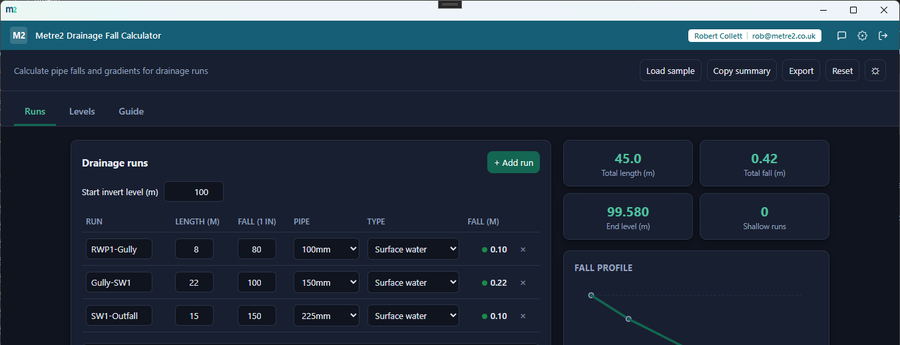
1 in 40 = 25 mm per metre, 1 in 60 = 16.7 mm, 1 in 80 = 12.5 mm, 1 in 100 = 10 mm. Falls over a whole run, the UK minimums and setting them out on site.
PDF guide · 1 Nov 2026
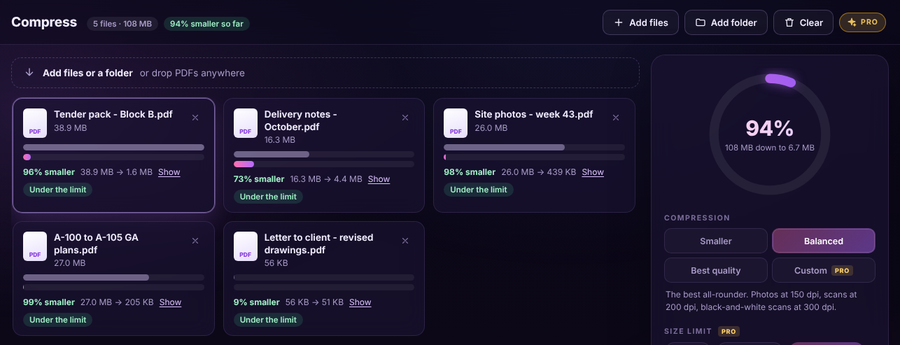
Make a PDF smaller for email without sending it to a website: what makes PDFs big, the settings that matter and how to check nothing was lost. Free.
Electrical guide · 7 Nov 2026
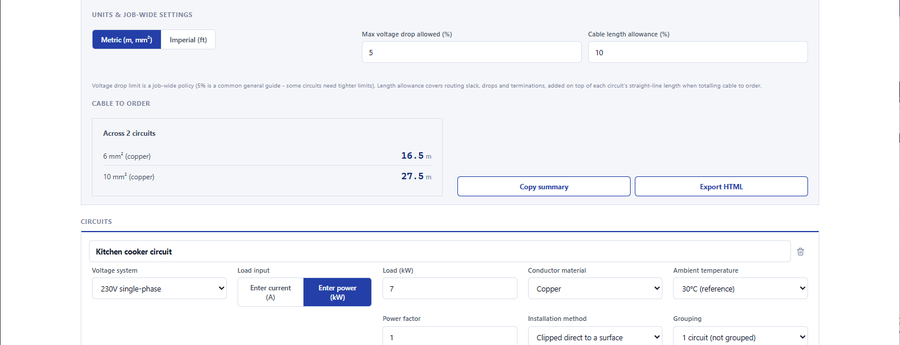
Lights 1.0-1.5 mm², sockets 2.5 mm², cooker 4-6 mm², electric shower 6-10 mm². How UK cable sizing works to BS 7671, with worked examples and a free calculator.
Estimating guide · 29 Oct 2026
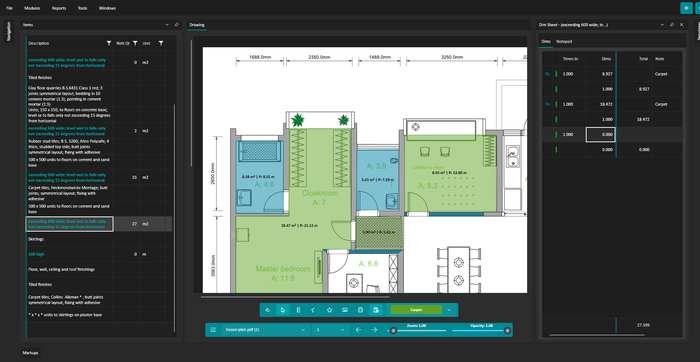
What a bill of quantities is, how NRM2 structures it (preliminaries, measured work, provisional sums, dayworks) and a free BOQ template.
Scaffolding guide · 29 Oct 2026
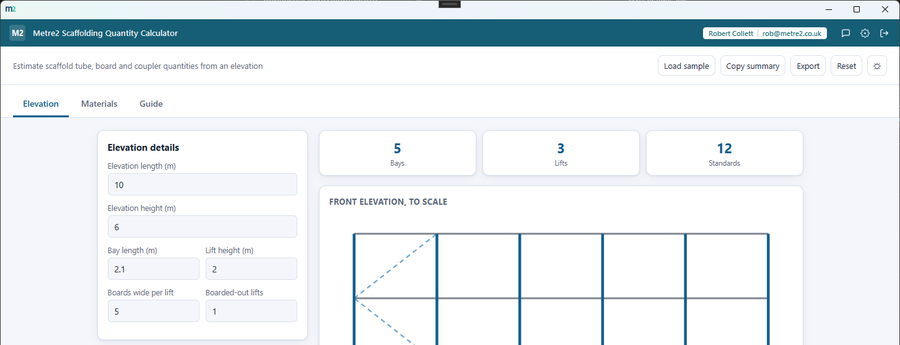
Count scaffold bays and lifts from an elevation and turn them into standards, ledgers, transoms, boards, couplers, ties and guardrails.

Reinforcement guide · 29 Oct 2026
Rebar weight per metre for 6 to 40 mm bars using the D²/162 rule, and how to total a bar schedule into kilograms and tonnes. Worked example.
Decorating guide · 29 Oct 2026
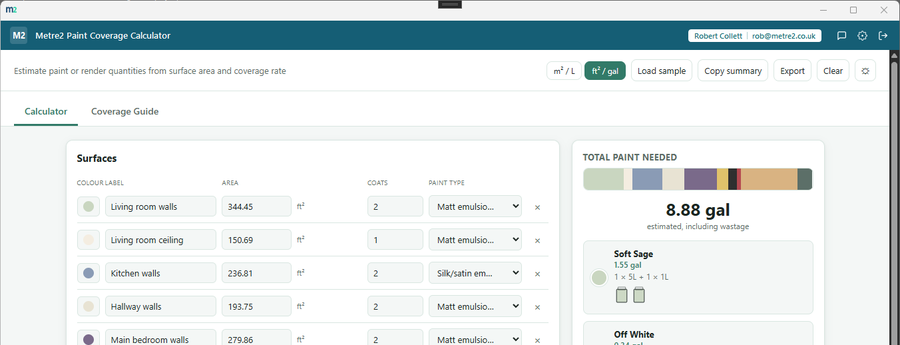
How much paint a room needs: wall and ceiling areas, two coats, coverage per litre for emulsion, gloss and masonry paint, and tin sizes.
Masonry guide · 29 Oct 2026
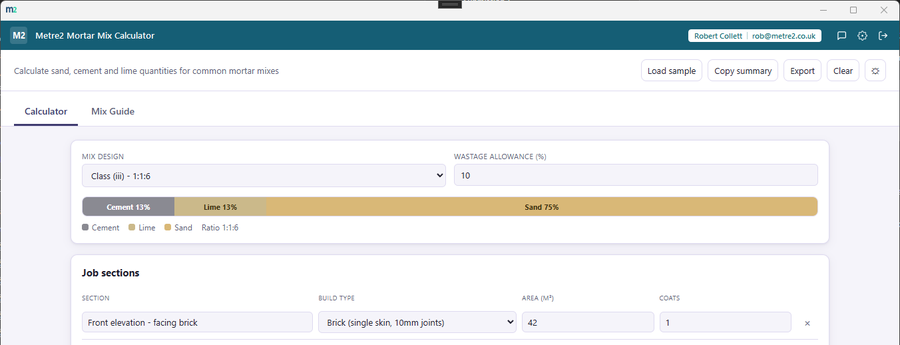
Mortar per m² for brick and blockwork, which mix ratio to use (1:1:6 and more) and how to turn it into bags of cement, lime and tonnes of sand.
Insulation guide · 29 Oct 2026
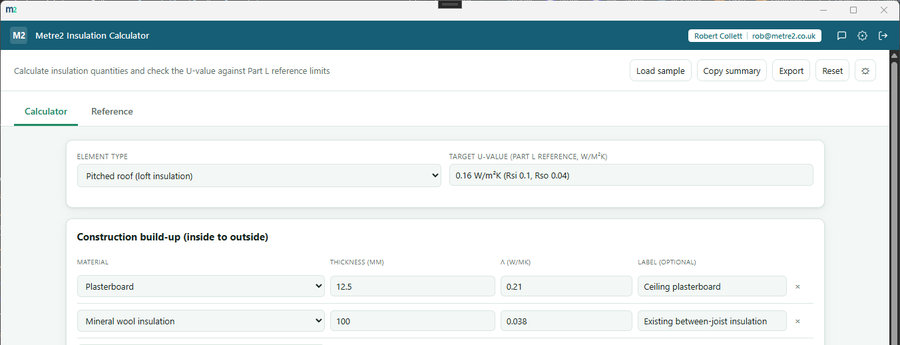
How thick loft, wall or floor insulation needs to be, how a U-value is worked out layer by layer, and the Part L 2021 targets in England.
Flooring guide · 29 Oct 2026
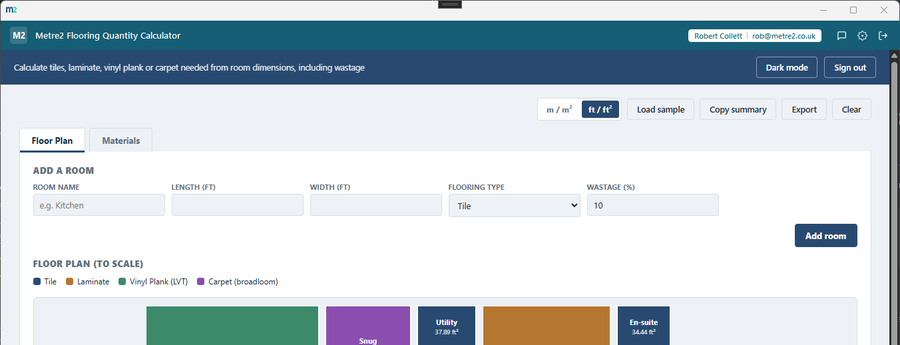
Measure a room for laminate, LVT, tiles or carpet: floor area, how much waste to add and how many packs or boxes to buy. Worked examples.
Roofing guide · 29 Oct 2026
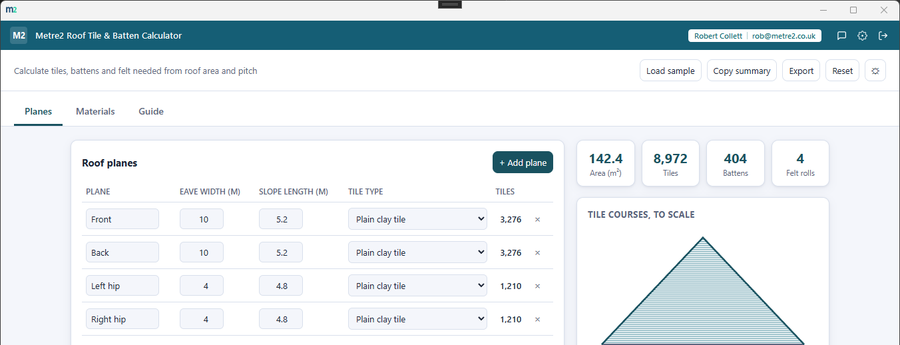
Roof tiles, battens and underlay for a pitched roof: rafter length from pitch, tiles per m² by tile type, batten gauge and courses. Worked example.
Drylining guide · 29 Oct 2026
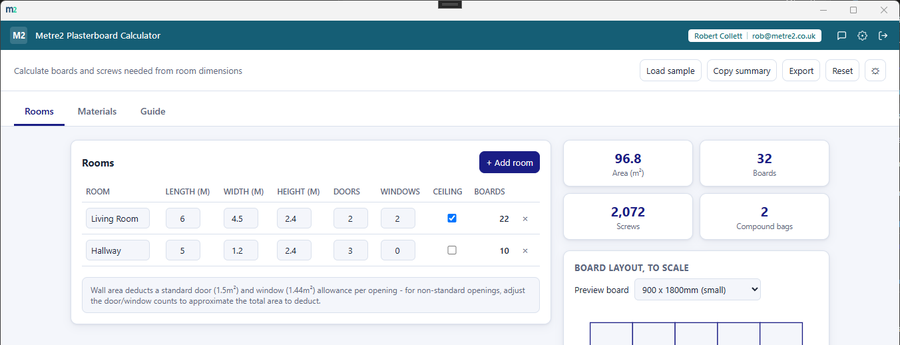
Work out how many plasterboard sheets a room needs: walls and ceiling, door and window deductions, sheet sizes, 10% waste, screws and filler.
Masonry guide · 1 Nov 2026
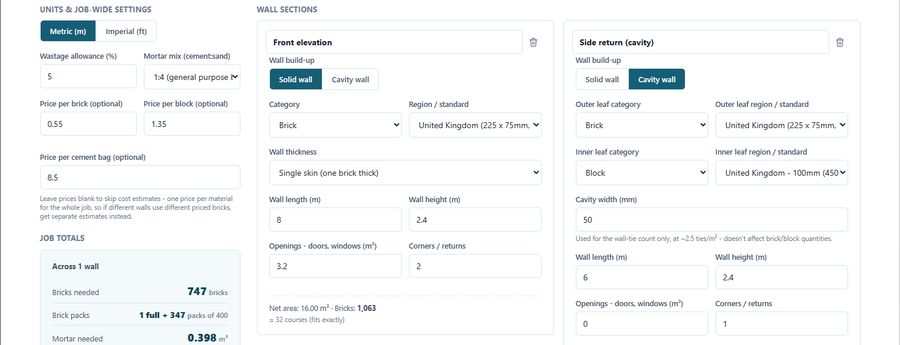
How many bricks and blocks per square metre in the UK (60 and 10), and how to work out a wall with openings, waste, ties and mortar.
Metre2 Earthworks Pro
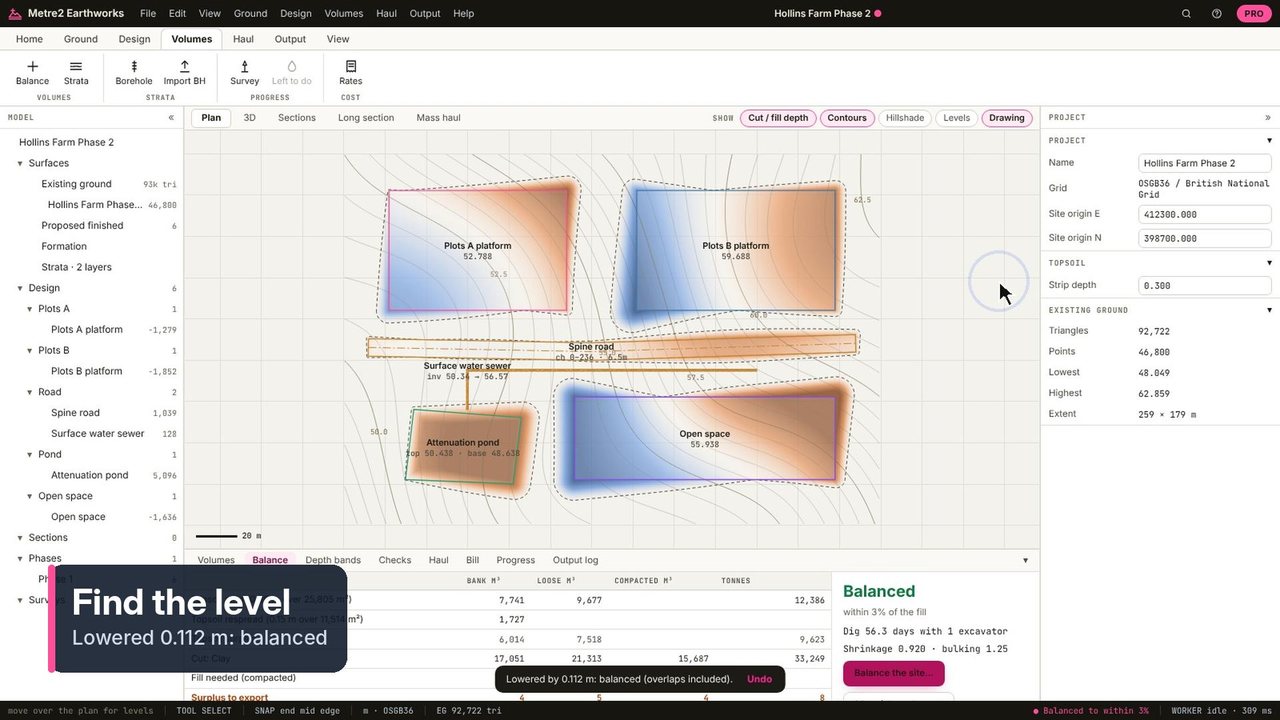
Balance a site's cut and fill: read the balance in bank, loose and compacted, then let the optimiser raise or lower the platforms together until the cut makes the fill, after shrinkage. In Metre2 Earthworks Pro.
Metre2 Earthworks Pro
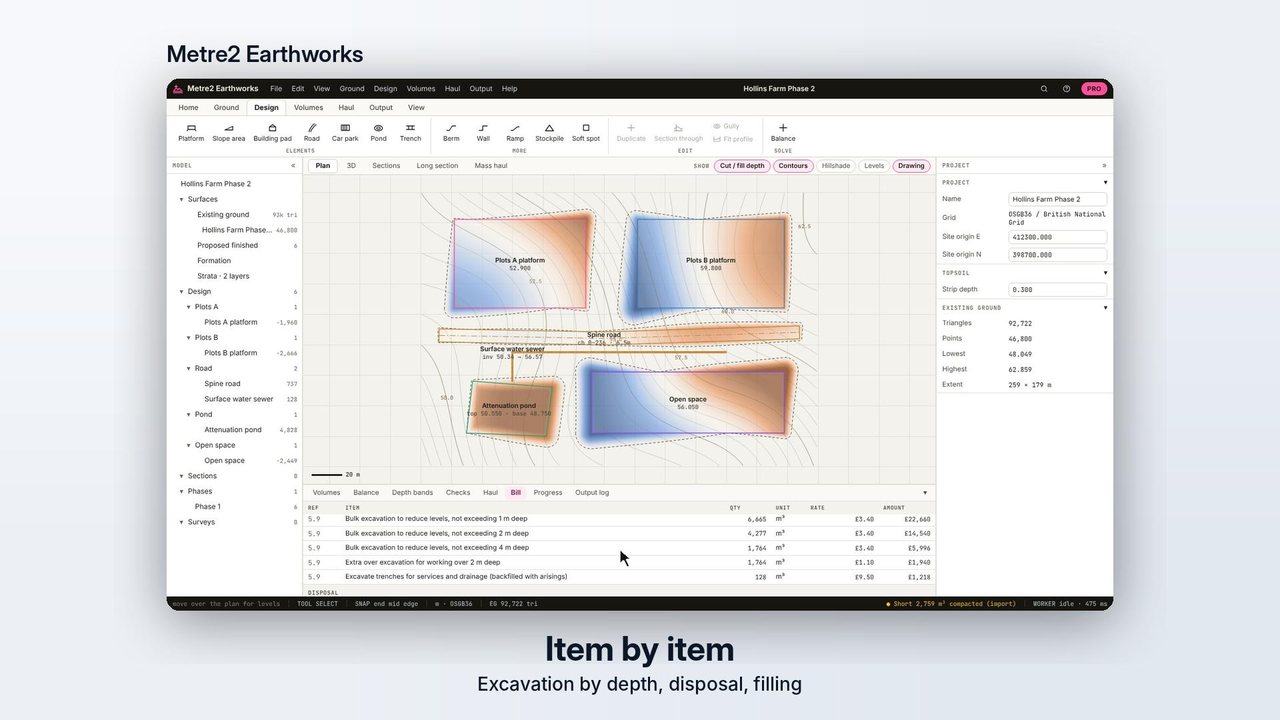
Produce an earthworks bill of quantities from the model: site preparation, excavation by depth band, disposal with landfill tax, filling, haulage and surface treatments, priced at your rates with OH&P, then to Excel with live formulas. In Metre2 Earthworks Pro.
Metre2 Earthworks Pro
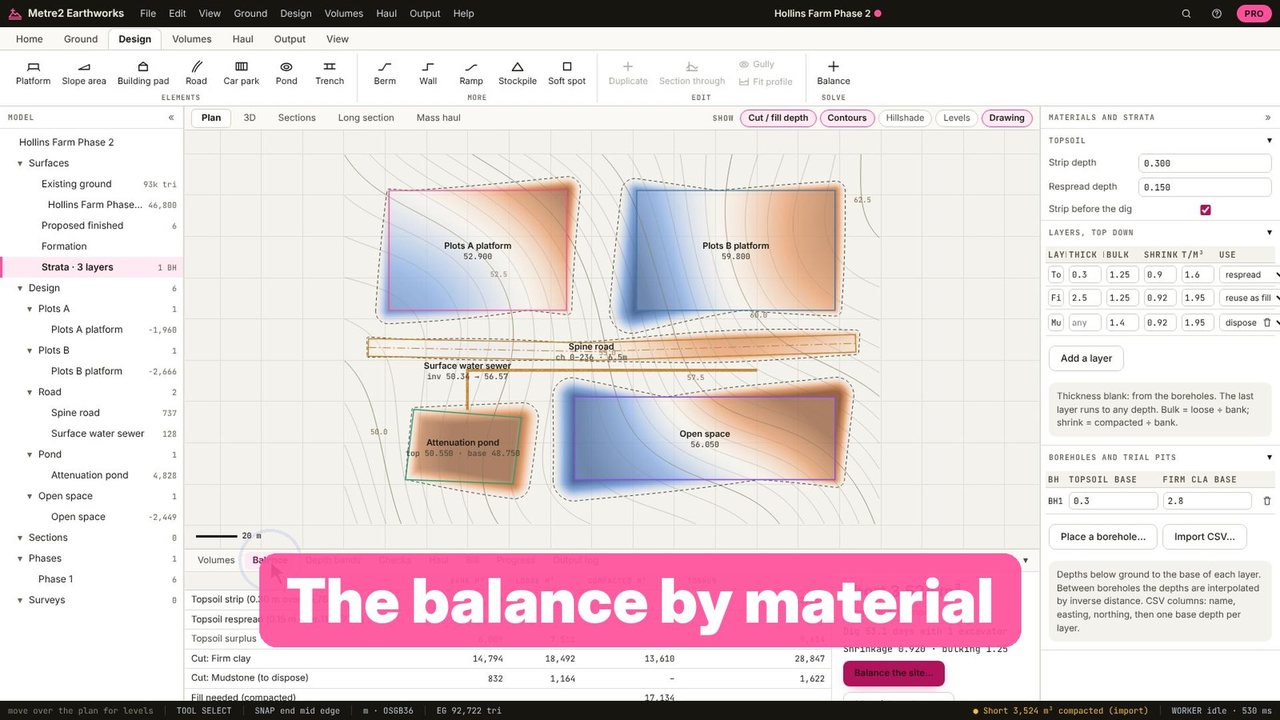
What bulking and shrinkage factors are, typical values, and how they change the earthworks balance: layers from boreholes, cut by material, and the balance in bank, loose, compacted and tonnes. In Metre2 Earthworks Pro.
Metre2 Earthworks Pro
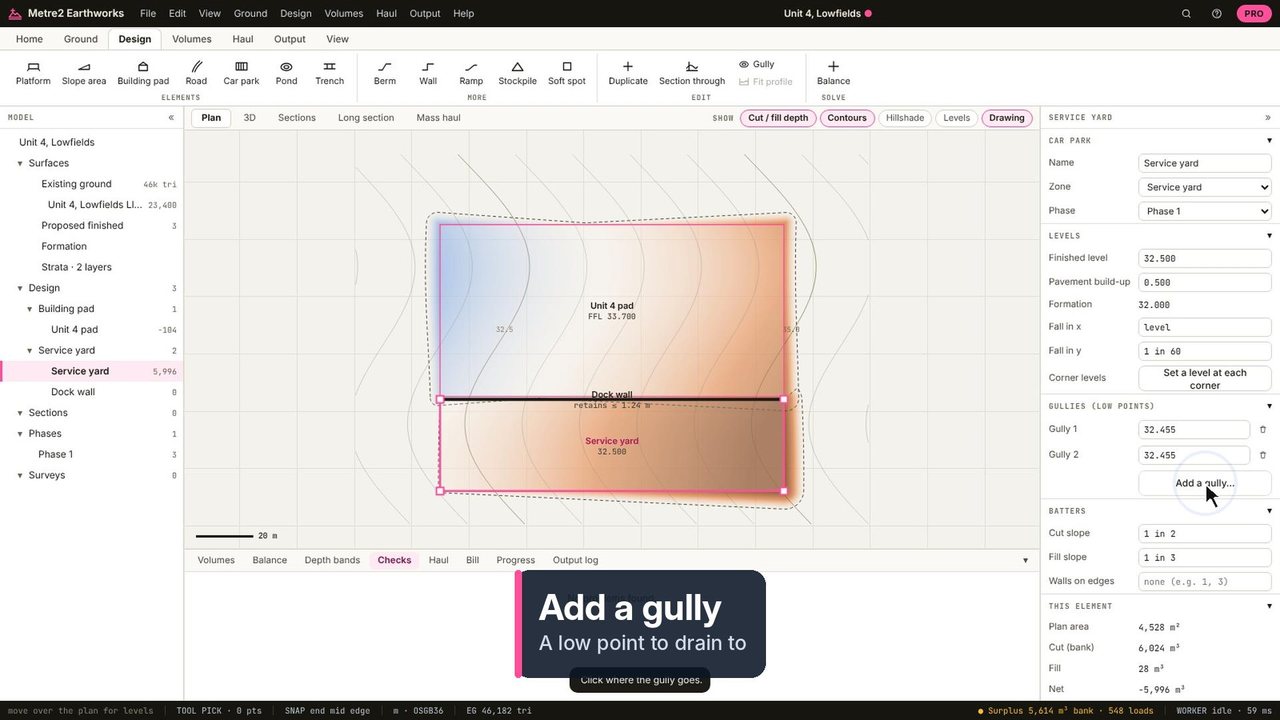
Set out a car park's levels: a fall to drain, pavement build-up to formation, gullies as low points, and the ponding check, with the cut and fill. In Metre2 Earthworks Pro.
Metre2 Earthworks
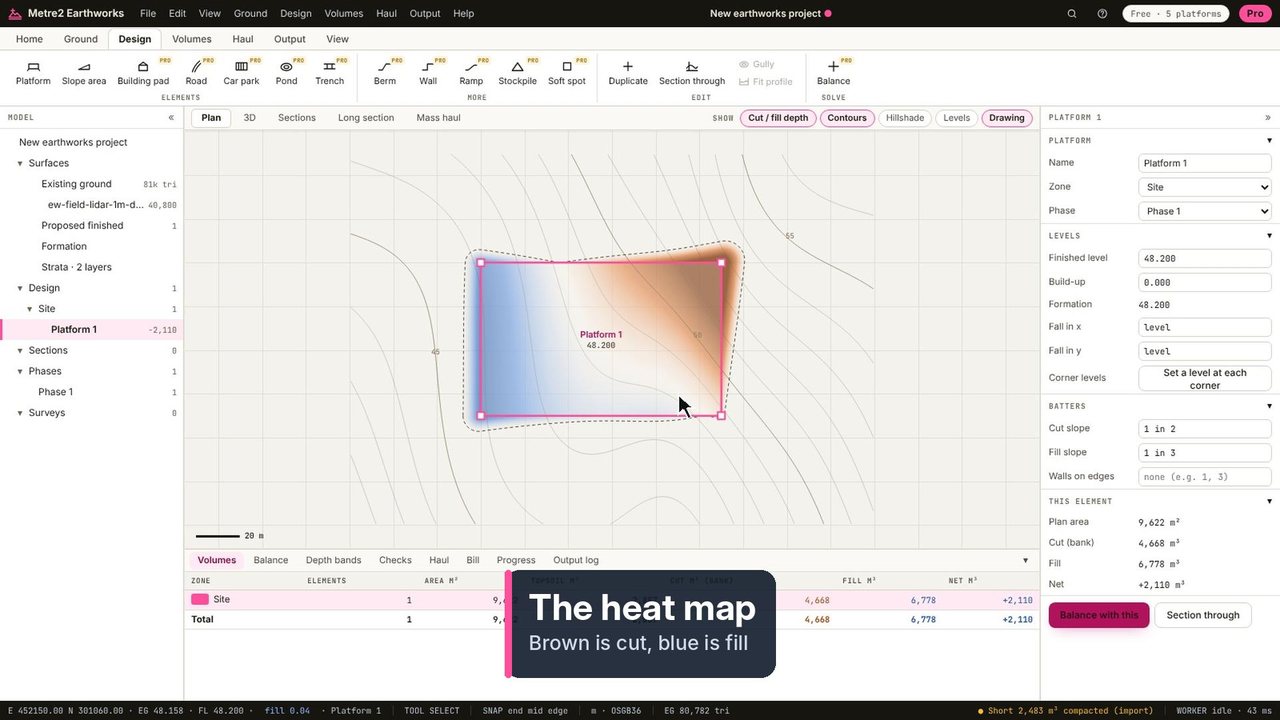
Work out cut and fill volumes for a building platform: bring in the existing ground, draw the platform, set its level and read the cut, fill and heat map, with batters that run out to meet the ground. Free in your browser.
Metre2 Earthworks
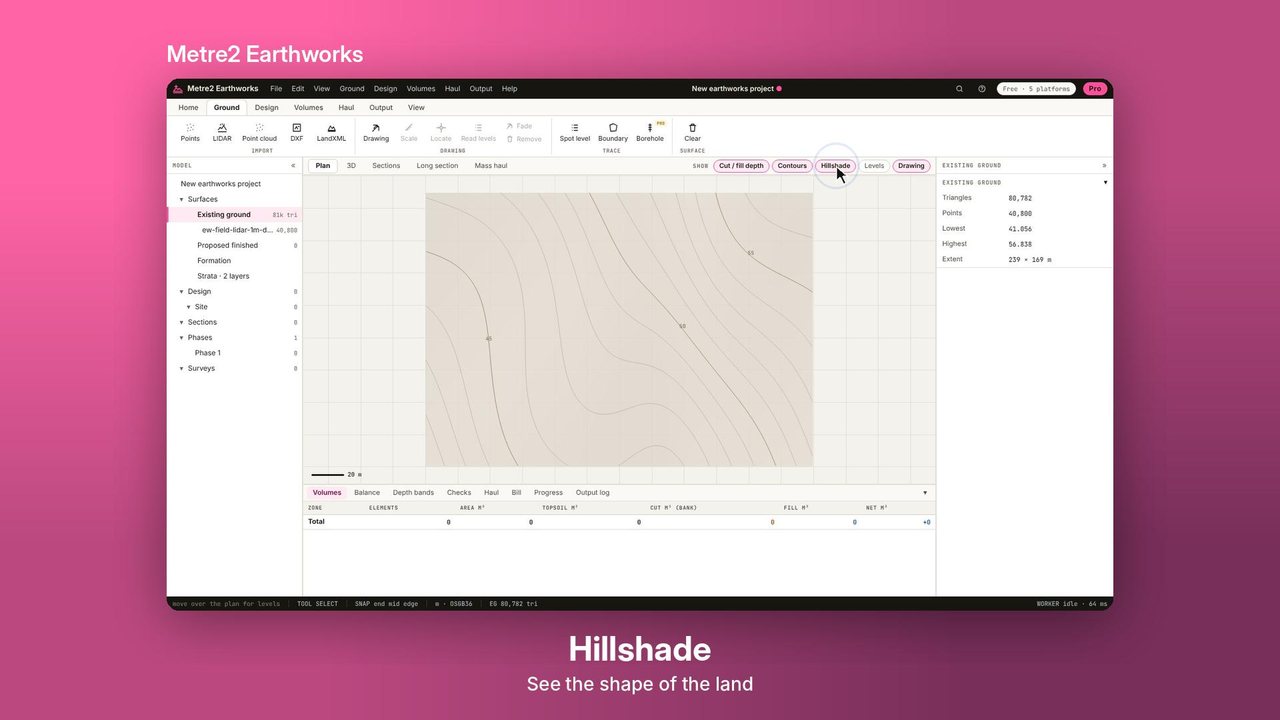
Use the free Environment Agency 1 m LIDAR DTM as the existing ground for a site: download the tile, bring the ASC or GeoTIFF into Earthworks, read levels anywhere, see hillshade, contours and 3D. Free in your browser.
Metre2 Earthworks Pro
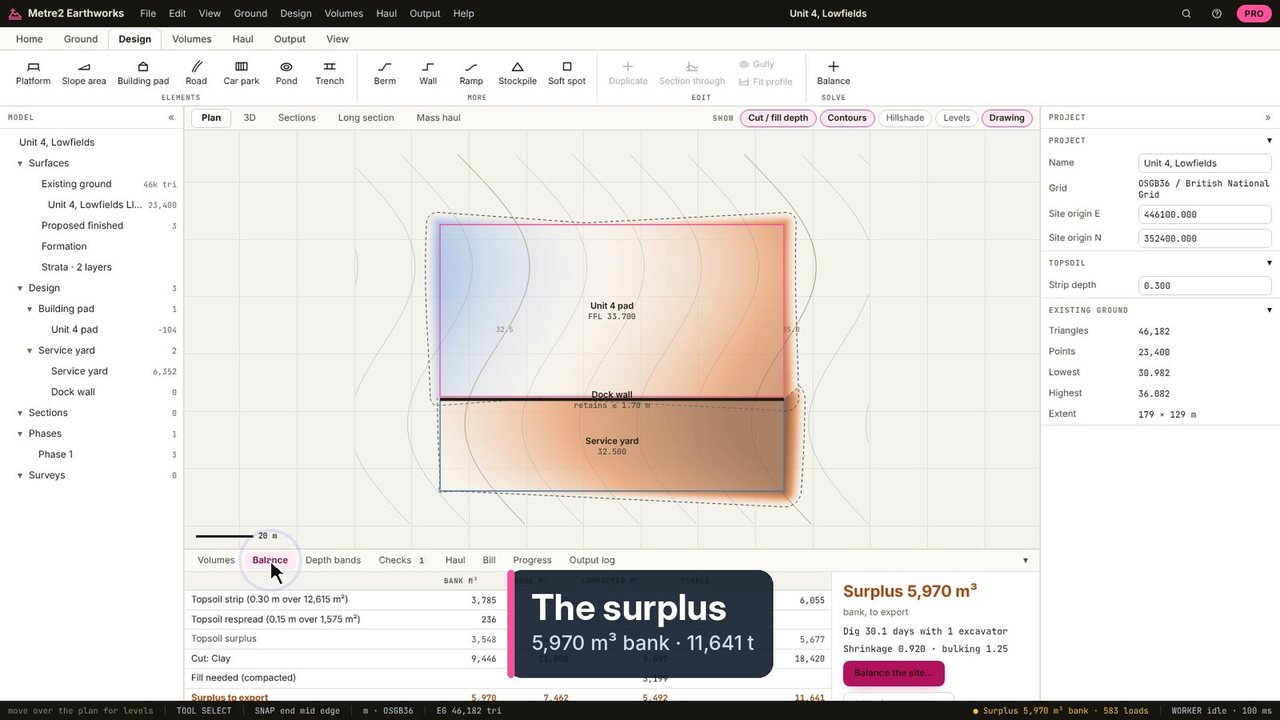
Work out the cost of taking surplus spoil off site: the surplus in bank, loose and tonnes, lorry loads, tip gate fees and landfill tax at the 2026 rates. In Metre2 Earthworks Pro.
Metre2 Earthworks Pro
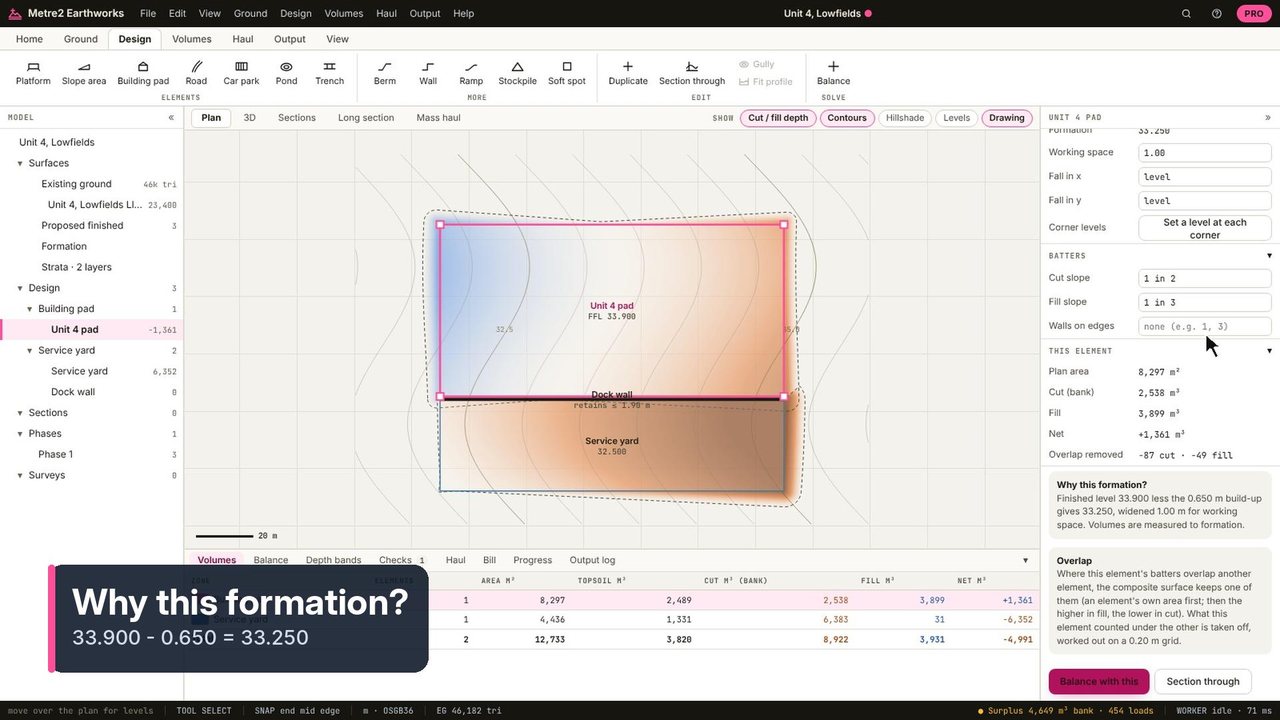
Work out a building pad's formation level from the finished floor level: floor build-up, working space beyond the slab, batters, and the cut and fill to formation. In Metre2 Earthworks Pro.
Metre2 Earthworks
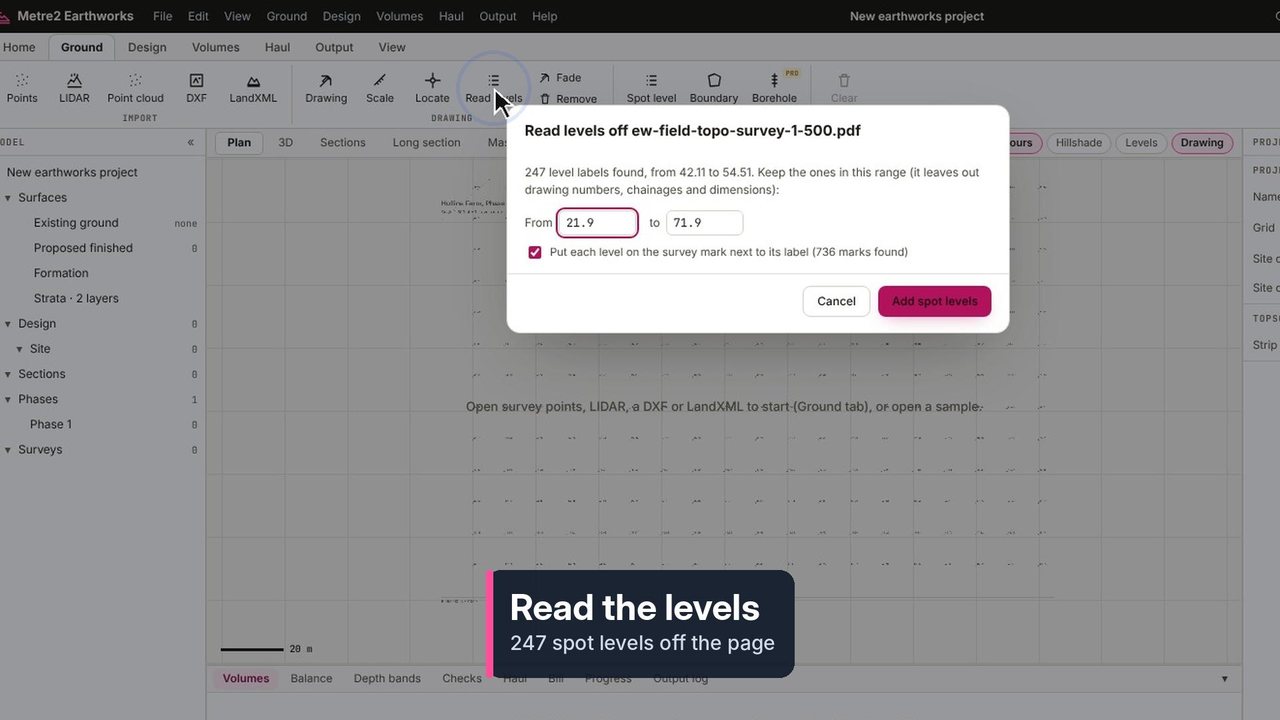
Get cut and fill from a PDF survey drawing: place it at its scale, read the spot levels off the PDF automatically, snap to its line work and draw the design on top. Free in your browser.
Metre2 Earthworks Pro
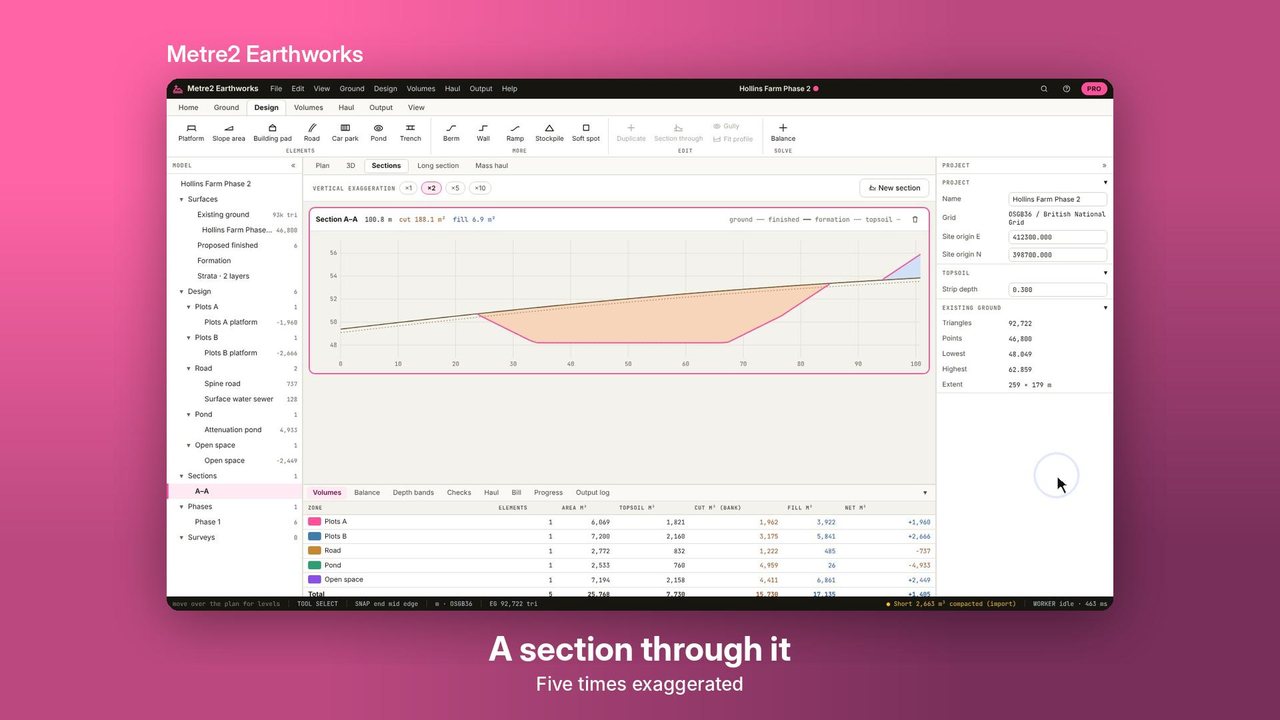
Work out the excavation of an attenuation pond or basin: top of bank, base level, inside side slopes, the storage volume and a section through it. In Metre2 Earthworks Pro.
Metre2 Earthworks Pro
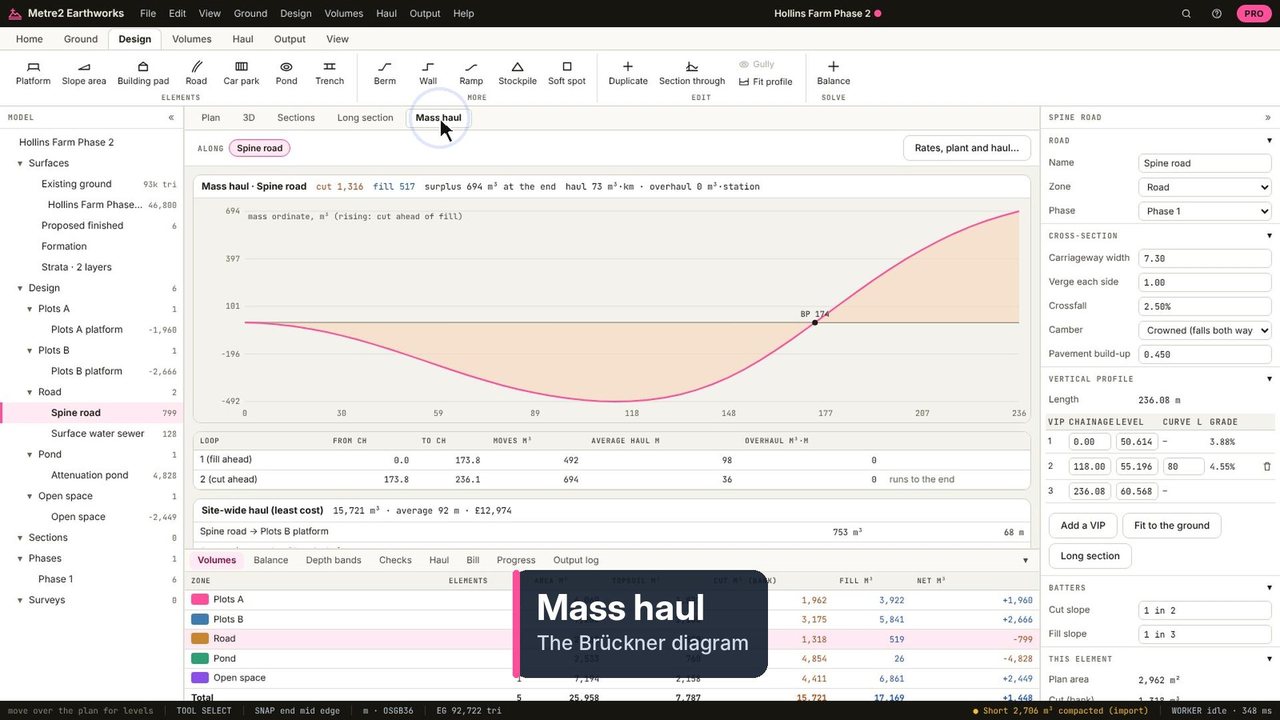
Design a road's earthworks from its centre line: carriageway width, crossfall, a vertical profile with curves, pavement build-up, the long section and the mass haul diagram with balance points. In Metre2 Earthworks Pro.
Metre2 Earthworks
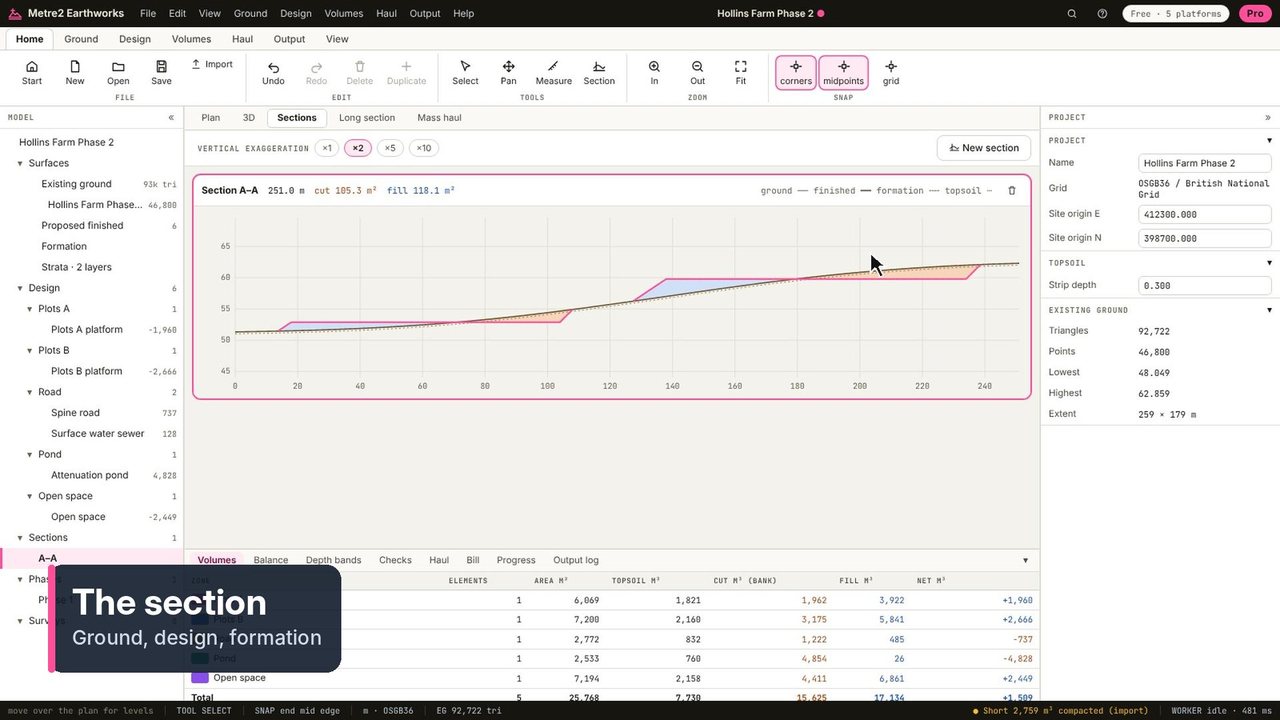
Draw cross-sections across a site to see the existing ground, finished levels, formation and topsoil, with cut and fill shaded and their areas, then check the whole design in 3D. Free in your browser.
Metre2 Earthworks Pro
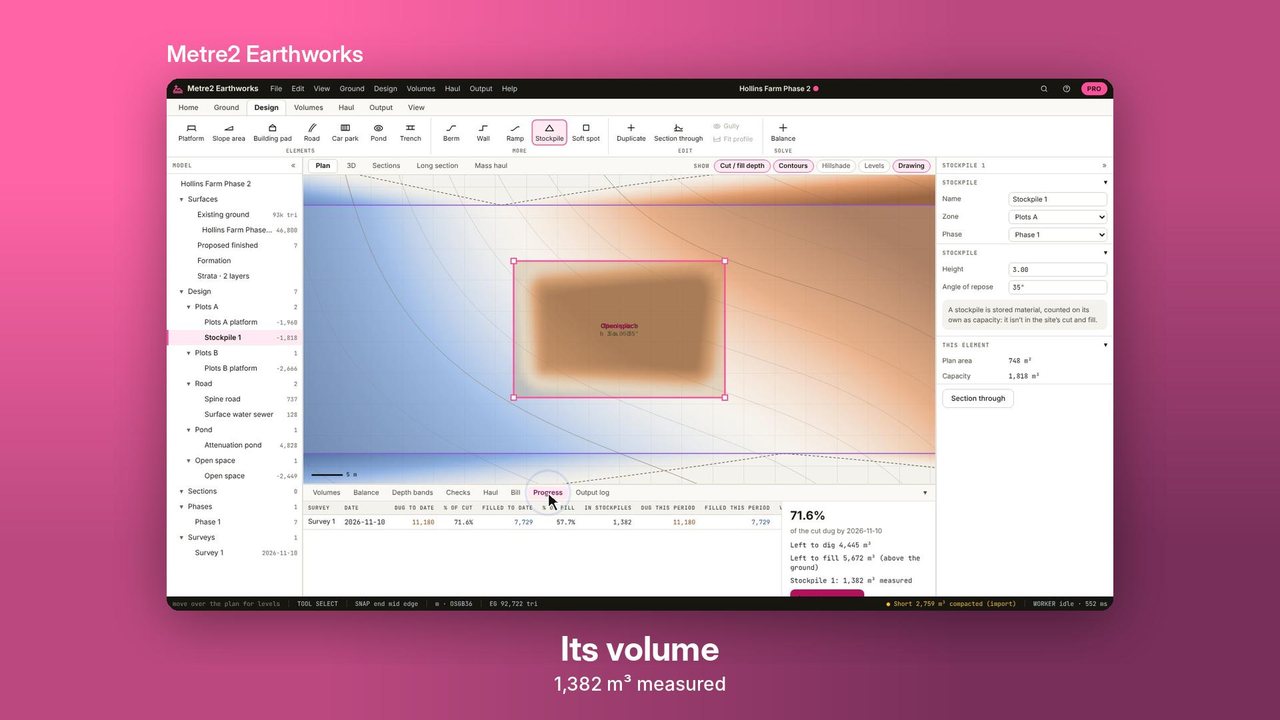
Measure a stockpile's volume from a drone or GPS survey: import the survey, draw round the heap and read its volume against the ground it sits on. In Metre2 Earthworks Pro.
Metre2 Earthworks
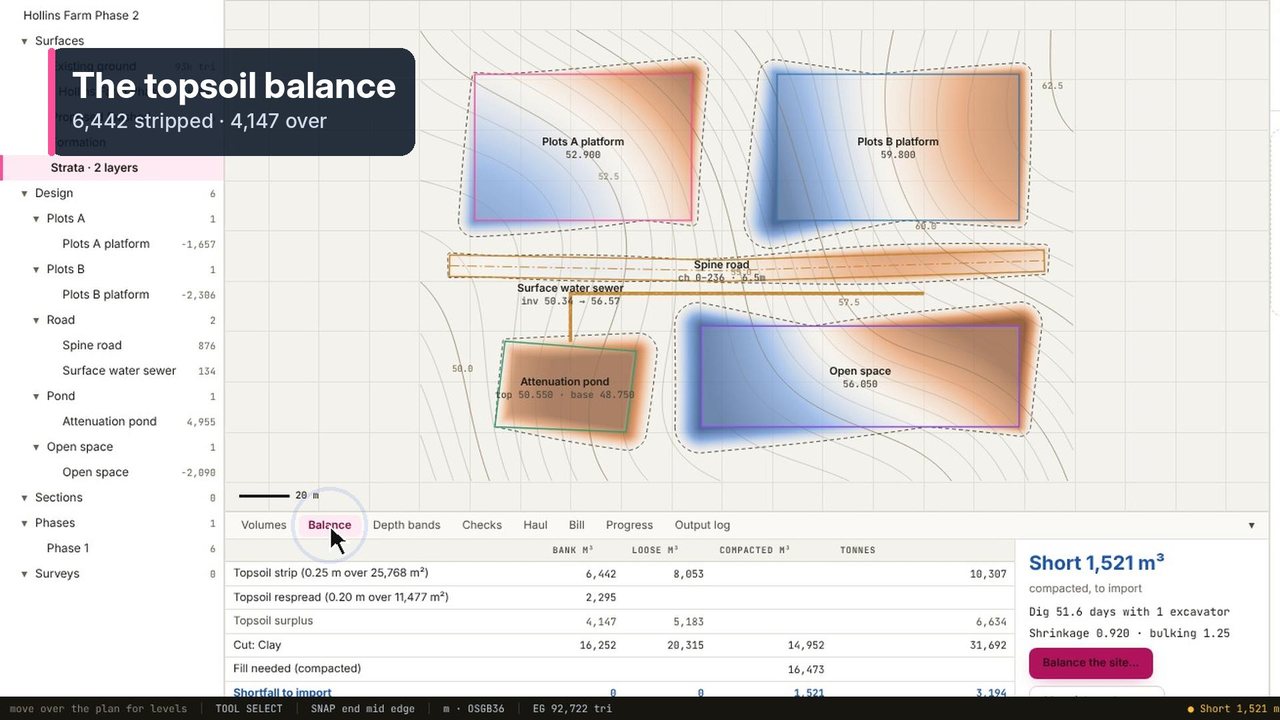
Work out the topsoil to strip and stockpile, the topsoil to respread on batters and landscaping, and the surplus, and see how the strip changes the bulk cut and fill. Free in your browser.
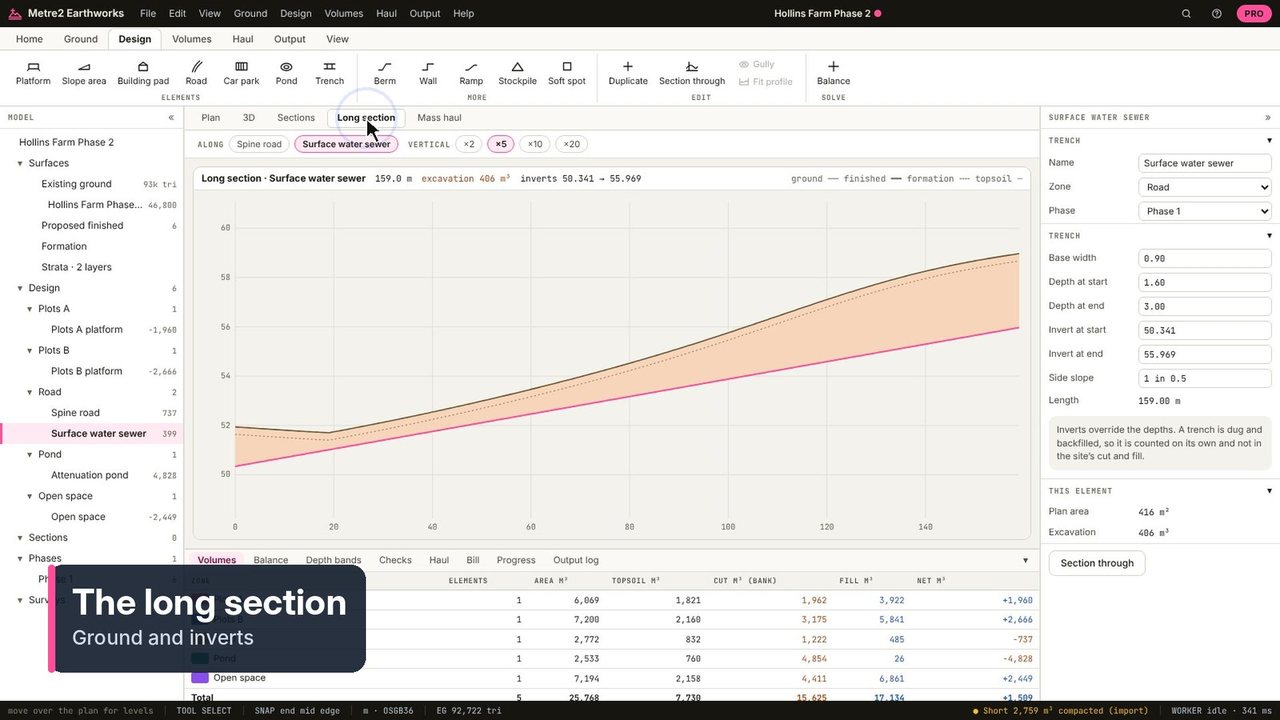
Metre2 Earthworks Pro
Work out trench excavation for drainage and services: a trench along a line with its width, depth or invert at each end, vertical or battered sides, the long section and the volume. In Metre2 Earthworks Pro.
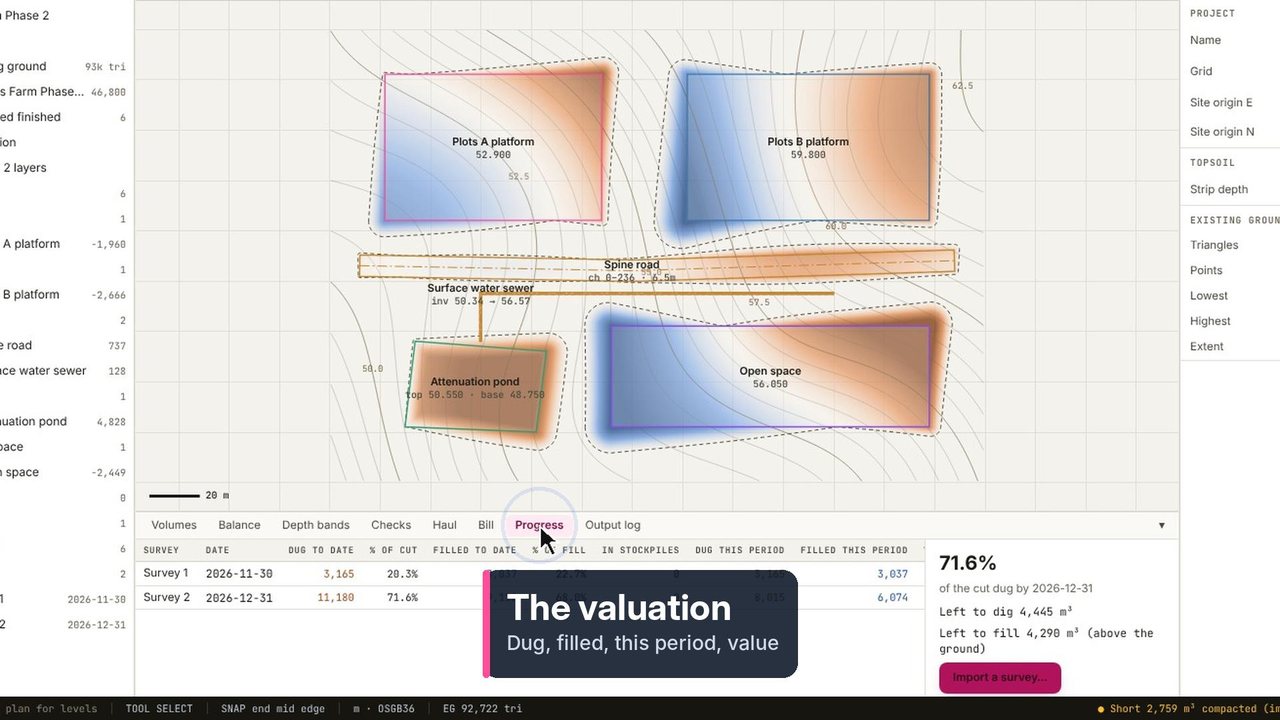
Metre2 Earthworks Pro
Value earthworks month by month: import dated surveys, read dug and filled to date against the design, this month's quantities and value at your rates, and see what's left to do. In Metre2 Earthworks Pro.
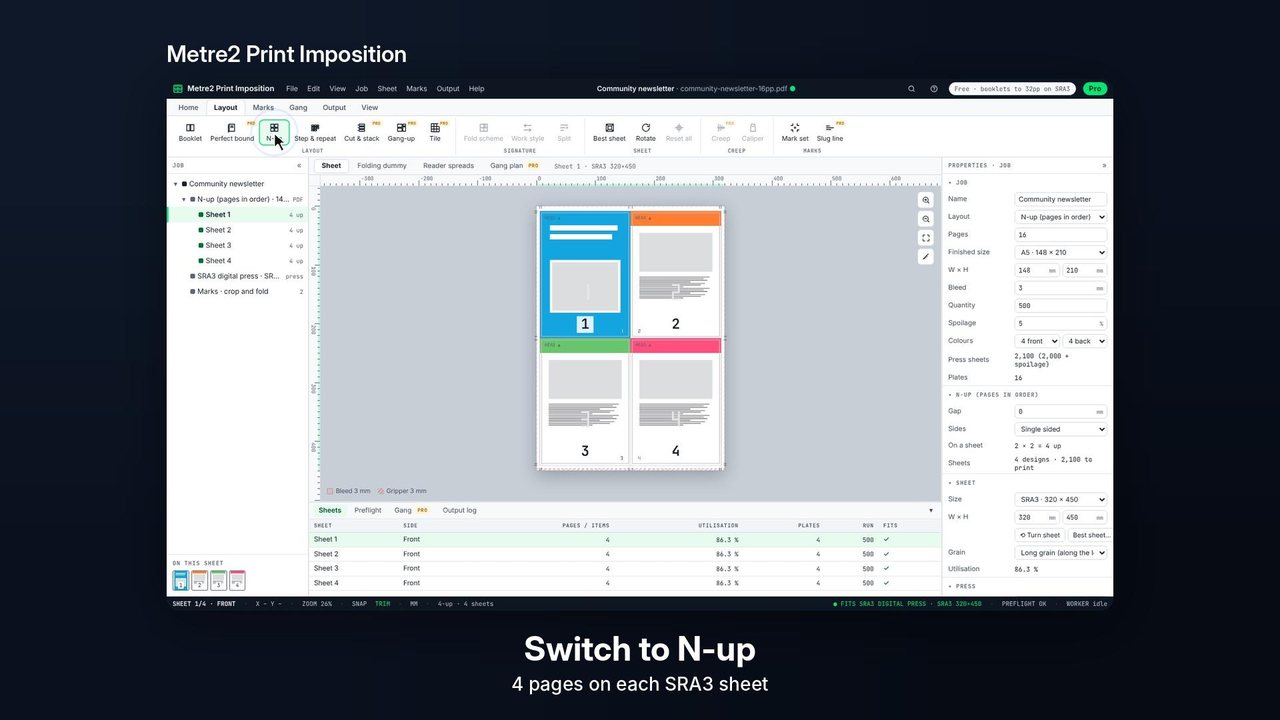
Metre2 Print Imposition
Put two or four pages on each sheet in page order - flyers, handouts and A5 or A6 pages on SRA3 or A3 - single or double sided, and save a print-ready PDF. Free n-up imposition in your browser.
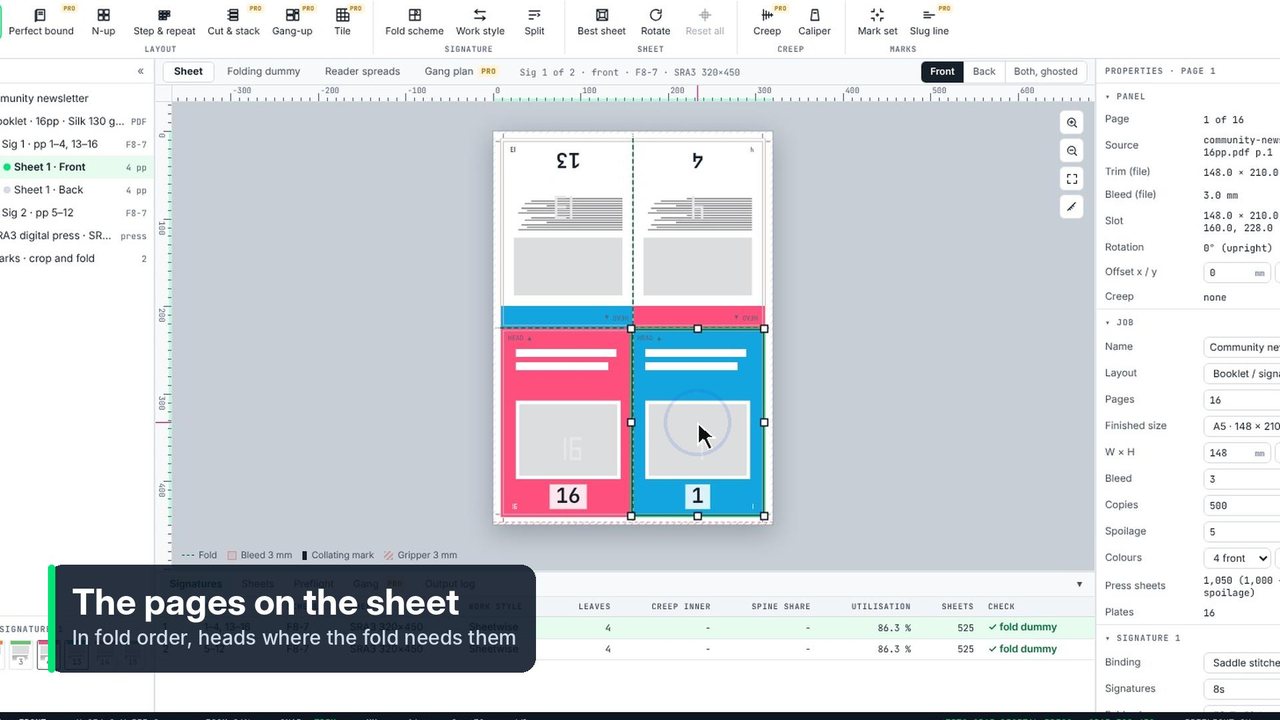
Metre2 Print Imposition
Impose a saddle-stitched booklet from a PDF: which page goes where on the sheet, why some pages print upside down, checking the fold with a folding dummy and saving a press-ready PDF. Free in your browser.
Metre2 Print Imposition
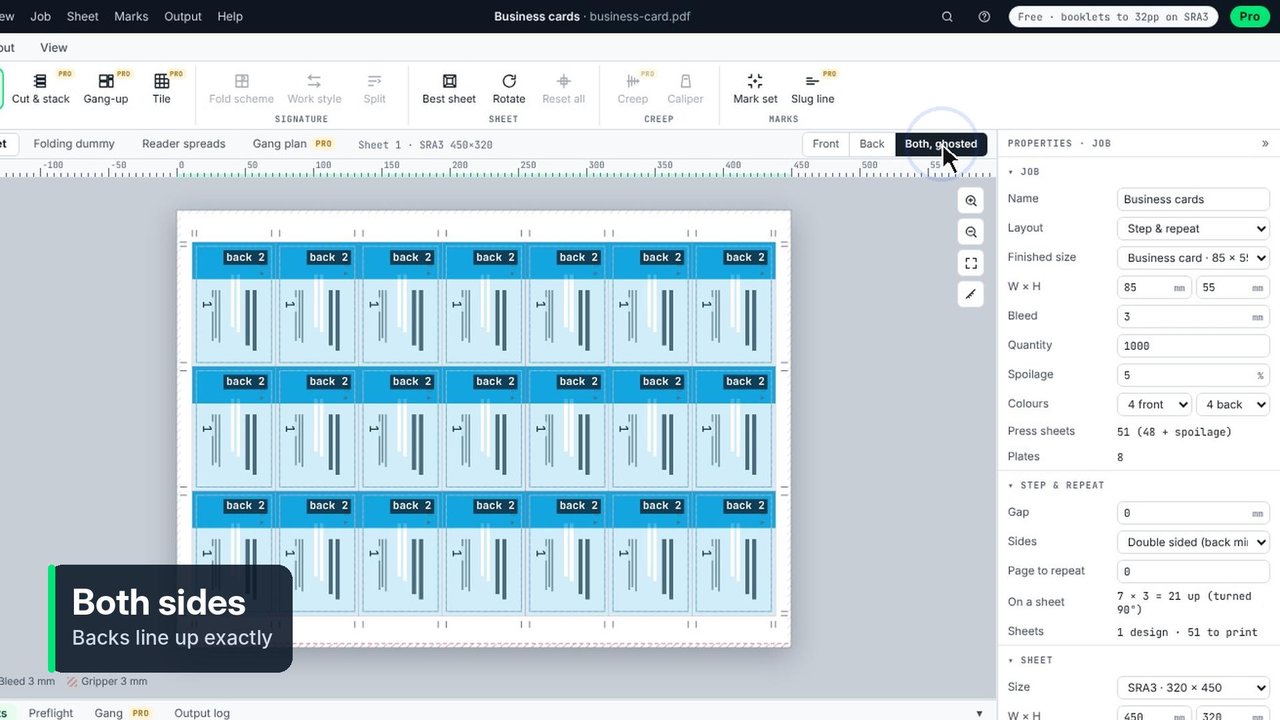
Lay out business cards for printing: step and repeat on SRA3, both sides backed up, the best sheet for the most cards, and a print-ready PDF with crop marks. Free imposition in your browser.
Metre2 Print Imposition Pro
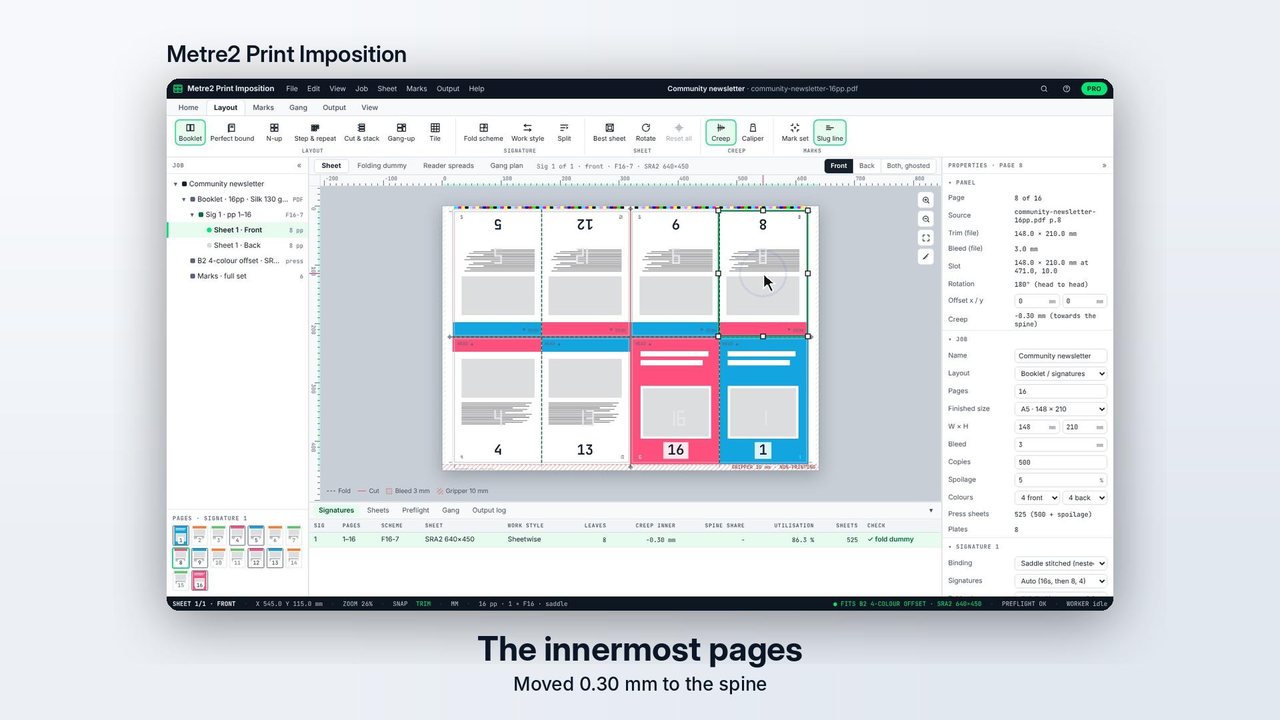
What creep (shingling) is in saddle-stitched booklets, why the inner pages stick out, how much to shift them from the paper's caliper, and how to see it on the sheet and in the spreads.
Metre2 Print Imposition Pro
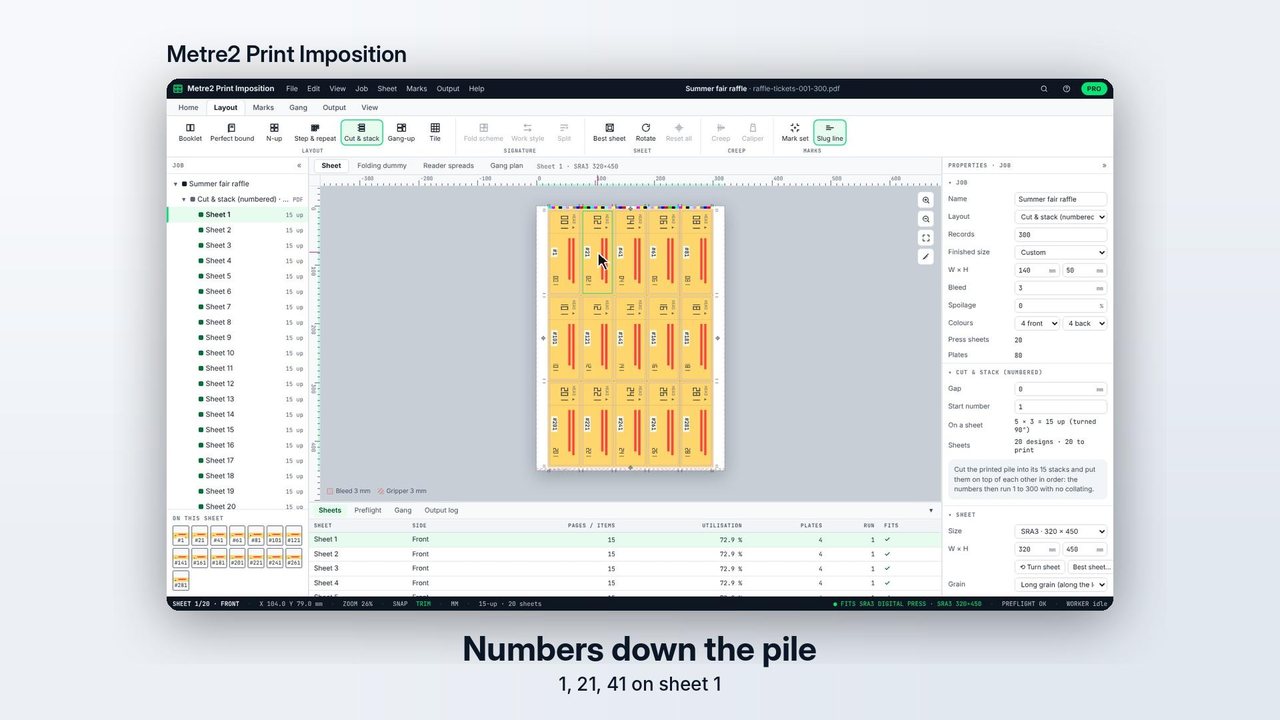
Impose numbered tickets so they come off the guillotine in order: cut and stack numbering for raffle tickets, pads and NCR sets, with the start number and a print-ready PDF.
Metre2 Print Imposition Pro
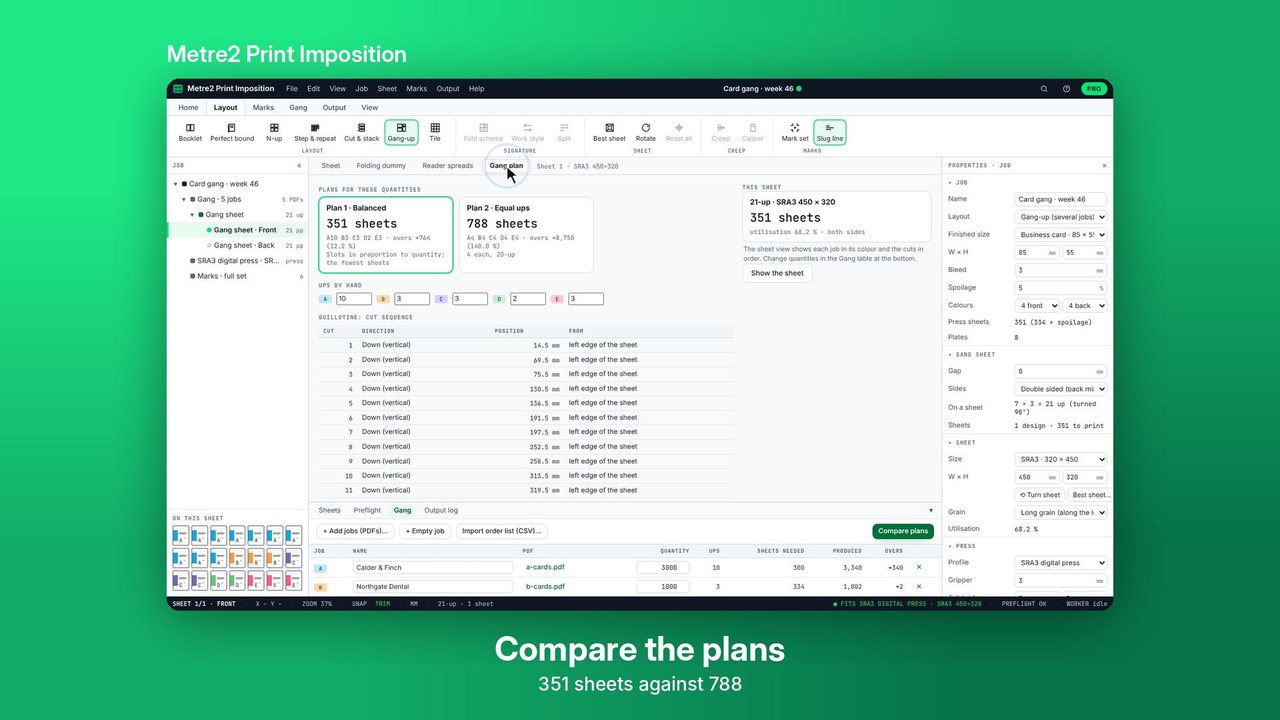
Gang several jobs of the same size onto one sheet: share the slots by quantity for the fewest sheets, compare plans, see the overs and the guillotine cut sequence, and print a job ticket.
Metre2 Print Imposition
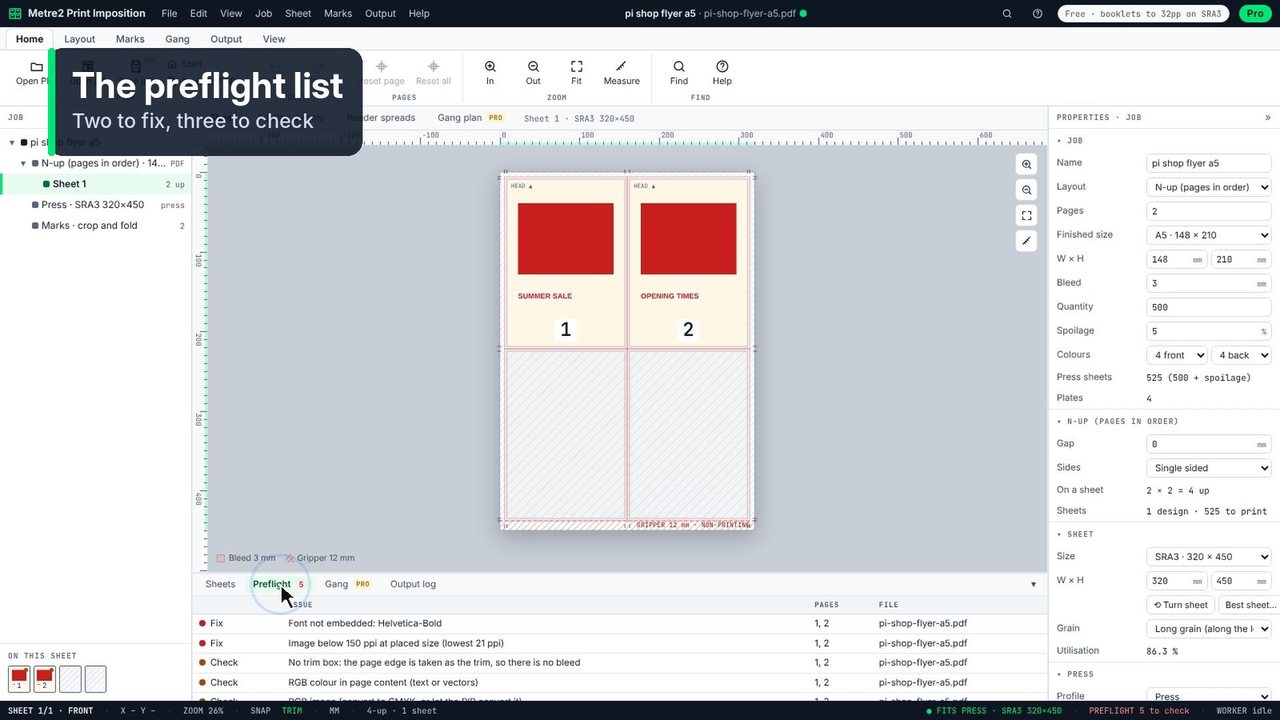
Check a customer's PDF before you print it: trim and bleed boxes, unembedded fonts, RGB colour, image resolution at its placed size, spot colours and the PDF/X output intent. Free preflight in your browser.
Metre2 Print Imposition Pro
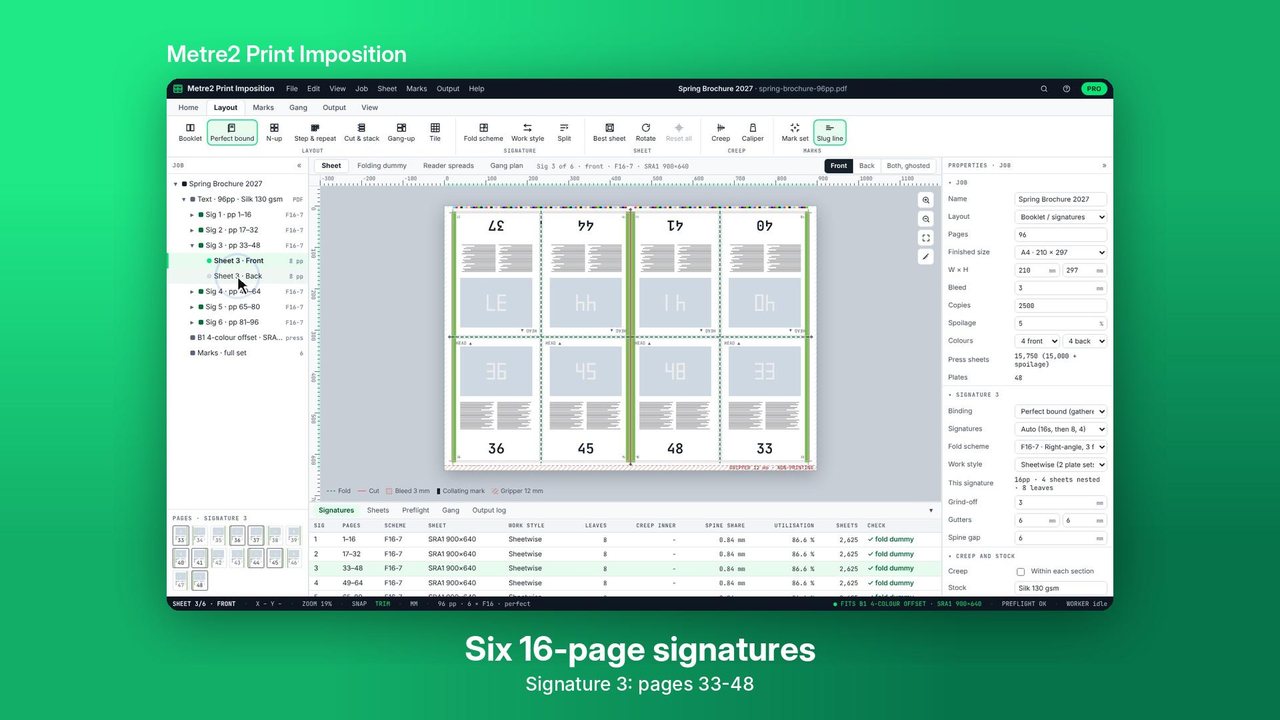
Impose a perfect-bound book in 16-page signatures: how a 96-page brochure splits into sections, why pages print head to head, choosing the fold scheme, checking the folds and the spine width.
Metre2 Print Imposition Pro
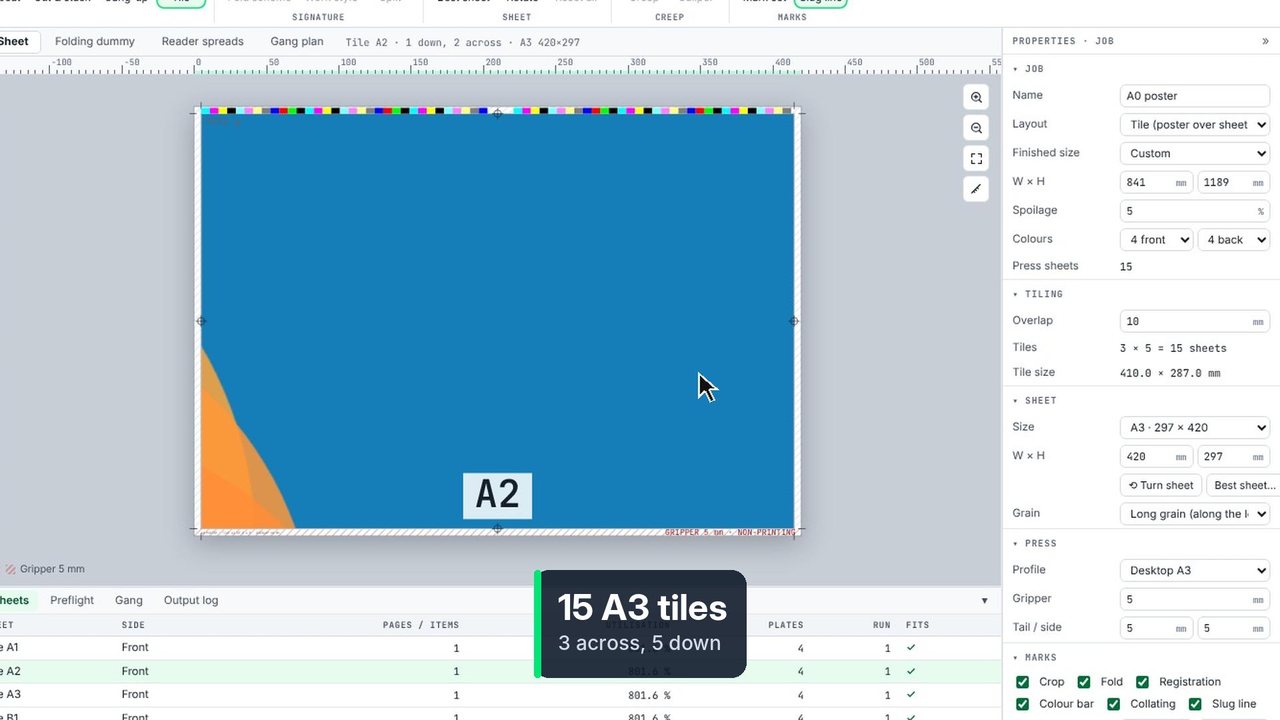
Split a large poster or banner across A3 or SRA3 sheets with an overlap to join them: how many tiles, the overlap, choosing the sheet and a print-ready PDF.
Metre2 Print Imposition Pro
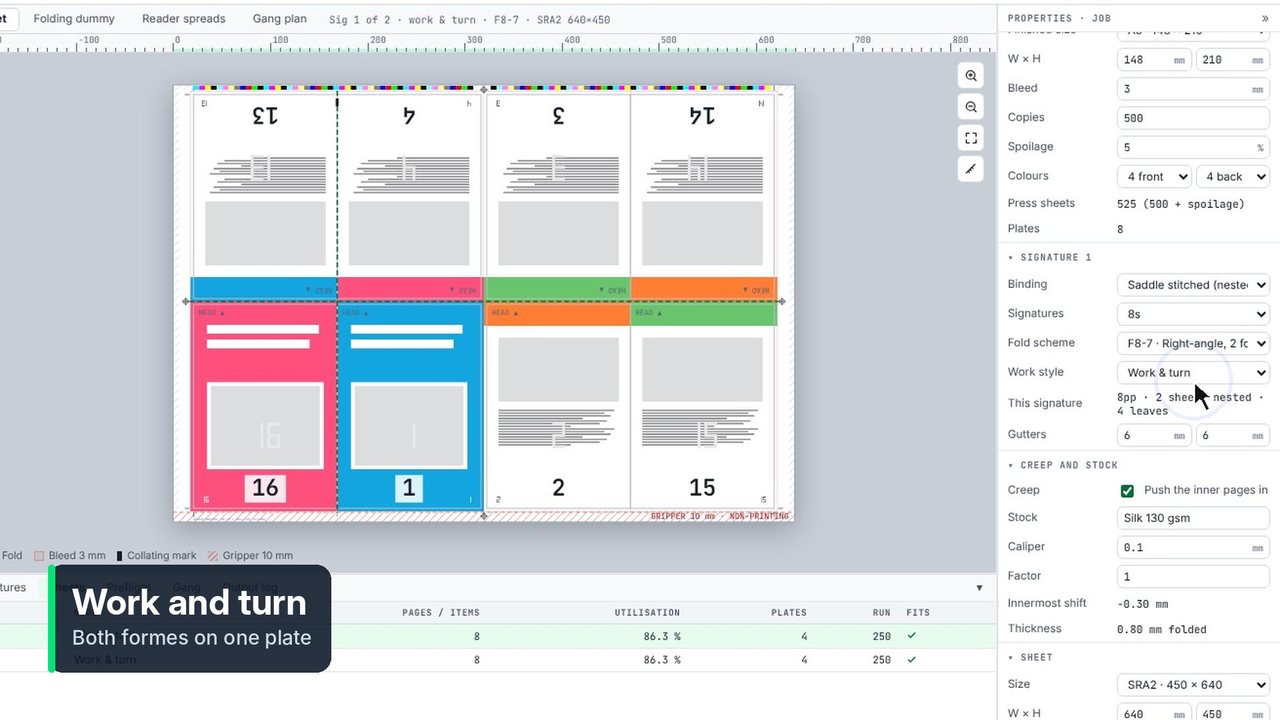
What sheetwise, work and turn and work and tumble mean, when work and turn halves the plates and sheets, and how to switch a booklet's signatures between them.
Metre2 Programme Studio Pro
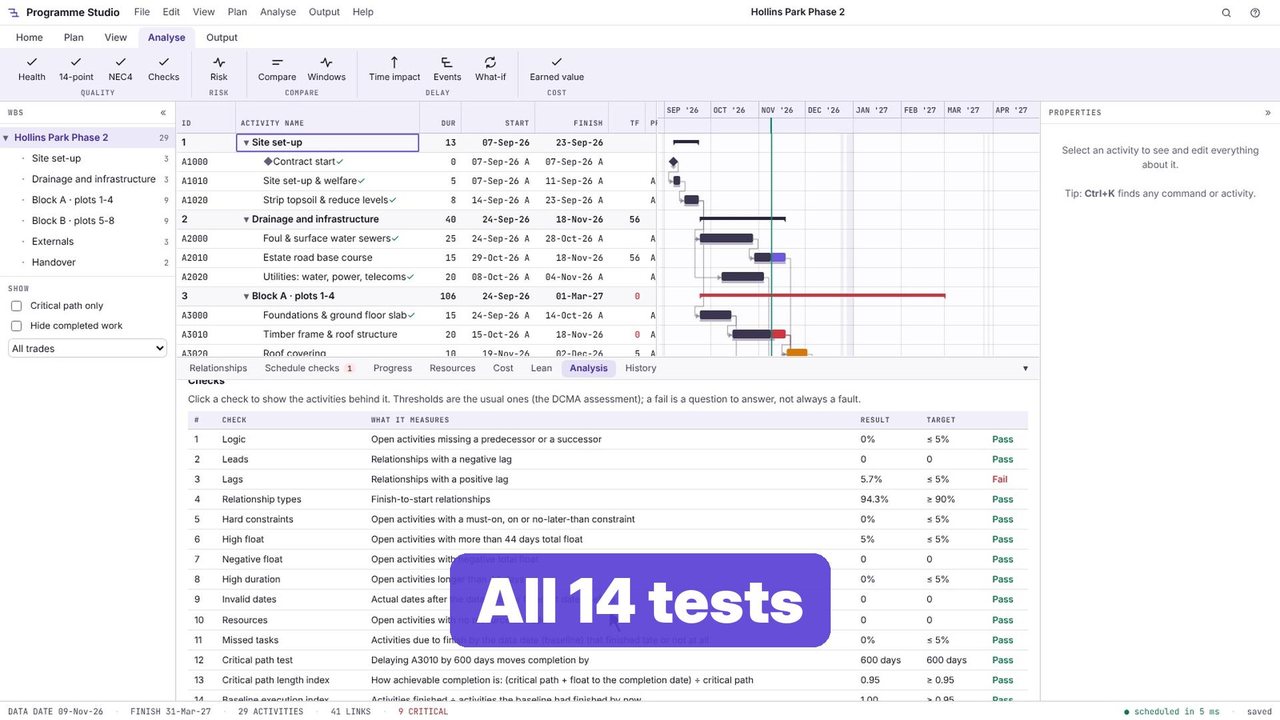
Check a construction programme against the 14-point schedule assessment (the DCMA checks): logic, leads, lags, relationship types, hard constraints, high float, negative float, high duration, invalid dates, resources, missed tasks, the critical path test, CPLI and BEI.
Metre2 Programme Studio Pro
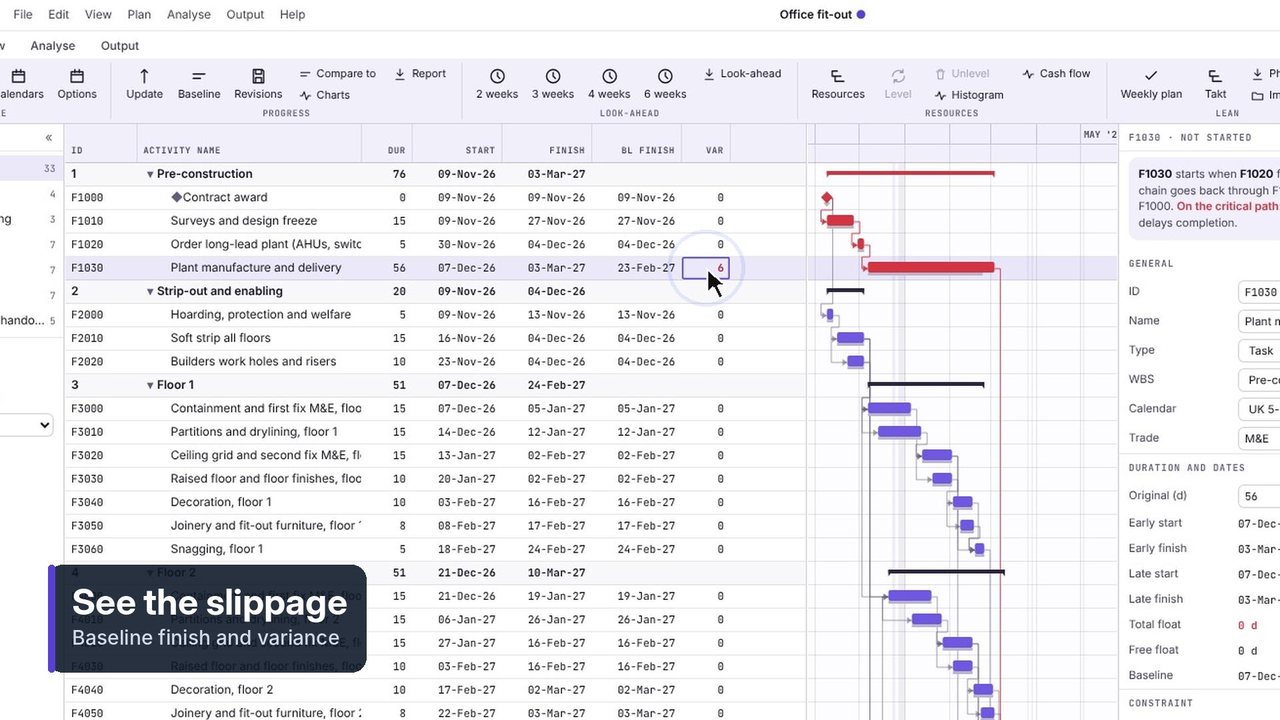
Save a baseline of a construction programme and show slippage against it: grey baseline bars, baseline start and finish and variance columns, and completion against the baseline. Up to 11 baselines.
Metre2 Programme Studio
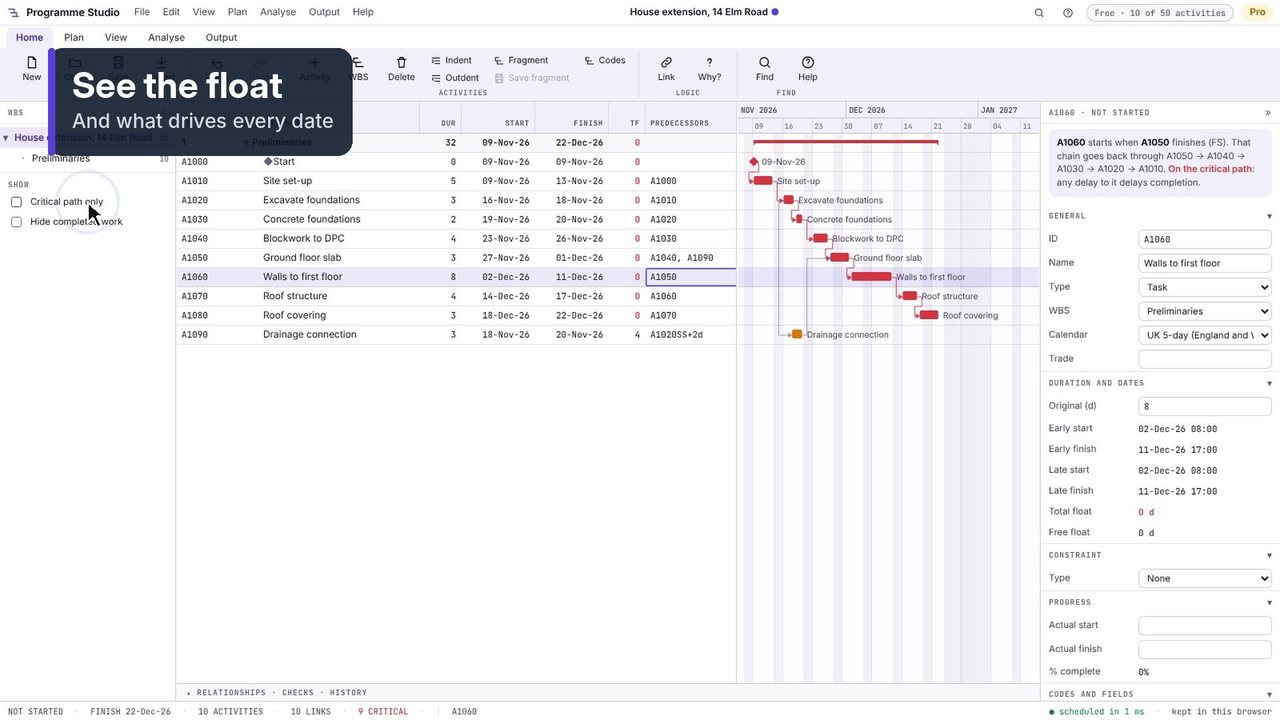
Build a construction programme step by step: activities, durations and logic links, with the critical path and float worked out as you type. Free in your browser for up to 50 activities.
Metre2 Programme Studio Pro
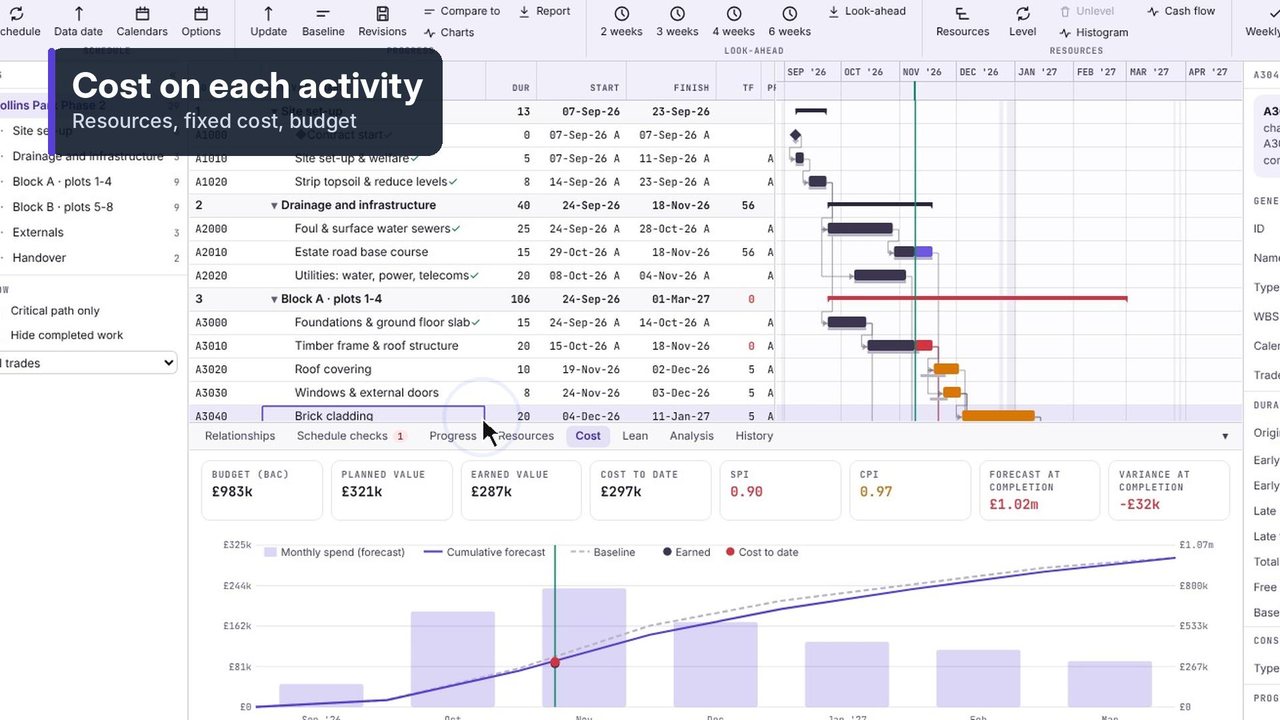
Make a monthly cash flow forecast from a construction programme: cost the activities, see the monthly spend and cumulative S-curve against the baseline, earned value with SPI and CPI, and export the cash flow to Excel.
Metre2 Programme Studio Pro
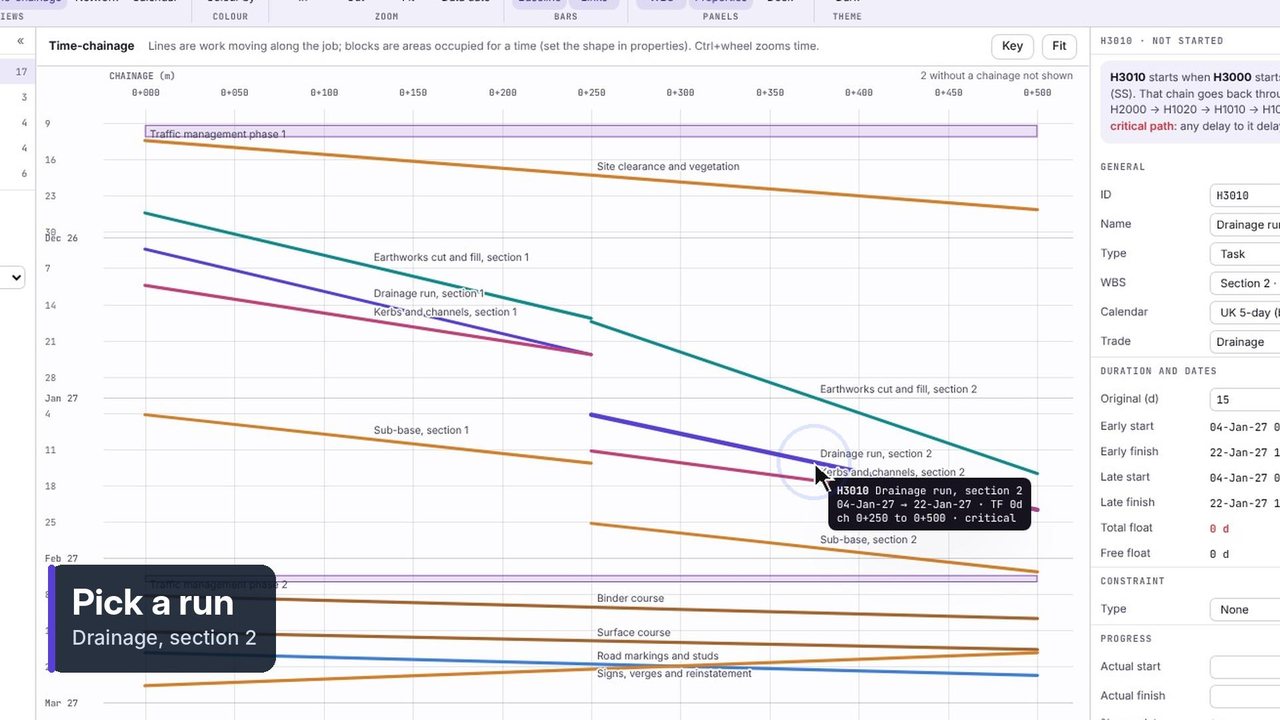
Plan linear work as a time-chainage (time-distance) programme: earthworks, drainage, kerbs and surfacing drawn against chainage and time, so you can see where each crew is and when. Made from your programme's own activities.
Metre2 Programme Studio Pro
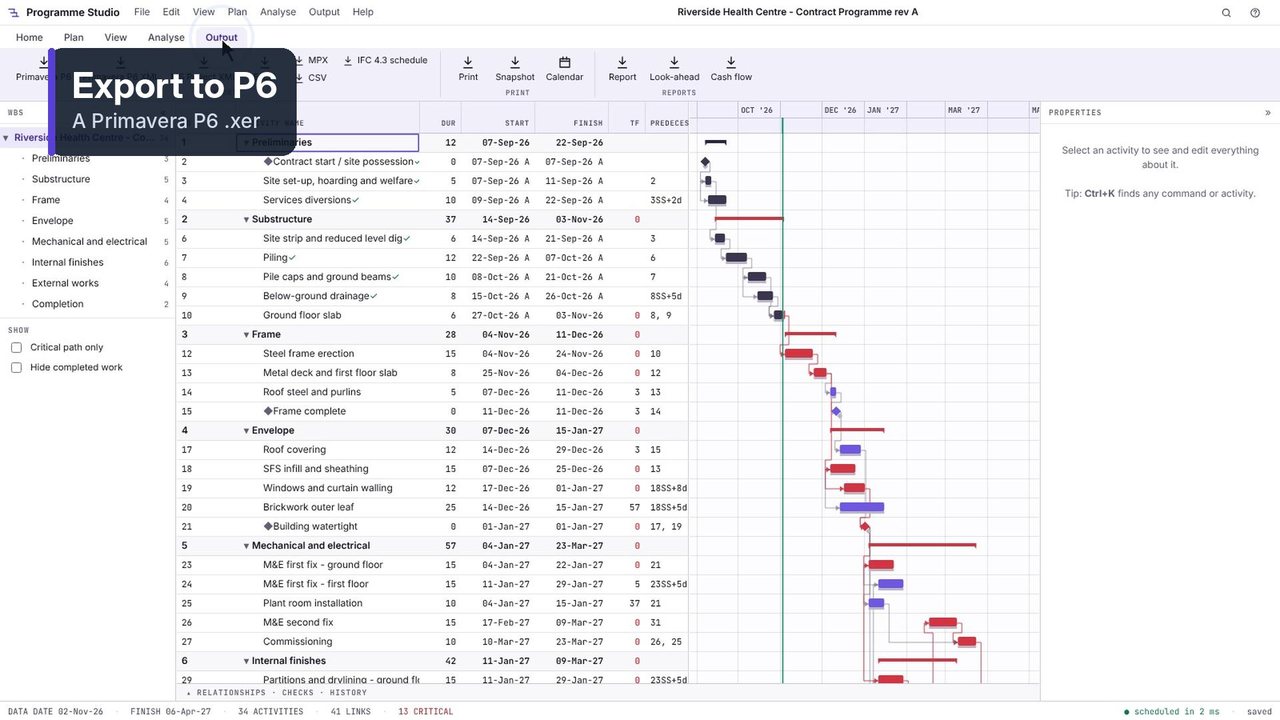
Convert an MS Project programme to a Primavera P6 .xer file (and P6 to MS Project) in your browser: open MS Project XML or .mpp, check it, export to P6 XER or XML, and open the result to check the dates match.
Metre2 Programme Studio
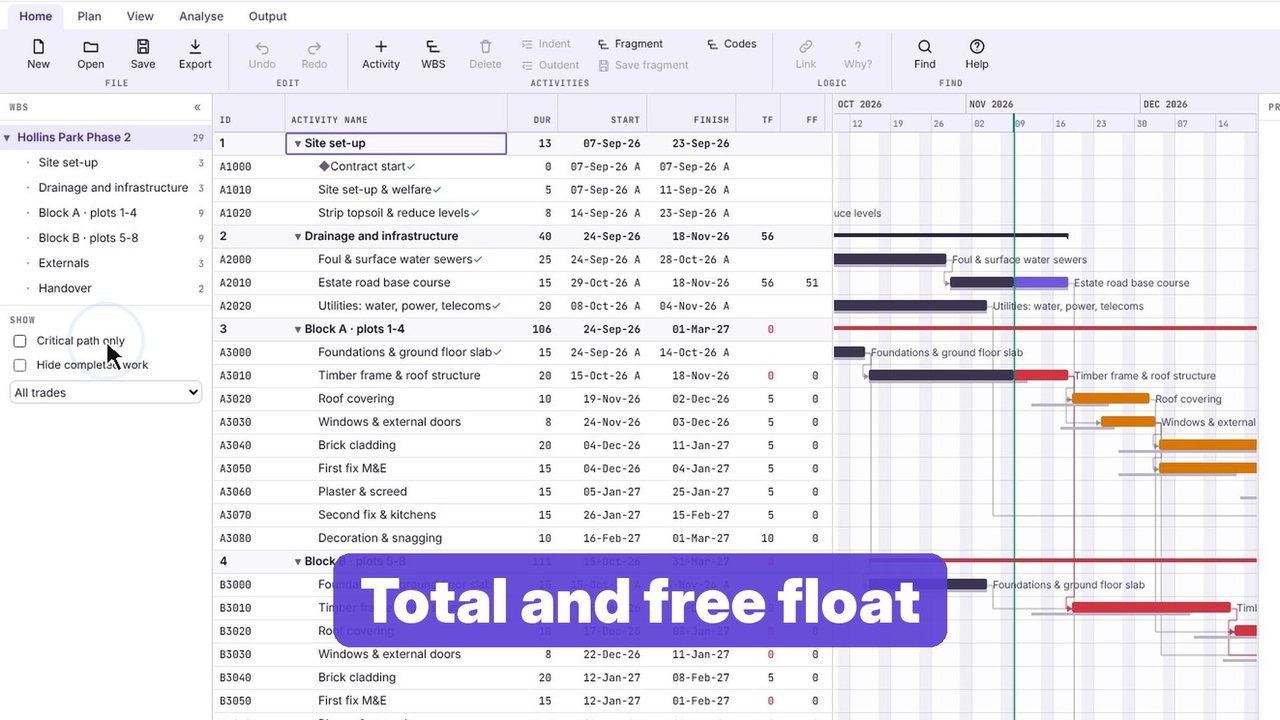
What the critical path is, what total float and free float mean, near-critical work and negative float, shown on a real construction programme in free critical path software that runs in your browser.
Metre2 Programme Studio Pro
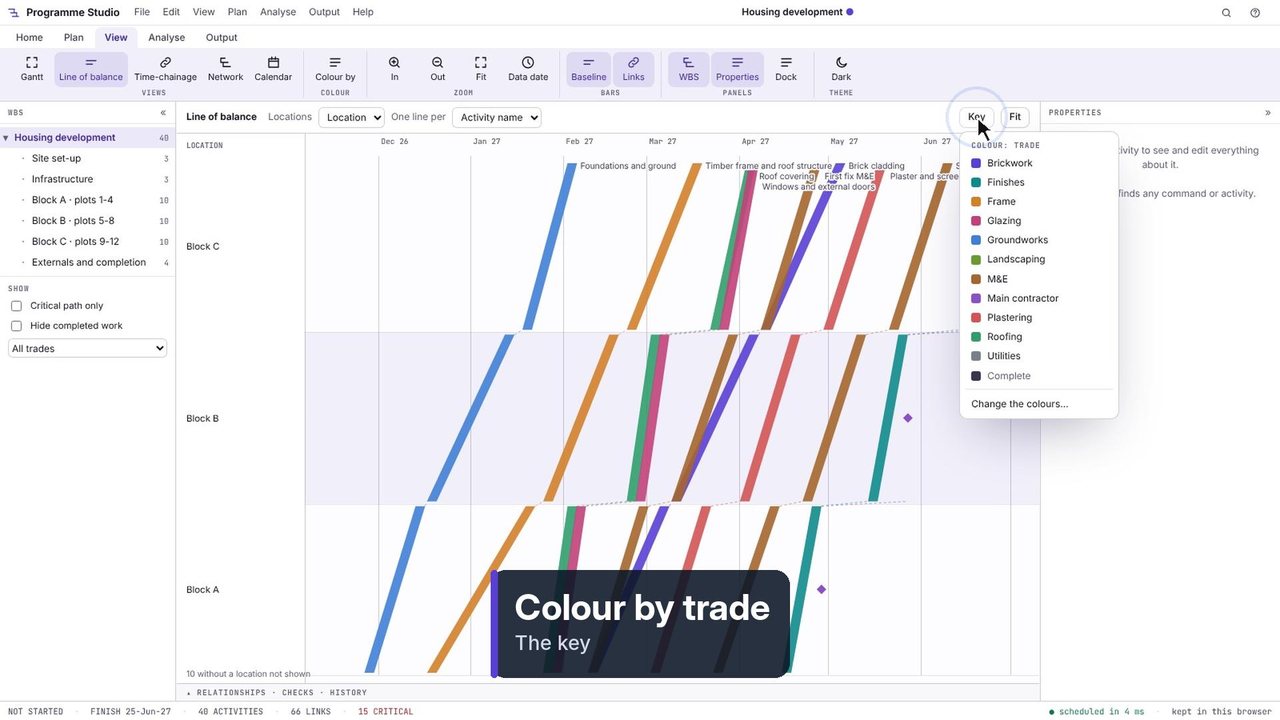
Plan a housing scheme as a line of balance: every trade as a flow line through the blocks or plots, so you can see the rate of each gang, where trades bunch up and when each block hands over.
Metre2 Programme Studio Pro
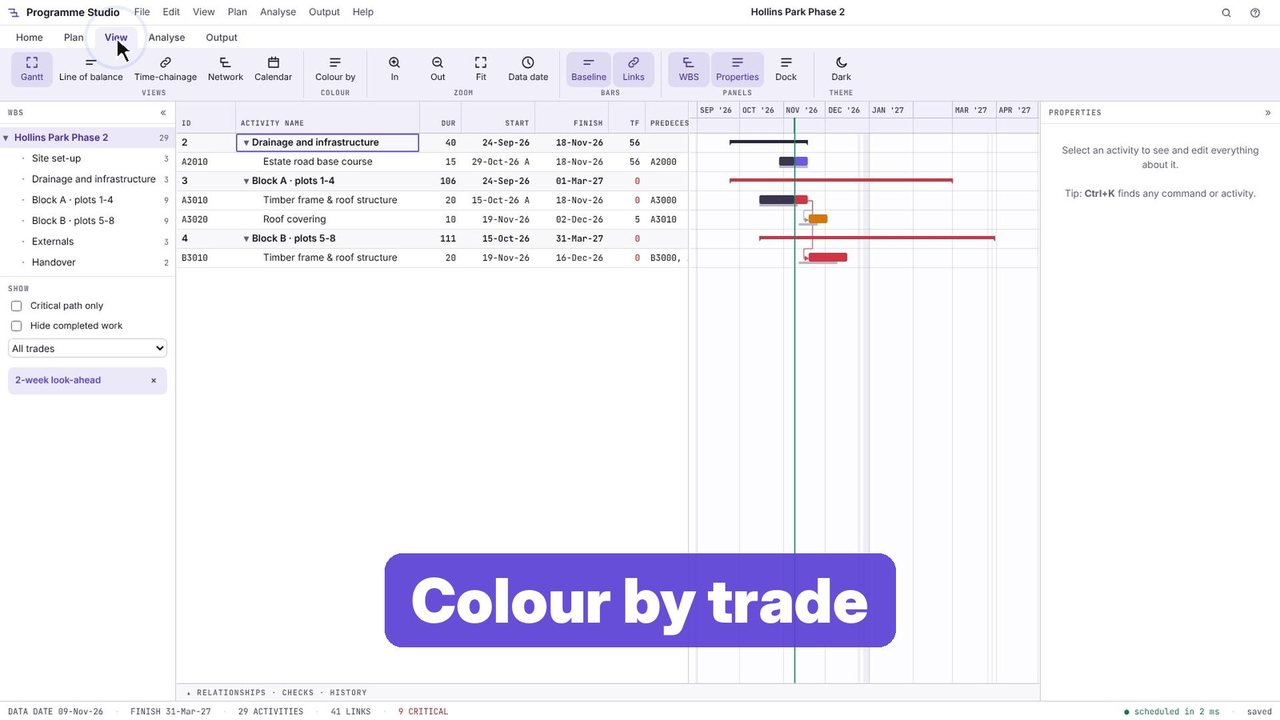
Make a two-week (or three, four or six-week) look-ahead programme from the master programme for the site meeting: filter to what is due from the data date, colour it by trade, and export it to Excel or print it.
Metre2 Programme Studio Pro
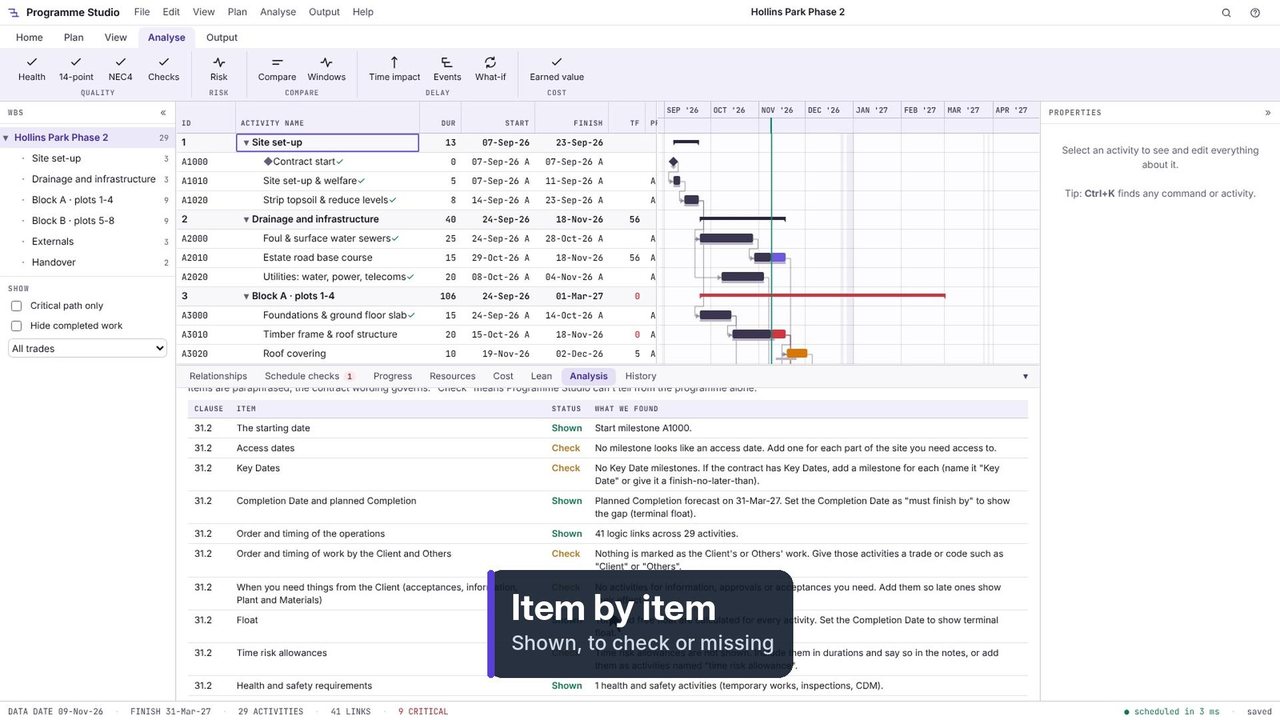
What an NEC4 programme submitted for acceptance must show under clause 31.2, and how to check a programme against it item by item - starting date, access dates, Key Dates, float, time risk allowances and more - with a Word checklist.
Metre2 Programme Studio Pro
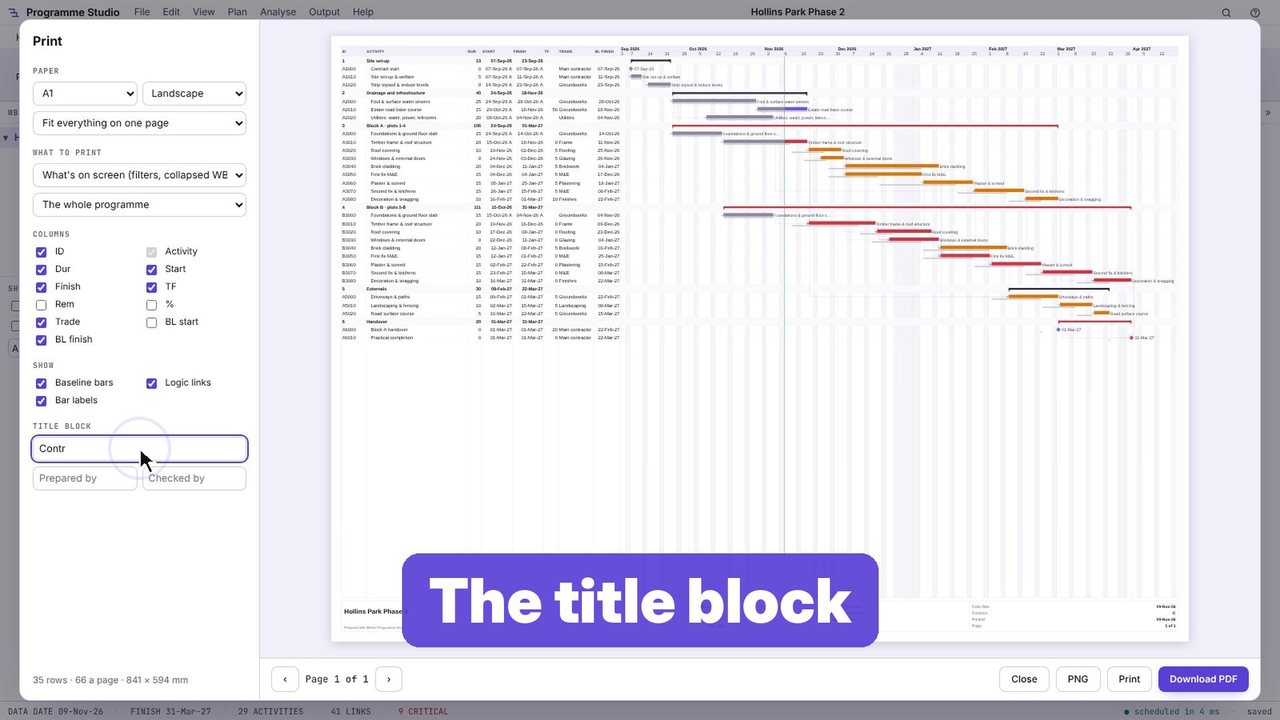
Print a construction programme (Gantt chart) on A1, A0 or A3 as a PDF: fit it to one page or the width, choose the columns, show baselines and logic, and add a title block with the revision, prepared by and checked by.
Metre2 Programme Studio Pro
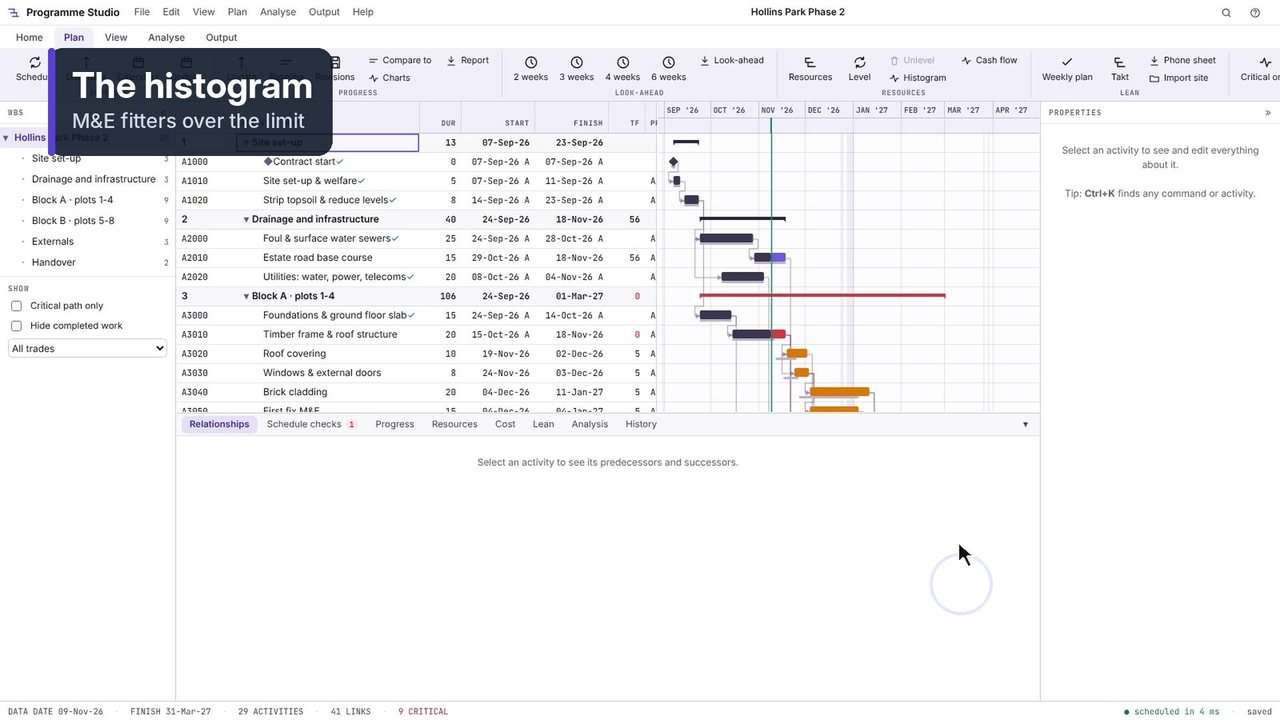
Load a construction programme with labour, plant and materials, see weekly resource histograms against site limits, and level over-allocated gangs within float without moving completion.
Metre2 Programme Studio
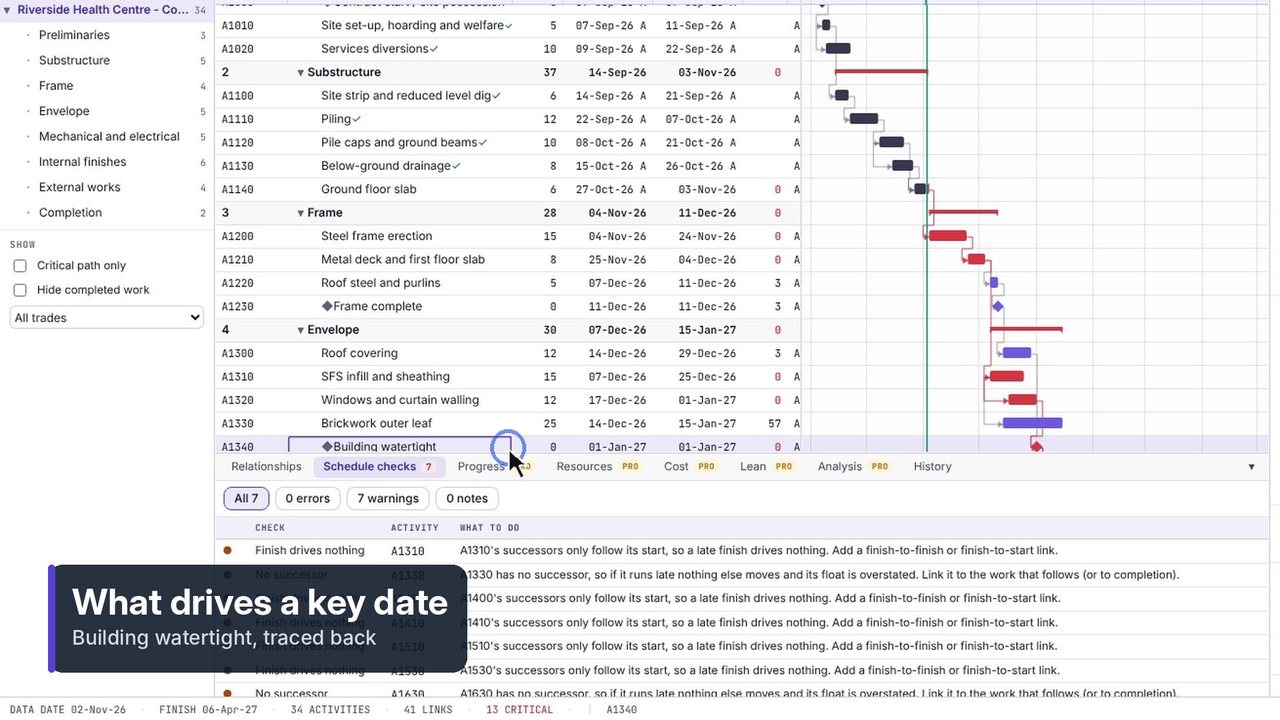
Review a Primavera P6 programme (.xer) without P6: open it free in your browser, check the critical path, open ends and weak logic, trace what drives the key dates and print it to A3.
Metre2 Programme Studio
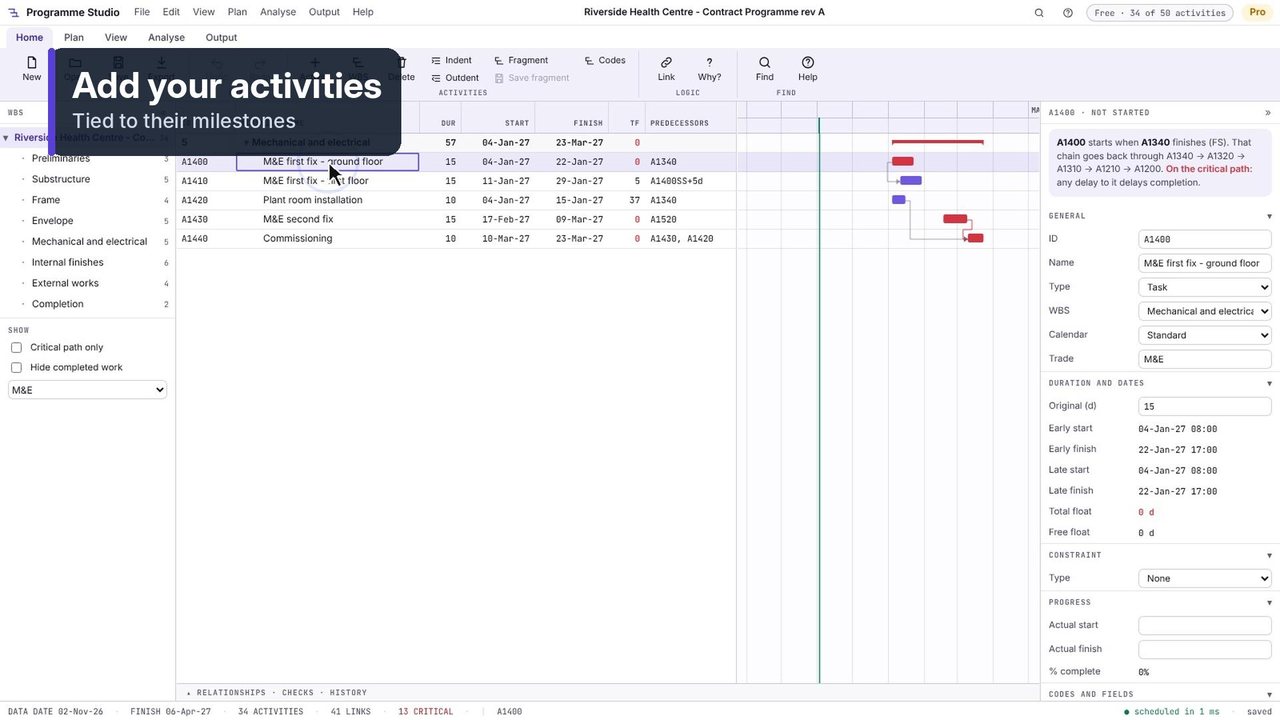
Make a subcontract programme that fits the main contractor's: open their P6 programme free, filter to your trade, add your detailed activities linked to their milestones, see your float and print your package programme.
Metre2 Programme Studio Pro
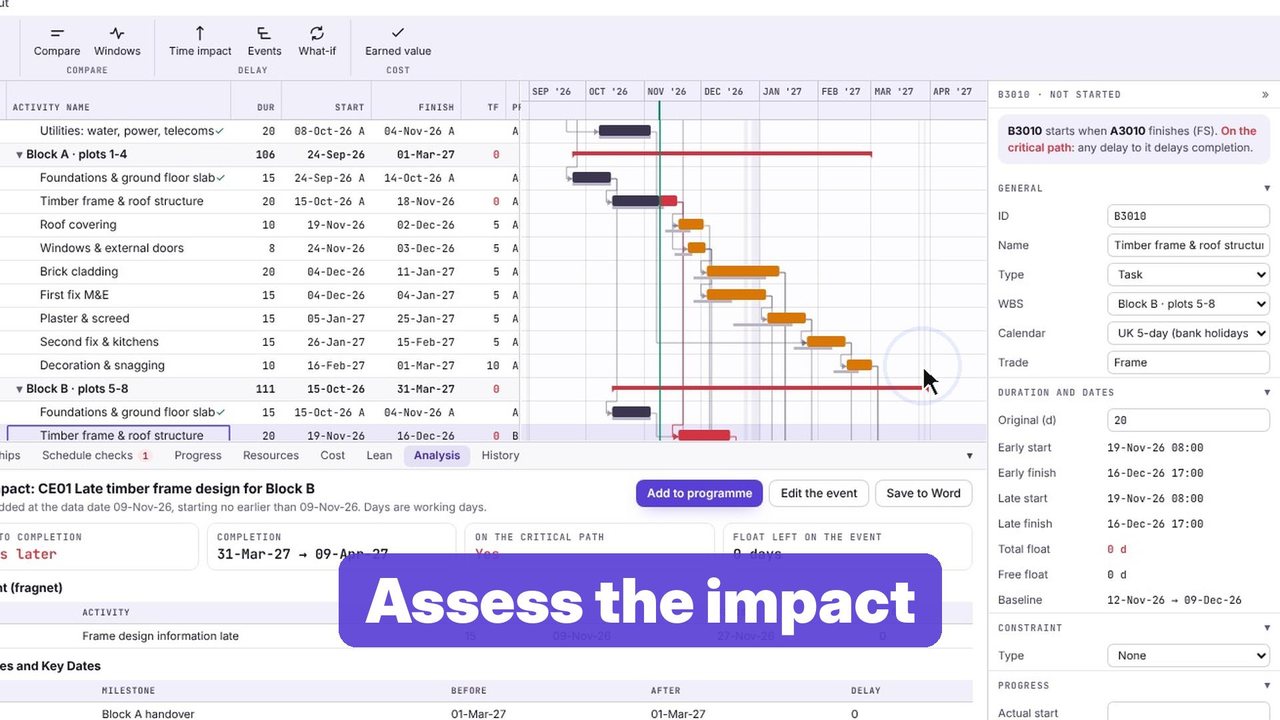
Carry out a time impact analysis for an extension of time or a compensation event: model the delay as a fragnet, insert it into the programme at its data date, and measure the delay to completion and the Key Dates, with a Word report.
Metre2 Programme Studio Pro
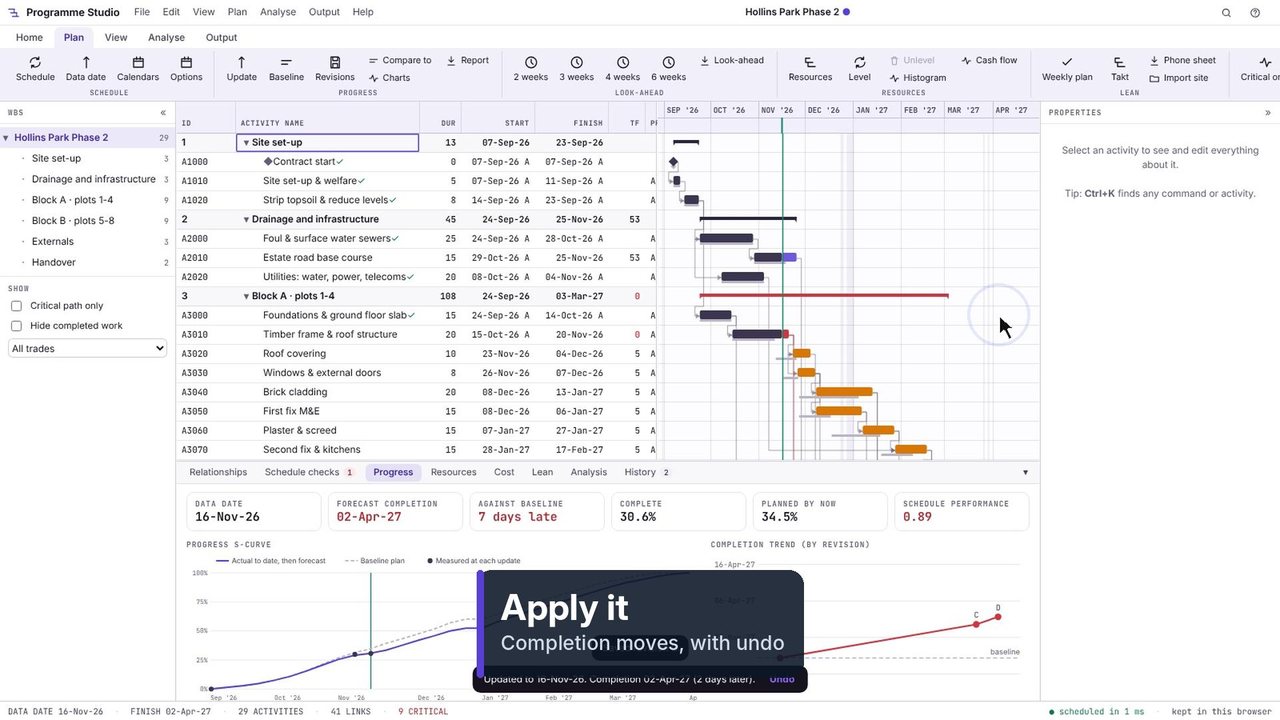
Update a construction programme's progress: move the data date, record actual starts, finishes and remaining durations for what was due, and see completion, the S-curve and the trend against the baseline.
Document Vault
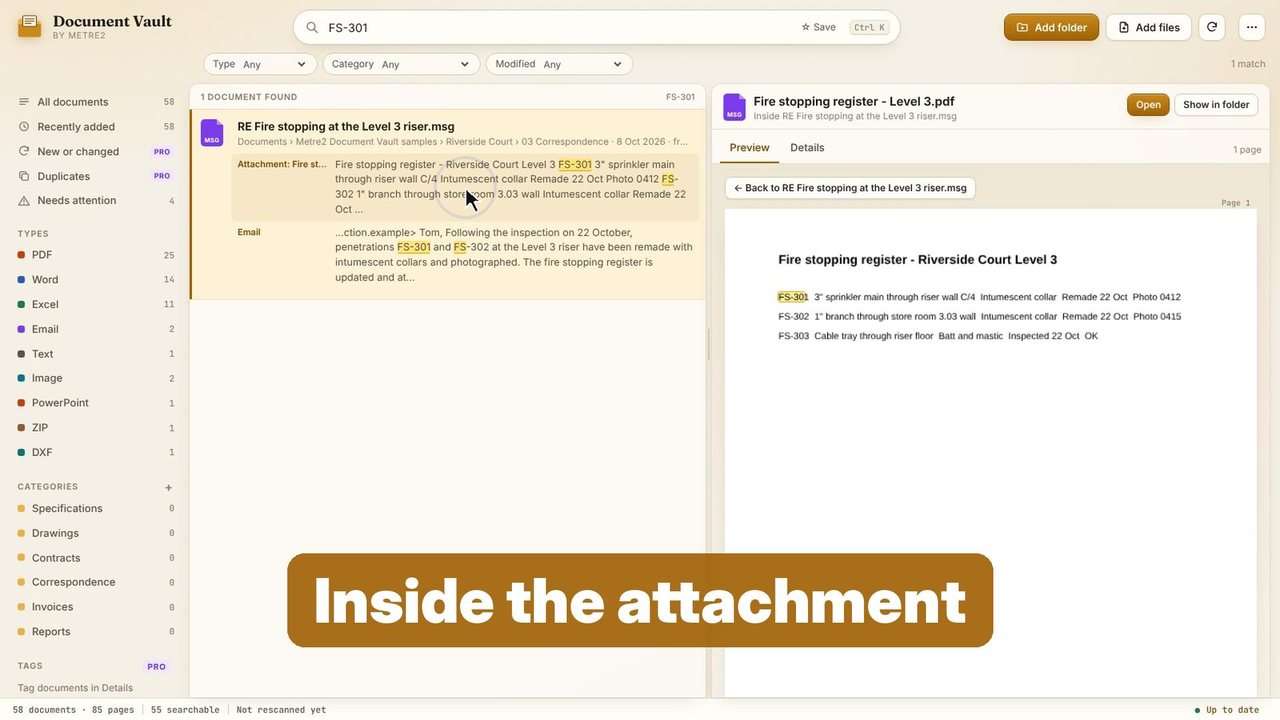
Search saved Outlook .msg and .eml emails and the PDF, Word and Excel files attached to them, without Outlook. Metre2 Document Vault opens the matching email or attachment with every word highlighted.
Document Vault
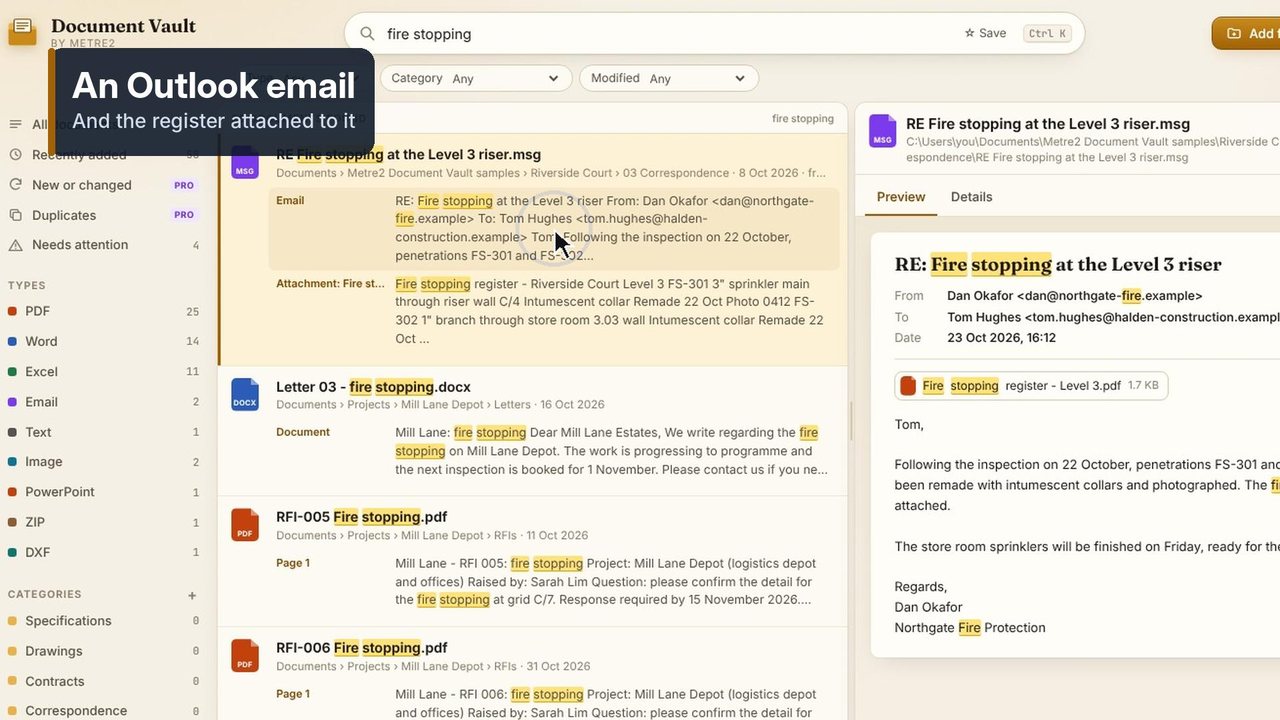
Search the text inside every PDF, Word document, Excel spreadsheet and Outlook email in a folder at once on Windows, with each match highlighted in a preview. Free, offline, nothing uploaded.
Document Vault Pro
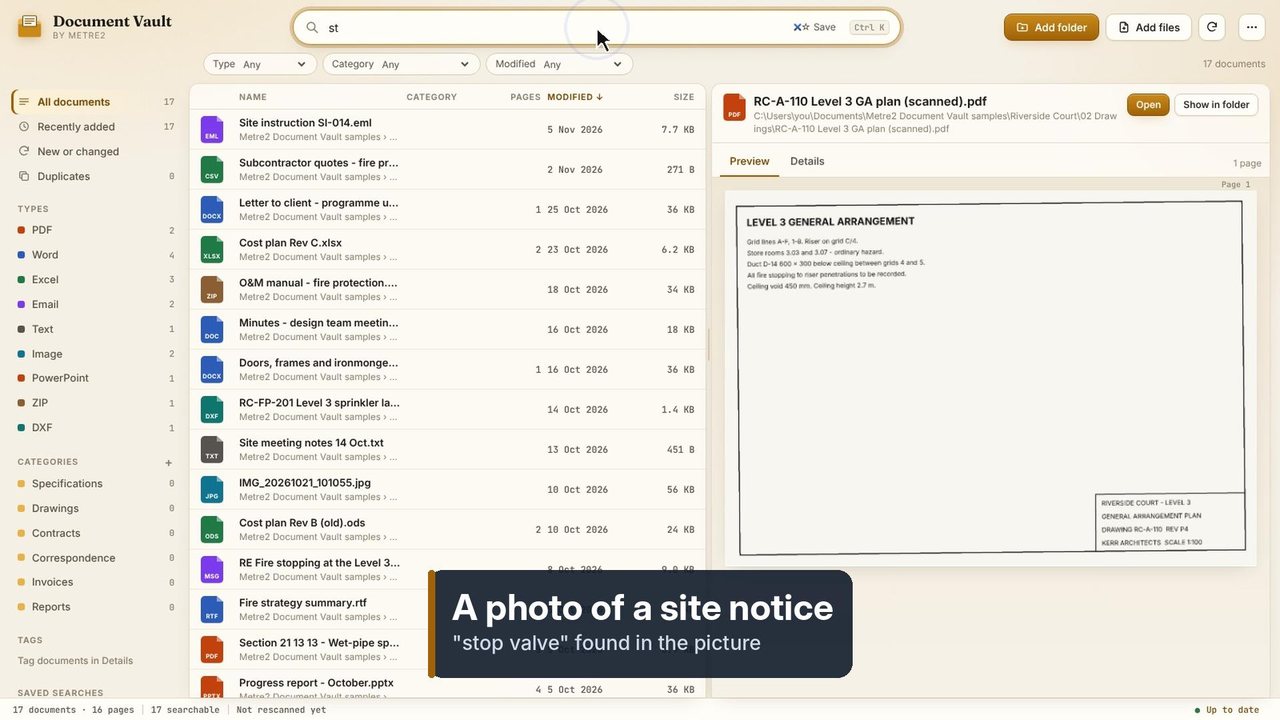
Make scanned drawings, letters and photos of site notices searchable on Windows: Metre2 Document Vault Pro recognises the text with Windows' own offline OCR and finds it alongside your other documents.
BIM Explorer
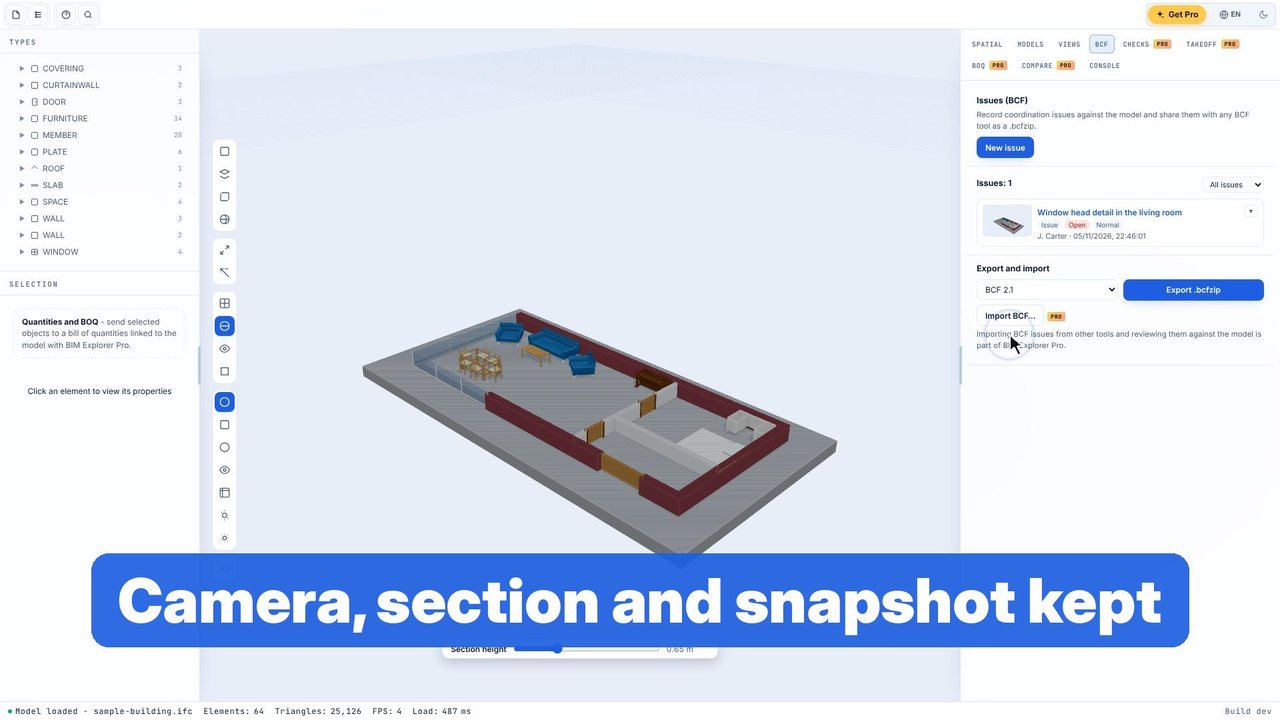
How to make a BCF issue that keeps the section: cut the model, move the section height, create the issue and export a BCF 2.1 or 3.0 .bcfzip. Free on Windows.
BIM Explorer
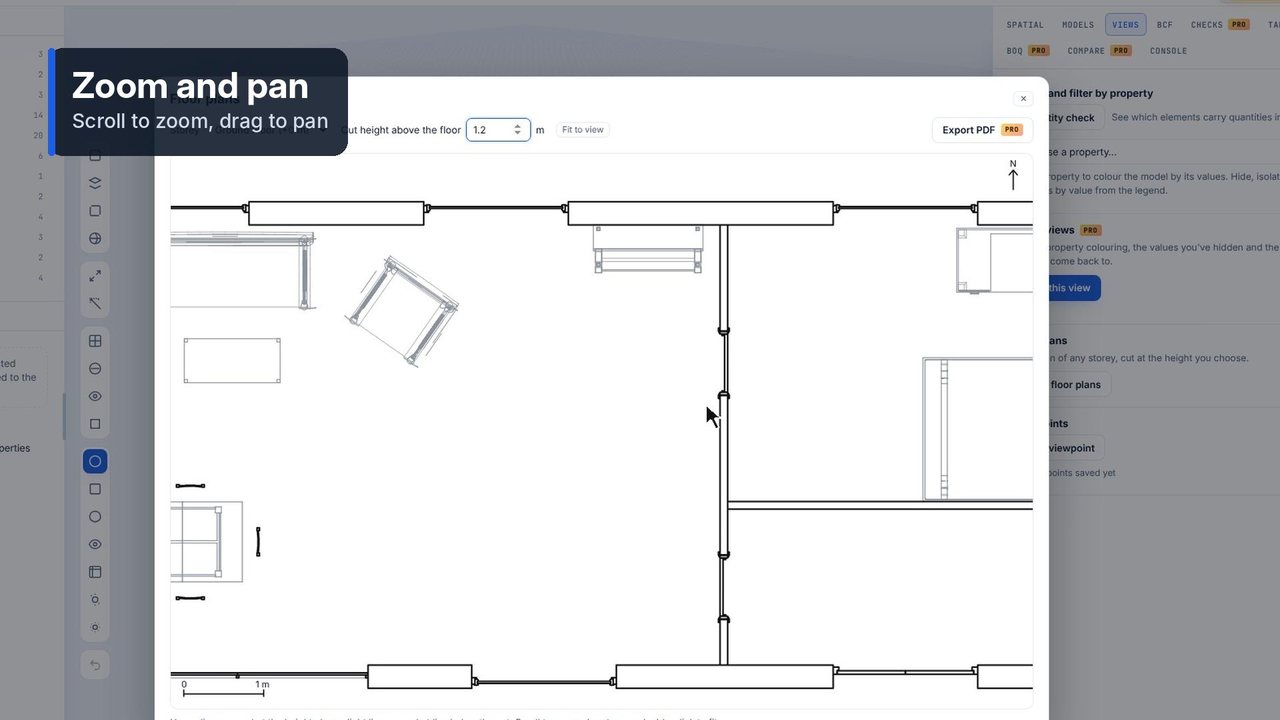
How to see a floor plan of any storey of an IFC model, free on Windows: open the model, pick the storey and the cut height, zoom and pan. No BIM licence.
BIM Explorer Pro
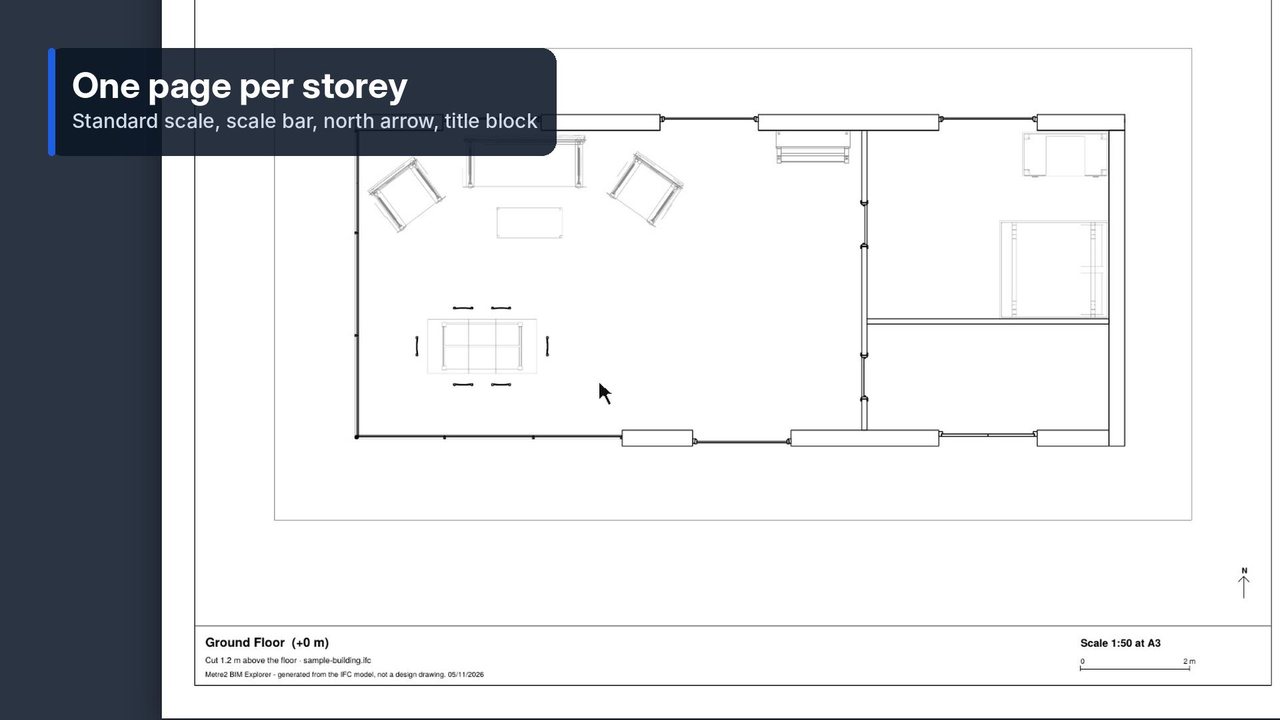
Export storey plans from an IFC model to a scaled vector PDF with BIM Explorer Pro: pick the storeys, the cut height and A3 or A4, one page per storey.
BIM Explorer
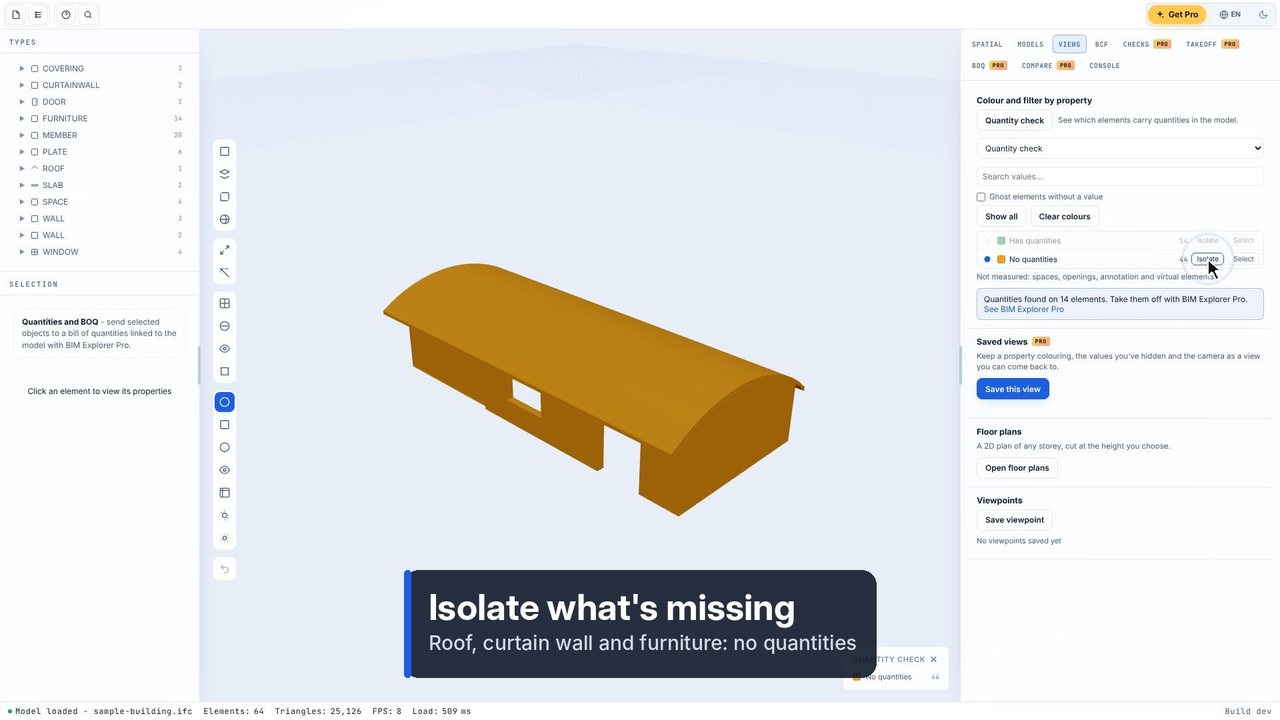
Before you price from an IFC model, check it carries quantities: BIM Explorer's free quantity check colours every element green, amber or grey.
BIM Explorer Pro
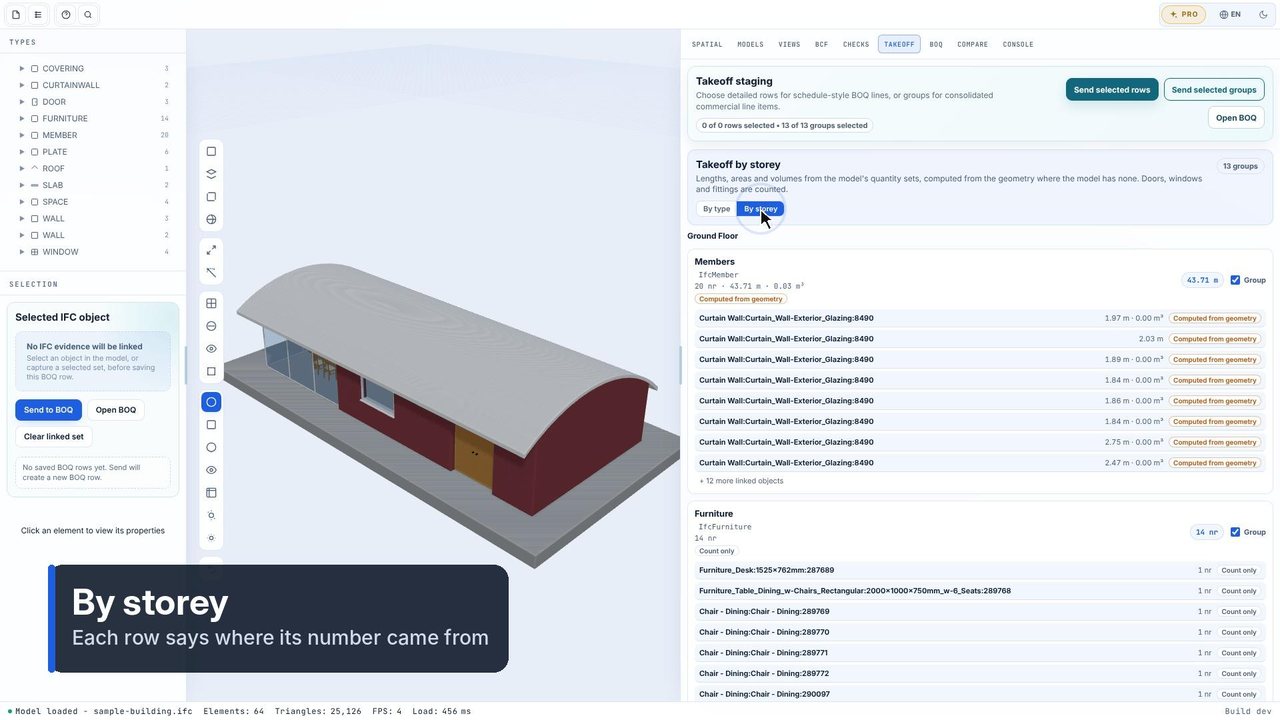
IFC quantity takeoff to a bill of quantities: lengths, areas and volumes by storey from BIM Explorer Pro, sent to a BOQ linked to the model, priced and exported.
BIM Explorer Pro
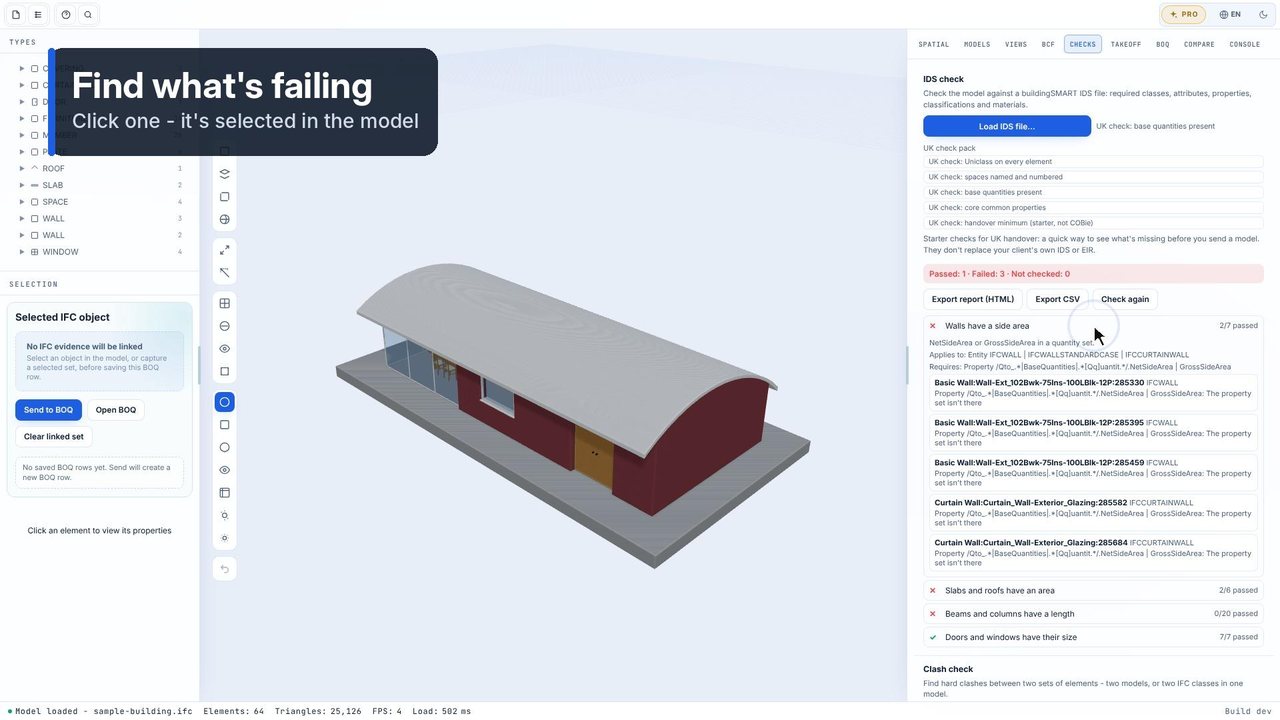
Check an IFC model against five ready-made UK IDS checks - Uniclass, spaces, base quantities, common properties, handover - and find every failing element.
Calendar Pro
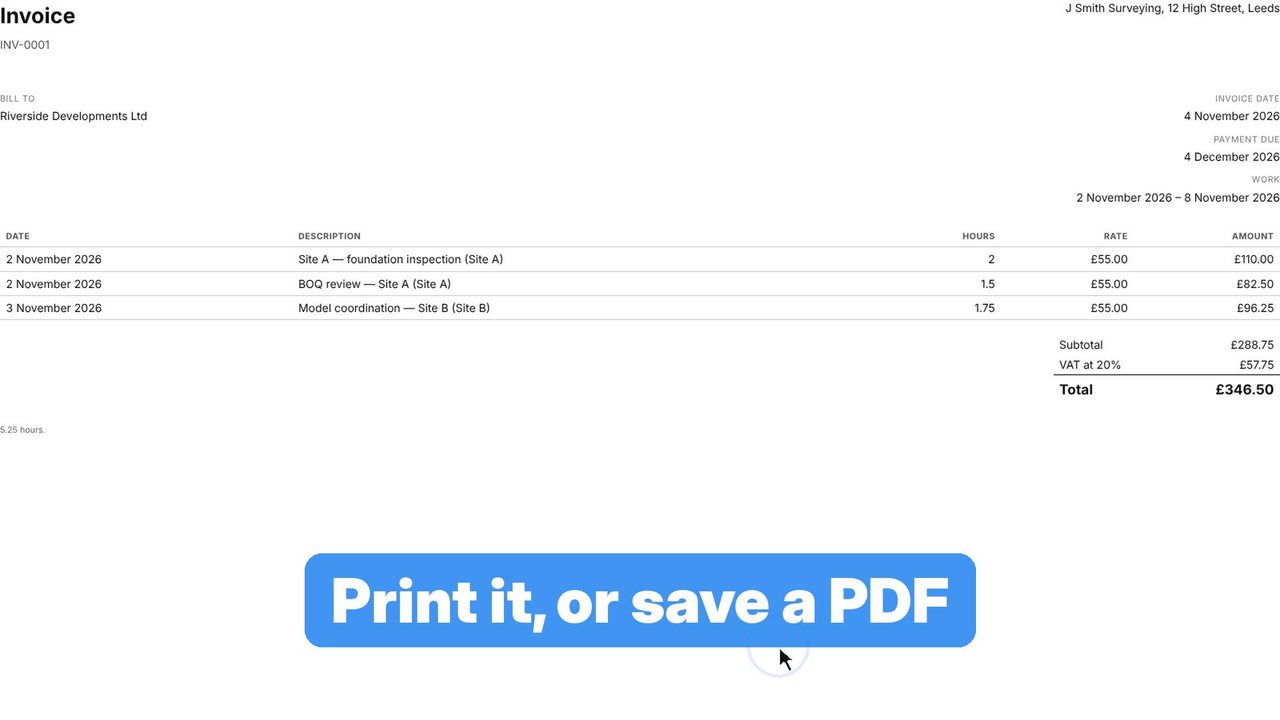
Turn the hours you logged in your calendar into an invoice: the timesheet, your rate, VAT, your details and the client's, then print or save a PDF. Calendar Pro, 7-day trial.
Calendar
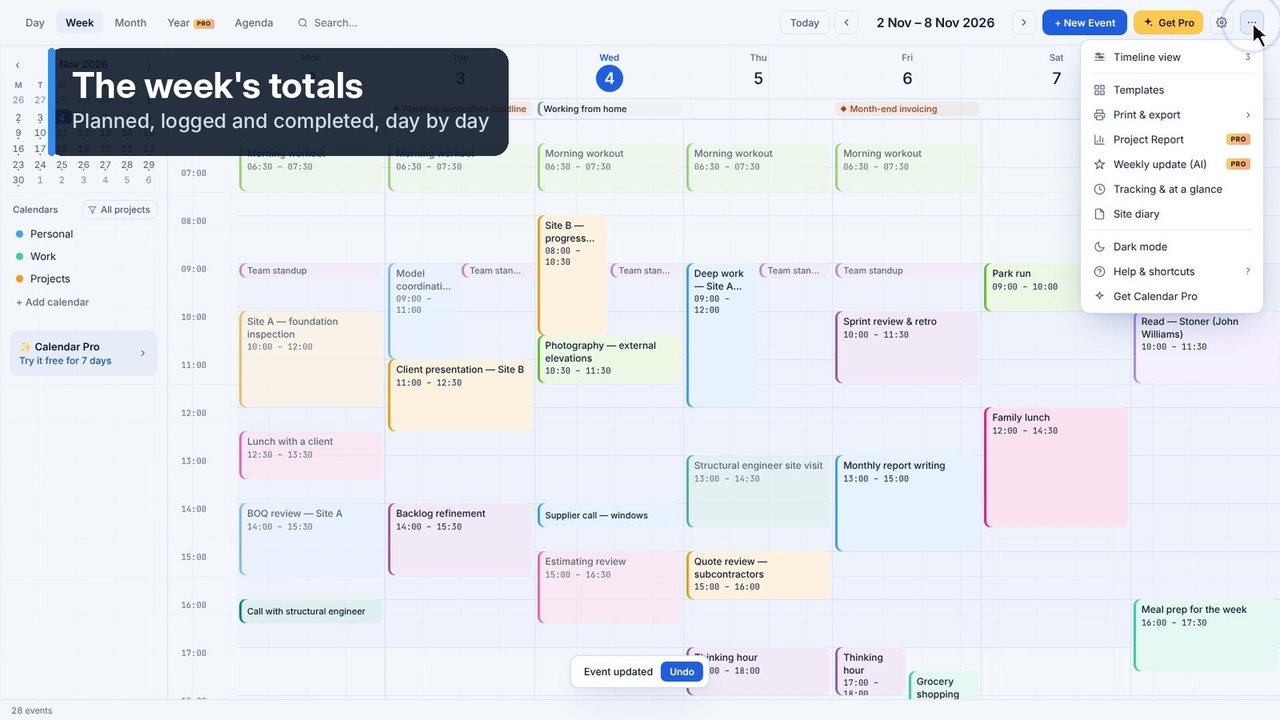
Log the hours you actually worked against each planned event in a free calendar, tick them off, see the week's totals and filter by project. Free on Windows.
Calendar
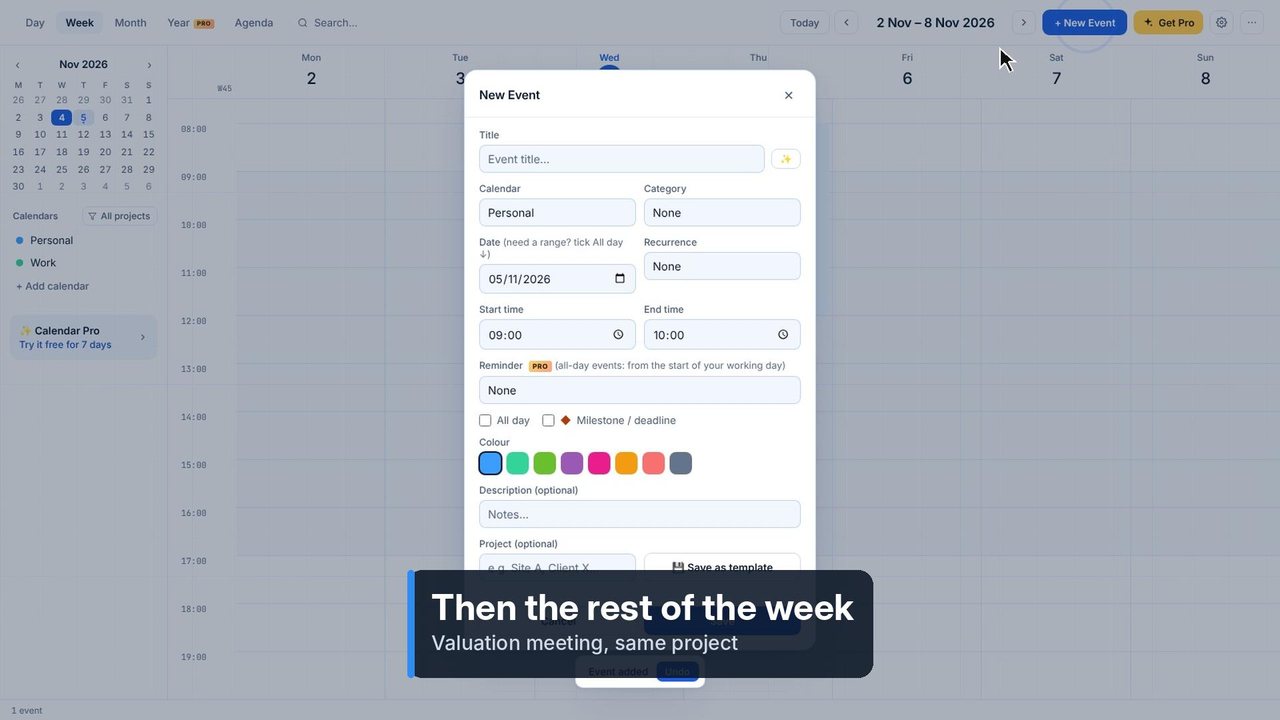
Plan a project's working week in a free calendar for Windows: add events, tag them to the project, then see the week, the month and a Gantt-style timeline.
Calendar Pro
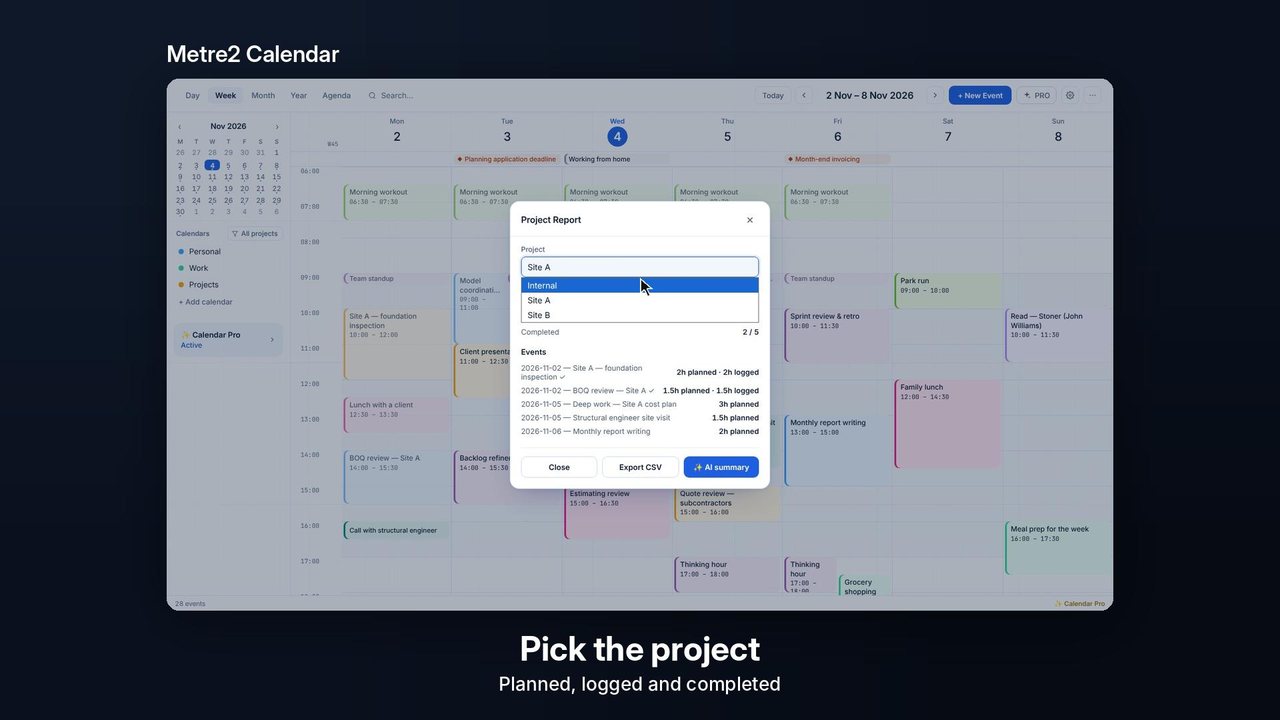
See every event for a project with planned against logged hours and the completed count, then export CSV for a timesheet. Calendar Pro's Project Report, 7-day free trial.
Calendar Pro
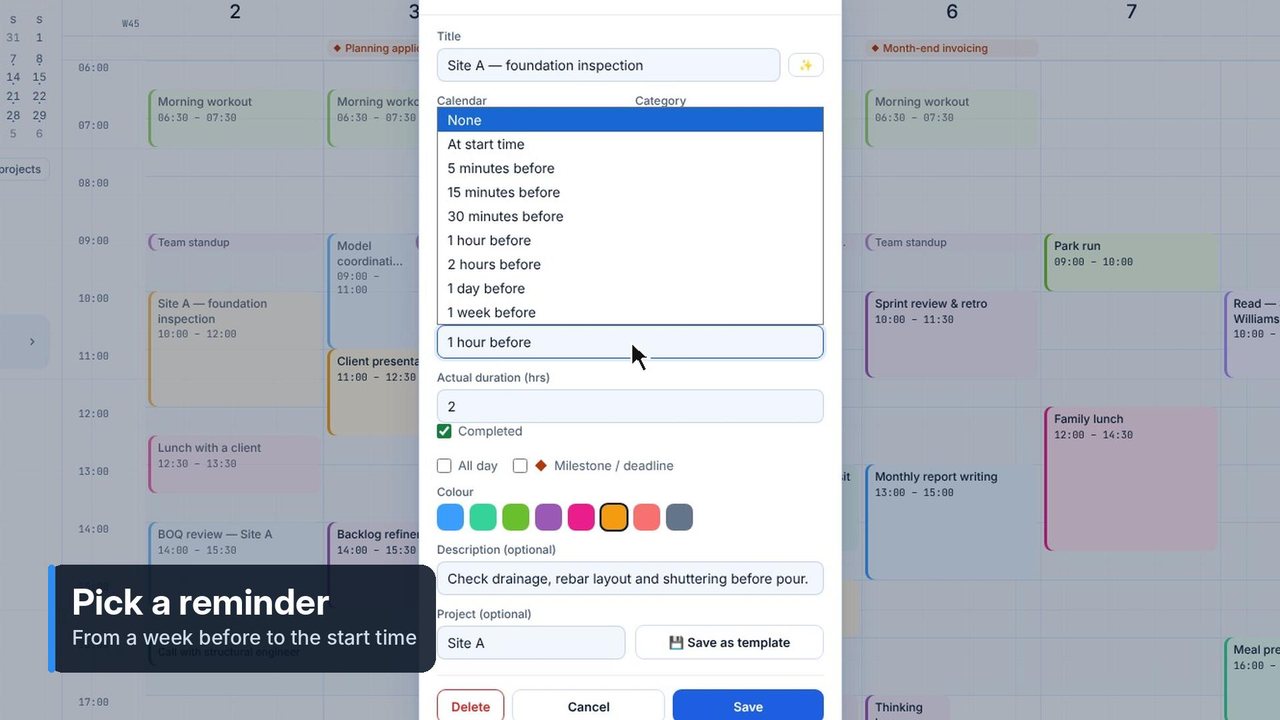
Get Windows notifications before your events, even when the calendar app is closed: pick a reminder from a week before to the start time. Calendar Pro, 7-day free trial.
Calendar
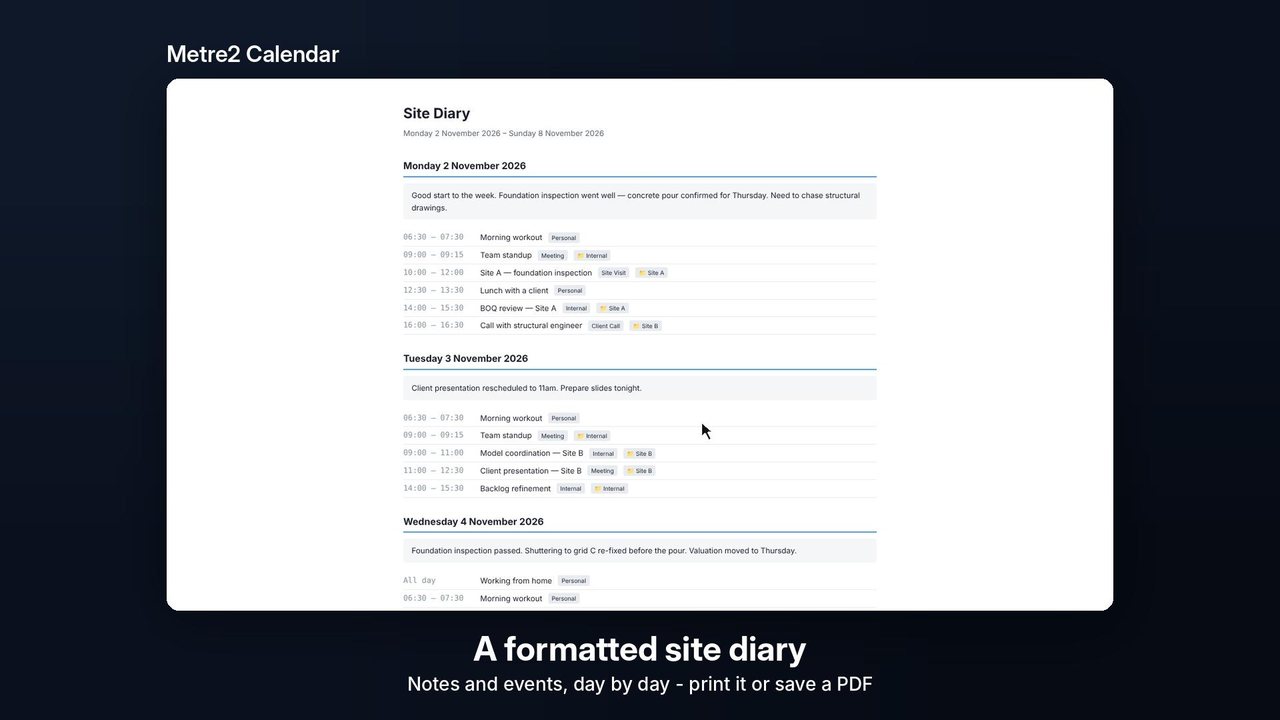
Write notes for each day in a free calendar and export any date range of notes and events as a formatted site diary to print or save as PDF. Free on Windows.
Calendar Pro
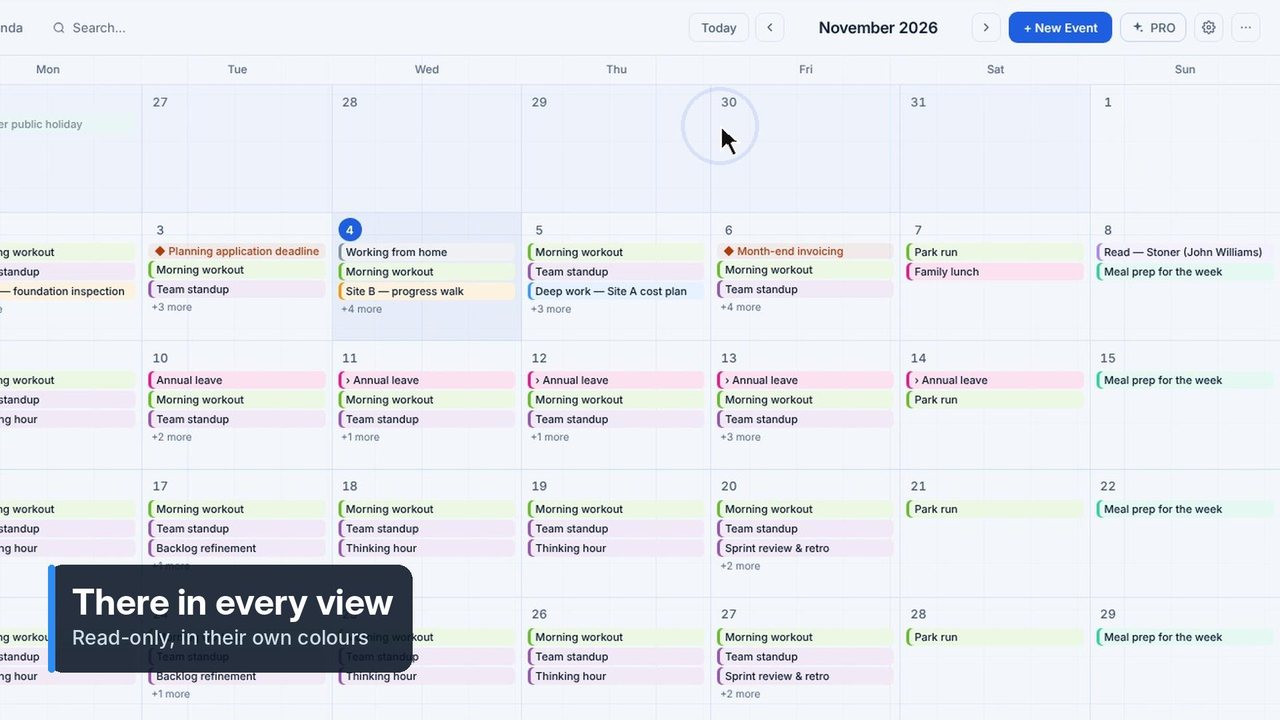
Add bank holidays for Scotland or Northern Ireland from GOV.UK, Irish public holidays or the UK clock changes to your calendar in one click. Calendar Pro, 7-day free trial.
Calendar Pro
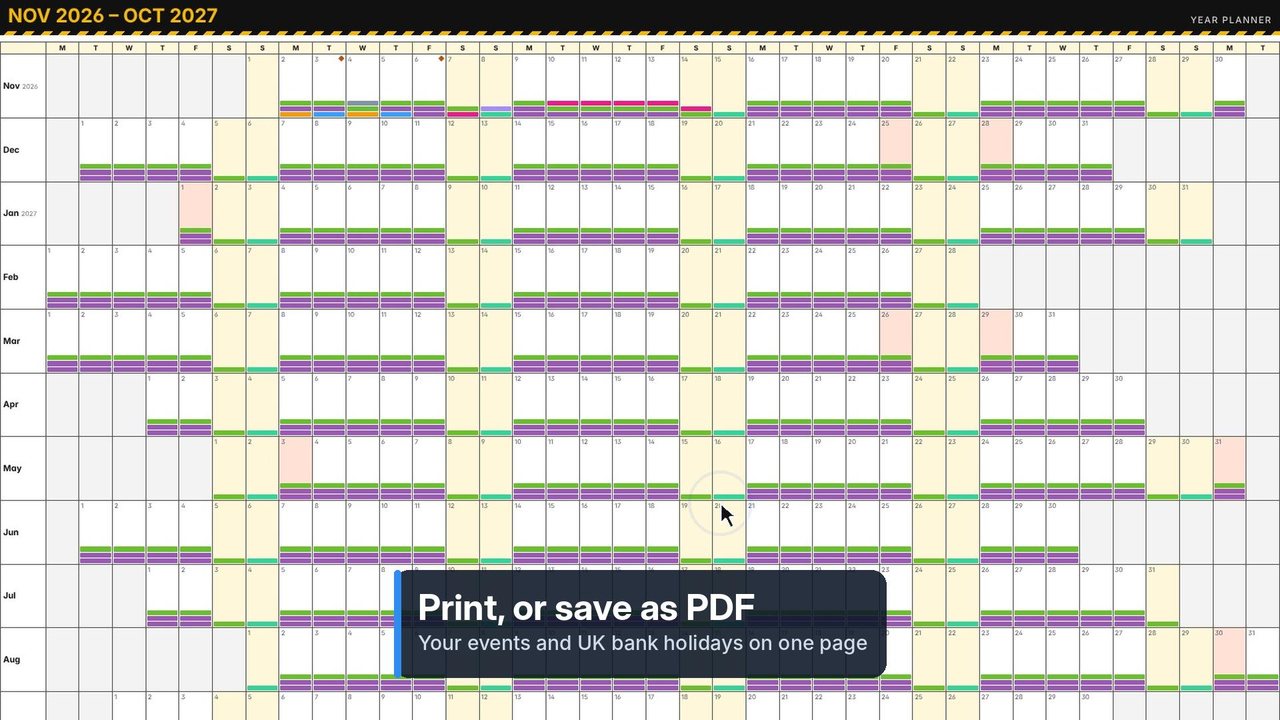
Print a 12-month year wall planner with your events and UK bank holidays, on A3 or A4, in three styles - or save it as PDF. Calendar Pro, 7-day free trial.
Calendar Pro
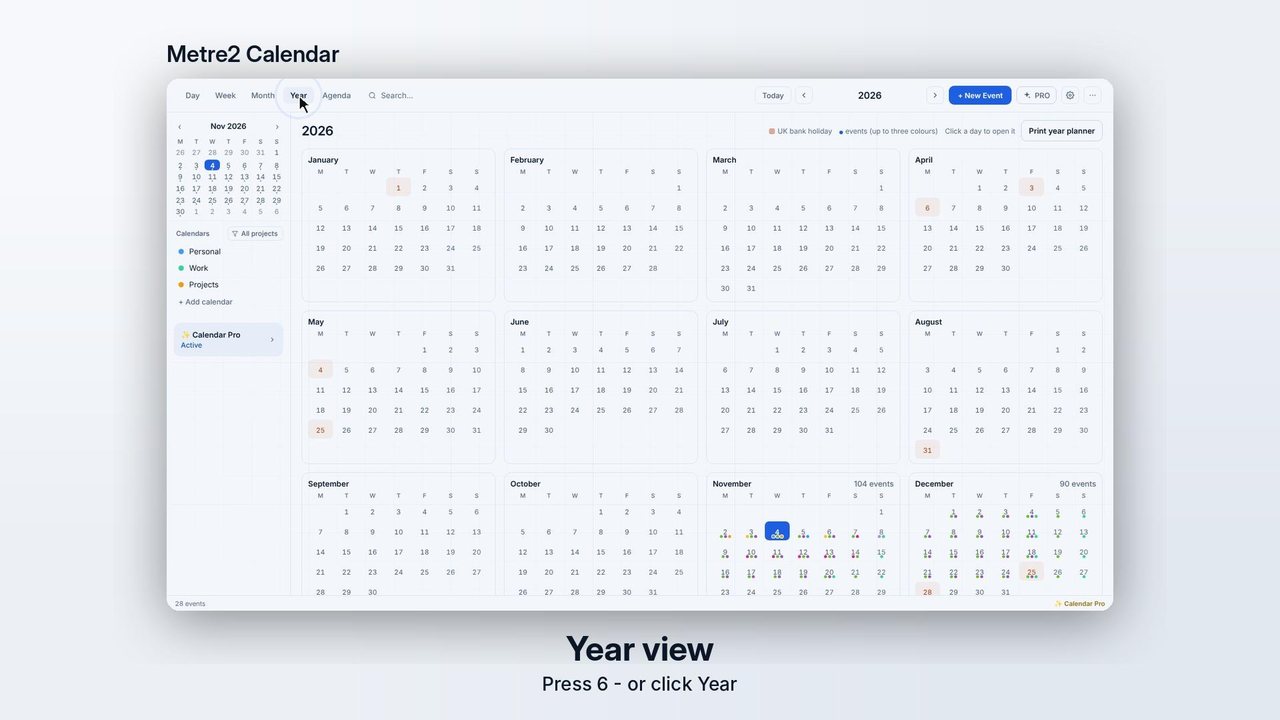
See all twelve months at once with a dot for each day's events and UK bank holidays shaded, open any day, and print a year wall planner. Calendar Pro, 7-day free trial.
Day Rate Calculator
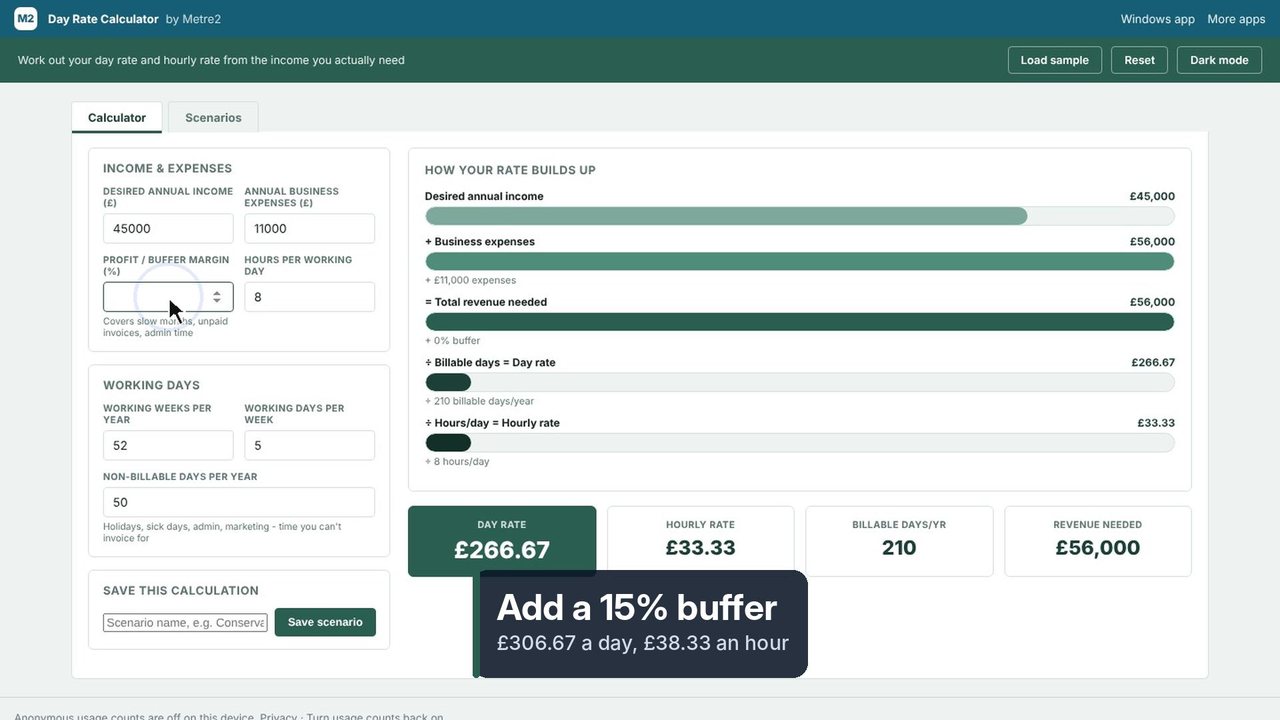
How to work out a self-employed day rate: start from the income you want, add business costs and a buffer, and divide by the days you can really bill - not 260.
Metre2 Drainage Design Pro
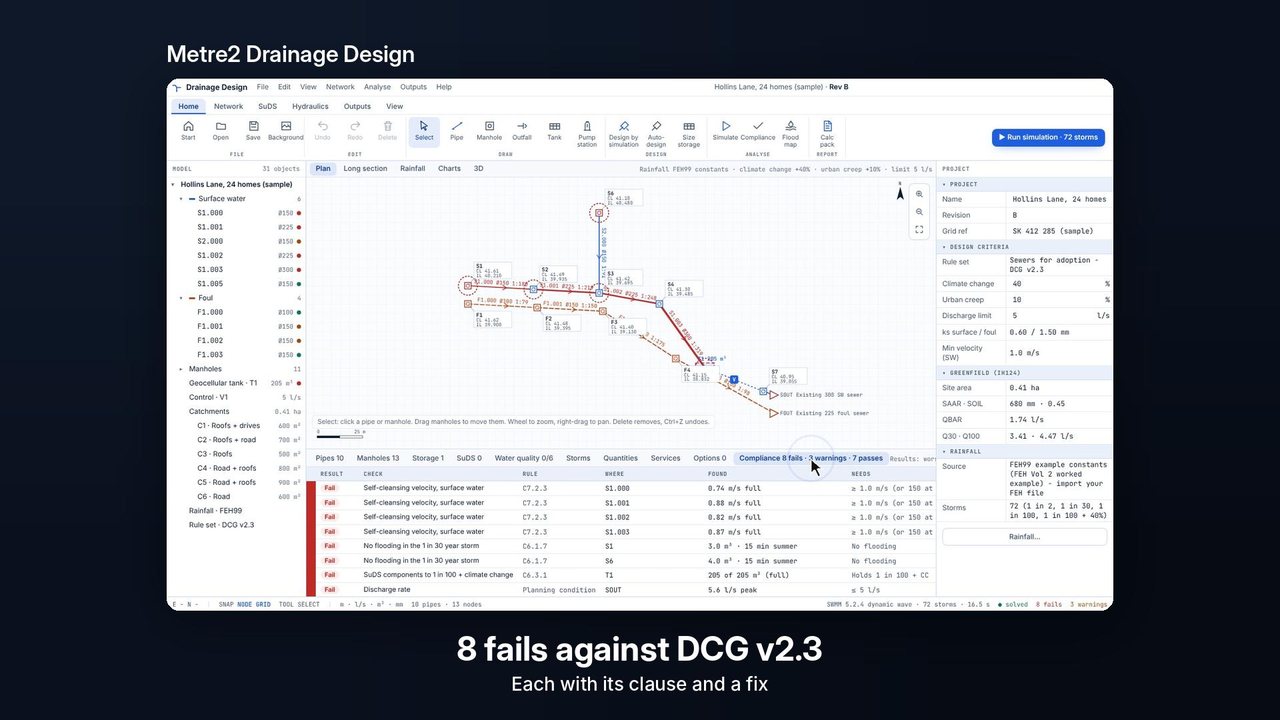
Simulate every FEH storm in EPA SWMM, see which Sewers for Adoption checks fail, then let design by simulation size the tank and upsize the pipes until they pass.
Metre2 Drainage Design
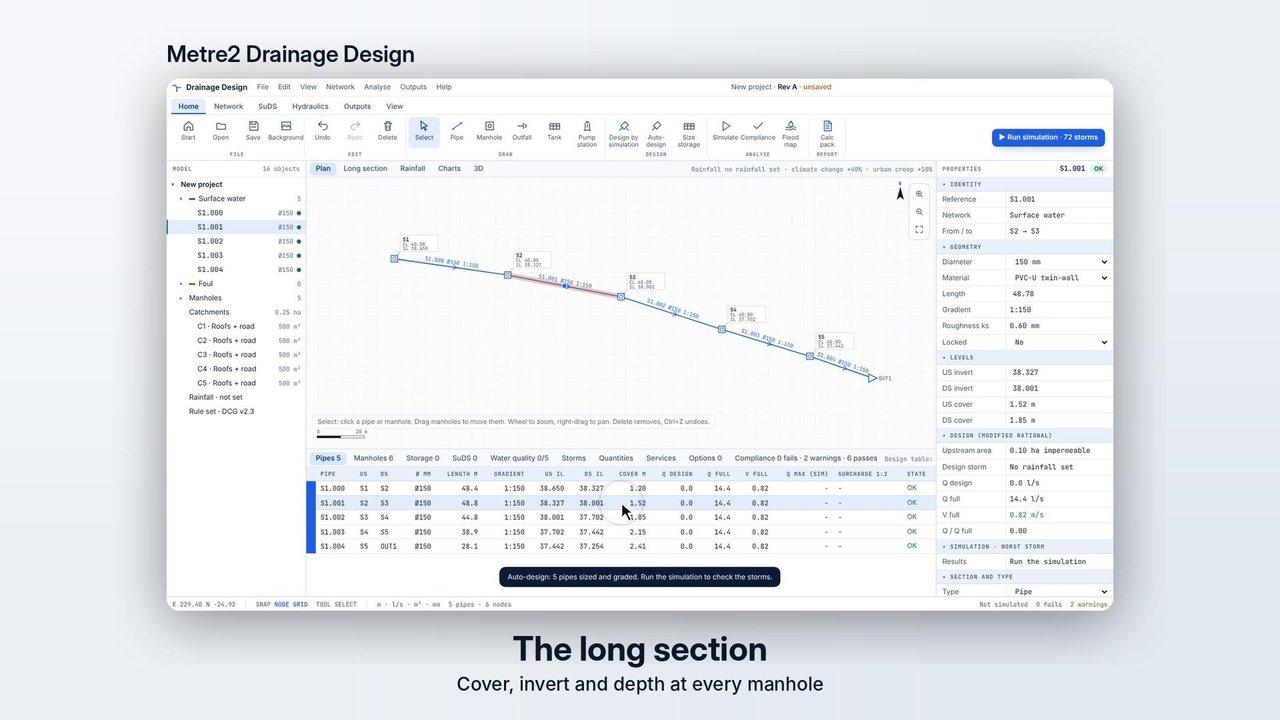
Draw manholes and pipes, add the outfall, and let Metre2 Drainage Design size and grade every pipe by Colebrook-White, with the long section and manhole schedule. Free on Windows.
Metre2 Drainage Design
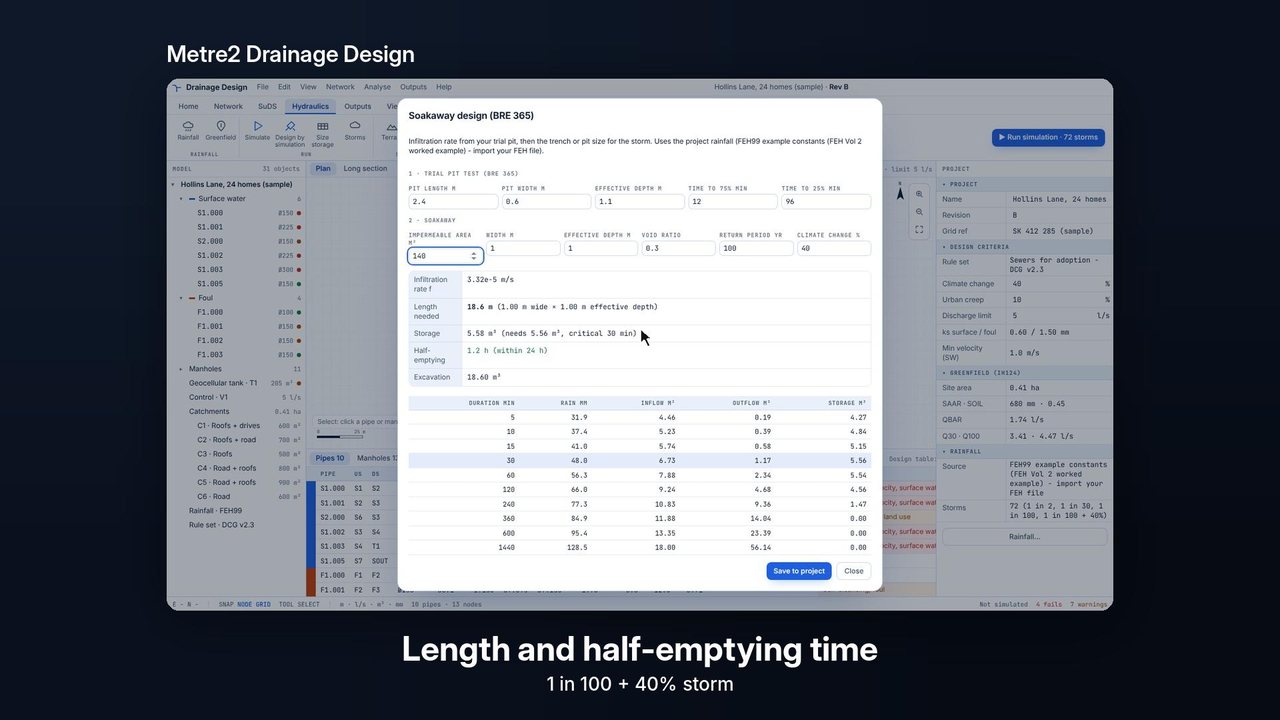
Work out the infiltration rate from your trial pit and the soakaway length for a 1 in 100 + climate change storm, with the half-emptying time check. BRE 365 method, free on Windows.
Map
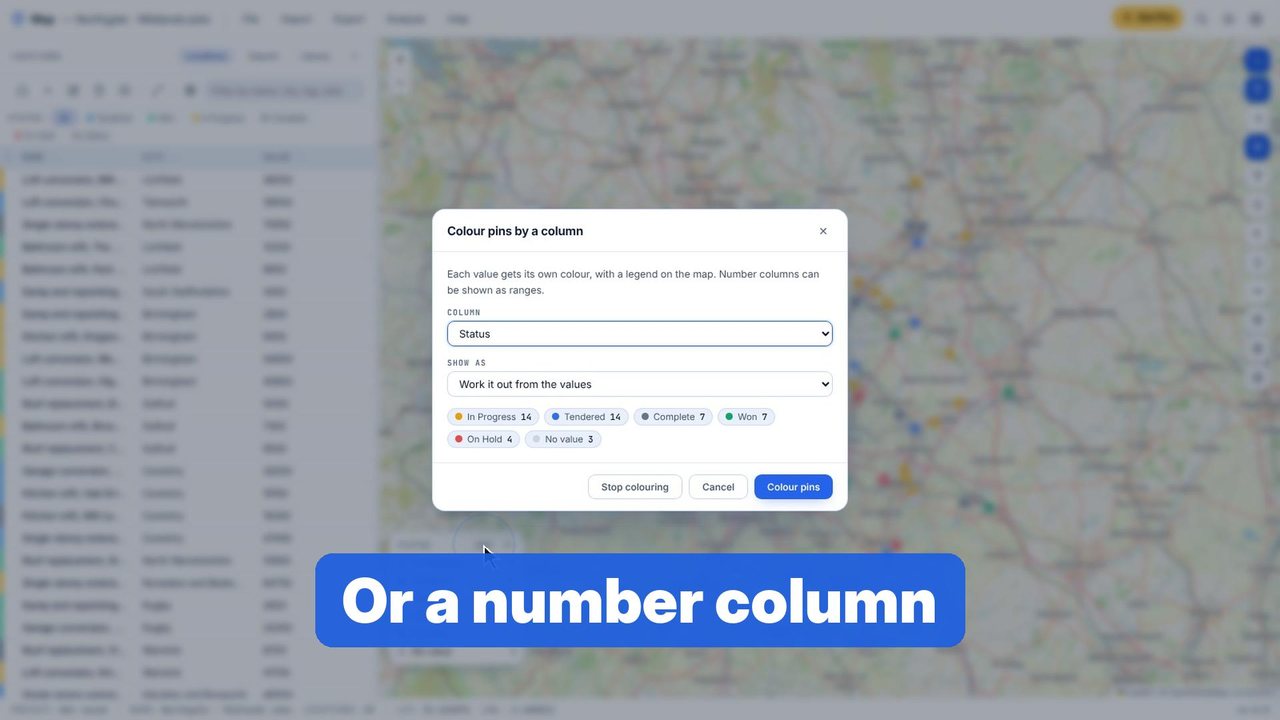
Colour every pin on the map by status, tag, client or a number column such as value, with a legend that shows the counts. Free in Metre2 Map for Windows.
Map Pro
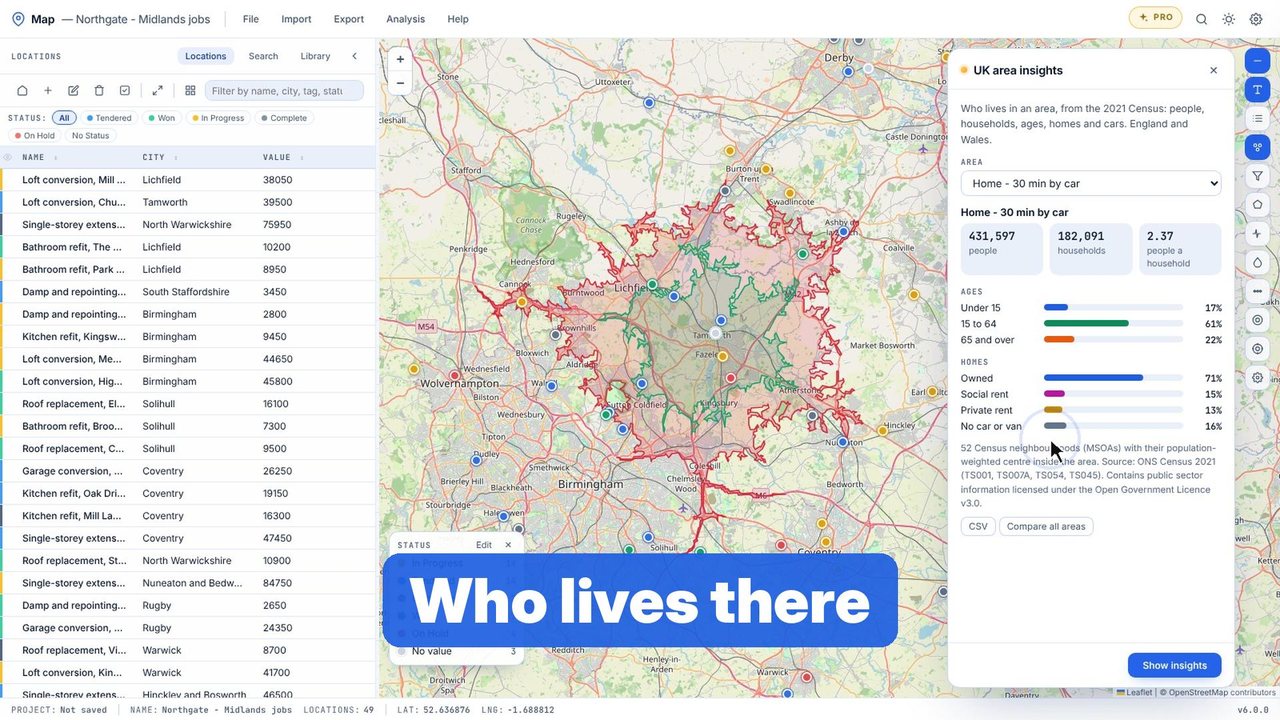
Draw drive-time areas by road from a depot or yard - 15, 30 or 45 minutes by car or van - count the jobs inside and see the Census figures for the area. Map Pro.
Map
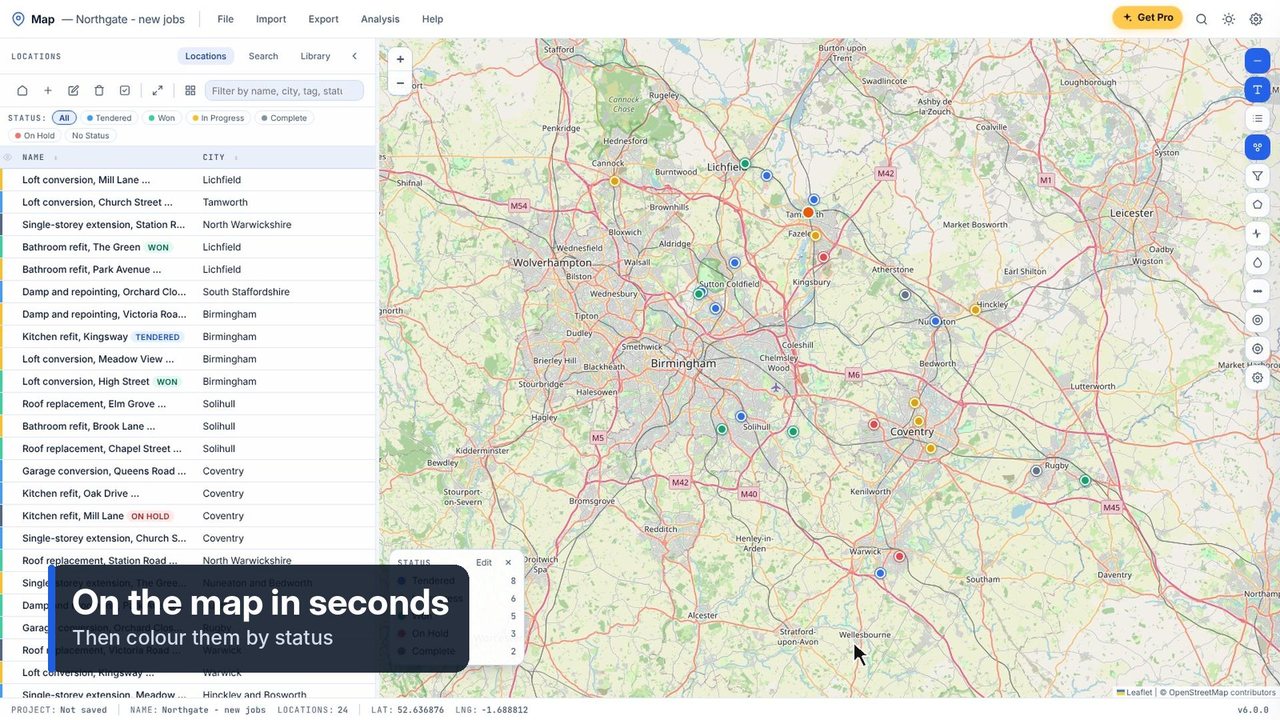
Paste rows from Excel into Metre2 Map, pick the postcode column and every UK postcode is on the map in seconds - no latitude or longitude needed. Free for Windows.
Map
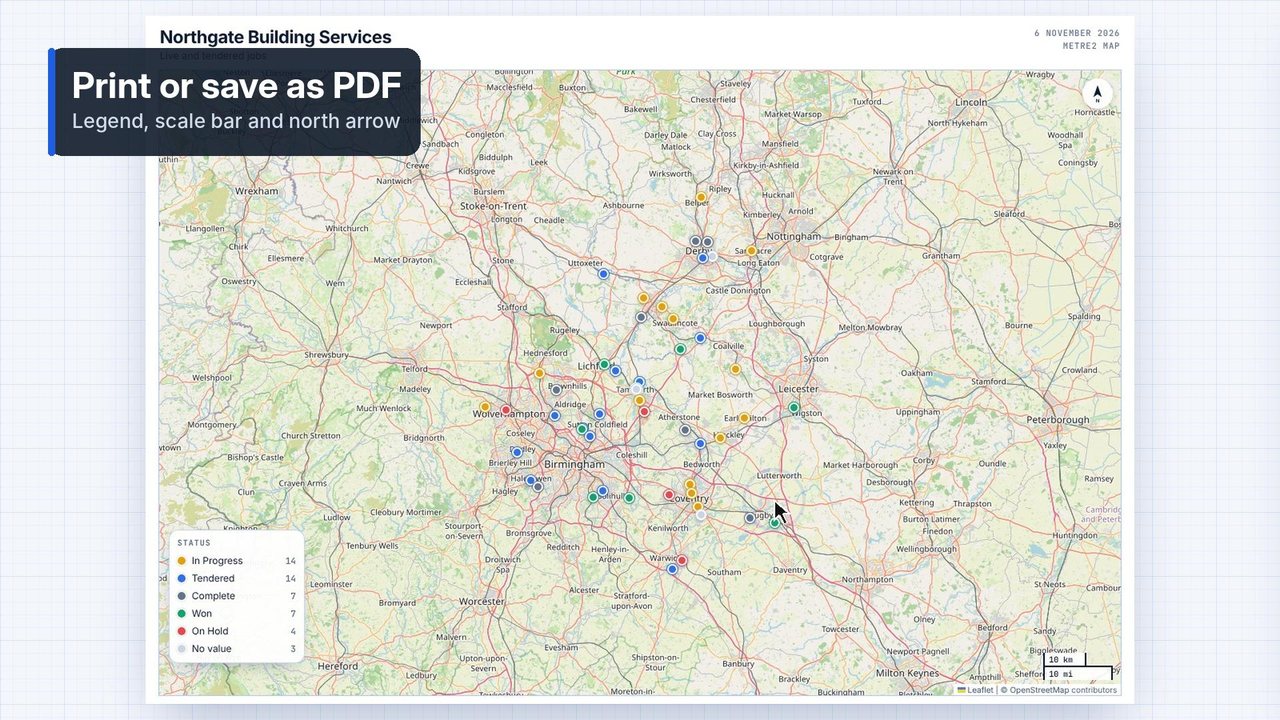
Make a clean poster map with your title, a legend, a scale bar and a north arrow, on A4 or A3 - print it, save it as a PDF or as a PNG. Free in Metre2 Map.
Map Pro
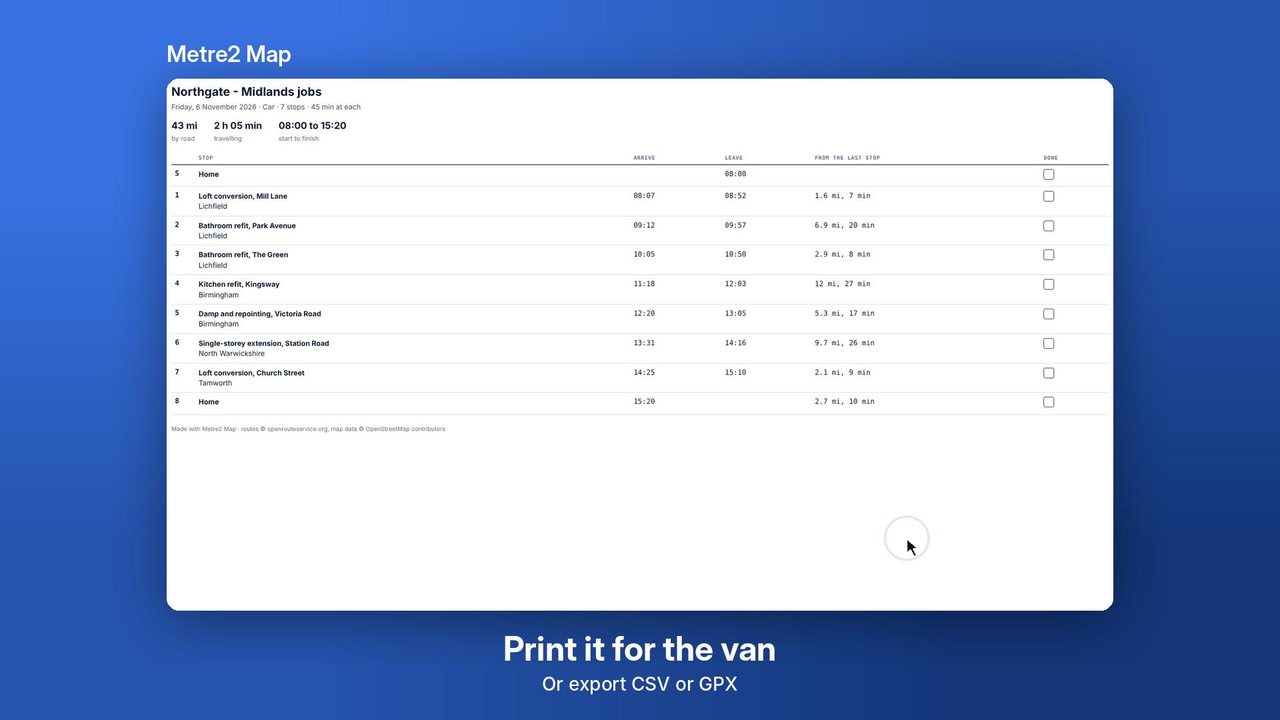
Pick the day's stops and Map Pro finds the best order by road, with arrival and leaving times and a run sheet to print or export as CSV or GPX. 7-day free trial.
Map Pro
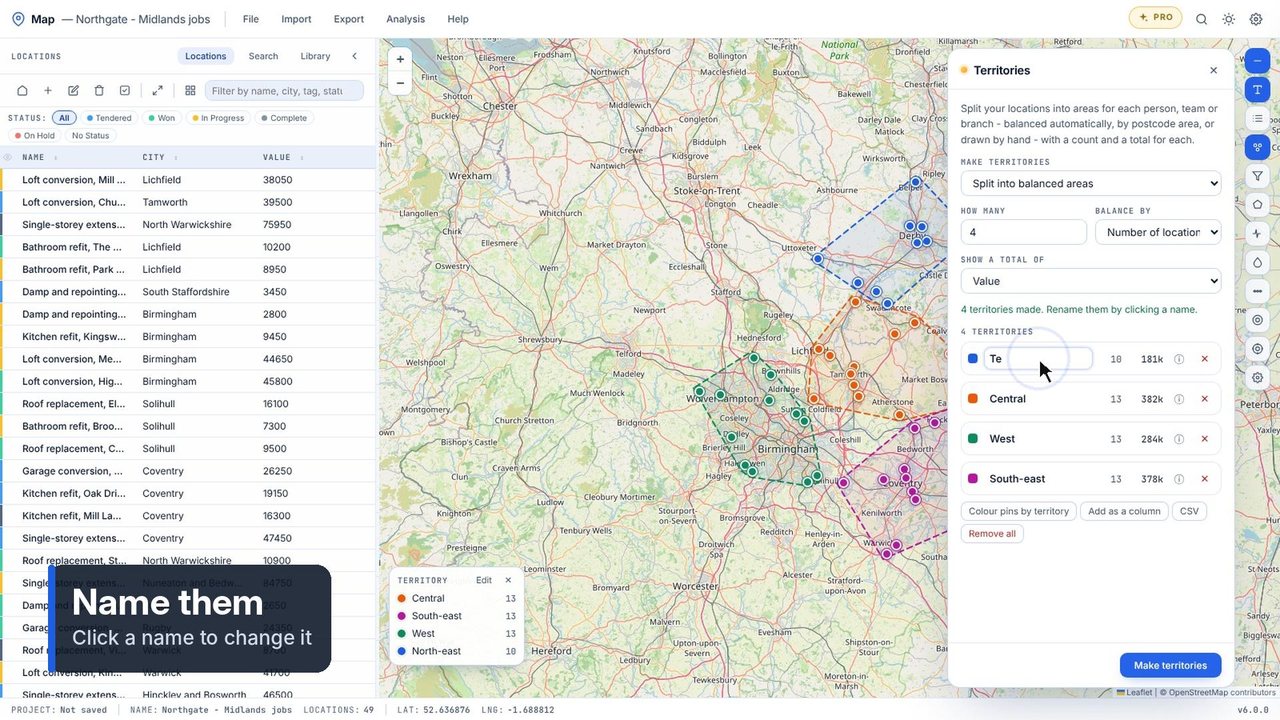
Split your customers or jobs into balanced territories - by count or by value, by postcode area, or drawn by hand - with a count and total for each. Map Pro.
PDF Flatten
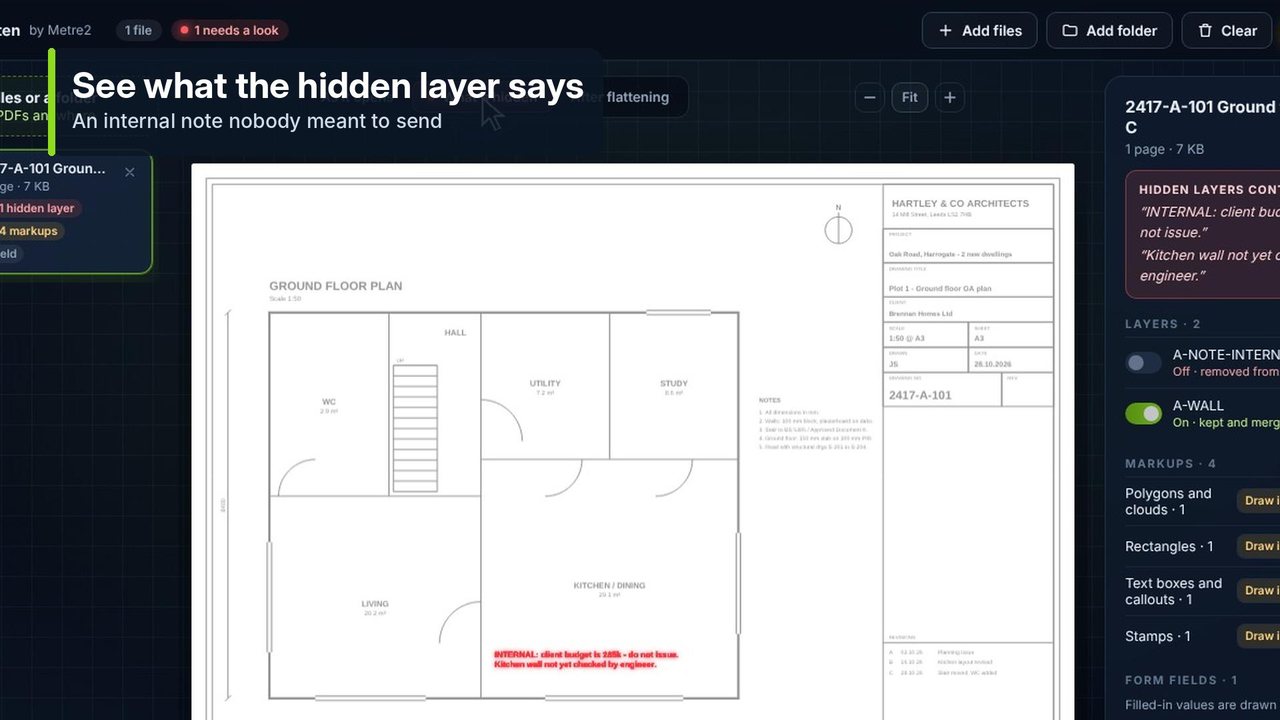
How to flatten a PDF so markups, stamps and filled-in form fields are drawn in for good and hidden layers are taken out of the file. Free, in your browser.
Metre2 Sprinkler Design
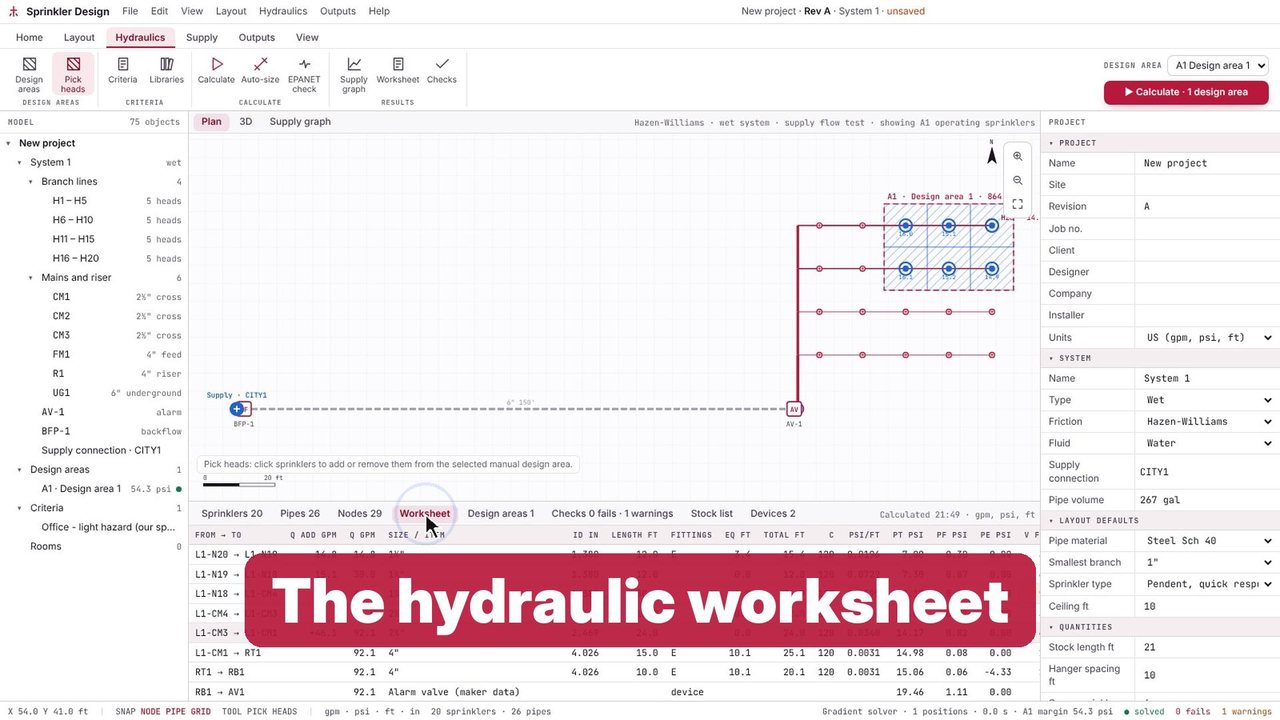
A step-by-step fire sprinkler hydraulic calculation: lay out branch lines, add the riser and flow test, enter your design criteria, pick the design area and get the worksheet. Free for small systems, in your browser.
Metre2 Sprinkler Design Pro
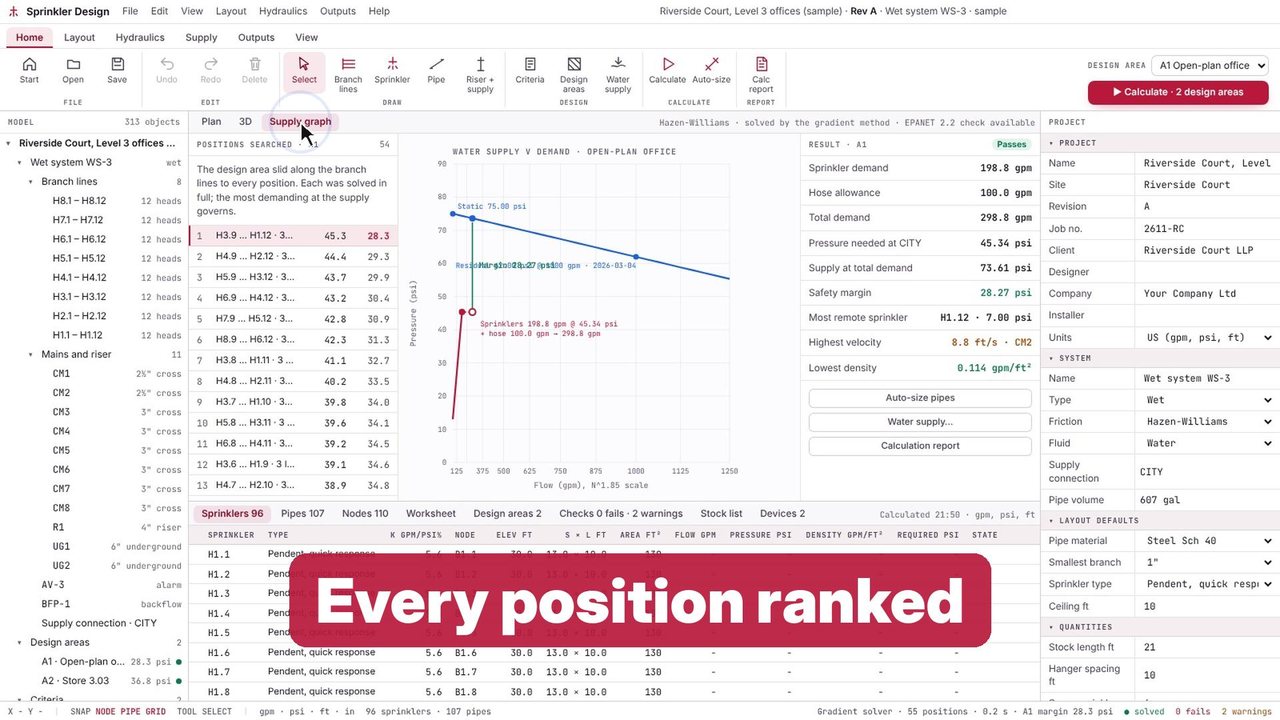
Find the hydraulically most demanding design area instead of guessing it: Metre2 Sprinkler Design slides the area to every position on the branch lines, solves each one and ranks them, then auto-sizes the pipes to your margin.
Metre2 Sprinkler Design
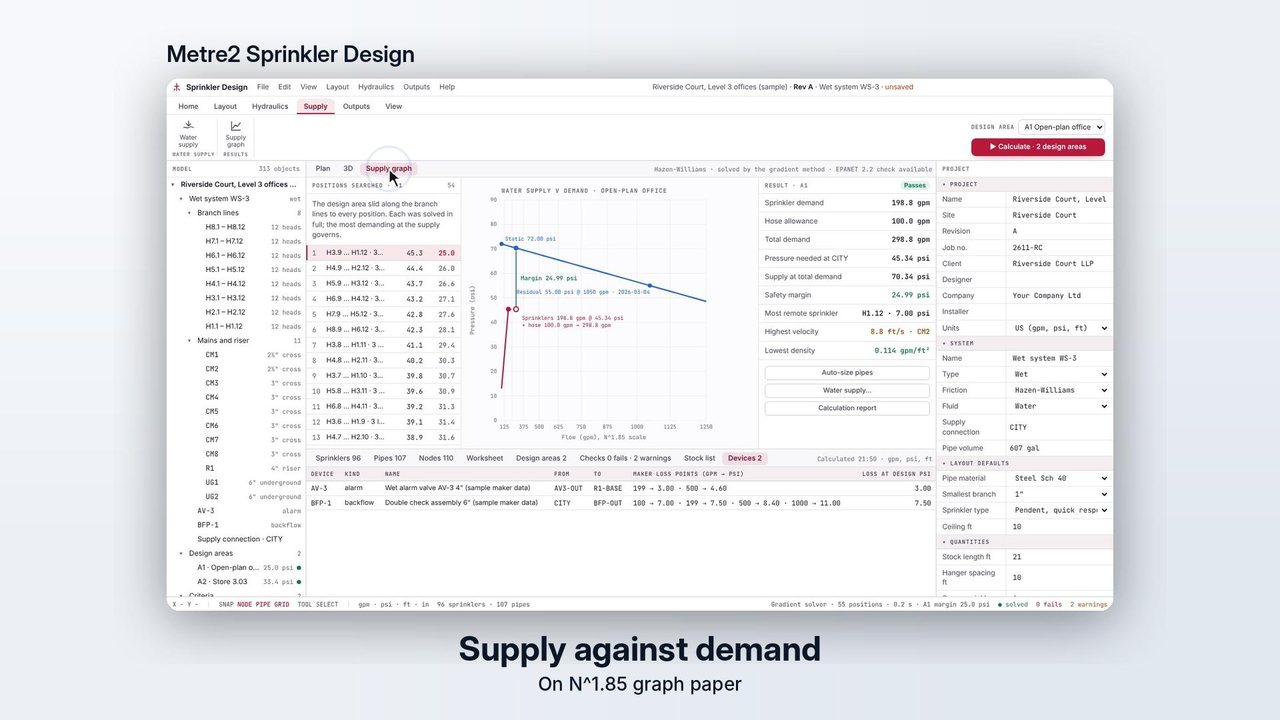
Turn a hydrant flow test (static, residual and flow) into a water supply curve, plot it against the sprinkler demand on N^1.85 graph paper and read the safety margin. Free in your browser.
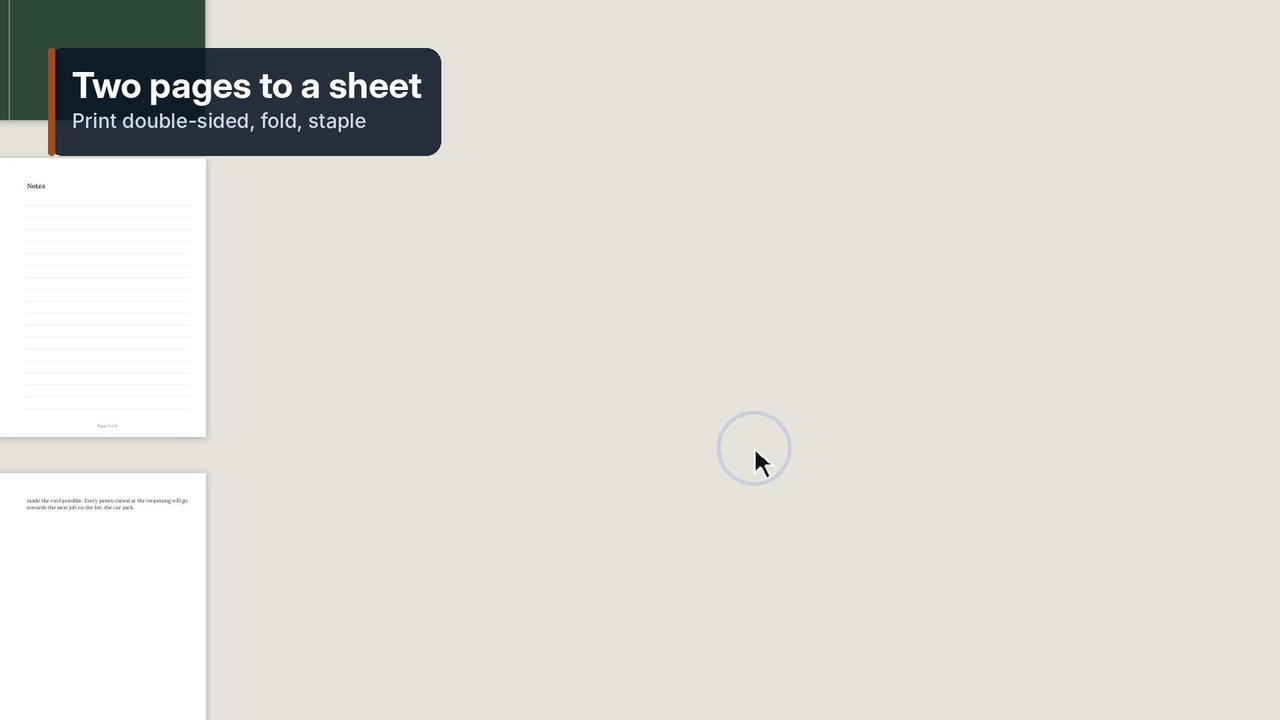
Metre2 Desktop Publishing Pro
Print a folded booklet - programmes, orders of service, newsletters - with pages two to a sheet in the right order, in Metre2 Desktop Publishing Pro. 7-day free trial.
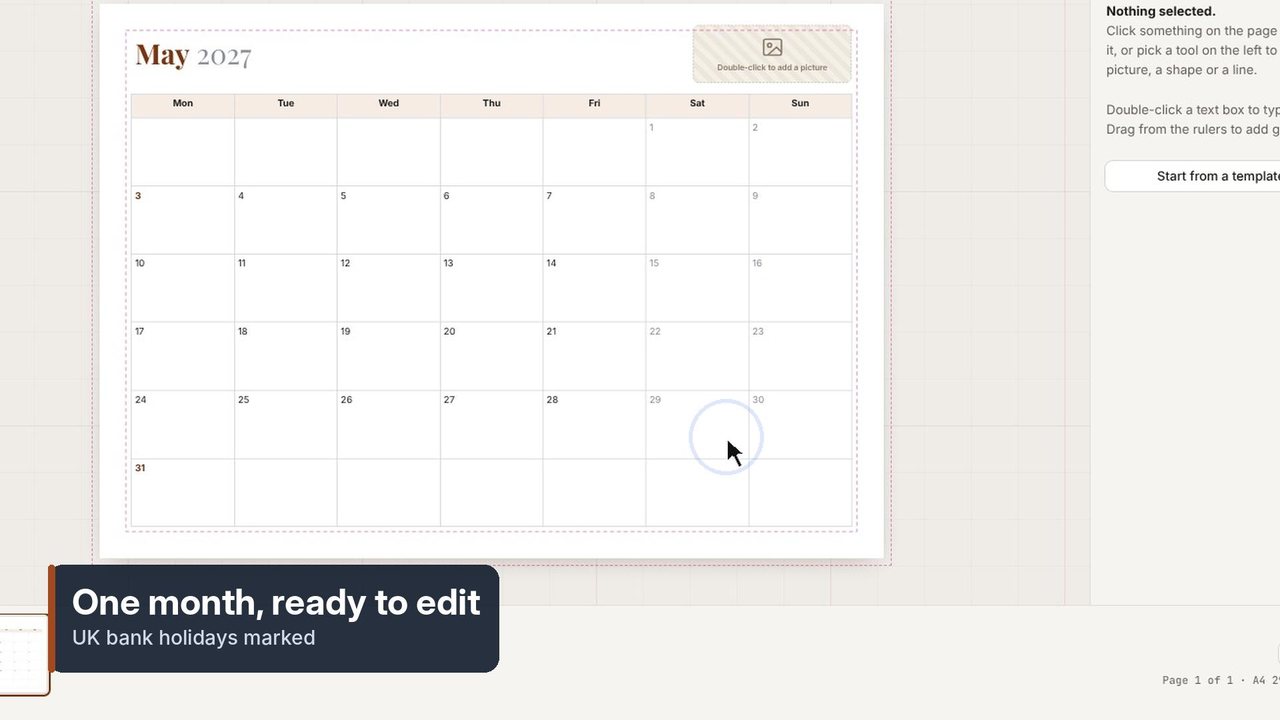
Metre2 Desktop Publishing Pro
Make a printable month, twelve-month or year-to-a-page calendar with England and Wales bank holidays and a photo frame, in Metre2 Desktop Publishing Pro. 7-day free trial.
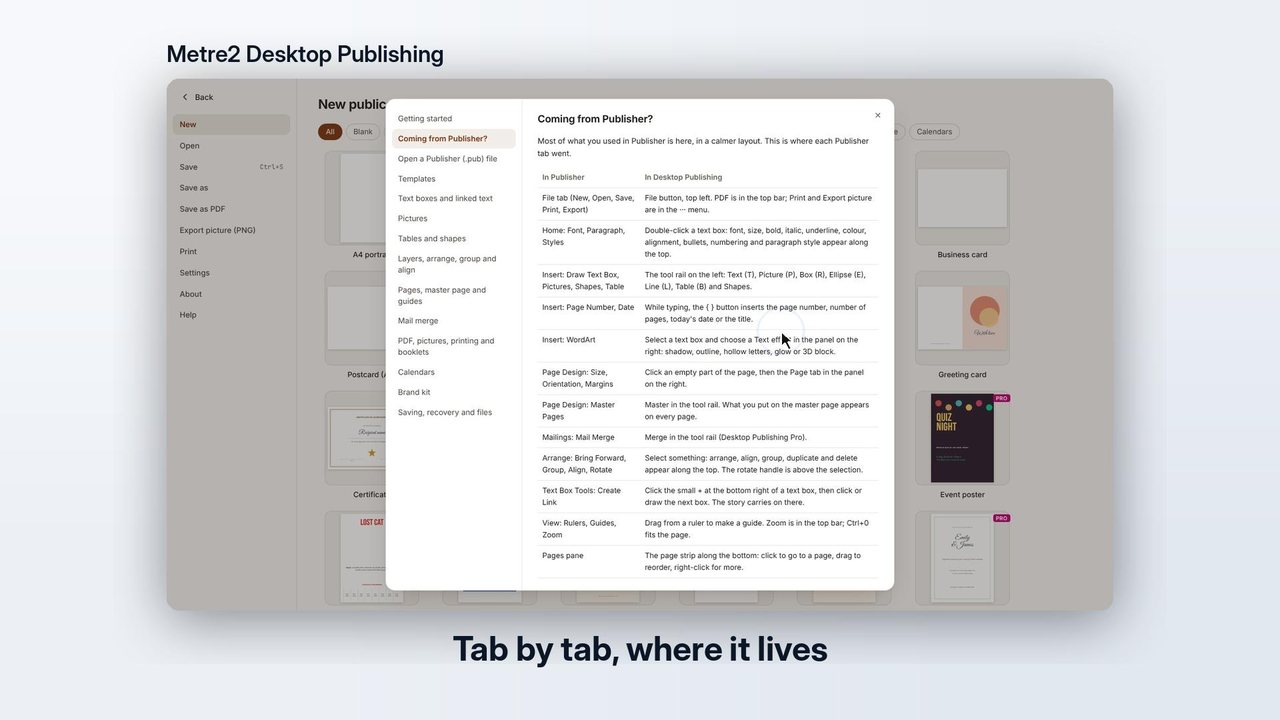
Metre2 Desktop Publishing
A quick tour of Metre2 Desktop Publishing for anyone used to Microsoft Publisher: the start panel, templates, the tool rail, the File button and the ··· menu.
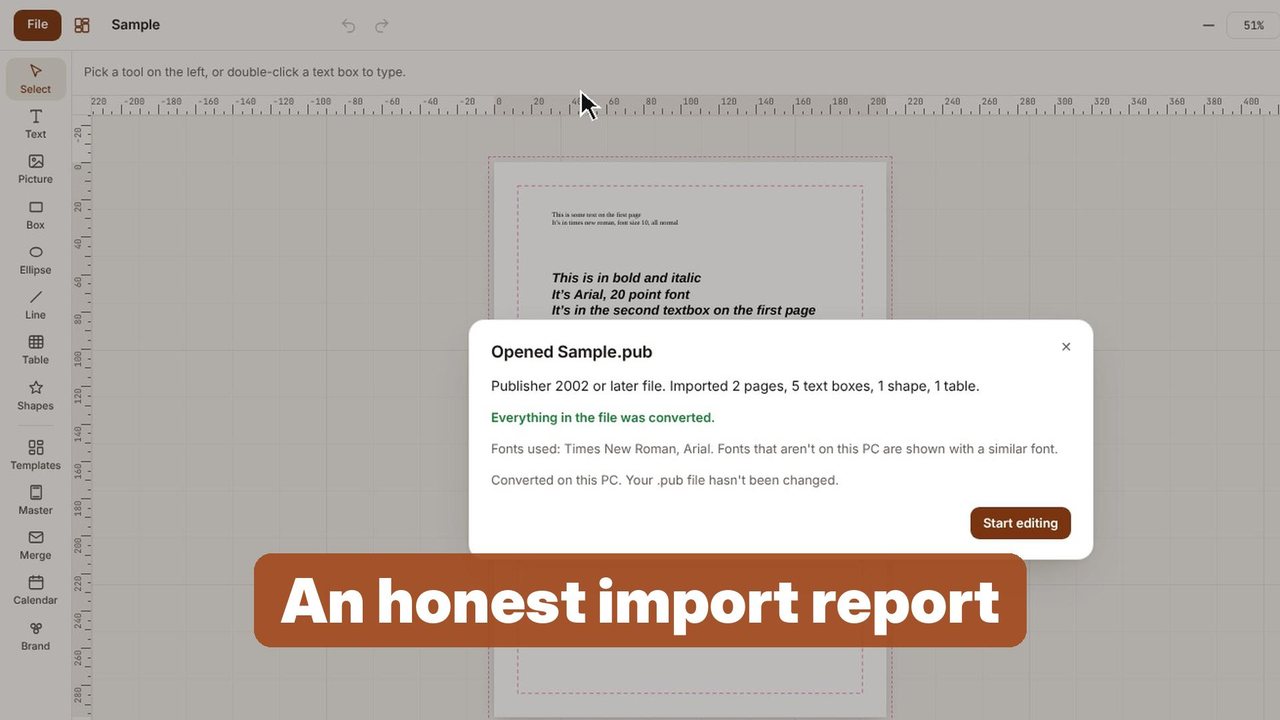
Metre2 Desktop Publishing Pro
Open .pub files created in Microsoft Publisher in Metre2 Desktop Publishing on Windows, see an honest import report, then edit and save. Pro, 7-day free trial.
Metre2 Desktop Publishing
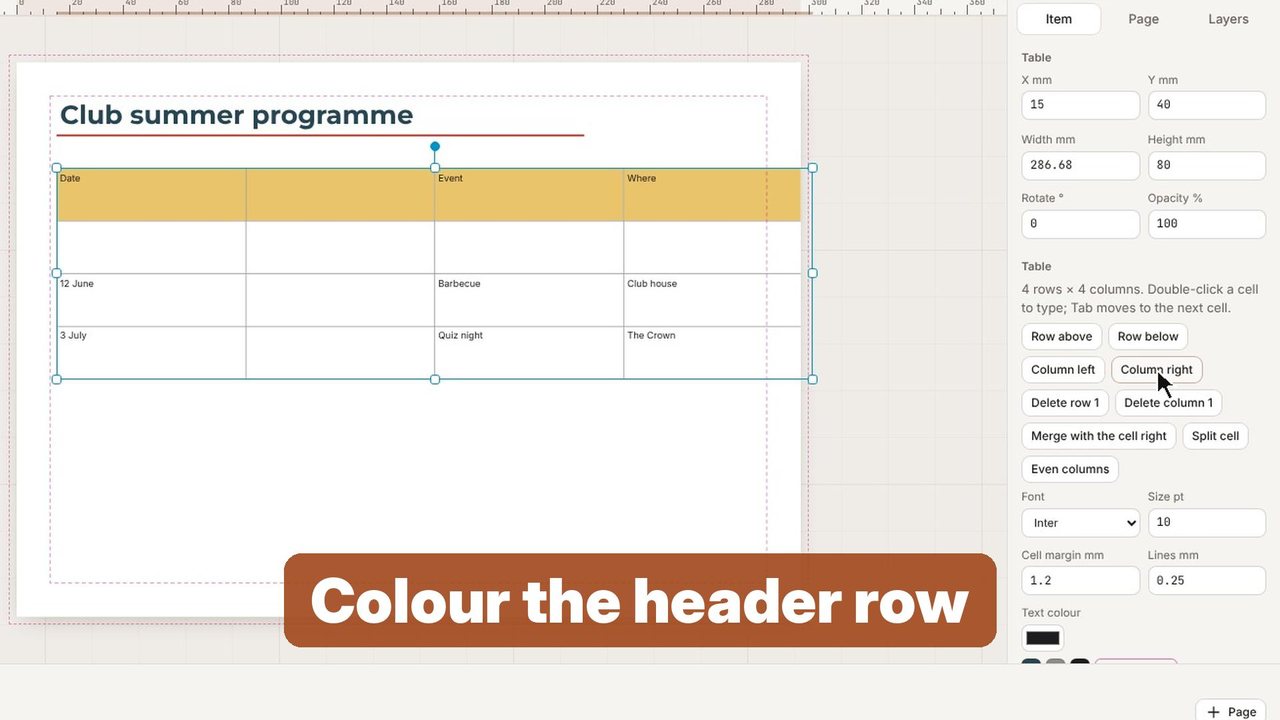
Draw a table in Metre2 Desktop Publishing, type into it with Tab, add rows and columns and colour the header row - for timetables, price lists and fixtures. Free.
Metre2 Desktop Publishing
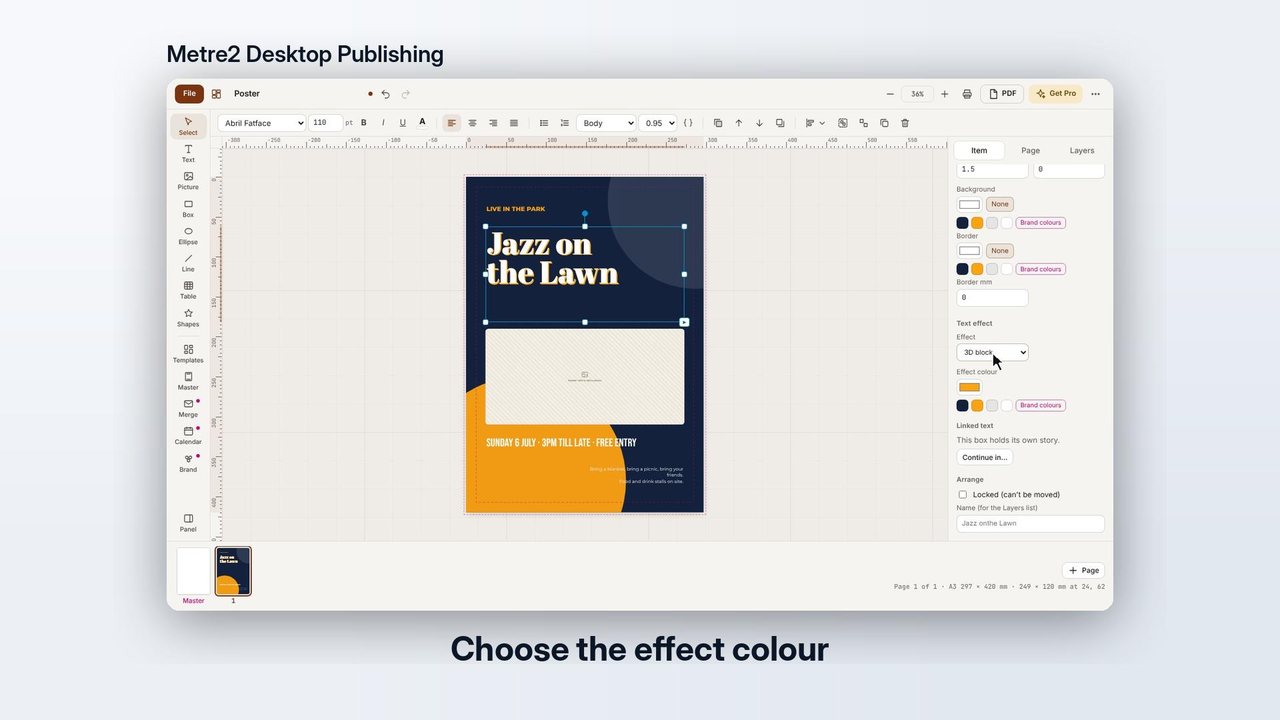
Add WordArt-style text effects - shadow, outline, glow, 3D block and more - to headlines in Metre2 Desktop Publishing. They print and export exactly as they look. Free.
Metre2 Mail
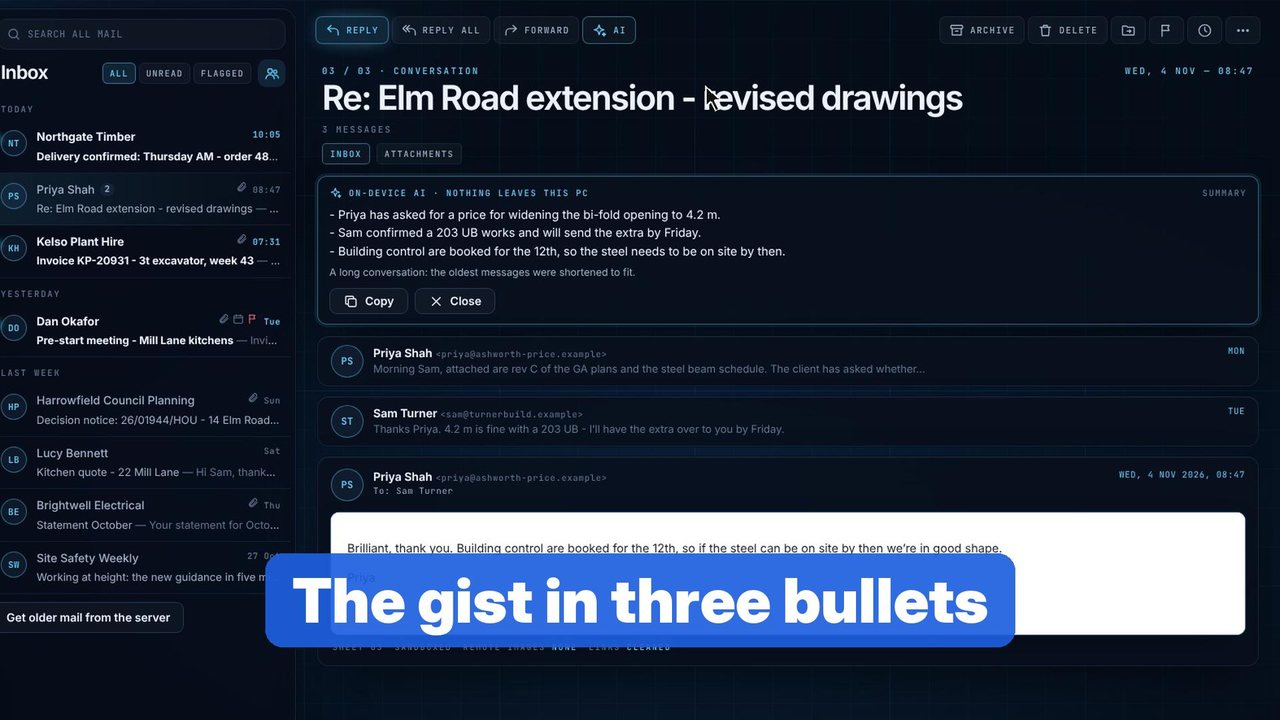
Summarise a long email conversation in a few bullet points with AI that runs on your own Windows PC - nothing is sent anywhere. Free in Metre2 Mail.
Metre2 Mail
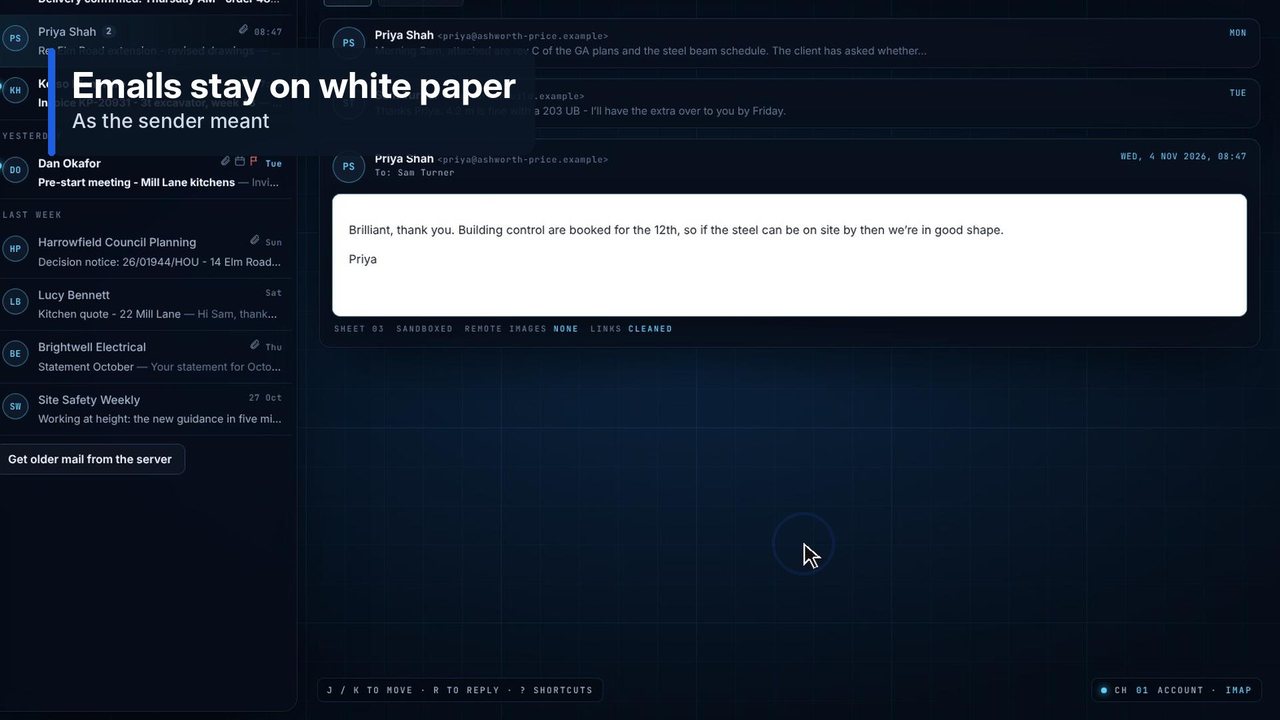
Switch your email to dark mode on Windows in two clicks - or light, or matching Windows - in Metre2 Mail. Emails stay on clean white paper. Free.
Metre2 Mail
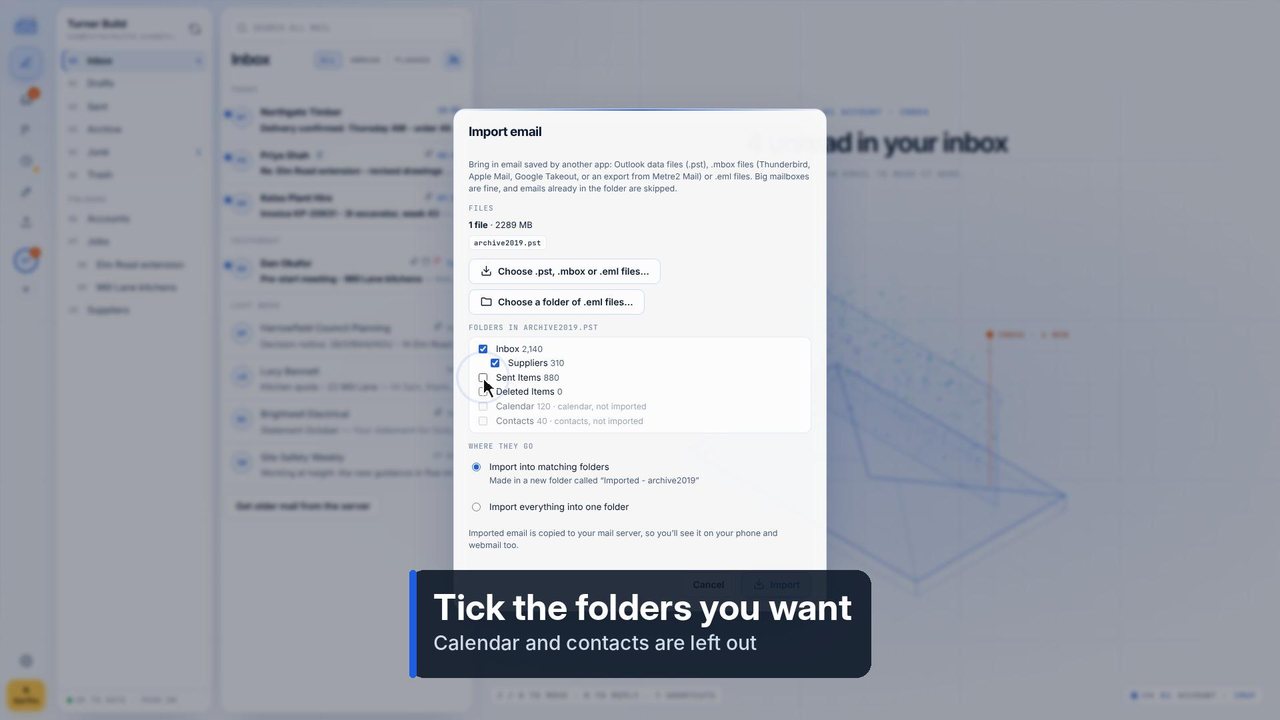
How to import an old .pst or .ost email file on Windows, free: pick the folders you want and they arrive in matching folders, with duplicates skipped.
Metre2 Mail Pro
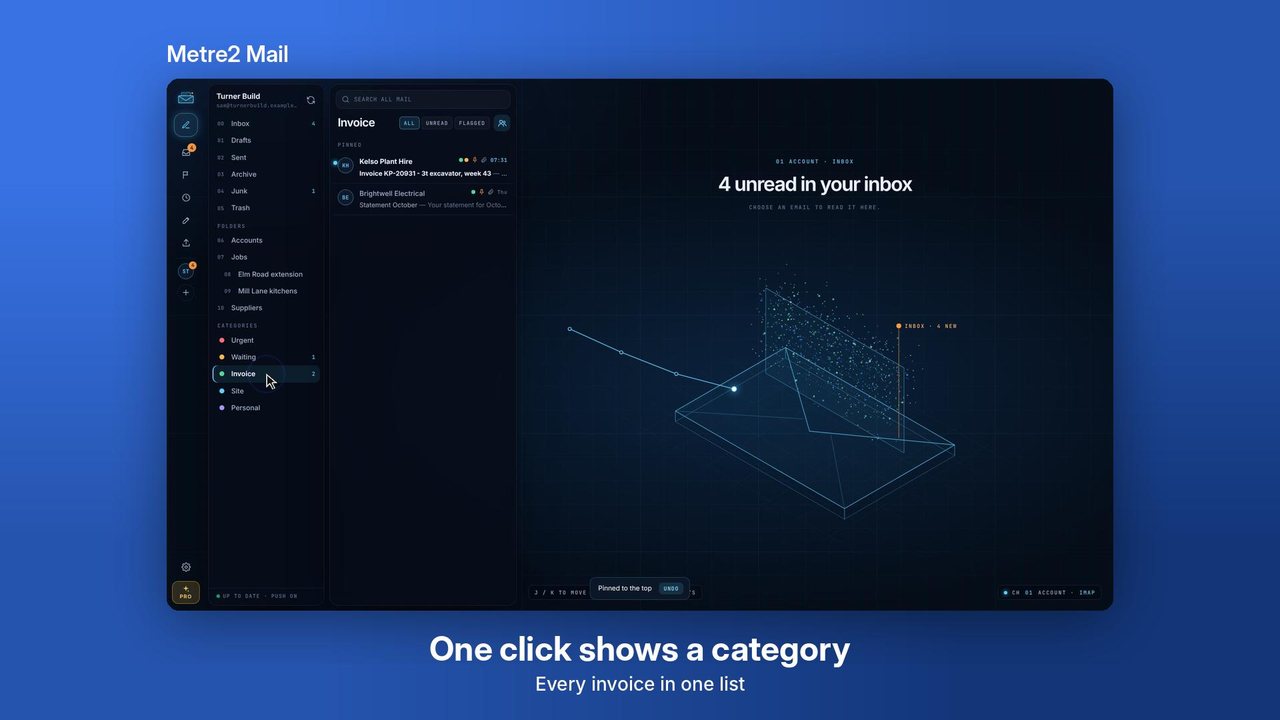
Pin important emails to the top of your inbox with P - free - and colour-code them with categories like Invoice and Waiting with Mail Pro. Metre2 Mail for Windows.
Metre2 Mail
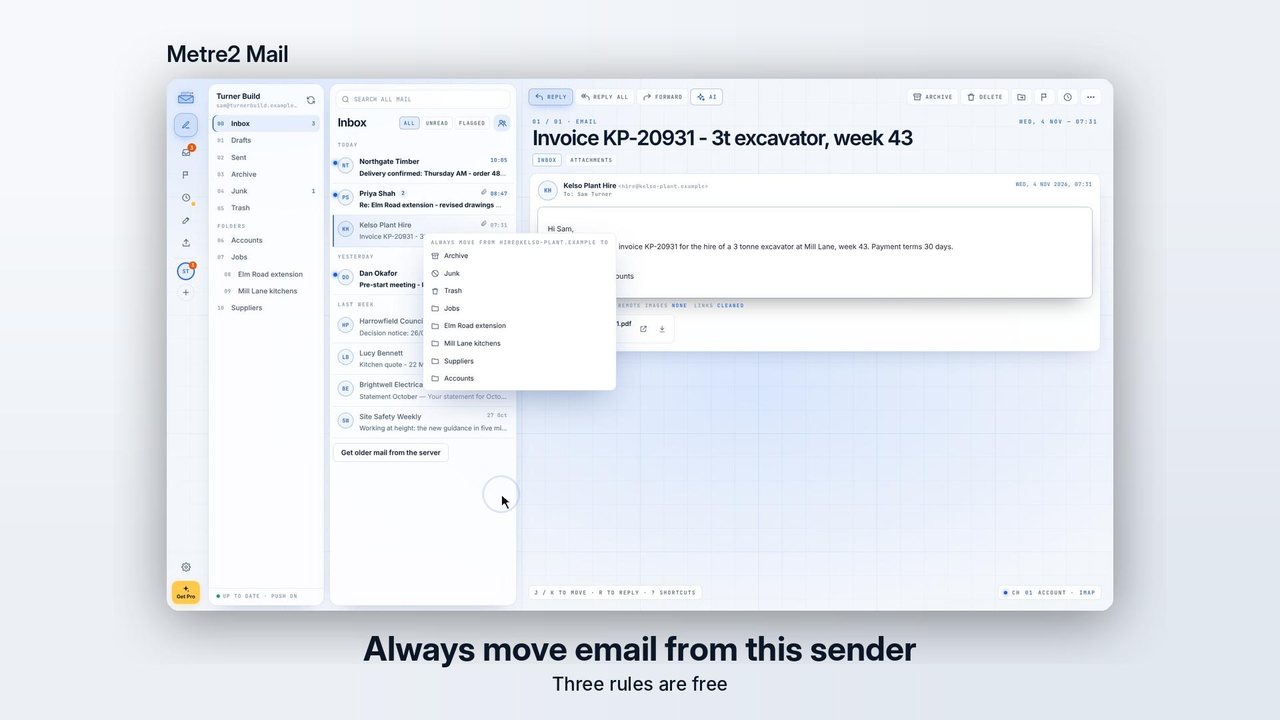
Make an email rule in one click on Windows: right-click an email, Always move email from this sender to, pick the folder. Three rules free in Metre2 Mail.
Quote Comparison
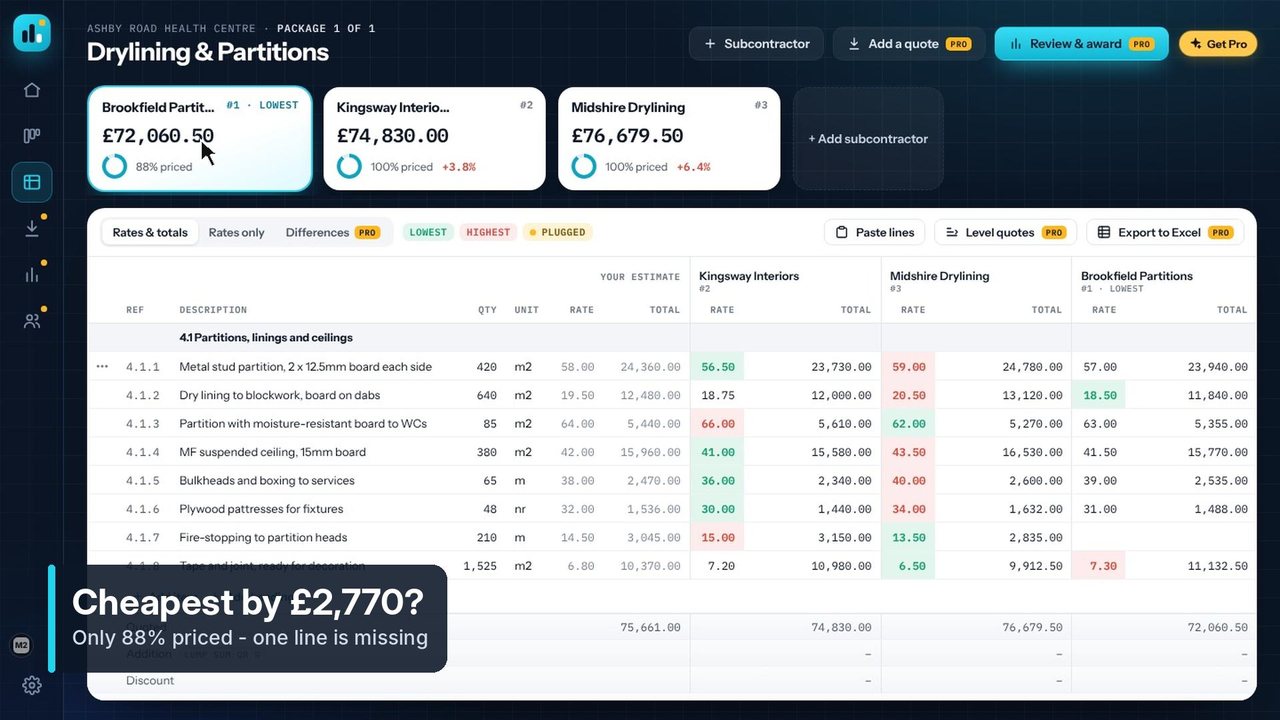
How to compare subcontractor quotes line by line against your estimate, find the items a quote has missed and level the totals. A free alternative to a quote comparison template.
Metre2 Compress PDF
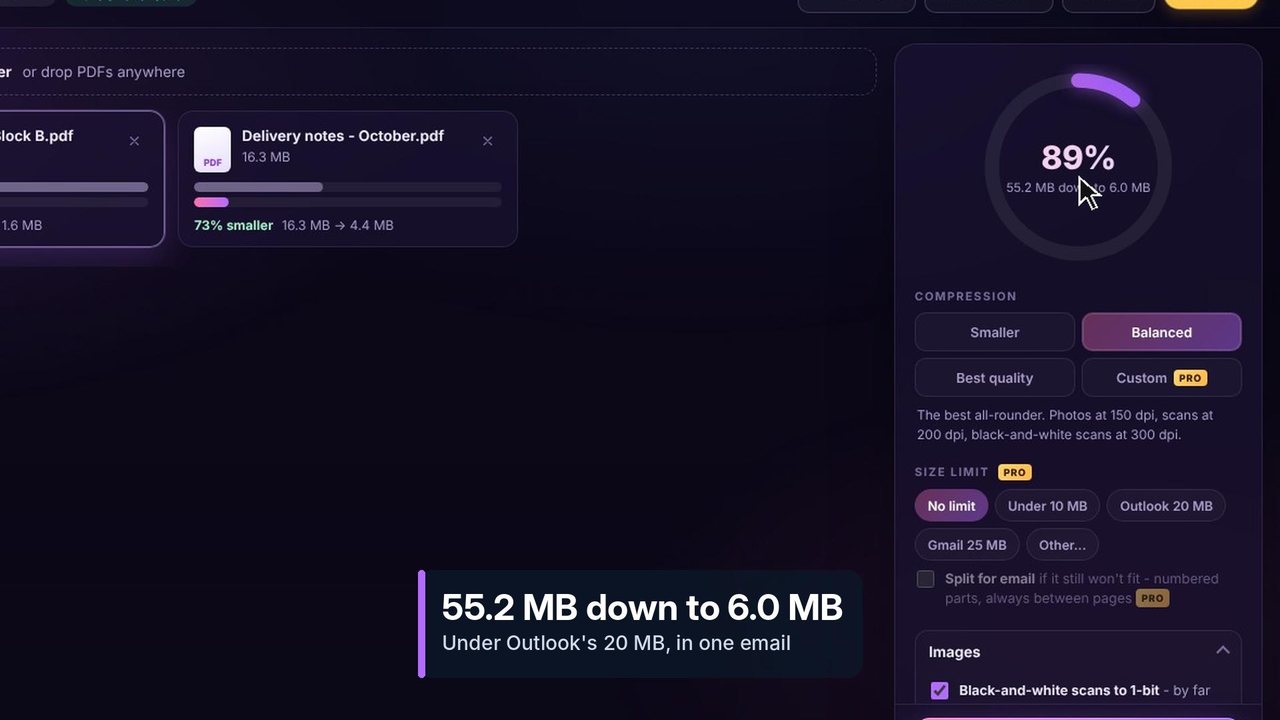
How to make a heavy PDF drawing set small enough to email without blurring the line work: check where the size comes from, compress, then compare before and after. Free in your browser.
Takeoff Studio Pro
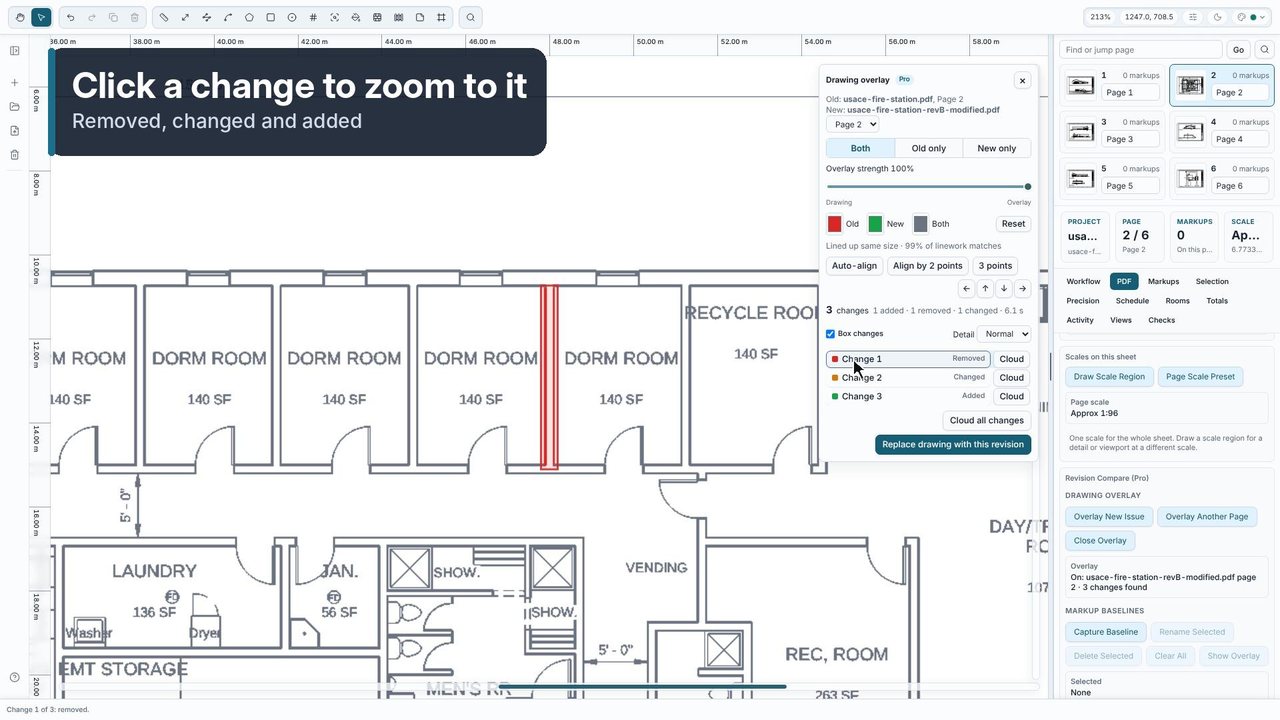
How to compare two revisions of a PDF drawing: overlay the new issue on the old, see every change boxed and listed, and cloud the changes. Takeoff Studio Pro.
Takeoff Studio
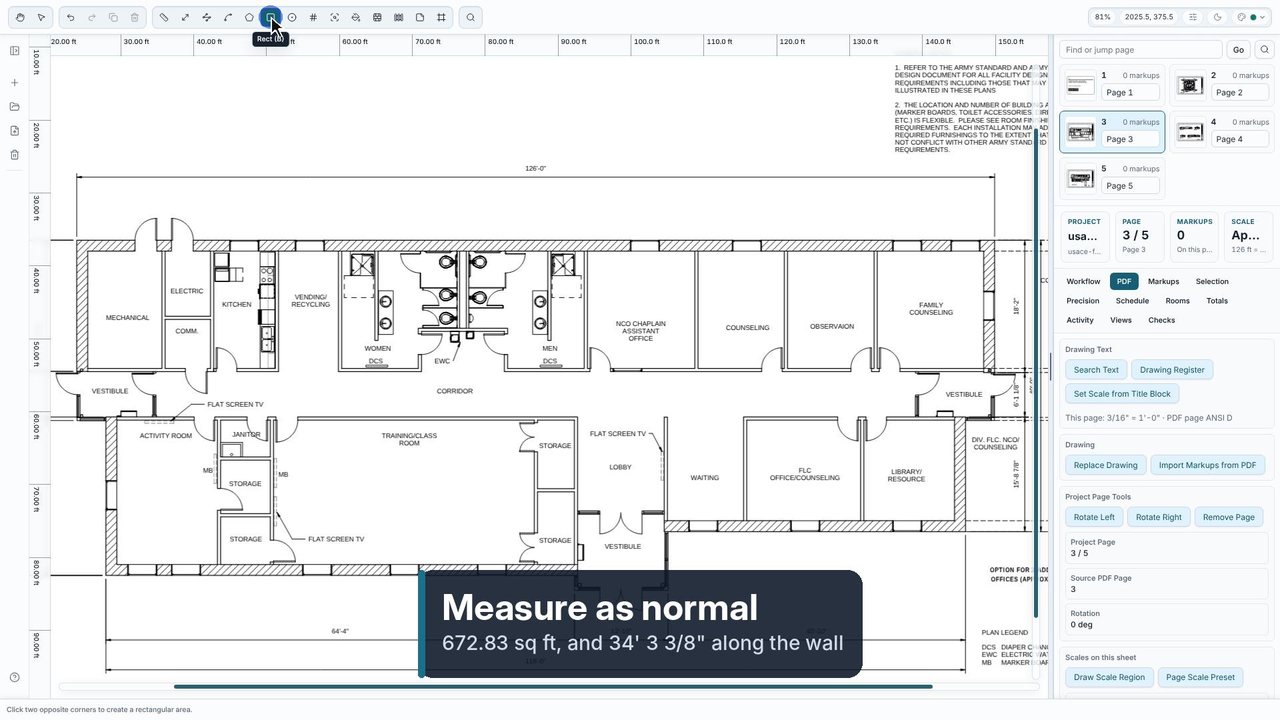
How to measure a PDF drawing in feet and inches: calibrate from a dimension like 126'-0", then read areas in square feet and lengths in feet and inches. Free.
Takeoff Studio Pro
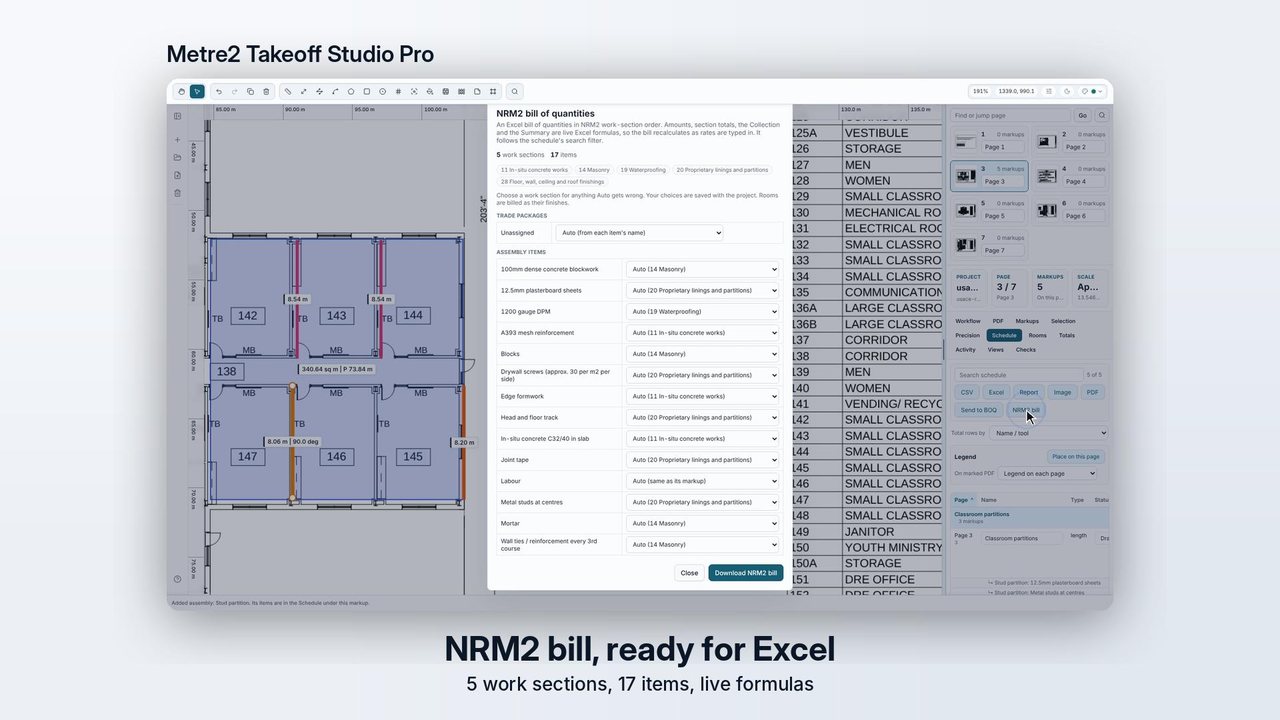
How to turn a PDF takeoff into an NRM2 bill of quantities in Excel: add assemblies to your measurements, then export a bill in work-section order with live formulas.
Takeoff Studio
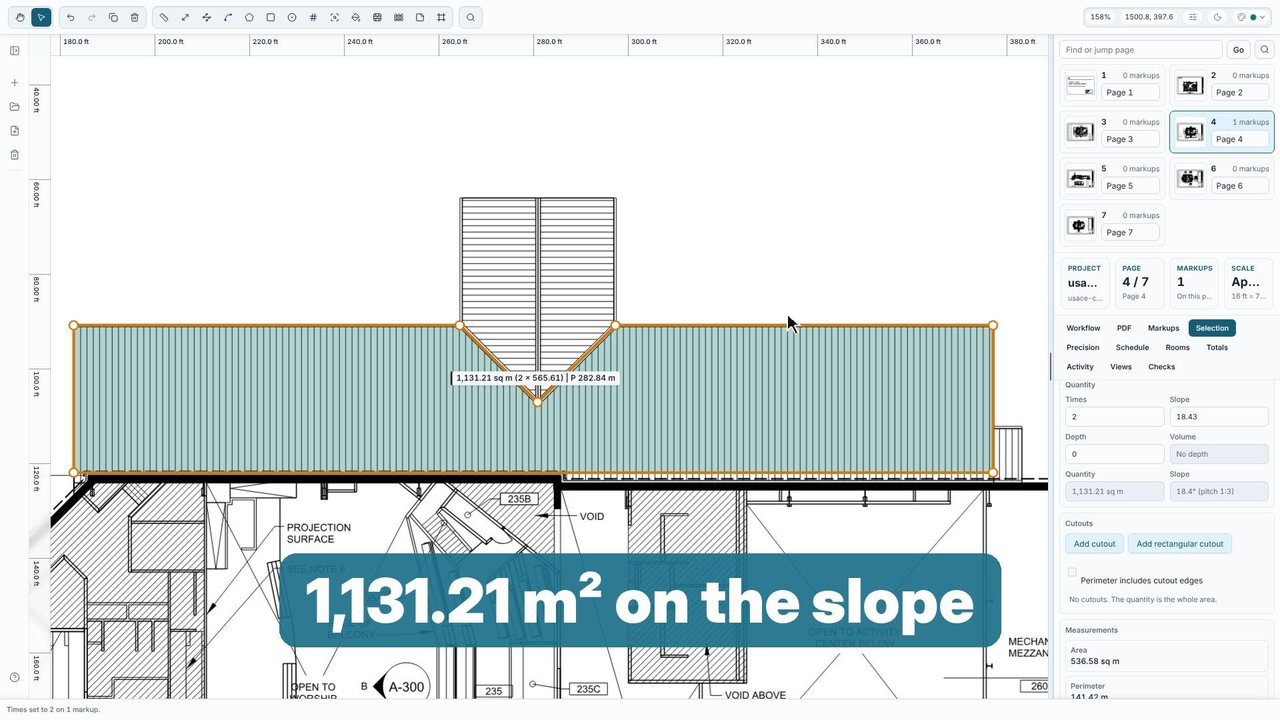
How to measure the true area of a pitched roof from a PDF roof plan: draw the slope on plan, enter the pitch in degrees or as a ratio, get the on-slope area. Free.
Takeoff Studio
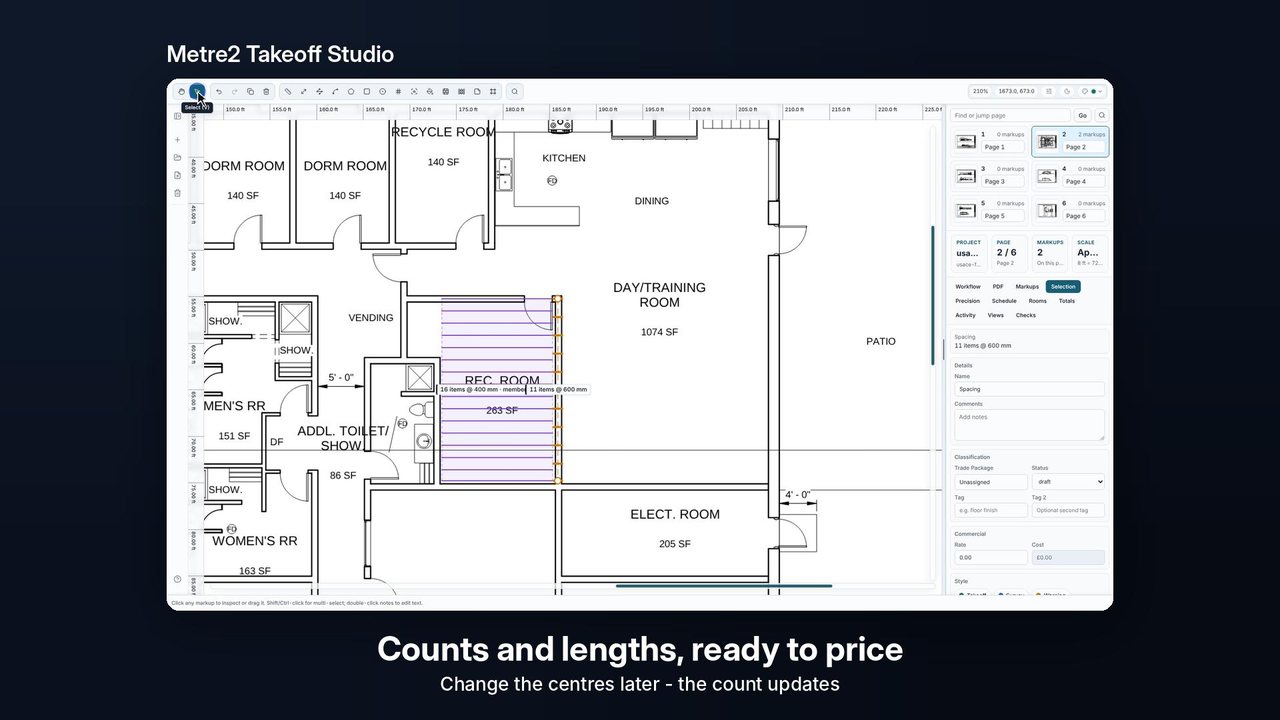
How to count floor joists at 400 mm centres and studs at 600 mm centres from a PDF drawing, with their total length. Free software, step by step.
Takeoff Studio
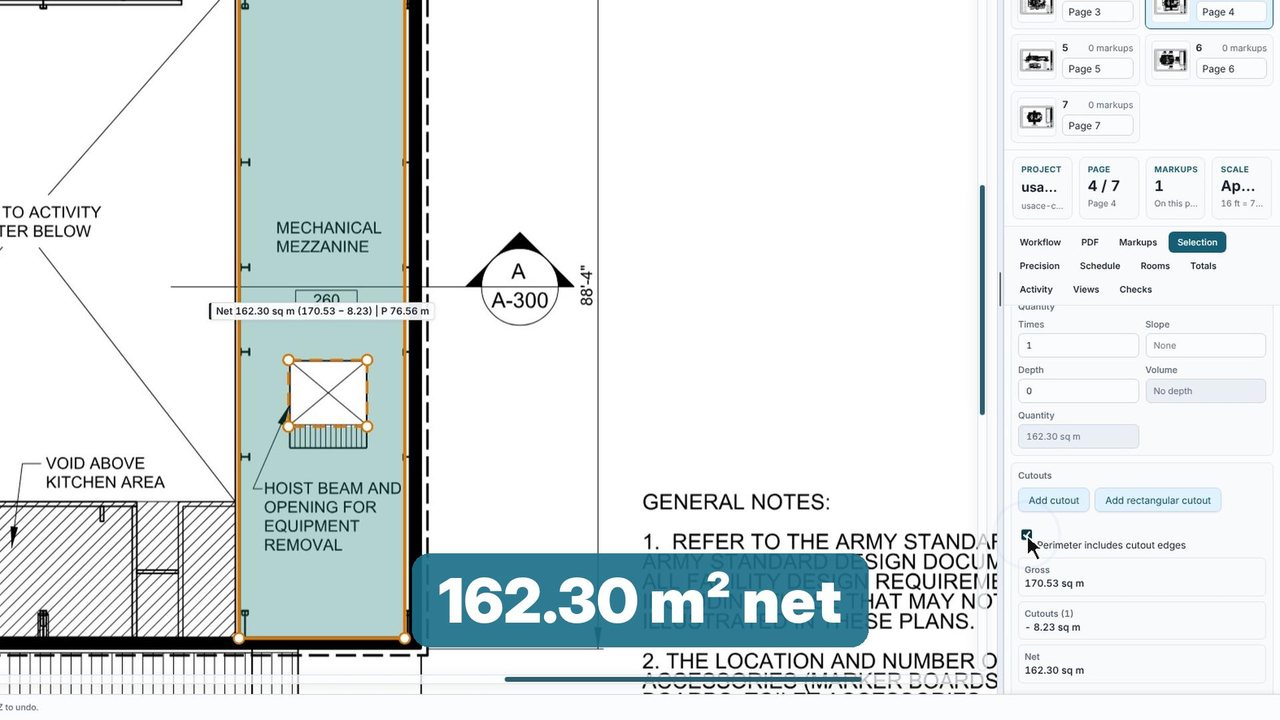
How to measure a floor area less a stair void, lift shaft, hoist opening or column from a PDF drawing. Gross, cutouts and net, with free software.
Takeoff Studio
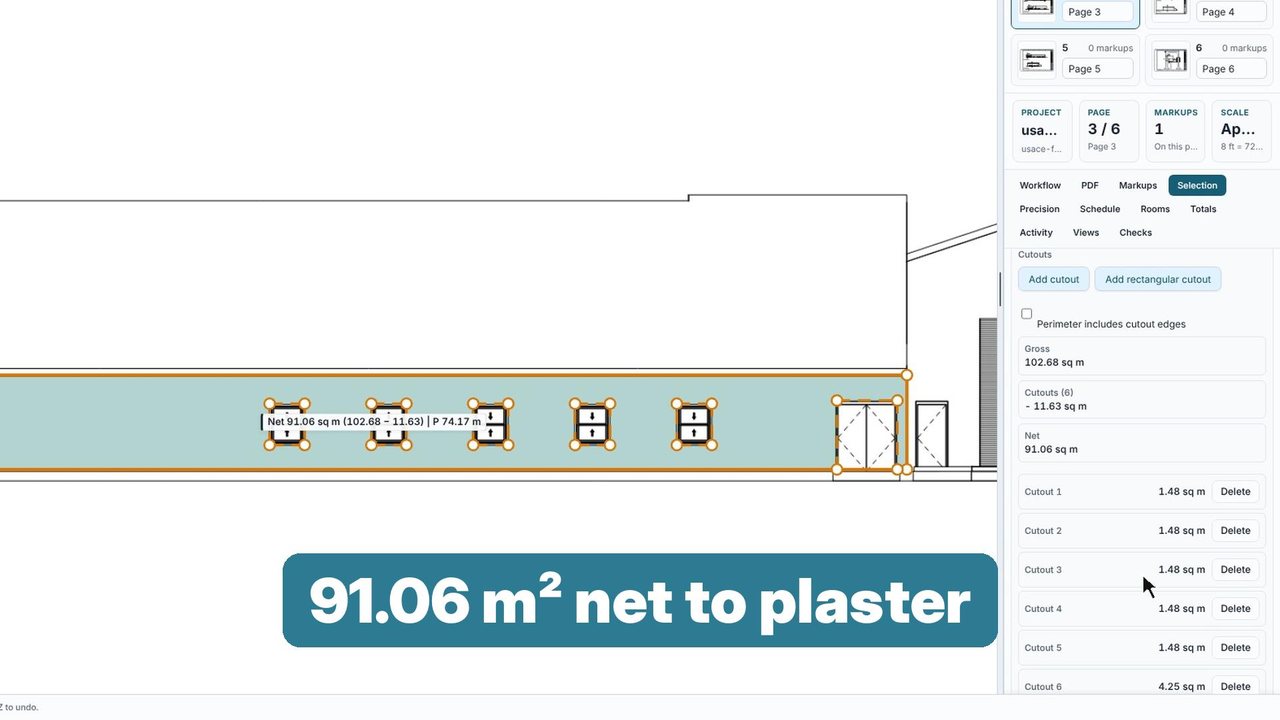
How to measure a wall area less windows and doors from a PDF drawing, for plastering, rendering or painting. Free software, step by step.
Takeoff Studio Pro
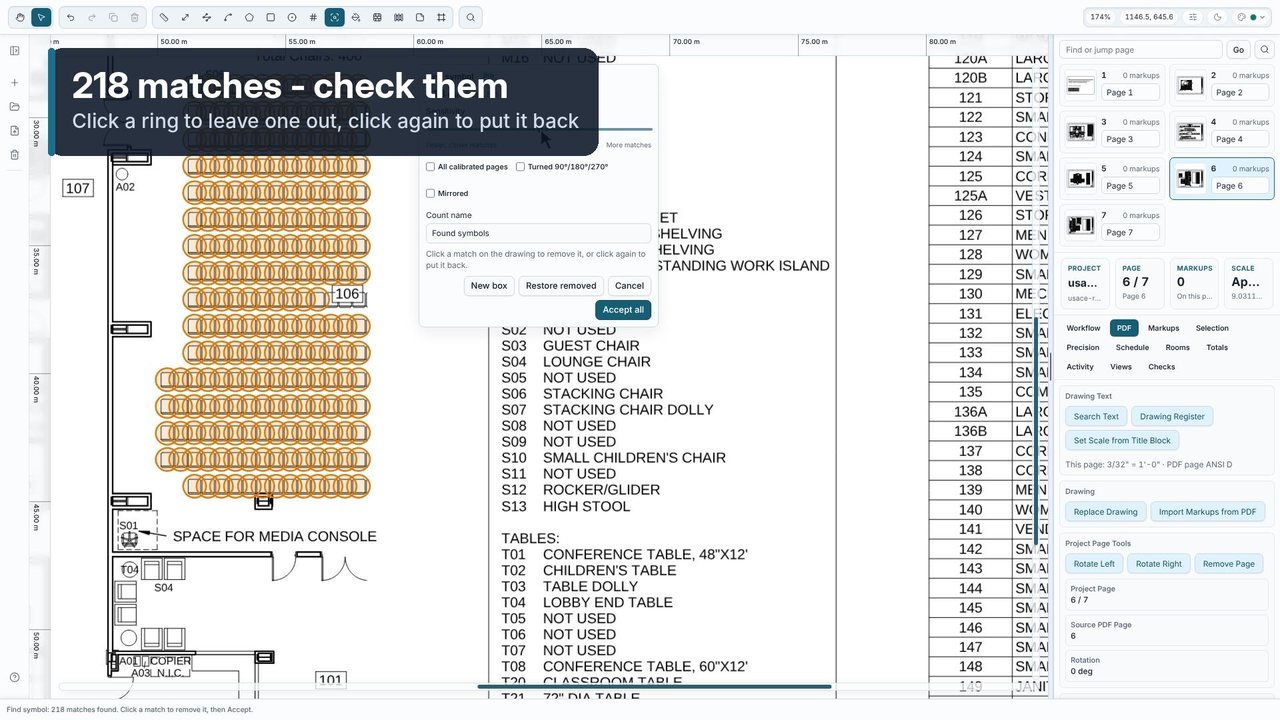
How to count sockets, lights and other symbols on a PDF drawing automatically: box one symbol, check the matches, accept the count. Takeoff Studio Pro.
Takeoff Studio
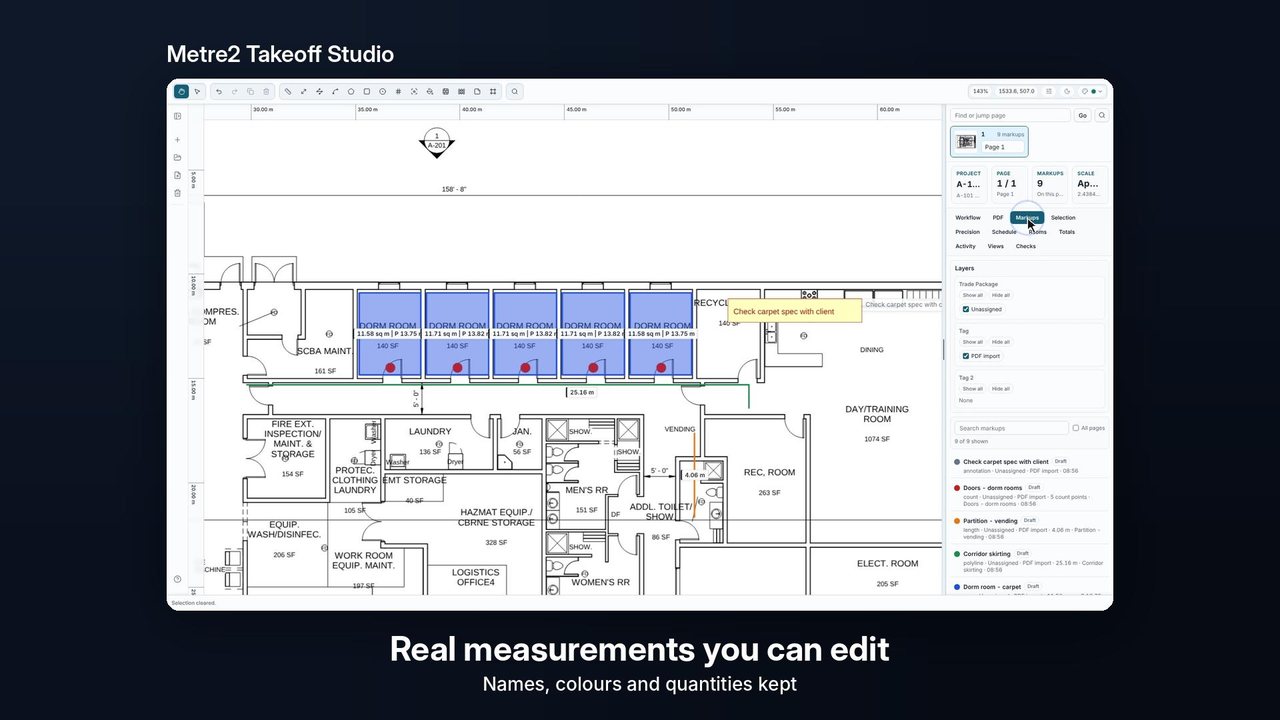
How to bring Bluebeam Revu markups and their scale into free takeoff software: open the marked-up PDF and import the markups as measurements.
Takeoff Studio Pro
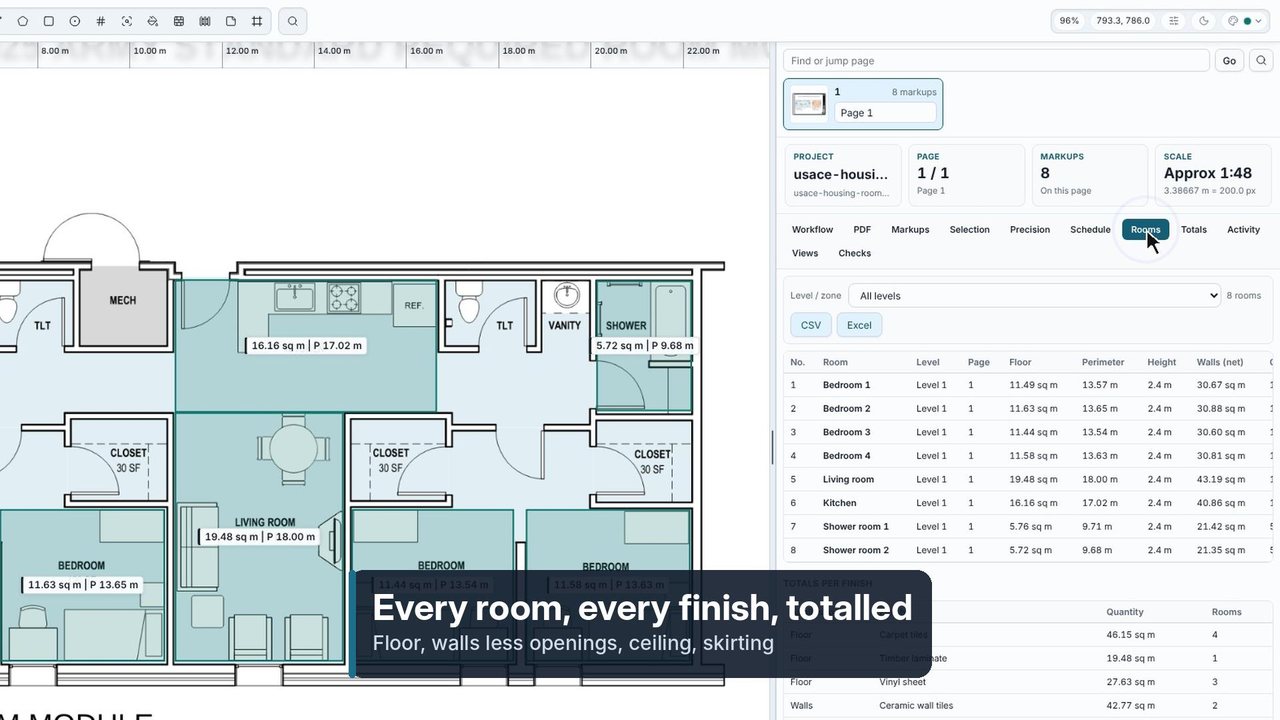
How to measure a room finishes schedule from a PDF floor plan: click inside each room, set heights and finishes, and get floor, wall, ceiling and skirting totals. Takeoff Studio Pro.
Takeoff Studio
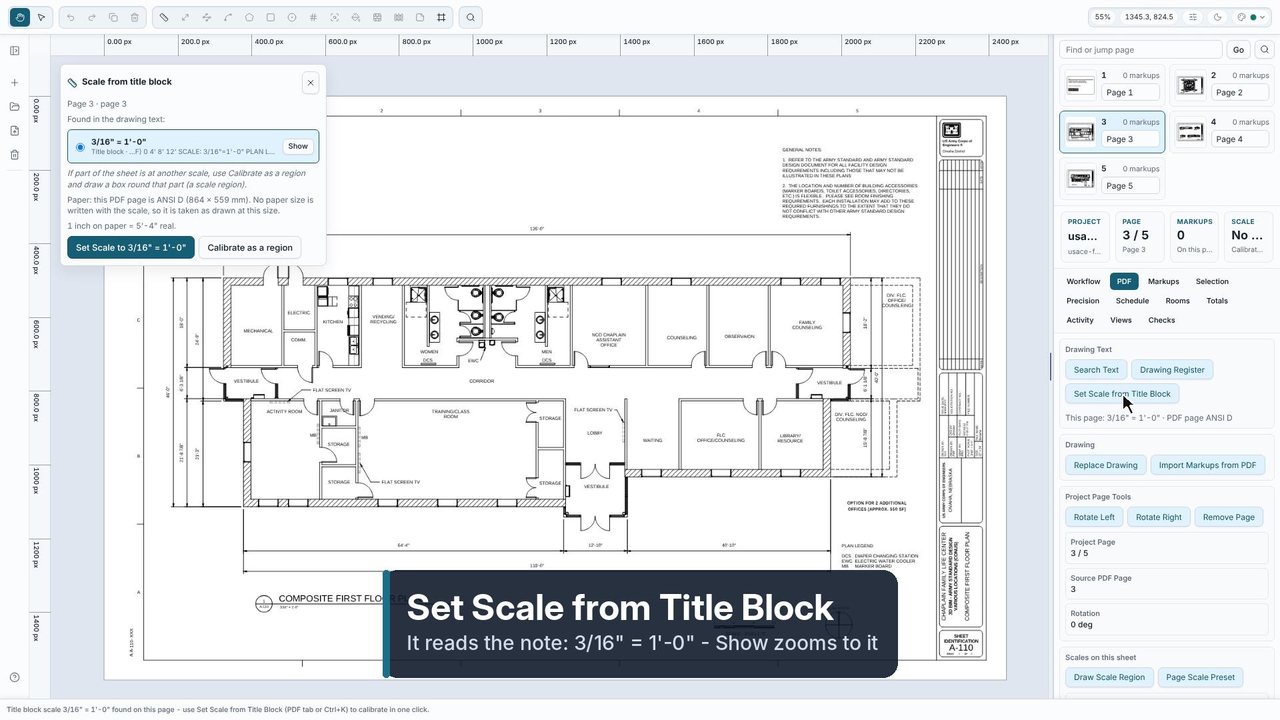
How to set the scale of a PDF drawing from its title block in one click, check the paper size, and handle sheets with more than one scale. Free with Takeoff Studio.
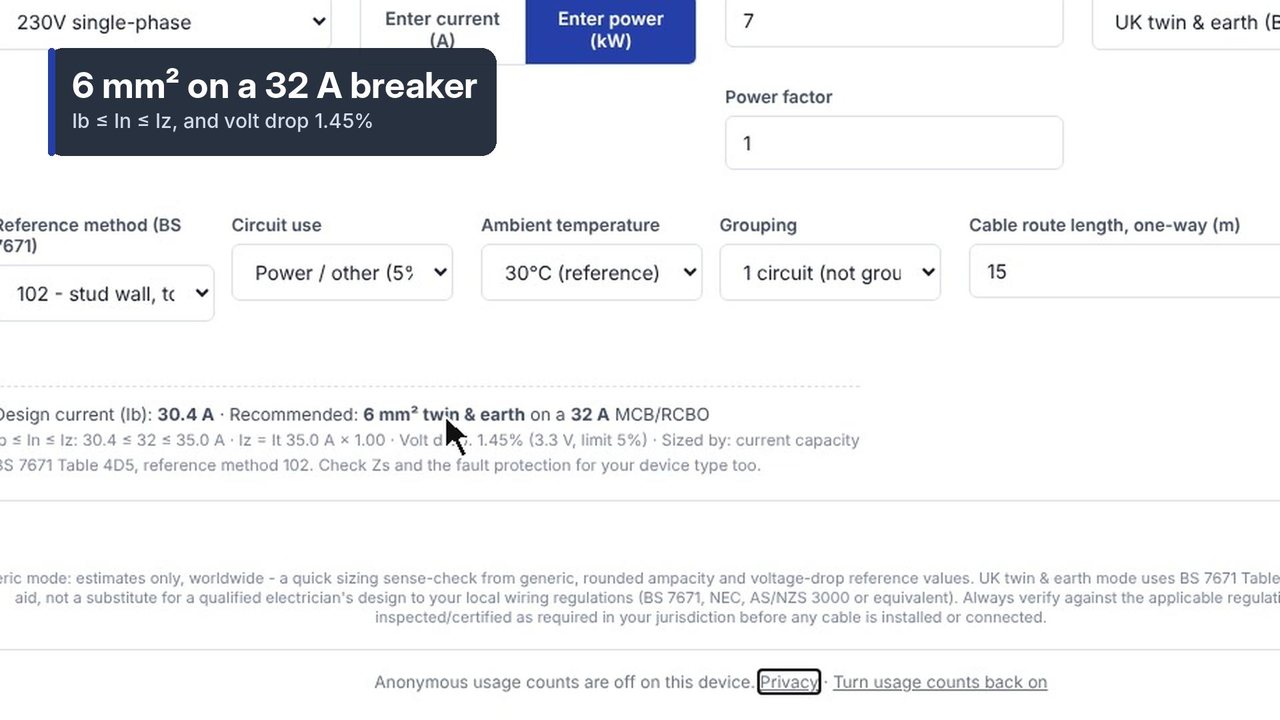
Cable Sizing Calculator
How to size twin and earth cable to BS 7671: pick the breaker, check Table 4D5 for your installation method and keep volt drop within 3% or 5%.
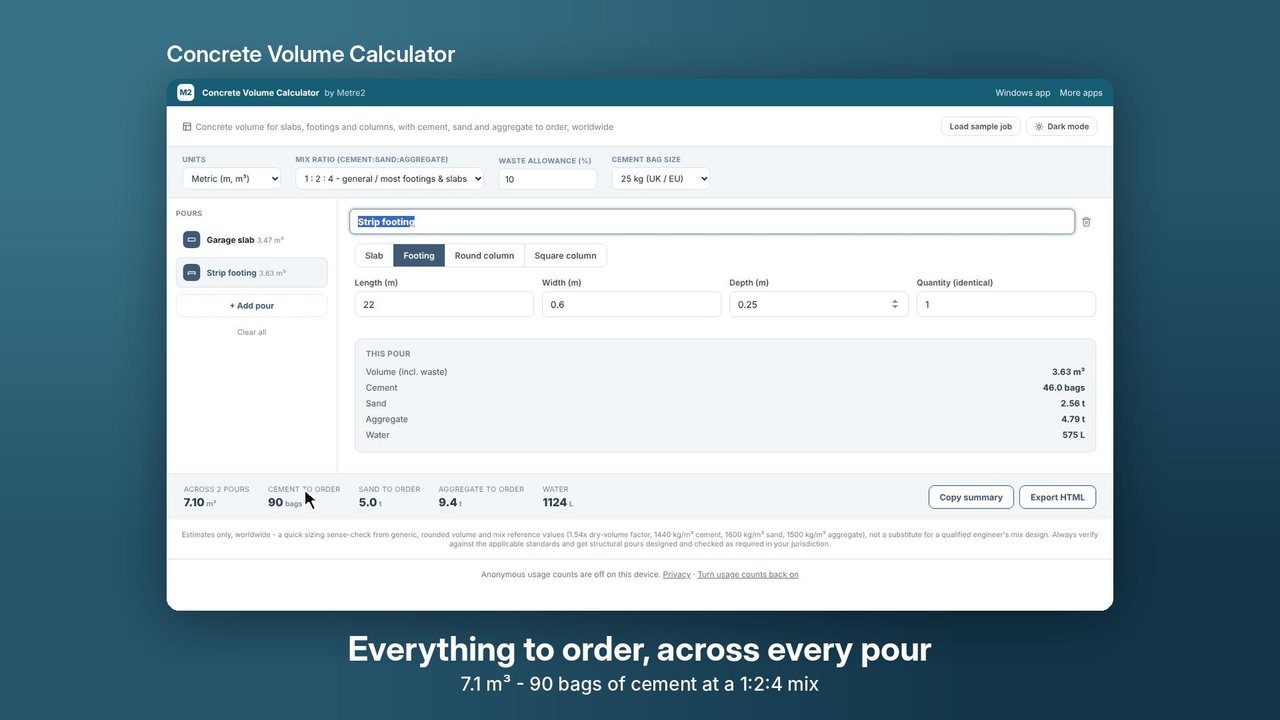
Concrete Volume Calculator
How to work out concrete for a slab and strip footings, with waste allowance and the cement, sand and aggregate to order. Free calculator.
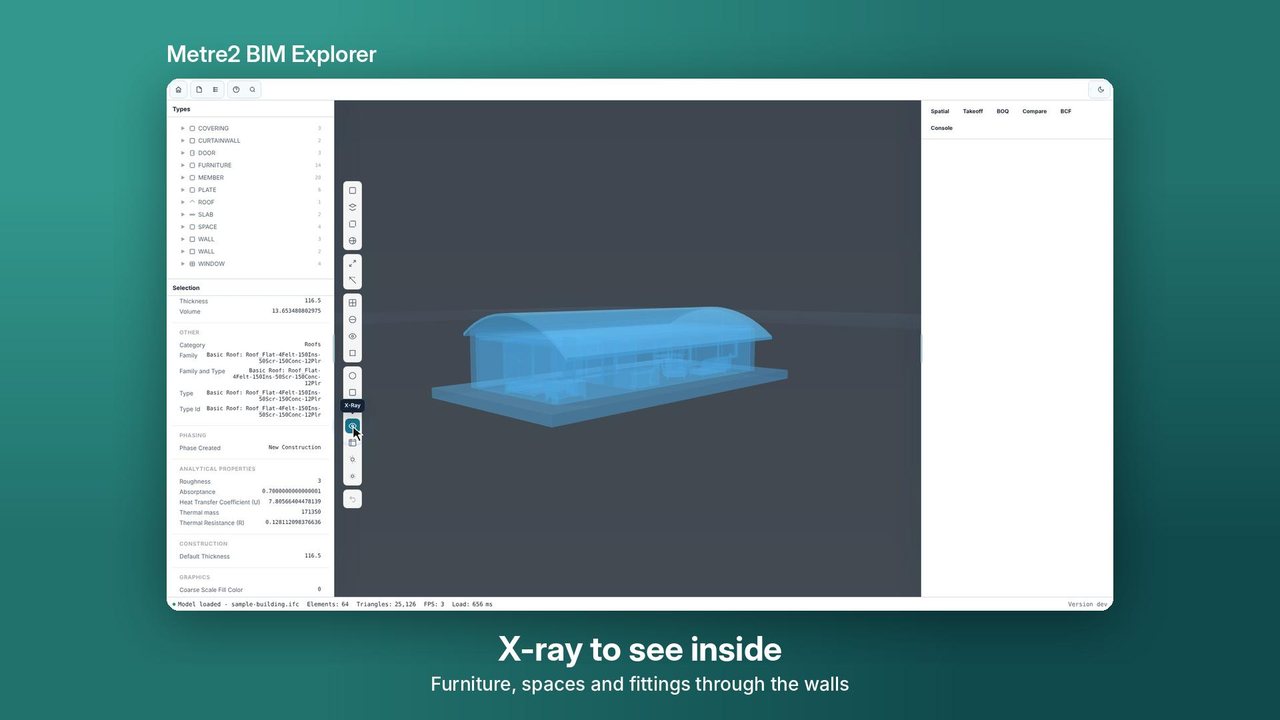
BIM Explorer
How to open an IFC file free on Windows: load the model, click any element and read its property sets, then x-ray or section it. No BIM licence.
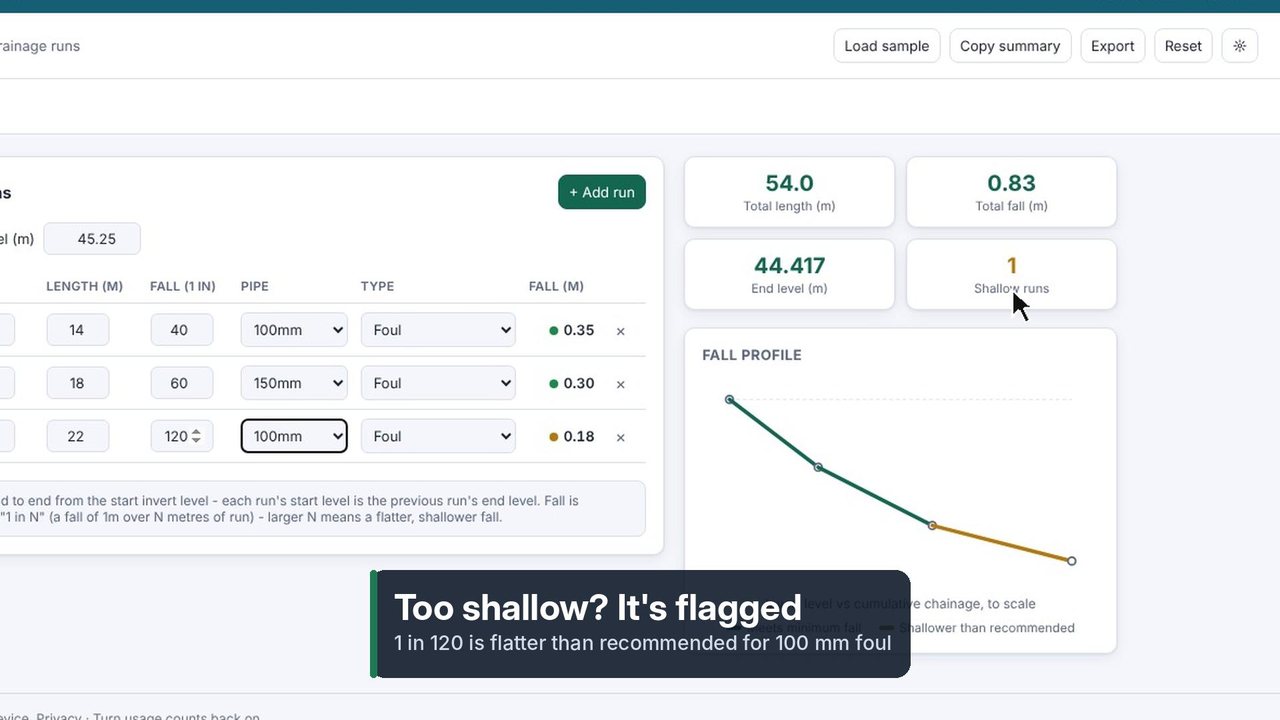
Drainage Fall Calculator
How to check drainage falls and invert levels for a whole drain run, and catch falls that are too shallow. Step by step with a free calculator.
Takeoff Studio
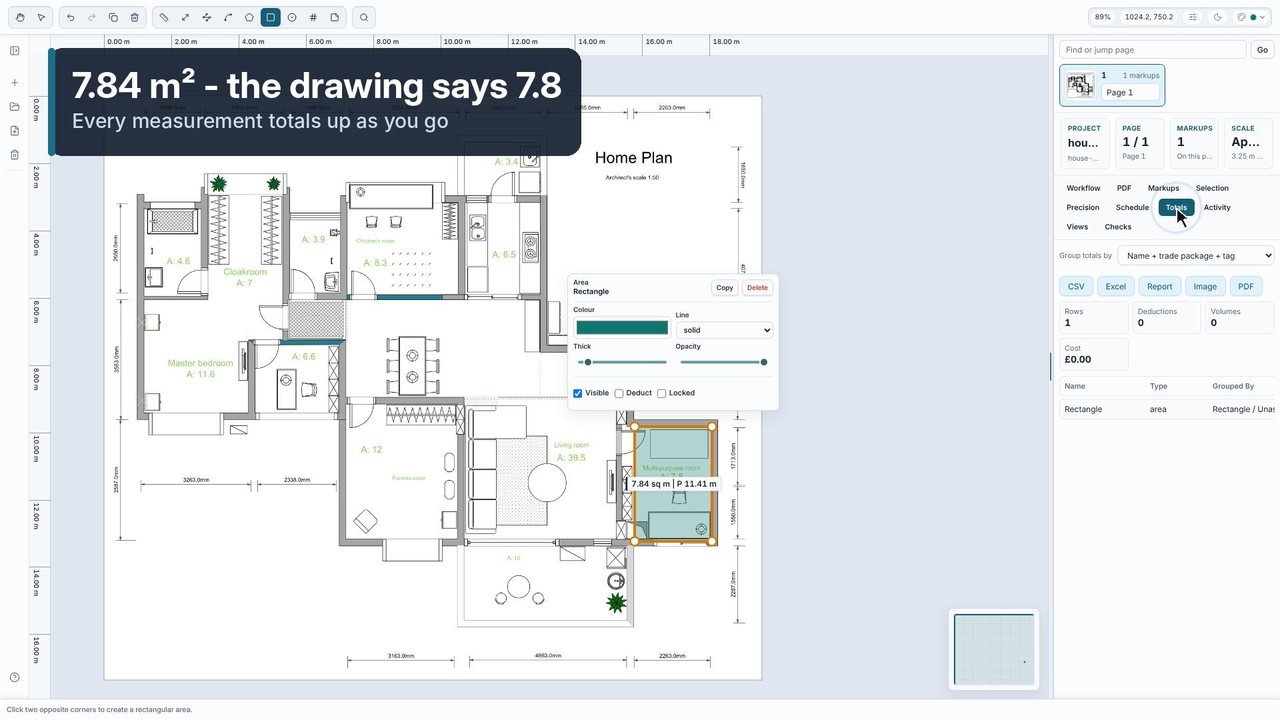
How to measure an area on a PDF drawing: calibrate from a printed dimension, then draw round the room. A two-minute guide with free software.
