
Pro upgrades

Free apps. One-off upgrades.

Some free apps have an optional Pro upgrade for people who need more. You buy it once in the Microsoft Store, inside the app - no subscription and no account - and it stays unlocked on every PC signed in to your Microsoft account.

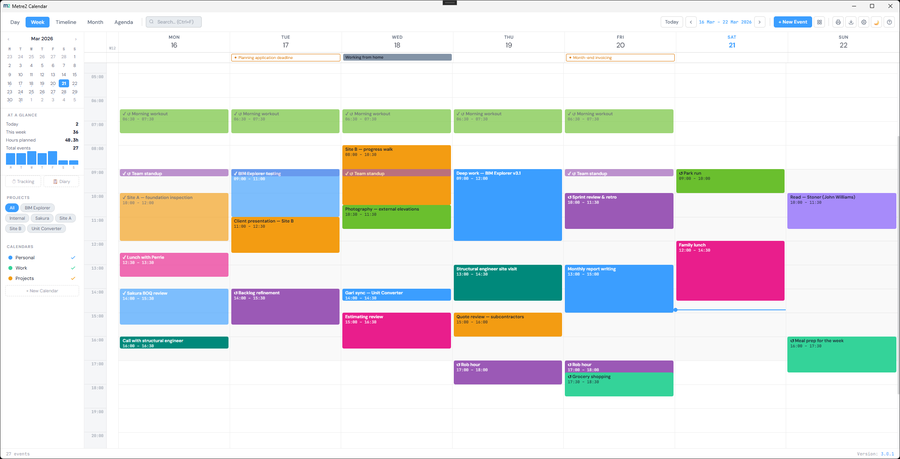
The Calendar Pro panel listing everything Pro adds
CALENDAR PRO · £5.99 ONE-OFF

Calendar Pro

Calendar stays free, in your browser and on Windows. Pro adds the things a busy diary needs, inside the Windows app.

  • Reminders - Windows notifications before your events, even when Calendar is closed
  • Printable day, week, month and year planners in three styles
  • Six extra themes: Midnight, Graphite, Forest, Plum, Paper and Ocean
  • An on-device AI assistant for diary entries, weekly updates and project summaries
  • Project Report: planned vs logged hours per project, with CSV export
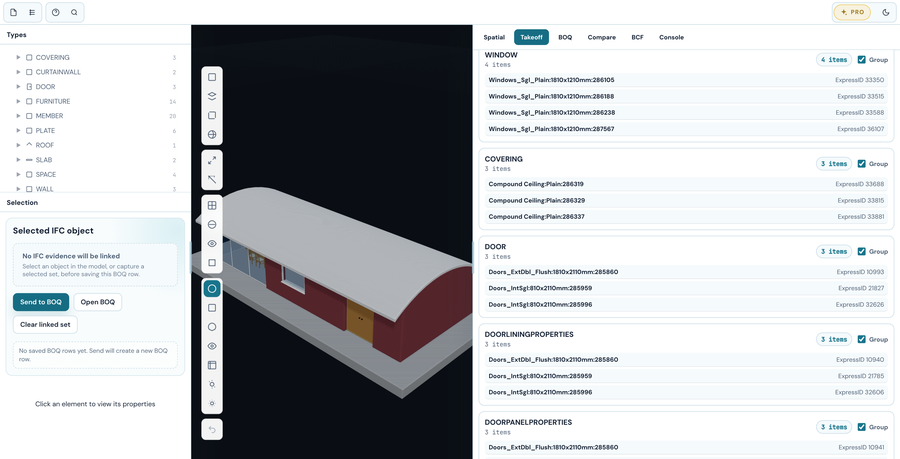
BIM Explorer Pro quantity takeoff by IFC type
BIM EXPLORER PRO · £19.99 ONE-OFF

BIM Explorer Pro

The IFC viewer stays free. Pro turns the model into quantities you can price - and keeps every bill row linked back to the objects it came from.

  • Quantity takeoff: counts, areas and volumes by IFC type and storey
  • A BOQ workbook linked to the model, with rates and totals
  • Revision compare: what was added, removed or changed
  • BCF issue review against the model
  • CSV, JSON and HTML exports

How Pro works

Start free

Install the app from the Microsoft Store. Everything free stays free, with no time limit.

Upgrade in the app

Click Get Pro in the app's toolbar. The Microsoft Store handles the payment.

Yours for good

One payment, no subscription. Pro unlocks on any PC signed in to the same Microsoft account.