The Windows Steps Recorder replacement
Show anyone how to do something on a PC. Press Record and do the task: every click becomes a step with a screenshot, the click ringed and a description written for you. Tidy it up, then share a web page or PDF. What you type is never recorded. No adverts, no account, works offline.
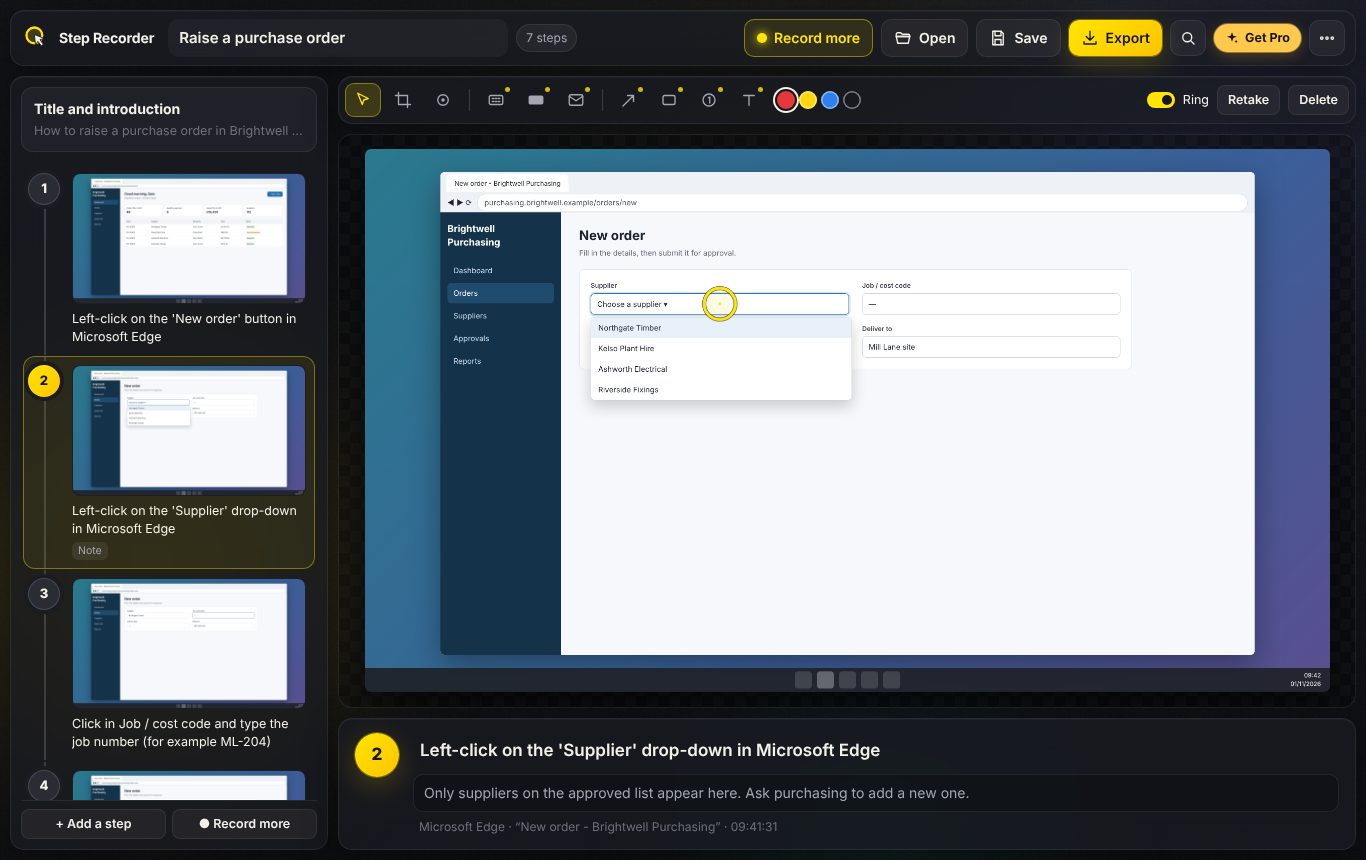
Press Record and do the task. Each click becomes a step: a screenshot of the screen or window, the click ringed, and a description written for you.
Drag steps into order, delete the ones you don't need, reword them and add notes. A title and introduction go at the top.
Crop a screenshot to the part that matters, or take it again after a short countdown. Add your own steps too.
One web page with every screenshot inside, a PDF, or print. Save the guide as a .m2steps file to edit later.
Typing shows as "Typed in the 'Search' box" - never the characters. Password boxes are never captured.
No adverts, no account, nothing uploaded. Step Recorder's own windows stay out of the screenshots, and a recovery copy is kept.
Windows 10/11 · Free · No adverts · No account · Works offline
A small bar sits at the top of the screen while you work, and the finished guide is one web page your colleagues can open anywhere.
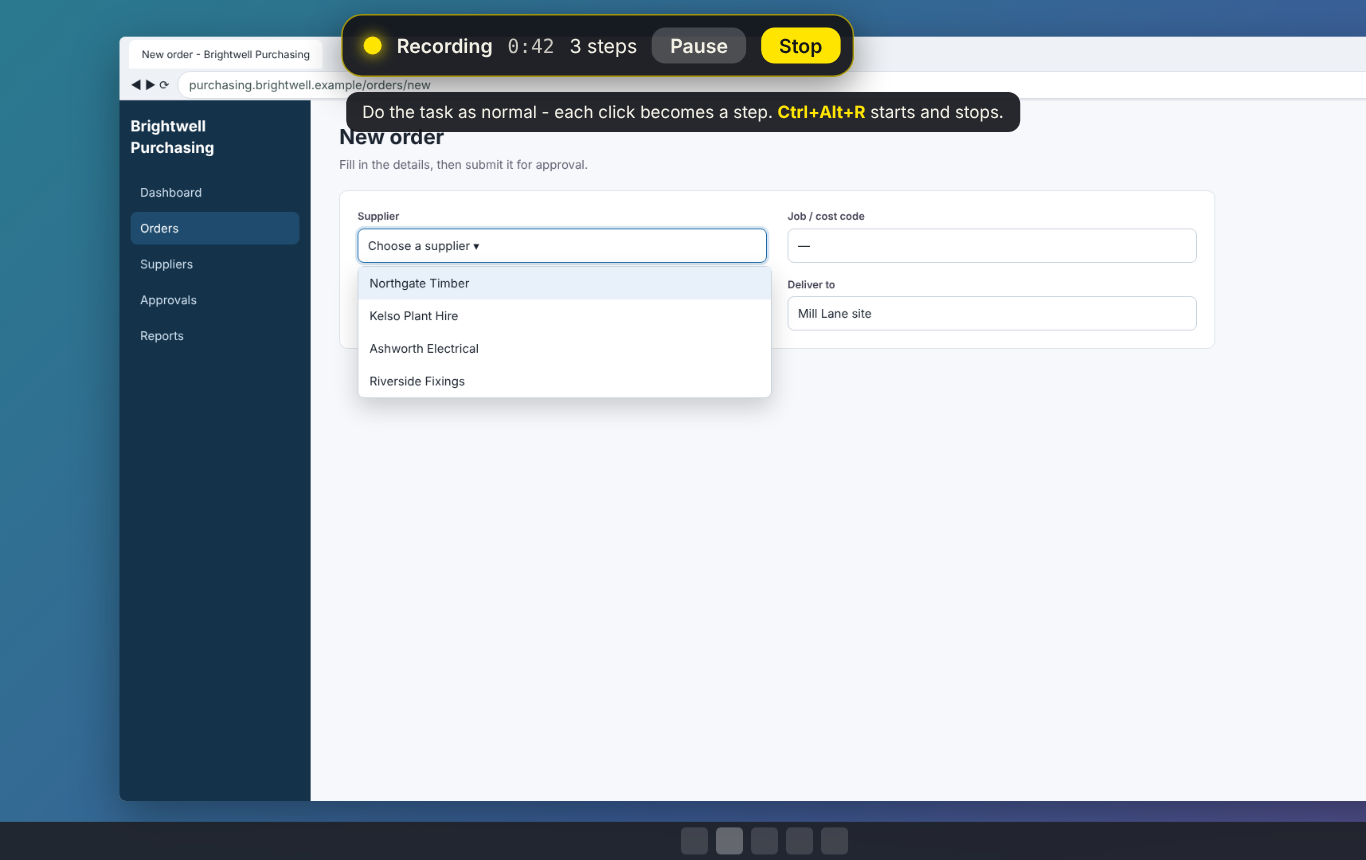
Record as you work - pause or stop any time
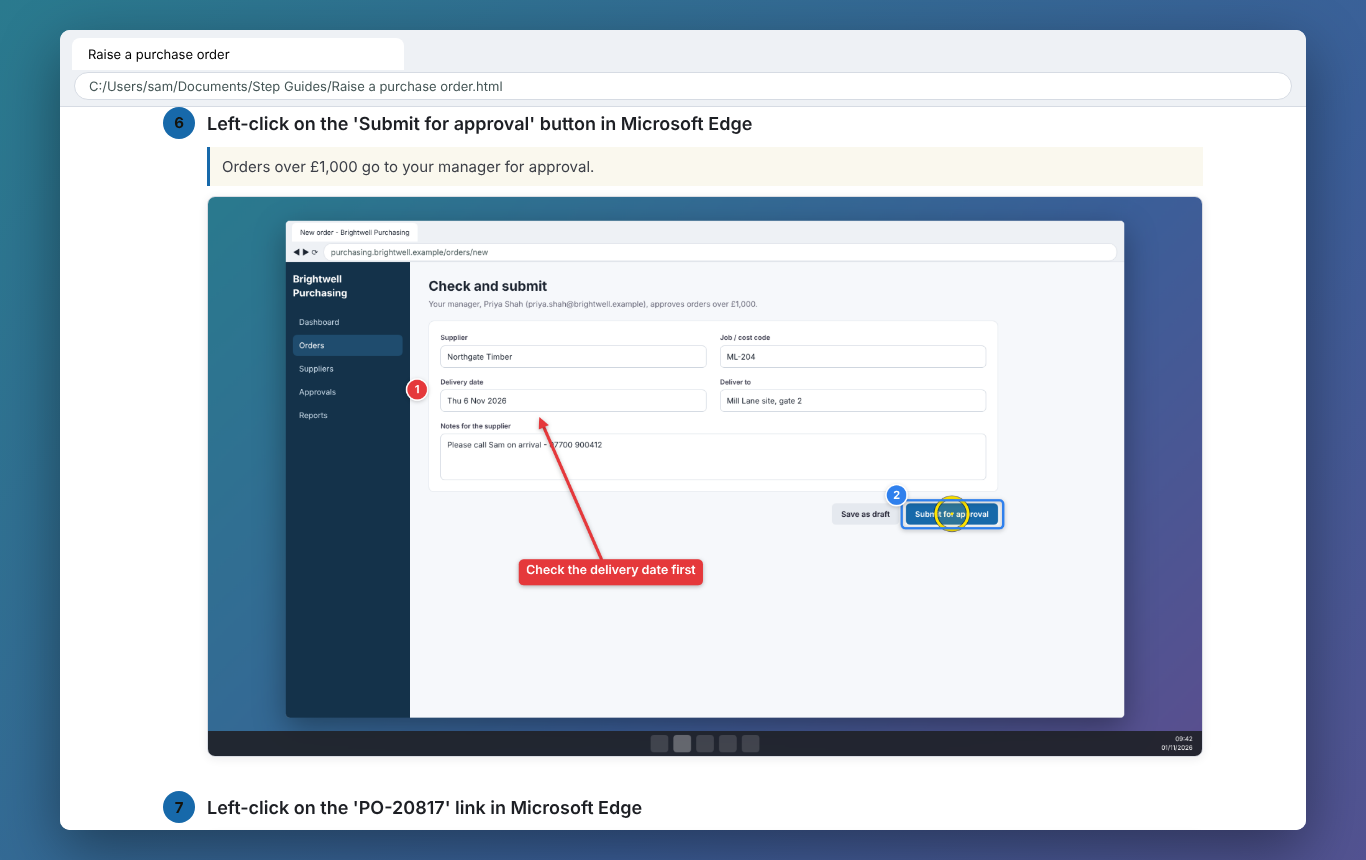
One tidy web page, ready to email
Recording and sharing guides stays free. Step Recorder Pro is a one-off £9.99 upgrade inside the app for people who write guides for a team, bought through the Microsoft Store - no subscription, no account. Try it free for 7 days first.
Export to Word (.docx) for SharePoint and email, or Markdown with a pictures folder for wikis and docs sites.
Your company name and logo, a header, a footer and your colour on every export, without the "Made with" line.
Blur or black out names, emails and account numbers. It can find email addresses in a screenshot for you.
Arrows, boxes, numbered markers and text labels on any screenshot.
Search every guide you've saved - titles, steps and notes.
Insert the steps from another guide to build long procedures from short ones.
| FEATURE | FREE | PRO £9.99 |
|---|---|---|
| Every click a step, with a screenshot and description | Yes | Yes |
| Screen or window; works on every monitor | Yes | Yes |
| Typing noted without the characters; passwords never captured | Yes | Yes |
| Reorder, delete, reword, notes, crop and retake | Yes | Yes |
| Web page, PDF and print | Yes | Yes |
| Save and open guides; recovery copy | Yes | Yes |
| Word and Markdown export | No | Yes |
| Company template (logo, header, footer) | No | Yes |
| Blur and black-box redaction | No | Yes |
| Arrows, boxes, numbers and labels | No | Yes |
| Guide library and combining guides | No | Yes |
Yes. Recording steps with a screenshot for every click, editing them (reorder, delete, reword, notes, crop and retake), exporting a single-file web page or a PDF, printing, and saving guides to open later are all free, with no adverts and no account. Step Recorder Pro is an optional one-off upgrade in the app for Word and Markdown export with your company template, redaction, callouts, a searchable guide library and combining guides.
Yes - it does the same job as Steps Recorder (psr.exe), which Microsoft has deprecated and is removing from Windows. Every click becomes a step with a screenshot and a description, and the result is a tidy guide you can edit, rather than a hard-to-read .mht file.
No. When you type, the step says which box you typed in - for example "Typed in the 'Search' box" - but never the characters. Password boxes are noted as "password field, not recorded" and never get a screenshot. Step Recorder's own windows are left out of every screenshot.
With Step Recorder Pro, yes: blur or black out any part of a screenshot, and let the app find email addresses for you using the text recognition built into Windows. Everything happens on your PC. Free users can crop each screenshot to just the part that matters.
A single web page (.html) with every screenshot inside - it opens on any device and emails as one file - a PDF, or straight to a printer. Step Recorder Pro adds Word (.docx) and Markdown, with your company name, logo, header and footer.
No. Recording, editing and exporting all happen on your PC, and it works offline. Guides are saved as .m2steps files wherever you choose.
