The Windows Photo Viewer replacement
The quick, classic way to look at your photos on Windows. Double-click a photo and it's there; the arrow keys go through the folder. Zoom, rotate, slideshow, print - and iPhone HEIC photos open too. No adverts, no account, works offline.
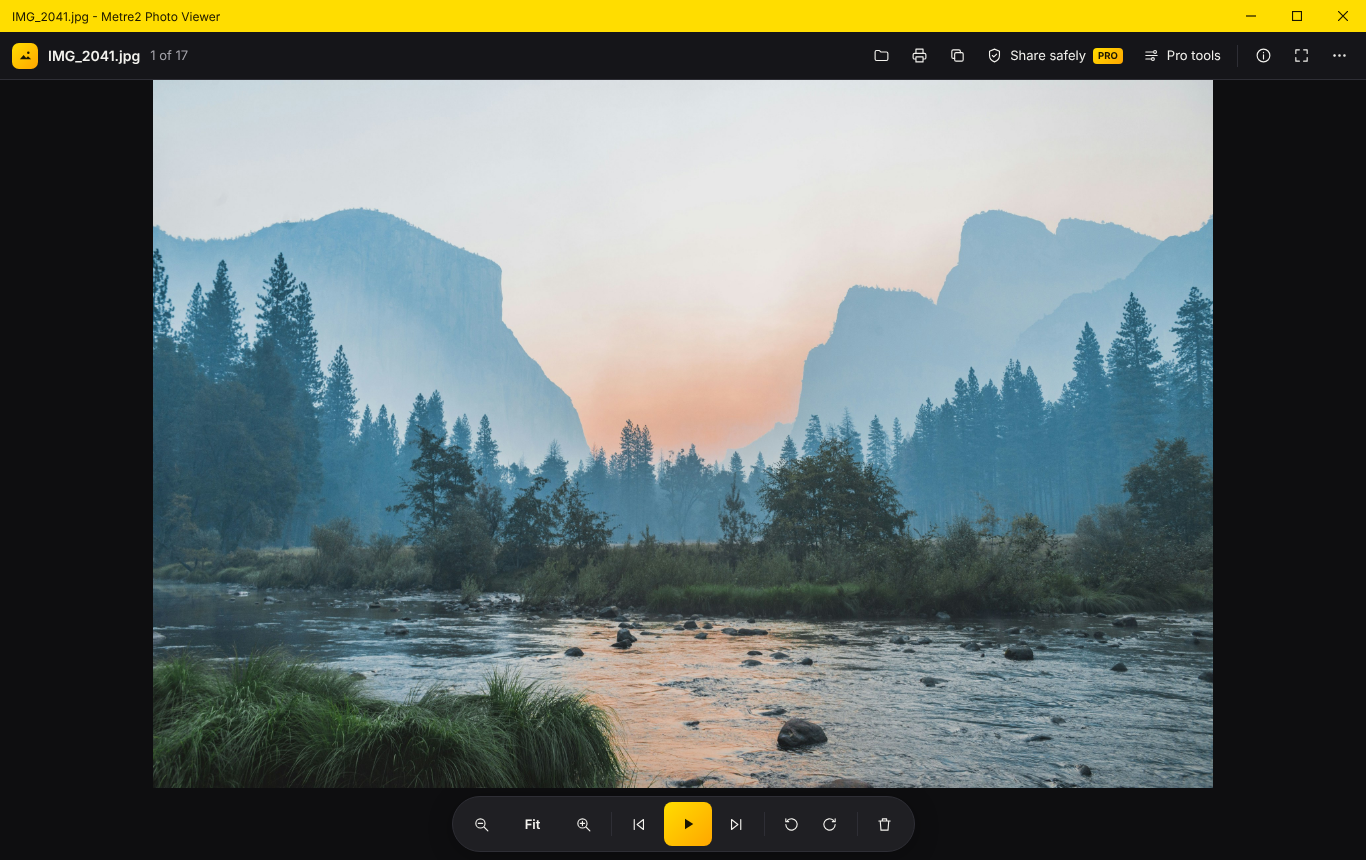
Double-click a photo in File Explorer and it’s there, the right way up. The photos either side are ready before you press the arrow keys.
Next and previous through the folder in File Explorer’s order, smooth zoom and pan, fit or actual size, full screen and a cross-fading slideshow.
HEIC and HEIF open with Windows’ HEIF and HEVC extensions - if your PC needs them, Photo Viewer shows you where to get them. WebP, AVIF, GIF, TIFF and RAW previews too.
JPEG rotations are saved without re-compressing. Delete to the Recycle Bin with one key, print, copy, set as desktop background, show in File Explorer.
The info panel shows the camera, lens, exposure, date taken and size - and the photo’s location with a link to a map.
No adverts, no account, nothing uploaded. Dark or light, keyboard shortcuts for everything, and it remembers its window.
Windows 10/11 · Free · No adverts · No account · Works offline
A site photo with its camera details and where it was taken, and Photo Viewer Pro's site photo report taking shape - captions, numbers and a map.
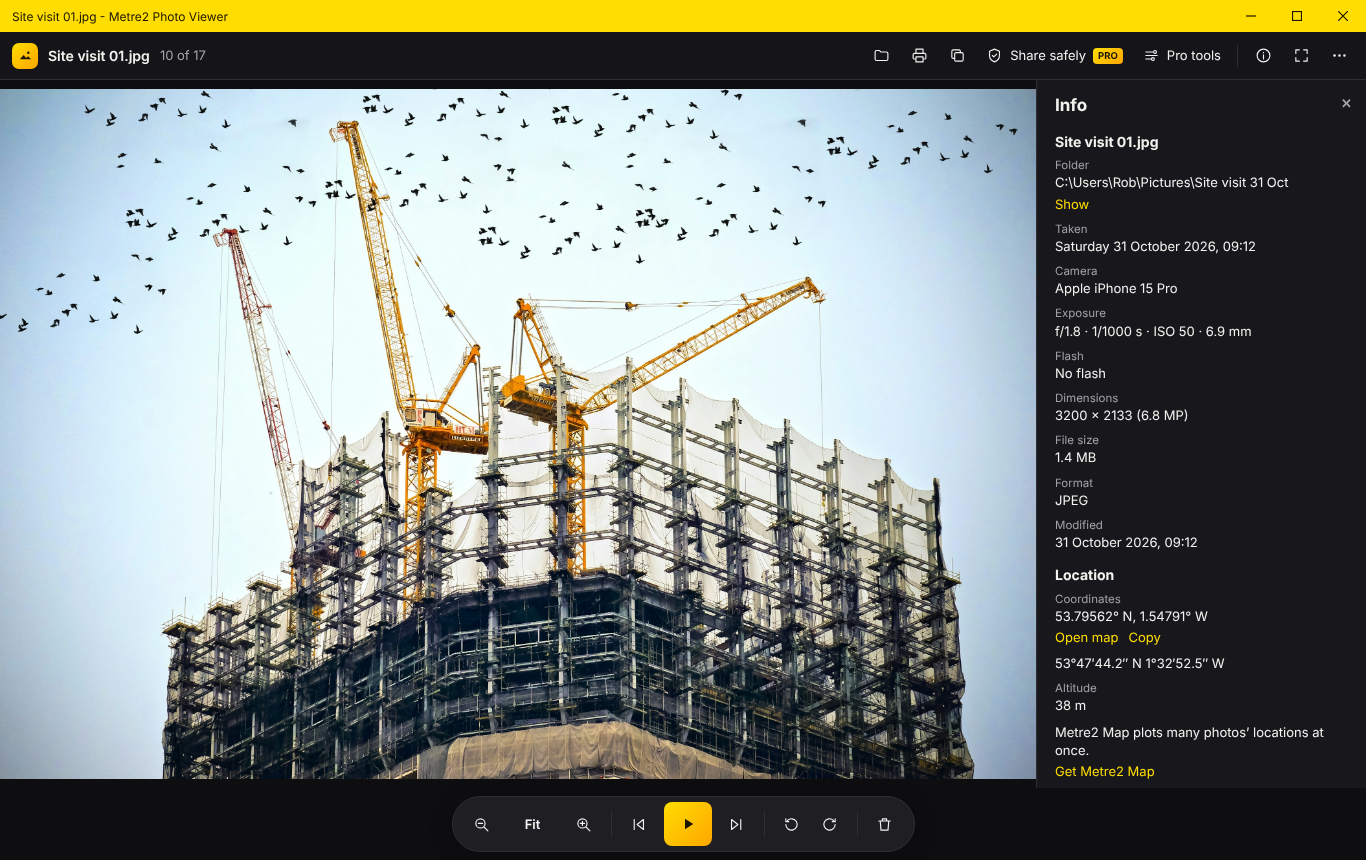
Every detail, and where it was taken
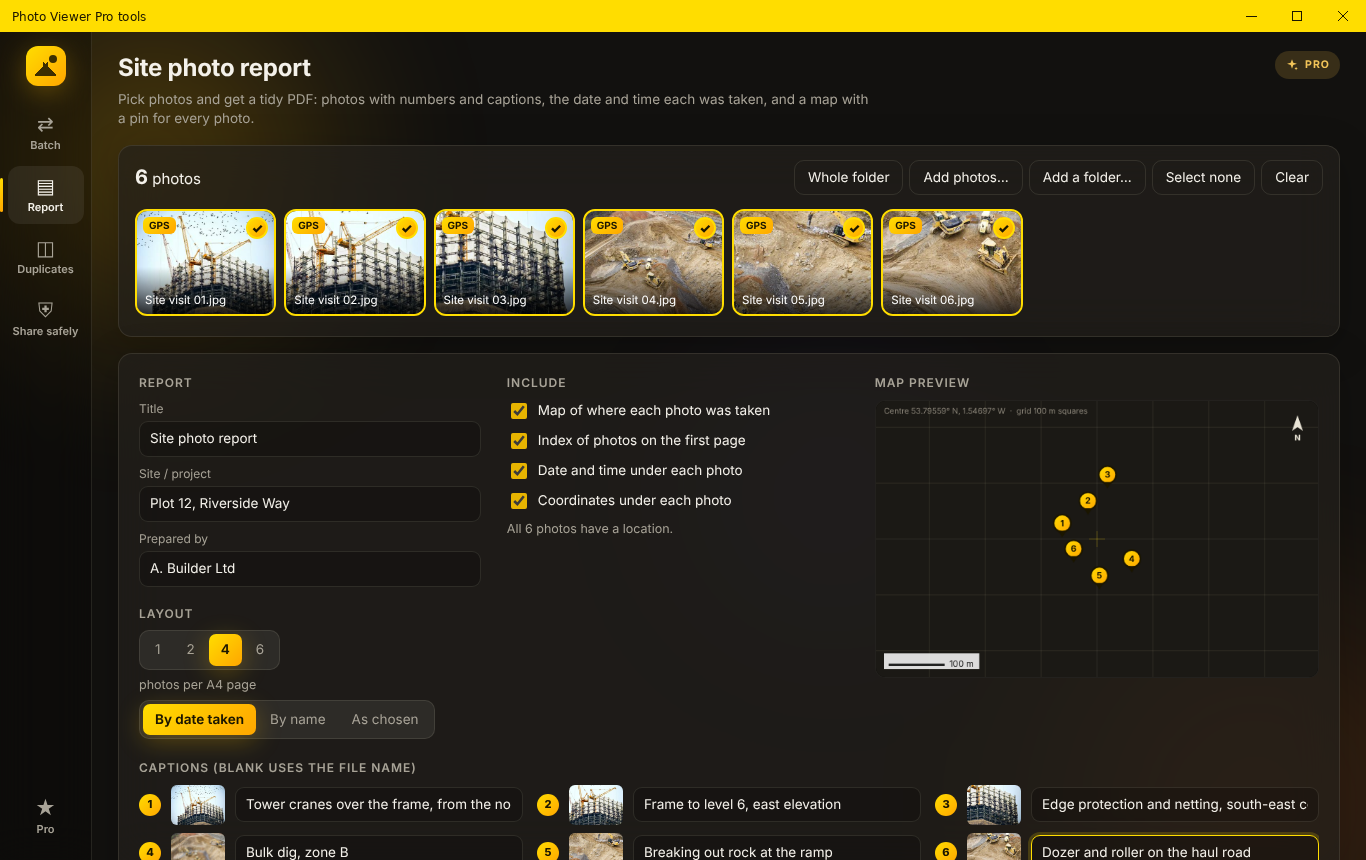
Site photo reports (Pro)
Viewing stays free. Photo Viewer Pro is a one-off £9.99 upgrade inside the app for people with a lot of photos to sort, send and report on, bought through the Microsoft Store - no subscription, no account. Try it free for 7 days first.
Whole folders to JPEG, PNG or WebP at the size you choose - HEIC to JPEG in one go - keeping or removing the camera details.
Names from patterns like “{date} Plot 12 {n}”, with the camera, size or folder if you like - previewed before anything changes.
Pick photos, add captions, get an A4 PDF: a map with a pin for every photo, an index, then the photos with the date, time and position under each.
Exact copies and near-identical photos - resized, re-saved or lightly edited - across a folder, with the best one to keep picked for you.
Copies without the location and other hidden details, ready to send. JPEG, PNG and WebP aren’t re-compressed.
Every Pro tool, free for 7 days, once per PC - no payment and no account. Then a one-off £9.99 through the Microsoft Store.
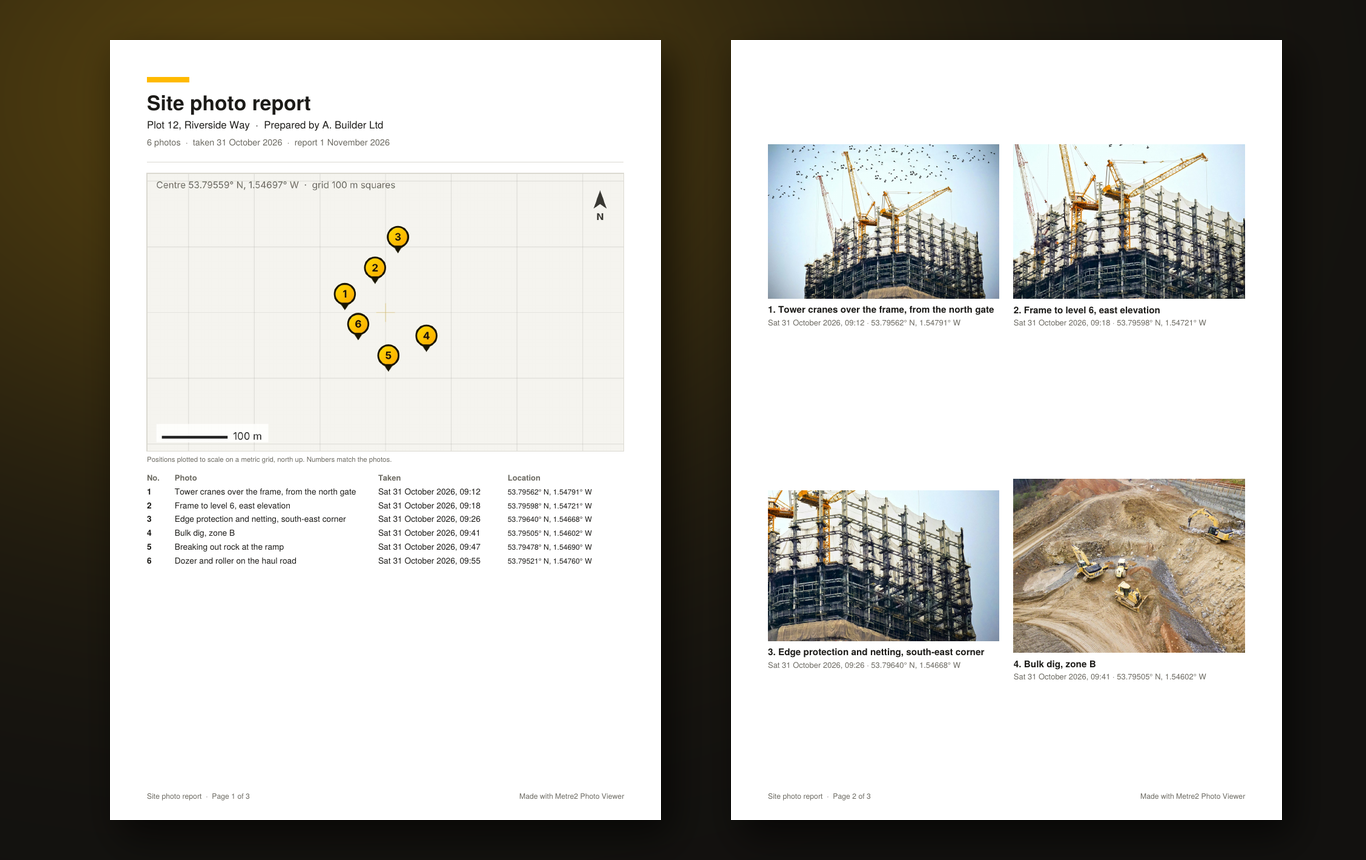
A site photo report: map, index and captioned photos
| FEATURE | FREE | PRO £9.99 |
|---|---|---|
| Open photos instantly, browse the folder, zoom, slideshow | Yes | Yes |
| Rotate, delete, print, copy, desktop background | Yes | Yes |
| HEIC / HEIF, WebP, AVIF, GIF, TIFF, RAW previews | Yes | Yes |
| Info panel with location and map link | Yes | Yes |
| Batch convert and resize (incl. HEIC to JPEG) | No | Yes |
| Batch rename with patterns | No | Yes |
| Site photo reports with a map | No | Yes |
| Find duplicates | No | Yes |
| Share safely (remove location and hidden details) | No | Yes |
Yes. Opening and browsing photos, zoom, rotate, slideshow, full screen, print, copy, delete to the Recycle Bin, set as desktop background, the info panel with the photo's location, HEIC photos and camera RAW previews are all free, with no adverts and no account. Photo Viewer Pro is an optional one-off upgrade in the app for batch convert and rename, site photo reports, finding duplicates and sharing photos safely.
That's the idea. Double-click a photo and it opens straight away in a plain window with the controls along the bottom - previous, slideshow, next, rotate and delete - and the arrow keys go through the folder in the order File Explorer shows it. No library to import into, no account, no editing suite in the way.
Yes. Photo Viewer opens HEIC with Windows' HEIF and HEVC extensions, which many PCs already have. If yours doesn't, Photo Viewer shows you where to get them in the Microsoft Store (the HEIF one is free). HEIF and AVIF open the same way.
Yes. In Settings choose "Make Photo Viewer my default photo app" and Windows opens its Default apps page at Photo Viewer - set it for .jpg, .png, .heic and the rest. Or right-click a photo, choose Open with, then Choose another app.
Not for JPEGs: the rotation is saved in the photo's orientation tag, so the picture itself isn't re-compressed. PNG, BMP and TIFF are saved pixel for pixel. Other formats turn on screen.
A Photo Viewer Pro tool for anyone who photographs work on site. Pick the photos, add captions, and it makes an A4 PDF: a cover with a map of where each photo was taken and an index, then the photos numbered with the date, time and position under each one.
No. Photos are opened, converted and turned into reports on your PC. The app sends anonymous usage counts (never your photos, names or locations), and you can switch those off in Settings.
