Fill it in, sign it, send it back
Fill in and sign the forms that land every week: variation sheets, timesheets, RAMS sign-offs, delivery notes and contracts. Click where you want to write and the text sits on the printed line, even on a scan. Your signature, initials and stamps are always ready.
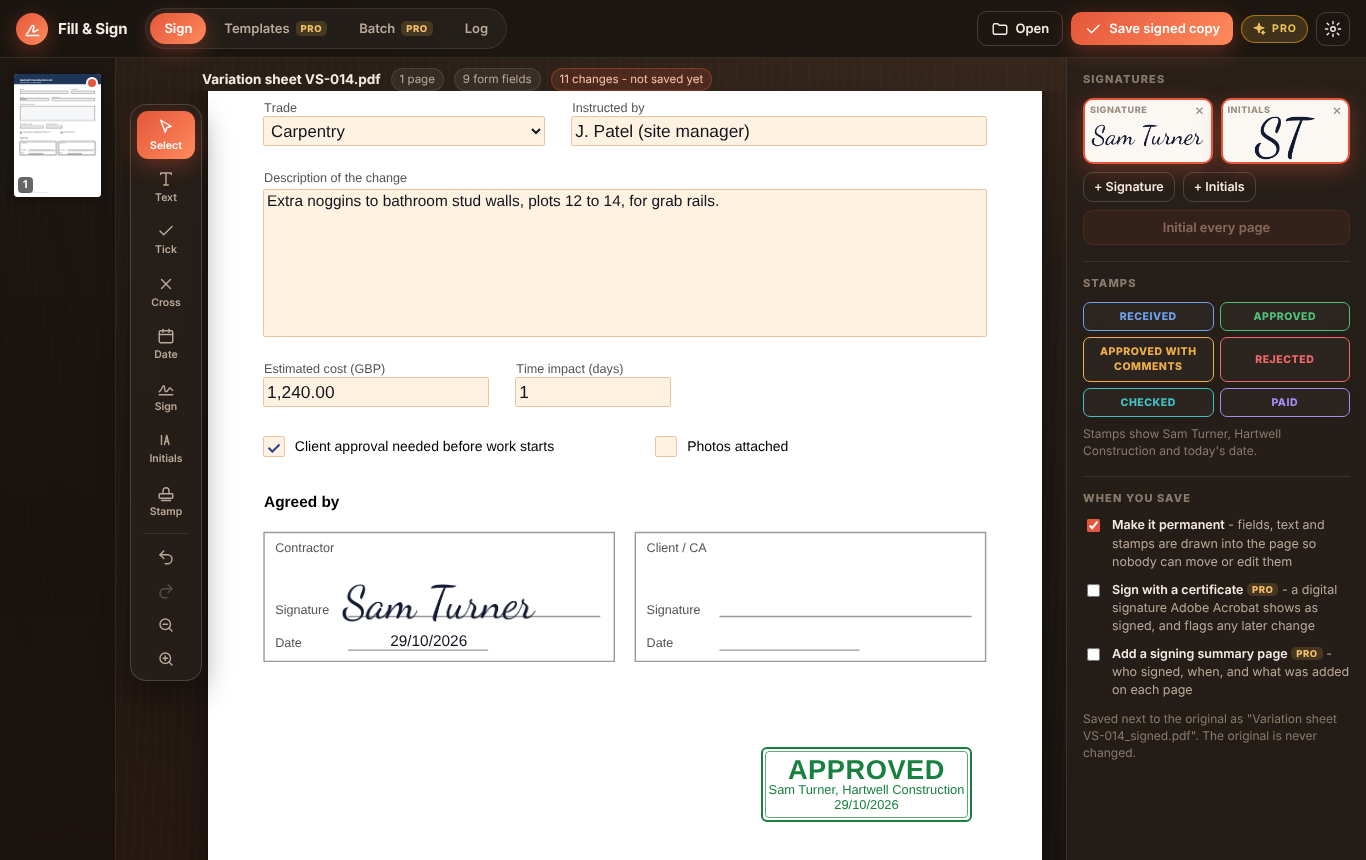
Click anywhere and type. Text snaps onto the printed line under the cursor, so even a scanned form looks filled in neatly.
Fillable PDFs are filled in properly: text boxes, tick boxes, lists and options. Ticks, crosses and today's date are one click each.
Draw it with a mouse, pen or finger, type it in one of four handwriting styles, or import a photo of it. Initials too.
One click puts your initials in the same corner of every page. Move any one of them if it lands on something.
Received, Approved, Checked, Rejected, Paid and more, filled in with your name, company and the date.
Nothing is uploaded and there's no account. Everything you add is drawn into the page on save, and your original is never changed.
Windows 10/11 and your browser · Free · Nothing uploaded · No account
A four-page RAMS initialled on every page with the briefing sign-off filled in, and a scanned timesheet filled in on its printed lines, signed and stamped Checked.
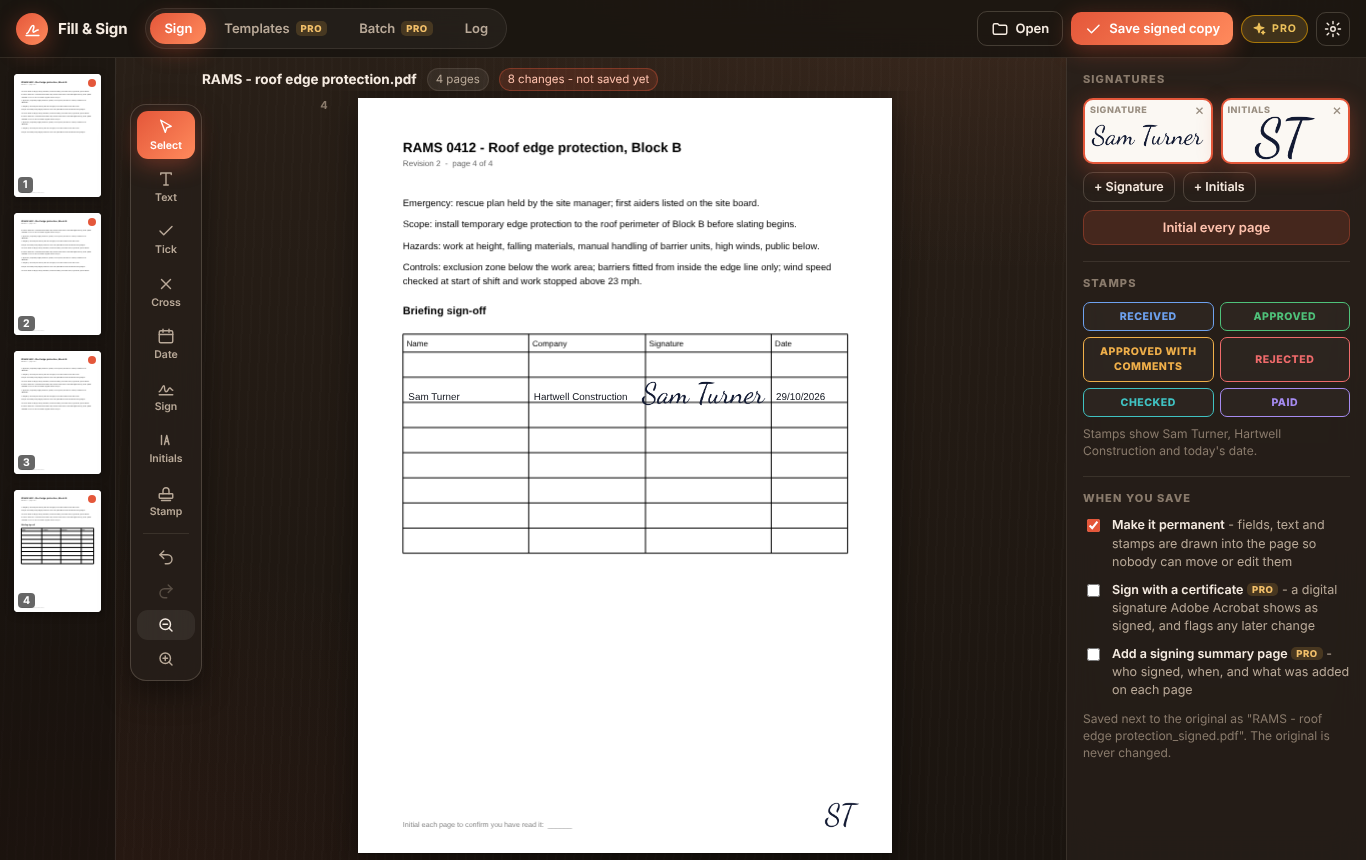
Initial every page, sign the sign-off sheet
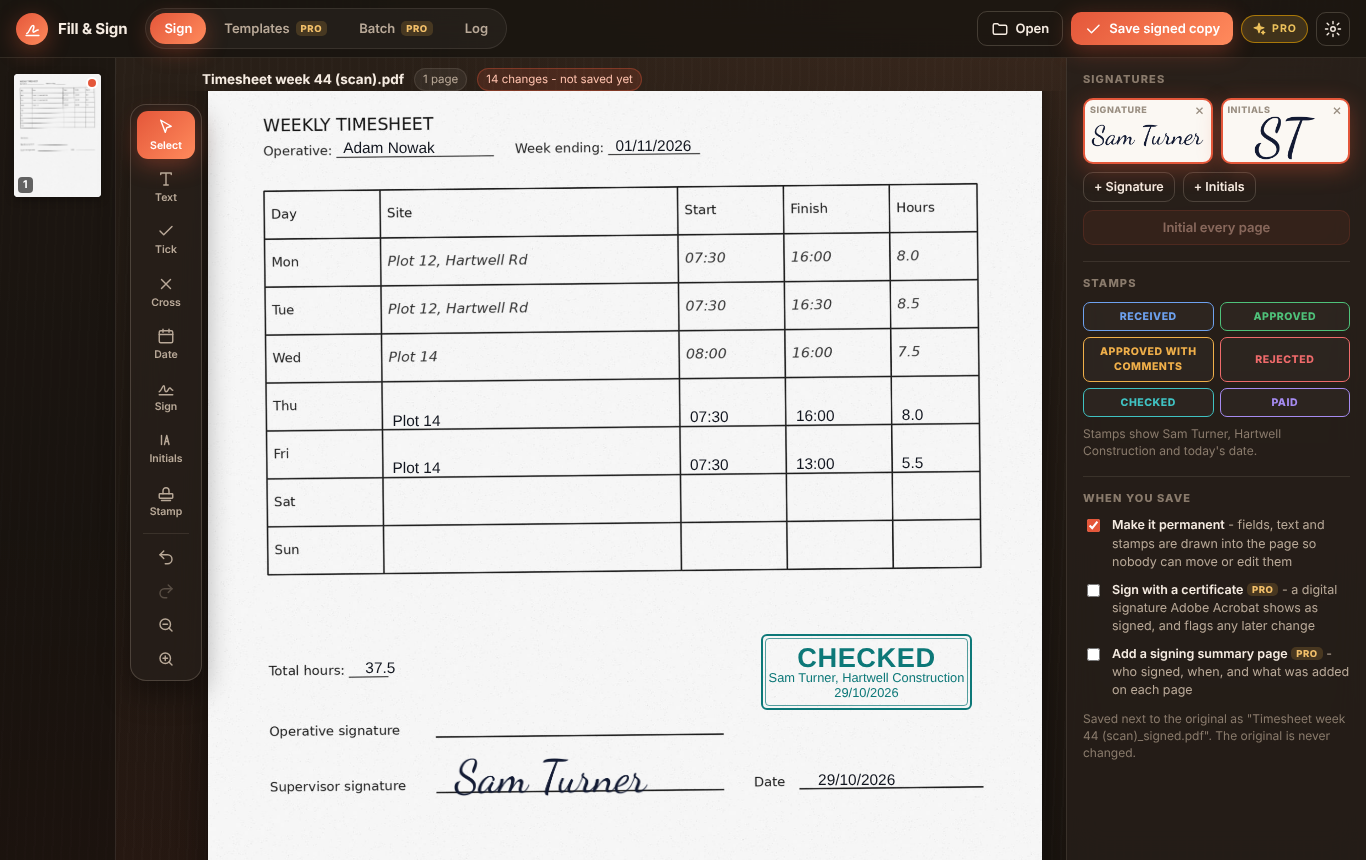
Scans too: text on the lines, a signature and a stamp
Filling in and signing stays free. Fill & Sign PDF Pro is a one-off £12.99 upgrade inside the Windows app for people who sign a lot of paperwork, bought through the Microsoft Store - no subscription, no account.
Sign or stamp a whole folder of PDFs in one go, on the first, last or every page. The signed copies are saved beside the originals.
Turn a form you fill every week into a template that asks a few questions. Answer them and the form is done.
One PDF per row from a CSV or Excel file, each named from any column. Handy for certificates, letters and inductions.
Sign with a certificate from Windows or a smart card, so a PDF reader can show who signed and flag any later change.
An extra page at the end saying who signed, when, and what was added on each page.
Every document you sign is listed in the log. Pro exports it as a CSV for your records.
| FEATURE | FREE | PRO £12.99 |
|---|---|---|
| Type on the line, tick, cross and date, on scans too | Yes | Yes |
| Fill in PDF form fields | Yes | Yes |
| Signature and initials library, initial every page | Yes | Yes |
| Stamps with your name and the date | Yes | Yes |
| Flattened copy on save | Yes | Yes |
| Use it in your browser | Yes | Windows app |
| Batch signing of a whole folder | No | Yes |
| Templates with questions | No | Yes |
| Fill from CSV or Excel | No | Yes |
| Certificate signatures | No | Yes |
| Signing summary page and log export | No | Yes |
Yes. Filling in forms, typing anywhere on the page, ticks, crosses and dates, your signature and initials, initialling every page, stamps and saving a flattened copy are all free, on Windows and in your browser. Fill & Sign PDF Pro is an optional one-off £12.99 upgrade in the Windows app for batch signing, templates, filling from a spreadsheet, certificate signatures, a summary page and exporting the signing log.
Yes. If a PDF has no form fields, as with a scan or a print-to-PDF, click where you want to write and type. Text snaps onto the printed line under the cursor, so it sits where a pen would. Ticks, dates, signatures and stamps go anywhere on the page.
In the UK, an electronic signature such as a drawn, typed or imported signature is generally accepted for everyday documents like timesheets, variation sheets, delivery notes and most contracts, as long as everyone intends to sign. Some documents, such as deeds and some property paperwork, have their own rules, so check if you're not sure. This isn't legal advice.
With Fill & Sign PDF Pro in the Windows app, you can also sign with a certificate from your Windows certificate store or a smart card. It adds a digital signature to the PDF, so a PDF reader such as Adobe Acrobat can show who signed it and whether anything has changed since. Whether the reader trusts the certificate depends on who issued it.
No. Everything happens on your computer, in the Windows app or inside your browser tab. Your signatures are kept on your computer too. The original PDF is never changed: the signed copy is a new file saved as name_signed.pdf.
When you save, everything you added is flattened into the page by default, so it can't be selected, moved or edited like a form field. Anyone can still edit a PDF with the right tools; a certificate signature (Pro) is what shows if that happens.
Not yet. A PDF locked by its author can't be filled or signed here. Open it in the program that made it, or ask the sender for an unlocked copy.
Microsoft and the Microsoft Store logo are trademarks of the Microsoft group of companies.