The Windows Fax and Scan alternative
Scan several pages into one PDF. Page after page on the flatbed, or a whole stack through the document feeder - both sides if your scanner can. Crooked pages come out straight and cropped, and you can reorder, turn or rescan any page before you save. No adverts, no account, works offline.
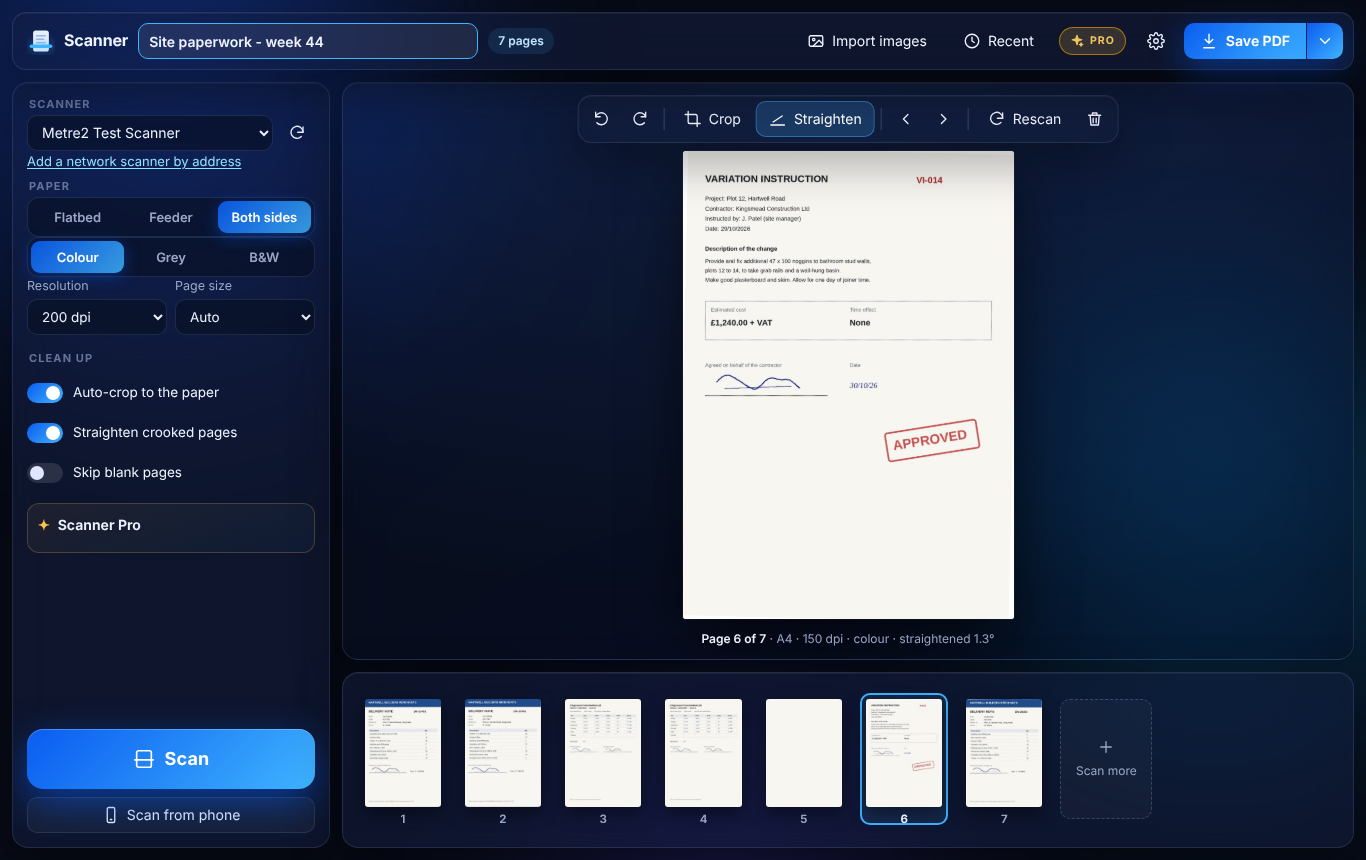
Flatbed page after page, or a stack in the feeder, both sides at once if your scanner can. Every page lands in the tray as it's scanned.
Crooked pages are straightened and cropped to the paper automatically, so a small delivery note doesn't become a page of grey scanner lid.
Drag pages into order, turn them, delete the wrong one or rescan a page that came out badly - before anything is saved.
150 to 600 dpi, A4, A5, Letter or Legal. Black and white at 200 dpi makes crisp, tiny PDFs of letters and timesheets. Blank backs can be left out.
USB and network scanners Windows knows, plus most network printers made since 2015 without any driver (eSCL / AirScan) - just type the address.
No adverts, no account, nothing uploaded. Save as PDF, JPEG or PNG - and import photos of pages to tidy them into a PDF too.
Windows 10/11 · Free · No adverts · No account · Works offline
A delivery note scanned on the flatbed, straightened and cropped to its A5 paper, and a phone photo of a signed variation turned into a clean A4 page.
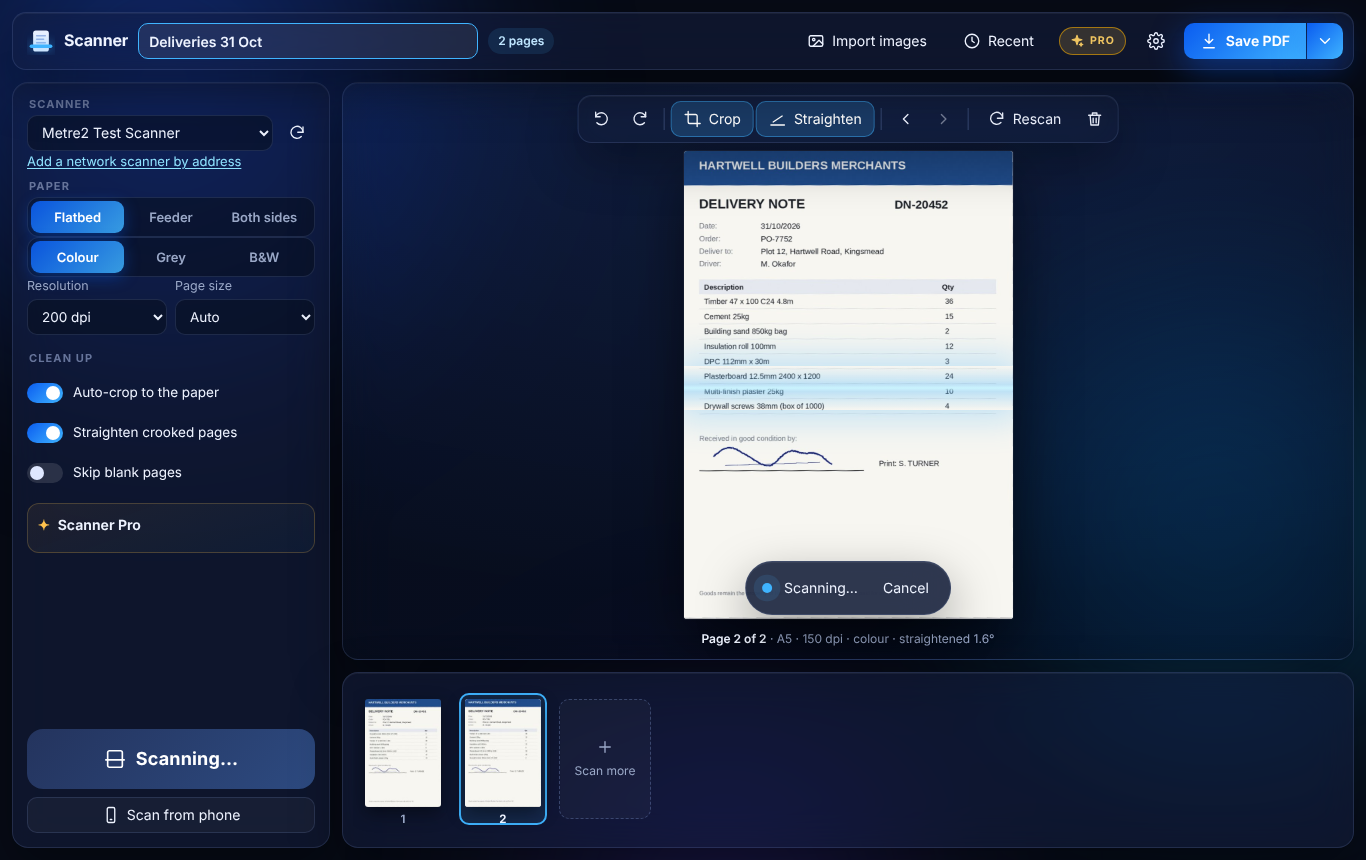
Flatbed scans, straightened and cropped
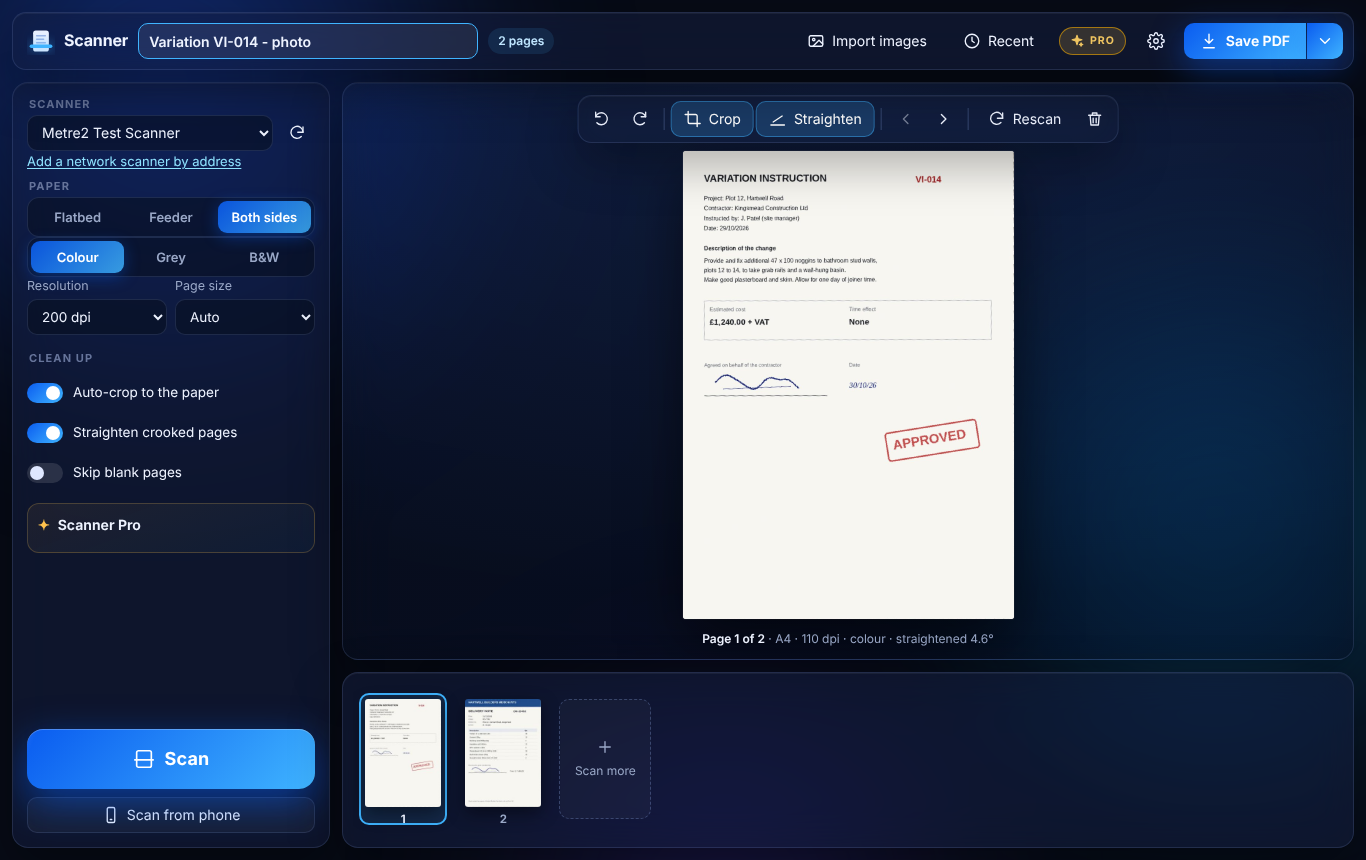
Photos of pages, cleaned up the same way
Scanning stays free. Scanner Pro is a one-off £9.99 upgrade inside the Windows app for people who scan a lot of paperwork, bought through the Microsoft Store - no subscription, no account. Try it free for 7 days first.
Windows' own text recognition reads every page - offline, on your PC - and hides the text under the scan so you can search, select and copy it.
Feed a mixed pile once: a new PDF starts at each blank separator sheet, or every few pages.
Names from the date and the page's own text - "2026-10-31 DN-20451.pdf" - and into folders.
One click for "Delivery notes: feeder, black and white, 200 dpi, searchable, to the Deliveries folder".
Scan the QR code and photograph pages with your phone. They arrive on your PC over your own Wi-Fi, straightened and cropped.
PDF/A-style output with the metadata and colour profile long-term archives look for.
| FEATURE | FREE | PRO £9.99 |
|---|---|---|
| Several pages into one PDF, flatbed and feeder, both sides | Yes | Yes |
| Reorder, turn, delete and rescan pages | Yes | Yes |
| Straighten, auto-crop and skip blank pages | Yes | Yes |
| PDF, JPEG or PNG; import photos | Yes | Yes |
| Network printers without a driver (eSCL) | Yes | Yes |
| Searchable PDFs (offline text recognition) | No | Yes |
| Split a stack into files | No | Yes |
| Automatic file names | No | Yes |
| Scan profiles | No | Yes |
| Scan from phone and archive PDFs | No | Yes |
Yes. Scanning from a flatbed or document feeder, both sides, several pages into one PDF, reordering, turning, deleting and rescanning pages, straightening, auto-crop, JPEG and PNG and importing photos are all free, with no adverts and no account. Scanner Pro is an optional one-off upgrade in the Windows app for searchable PDFs, splitting a stack into files, automatic file names, scan profiles, scan from phone and archive PDFs.
Yes - that's what it's for. Scan page after page on the flatbed, or put a stack in the document feeder, and every page lands in the tray in order. Drag pages around, turn or delete them, rescan a bad one, then save one PDF. Windows Fax and Scan and the Windows Scan app can't do this.
It uses the scanners Windows already knows - USB and network scanners with a WIA driver, which is almost every scanner and all-in-one printer. Network printers made since about 2015 can also scan without any driver (eSCL, also called AirScan or Mopria): if Windows hasn't set yours up, type its network address in the app.
With Scanner Pro, yes. It uses the text recognition built into Windows, so it works offline and nothing leaves your PC. The recognised text sits invisibly under the scanned picture, so the PDF looks exactly like the paper but you can search, select and copy the words.
Browsers can't reach scanners, so scanning needs the Windows app. The browser edition turns photos and images of pages into one tidy PDF - straightened, cropped and in the right order - without uploading anything.
No. Scanning, clean-up, PDFs and text recognition all happen on your PC. Scan from phone (Pro) sends photos from your phone to your PC over your own Wi-Fi, not over the internet.
