Staff scheduling

Shift Rota Planner

Build a weekly staff rota on a real staff-by-day grid, catch double-booked shifts automatically, and share a printable or CSV-exportable schedule - with early, late and night presets so a new week doesn't start from a blank page.

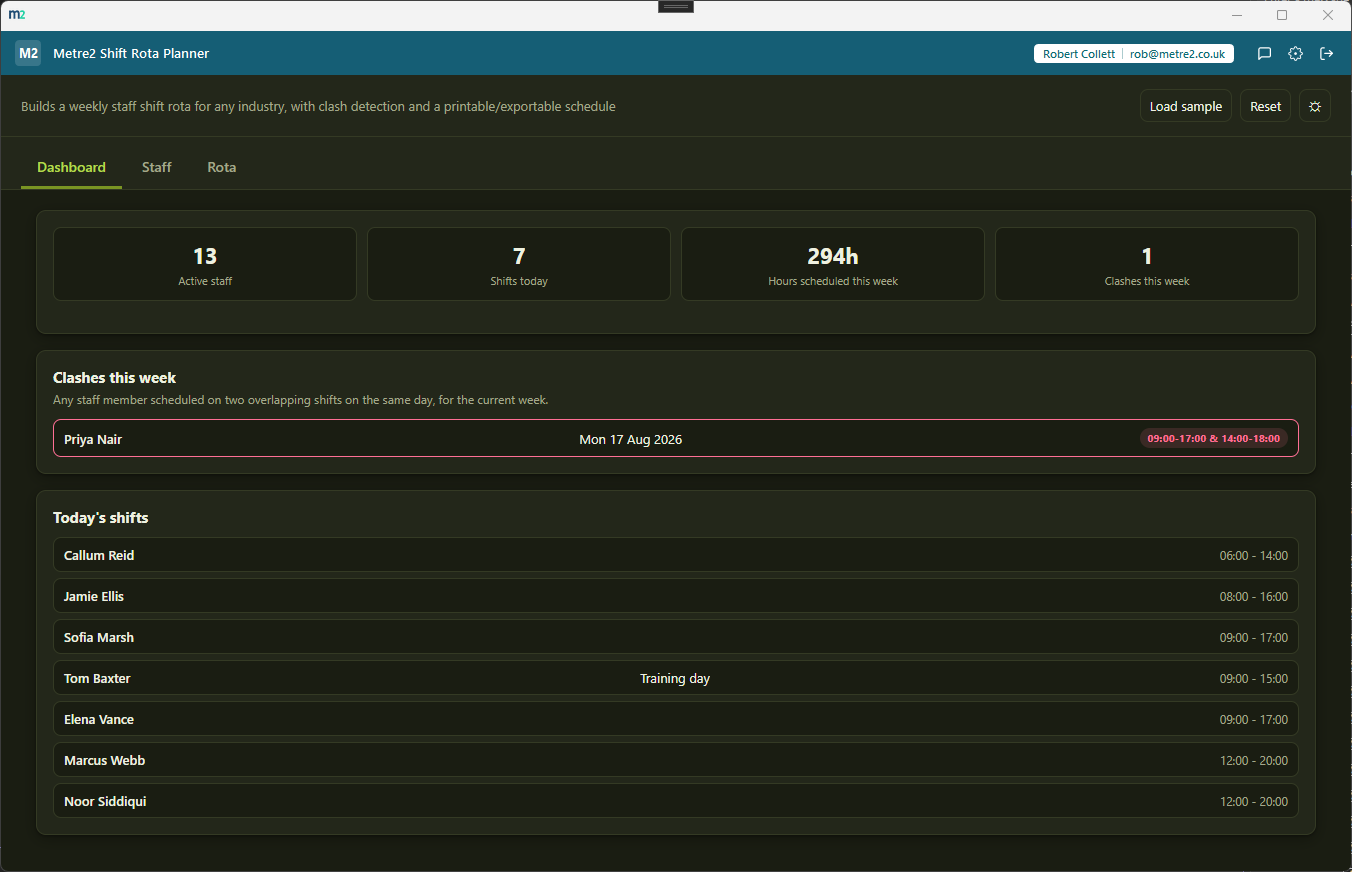
Metre2 Shift Rota Planner's Dashboard in dark mode, showing active staff, shifts this week, clashes, average weekly hours and today's shifts

A real staff-by-day rota grid

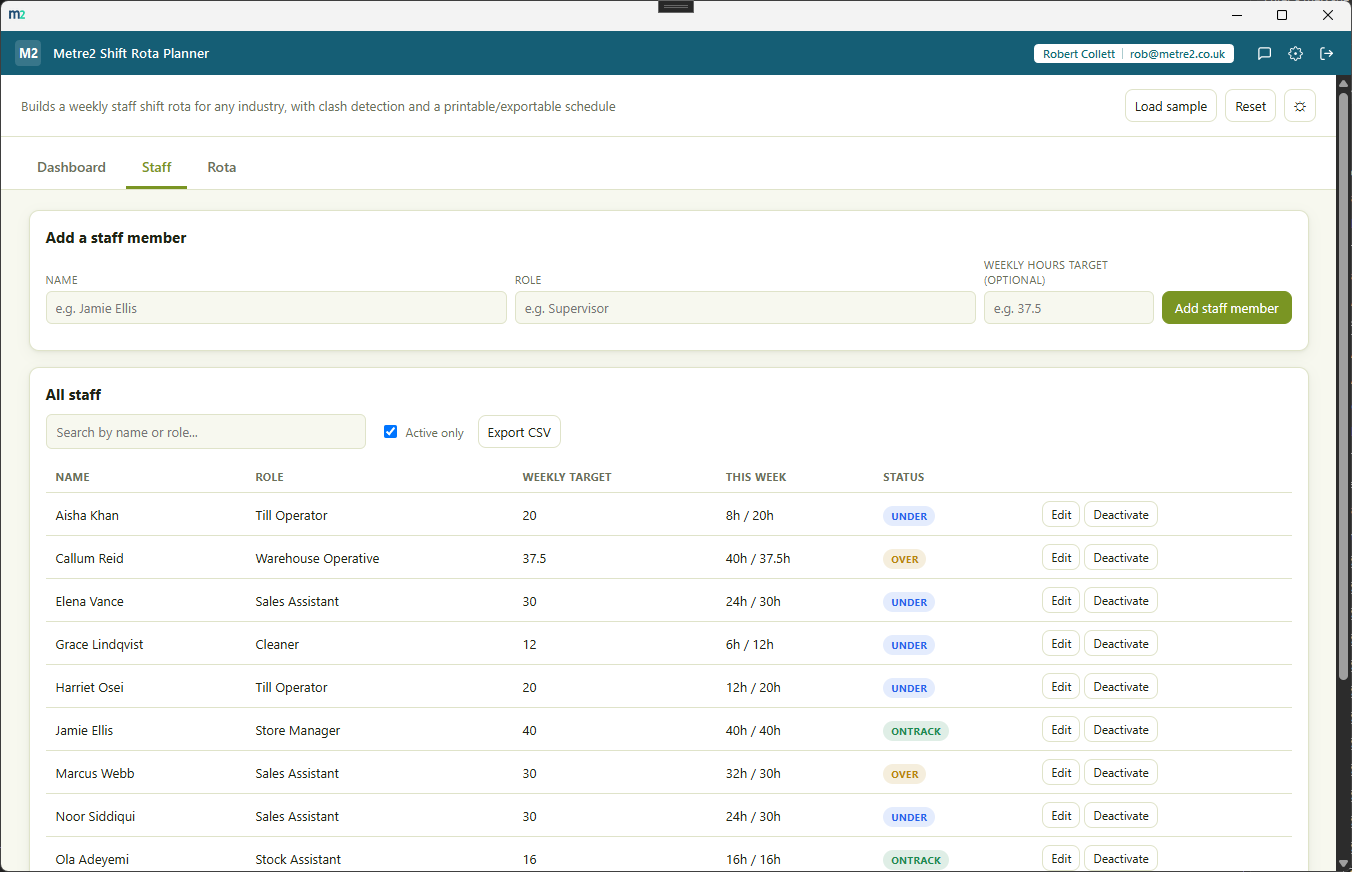
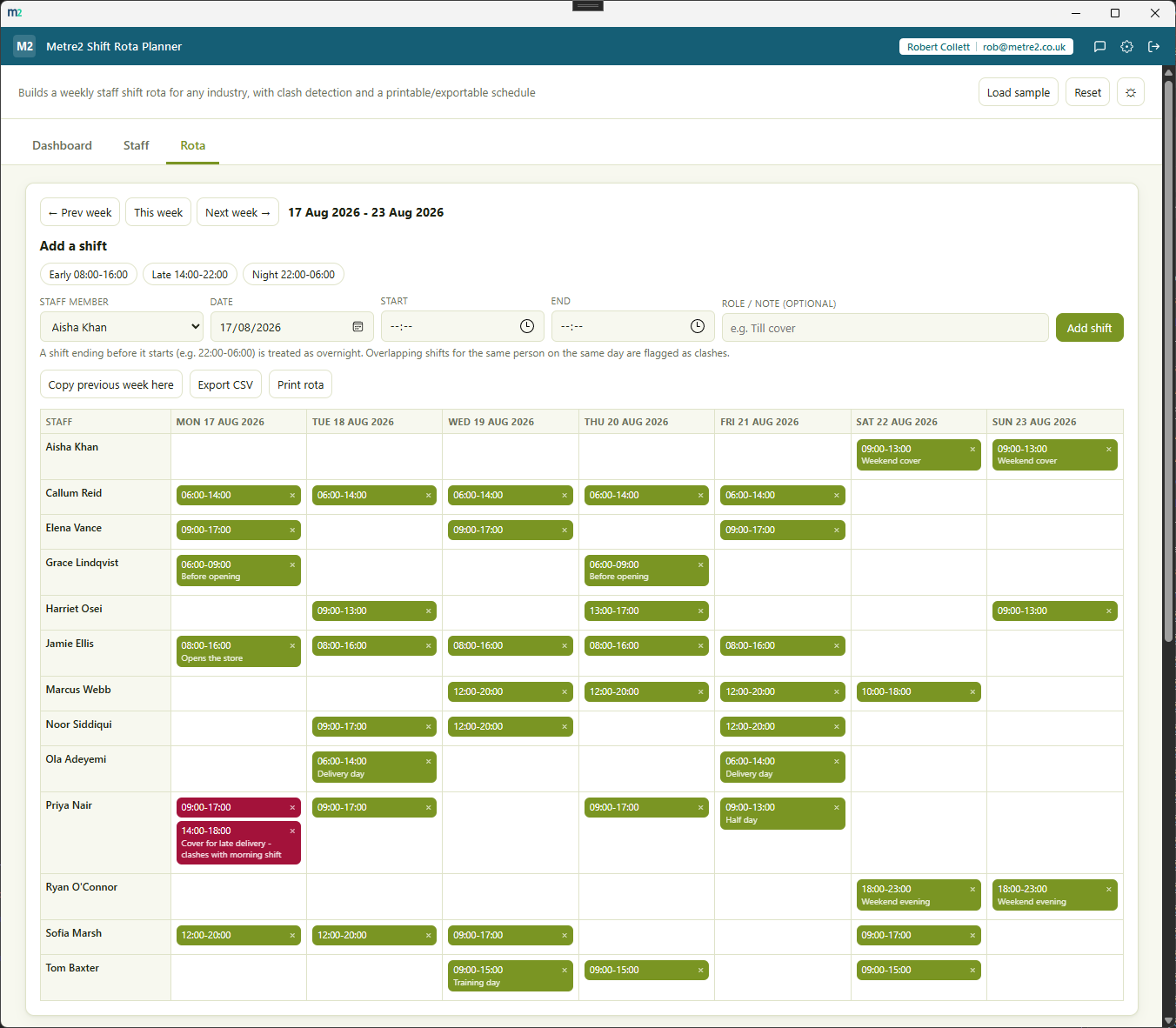
Every staff member is a row, every day of the week is a column, and shifts sit in the cell they belong to - the same layout you'd sketch on paper, but one that catches your mistakes for you.

Automatic clash detection

Any two shifts that overlap for the same staff member - including shifts that run past midnight - are flagged in red on the grid and listed on the Dashboard, so a double-booking never quietly makes it into the printed rota.

Early, late and night presets

Quick-fill a shift with a standard early (08:00-16:00), late (14:00-22:00) or night (22:00-06:00) pattern, then adjust the times if that particular shift needs to be different.

Copy previous week here

Most weeks look like the last one. One click copies every shift from the prior week onto the matching day in the week you're viewing, skipping anything that would be an exact duplicate.

Print rota, or export to CSV

Print a clean, chrome-free version of the current week's rota for the staffroom wall, or export staff and shifts to CSV for payroll, a spreadsheet or a wider scheduling process.

Weekly hours vs target, per person

Set a weekly target hours figure per staff member and the Dashboard shows who's under, on track or over target for the week you're building - useful for spotting an accidental overload before it's printed.

Search and filter staff

Search by name and toggle "active only" to hide former staff from the picker while keeping their historical shifts intact for anyone who needs to look back.

Light/dark theme

Light/dark theme remembers your choice, matching the rest of the Metre2 portfolio.
How it compares to RotaCloud

RotaCloud is a well-established cloud rota and time-and-attendance platform with clocking in, labour cost forecasting, holiday management and payroll integrations. It's priced and built for teams that want that full stack - here's how a focused, offline weekly rota planner compares for a business that just needs shifts scheduled and clashes caught.

Feature Shift Rota Planner RotaCloud
Pricing model One-off after trial - no per-employee fee Per-employee-band monthly subscription - from around £10/month for up to 5 staff on the Standard plan, scaling with headcount
Cost scales with headcount
Works fully offline
Weekly staff-by-day rota grid
Automatic overlapping-shift clash detection ~
Clocking in, timesheets and payroll export
Staff mobile app with shift notifications
One account across a whole app portfolio

Comparison based on RotaCloud's publicly listed pricing as of August 2026 (rotacloud.com/pricing) - RotaCloud's exact rates vary by employee band, billing cycle and add-ons such as Time & Attendance or SMS notifications, and pricing/features change over time, so check rotacloud.com for current details. RotaCloud is a trademark of its respective owner; this comparison is for informational purposes and isn't sponsored by or affiliated with RotaCloud.

Shift Rota Planner, in practice

The Dashboard overview, the Staff list, and the weekly rota grid with clash detection.

Frequently asked questions

Do I need to install anything to use Shift Rota Planner?

Shift Rota Planner is a Windows desktop app, free to try from the Microsoft Store.

Does my Shift Rota Planner account work with Vector and Forma?

Yes - Shift Rota Planner uses the same shared Metre2 account as Vector, Forma and every other Keystone app. Sign in once and it works everywhere.

How does clash detection work?

Any two shifts assigned to the same staff member on the same day are checked for an overlapping time range, including shifts that run past midnight. Overlapping shifts are highlighted in red on the rota grid and listed on the Dashboard so you can fix them before the week goes out.

Can I reuse last week's rota instead of building it from scratch?

Yes - "Copy previous week here" copies every shift from the prior week onto the same weekday in the week you're viewing, skipping any shift that would exactly duplicate one already there.

Is this suitable for any industry, or just one?

It's deliberately generic - staff, shift times and a weekly target hours figure per person, with early/late/night presets you can adjust or ignore. It works for retail, hospitality, care, warehouses, trades or any team working shifts.

Can staff see the rota, or is it manager-only?

Shift Rota Planner is a planning tool for whoever builds the rota. Print it or export it to CSV to share with the team - there's no separate staff login or app.

Ready to try Shift Rota Planner?