Every quote, side by side
Put every subcontractor's quote for a package side by side and see who's lowest, what's missing and how each price compares with your estimate - line by line, with nothing hidden in a total.
Every package for the job at a glance - waiting for quotes, comparing or awarded - with quotes in, the best price against your estimate and what's committed.
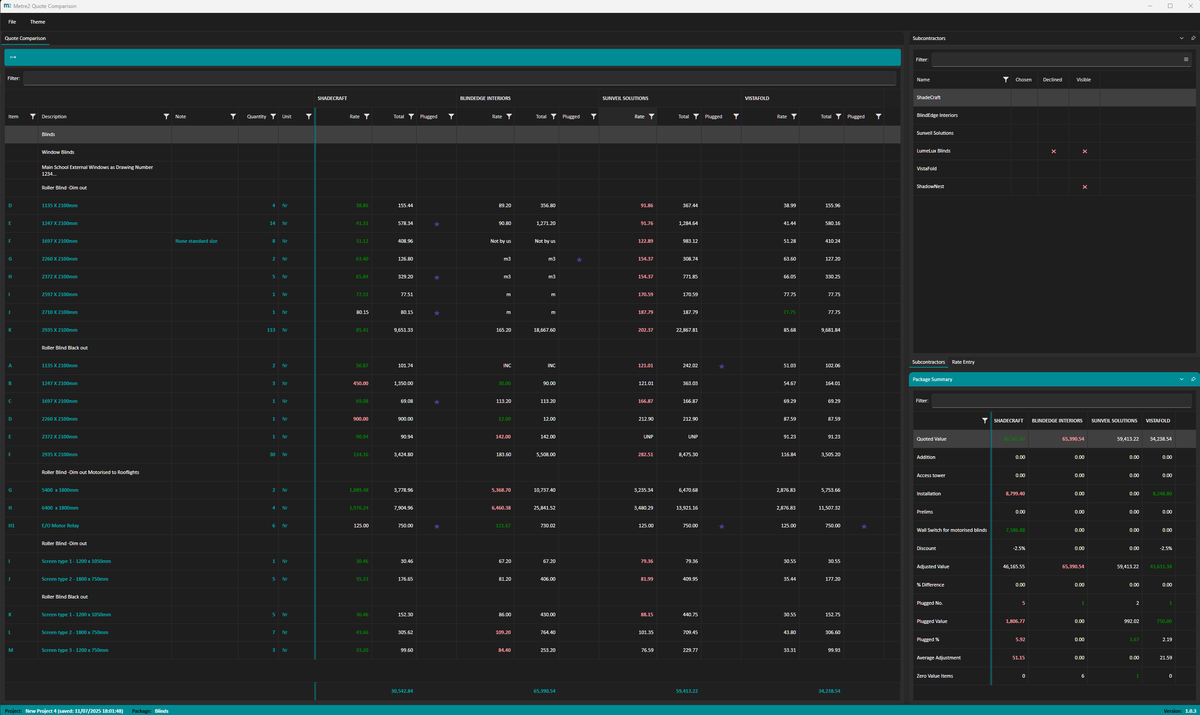
Each subcontractor's rate and total next to your estimate on every bill line. The lowest rate is green and the highest red.
Paste the bill, then each quote's rates a column at a time. Type to edit, arrows and Enter to move, Ctrl+Z to undo.
Incl and UNP are labelled, plugged rates are marked, and every total says how many items each subcontractor hasn't priced.
Prelims, discounts and other adjustments as a lump sum or a percentage, then each quote ranked with its gap to the lowest and to your estimate.
Projects from the previous version (.m2trades) open as they are. Everything saves on your PC as you go - no account, nothing uploaded.
Windows 10/11 and your browser · Free · Nothing uploaded · No account
A subcontractor's spreadsheet matched to the bill, and the award screen - both in Quote Comparison Pro.
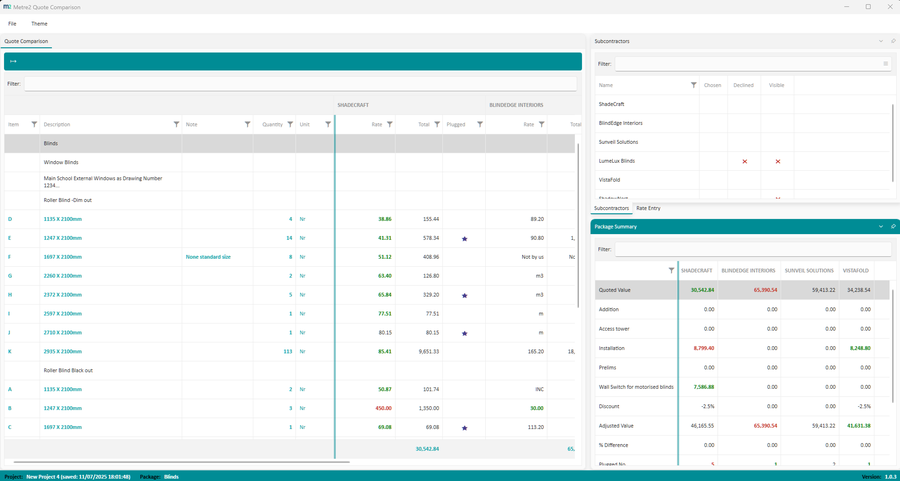
Reading a quote from Excel (Pro)
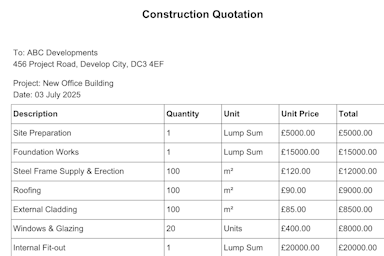
Review & award (Pro)
Four steelwork subcontractors invited on a car park refurbishment, compared against a QS estimate of £74,954.
Award the package from the subcontractor's card and it moves to Awarded on the tender board, with the committed value added up across the job. With Pro, Review & award suggests who to award to and why, and prints a tender report ready to sign.
Comparing quotes stays free - the board, the side-by-side sheet, adjustments, ranks and awarding. Quote Comparison Pro is a one-off £9.99 upgrade inside the Windows app for estimators and QS teams, bought through the Microsoft Store - no subscription, no account.
Pick the subcontractor's spreadsheet, check which column is which, and every line is matched to your bill by reference, description and quantity. Anything uncertain is flagged before the rates go in.
Bring in a Metre2 Quantum estimate - one package per bill - or an Excel bill, with your rates kept to compare against.
Adjusted totals against your estimate, the lines where the quotes differ most, and a suggested award with the reasons behind it.
Fill each quote's gaps with the lowest, average or highest of the others, or your estimate rate - marked as plugged so nothing is hidden.
Just the lines that matter: rates further apart than your tolerance, unpriced and plugged items.
A formatted workbook with live formulas and a summary sheet, and a printable award recommendation with a line-by-line appendix, ready to sign.
Log what each subcontractor has excluded or qualified, price the risk, and add it to the totals when you compare.
Everyone you invite, with contacts and trades, and how often each one has quoted and won.
| FEATURE | FREE | PRO £9.99 |
|---|---|---|
| Tender board, packages and subcontractors | Yes | Yes |
| Side-by-side rates, lowest and highest highlighted | Yes | Yes |
| Paste the bill and rates from Excel | Yes | Yes |
| Adjustments, ranks and awarding | Yes | Yes |
| Use it in your browser | Yes | Windows app |
| Read quotes from Excel and match them to the bill | No | Yes |
| Import an estimate from Quantum or Excel | No | Yes |
| Review & award with a suggested award | No | Yes |
| Level the quotes and Differences view | No | Yes |
| Excel export and tender report | No | Yes |
| Exclusions, qualifications and subcontractor directory | No | Yes |
Read the guide: What is a bill of quantities? - how a bill makes quotes comparable line by line, with a free BOQ template.
Yes. Projects, packages, the tender board, the side-by-side comparison, adjustments, ranks, awarding and opening your old .m2trades files are all free, on Windows and in your browser. Quote Comparison Pro is an optional one-off £9.99 upgrade in the Windows app that adds reading quotes from Excel, importing your estimate, Review & award, levelling, the Differences view, Excel export and a tender report.
Yes. Copy a column of rates in Excel, click the first rate cell for that subcontractor and press Ctrl+V - the rates fill down the bill, skipping the headings. You can paste a whole bill the same way. With Pro you can open the subcontractor's spreadsheet instead and every line is matched to your bill for you.
A rate can be a number, Incl (included elsewhere), UNP (unpriced) or any other note. Incl and UNP are shown as labels so you can see them at a glance, and the totals count how many items each subcontractor hasn't priced. If you fill a gap yourself, mark the rate as plugged - it stays highlighted and every total shows how much of the quote is plugged.
Yes. Open any .m2trades file from the previous version and it comes in as a project, with its packages, subcontractors, rates and adjustments.
On your PC, as you work - there's no account and nothing is uploaded. Use Save a copy to keep a .m2quotes file somewhere else or to send a project to a colleague. The browser version keeps projects in that browser.
Yes. Put your own rates in the Estimate column (or import your estimate with Pro) and every adjusted total shows how far it is over or under. Pro's Review & award screen adds the bars against the estimate and the lines where the quotes differ most.
