Bill of quantities builder
Measure from drawings and capture dimensions directly into BOQ items - quantities flow straight into structured bills without manual re-entry.
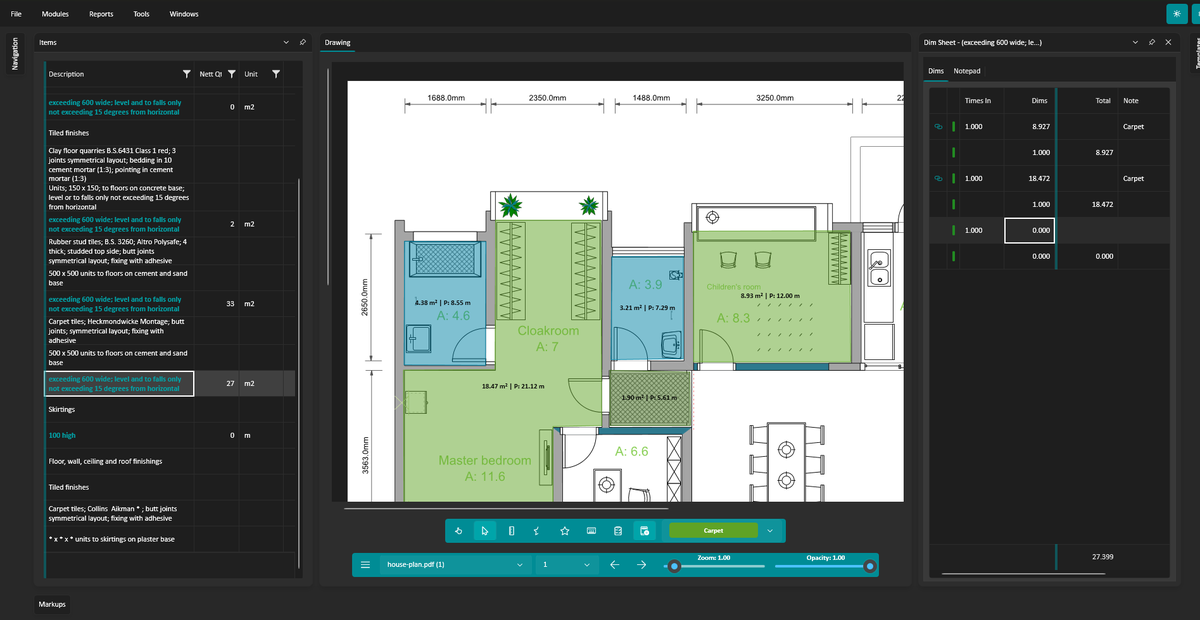
Measure areas, lengths, and dimensions directly from drawings. Quantities flow straight into your BOQ items without manual re-entry.
Organise items clearly with units, quantities, and descriptions. Perfect for early cost planning or detailed bills.
Every quantity retains its underlying measurements. Quickly review the individual dimensions behind each total.
Smooth zooming and panning make working with large drawings effortless.
Measurements automatically total and update your BOQ quantities as you work.
Export quantities and items for use in estimating systems, spreadsheets, or further analysis.
Windows 10 (19041) or Windows 11 · 64-bit CPU, 4 GB RAM · 30-day free trial, then £19.99 · Microsoft Store
A closer look at BOQ in everyday use.
Measuring straight from the drawing
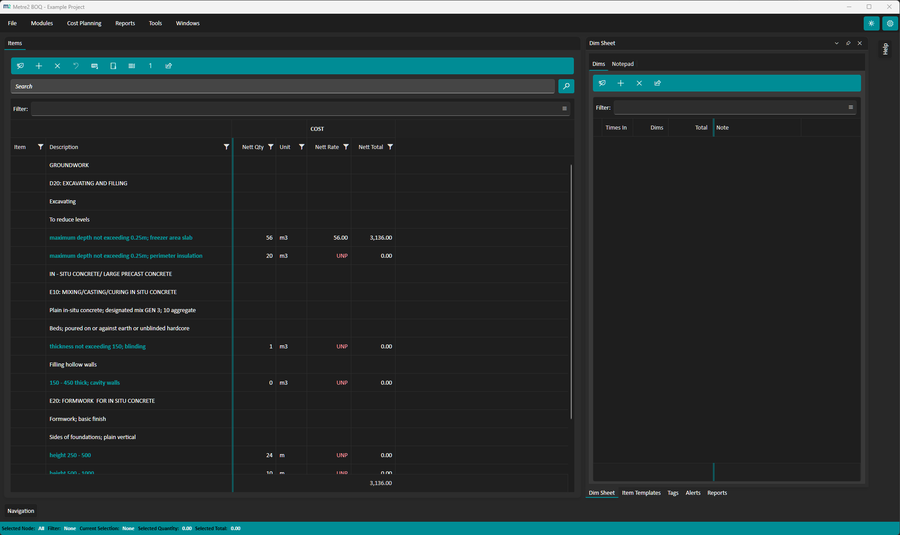
BOQ items with quantities attached
BOQ links each measurement on a drawing to a bill item through its dimension sheet. You measure, the quantity updates, and the dims stay with the item for checking later.
In: PDF drawings, plus estimates imported from Excel (.xlsx), CITE (.ebq) or Metre2 files. IFC models can also be loaded and searched by standard IFC type. Out: Metre2 .sk estimate files and reports from the Reports menu, such as dim sheets, client bills of quantities and Excel bills with active formulas. Reports can be printed as well.
Quantity surveyors and estimators taking off for tender, and subcontractors checking the quantities in a package enquiry. It replaces a separate takeoff tool plus a spreadsheet, where quantities get retyped and the audit trail is lost. The Bill Comparison view shows items added, changed or deleted against another Metre2 estimate file.
Read the guide: What is a bill of quantities? - how NRM2 structures a bill, a priced example and a free BOQ template.
Yes - BOQ runs as a Windows desktop app from the Microsoft Store - £19.99 one-off after a 30-day free trial, with no account or sign-in.
No. Install BOQ and get going - there's nothing to sign up for. The optional Register button lets you leave your name and email for update news.
Quantity surveyors, estimators, cost consultants and subcontractors who need structured quantity takeoff without a complex enterprise system.
Yes. Metre2 BOQ includes built-in digital takeoff tools for areas, lengths, and other measurements.
Yes. Measurements are stored in dimension sheets attached to each BOQ item so quantities remain transparent and traceable.
BOQ measures from PDF drawings. Add them to the project, calibrate each one to a known dimension, then measure. Multi-page PDFs are supported, with page back and forward controls.
Yes. Several reports in the Reports menu are Excel workbooks. Some of them keep active formulas, so the exported bill still works as a spreadsheet.
Yes. You can import an estimate from a CITE file (.ebq), from Excel (.xlsx) or from a Metre2 file, then carry on measuring and pricing it in BOQ.
