Free PDF takeoff for Windows
Open a PDF drawing, set the scale once, then measure lengths, areas and counts and watch the totals add up. Free, offline, and your drawings never leave your PC. Need to price it and send it on? Takeoff Studio Pro adds costed schedules, Excel, CSV and PDF exports and revision compare - the first month is free.
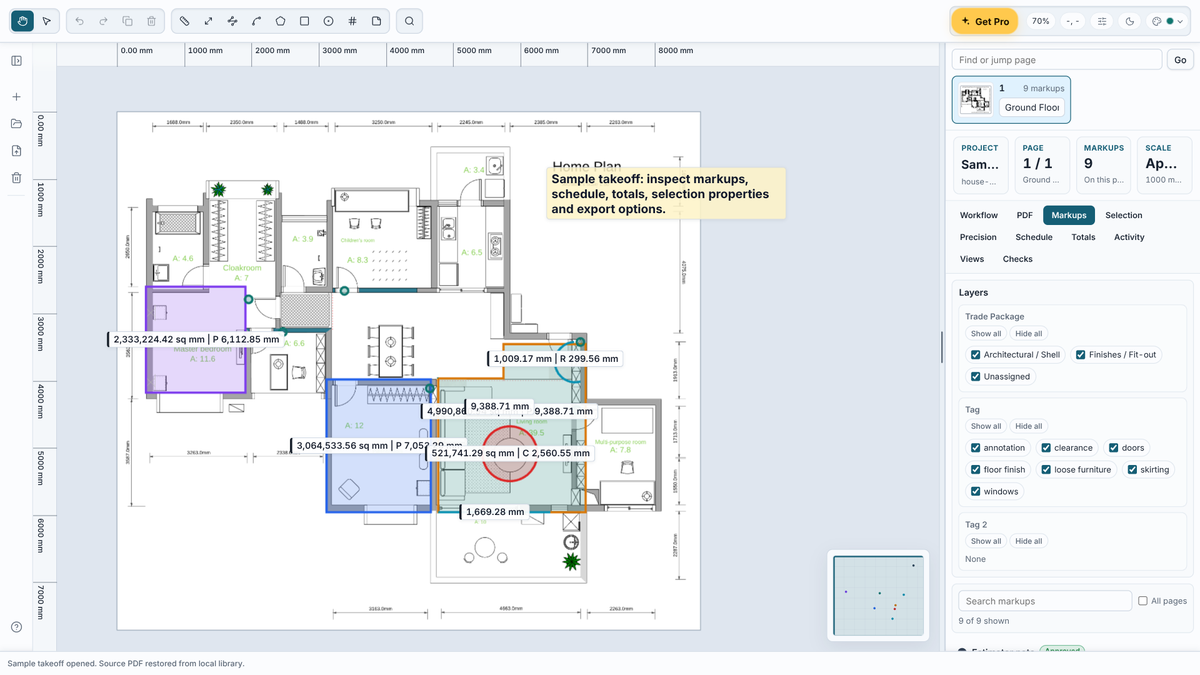
Single sheets or whole multi-page sets - find and jump to any page.
Calibrate from a known dimension on the drawing and every measurement is in real units - each sheet keeps its own scale.
Lengths, polylines, areas, rectangles, circles, arcs and counts, with deductions and notes.
Group measurements by trade package and tag, show or hide them, and save views of the drawing.
Quantities add up on screen as you measure, grouped the way you choose.
Open projects from the old Takeoff Studio (.m2tos) and carry your measurements across.
Windows 10/11 · Free · Offline · Microsoft Store
Measuring stays free. For estimators and quantity surveyors who price and issue their takeoffs, Takeoff Studio Pro is £24.99 a month or £199.99 a year, with the first month free. It's billed by the Microsoft Store and you can cancel any time.
Keep every job in the library and switch between them. The free version keeps one project at a time.
Group quantities by trade and package, add rates and see costed totals as you measure.
Send quantities, the costed schedule and a marked-up PDF of the drawings to the rest of the team.
Capture a baseline, then see exactly which measurements changed when the next drawing issue lands.
Save measuring tools with their trade, rate and style, and share libraries across PCs.
Export a whole project, PDF included, to share with a colleague or move to another PC.
| FEATURE | FREE | PRO £24.99/MO |
|---|---|---|
| Open PDF drawings and set the scale | Yes | Yes |
| Every measuring tool, layers, tags and views | Yes | Yes |
| Live totals on screen | Yes | Yes |
| Import old Takeoff Studio projects | Yes | Yes |
| Projects | One at a time | Unlimited library |
| Schedule with rates and costed totals | No | Yes |
| Excel, CSV and PDF exports | No | Yes |
| Revision compare | No | Yes |
| Tool libraries and project packages | No | Yes |
A closer look at the new Takeoff Studio.
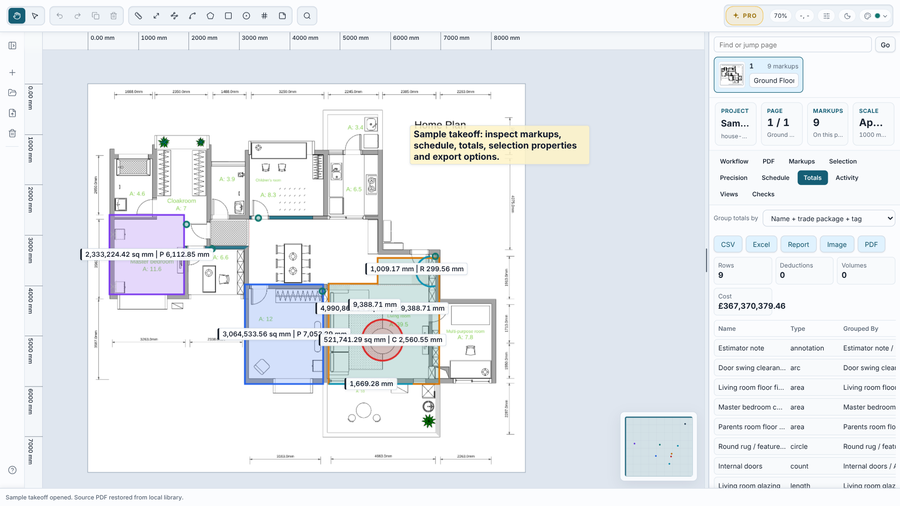
Live totals as you measure
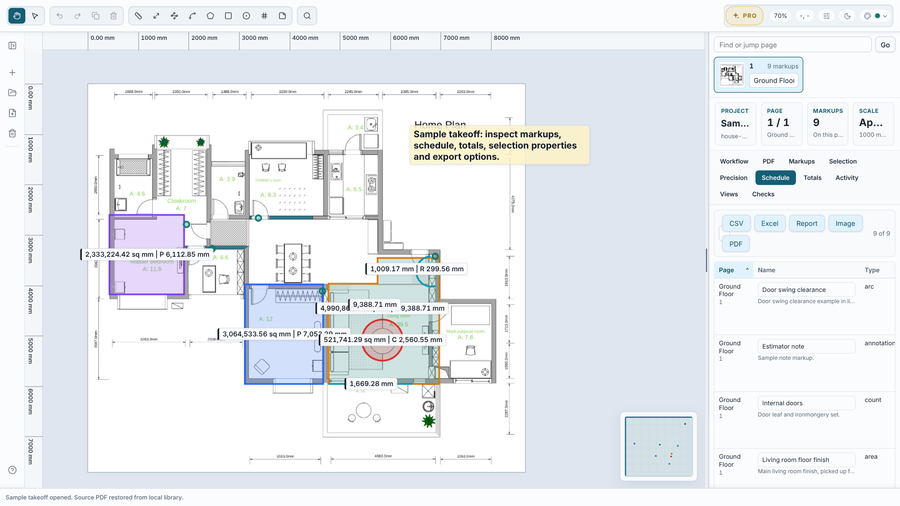
The schedule and exports with Takeoff Studio Pro
Yes. Measuring is free and always will be - open PDF drawings, set the scale, use every measuring tool, layers and views, and see live totals on screen. The free version keeps one project at a time. Takeoff Studio Pro is optional and adds the project library, costed schedules, exports, revision compare, tool libraries and project packages.
£24.99 a month or £199.99 a year (saving £99), and the first month is free on either plan. It's billed by the Microsoft Store. Cancel any time from your Microsoft account - Pro stays on until the end of the period you've paid for.
No. If you bought the old Takeoff Studio Pro app, Pro is included in the new Takeoff Studio at no extra cost. If it doesn't switch on for you, email support@metre2.co.uk and we'll send you a code.
Yes, for free. In the Library choose Old Takeoff Studio, pick your .m2tos project and then the PDF it was measured on. Your measurements and scale come across, so the quantities match.
No. Drawings and projects are kept on your PC. Nothing is uploaded, and you don't need an account.
They measure with the same engine. Takeoff Studio is free to measure, with Pro as a subscription. Vector is a one-off £39.99 purchase with everything included and no subscription.
