No Office? No problem
Send a quote, a letter or a price list as a PDF that looks the same on every screen - even from a computer without Office. Word documents keep their headings, lists, tables, pictures, headers and page numbers; spreadsheets keep their number formats and are fitted to the page width, in portrait or landscape.
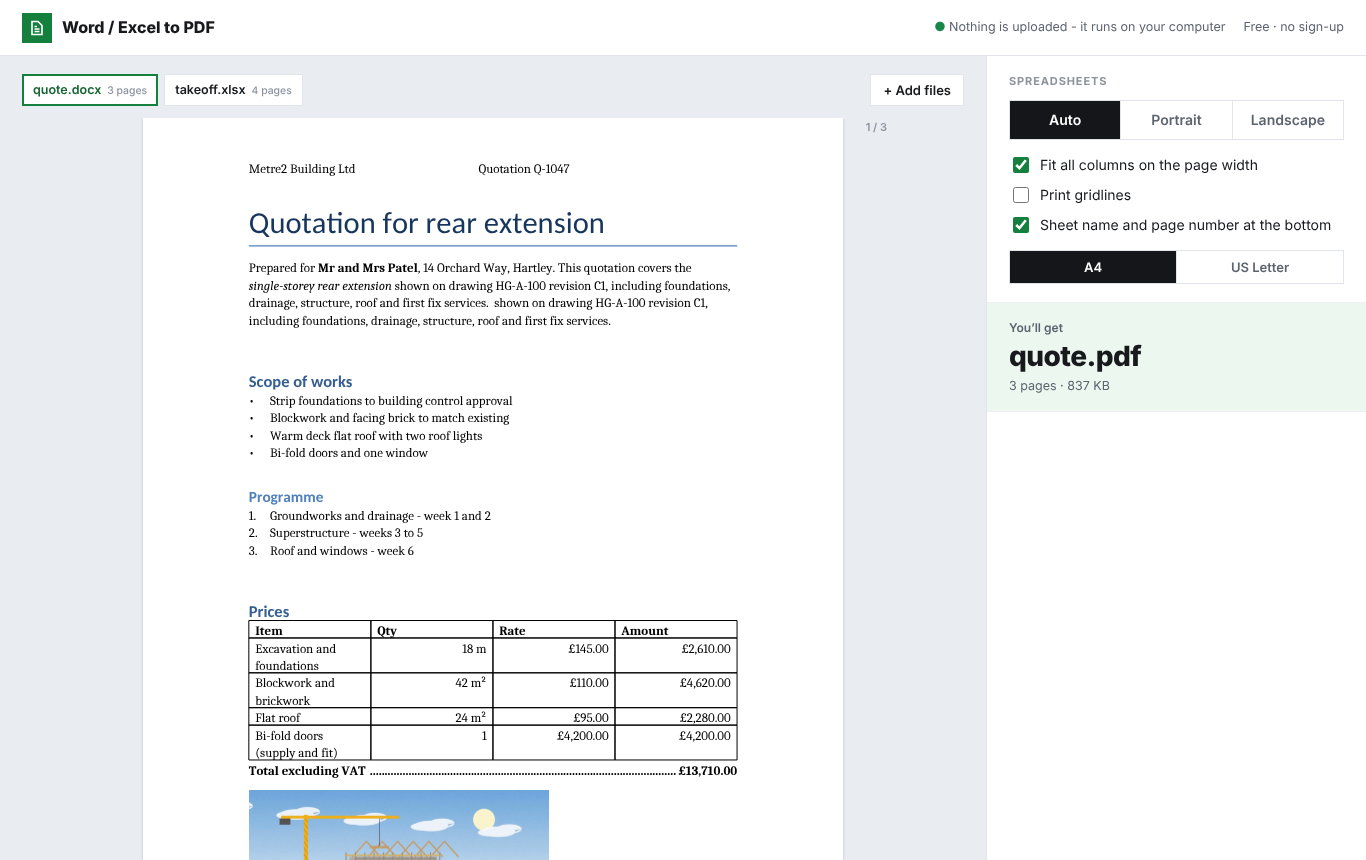
Headings, lists, tables, pictures, headers, footers and page numbers.
Money, dates and percentages as Excel shows them, merged cells and fills - every sheet.
Wide sheets are fitted to the page width and turned landscape when they need it.
Selectable, searchable text in fonts that measure the same as Calibri, Cambria, Arial and Times.
Convert a batch and download them as a zip.
It all happens in your browser.
Free · In your browser · Nothing uploaded · .docx, .doc, .xlsx, .xls, .csv
A spreadsheet fitted to A4, and the start screen.
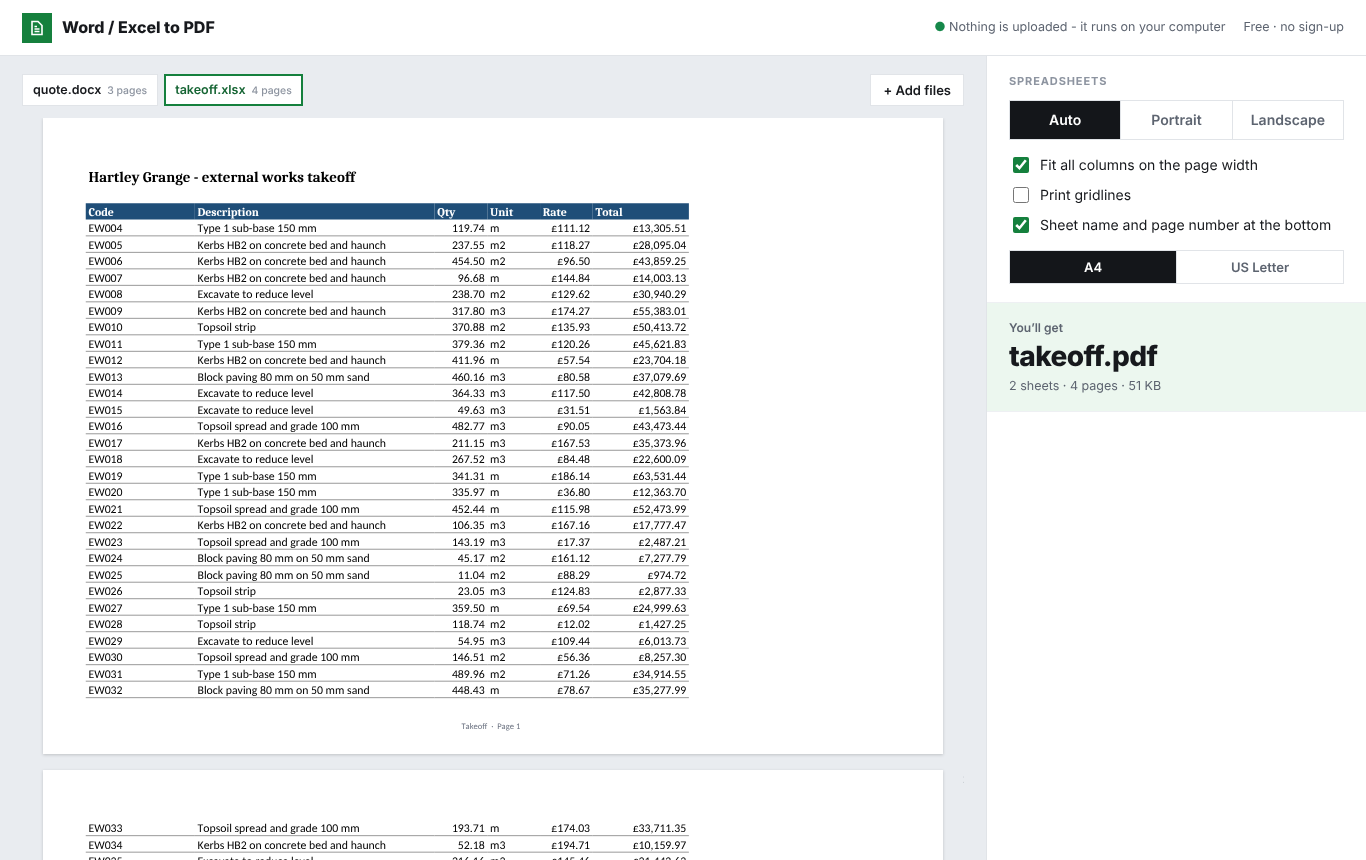
Spreadsheets fitted to the page.
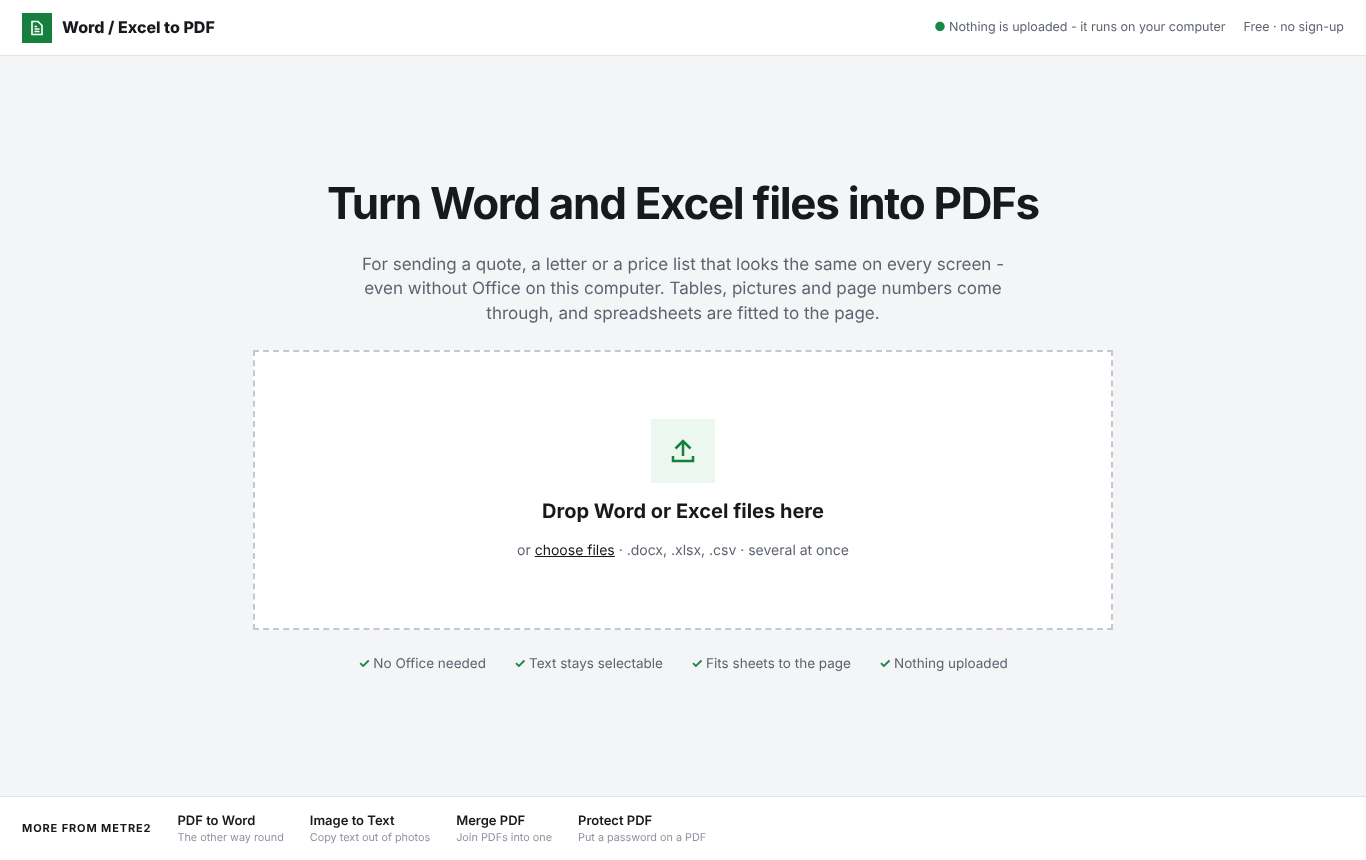
Drop Word or Excel files to start.
Yes - no sign-up, no watermark.
No - the conversion runs in your browser.
Very close for everyday documents - the fonts measure the same, so lines and pages break in the same places. Drawn shapes, text boxes and charts may be left out; check the preview.
Yes - Fit all columns on the page width is on by default, and wide sheets turn landscape automatically.
They convert too. From a .doc you get the text, headings, lists and tables (pictures, headers and footers need saving as .docx first); from a .xls, the values, number formats, column widths and merged cells.
No - everything happens in your browser.
Free, in your browser, with nothing uploaded. Works best in Chrome or Microsoft Edge on a computer.
Microsoft and the Microsoft Store logo are trademarks of the Microsoft group of companies.
