Photos and PDFs, both ways
Put photos, scans and screenshots into a single PDF - receipts, site photos, signed forms - on A4, US Letter, A3 or each photo's own shape, in the order you drag them. Or go the other way: save the pages of a PDF as JPG or PNG pictures, sharp enough to print. It all happens in your browser, so nothing is uploaded.
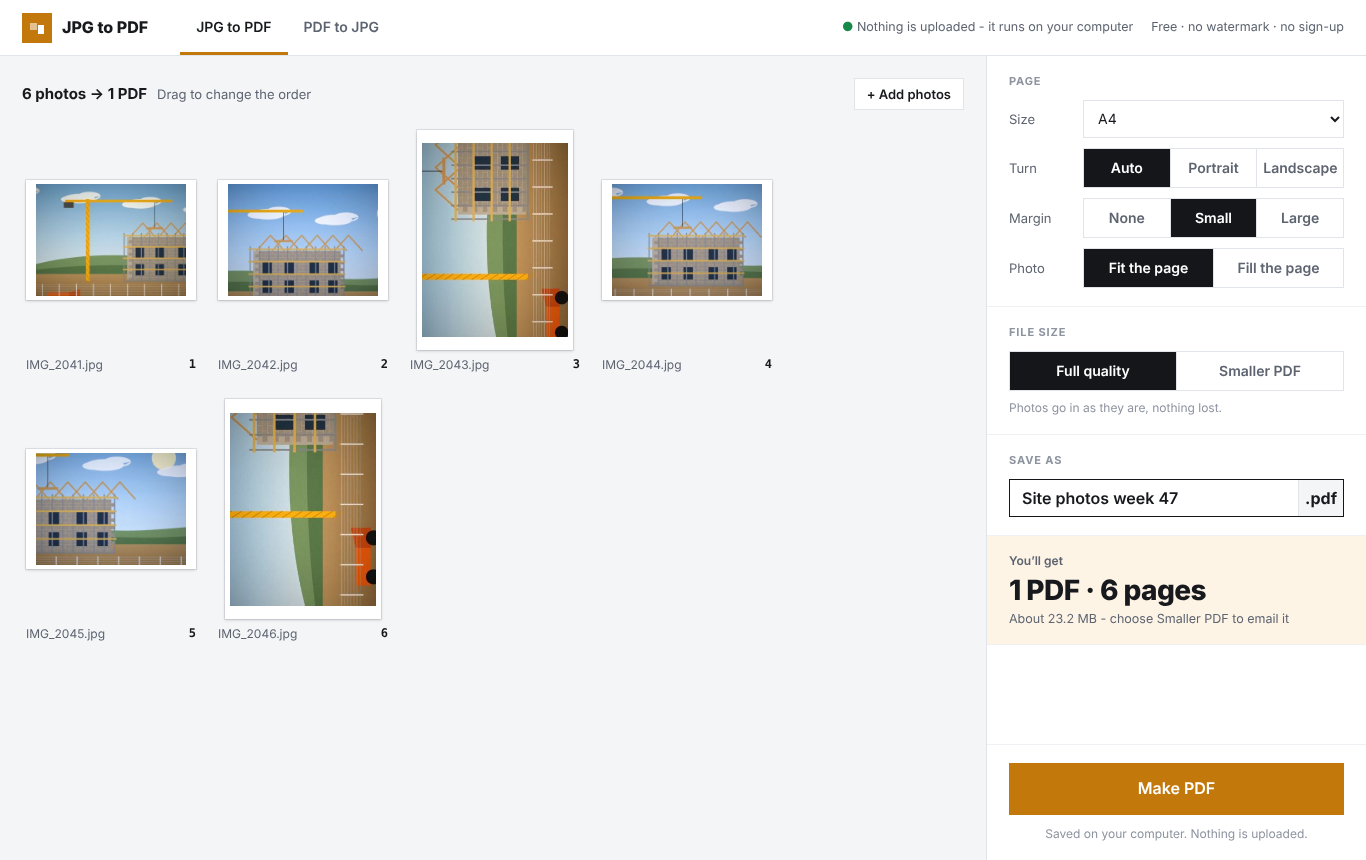
Drop in as many photos as you like and drag them into order. Each one goes on its own page.
Fit each photo on a standard page with no, small or large margins, fill the page edge to edge, or make every page the photo's own shape.
Phone photos are turned the way you held the phone, and you can turn any page by hand before you save.
Photos go in untouched at full quality, or tick Smaller PDF to get a file you can email.
Switch to PDF to JPG to save every page, or just the ones you tick, as JPG or PNG at 96, 150 or 300 dpi.
Photos and PDFs stay on your computer - the PDF is made, and the pages drawn, inside your browser.
Free · In your browser · Nothing uploaded · JPG, PNG, HEIC and WebP to PDF · PDF to JPG and PNG
Saving the pages of a report as pictures, and the finished PDF.
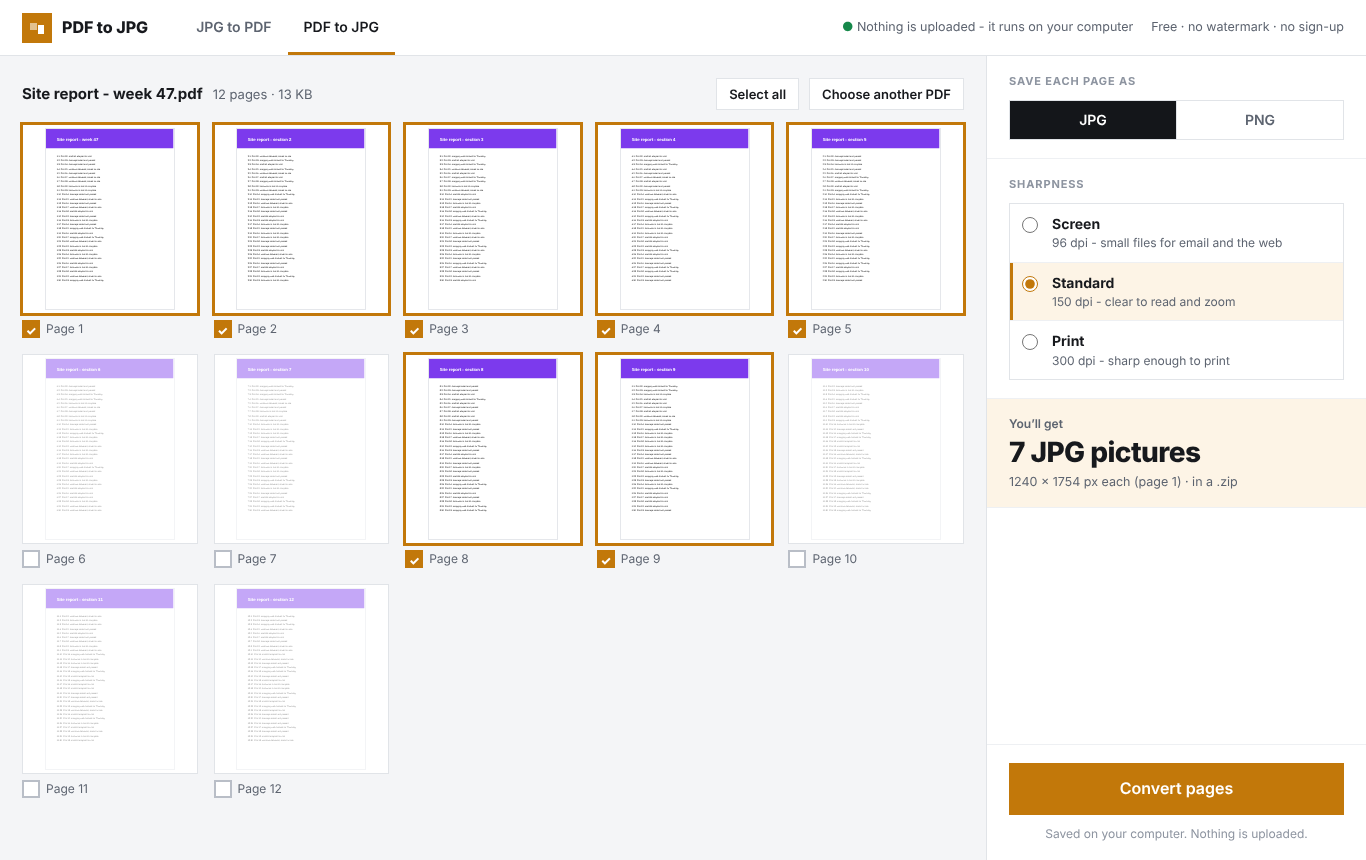
PDF to JPG: tick the pages, pick JPG or PNG and the sharpness.
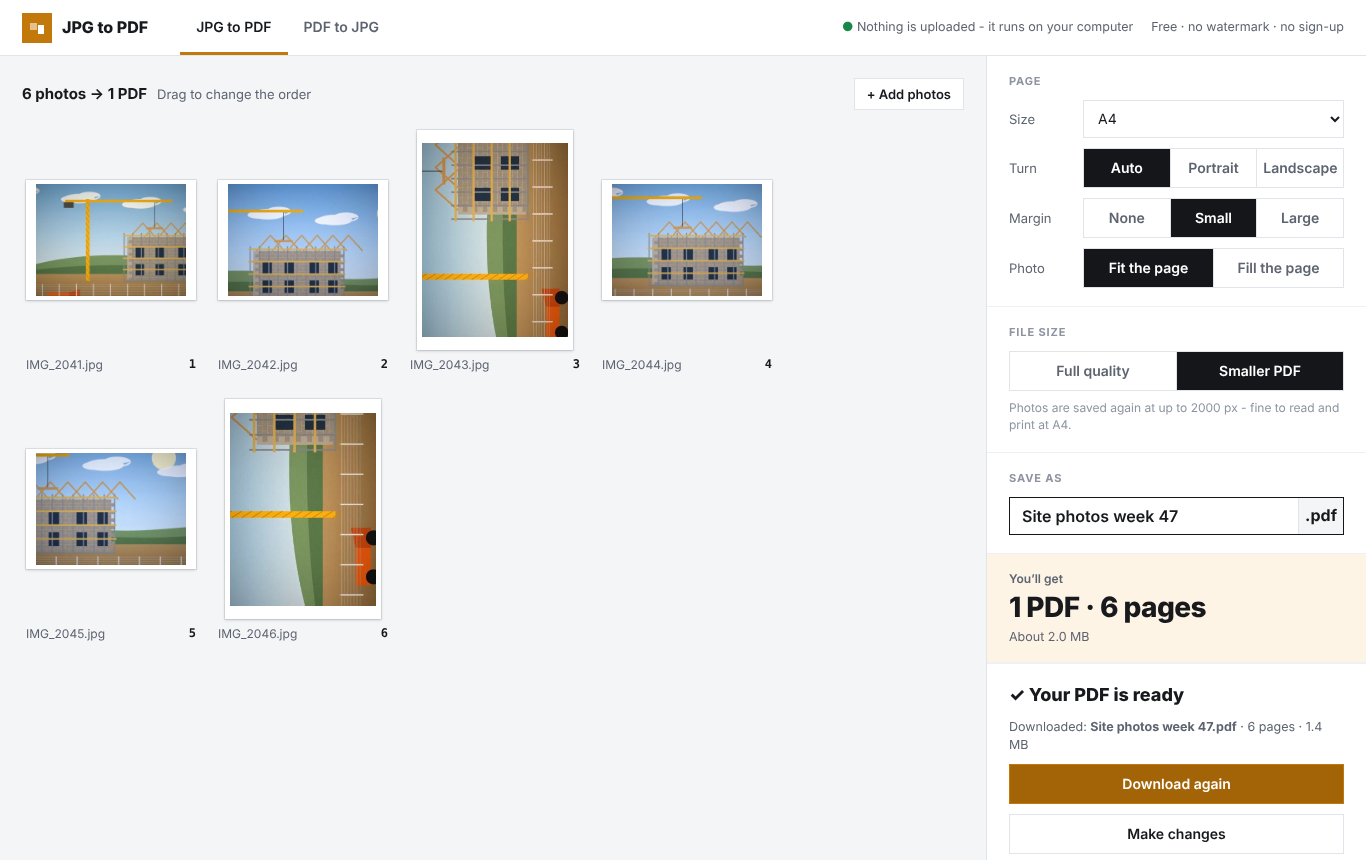
One PDF, downloaded straight away - make changes and save again any time.
Yes - no watermark, no limit on photos or pages and no sign-up.
No. The PDF is built, and PDF pages are drawn as pictures, inside your browser on your own computer.
Drop them all in, drag them into order, choose the page size and margin, and press Make PDF. Each photo gets its own page.
Not on Full quality: JPEG photos go into the PDF exactly as they are. Choose Smaller PDF to save them again at up to 2000 pixels - still clear at A4 - for a PDF small enough to email.
Choose the PDF to JPG tab and drop the PDF in. Untick any pages you don't need, pick JPG or PNG and the sharpness - 150 dpi for reading, 300 dpi for printing - and press Convert pages. Several pages come as one zip.
A4 is used in the UK, Europe and most of the world; US Letter in the US and Canada. It picks the usual one for your computer, and you can change it.
To mix PDFs and photos in one file, use Merge PDF - it takes both.
Free, in your browser, with nothing uploaded. Works best in Chrome or Microsoft Edge on a computer.
Microsoft and the Microsoft Store logo are trademarks of the Microsoft group of companies.
