HG01-MTA-ZZ-00-DR-A-100101
The project’s information has to be named the ISO 19650 way, and drawings arrive as “GF plan rev C final (2).pdf”. Drop the files, a folder or a pasted list: each name is split into its fields and checked against the UK National Annex codes and your project’s own. Wrong names get a fix suggested from what’s there - rename them in place, download renamed copies, or save the check as an Excel report.
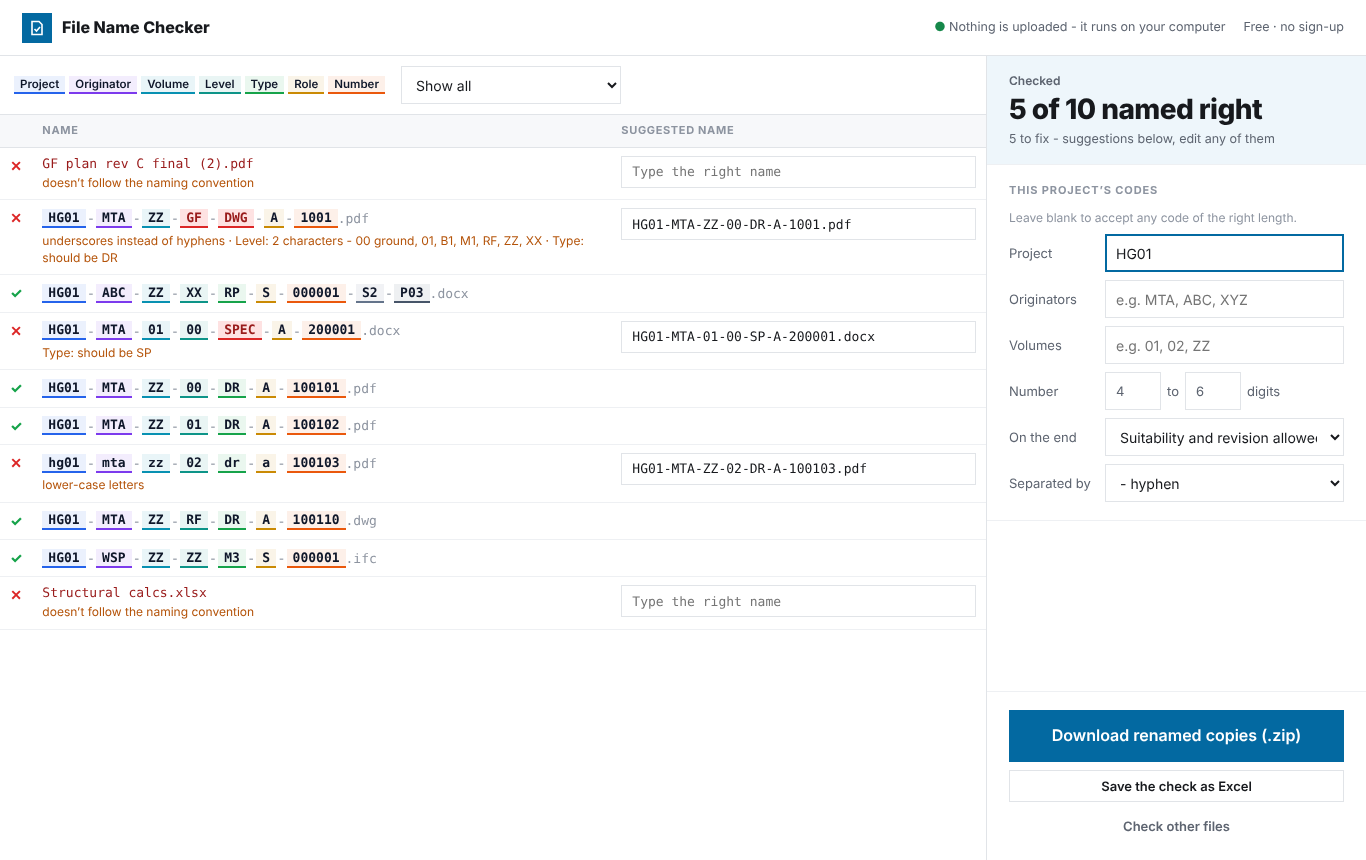
Project, originator, volume, level, type, role and number - and suitability and revision if you use them.
Type codes (DR, M3, SP, SH…) and role codes (A, C, S, W…) built in.
Add the project code, the originators and the volumes to check against.
Underscores, lower case, “DWG” for DR, “GF” for 00, short numbers - put right for you.
In Chrome and Edge, rename the files in the folder; elsewhere, download renamed copies.
Only the names are read, on your computer.
Free · In your browser · Nothing uploaded · Any file type
Only the wrong names, and the start screen.
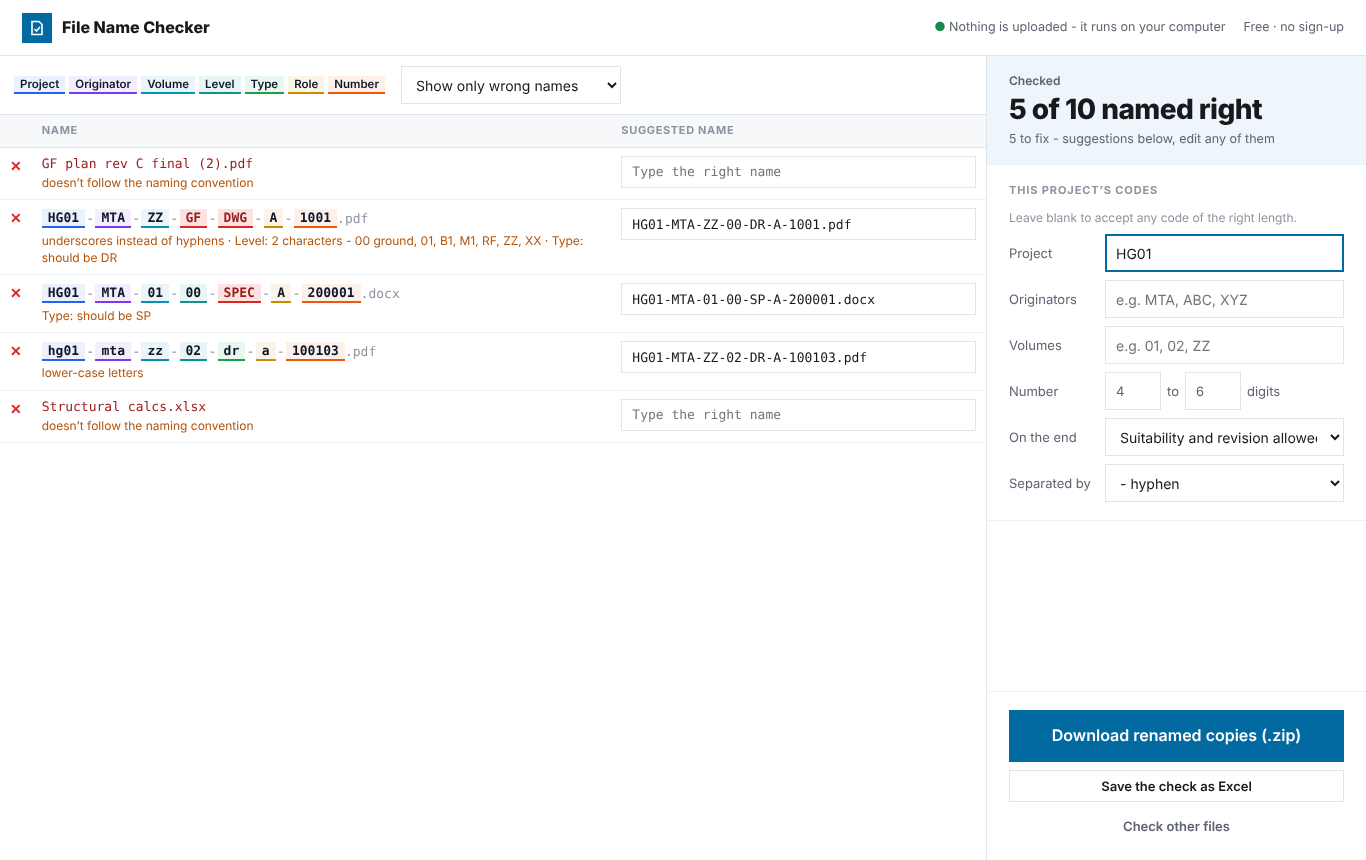
Show only the names that need fixing.
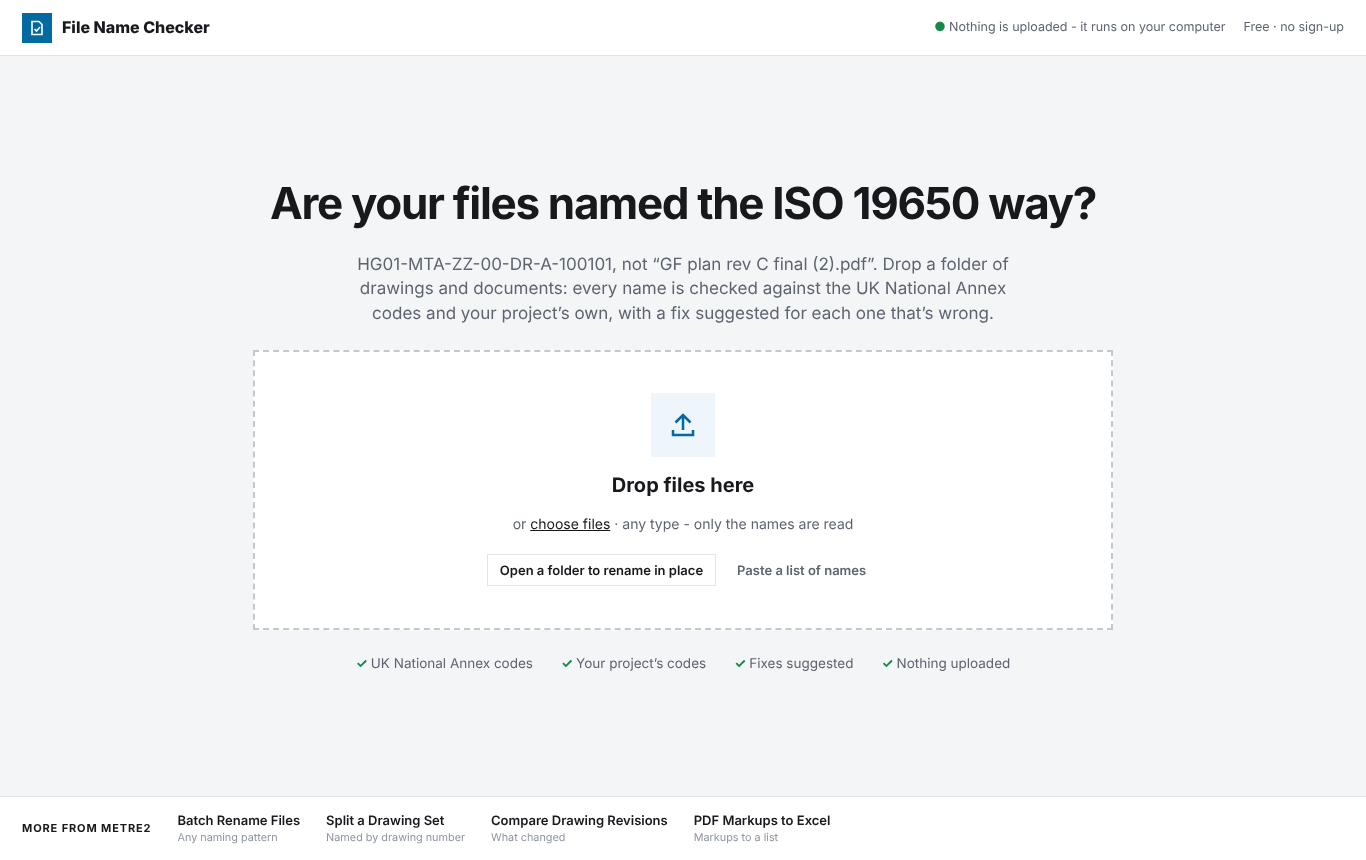
Drop files, open a folder or paste a list.
Yes - no sign-up, no limits.
BS EN ISO 19650-2 with the UK National Annex: Project-Originator-Volume-Level-Type-Role-Number, with suitability and revision allowed on the end.
Yes - type the project code, originator codes and volume codes, and the number of digits your project uses.
Only when you press Rename. In Chrome and Edge it renames them in the folder you chose; in other browsers you get renamed copies in a zip.
Yes - paste the file names, one per line, from the register or an email.
No - only their names are read, in your browser.
Free, in your browser, with nothing uploaded. Works best in Chrome or Microsoft Edge on a computer.
Microsoft and the Microsoft Store logo are trademarks of the Microsoft group of companies.
