“General updates” - but what?
Rev C03 has landed and the revision note says “general updates”. Drop in the old and the new issue: the two are lined up and laid on top of each other, what’s been taken out shows red, what’s new shows green, and every change is boxed, numbered and listed - with the words that changed, like a revision letter or a room name. Compare a single sheet or a whole set.
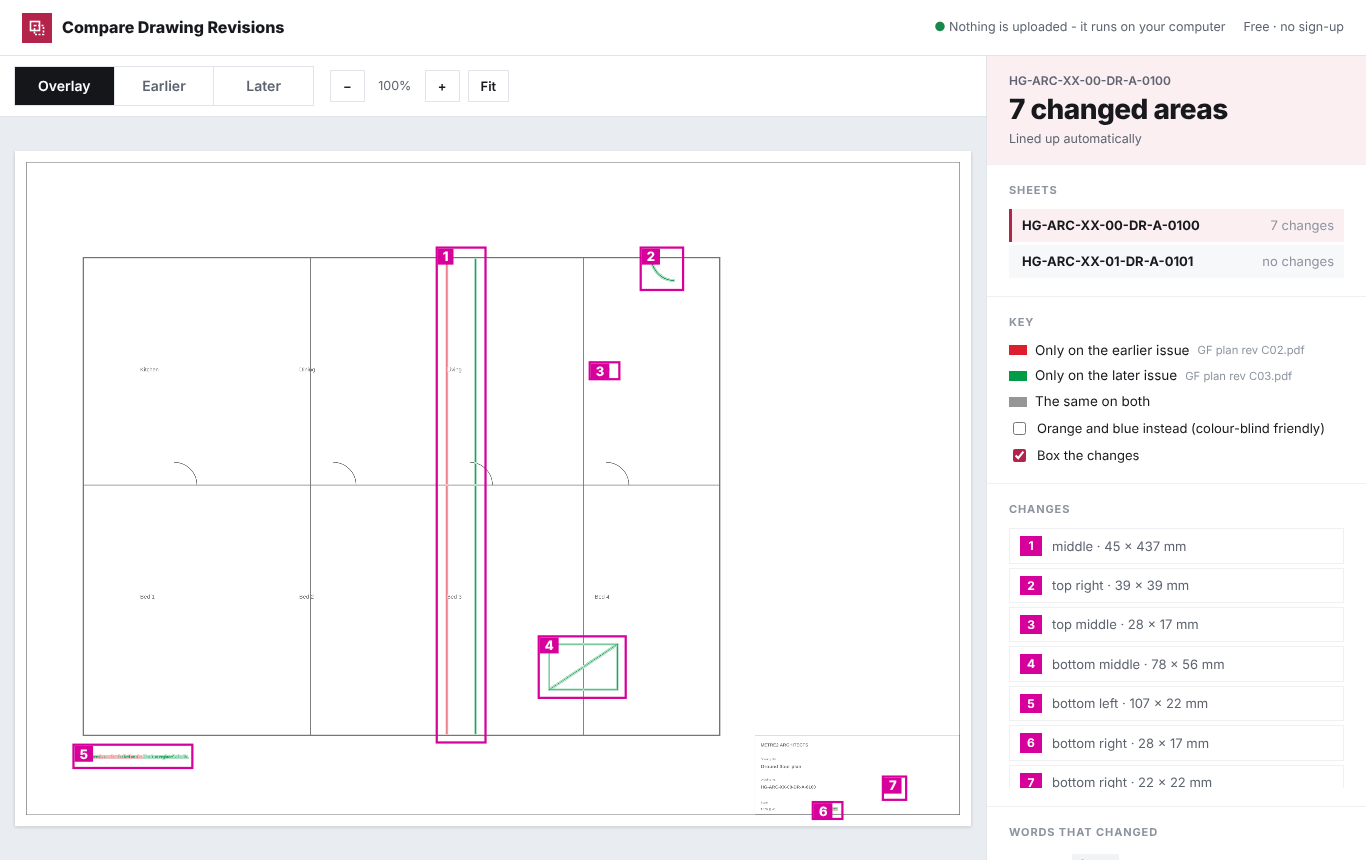
Earlier in red, later in green, unchanged in grey - or orange and blue for colour-blind eyes.
Changed areas are found, numbered and listed - click one to zoom in.
Revision letters, dates, room names and notes, taken out and put in.
Multi-sheet PDFs are paired up by drawing number, with which sheets changed.
Save every sheet’s overlay, with the changes boxed and a key, to send round.
Drawings stay on your computer.
Free · In your browser · Nothing uploaded · Any PDF drawings
Zoomed in on a change, and the start screen.
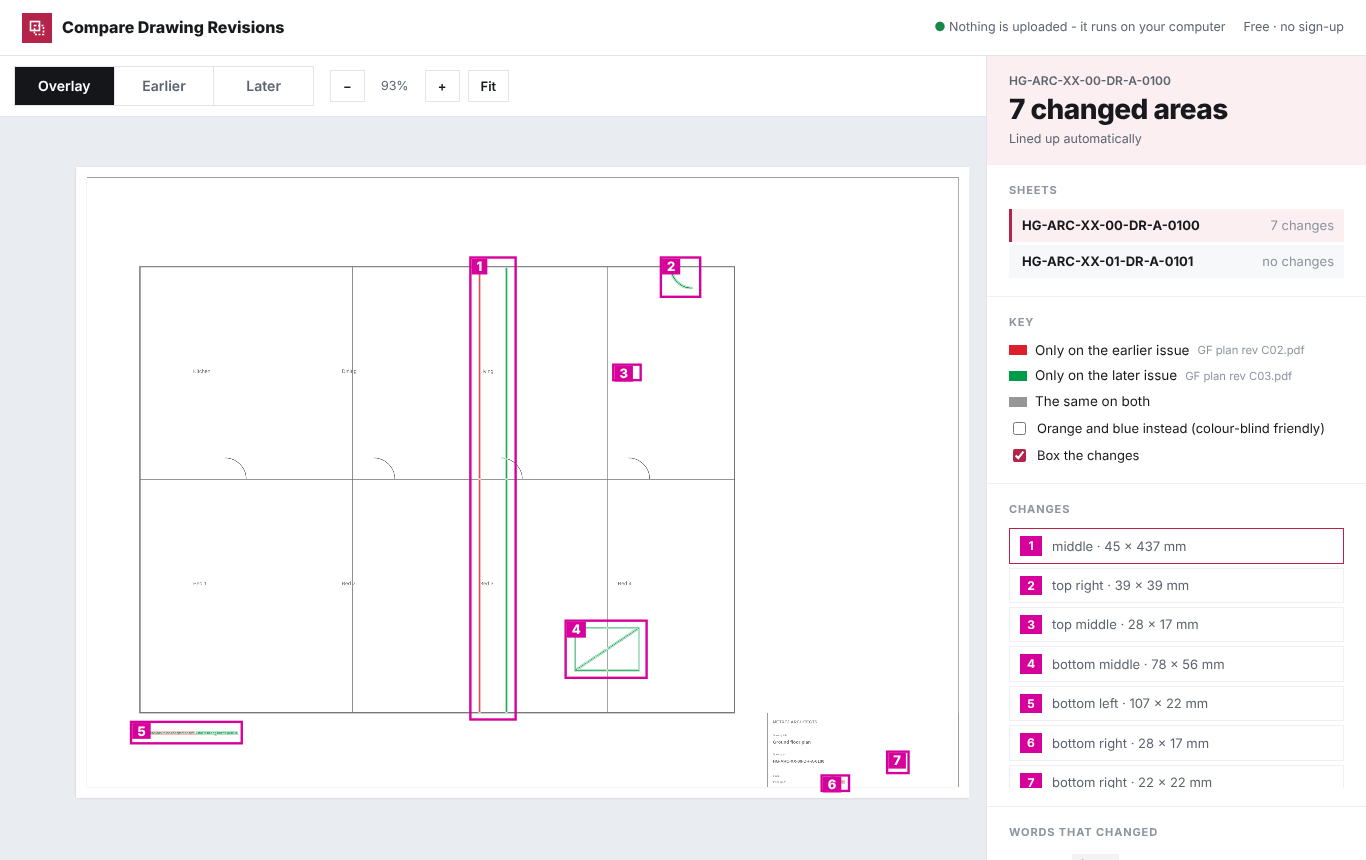
Click a change to zoom straight to it.
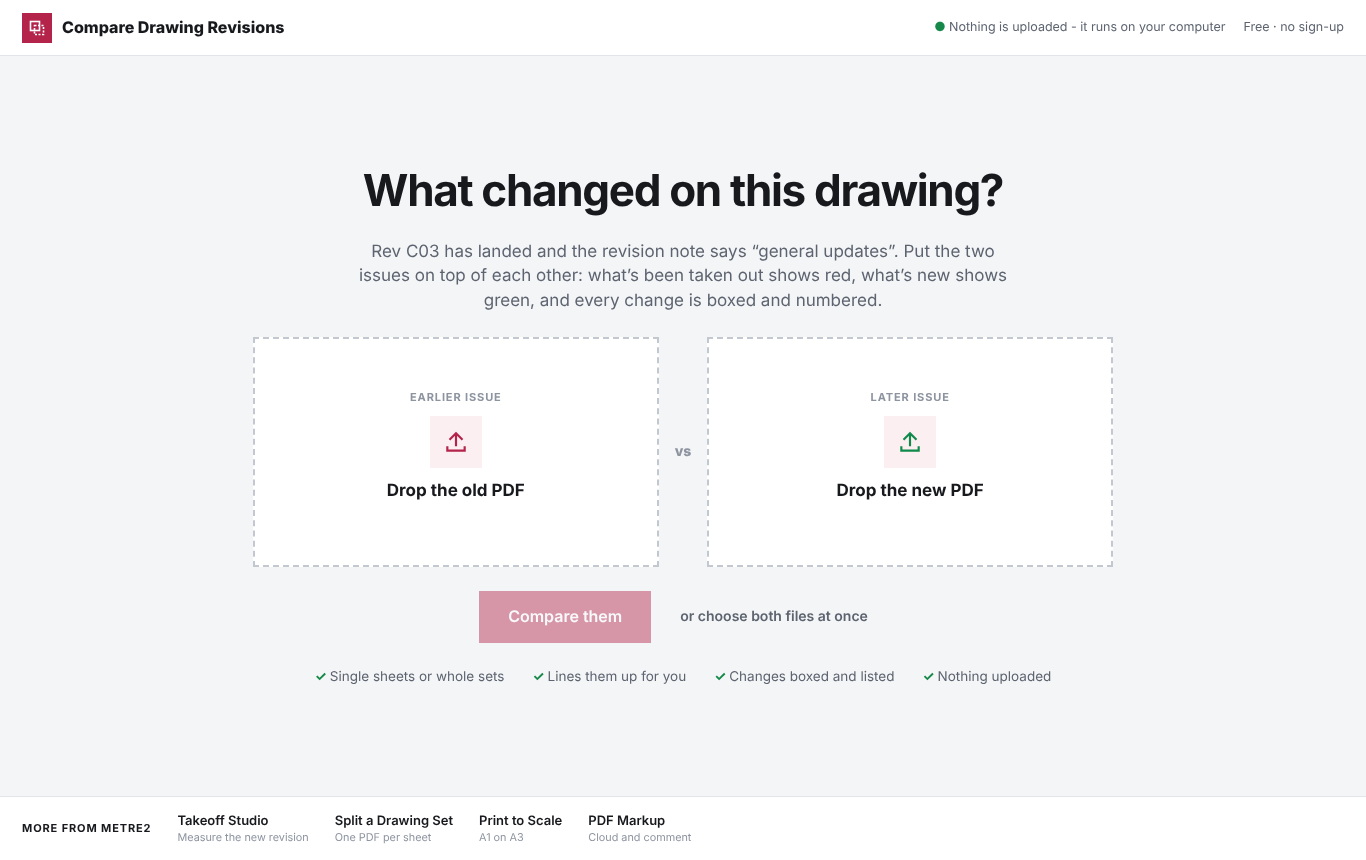
Drop the old and new PDF to start.
Yes - no sign-up, no limits.
PDFs - drawings exported from CAD or scanned. Both issues should be the same sheet size; small shifts are lined up automatically and you can nudge the rest.
Yes - drop two multi-page PDFs. Sheets are paired by drawing number, and the list shows which sheets changed.
If a sheet was re-exported, text can move a fraction. The changes are listed biggest first, so the real ones are at the top.
Save the comparison as a PDF - every sheet with its changes boxed and numbered, and a key.
No - everything happens in your browser.
Free, in your browser, with nothing uploaded. Works best in Chrome or Microsoft Edge on a computer.
Microsoft and the Microsoft Store logo are trademarks of the Microsoft group of companies.
