How-to guide
A new issue of a drawing lands and the revision note just says "general amendments". Takeoff Studio Pro's drawing overlay shows you what actually changed: the old issue in red, the new in green, every change boxed and listed, and a revision cloud round each one in a click. Pro has a free first month, and your drawings never leave your PC.
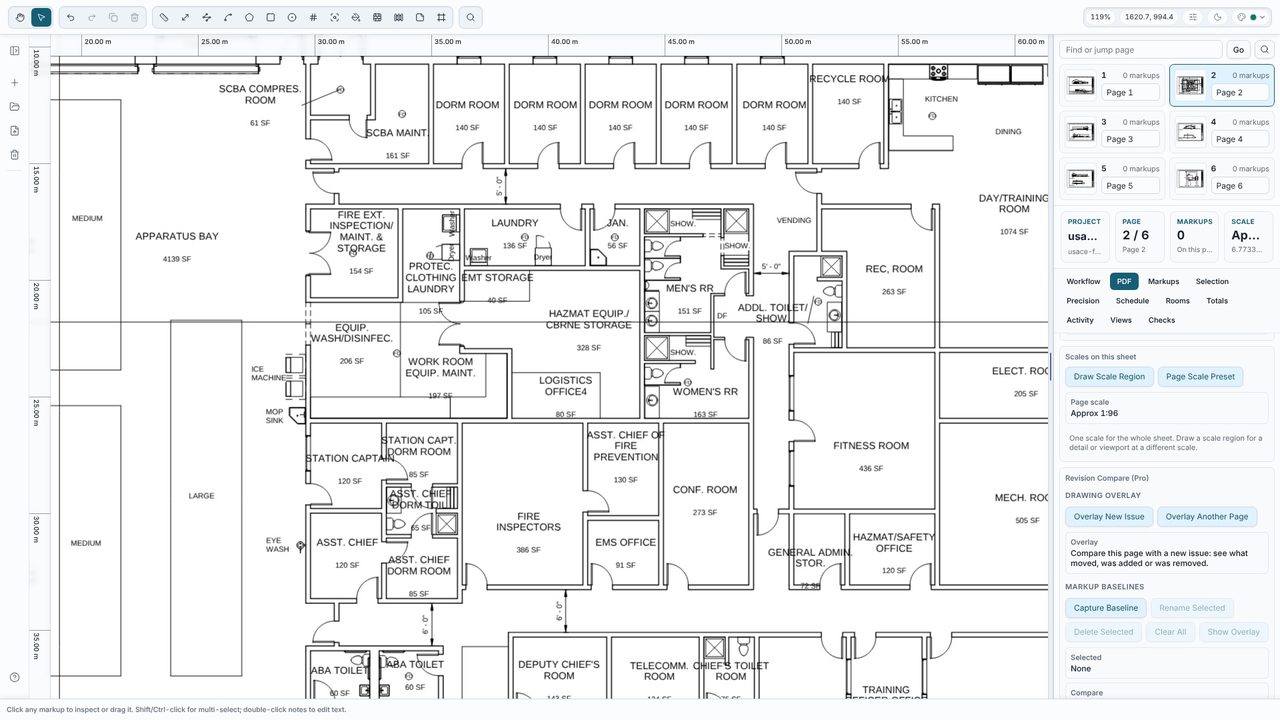
With the old drawing open in Takeoff Studio, go to the PDF tab and choose Overlay New Issue, then pick the new PDF (JPG and PNG work too). With a multi-page issue it compares the same page number - pick another page in the panel if the sheets are in a different order. Takeoff Studio lines the two up for you and says how much of the linework matches.
The old issue shows in red, the new in green, and linework on both in grey. Use Old only, New only or Both, and Overlay strength to fade back to the drawing. If the sheets don't line up, use Auto-align or Align by 2 points (3 points also corrects a stretched scan).
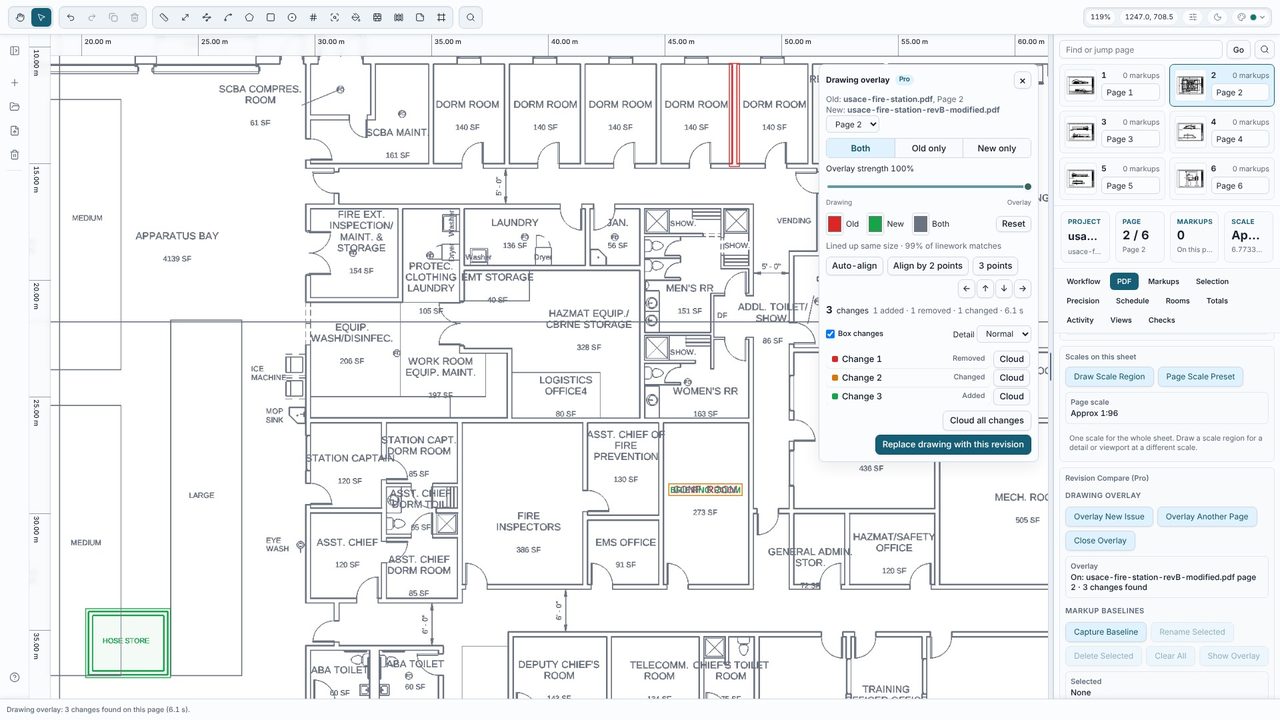
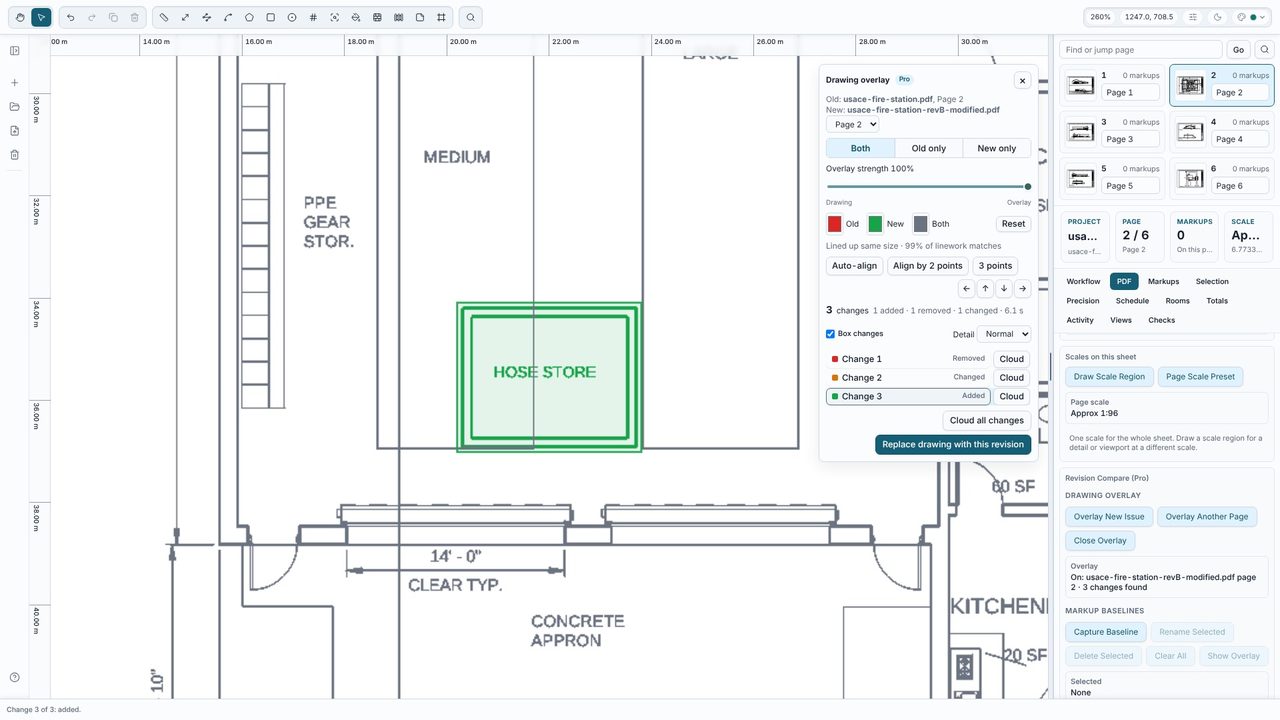
Every change is boxed on the drawing and listed in the panel as added, removed or changed - here 3 changes: a partition removed, a room renamed and a store added. Click one to zoom to it. Detail sets how small a difference counts: Fine finds small text changes, Coarse ignores them.
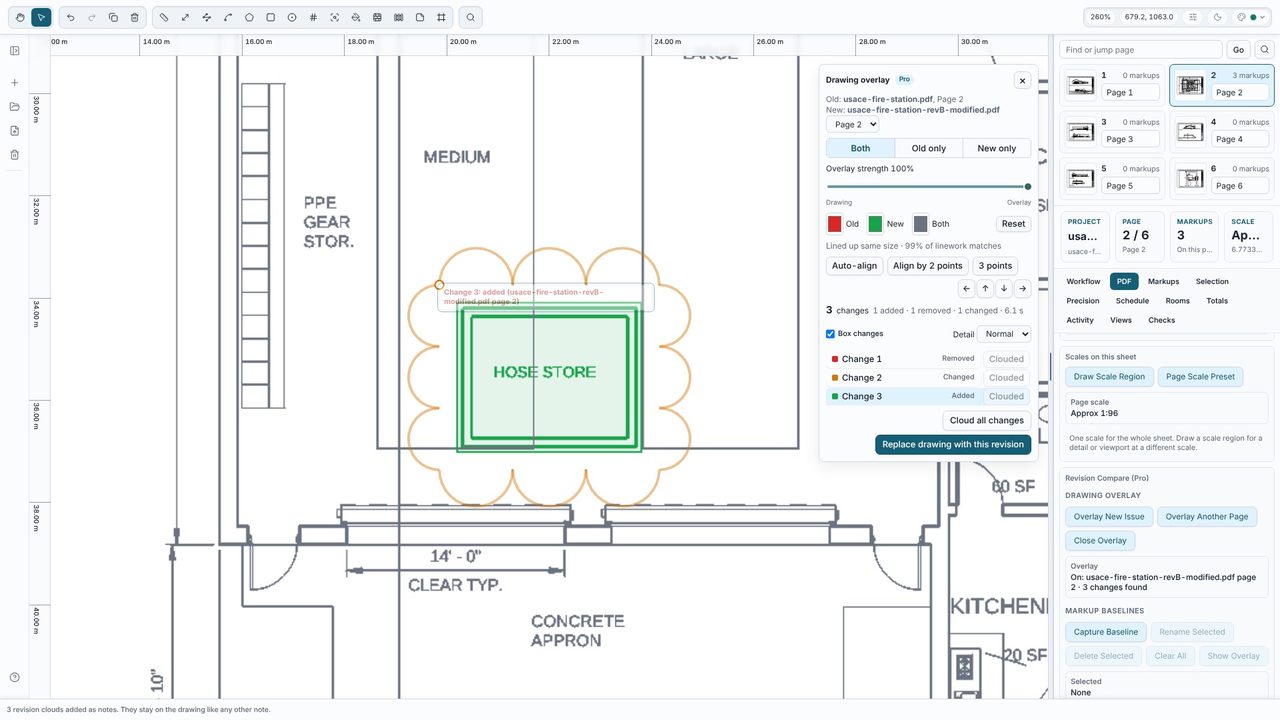
Click Cloud next to a change, or Cloud all changes, to put a revision cloud round each one - the clouds are notes and stay on the drawing. When you're ready to measure from the new issue, choose Replace drawing with this revision: your measurements are kept, and any on pages that have gone are parked rather than deleted.
No - the drawing overlay and revision compare are part of Takeoff Studio Pro (£24.99 a month or £199.99 a year, first month free). Replacing a drawing with a new issue, and measuring, are free.
No. The overlay only shows the two issues together. Your measurements change only if you replace the drawing, and even then they are kept on pages that still exist.
A PDF (or image) of the same drawing. Takeoff Studio lines the two up even if they were saved at a different size, and you can align them by hand if needed.
No. The comparison runs on your PC. Takeoff Studio is a Windows app and works offline.
