Everything you used Publisher for
A modern replacement for Microsoft Publisher. Lay out flyers, newsletters, posters, greeting cards, certificates and business cards on real pages, with text that flows from box to box, pictures you can crop and a master page for page numbers. Then print it or save it as a PDF.
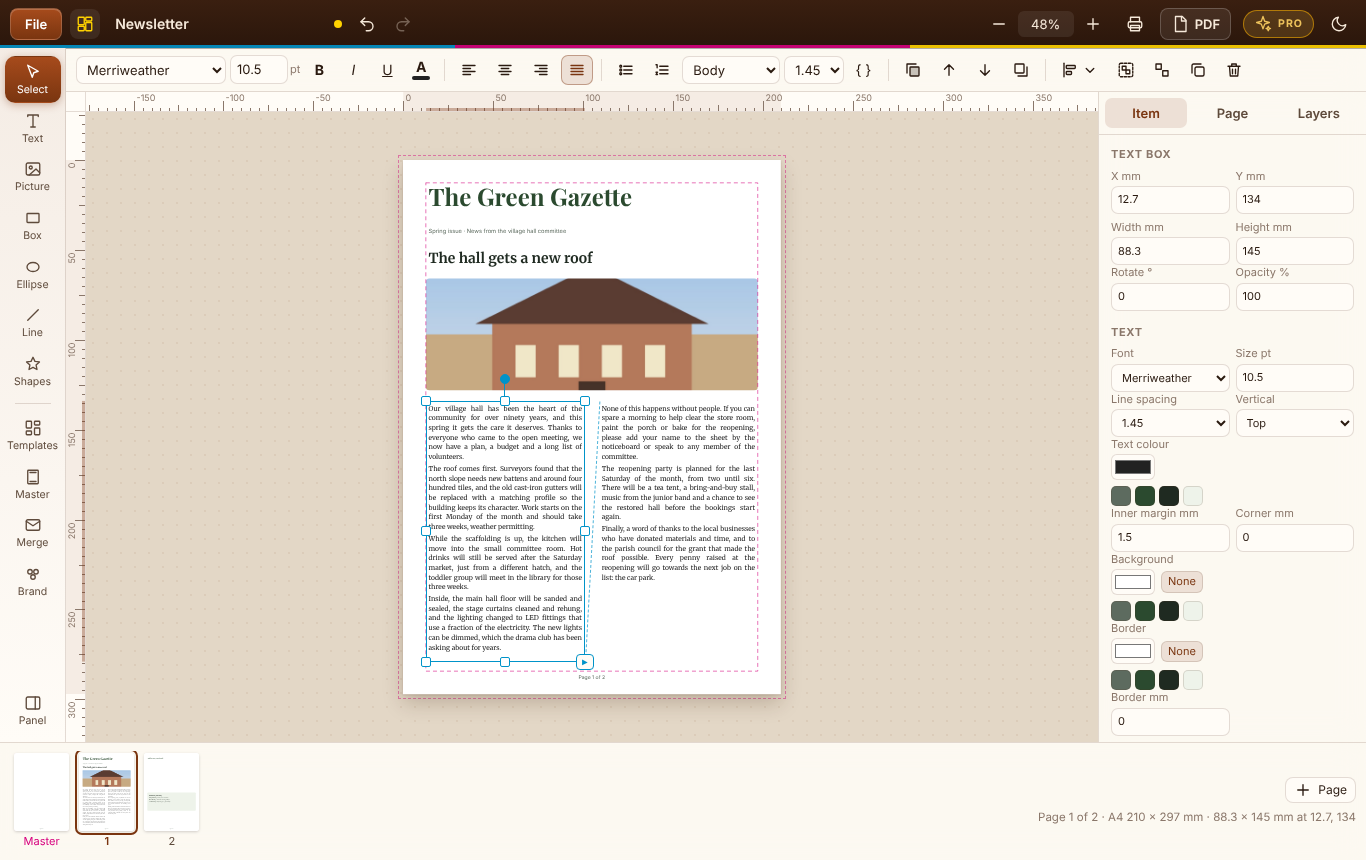
A4, A5, A3, US Letter or any size, portrait or landscape, with margins, bleed guides, rulers and guides you drag out.
Link text boxes and a story carries on from column to column and page to page - and "Add pages for the rest" makes room for it.
Drop in a photo or logo, then crop, zoom, fill or fit it. Boxes, ellipses, stars, arrows and lines, in front or behind.
Headers, footers and "Page 3 of 8" on every page, set once. Turn it off for a cover.
Flyer, newsletter, poster, greeting card, certificate and business card - everything in them can be changed.
A PDF at the exact page size with real text, PNG pictures for social media, or print. Your .m2dp file keeps the pictures inside it.
Windows 10/11 and your browser · Free · Nothing uploaded · No account
A summer fête flyer with a picture, and the templates and blank pages you can start from.
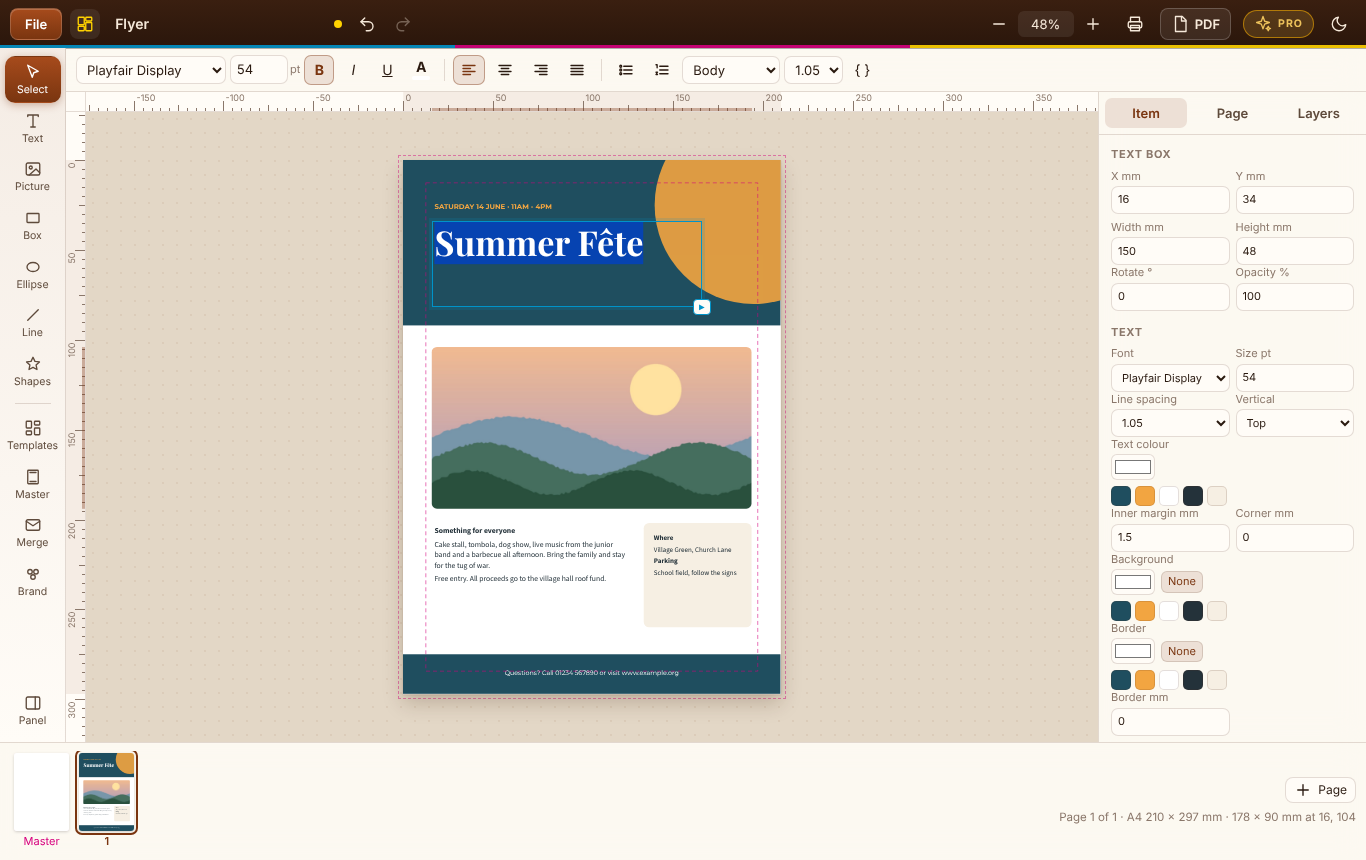
Fonts, pictures and colour
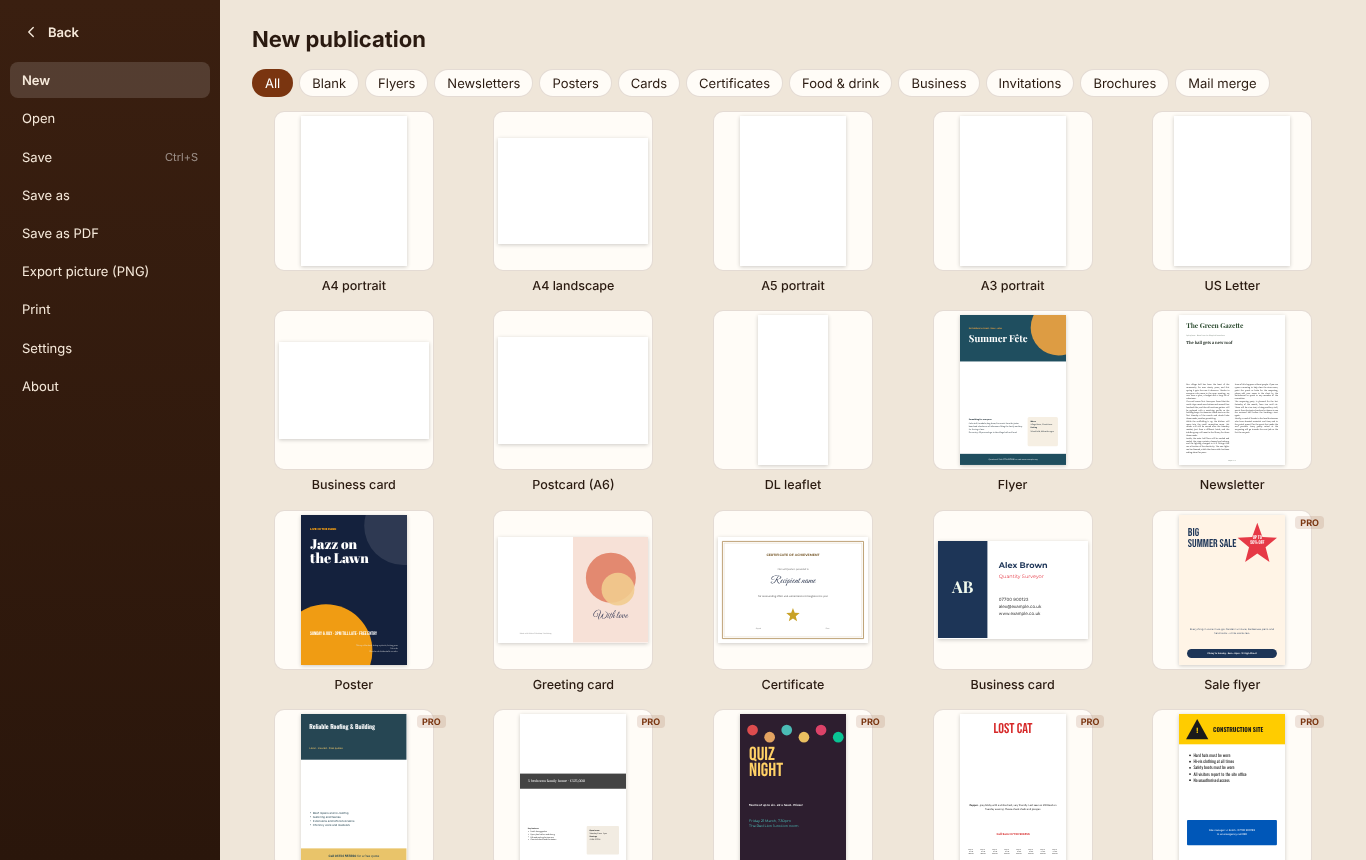
Templates and blank pages
Laying out, saving, printing and PDFs stay free. Desktop Publishing Pro is a one-off £9.99 upgrade inside the Windows app, bought through the Microsoft Store - no subscription, no account. Try it free for 7 days first.
25 more designs: menus, price lists, invitations, vouchers, a tri-fold brochure, a four-page newsletter, letterhead, bookmarks and more.
Certificates, name badges, place cards and address labels from a CSV or Excel list - one per page, or several to an A4 sheet with cut marks.
PDFs a print shop will take: bleed past the trim and crop marks on every page.
Save your colours and fonts once, see them in every colour picker, and apply them to a whole publication in one click.
| FEATURE | FREE | PRO £9.99 |
|---|---|---|
| Text boxes, linked text, pictures, shapes and lines | Yes | Yes |
| Master page with page numbers | Yes | Yes |
| Six starter templates and every page size | Yes | Yes |
| Save as PDF, PNG pictures and print | Yes | Yes |
| Use it in your browser | Yes | Windows app |
| The full library of 31 templates | No | Yes |
| Mail merge from CSV or Excel | No | Yes |
| Bleed and crop marks | No | Yes |
| Brand kit | No | Yes |
Yes. Page setup, text boxes with linked text, pictures, shapes and lines, the master page with page numbers, the six starter templates, saving and opening your publications, printing, Save as PDF and PNG pictures are all free, on Windows and in your browser. Desktop Publishing Pro is an optional one-off £9.99 upgrade in the Windows app for the full template library, mail merge, print marks and bleed, and the brand kit. You can try Pro free for 7 days.
Yes. Microsoft is retiring Publisher, and Desktop Publishing does the jobs most people used it for: flyers, newsletters, posters, cards, certificates and business cards, laid out on real pages with text boxes that flow from one to the next, pictures, shapes and a master page for headers, footers and page numbers.
Not yet. Opening .pub files is planned for a future update. For now, Publisher can save a publication as a PDF, and you can rebuild it from one of the templates.
Yes. Click the small arrow at the corner of a text box, then click an empty box or draw a new one: the story carries on there, on the same page or another. When there's more text than fits, "Add pages for the rest" adds pages until the whole story is placed.
Yes. Save as PDF makes a PDF at the exact page size with real, sharp text and your pictures. With Desktop Publishing Pro you can add bleed and crop marks, which most print shops ask for when colour runs to the edge of the page.
No. Everything happens on your computer, in the Windows app or inside your browser tab. There's no account to create.
