The WordPad you remember, made modern
A modern replacement for WordPad. Write letters, quotes and notes in a simple word processor that opens the files you already have: .rtf from WordPad, Word .docx, .odt and .txt. Fonts, bullets, pictures and tables, then print it or save it as a PDF.
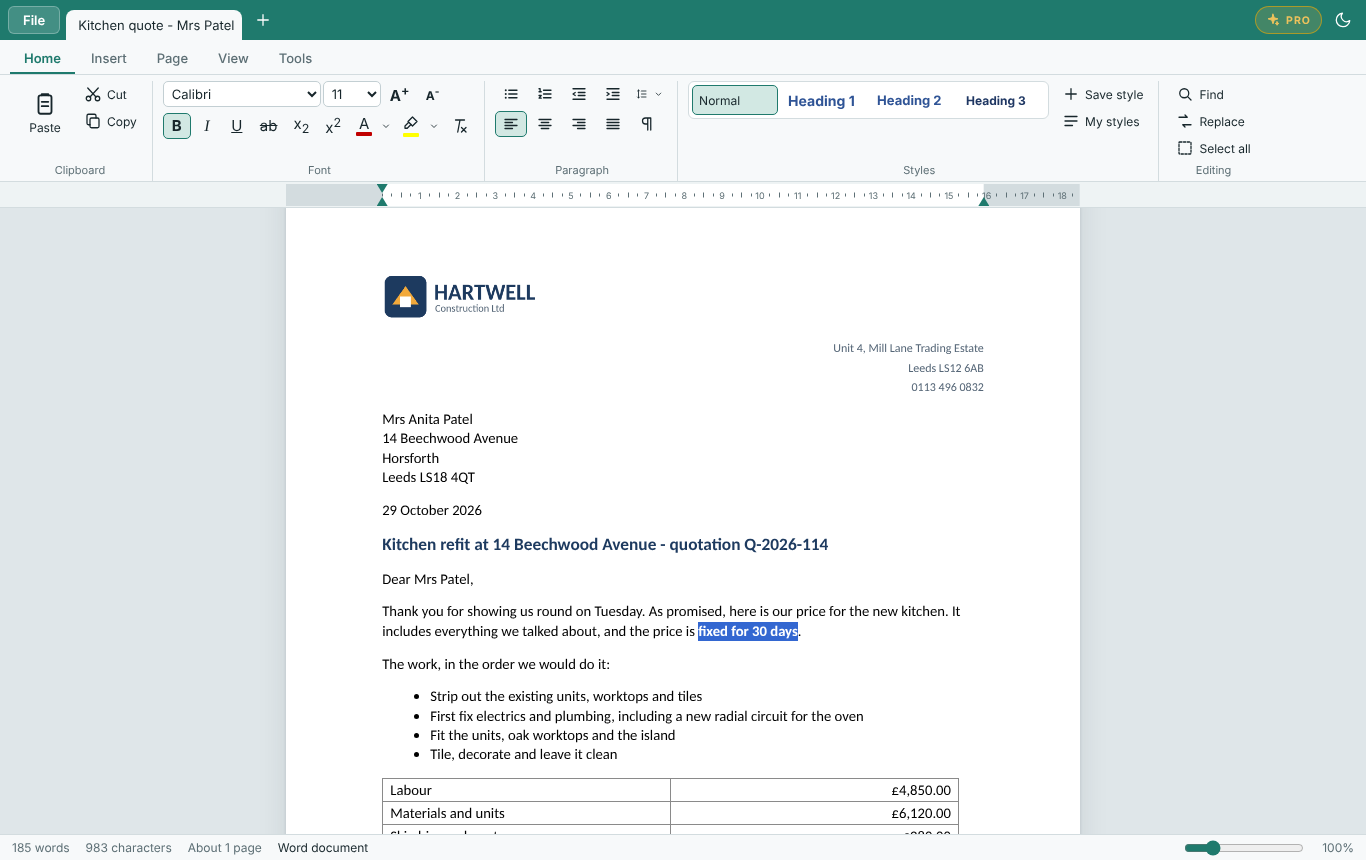
Fonts, sizes, bold, italic, underline, colours and highlight, bullets and numbering, alignment, indents, line spacing and a ruler.
Rich Text (.rtf) from WordPad, Word .docx, OpenDocument .odt and plain .txt - and saves back to any of them.
If a Word file has comments or tracked changes it can't keep, it says so, and it never saves over a file without asking.
Drop in a logo or a photo, add a table and grow it a row at a time. The date and time, symbols and links are one click each.
A4 or Letter pages with real margins. Print, or save a PDF that looks the same on every computer.
If the PC crashes or the power goes, your work is offered back next time. Dark mode and recent files too.
Windows 10/11 and your browser · Free · Nothing uploaded · No account
Site meeting minutes with an actions table, and the File page with templates and the documents you opened last.
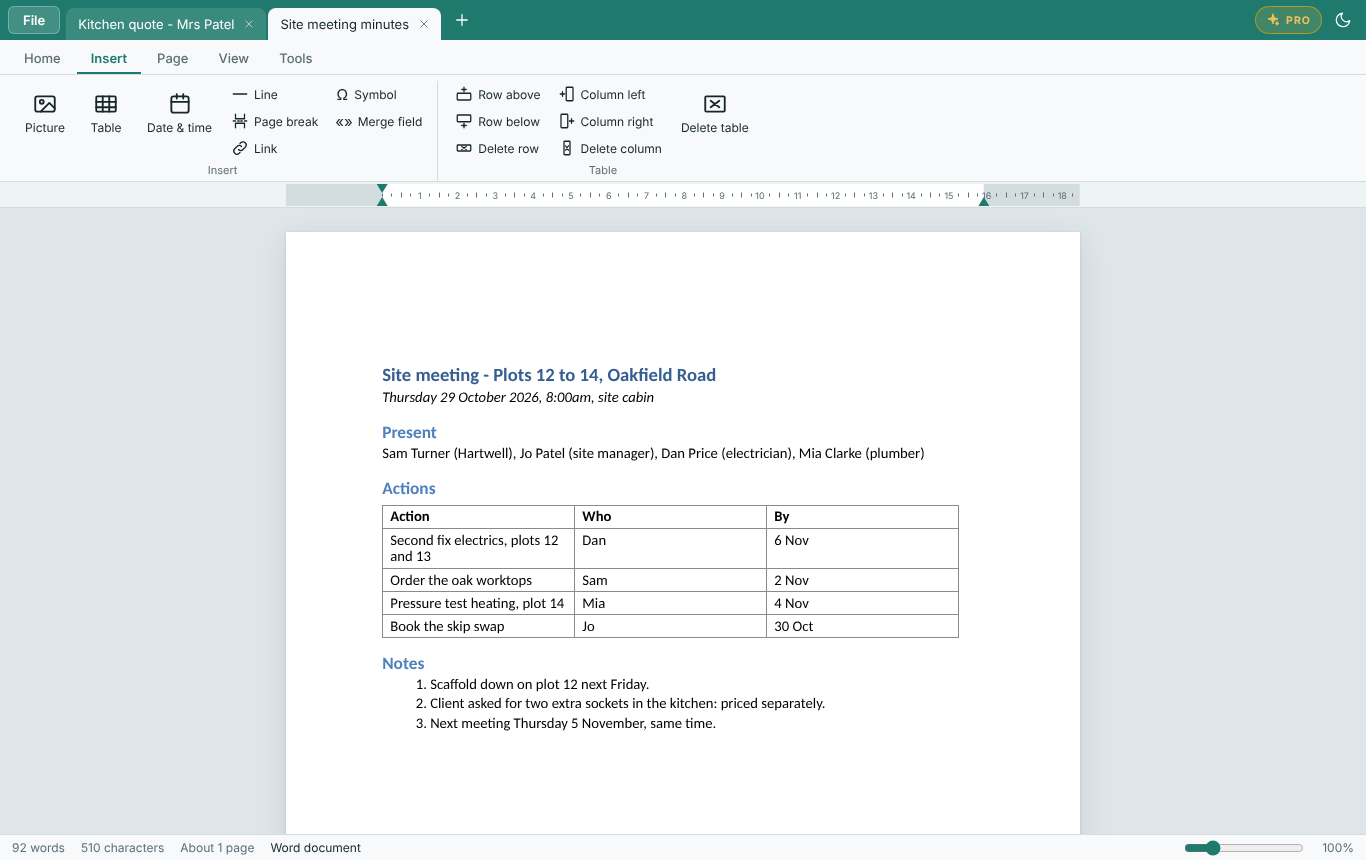
Headings, tables and numbered lists
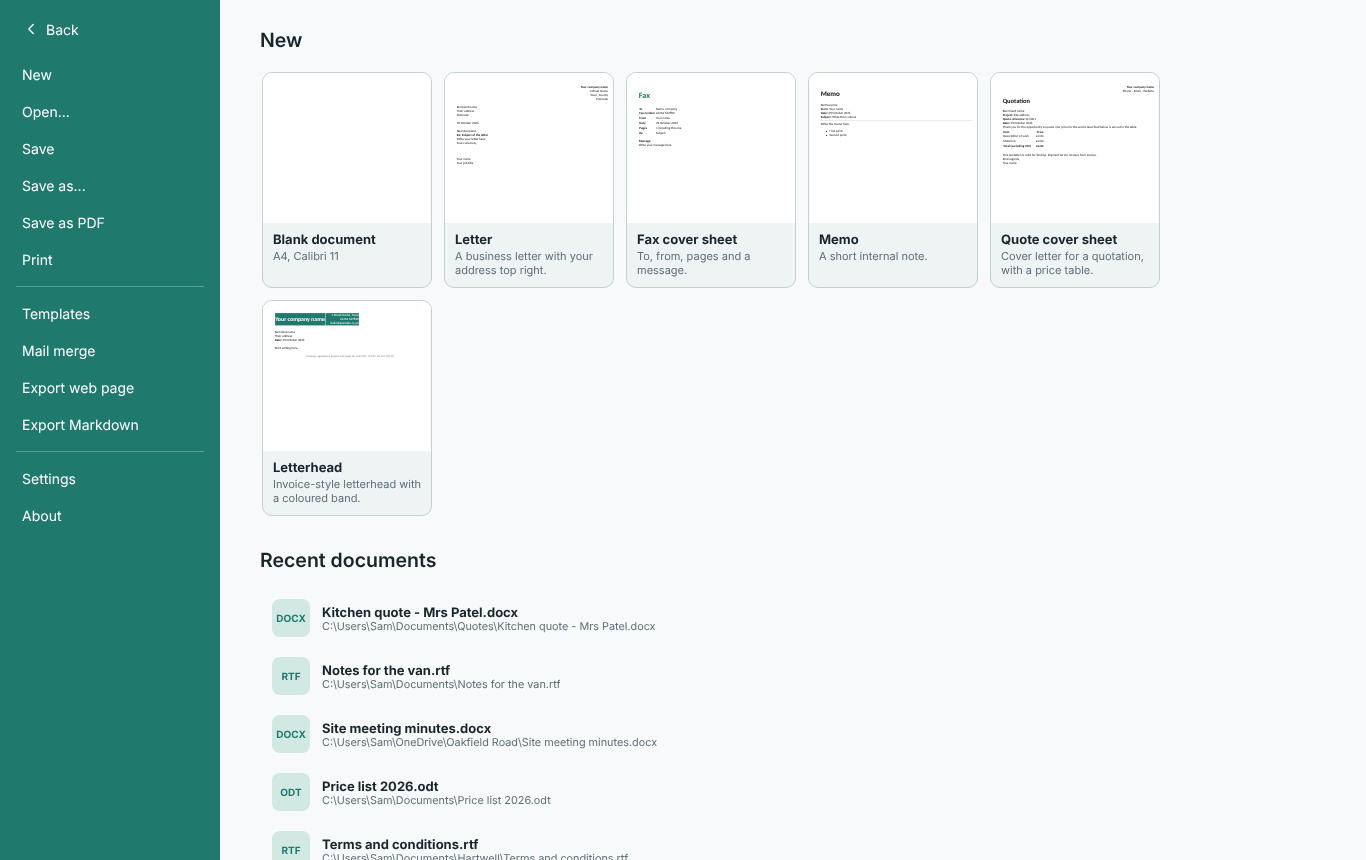
Open .rtf, .docx, .odt and .txt files
Writing, formatting, opening and saving stay free. Rich Text Editor Pro is a one-off £9.99 upgrade inside the Windows app for people who send a lot of letters, bought through the Microsoft Store - no subscription, no account.
A letter, fax cover sheet, memo, quote cover sheet and letterhead ready to fill in - and save your own documents as templates.
Names, addresses and amounts from a CSV or Excel list: a separate .docx, .rtf, .odt or PDF for each row, or one PDF with every letter.
"Page 3 of 7", your company name or the date on every page - printed, in the PDF and saved in the file.
Several documents open at once, and your own styles to put the same look on every heading or note.
Red underlines as you type, in UK English or another language, using the dictionaries Windows already has.
Save a document as a web page with its pictures inside, or as Markdown for a wiki or a notes app.
| FEATURE | FREE | PRO £9.99 |
|---|---|---|
| Fonts, colours, bullets, pictures and tables | Yes | Yes |
| Open and save .rtf, .docx, .odt and .txt | Yes | Yes |
| Find and replace, print and Save as PDF | Yes | Yes |
| Recovery copy and dark mode | Yes | Yes |
| Use it in your browser | Yes | Windows app |
| Documents open at once | One | Tabs |
| Templates | No | Yes |
| Mail merge from CSV or Excel | No | Yes |
| Headers, footers and page numbers | No | Yes |
| Saved styles and spell check | No | Yes |
| Export to HTML and Markdown | No | Yes |
Yes. Writing and formatting, pictures, tables, find and replace, opening and saving .rtf, .docx, .odt and .txt files, printing and saving as PDF are all free, on Windows and in your browser. Rich Text Editor Pro is an optional one-off £9.99 upgrade in the Windows app for templates, mail merge, headers, footers and page numbers, tabs, saved styles, spell check and export to HTML or Markdown.
Yes. Microsoft has removed WordPad from Windows 11, and Rich Text Editor does everything it did, on a ribbon that will feel familiar: fonts, colours, bullets, alignment, pictures, the date and time, and printing. Your old WordPad .rtf files open exactly as you left them.
Yes. It opens and saves Word .docx files, so you can use it as a simple docx editor. Text, headings, bold and colours, lists, tables, pictures, headers and footers come through. If a document has things it can't keep, such as comments, tracked changes or text boxes, it tells you when you open it and asks before saving over the original.
Yes. In the Windows app, right-click a .rtf, .docx, .odt or .txt file, choose Open with, then Metre2 Rich Text Editor and tick Always use this app.
It keeps a recovery copy while you type, every 15 seconds. If Rich Text Editor closes before you save, it offers your work back the next time you open it. You can also turn on saving automatically every minute in Settings.
No. Everything happens on your computer, in the Windows app or inside your browser tab. There's no account to create.
Not yet. Old Word 97-2003 .doc files need opening in Word or LibreOffice and saving as .docx first. Everything newer opens directly.
Microsoft and the Microsoft Store logo are trademarks of the Microsoft group of companies.