A ready-to-use colour palette, straight from any photo
Drop in a photo and pull a genuinely useful colour palette in seconds - hex and RGB swatches shown as a big, chunky mosaic, sortable by prominence, hue or lightness, and ready to export as CSS, SCSS or JSON. Everything happens on your device; the image is never uploaded anywhere.
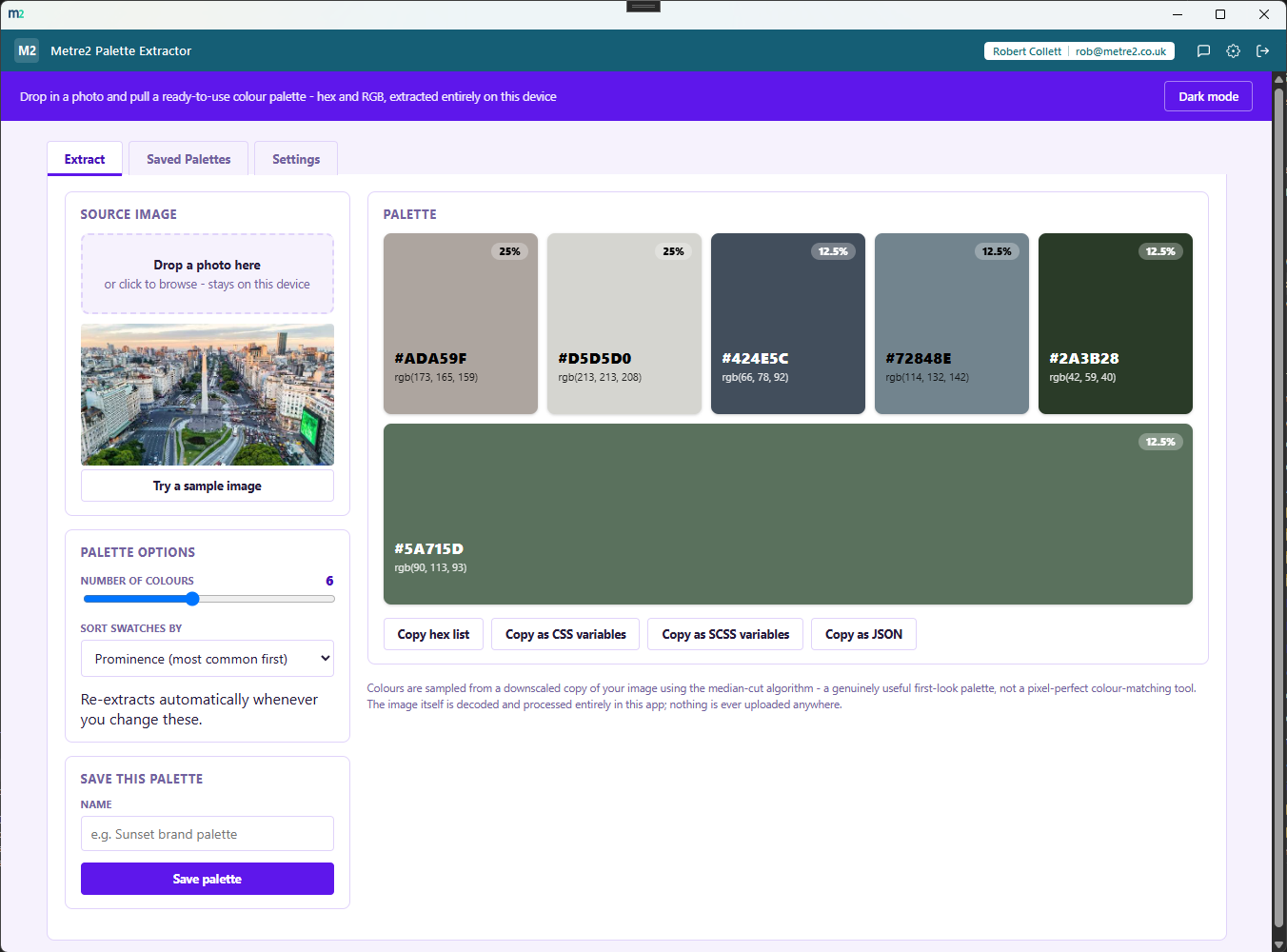
Every extracted colour gets a large tile showing its hex code, RGB value and share of the image - click any tile to copy its hex code instantly.
Colours are quantised with the median-cut algorithm rather than a randomised method like k-means, so the same photo always produces the same palette - genuinely reproducible results.
Copy a plain hex list, ready-to-paste CSS custom properties, SCSS variables, or a JSON payload with hex, RGB and percentage-of-image for every swatch.
Three original, procedurally generated patterns - a sunset gradient, an ocean gradient, a pop-art tile grid - let you try extraction immediately with nothing to upload.
Reorder the mosaic to see the most common colour first, walk the colour wheel, or run from darkest to lightest - the extraction re-runs automatically as you change options.
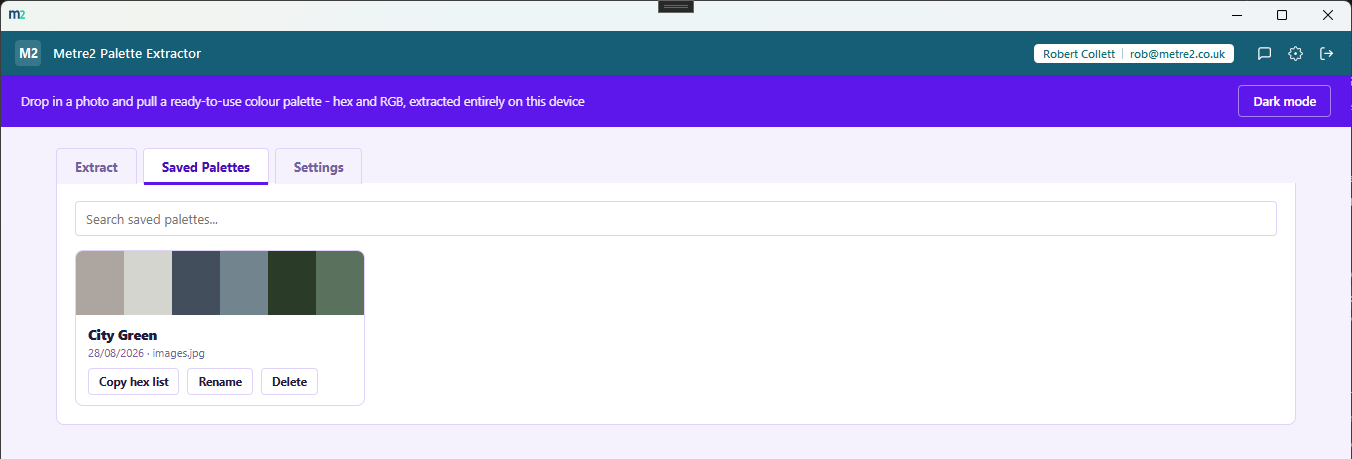
Name a palette and keep it in a dedicated Saved Palettes tab - search by name, rename, delete, or copy the hex list from any saved palette at any time.
Extraction, storage and export all happen locally inside the app. No image, or any pixel data from it, is ever uploaded anywhere.
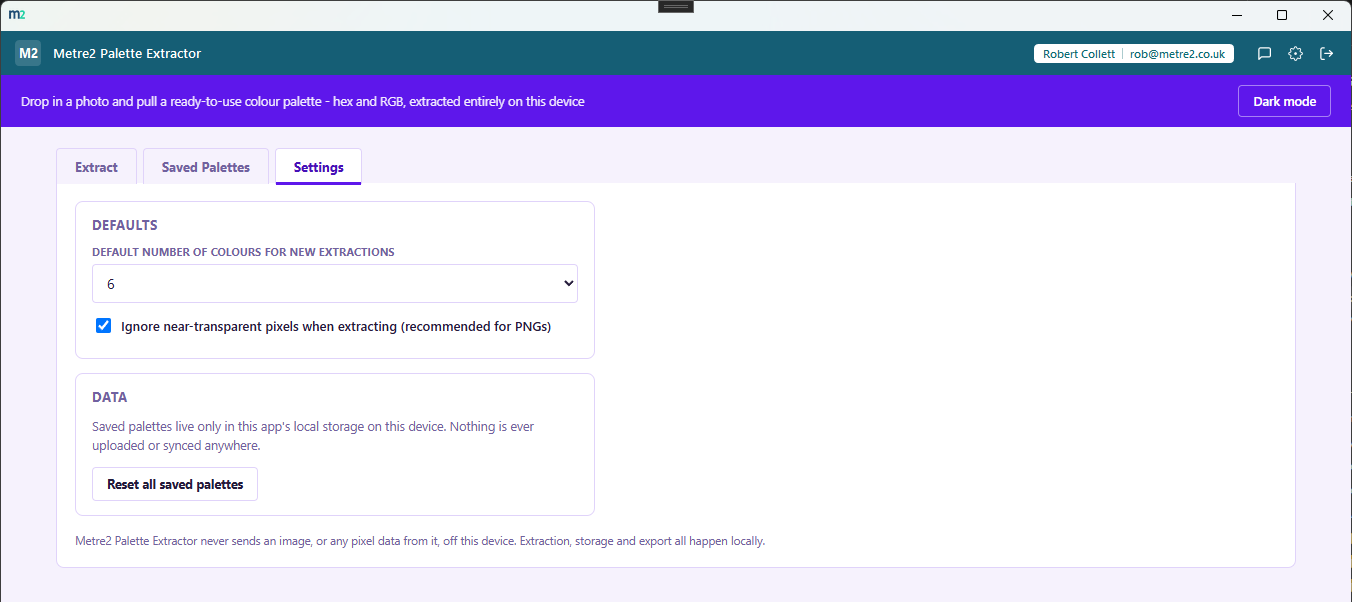
Pick anywhere from 3 to 10 swatches per extraction, set a default for new photos, and switch between a light or dark theme that remembers your choice.
Most people either install a browser extension of unknown provenance, upload a photo to a random website, or dig through a design tool's colour picker one pixel at a time. Here's how a dedicated palette extractor compares.
| Feature | Palette Extractor | A random web tool | A design tool's colour picker |
|---|---|---|---|
| Pricing model | Free | Usually free, ad-supported | Bundled with a paid subscription |
| Photo ever leaves your device | ✓ Never | ✕ Uploaded to a server | ✓ (if working locally) |
| Deterministic, reproducible palette | ✓ | ✕ Varies by tool/service | ✕ One pixel at a time, manually |
| CSS/SCSS/JSON export built in | ✓ | ✕ Usually hex only | ✕ Not built for this |
| Save and search a palette library | ✓ | ✕ | ✕ |
General comparison as of August 2026. Not affiliated with any browser extension or design tool vendor.
No - use it straight from your browser, on a phone, tablet or PC, with no sign-up. It works offline once it has loaded, and you can add it to your home screen or desktop like an app. There is also a Windows desktop version in the Microsoft Store if you prefer an installed app.
No. The browser edition needs no account at all. Neither does the Windows app - install it free from the Microsoft Store and start, no sign-in.
No. The image is decoded straight into an offscreen canvas inside the app and processed entirely on your device - it never leaves the app, and there is no server involved at any point.
It uses the median-cut algorithm, a deterministic colour-quantization technique (no randomness, unlike k-means) - the same photo always produces the same palette. Pixels are sampled from a downscaled copy of the image purely for speed; the full-resolution image is still what you see on screen.
Click "Try a sample image" to generate one of three original procedural patterns - a sunset gradient, an ocean gradient, or a pop-art tile grid - so you can try extraction immediately with nothing to upload.
A plain comma-separated hex list, CSS custom properties, SCSS variables, or a JSON payload with hex, RGB and percentage-of-image for every swatch - or just click any swatch to copy its hex code.
Yes. Name a palette and save it to the Saved Palettes tab, which lives in local storage on your device - search, rename, delete or copy the hex list from any saved palette at any time.
No - Palette Extractor is a free app with no trial period or in-app purchases.
