Free construction file viewer and converter
Open 40 construction file formats on your PC - bills of quantities, IFC models, P6 programmes, COBie handovers and more. Check them, convert a bill to another BOQ format and export to CSV - free. Excel export is a one-off Pro upgrade.
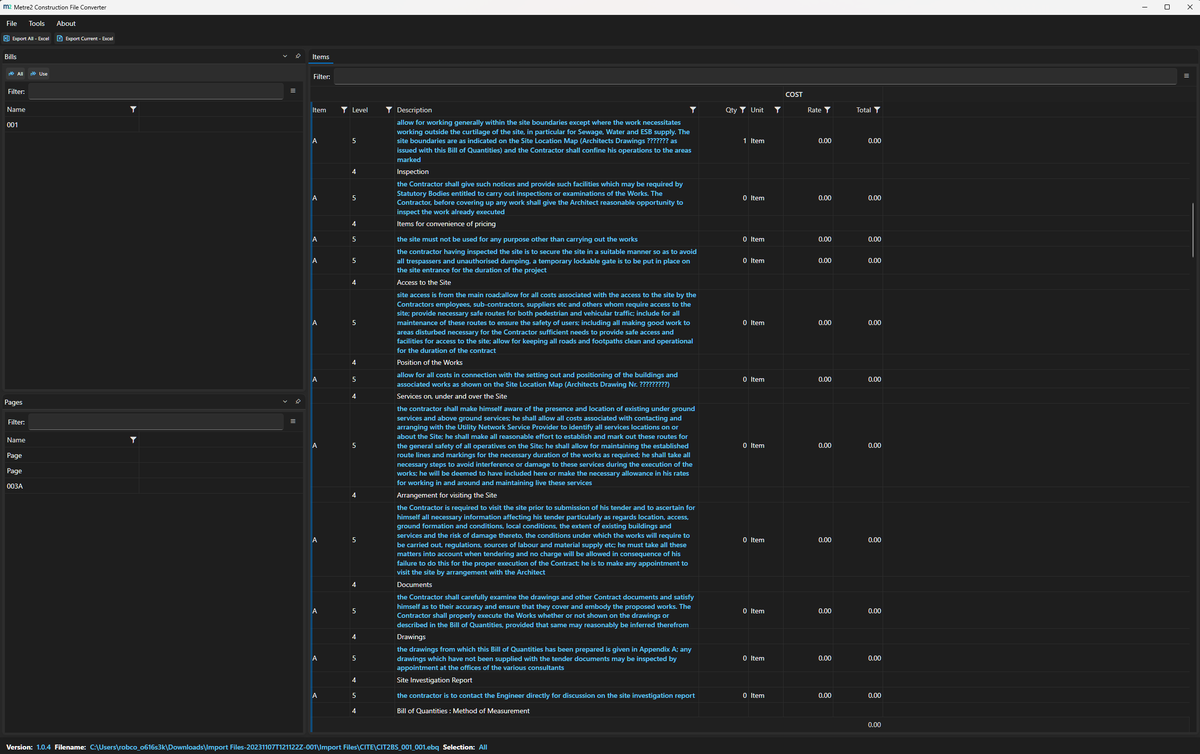
CITE EBQ and NRM2 bills, CostX, WinQS, Candy, CATO, Masterbill and other BOQ formats, IFC, COBie, BCF, P6 XER, Asta and GanttProject programmes, LandXML, KML and GeoJSON.
Save a loaded bill as CITE EBQ, NRM2 CSV, WinQS, Candy, Masterbill, SMEASURE, CATO or QS Pro - or as a structured BOQ CSV with the same columns whatever it came from.
QA flags missing rates, zero quantities, duplicate references and unpriced items. Rate check, compare and an NRM1 elemental view for NRM2 bills.
Bills by section and page, IFC entities by type and storey, programmes as a Gantt chart and S-curve, a P6 health check, COBie sheets and area schedules.
Export any file to CSV, or a printable HTML report. Edit cells in a bill and save it back in its own format.
Files are read and converted on your PC and never uploaded. No account and no sign-in.
Drop a file on the window, or try one of the samples - there's one for every format.
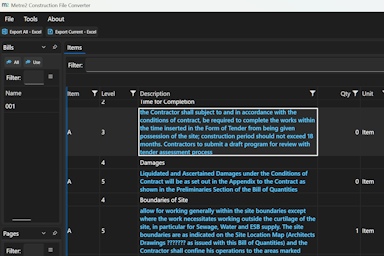
Drop a file anywhere, or pick a format
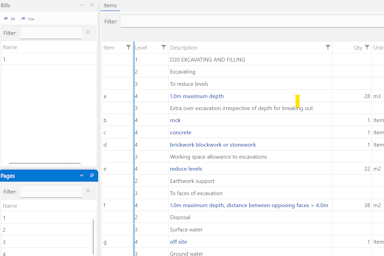
Export, or convert a bill to another BOQ format
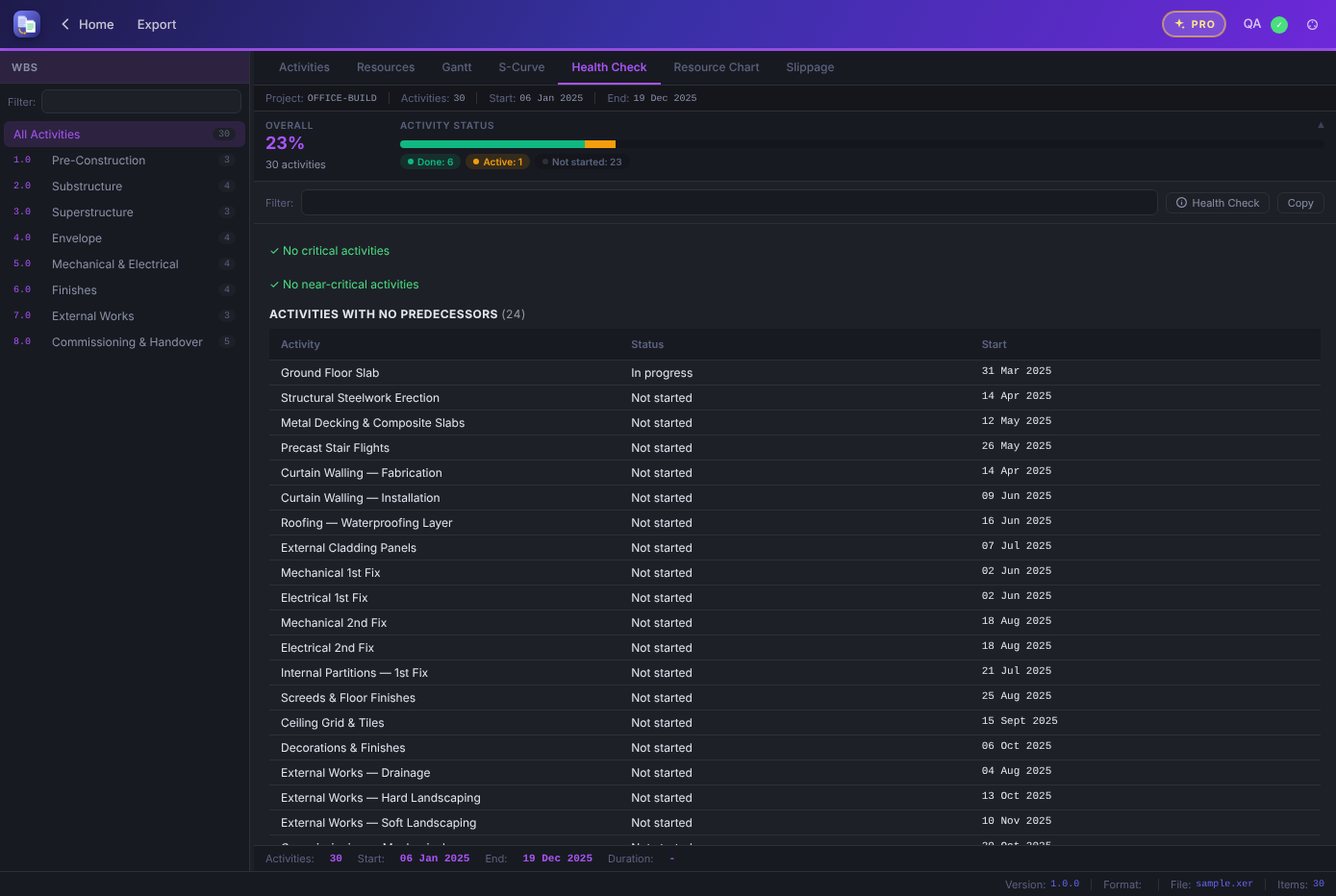
A P6 programme health check, in dark mode
File Converter reads electronic bills of quantities and other construction files on your PC, and turns them into files you can check, price and send on.
In: 40 formats - bills of quantities, estimates, cost reports, IFC and COBie, programmes, survey and GIS files, CSV and Excel. Out (free): CSV, a printable HTML report, a structured BOQ CSV, or the bill saved as CITE EBQ, NRM2 CSV, WinQS, Candy, Masterbill, SMEASURE, CATO or QS Pro. With Pro: a formatted Excel workbook.
Opening, checking, converting and CSV export stay free. File Converter Pro is a one-off £9.99 upgrade inside the app for straight-to-Excel export, bought through the Microsoft Store - no subscription and no account. Try it free for 7 days first.
Bills of quantities, cost plans, area schedules, programmes, COBie and IFC quantities straight into an Excel workbook.
Coloured headers, proper number formats for quantities, rates and totals, and a subtotal for each bill - nothing to tidy up afterwards.
BOQs come with a summary sheet, COBie keeps a sheet per table and IFC gets a type summary. Excel files you open and edit save back as .xlsx.
| FEATURE | FREE | PRO £9.99 |
|---|---|---|
| Open and check 40 construction formats | Yes | Yes |
| QA, rate check, compare and elemental view | Yes | Yes |
| CSV, structured BOQ CSV and HTML report export | Yes | Yes |
| Convert a bill to another BOQ format | Yes | Yes |
| Formatted Excel (.xlsx) export | No | Yes |
| Save edited Excel files back as .xlsx | No | Yes |
Yes. Opening and checking every format, CSV and HTML export, converting a bill to another BOQ format, QA, rate check and compare are free. Excel (.xlsx) export is part of File Converter Pro, a one-off £9.99 upgrade inside the app. If you used File Converter before it went free, Pro is already included.
No. There's no account and no sign-in - install it from the Microsoft Store and start. You can register your copy for update notices, but it's optional.
Quantity surveyors, estimators and project teams who are sent files from other systems - a CITE or NRM2 bill, a P6 programme, an IFC model or a COBie handover - and need to open, check and pass them on without the software that made them.
Yes, with File Converter Pro: Export, then Excel (.xlsx), gives a formatted workbook with a subtotal for each bill and a summary sheet. Without Pro you can export the same bill to CSV, which Excel opens, or to a structured BOQ CSV with Bill, Page, Item, Description, Unit, Qty, Rate and Total columns.
40 formats: CITE EBQ, NRM2, CostX, WinQS, Candy, Causeway, Cubit, RIB iTWO, Masterbill, SMEASURE, CATO, Scout, Buildsoft, Esti-mate, QS Pro and other BOQ and estimating files; IFC, COBie, BCF, BCXML, gbXML and CityGML; P6 XER, Asta Powerproject, GanttProject and CSV programmes; Procore, Aconex, Jobpac, Sage 300 and CostOS cost exports; LandXML, KML, GeoJSON and OSM; and CSV and Excel files. The Open button's file picker lists every extension.
No. Files are read and converted on your own PC and never leave it, so your bills and rates stay on your machine.
