Speech to text, on your computer
Turn a video, voice note or meeting recording into text: a transcript you can edit and search, SRT or VTT subtitles for YouTube and Teams, a Word document, or a copy of the video with the captions burned in. The speech is turned into text in your browser, so the recording never leaves your computer - and there are no minute limits.
OpenAI's Whisper speech model runs in your browser. It downloads once and is kept for next time; your recordings never go to a server.
Free, with no sign-up and no cap on how long the recording is. Long meetings simply take longer.
Every line is timed. Press a time to hear that part, correct any word by typing, and search the whole transcript.
Download SRT or VTT subtitles for YouTube, Teams, LinkedIn and web players, or save the video with the captions burned in.
Choose from around 40 spoken languages, including Welsh, Polish, Romanian and Punjabi, or have it translated into English as it goes.
Download a Word document or plain text in tidy paragraphs, with or without the times, or copy it straight into an email.
Free · In your browser · Nothing uploaded · MP4, MOV, MKV, WebM, MP3, M4A and WAV
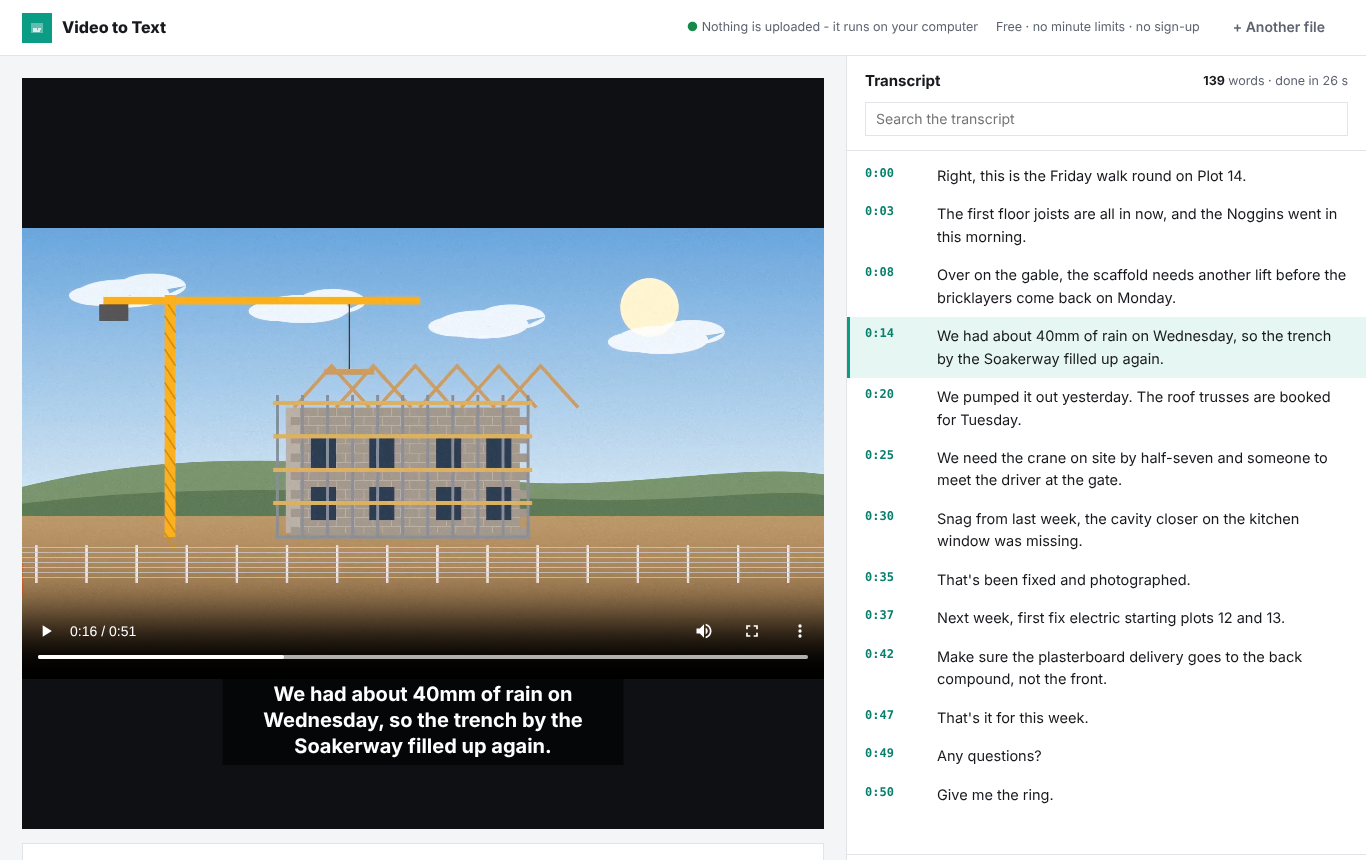
A site walkround transcribed on a laptop, and the subtitle and Word downloads.
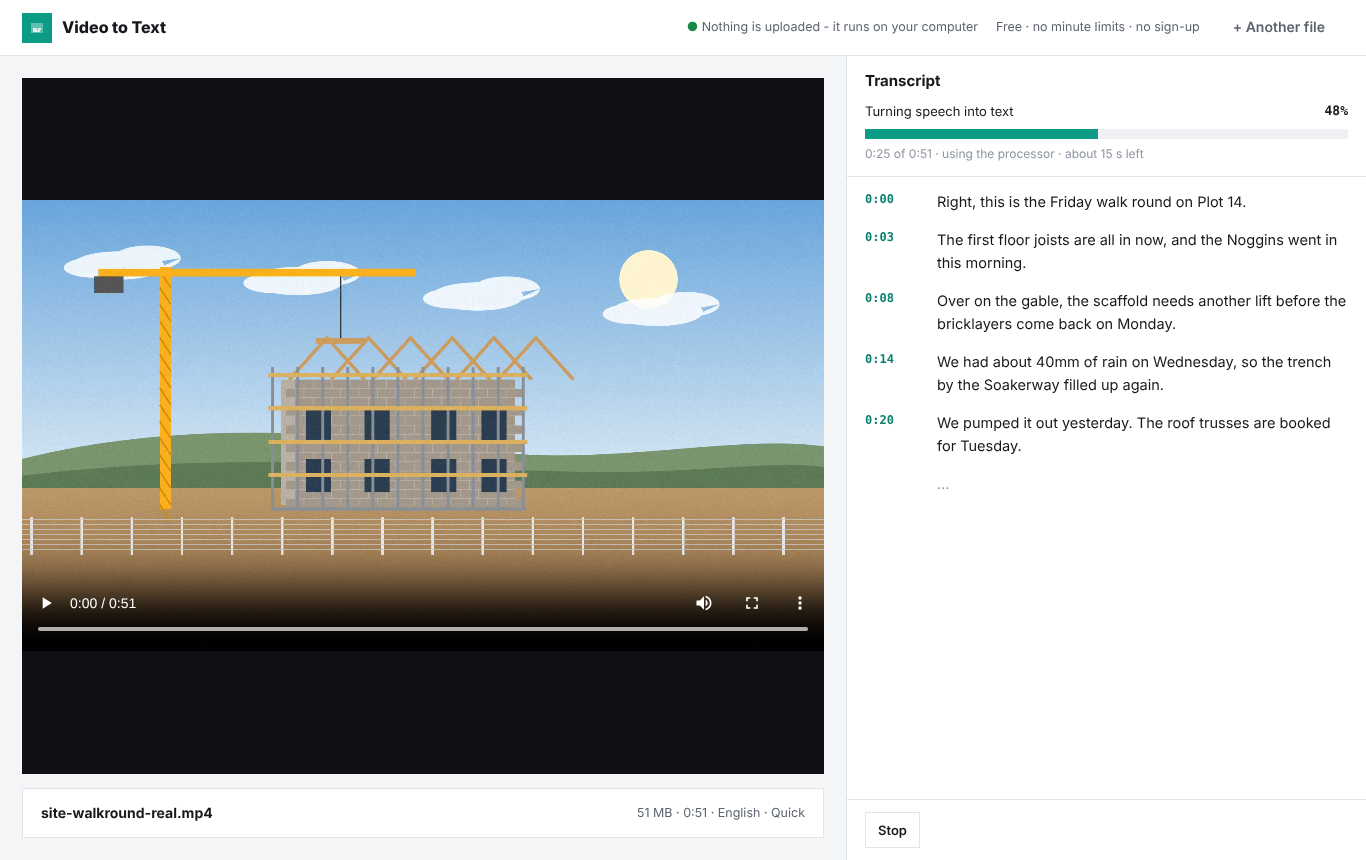
The lines appear as it works, with an estimate of the time left.
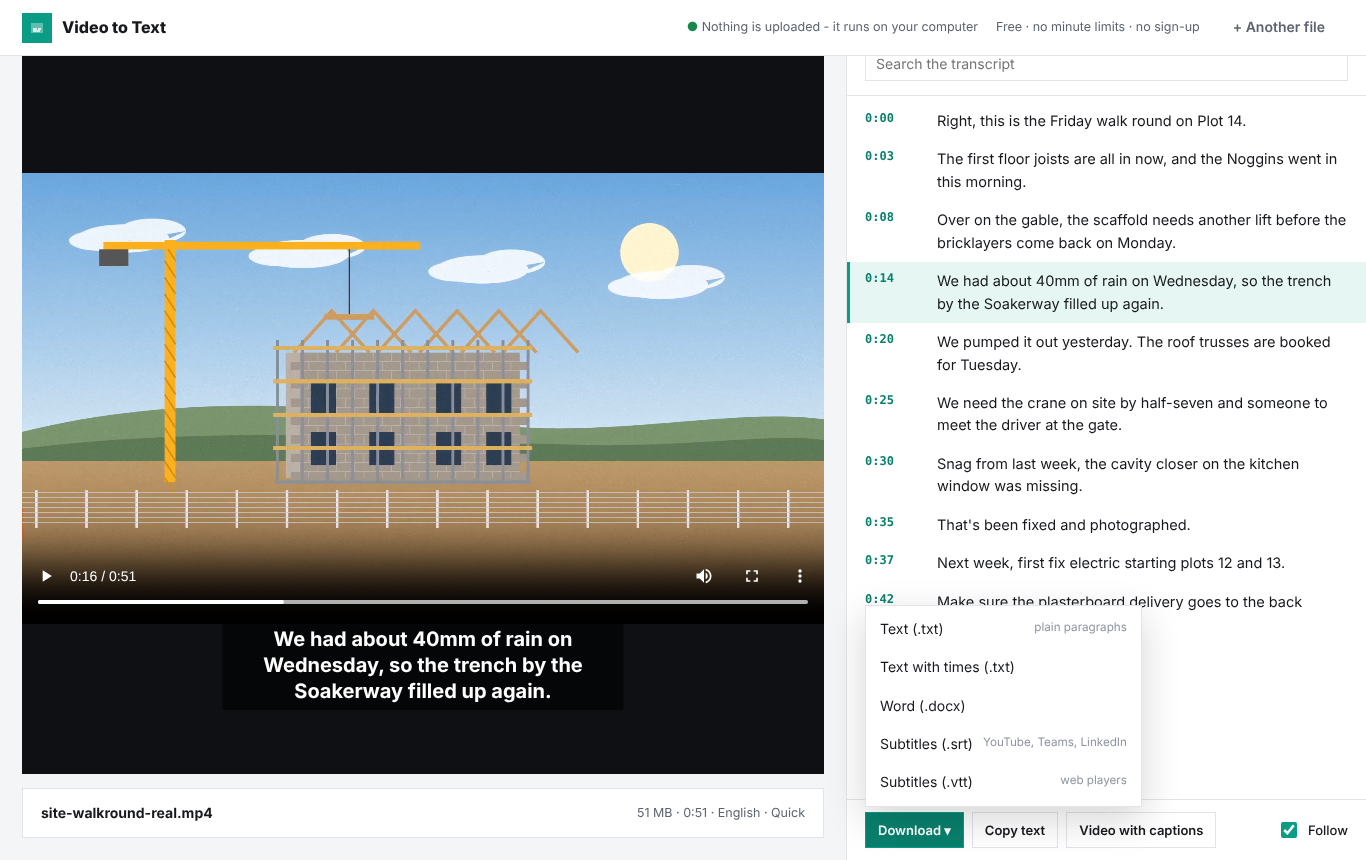
Download text, Word or SRT and VTT subtitles, or save the video with captions.
Yes. There are no minute limits, no sign-up and no watermark on captioned videos.
No. The sound is turned into text inside your browser on your own computer. The only download is the speech model itself (about 80 to 150 MB the first time, or more for Most accurate), which your browser keeps for next time.
Very good on clear speech. Background noise, wind and people talking over each other make it harder - choose Most accurate for difficult recordings, and correct any word by clicking on it before you download.
With a graphics chip that Chrome or Edge can use, usually quicker than the recording plays. On the processor alone it's slower - roughly the length of the recording on a modern laptop. It shows the time left as it goes.
Transcribe it, then either download Subtitles (.srt) to upload alongside the video on YouTube, LinkedIn or Teams, or press Video with captions to save a copy with the words burned into the picture, which shows them everywhere, even with the sound off.
Around 40 in the list, including English, Welsh, Irish, Polish, Romanian, Punjabi, Urdu, Bengali, Arabic, Chinese, French, German and Spanish. Pick the language before you start. Tick Translate to English to get an English transcript of a recording in another language.
Videos (MP4, MOV, MKV, WebM) and recordings (MP3, M4A, WAV, Ogg, FLAC), as far as your browser can read their sound.
Free, in your browser, with nothing uploaded. Works best in Chrome or Microsoft Edge on a computer.
Microsoft and the Microsoft Store logo are trademarks of the Microsoft group of companies.
