Log toolbox talks and safety briefings - topic, attendees and sign-off - and see
exactly who's attended what with a coverage matrix that makes attendance gaps visible
the moment they appear, not months later.
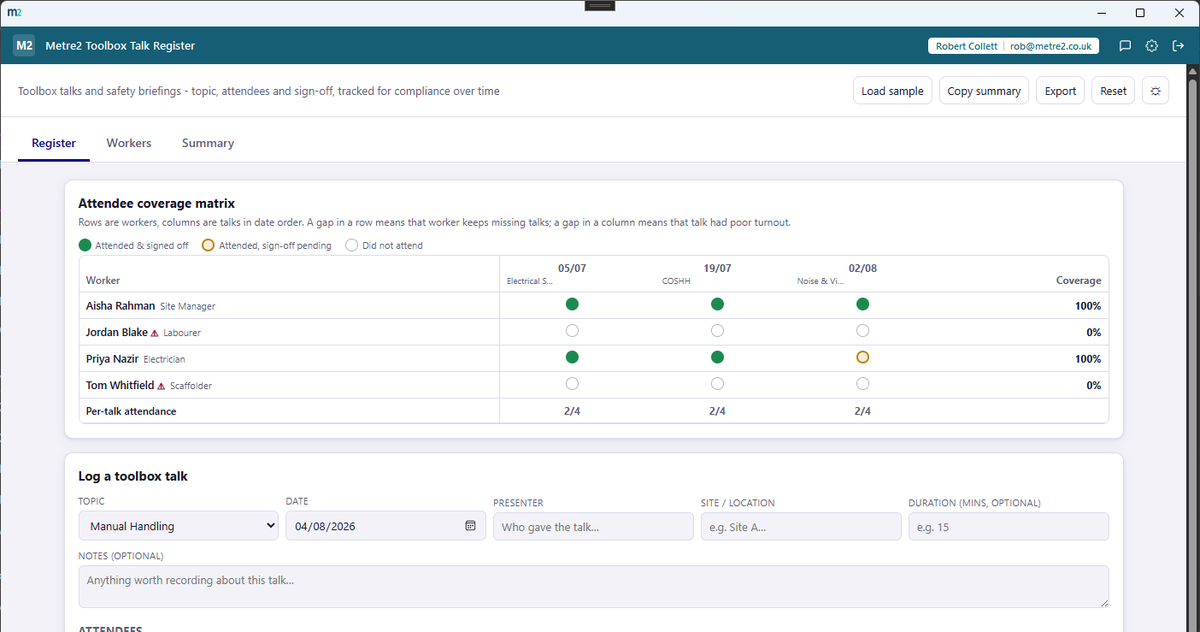
Workers down the side, talks across the top in date order - every cell shows whether
that worker attended that talk. Gaps in a row or a column jump out immediately,
without any extra digging.
Attended, pending or missed
Every cell is one of three states - attended and signed off, attended with sign-off
still pending, or not attended - so a confirmed record is never confused with one
that's still waiting on a signature.
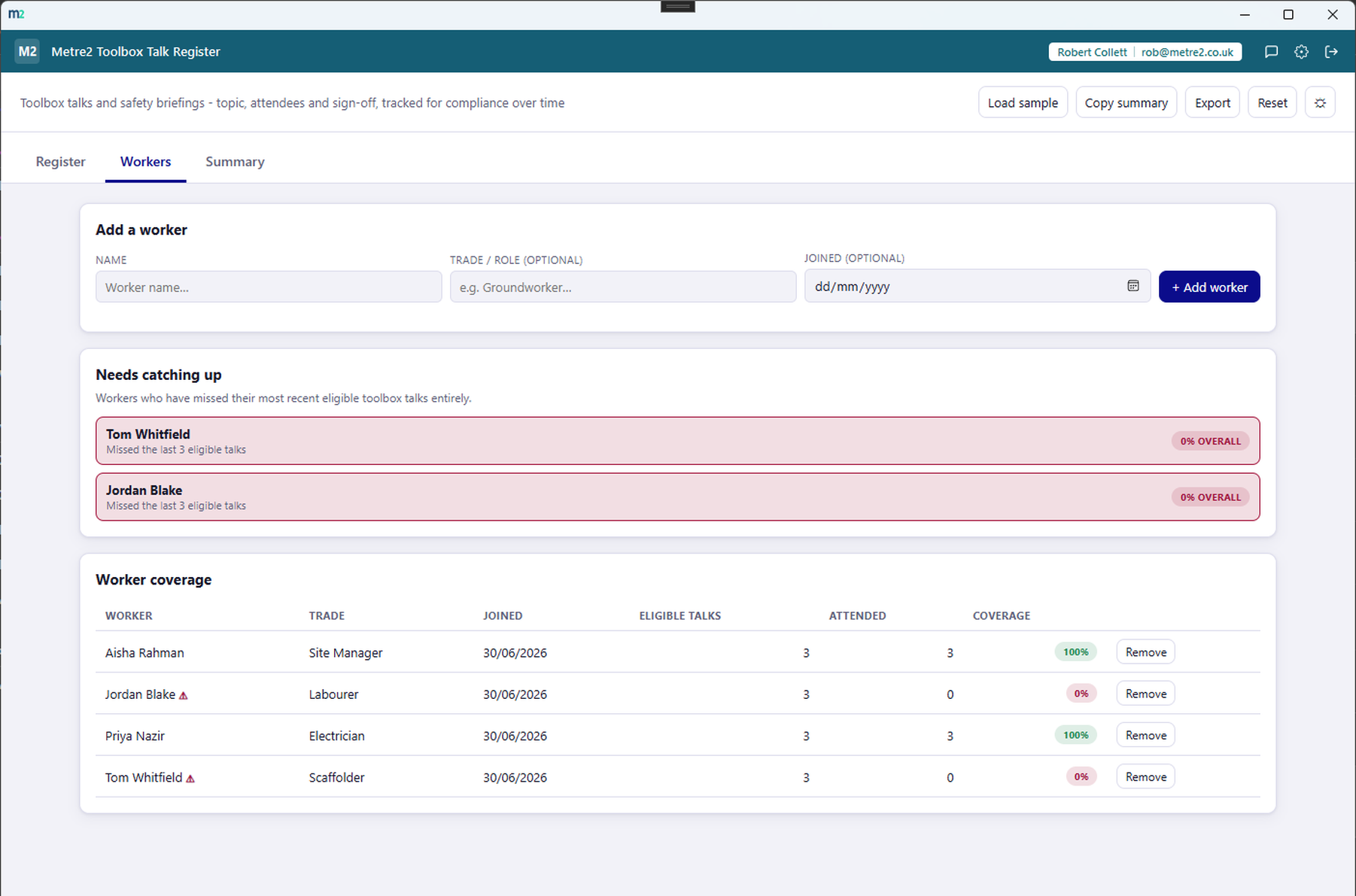
Needs catching up, flagged automatically
Workers who've missed every one of their last few eligible talks are flagged on the
Workers tab, with a coverage percentage and a plain-English reason - nothing to
calculate by hand.
A common topic library, or your own
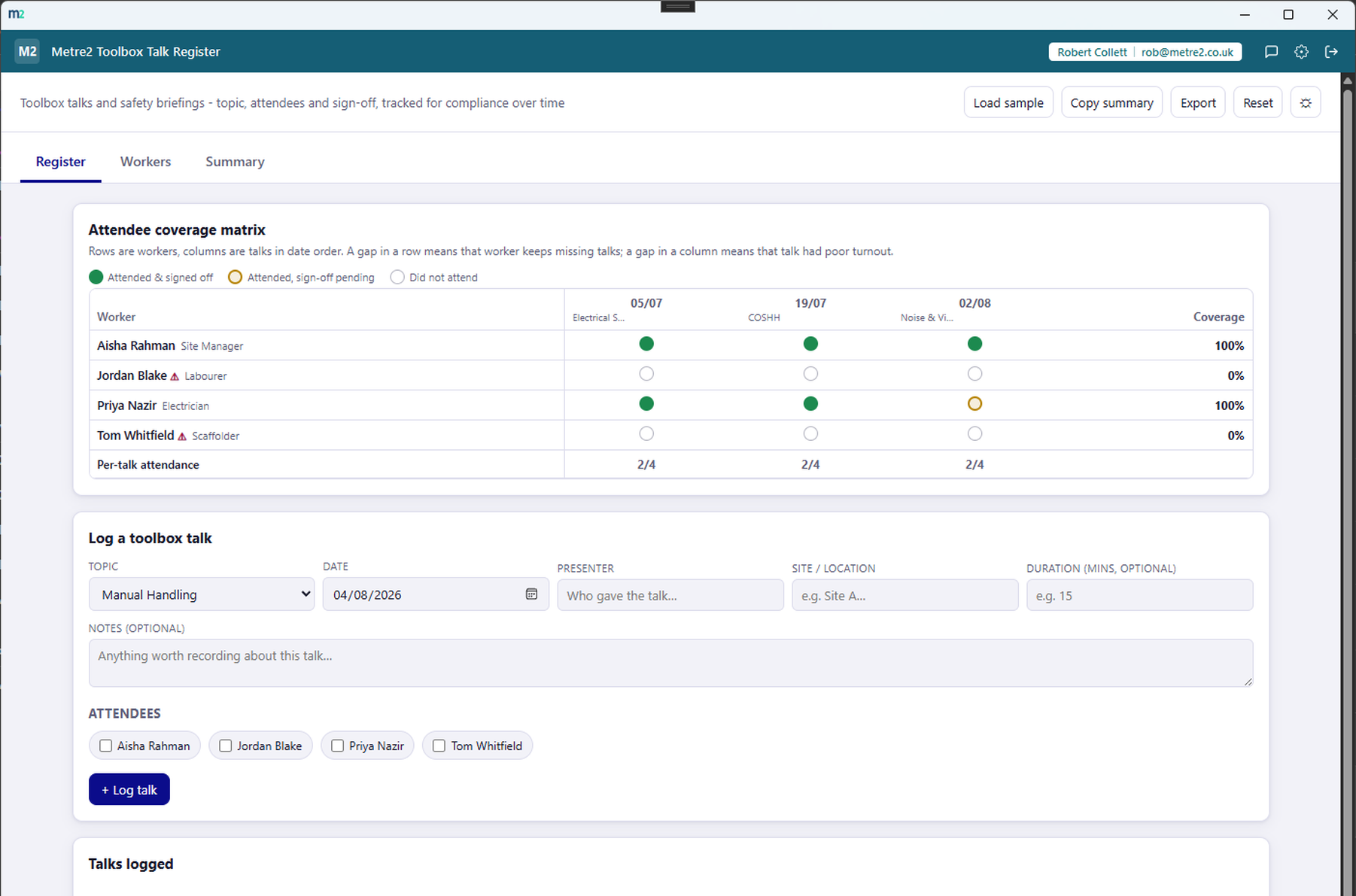
Pick from a built-in list - manual handling, working at height, PPE, fire safety,
asbestos awareness, COSHH, slips trips and falls and more - or type any custom topic
instead.
Quick attendee picker when you log a talk
Tick off who was there straight from the log-a-talk form - topic, date, presenter,
site and attendees in one place, with attendance recorded the instant you save.
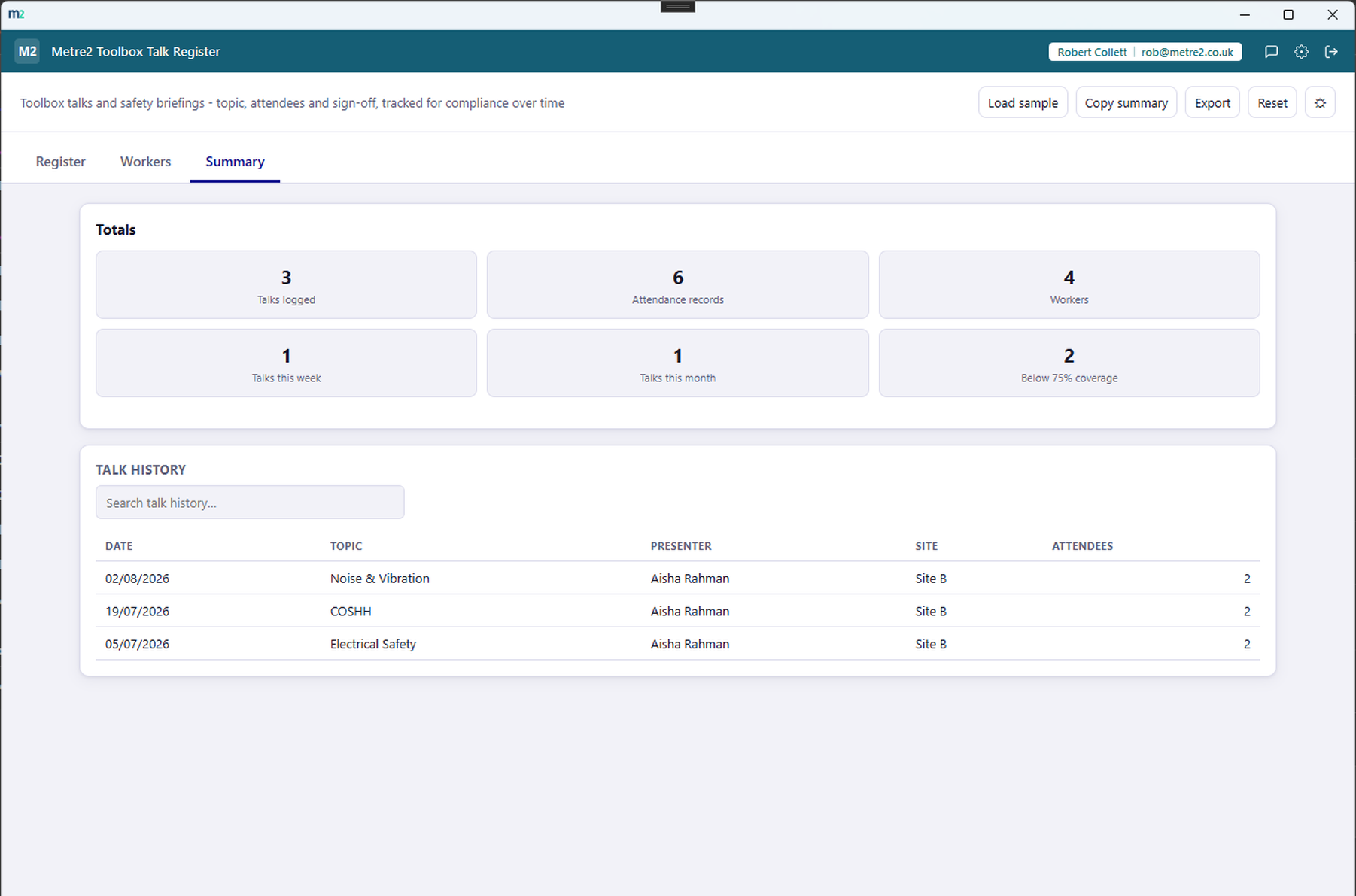
Totals and a searchable history
The Summary tab totals talks logged, attendance records, talks this week and this
month, and workers below your coverage threshold, alongside a full searchable talk
history.
Copy summary or export HTML
Copy a plain-text summary of totals and anyone currently flagged as needing to catch
up to the clipboard, or export a standalone HTML file to keep or share.
Light/dark theme and rotating sample registers
Light/dark theme remembers your choice, and two rotating sample registers - each with
several workers and talks with realistic attendance gaps - let you explore the
coverage matrix before logging your own.
How it compares to SafetyCulture
SafetyCulture is a well-known cloud inspection platform with toolbox talk attendance
templates available among its broad checklist library. Here's how a focused, one-off
desktop tool built specifically around attendee coverage compares.
Feature
Toolbox Talk Register
SafetyCulture
Pricing model
£6.99 one-off after trial
Free tier (10 users), then ~$24-29/user/month Premium
Two-axis worker × talk coverage matrix
✓
✕
Automatic "needs catching up" flag with coverage %
✓
~
Digital attendee signatures captured on-device
✕
✓
Works fully offline
✓
~
Native iOS/Android mobile app
✕
✓
Multi-user team accounts
✕
✓
One account across a whole app portfolio
✓
✕
Comparison based on SafetyCulture's publicly listed pricing and features as of August
2026 (safetyculture.com, Capterra, G2) - pricing and features change over time, so
check safetyculture.com for current details. SafetyCulture is a trademark of its
respective owner; this comparison is for informational purposes and isn't sponsored by
or affiliated with SafetyCulture.
Toolbox Talk Register, in practice
Frequently asked questions
What does the attendee coverage matrix actually show?
Rows are your workers, columns are your toolbox talks in date order. Each cell shows whether that worker attended that talk - a solid dot for attended and signed off, a ring for attended with sign-off still pending, and an empty ring for not attended. A gap in a row means that worker keeps missing talks; a gap in a column means that talk had poor turnout - both visible at a glance.
How is a worker's coverage percentage calculated?
It's the number of talks a worker attended divided by the number of talks they were eligible for - talks logged on or after the date they joined. Talks logged before someone joined don't count against them.
What does "needs catching up" mean?
A worker is flagged as needing to catch up when they've missed every one of their most recent eligible toolbox talks outright, not just some of them - it's meant to surface a real, current gap, not penalise the odd missed session.
Can I use my own topics, or only the built-in list?
Both. A dropdown covers common toolbox talk topics - manual handling, working at height, PPE, fire safety, asbestos awareness, COSHH and more - but you can always type a custom topic instead.
Is Toolbox Talk Register a substitute for a site safety management system?
No. It's a record-keeping tool for toolbox talks and attendance - it doesn't assess risk, generate RAMS or verify a talk covered what it needed to. It just gives you a clear, searchable record of who was told what, and when.
Does my Toolbox Talk Register account work with Vector and Forma?
Yes - Toolbox Talk Register uses the same shared Metre2 account as Vector, Forma and every other Keystone app. Sign in once and it works everywhere.
Can I export or share the register?
Yes - copy a plain-text summary to your clipboard, or export a standalone HTML file with totals and anyone currently flagged as needing to catch up.