Scheduled check-ins for lone workers - surveyors, engineers, single-person site visits -
with a live countdown to each active job's next expected check-in, and clear escalation
the moment one is missed.
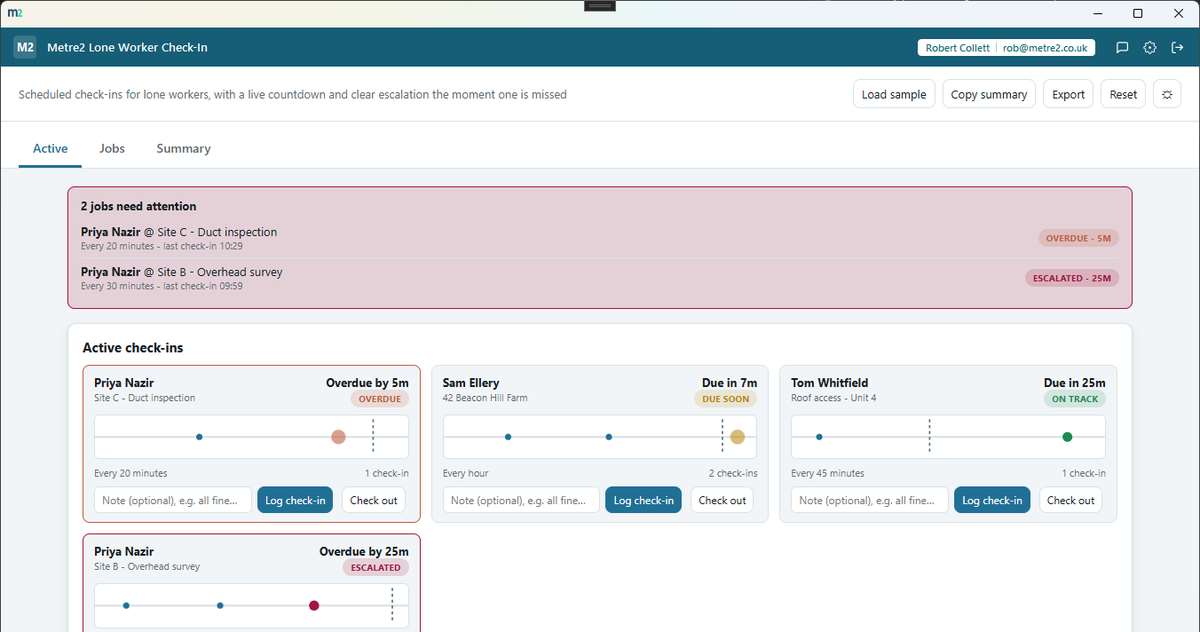
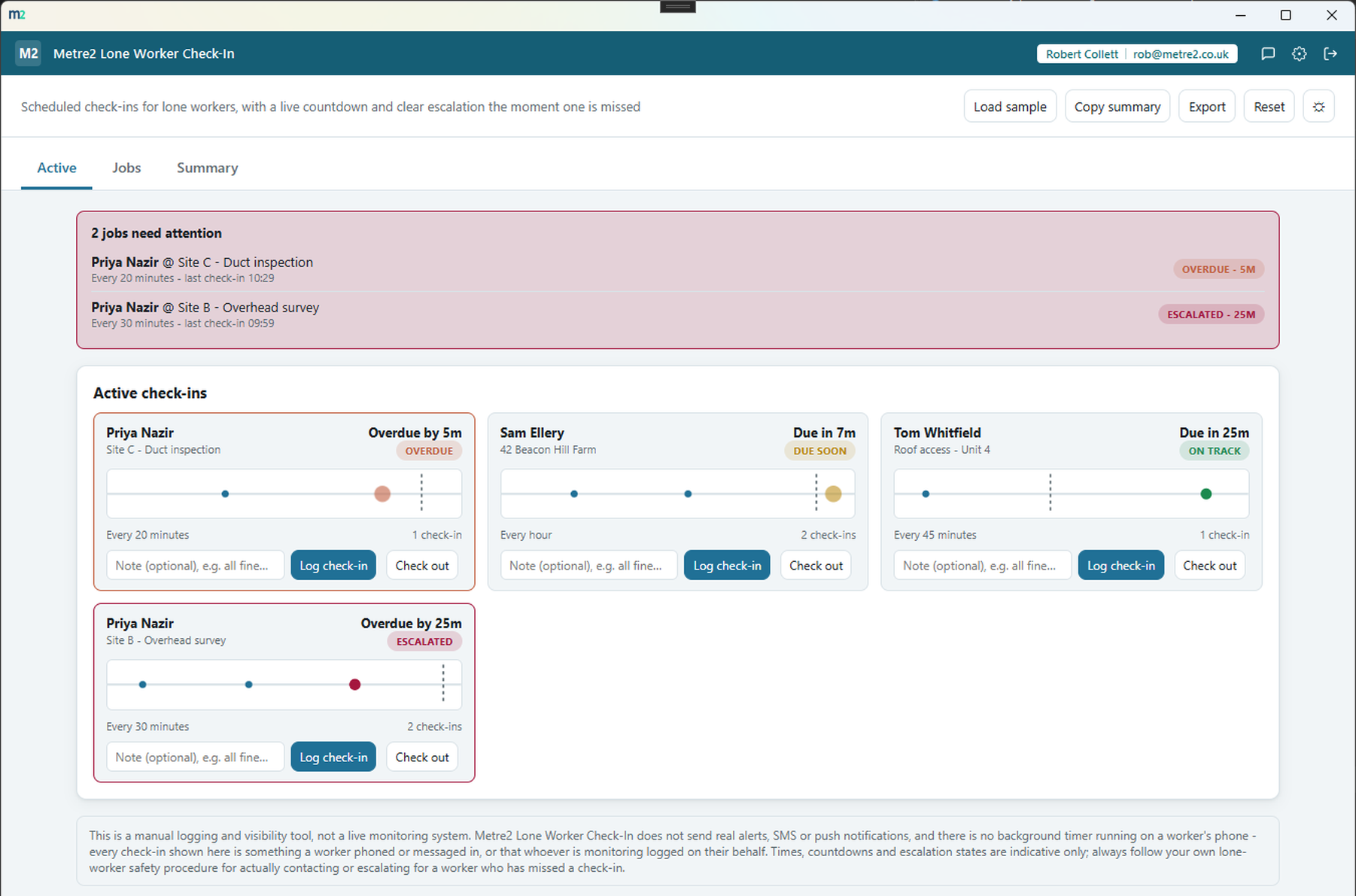
Every active job gets its own pulse timeline - past check-ins plotted at their real
time, a "now" line, and a pulsing marker for the next expected check-in that falls
behind "now" the instant it's overdue.
On track, due soon, overdue, escalated
A configurable check-in interval per job drives four clear states - on track, due
soon, overdue, and escalated after a short grace period - each with its own colour
and an unmistakable pulsing marker.
Escalation callout, always at the top
The Active tab leads with a callout listing every job currently overdue or
escalated, worker and site included, so nothing needing attention is buried below
the fold.
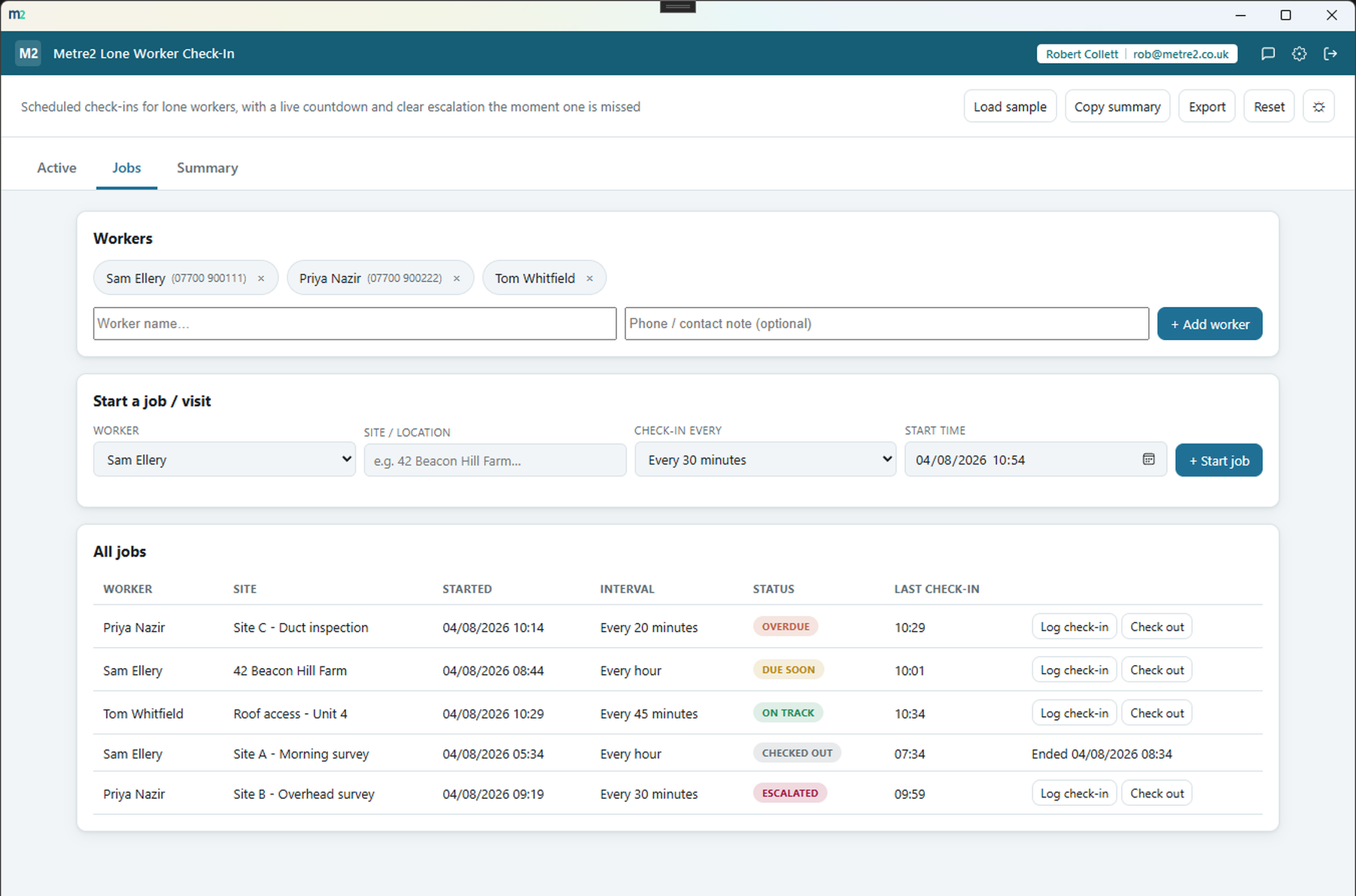
Any number of workers and jobs
Add as many workers as you need, and start as many jobs or visits as are running at
once - each with its own site, check-in interval and history, checked out when the
job's done.
Quick check-in logging
Log a check-in for any active job in one click, with an optional note ("all fine",
"running late") - the countdown recalculates instantly from the new check-in time.
Totals and a searchable history
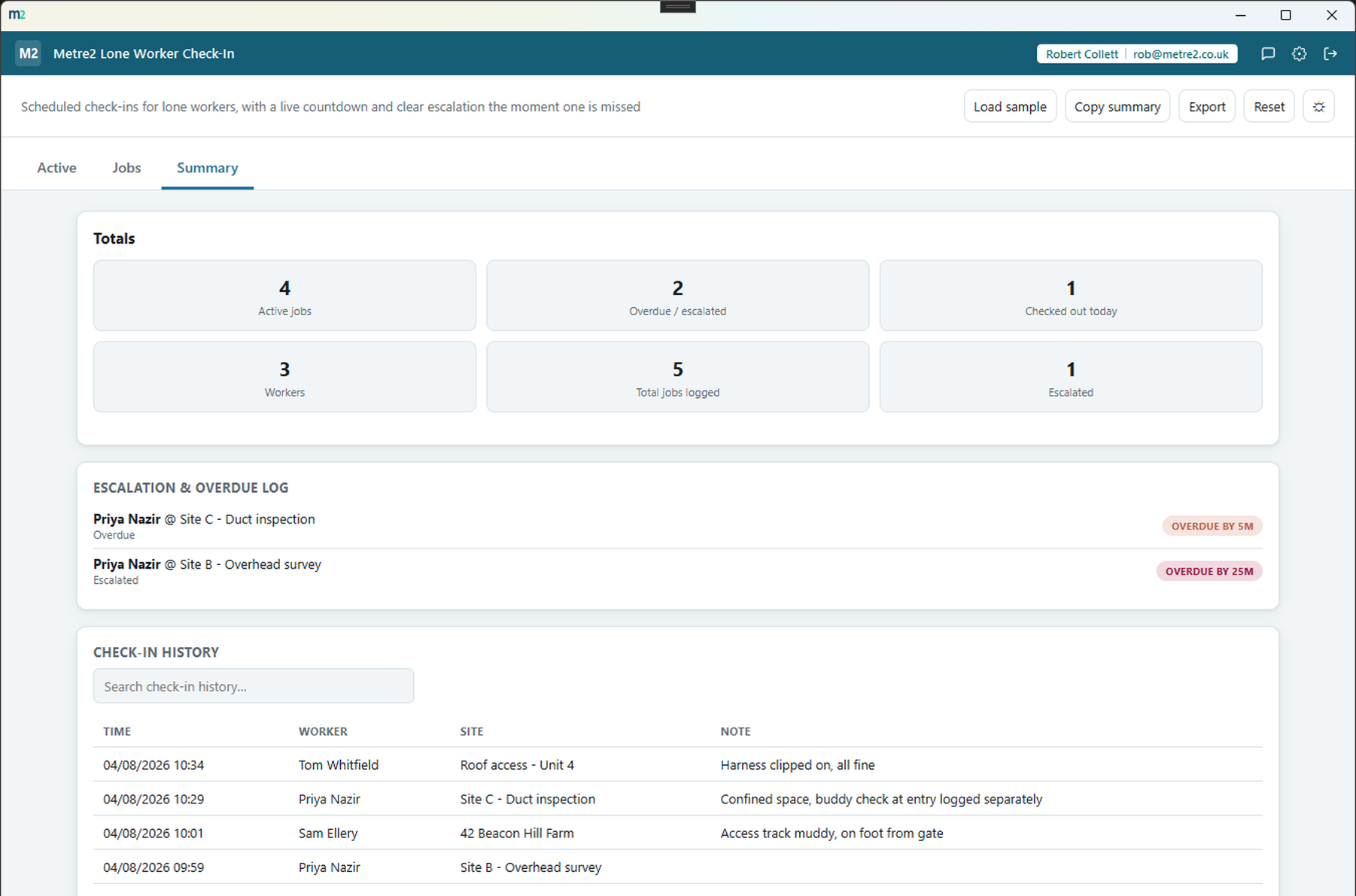
The Summary tab totals active jobs, overdue/escalated jobs and jobs checked out
today, alongside an escalation log and a full, searchable check-in history.
Copy summary or export HTML
Copy a plain-text summary of totals and everything currently overdue or escalated to
the clipboard, or export a standalone HTML file to keep or share.
Light/dark theme and rotating sample days
Light/dark theme remembers your choice, and two rotating sample days - a fieldwork
round and a set of evening lone visits - let you explore on-track, due-soon, overdue
and escalated jobs before logging your own.
How it compares to StaySafe
StaySafe is a well-known, BS8484-accredited lone worker safety app with live GPS tracking
and a monitored emergency response service. It's built for real-time monitoring, not a
scheduling log - here's how a focused, one-off desktop check-in tracker compares.
Feature
Lone Worker Check-In
StaySafe
Pricing model
£6.99 one-off after trial
Per-user/month subscription (quote-based, not publicly listed)
Real-time GPS location tracking
✕
✓
Panic button and fall/non-movement detection
✕
✓
Configurable check-in interval with overdue/escalated states
✓
✓
BS8484-accredited monitored emergency response
✕
✓
Works fully offline, no data connection required
✓
✕
Native iOS/Android app
✕
✓
One account across a whole app portfolio
✓
✕
Comparison based on StaySafe's publicly listed features as of August 2026
(staysafeapp.com, Capterra, Software Advice) - pricing and features change over time,
so check staysafeapp.com for current details. StaySafe is a trademark of its respective
owner; this comparison is for informational purposes and isn't sponsored by or
affiliated with StaySafe.
Lone Worker Check-In, in practice
Frequently asked questions
Does Lone Worker Check-In send real alerts, SMS or push notifications?
No. This is a manual logging and visibility tool, not a live monitoring system - there is no background timer running on a worker's phone. Every check-in shown is something a worker phoned or messaged in, or that whoever is monitoring logged on their behalf. Always follow your own lone-worker safety procedure for actually contacting or escalating for a missed check-in.
Do I need to install anything to use Lone Worker Check-In?
It's a Windows desktop app rather than a web service - grab Lone Worker Check-In free from the Microsoft Store and try it before deciding.
Does my Lone Worker Check-In account work with Vector and Forma?
Yes. Metre2 uses one account across the whole Keystone lineup - Vector, Forma, Lone Worker Check-In and everything else - so you only sign in once.
How does the check-in countdown work?
Each active job has a check-in interval you set (e.g. every 30, 60 or 90 minutes). The app works out the next expected check-in from the last logged check-in (or the start time if none has been logged yet), and shows a live pulse timeline counting down to it.
What happens when a check-in is missed?
The job's status moves from on track to due soon, then overdue the moment the expected time passes, and escalated after a short grace period - shown with a distinct colour and a pulsing marker, plus a callout at the top of the Active tab.
Can I track more than one worker or job at once?
Yes - add as many workers as you need, and start as many jobs or visits as are running at once, each with its own site, interval and check-in history.
Can I export or share the log?
Yes - copy a plain-text summary to your clipboard, or export a standalone HTML file with totals and everything currently overdue or escalated.