Small-team HR calculator
Leave requests, approvals and remaining balance for a small team - a team leave planner shows every booked day at a glance, working-day maths (with optional public holidays) does the balance tracking for you, and an overlap warning catches too much of the team being off at once.
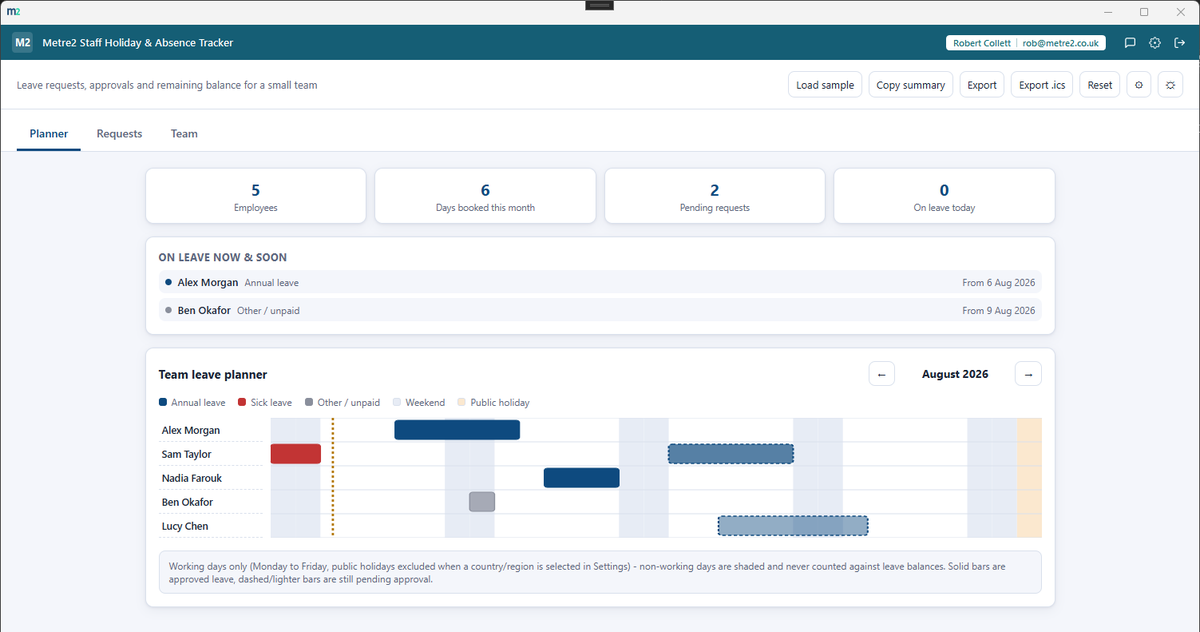
A team leave Gantt strip shows every employee's booked and pending leave across the month, weekends and public holidays shaded and today marked - a genuine picture of who's off when, not just a list.
A callout above the planner shows exactly who's out today and who's starting leave in the next 7 days - the most common question, answered without reading the whole chart.
Flags any day where too much of the team is booked off at once - the threshold is yours to set in Settings, so it fits a team of three or a team of thirty.
Add a leave request for any employee and leave type, whole day or half day, with an optional reason - approve or decline it with one click, and the planner and balances update immediately.
Every leave request is counted in working days, Monday to Friday - pick from 12 countries and regions in Settings and public holidays are excluded automatically too.
Each employee has their own annual entitlement - only approved annual leave counts against it, with a live remaining-balance progress bar per person, browsable back through past years.
Annual, sick and other/unpaid - each colour-coded on the planner, tracked separately so sick leave never eats into someone's annual balance. Any request can be flagged as a half day at either end.
Export every approved leave request as a standalone .ics calendar file, ready to import straight into Outlook, Google Calendar or any other calendar app.
Copy a plain-text summary or export it as a standalone HTML file. Light/dark theme remembers your choice, and a rotating sample team lets you explore the app.
BrightHR is a well-known UK HR platform with holiday and absence tracking built into its per-employee plans. It's a full HR suite - here's how a focused, one-off desktop tracker compares for a small team that just needs leave managed well.
| Feature | Staff Holiday & Absence Tracker | BrightHR |
|---|---|---|
| Pricing model | £7.99 one-off after a free trial | From around £4/employee/month (Connect tier) |
| Cost scales with headcount | ✕ | ✓ |
| Works fully offline | ✓ | ✕ |
| Worldwide bank/public holiday awareness | ✓ | ~ |
| Half-day leave requests | ✓ | ✓ |
| Team leave overlap/conflict warning | ✓ | ✓ |
| Full HR suite - payroll, HR advice line, shift scheduling | ✕ | ✓ |
| Employee self-service mobile app | ✕ | ✓ |
| No account or sign-in needed | ✓ | ✕ |
Comparison based on BrightHR's publicly listed pricing and features as of August 2026 (brighthr.com, expertsure.com) - pricing and features change over time, so check brighthr.com for current details. BrightHR is a trademark of its respective owner; this comparison is for informational purposes and isn't sponsored by or affiliated with BrightHR.
The team leave planner, the request workflow, the year-browsable Team tab, and the worldwide public-holiday Settings.
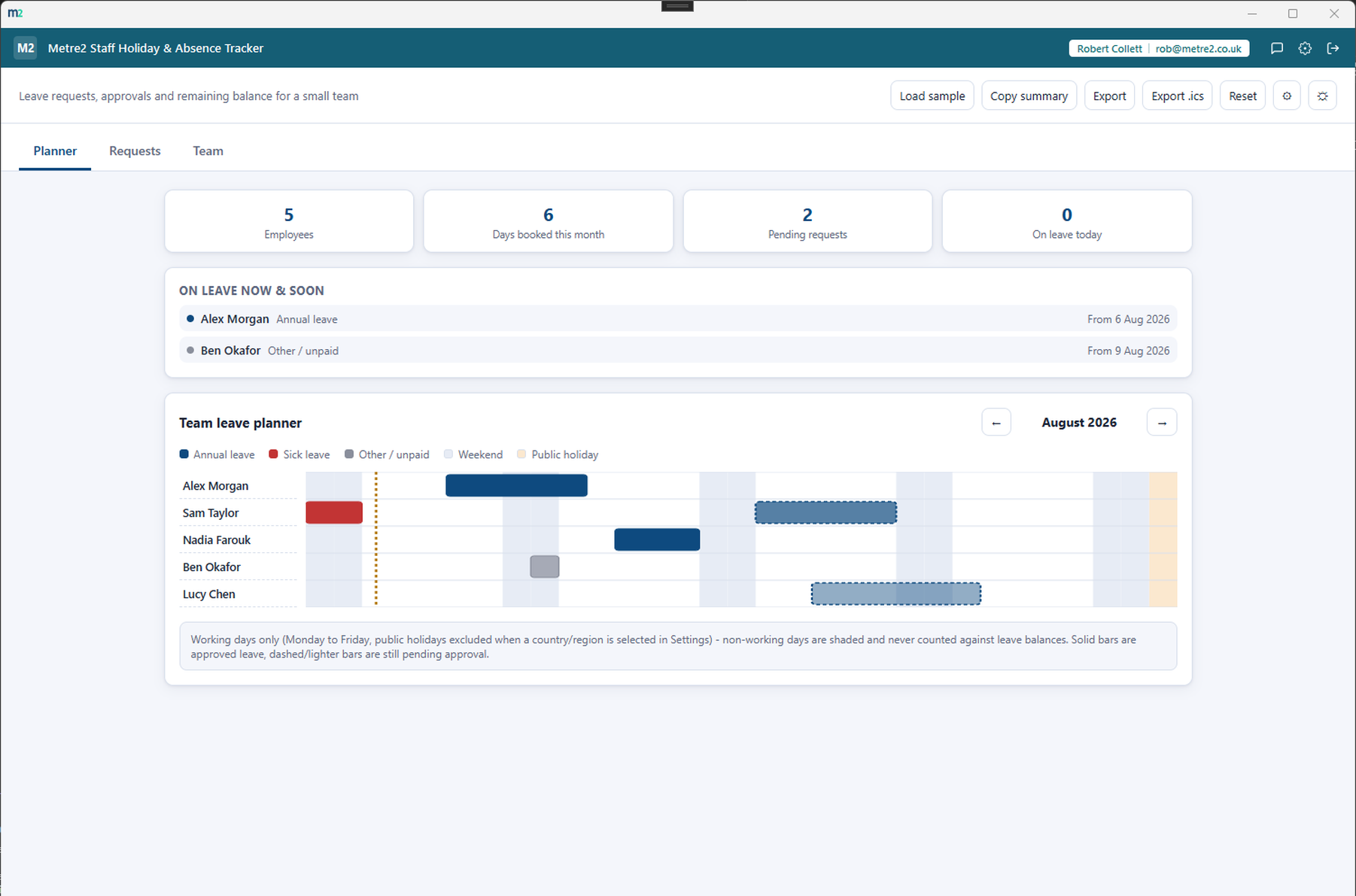
The Planner - stat strip, upcoming leave, and the team leave Gantt strip
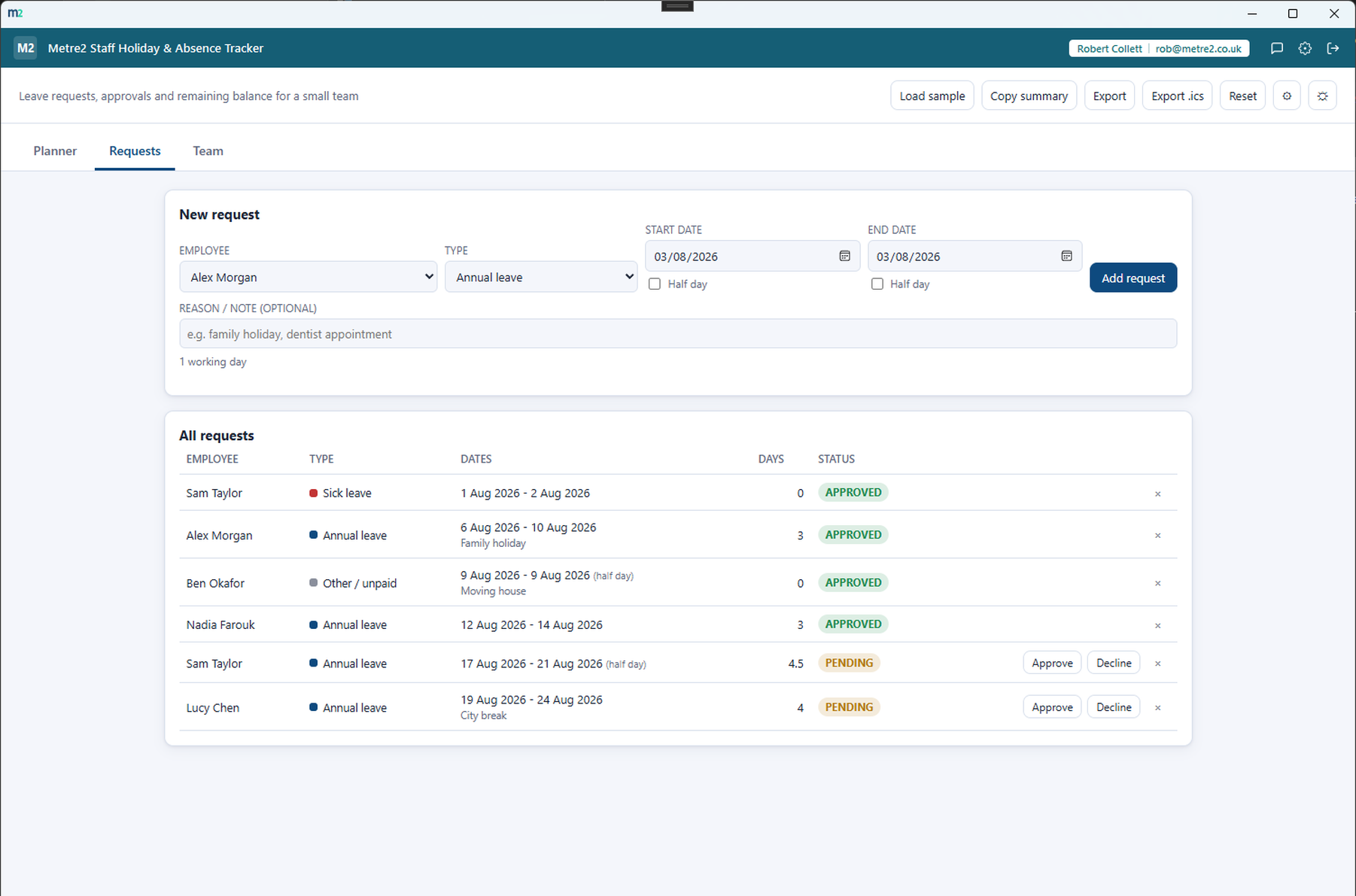
Requests - add, then approve or decline with one click
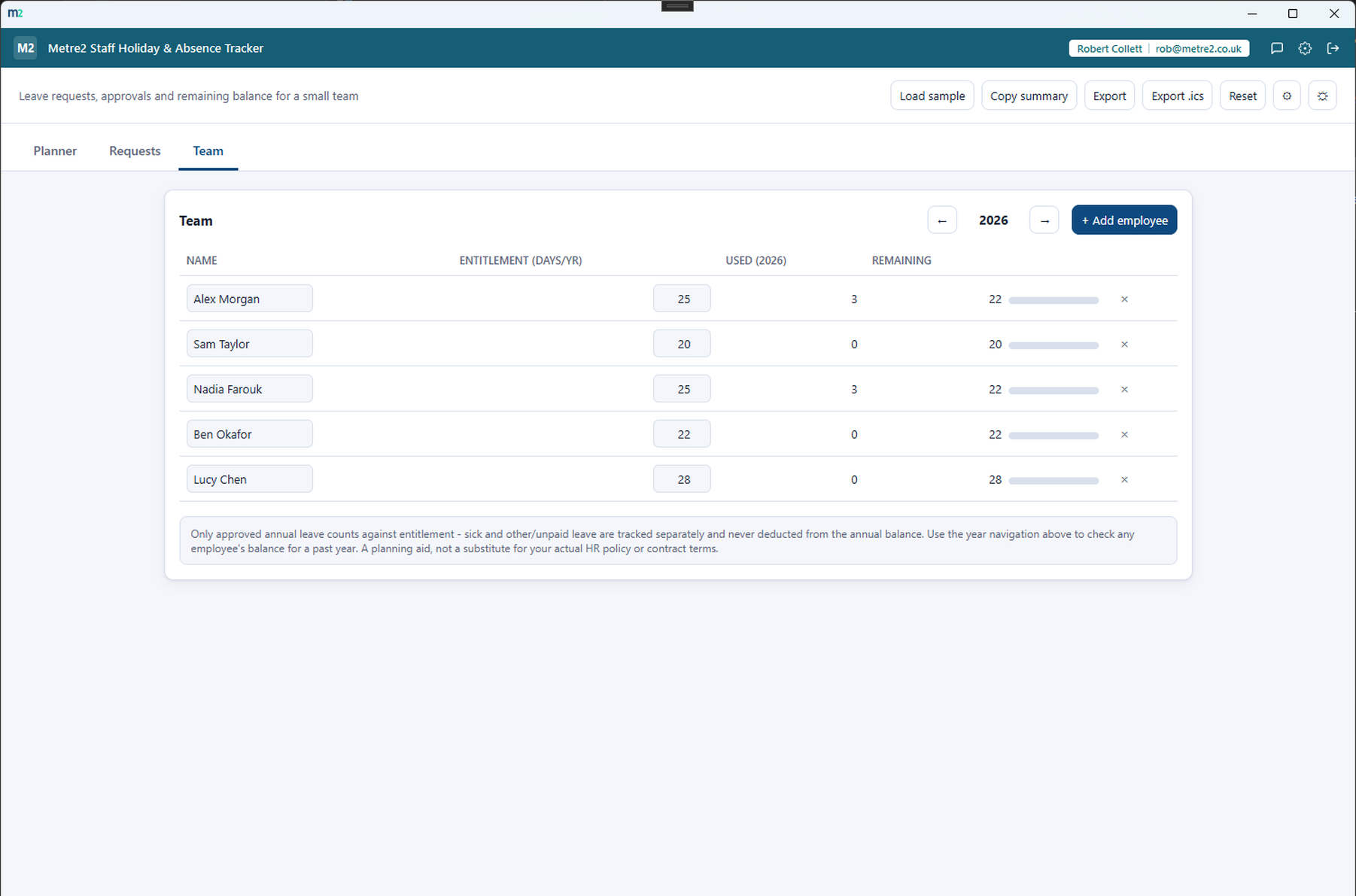
Team balances, browsable by year
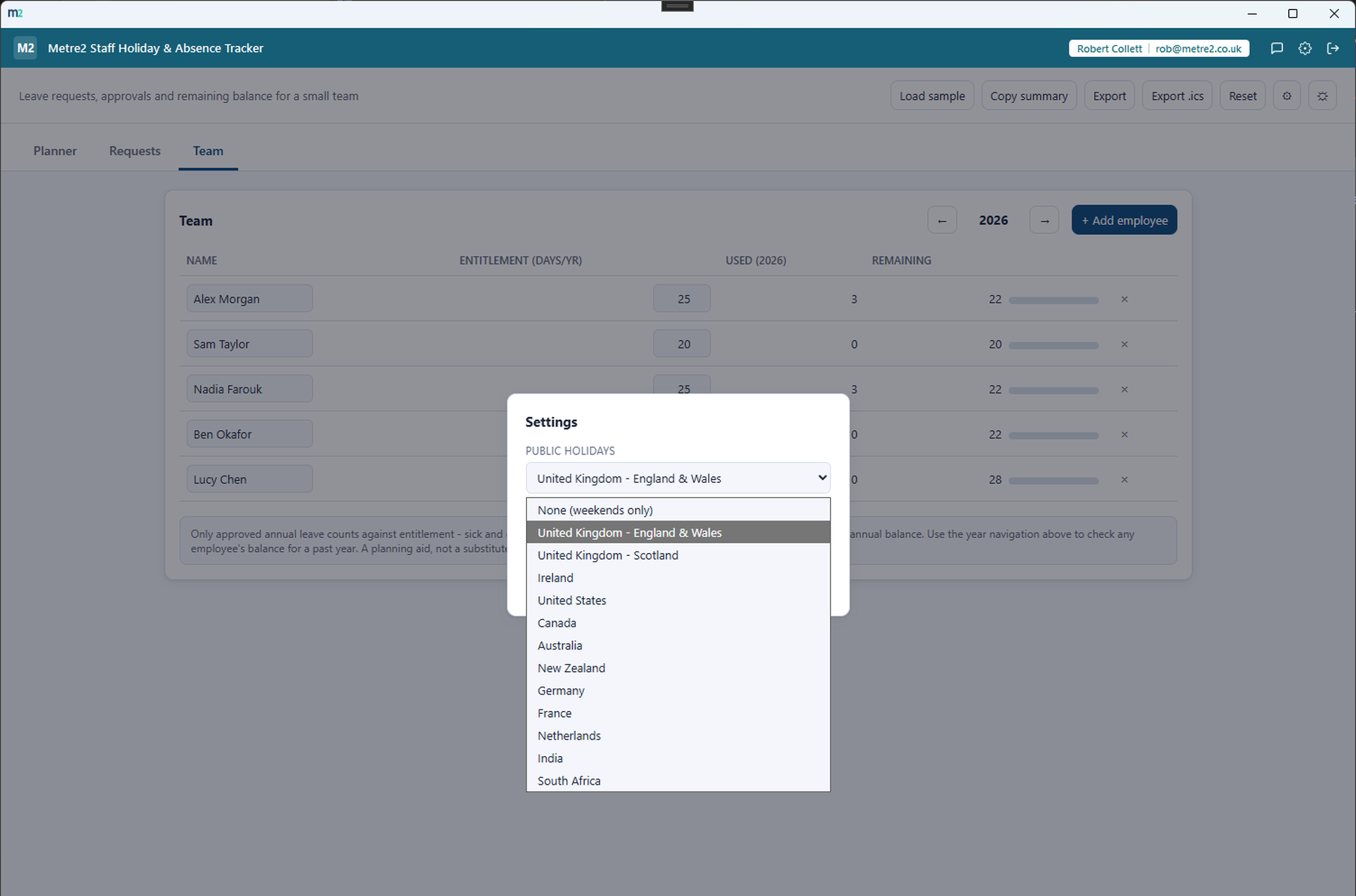
Settings - pick from 12 countries and regions for public holidays
It's a Windows desktop app rather than a web service - grab Staff Holiday & Absence Tracker free from the Microsoft Store and try it before deciding.
No. Install Staff Holiday & Absence Tracker and get going - there's nothing to sign up for. The optional Register button lets you leave your name and email for update news.
No - only approved annual leave counts against each employee's entitlement. Sick leave and other/unpaid leave are tracked separately for visibility but never deducted from the annual balance.
Working days only, Monday to Friday - weekends are automatically excluded from every leave request and from the team leave planner's day counts. Pick from 12 countries and regions - UK (England & Wales), UK (Scotland), Ireland, US, Canada, Australia, New Zealand, Germany, France, Netherlands, India and South Africa - in Settings and public holidays are excluded too.
Yes - any request can flag its start date, end date, or both as a half day. A single-day request with a half-day flag counts as 0.5 days regardless of which end is flagged.
Yes - the Export .ics button downloads every approved leave request as a standalone calendar file, ready to import into Outlook, Google Calendar or any other calendar app.
