Notes worth organising and finding again
Notebooks, tags and inline checklists, pinned to a freeform corkboard you drag notes around on - or a conventional searchable list when browsing beats pinning. Not a bare text editor, and not a bloated suite either.
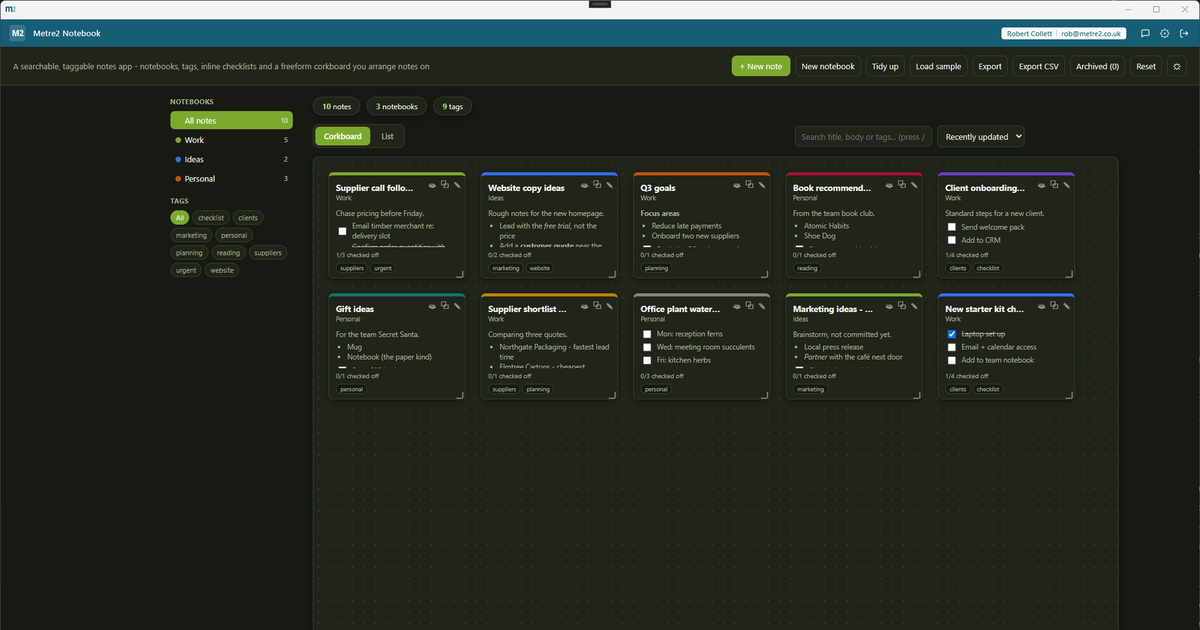
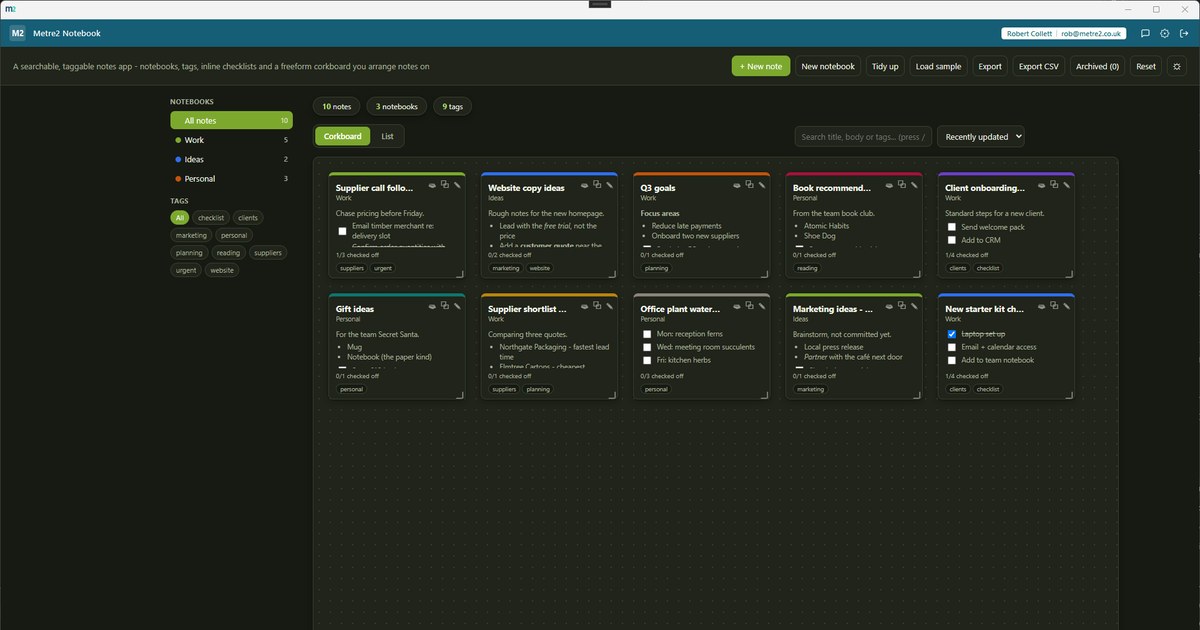
Corkboard - drag any note to any position, resize it, both remembered per note
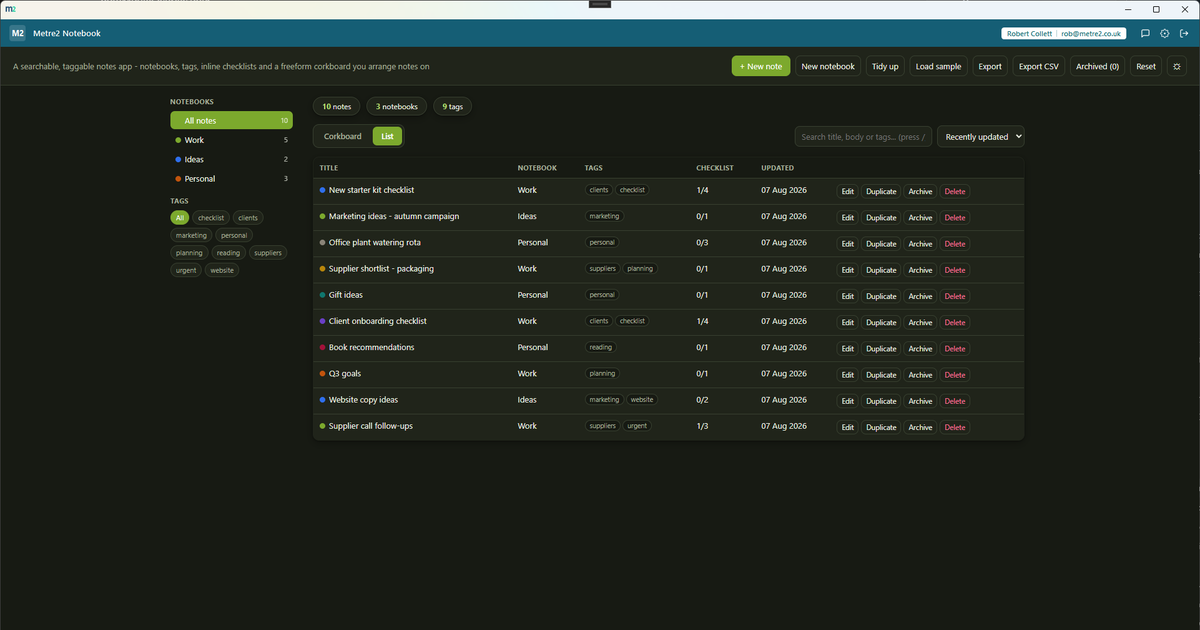
List view - a conventional searchable, filterable, sortable table when browsing beats pinning
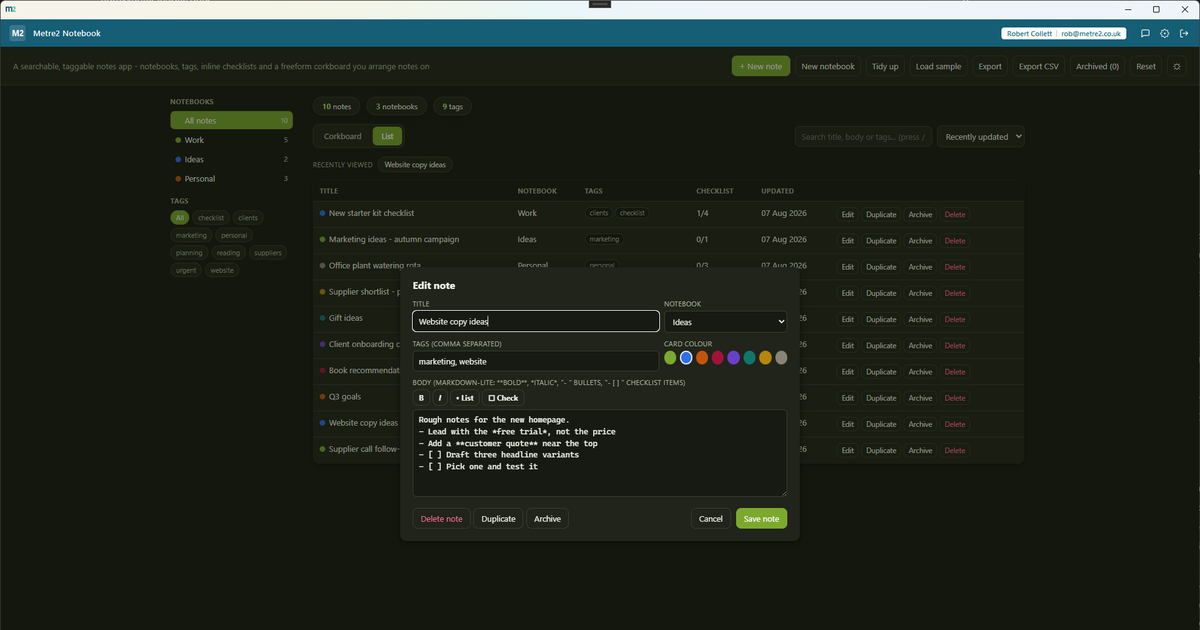
Editing a note - notebook, tags, colour and a lightweight formatting toolbar with inline checklists
Drag any note to any (x, y) position and resize it with a corner handle - a genuine pinboard, not the card mosaic used by Business Asset Register or a fixed grid layout.
Prefer browsing to pinning? Toggle to a searchable, filterable, sortable table - title, notebook, tags, checklist progress and last-updated at a glance.
Write "- [ ] pick up parts" and it renders as a real, clickable checkbox - on the corkboard card, in the list, and while editing. No separate to-do list to keep in sync.
Create as many notebooks as you like, assign any note to one (or none), and filter the whole app to a single notebook from the sidebar - with a live note count on each.
Every note can carry any number of tags. The sidebar's tag cloud lets you narrow the whole app to one tag with a single click, combined freely with notebook and search.
One search box matches title, body and tags at once, live as you type, and combines with the notebook filter, tag filter and sort control.
A one-click pin flag marks a note as important, shown on its corkboard card and in the list - and "Pinned first" sorting brings them straight to the top when you need them.
Bold, italic, bullet lists and checklists - with a toolbar in the edit screen so you never have to remember the markdown syntax. Deliberately kept simple.
"Load sample" fills the corkboard and list with a small-business set or a freelancer set - several notebooks, tags and checklist items, real content immediately.
A one-click theme toggle that persists between sessions, matching the shared look and feel across every Metre2 desktop app.
Everything lives in local storage on your device - no account, no server, no internet connection required to use it day to day.
Most note-taking tools sit at one of two extremes: a plain sticky-notes app with no structure, or a heavyweight notebook suite with sync, sharing and a learning curve you didn't ask for. Here's how a focused, corkboard-first app compares.
| Feature | Metre2 Notebook | A bare sticky-notes app | A full notebook suite (OneNote/Evernote-style) |
|---|---|---|---|
| Pricing model | £0.79 one-off after trial | Usually free, ad-supported or very limited | Often a monthly subscription for full features/storage |
| Works fully offline | ✓ | ✓ | ✕ (built around cloud sync) |
| Freeform corkboard - drag and resize any note | ✓ | ✕ (usually a stacked list) | ✕ (page/section hierarchy, not freeform) |
| Notebooks, tags and a filterable list view | ✓ | ✕ (little to no structure) | ✓ (often more than you need) |
| Inline checklists inside the note body | ✓ | ✕ (usually plain text only) | ✓ |
| No account required to set up, no per-user seats | ✓ | ✓ | ✕ |
General comparison as of August 2026 - features and pricing vary by sticky-notes app and by notebook suite. Not sponsored by or affiliated with any note-taking software vendor.
Metre2 Notebook is a Windows desktop app. It is not yet available on the Microsoft Store - a Store listing is planned, but for now the app is built and ready ahead of submission.
The headline view - a freeform pinboard where every note is a colour-coded card you can drag to any position and resize with a corner handle. It's genuinely freeform, not a fixed grid, and every card's position and size is remembered.
Yes - a one-click toggle switches to a conventional searchable, filterable, sortable table, for when browsing beats pinning.
Write a line starting "- [ ] " and it renders as a real, clickable checkbox right inside the note - on the corkboard card, in the list view, and in the edit screen. Tick it off from any of them and it saves instantly.
Yes - notebooks work as folders. Create as many as you like, assign any note to one (or none), and filter the whole app down to a single notebook from the sidebar, which also shows a live note count for each.
Every note can carry any number of tags, shown as a filterable cloud in the sidebar. A single search box matches title, body and tags at once, and combines with the notebook and tag filters and a sort control.
Lightweight markdown - bold, italic, bullet lists and inline checklists - with a small toolbar in the edit screen so you never have to remember the syntax. It's deliberately not a full WYSIWYG editor.
Yes - "Load sample" fills the app with one of two rotating realistic sets (a small-business set and a freelancer set), each with several notebooks, tags and checklist items, so both views have real content immediately.
Everything persists on your device between sessions - nothing is uploaded anywhere. The app works entirely offline with no server dependency, and data doesn't currently sync across multiple devices.