Log it now, follow it up properly
Log workplace incidents and near-misses in seconds, keep the record on your PC, and export it when you need it - any workplace, any industry. Free, with no account. Incident Log Pro adds investigations and corrective actions, photos, a RIDDOR check, trends and a branded incident report.
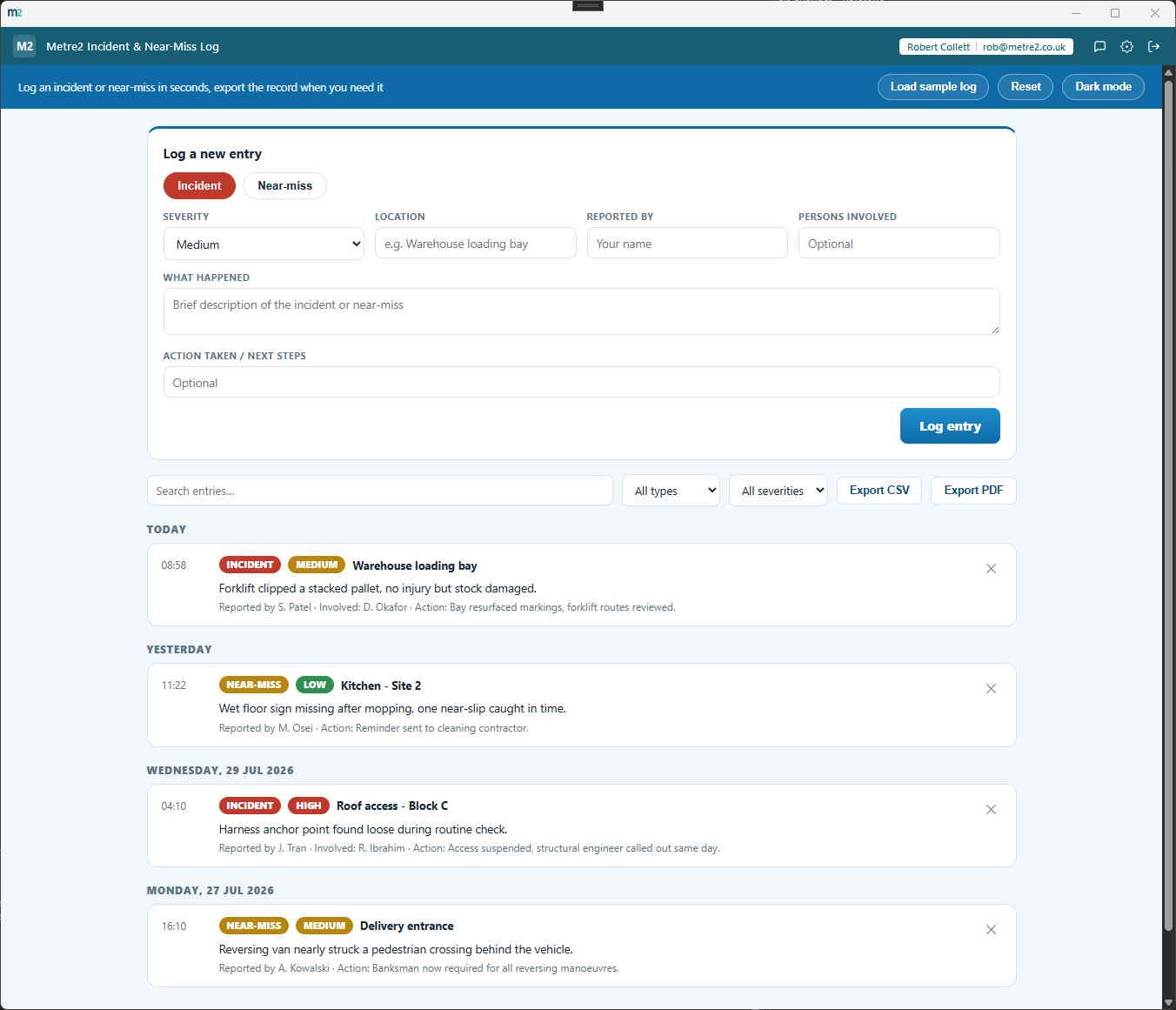
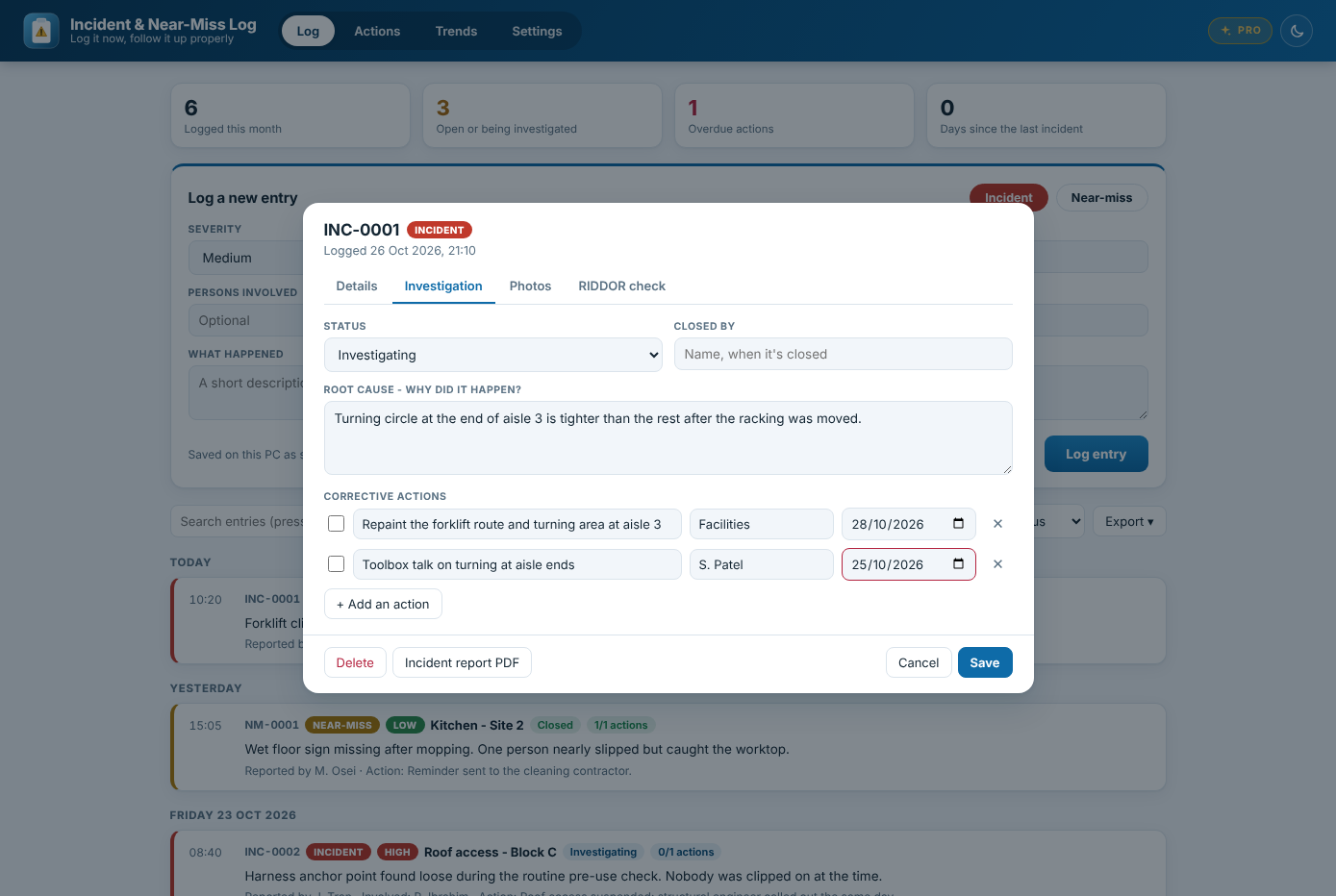
An investigation with corrective actions, owners and due dates (Pro)
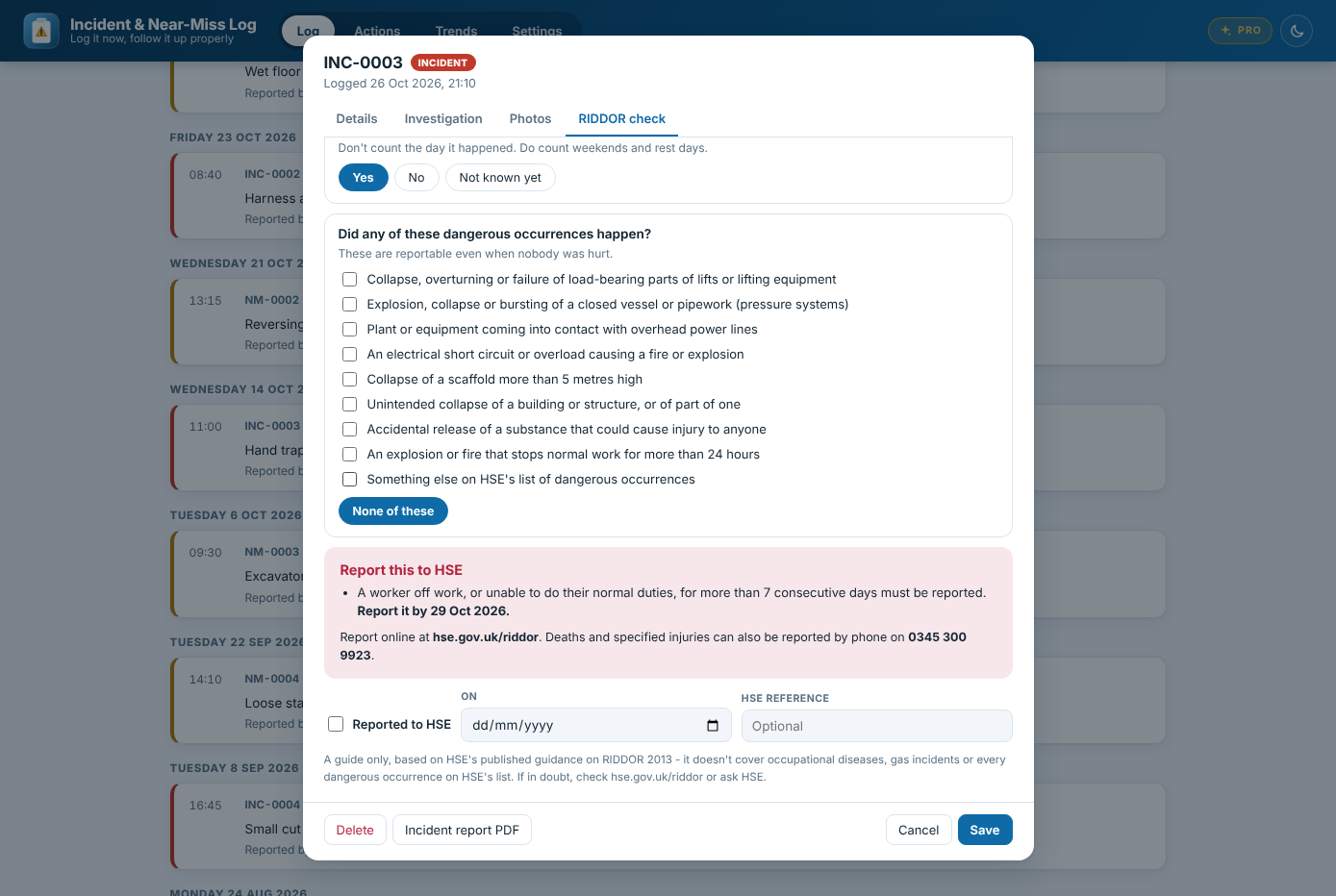
The RIDDOR check - is it reportable, and by when (Pro)
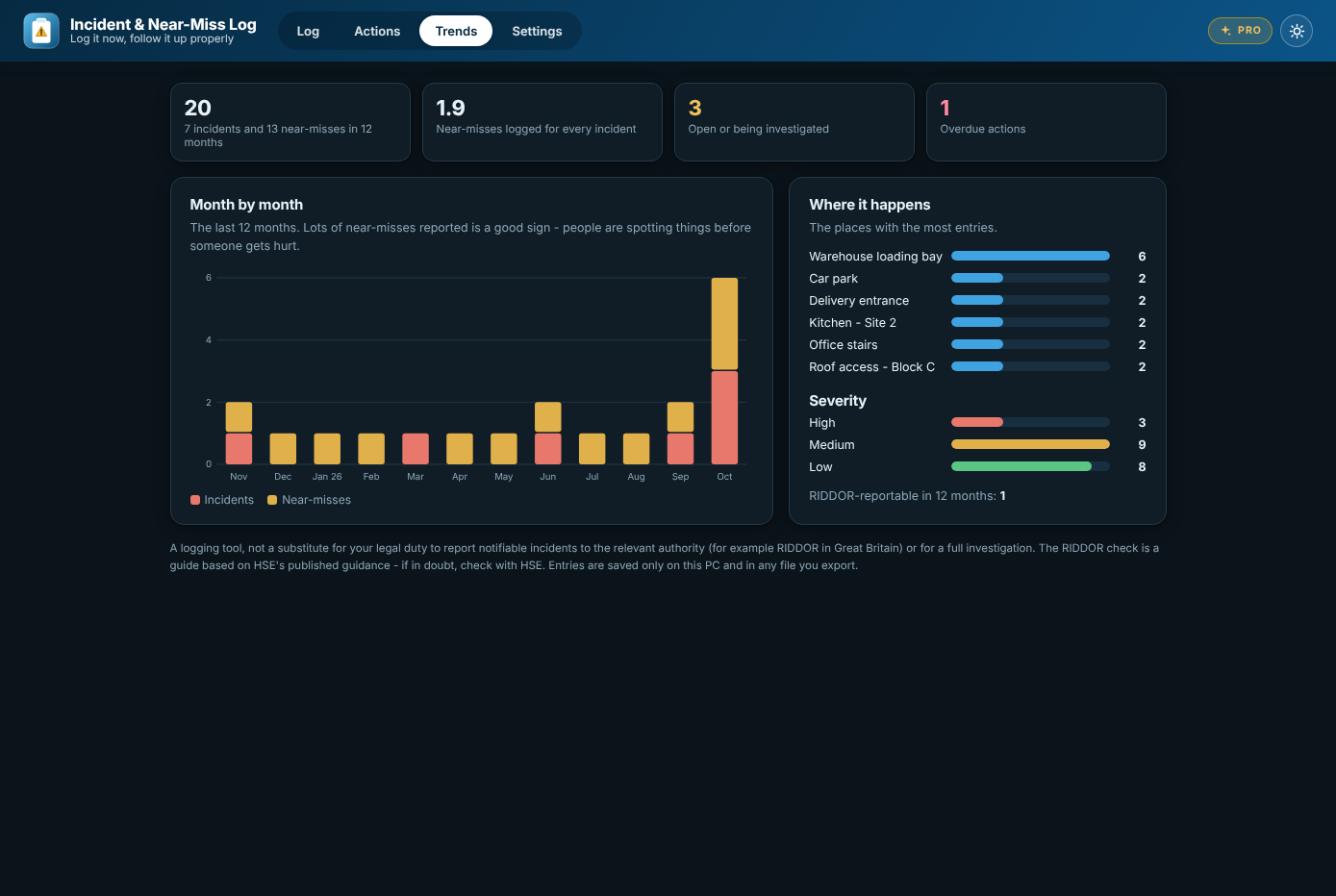
Trends over the last 12 months, here in the dark theme (Pro)
The quick-log box sits at the top of the app, always open - incident or near-miss, severity, when, where and what happened. Ctrl+Enter and it's logged, with a reference number like INC-0012.
Your log is kept on your PC between sessions. Click any entry to add detail later or correct it - log the basics now and fill in the rest when you know more.
Filter by incident or near-miss and by severity, or search the whole record - descriptions, places, names and actions.
Export the current (filtered) log as a formatted PDF or a CSV file for a spreadsheet - for a safety review, an audit or handing over.
Save the whole log to a file now and then, and restore it on another PC. Nothing is uploaded anywhere and there's no account to make.
Warehouses, offices, shops, kitchens, care settings and building sites - not tied to one trade. A sample log and light and dark themes are built in.
Logging, editing, search, filters, export and backups stay free. Incident Log Pro is a one-off £4.99 upgrade inside the app for following every incident up properly, bought through the Microsoft Store - no subscription and no account.
Record the root cause, set corrective actions with owners and due dates, and track each entry from open to closed. A Windows reminder pops up the morning an action is due, and an Actions tab lists everything outstanding, overdue first.
Add photos of the scene, the damage or the fix to any entry. They're kept on your PC, included in backups and go into the incident report.
For workplaces in Great Britain: a few questions based on HSE's guidance tell you whether an incident looks reportable and by when, with HSE's details - then record when you reported it and the reference.
Month-by-month charts, your near-miss ratio, where things keep happening and what's overdue. And a PDF incident report for each entry with your logo, photos, actions, the RIDDOR result and sign-off lines.
| FEATURE | FREE | PRO £4.99 |
|---|---|---|
| Log incidents and near-misses, saved on your PC | Yes | Yes |
| Edit entries, search and filter | Yes | Yes |
| Log PDF, CSV export and backups | Yes | Yes |
| Root cause and corrective actions | No | Yes |
| Action reminders | No | Yes |
| Photos | No | Yes |
| RIDDOR check | No | Yes |
| Trends | No | Yes |
| Branded incident report PDF | No | Yes |
SafetyCulture (formerly iAuditor) is a well-known cloud inspection and audit platform with a near-miss/incident reporting template among thousands of others. Here's how a focused desktop tool for logging incidents and near-misses - free, with a one-off Pro upgrade - compares.
| Feature | Incident & Near-Miss Log | SafetyCulture |
|---|---|---|
| Pricing model | Free; optional one-off £4.99 Pro upgrade | Free tier (10 users), then ~$24-29/user/month Premium |
| Built specifically for quick incident/near-miss logging | ✓ | ~ |
| Works fully offline | ✓ | ~ |
| Export to CSV or PDF | ✓ | ✓ |
| Root cause and corrective actions with due dates | ✓ (Pro) | ✓ |
| Photos on entries | ✓ (Pro) | ✓ |
| Native iOS/Android mobile app | ✕ | ✓ |
| Multi-user team accounts and roles | ✕ | ✓ |
| Nothing uploaded - data stays on your device | ✓ | ✕ |
| No account or sign-in needed | ✓ | ✕ |
Comparison based on SafetyCulture's publicly listed pricing and features as of August 2026 (safetyculture.com, Capterra, G2) - pricing and features change over time, so check safetyculture.com for current details. SafetyCulture is a trademark of its respective owner; this comparison is for informational purposes and isn't sponsored by or affiliated with SafetyCulture.
Yes. Logging incidents and near-misses, editing them, search, filters, PDF and CSV export and backups are free, with no account and no trial. Incident Log Pro is an optional one-off £4.99 upgrade inside the app, bought through the Microsoft Store.
Investigations with a root cause and corrective actions (owners, due dates and a Windows reminder the morning each one is due), photos on any entry, a guided RIDDOR check, trends charts, and a branded incident report PDF with your logo, photos and sign-off lines.
No. If you had the app on your PC before version 1.1, Incident Log Pro is switched on for you automatically - there's nothing more to pay.
It's a guide, not legal advice. It asks a few questions based on HSE's published guidance on RIDDOR 2013 - who was hurt, how badly, how long they're off work, and whether a dangerous occurrence happened - and tells you whether it looks reportable and the deadline. It doesn't cover occupational diseases or gas incidents. If in doubt, check hse.gov.uk/riddor or ask HSE.
No. It's a logging and follow-up tool, not a substitute for reporting notifiable incidents to the relevant authority (for example HSE under RIDDOR in Great Britain) or for a proper investigation.
On your PC. Since version 1.1 the log is saved as you go, and you can back it up to a file and restore it on another PC from Settings. Nothing is uploaded anywhere and you don't need an account.
No - it's deliberately general. Warehouses, offices, shops, kitchens, care settings and building sites can all use it to log incidents and near-misses.
