
What it actually does
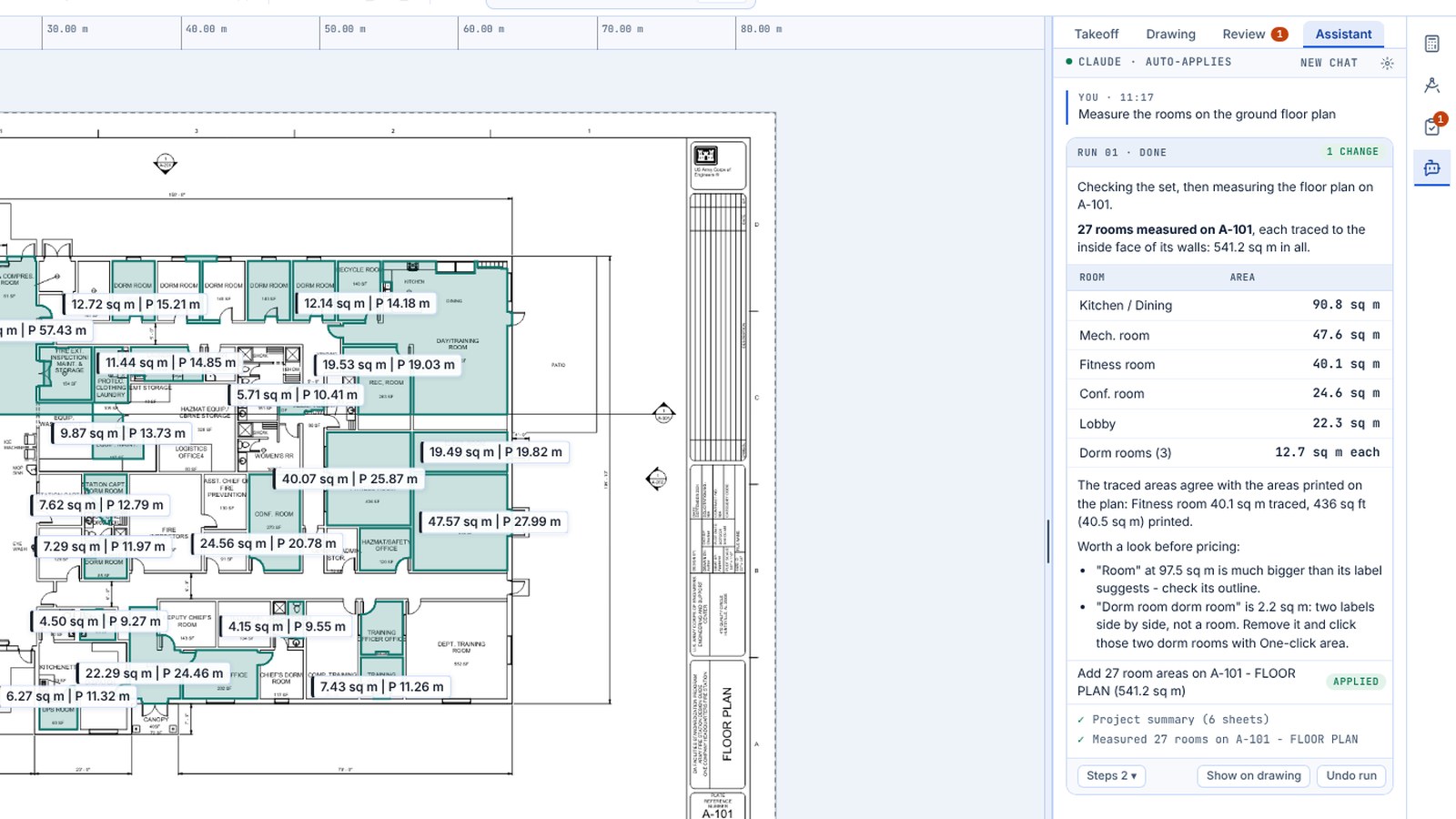
The Takeoff Assistant doesn't guess quantities from a picture. It reads the sheet's text to find the room labels, then runs the same tools you would: One-click area from each room label, Auto walls for the wall runs, doors and windows, Count by example for symbols. Every quantity comes from those tools, and each step is listed as it goes.
Asked to measure the rooms on the ground floor plan of a fire station set, it traced 27 rooms, 541.2 sq m, each to the inside face of its walls. It checked the areas against those printed on the plan and named the two worth a look: one much bigger than its label suggested, and a sliver between two labels.
How to set it up
- Get Takeoff Studio, free from the Microsoft Store or in your browser, and start Takeoff Studio Pro - the first month is free.
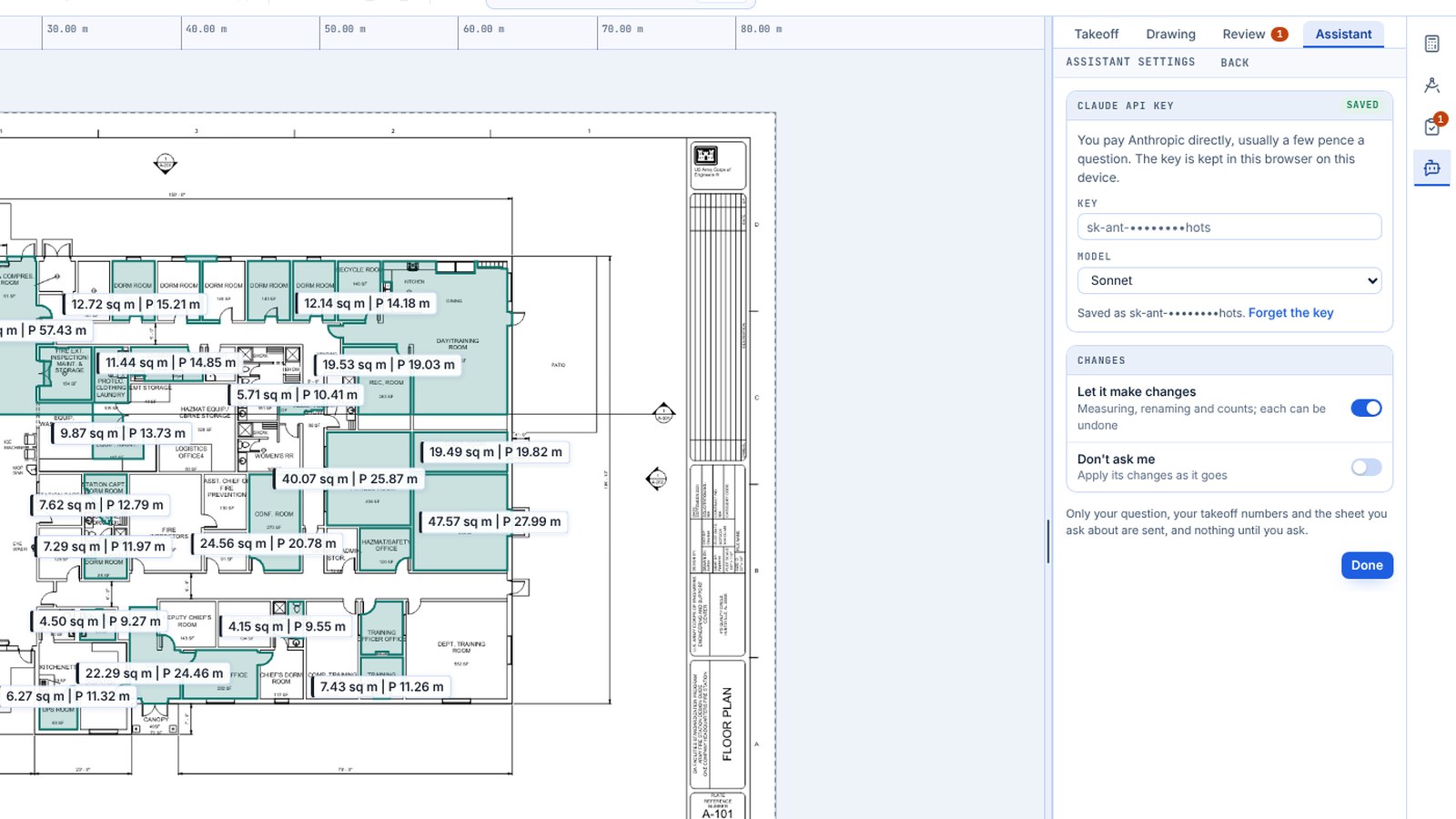
- Create an API key in your Anthropic account (console.anthropic.com).
- Open the Assistant tab, open its settings (the cog) and paste the key. It stays on your PC.
You pay Anthropic directly for what you use - usually a few pence a question. Metre2 never sees the key or charges for it.
Ask it to measure
Set the scale first - Set up the set does it for the whole drawing set. Then type what you want in plain English:
- Measure the rooms and walls on the ground floor plan.
- Check A-101 for anything with a room label that I haven't measured.
- Which sheets have no scale yet, and how much floor area have I measured?
When it's done, Show on drawing takes you to each result, and Undo run takes the whole run back in one step.
Stay in control of changes
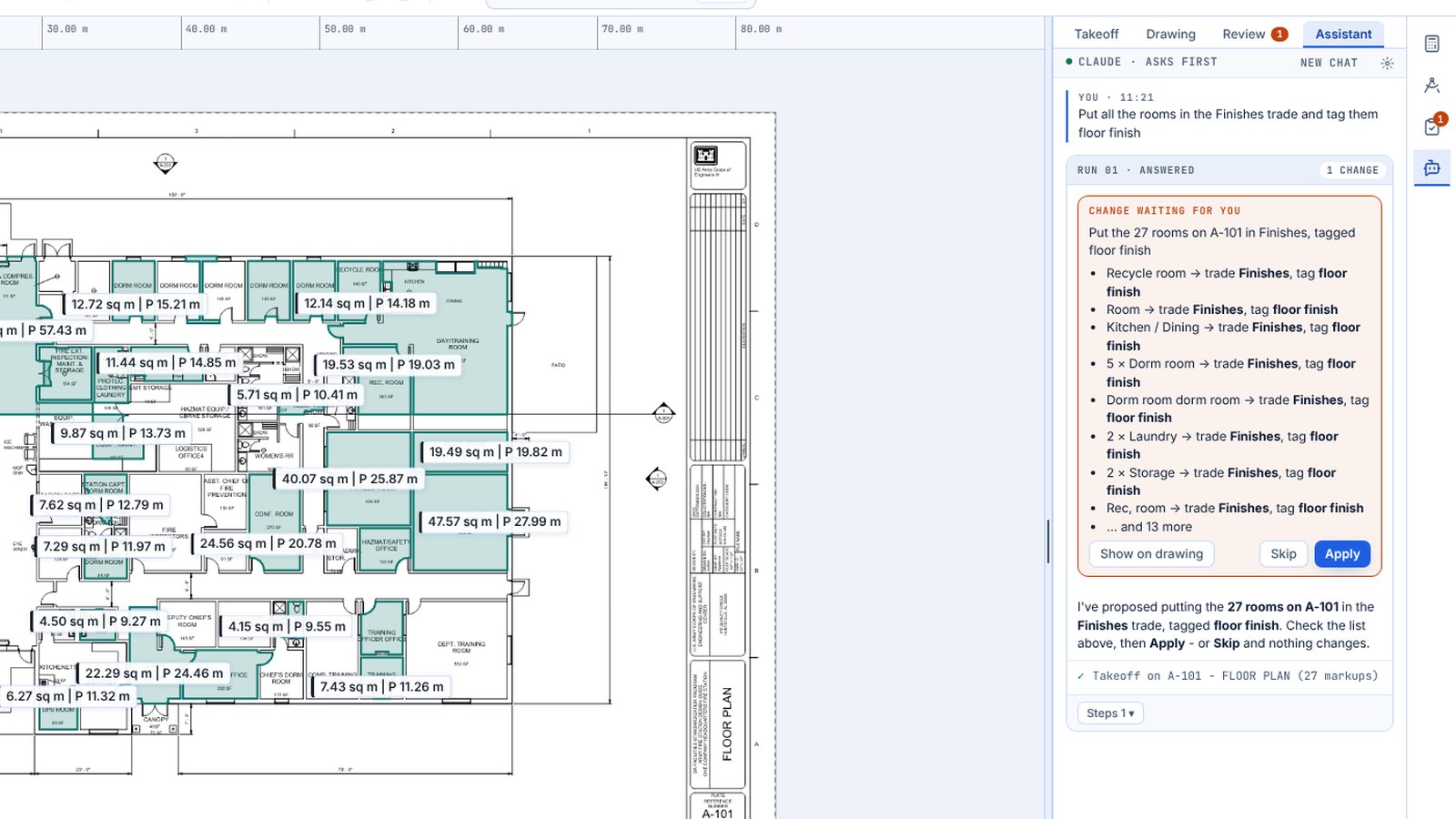
Changes stay off until you tick Let it make changes. Then each change waits for you to Apply or Skip it, with every markup it would touch listed. Turn on Don't ask me only once you trust it on a set - it then applies changes as it goes, each run still one undo step.
Where it helps - and where to check
| Good at | Check |
|---|---|
| A first measure of every plan in a big set | The scale on each sheet, against a printed dimension |
| A missing items check before you issue | Open-plan areas and rooms with generic labels ("Room", "Store") |
| Questions about the set and your takeoff | Anything it flags, and anything not drawn on the sheet |
Treat its work as you would a colleague's: it measures with the same tools you would and says what it isn't sure of, but check before you price.
What is sent to Claude
Only your question, your takeoff numbers and the sheet you ask about - and only when you ask. Your drawings aren't sent anywhere until you ask a question, and your API key stays on your PC.