How-to guide
A finishes schedule means measuring every room's floor, walls, ceiling and skirting, then adding them up by finish. Takeoff Studio does the adding up for you: click inside each room, give it a height and its finishes, and the Rooms tab lists the quantities with totals for each finish and each level. Rooms and finishes is part of Takeoff Studio Pro, which has a free first month, and your drawings never leave your PC.
Open the floor plan with Load PDF, then Calibrate the page (R) from a dimension you trust, or use Set Scale from Title Block in the PDF tab. Rooms can only be traced on a calibrated page.
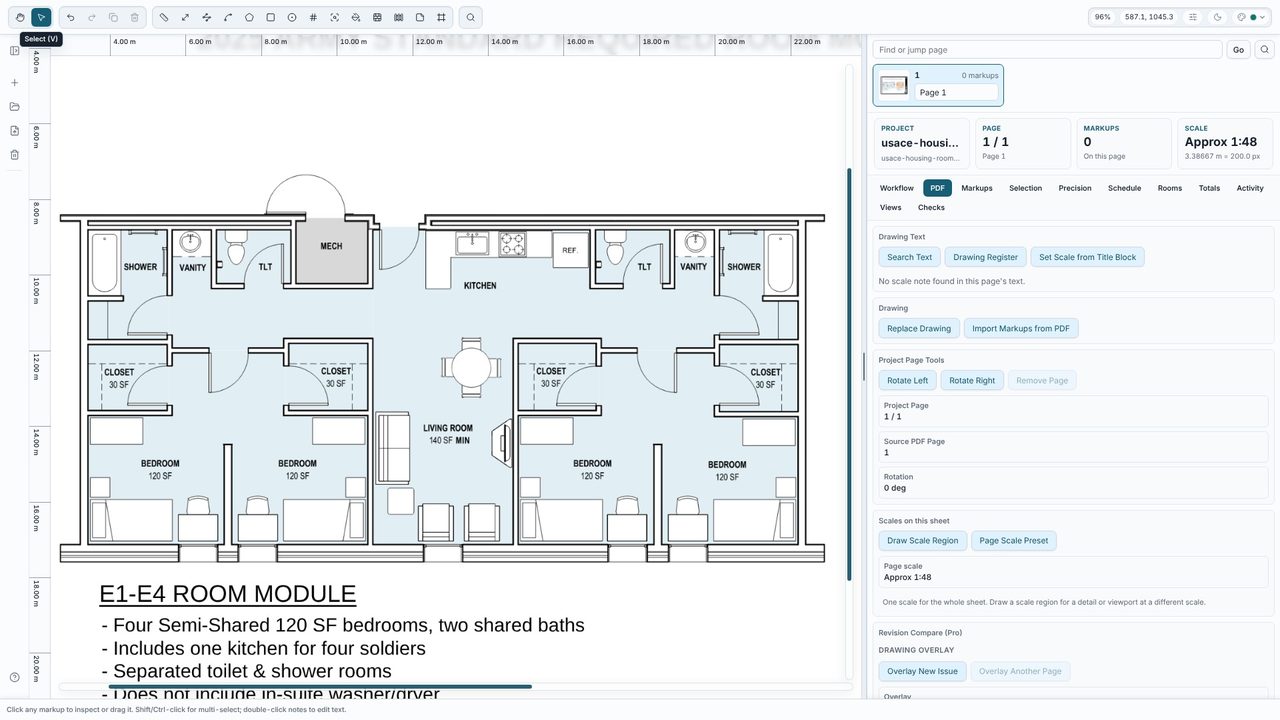
Draw round the room with Rect (B), or Area (A) for any other shape, measuring to the inside face of the walls. Or let Takeoff Studio trace it: choose Room on the toolbar (One-click area), tick Make rooms and click inside each room - Shift-click to add several at once. If a traced room turns red, the fill has run out through a doorway: raise Close gaps and click again.
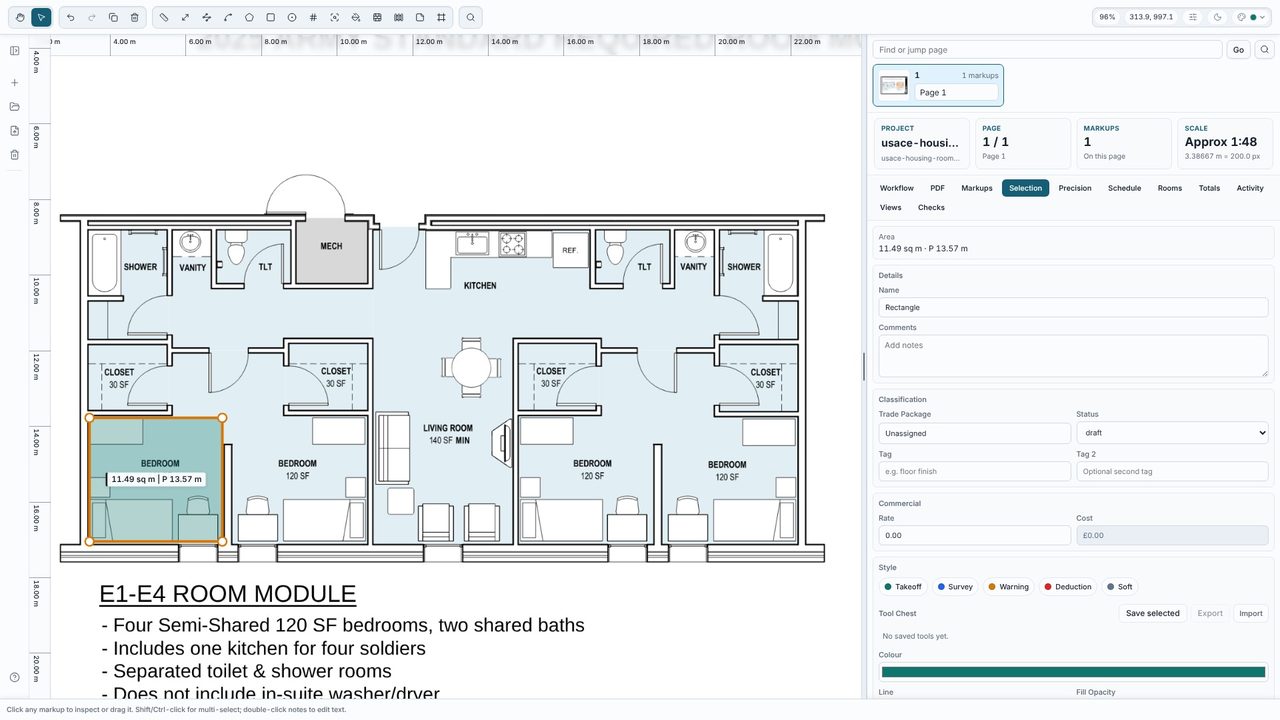
Select the area and, in the Selection tab, click Make this a room (rooms traced with Make rooms already are). Type its name, level or zone and ceiling height (2.4, 2400mm or 8' 0" all work), and pick the floor, wall and ceiling finishes and the skirting. Under Doors and windows, click + Door or + Window and set how many and their sizes, so they come off the wall area and the skirting.
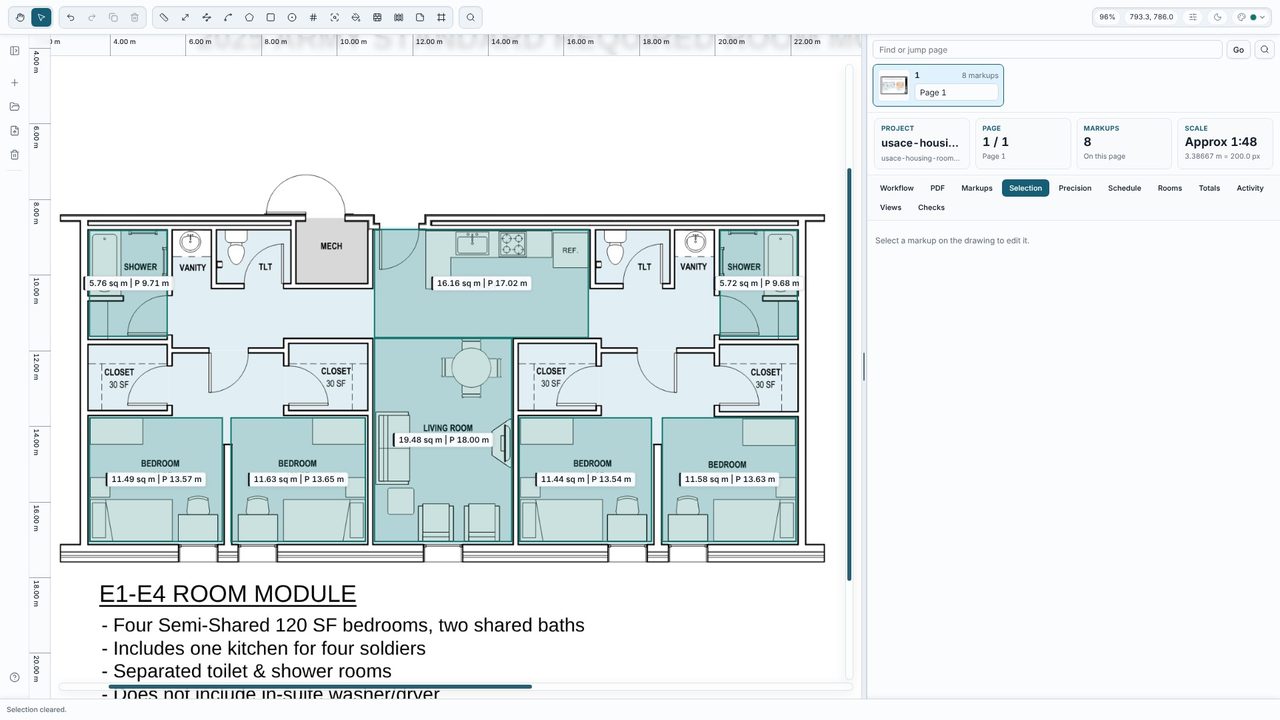
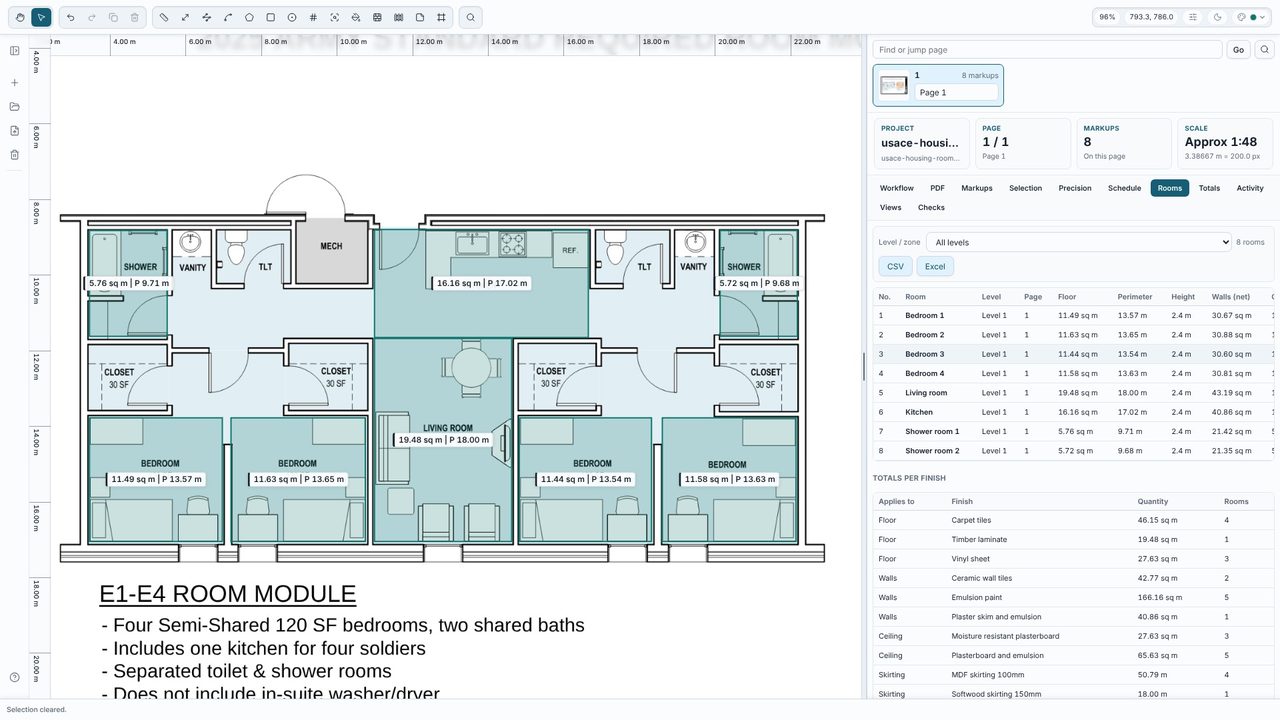
Open the Rooms tab. Every room is listed with its floor area, perimeter, height, wall area less openings, ceiling area and skirting - Bedroom 1 here is 11.49 m² of floor, 30.67 m² of wall after its door, and 12.67 m of skirting - followed by totals for each finish and each level. Filter by level, click a room to find it on the drawing, and export the schedule to Excel or CSV.
Rooms and finishes is part of Takeoff Studio Pro (£24.99 a month or £199.99 a year, first month free). Measuring room areas with the Area tool is free in Takeoff Studio.
It's the room's perimeter times its ceiling height, less the doors and windows you add to the room. Skirting is the perimeter less the door widths. Cutouts such as columns don't add wall.
Yes. One-click areas work on scans as well as drawings exported from CAD. Calibrate the page from a dimension first.
No. Everything runs on your PC. Takeoff Studio is a Windows app and works offline.
