How-to guide
Counting every socket, light fitting or manhole on a set of drawings by hand is slow, and it's easy to miss one. Takeoff Studio's Find symbol does the counting for you: box one symbol, check what it finds, and accept. It's part of Takeoff Studio Pro, which has a free first month, and your drawings never leave your PC.
Open the drawing with Load PDF and Calibrate the page (R) from a dimension you trust. Find symbol works on calibrated pages, so if you want to search a whole set, calibrate every page you need.
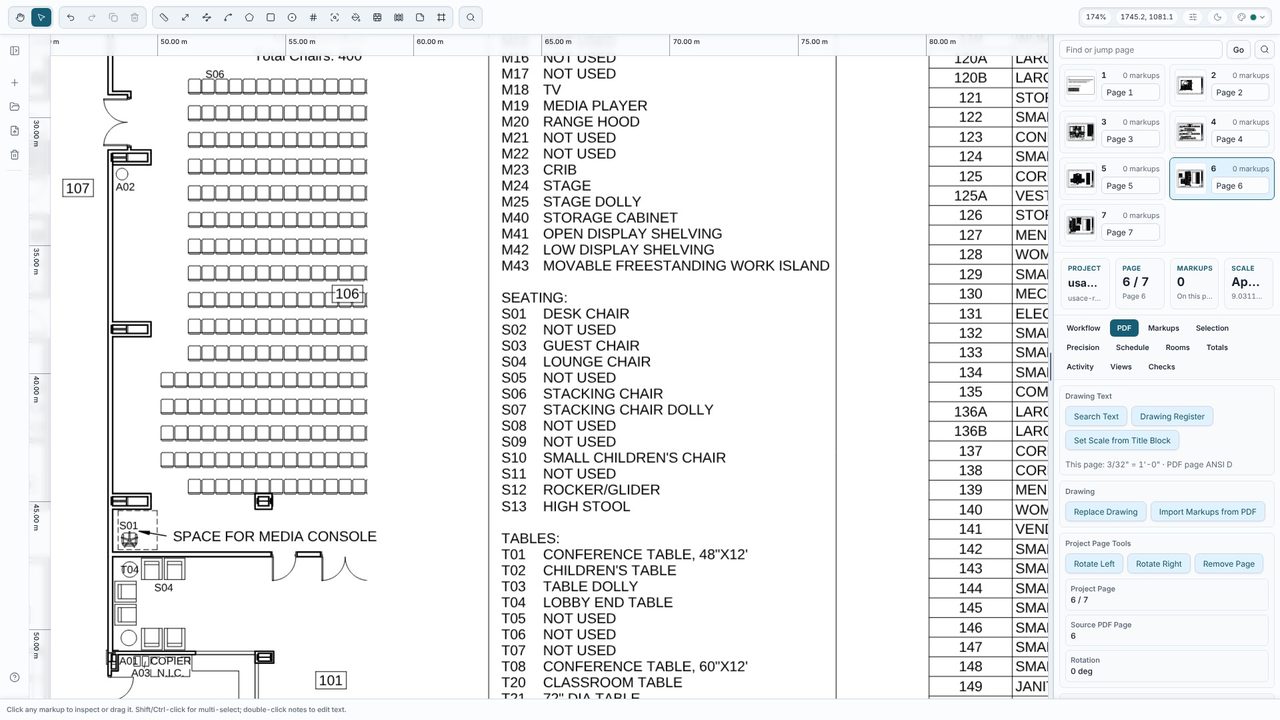
Choose Find on the toolbar (or Find symbol in the command palette, Ctrl+K), then drag a box tightly round one example of the symbol - a socket, a light fitting, a door swing or a manhole. Takeoff Studio searches the page and rings every match. Tick All calibrated pages to search the whole set.
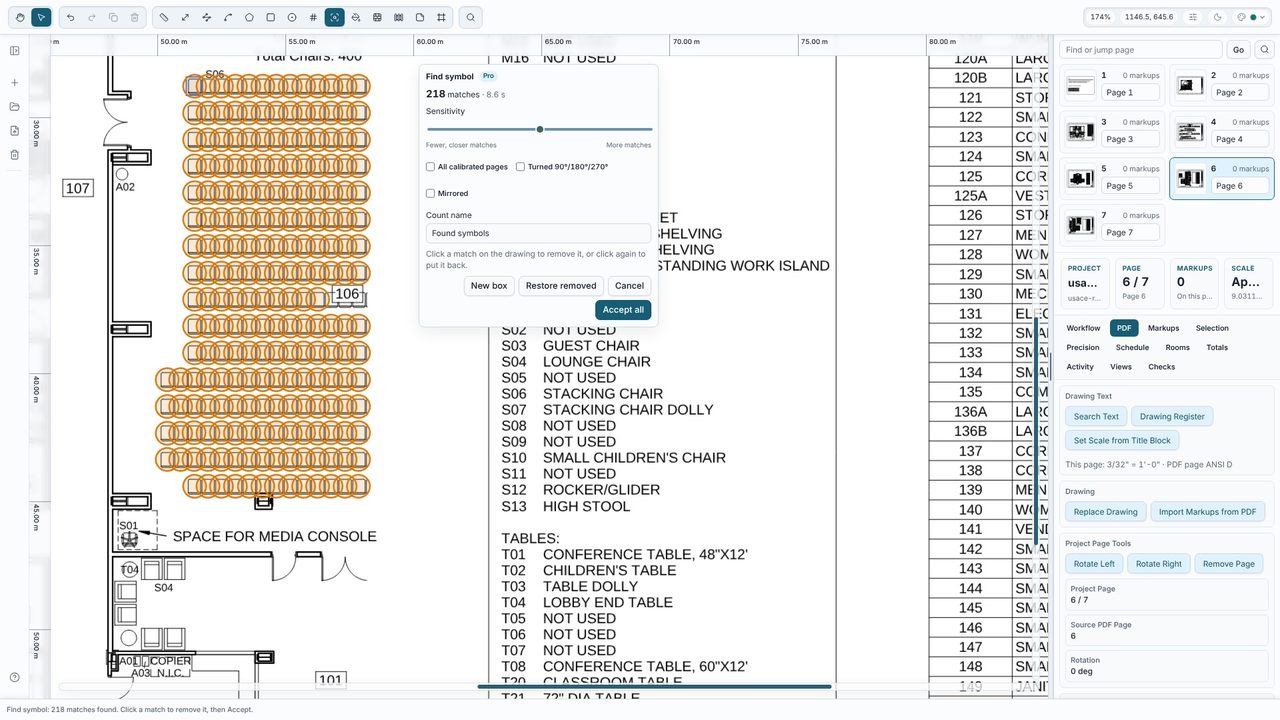
Every match has a ring round it - 218 matches on this furniture plan. Move the Sensitivity slider to see fewer, closer matches or more matches straight away. Click a ring to remove a wrong match, and click it again to put it back. Tick Turned 90°/180°/270° or Mirrored to catch symbols drawn the other way round.
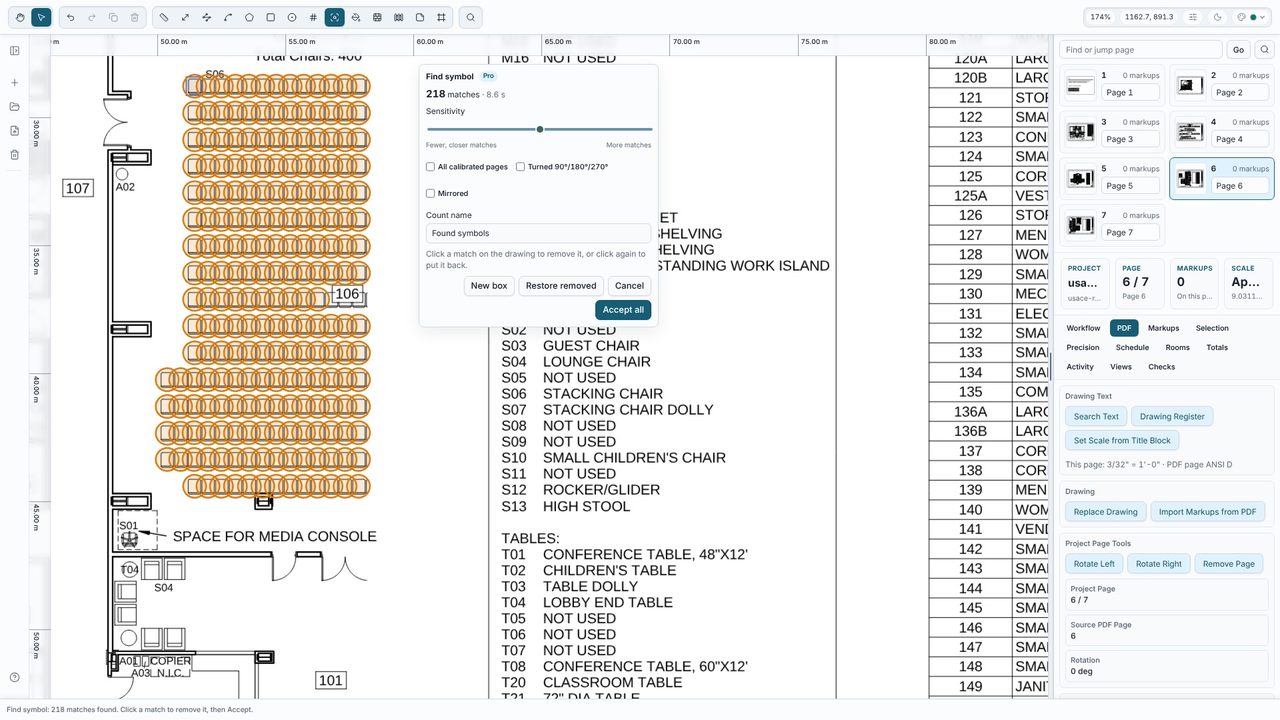
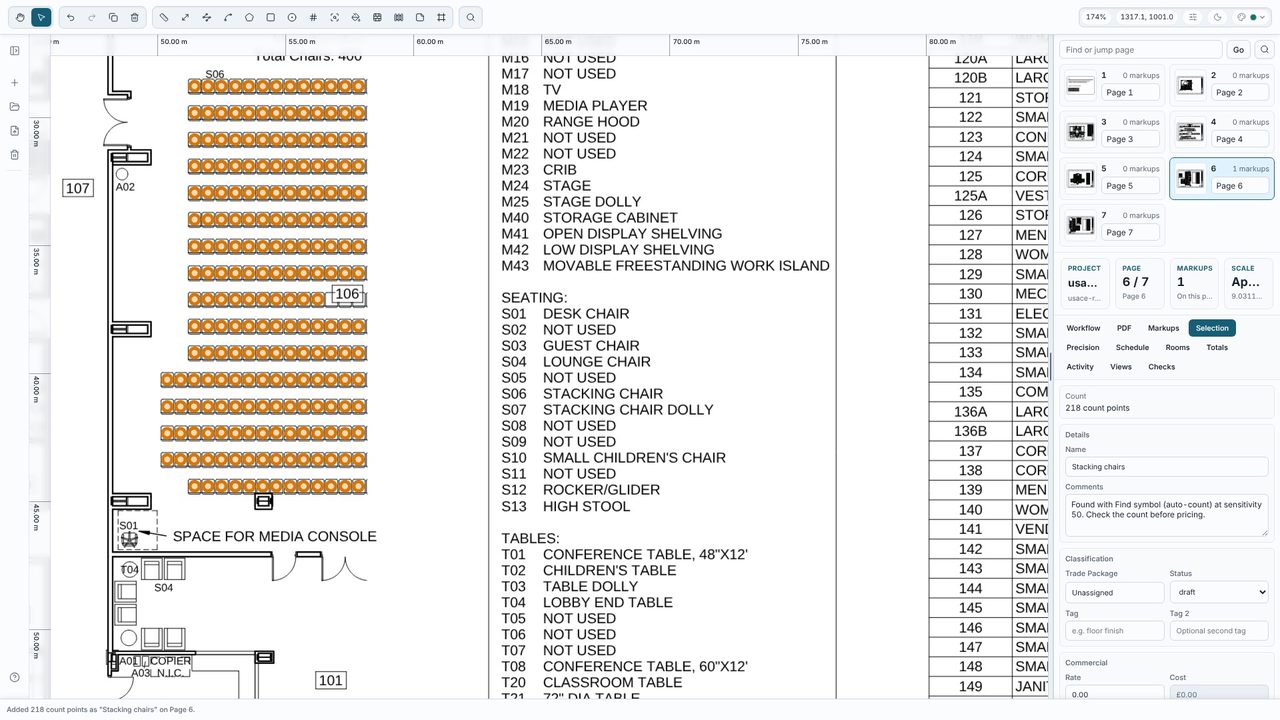
Type a name for the count, such as Stacking chairs or Ceiling light points, and choose Accept all. The matches become one ordinary count markup on each page, so you can add, move or delete points afterwards, and one Undo removes the lot. The count goes into the Totals and the schedule like any other.
Find symbol is part of Takeoff Studio Pro (£24.99 a month or £199.99 a year, first month free). Measuring, including counting by hand with the Count tool, is free in Takeoff Studio.
Yes. Tick All calibrated pages and it searches every page you have calibrated, with one count markup for each page when you accept.
Click the ring to remove it before you accept, or lower the Sensitivity slider. After you accept, the result is an ordinary count, so you can still delete or move points.
No. The search runs on your PC. Takeoff Studio is a Windows app and works offline.
