Calendar for busy project weeks
A focused calendar for keeping projects and working weeks organised, with day, week, month, timeline and agenda views, projects and time tracking. Free, in your browser or as a Windows app - no sign-in needed either way. In the Windows app, the optional one-off Calendar Pro upgrade adds reminders, printable planners, extra themes and a private on-device AI assistant.
See your work or family calendar next to your own events - read-only and kept up to date. One linked calendar is free.
Tag events by project, filter to one project, and log actual hours against what you planned.
Find any event instantly by searching keywords, dates, or descriptions.
No account needed, no cloud dependency. A reliable local calendar that just opens.
Windows 10/11 · Free · Offline · Microsoft Store
Calendar stays free. If you want more, Calendar Pro is a one-off £5.99 upgrade inside the Windows app, bought through the Microsoft Store - no subscription, no account.
Windows notifications before your events - even when Calendar is closed.
Day, week, month and year wall planners in three styles - print them or save as PDF.
Six extra themes: Midnight, Graphite, Forest, Plum, Paper and Ocean.
Diary entries, weekly update emails, project summaries and tidier titles - nothing leaves your PC.
Planned vs logged hours and progress for each project, with CSV export.
| FEATURE | FREE | PRO £5.99 |
|---|---|---|
| Five views, projects and time tracking | Yes | Yes |
| Use it in your browser | Yes | Windows app |
| Reminders, even when Calendar is closed | No | Yes |
| Printable day, week, month and year planners | No | Yes |
| Six extra themes | No | Yes |
| On-device AI assistant | No | Yes |
| Project Report with CSV export | No | Yes |
A closer look at Calendar in everyday use.
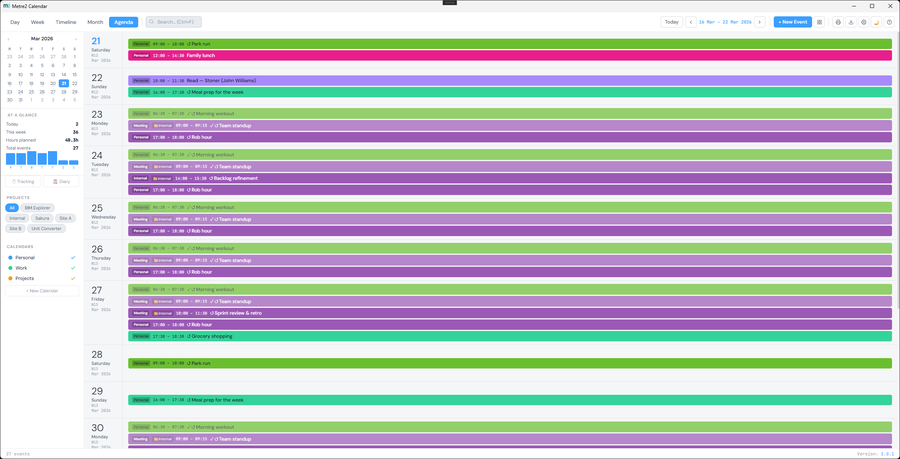
Agenda view - times, projects and categories at a glance
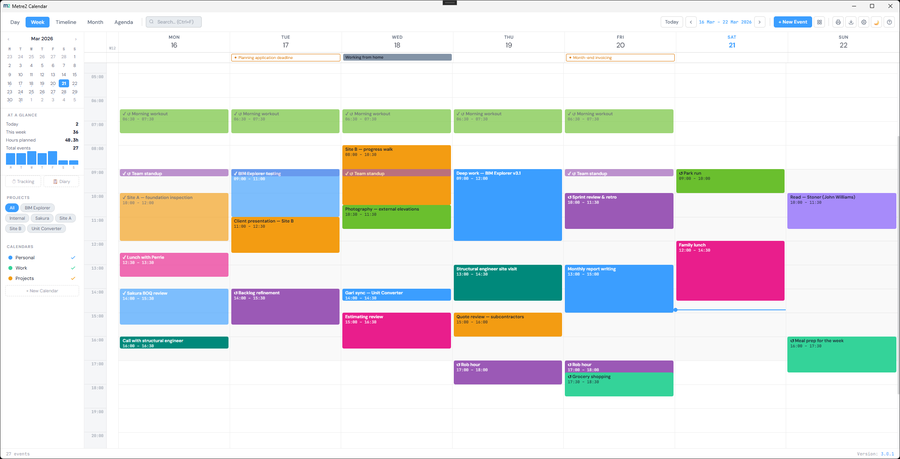
Calendar Pro - an optional one-off upgrade in the Windows app
No - open it straight in your browser at the link above, no install and no sign-up. If you'd rather have it as a Windows app, it's a free one-click install from the Microsoft Store, and it opens straight away with no account needed either way.
No. Everything is stored locally in your browser, the same as the Windows app's local calendar.
No - the on-device AI assistant runs entirely on your computer's own model, so it's a Windows app feature, part of the optional Calendar Pro upgrade. The browser edition has all five views, quick add, drag-and-drop, projects, time tracking, site diary export and smart search. Calendar Pro (reminders, printable planners, extra themes, the AI assistant and Project Report) is only in the Windows app.
Yes. Choose "+ Link Outlook / Google calendar" and paste the calendar's iCal address (the help in the panel shows where to find it for Outlook, Google and iCloud). Its events appear alongside yours in every view, read-only, and refresh every 30 minutes. One linked calendar is free; link more with Calendar Pro in the Windows app. It works in the browser edition and the Windows app.
No. The Windows app opens straight away with no sign-in, the same as the browser edition. You can register your copy for update notices, but it's optional.
Yes. Calendar is free in your browser and on Windows. Calendar Pro is an optional one-off upgrade in the Windows app (£5.99 through the Microsoft Store) that adds reminders, printable planners, six extra themes, the on-device AI assistant and Project Report. No subscription and no account.
People and teams who want a focused, uncluttered calendar on their Windows PC.
