Free · in your browser · no upload
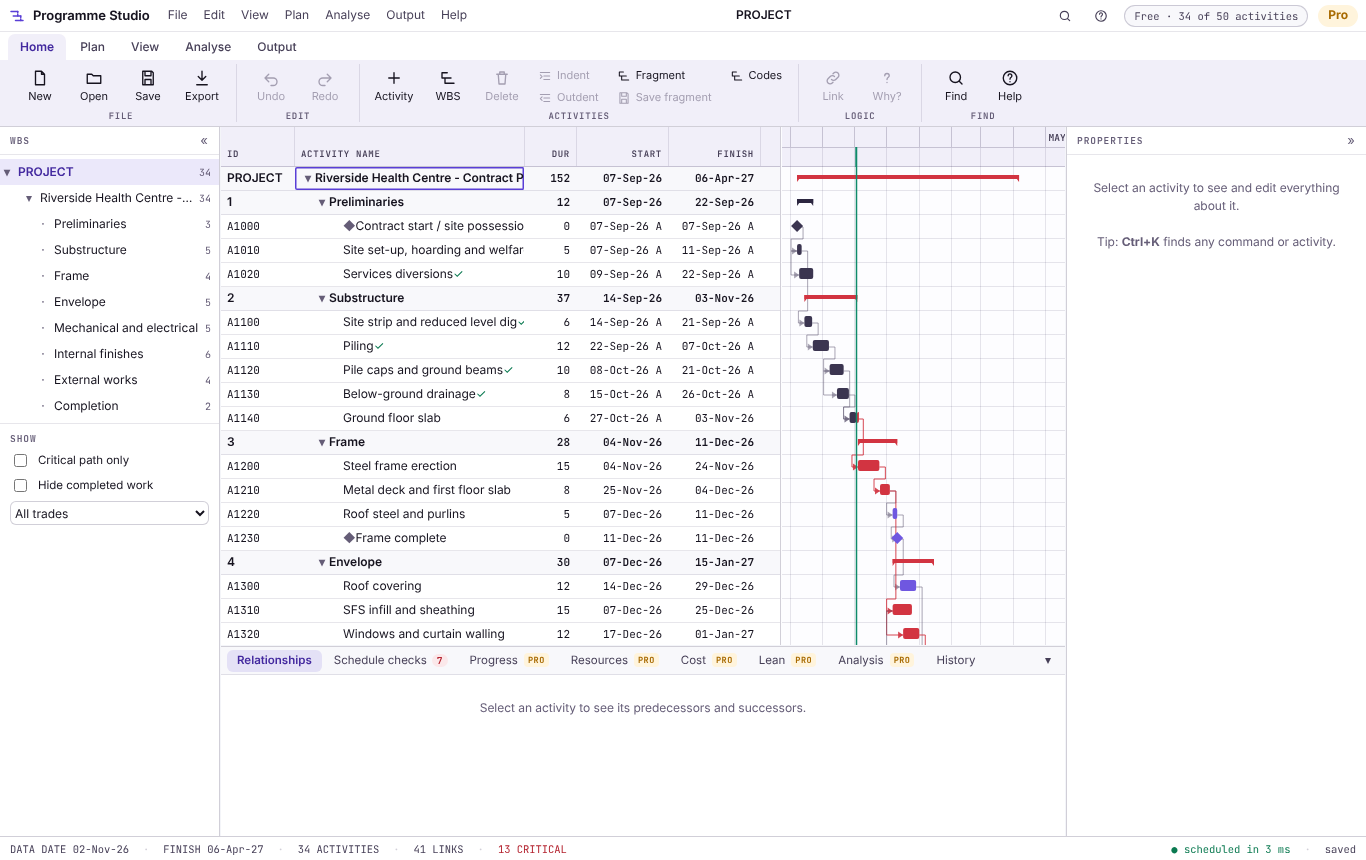
Open a Primavera P6 .xer or P6 XML file, or an MS Project XML file, and see the whole programme in your browser: the activities and WBS, the dates and float, the critical path in red and the logic between the bars. No P6 licence, nothing to install, and the file never leaves your computer.
It runs in your browser: nothing to install, no account and no upload.
A Primavera P6 .xer or P6 XML file, MS Project XML or .mpx, or an Excel or CSV schedule. Or use Open.
The activities, WBS, dates, float and the critical path in red, with the logic drawn between the bars.
There is a longer walkthrough in the guide Open an XER file without Primavera.
Rescheduled the way P6 does it, on each activity's own calendar, with total and free float and the driving logic. Filter to the critical path in one click.
The work breakdown structure as a tree, every activity code and user-defined field as a column, and bars coloured by code, trade or WBS.
Each calendar's working week, holidays and exceptions, the data date, actual dates and the remaining durations, just as they were saved.
The logic as a network diagram, and a month calendar of what is on when.
Select an activity to see what drives it: its predecessor, a constraint, its calendar or progress. Schedule checks flag open ends and hard constraints.
An A4 or A3 PDF or PNG of the Gantt chart with a title block, fitted to the page or the width.
The Gantt chart and the critical path
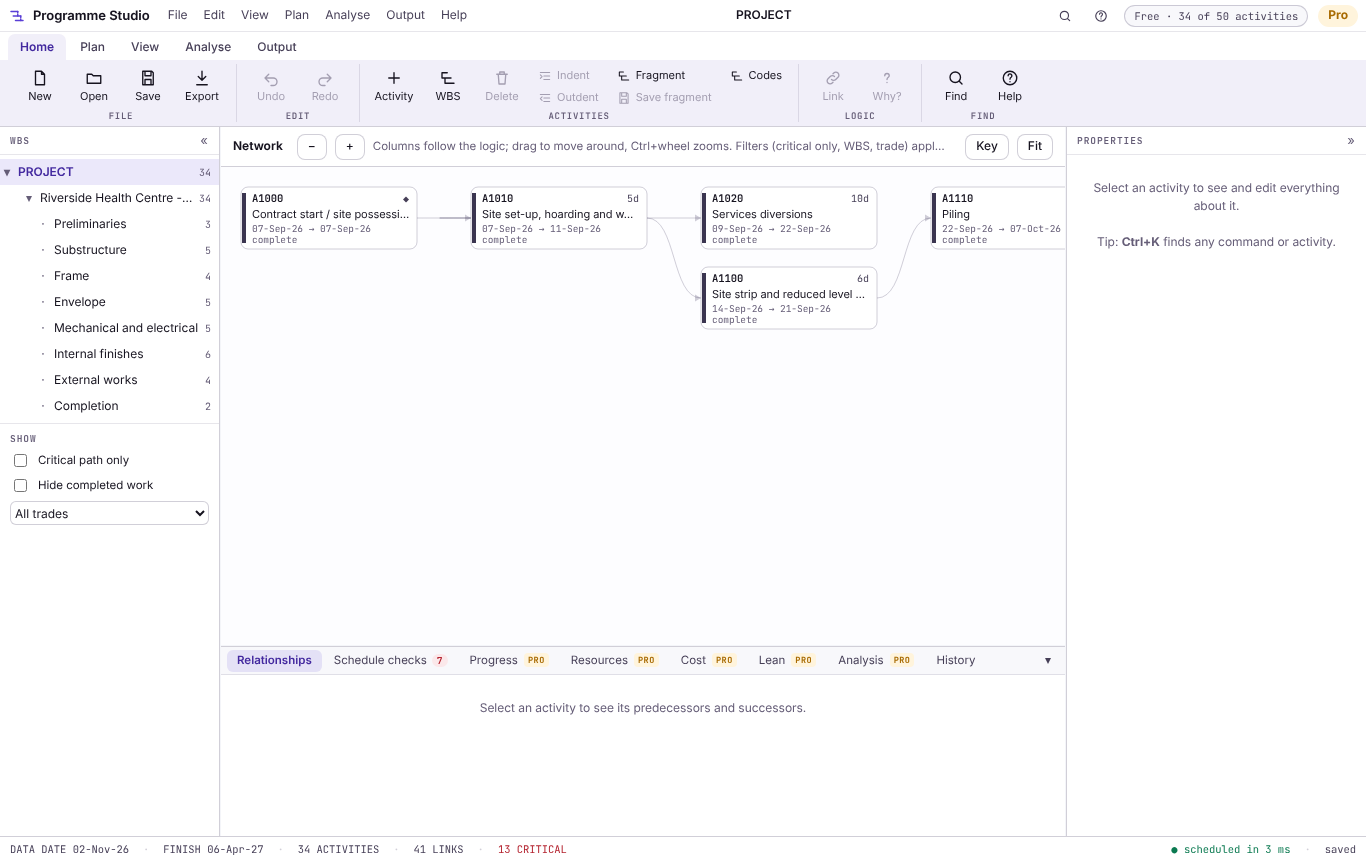
The logic as a network diagram
Yes. Opening and viewing XER, P6 XML and MS Project files of any size is free in Programme Studio, with the critical path, filters, the network and calendar views and A4/A3 printing. There is no account to make and nothing to install.
No. The file is read by your browser on your own computer and is not sent anywhere. The only exception is an MS Project .mpp file, which a browser cannot read: Programme Studio then asks whether to convert it on Metre2's server, in memory, and nothing is kept.
XER exports from Primavera P6 Professional and EPPM, with their calendars, WBS, activity codes, user-defined fields, resources and progress. If a file holds several projects, it opens the main one. P6 XML exports open too.
Yes: MS Project XML (Save As > XML in MS Project) and .mpx open directly, and .mpp files can be converted if you agree. Excel and CSV schedules open with their columns matched automatically.
It reschedules with the same critical path method: a forward and backward pass on each activity's calendar, retained logic or progress override, and float measured as P6 does. Its tests compare the dates with the ones P6 and MS Project saved in their own files.
You can edit programmes of up to 50 activities free, and save them as .m2prog or CSV. Programme Studio Pro edits programmes of any size and saves back to P6 XER and XML, MS Project XML, MPX, Excel and IFC, with a 7-day free trial.
No. An XER is a text export of a P6 database. Programme Studio reads it directly in your browser, so you can review a contractor's or subcontractor's programme without a P6 licence.
