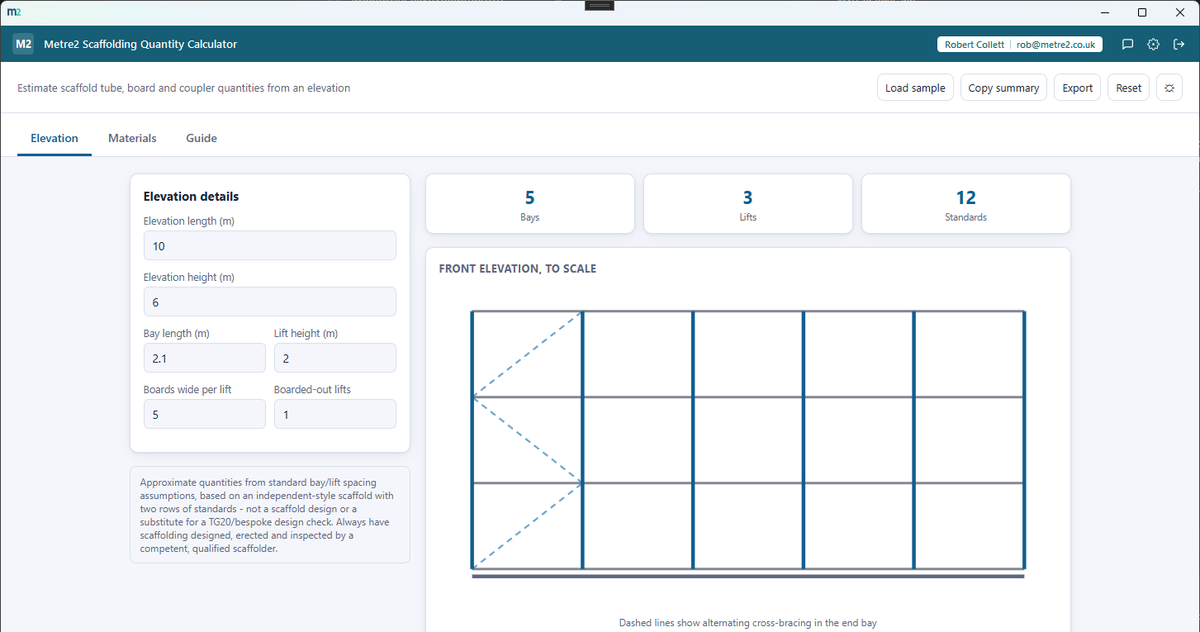
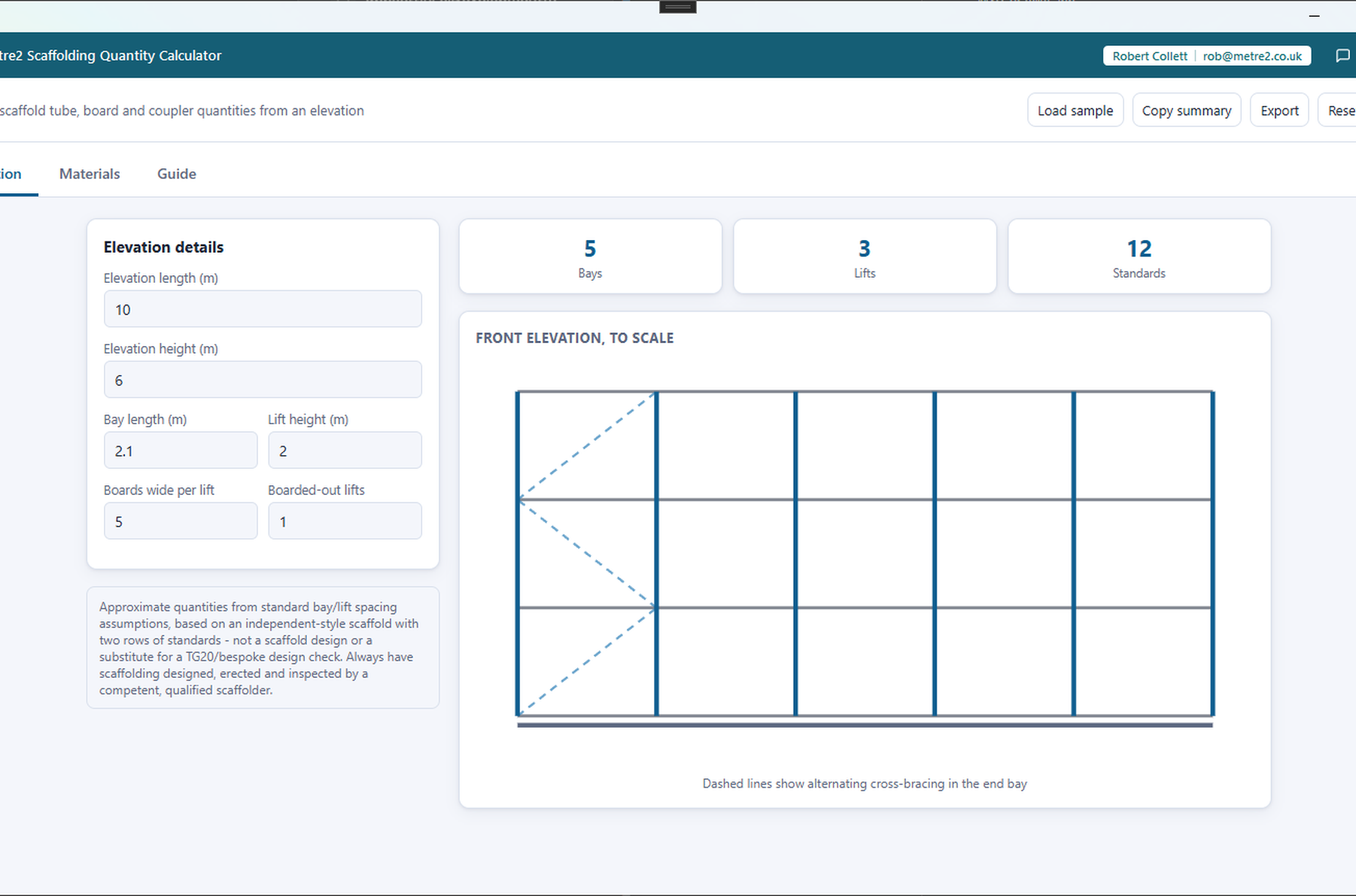
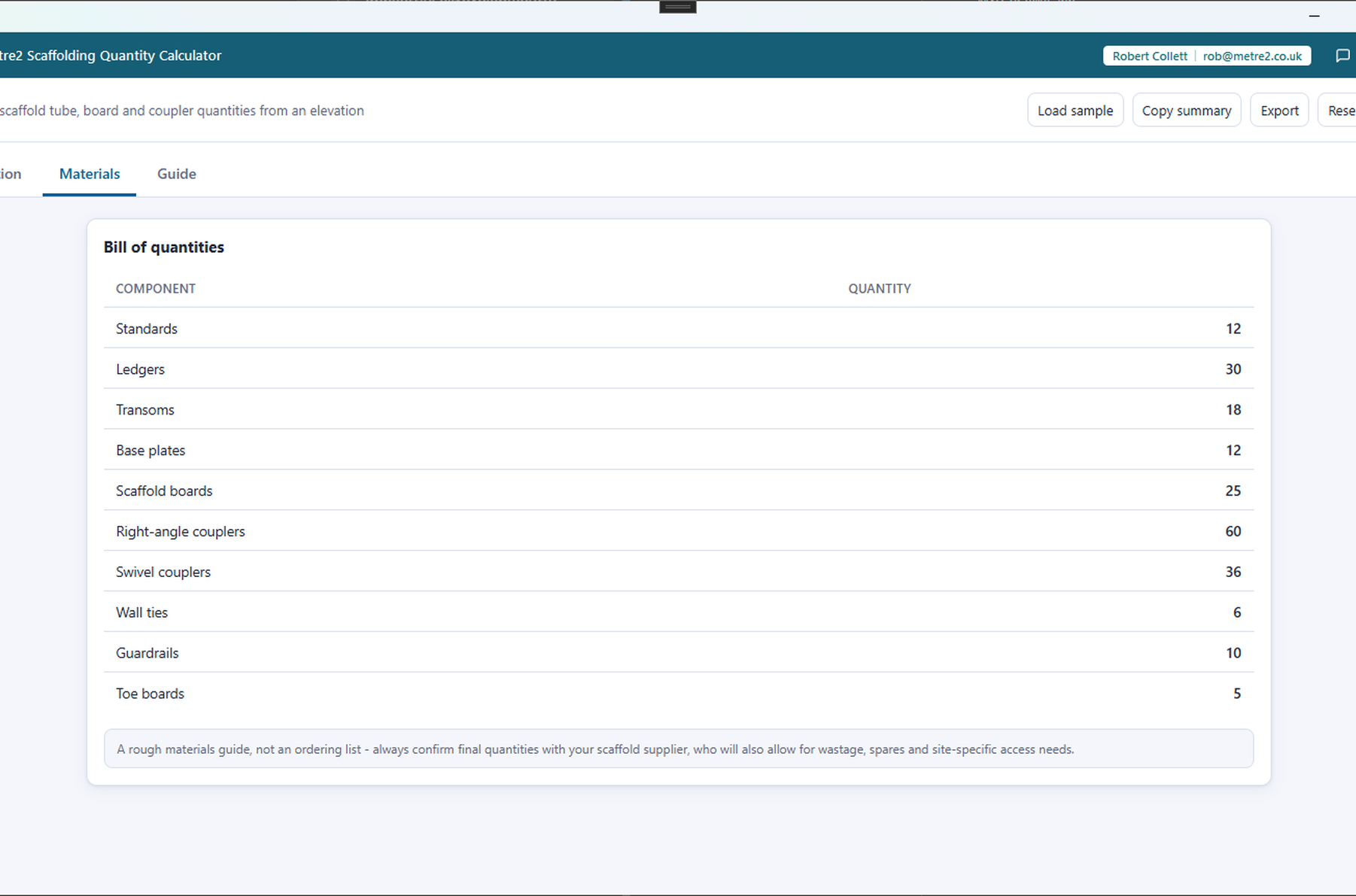
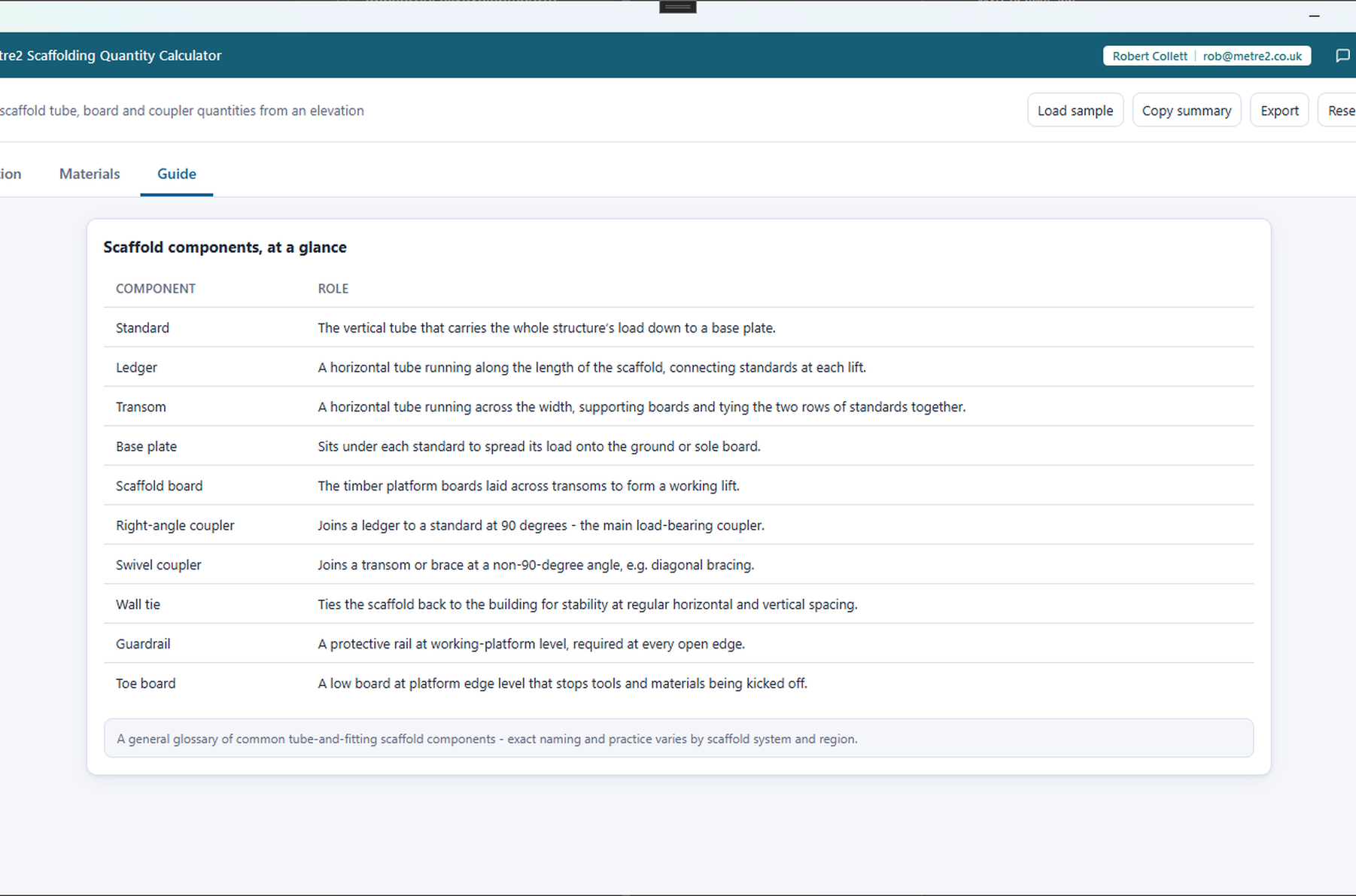
Estimate scaffold tube, board and coupler quantities from an elevation - a to-scale front
elevation shows every bay, lift and cross-brace at a glance, alongside a full bill of
quantities.
The Elevation tab's to-scale front elevation, the Materials tab's full bill of quantities, and the Guide tab's component glossary.
Elevation tab - a to-scale front elevation
Materials tab - the full bill of quantities
Guide tab - a scaffold component glossary
A to-scale front elevation
Standards, ledgers and alternating cross-bracing drawn to scale from your elevation
length, height, bay and lift spacing - see the whole structure at a glance, not just a
number.
A full bill of quantities
Standards, ledgers, transoms, base plates, boards, right-angle and swivel couplers,
wall ties, guardrails and toe boards - every component quantified from your elevation.
Bay and lift spacing you control
Set your own bay length and lift height - the app recalculates bays, lifts and every
downstream quantity instantly as you adjust the elevation.
Boarded-out lifts
Choose how many lifts are boarded out as a working platform and how many boards wide -
board counts scale to match, not just the full structure.
A component guide
A built-in glossary of standard scaffold components - standards, ledgers, transoms,
couplers, ties and more - for anyone new to reading a scaffold quantity list.
Exports and dark mode
Copy a plain-text summary or export it as a standalone HTML file. Light/dark theme
remembers your choice, and rotating sample elevations let you explore the app.
How it compares to STACK
STACK is a well-known cloud construction takeoff and estimating platform covering every trade, including scaffold elements as part of a broader takeoff - here's how a focused, one-off scaffold-only tool compares.
Feature
Scaffolding Quantity Calculator
STACK
Pricing model
One-off purchase after a free trial
Subscription, from ~$599/year up to ~$2,999/year
Works fully offline
✓
✕
Instant standalone scaffold quantity/BOQ, no plan upload
✓
✕
To-scale front elevation with bay/lift spacing control
✓
✕
Component guide (ties, boards, standards, etc.)
✓
✕
Full project takeoff/estimating/PM across every trade
✕
✓
Free tier available
✕
✓
Requires an account/cloud sign-in to use
✕
✓
Comparison based on STACK's publicly listed pricing and features as of August 2026 (capterra.com, softwareadvice.com, getapp.com) - pricing and features change over time, so check stackct.com for current details. STACK is a trademark of its respective owner; this comparison is for informational purposes and isn't sponsored by or affiliated with STACK Construction Technologies.
Worked example
Worked example: an 18 m elevation, five lifts high
A single elevation of an independent-style scaffold, sized from standard bay and lift spacing into a rough bill of quantities for the supplier conversation.
What goes in
Elevation 18 m long × 9 m high
Bay length 2.4 m, lift height 2 m
4 boards wide per lift, 2 lifts boarded out
What comes out
8 bays, 5 lifts, 18 standards
80 ledgers, 45 transoms, 18 base plates, 64 scaffold boards
A to-scale front elevation with the alternating cross-bracing shown in the end bay
The counts assume two rows of standards and standard spacings, so they are a materials guide rather than a design - the page says so plainly, and TG20 or a bespoke design check is still the scaffolder's job. Lengthen the elevation to 24 m and the bay count, standards and couplers all step up together. Open the browser edition to try it with your own figures.
Frequently asked questions
Do I need to install anything to use Scaffolding Quantity Calculator?
No - use it straight from your browser, on a phone, tablet or PC, with no sign-up. It works offline once it has loaded, and you can add it to your home screen or desktop like an app. There is also a Windows desktop version in the Microsoft Store if you prefer an installed app.
Does my Scaffolding Quantity Calculator account work with Vector and Forma?
Scaffolding Quantity Calculator shares its sign-in with every other Keystone app, Vector and Forma included - there's no separate account to set up.
Is this a scaffold design or safe to erect from?
No - it's an approximate quantities guide based on standard bay/lift spacing assumptions, not a scaffold design or a substitute for a TG20/bespoke design check. Always have scaffolding designed, erected and inspected by a competent, qualified scaffolder.
What scaffold type does this assume?
An independent-style tube-and-fitting scaffold with two rows of standards, connected by transoms and ledgers at each lift - the most common configuration for general access and refurbishment work.