How-to guide
You've been sent a PDF floor plan and need the area of a room - no CAD, no scale rule. Here's how to get it in about a minute with Takeoff Studio, which is free on Windows. Your drawing never leaves your PC.
Start Takeoff Studio and choose Load PDF. Single sheets and whole multi-page sets both work - each page appears in the page strip on the right so you can jump between them.
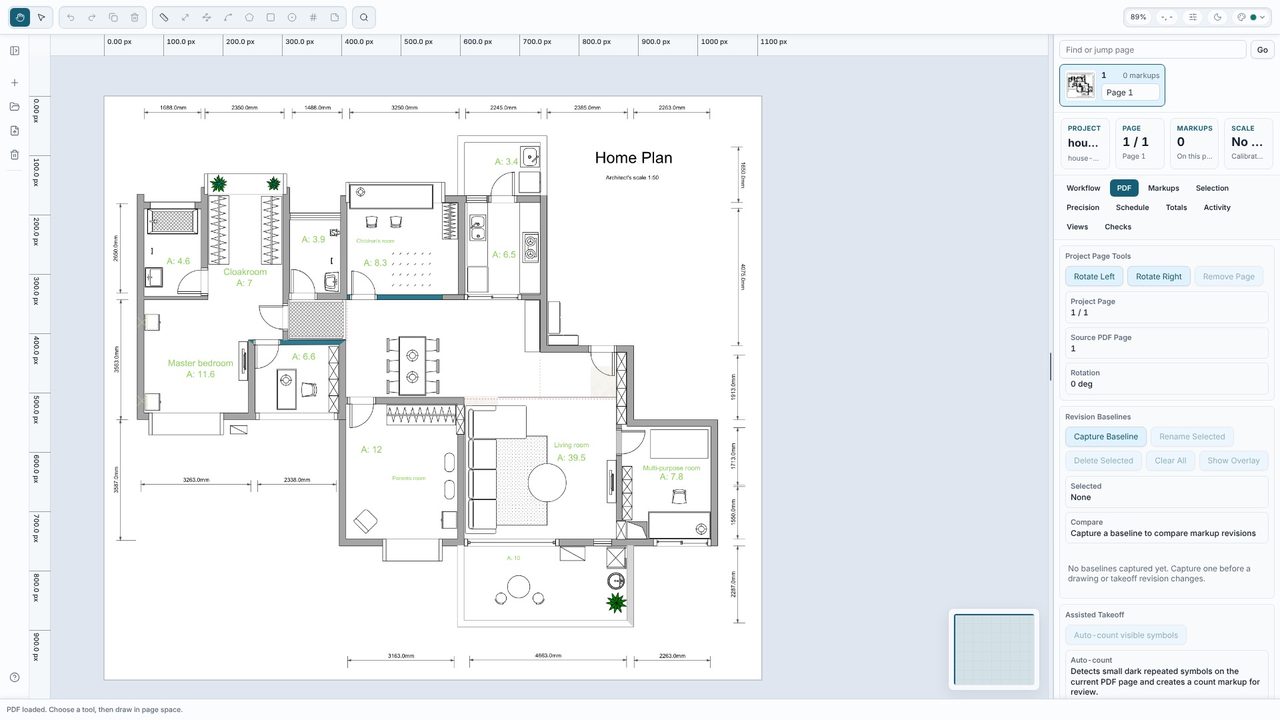
Pick the Calibrate tool (R), click both ends of a dimension you trust, then type its real length and choose the unit. We used the 3250 mm dimension along the top, entered as 3.25 metres - calibrating in metres gives you areas in square metres. Use the longest dimension you can find: small errors in where you click matter less over a long line.
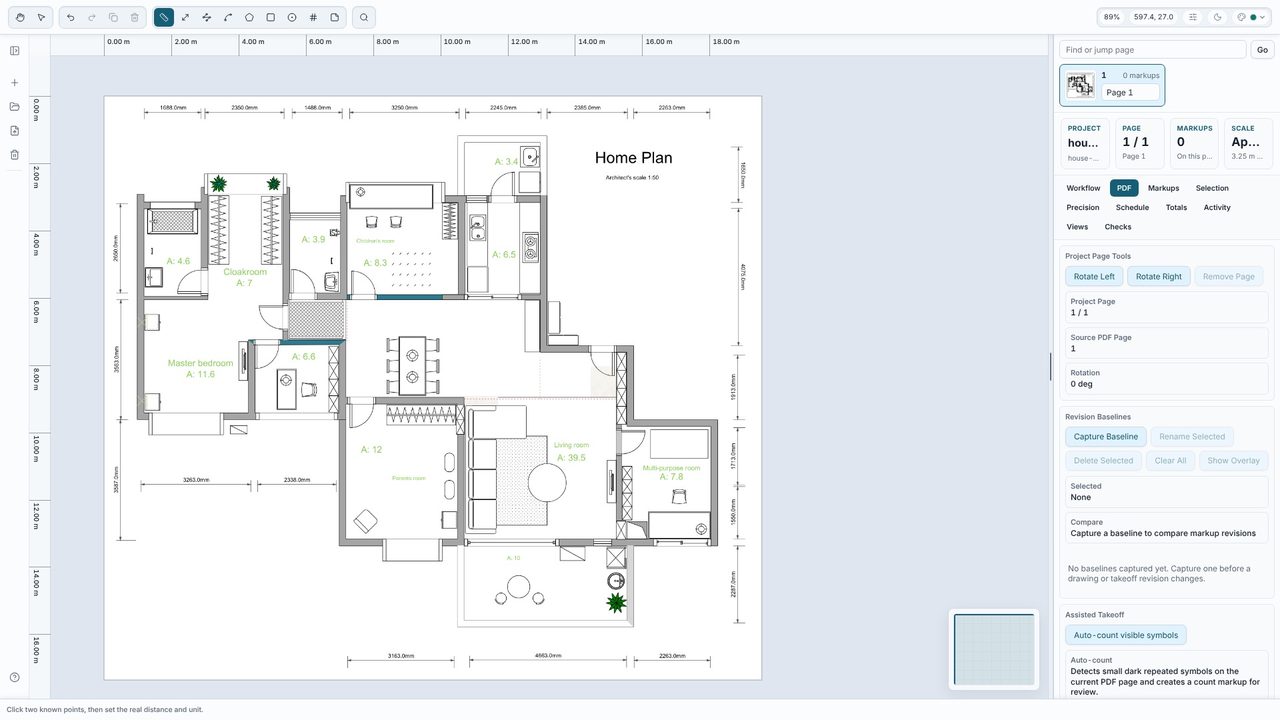
For a rectangular room, choose Rect (B) and click two opposite corners. For any other shape choose Area (A) and click each corner in turn. Measure to the inside face of the walls. The area and perimeter appear on the drawing as you go.
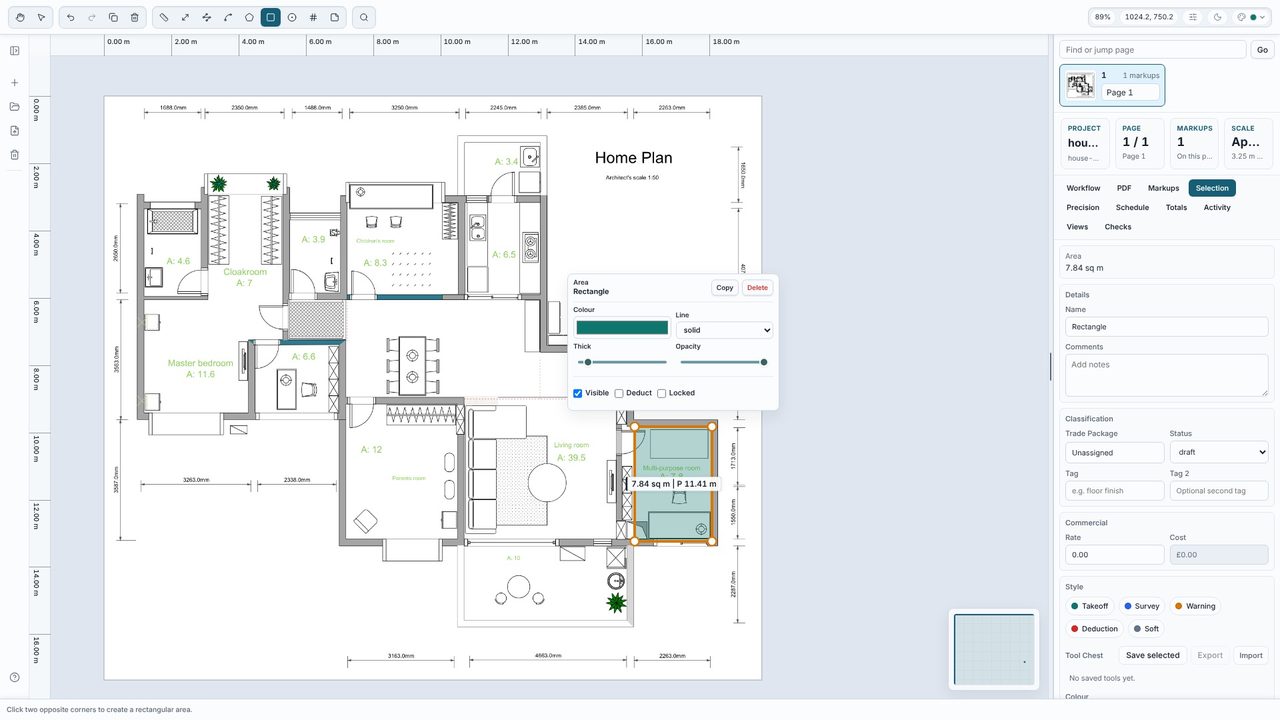
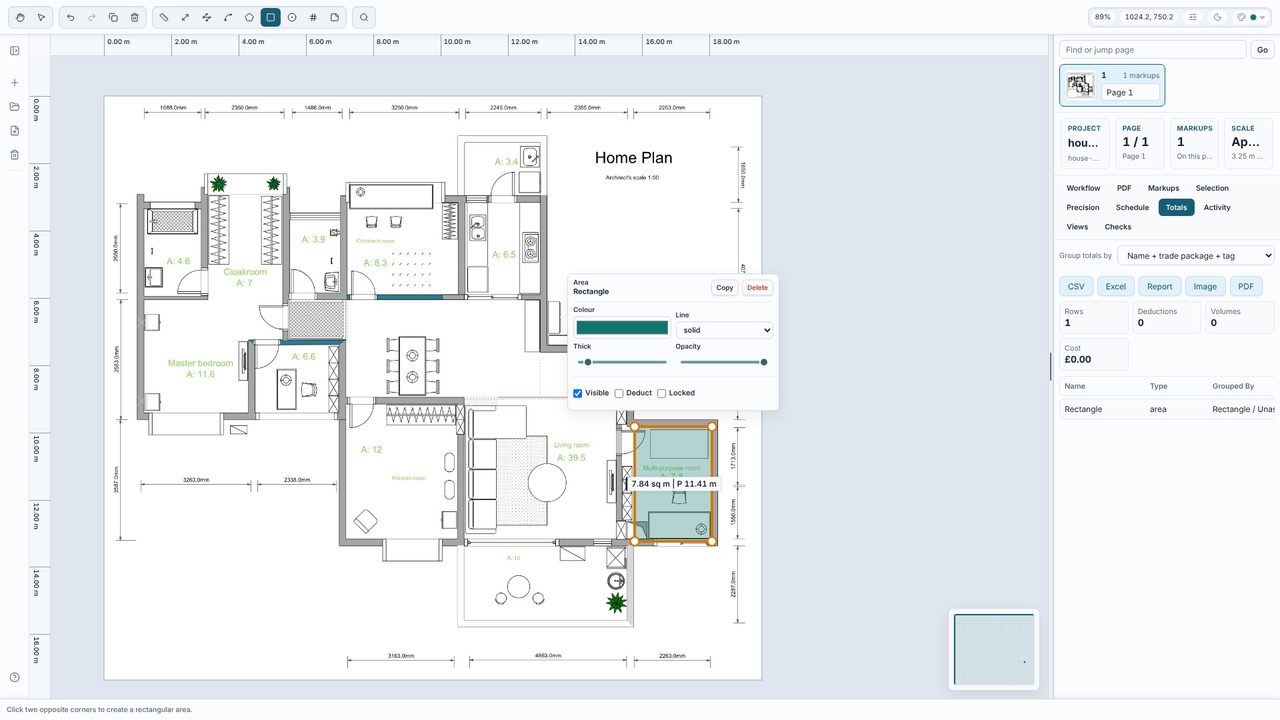
Here the rectangle reads 7.84 m² against 7.8 printed on the drawing - a good sign the calibration is right. Every measurement you take is added to the Totals tab, grouped the way you choose, so a whole floor adds up as you work.
Yes. Opening PDFs, calibrating, every measuring tool and the live totals are free, with no account. Takeoff Studio Pro (£24.99 a month or £199.99 a year, first month free) adds an unlimited project library, costed schedules with rates, Excel, CSV and PDF exports and revision compare.
Yes - anything that shows as a drawing in the PDF can be measured. Calibrate from a dimension on the scan itself rather than the title block scale, because scans are rarely exactly to size.
No. Takeoff Studio is a Windows app and works offline - the PDF and your measurements stay on your PC.
Yes. There are tools for lengths, polylines, arcs, areas, rectangles, circles and counts, plus notes, layers and tags for grouping by trade.
