Searchable PDF library
Add your PDF collection into one organised vault and instantly search across multiple files at once.
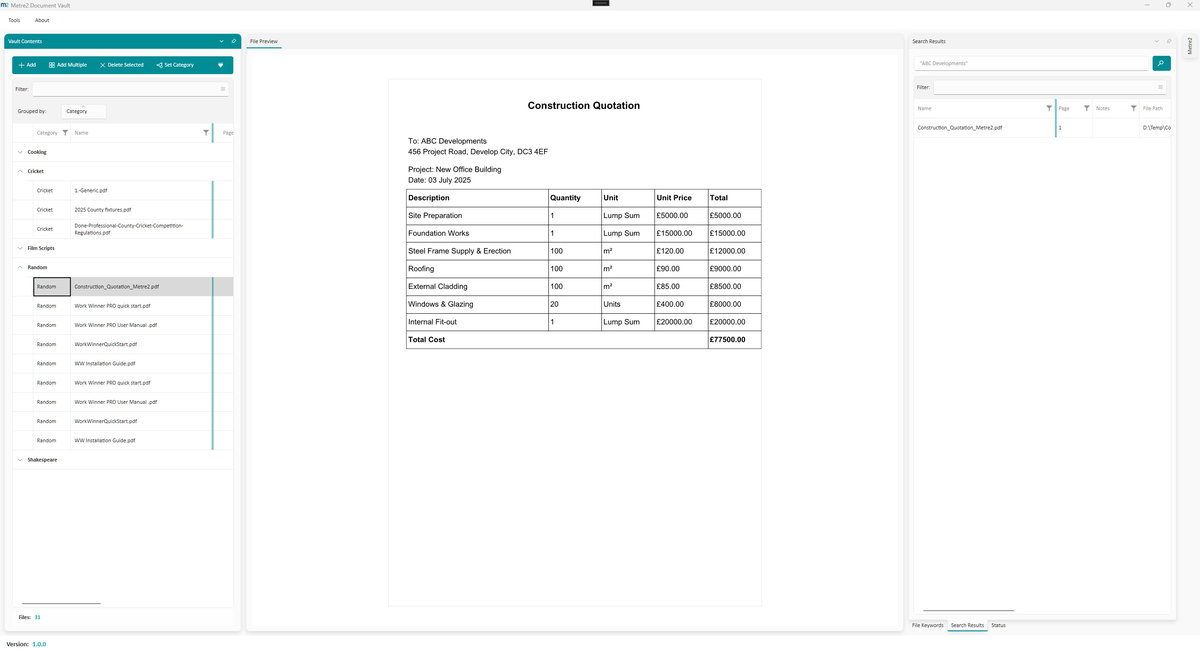
All your PDFs in one searchable vault.
Search across multiple files simultaneously.
Organise with categories, tags, and filters.
Attach notes to any document.
Dock panels and arrange your workspace however you need.
No cloud uploads, no accounts required.
Windows 10/11 · Free · Microsoft Store
A closer look at Document Vault in everyday use.
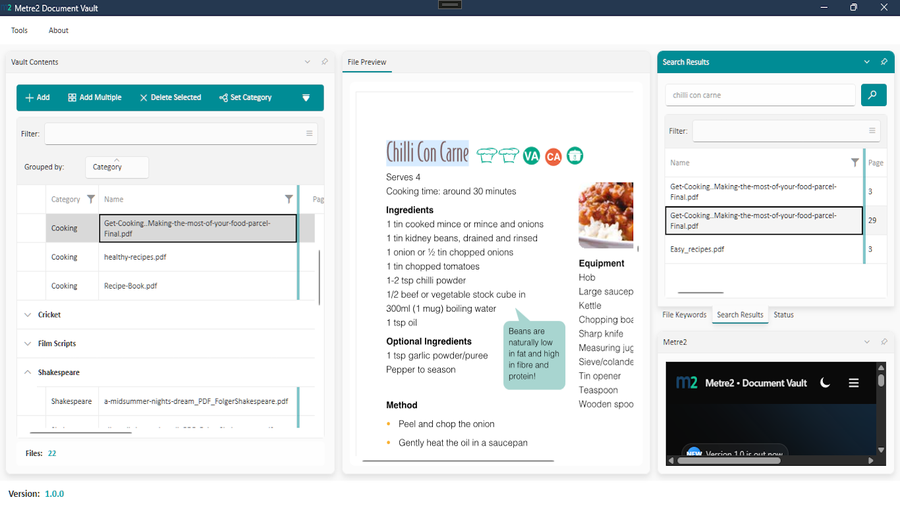
Searching across the whole document library
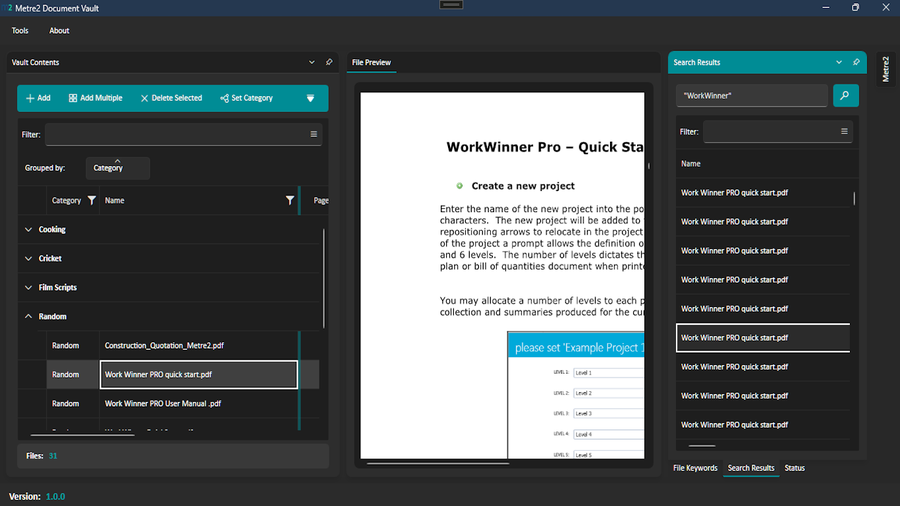
Filtering and tagging a PDF collection
Document Vault keeps a searchable index of the PDFs you choose. The files stay where they are on your PC - the vault records where each one lives and the text on every page.
Type a word or phrase into Keyword Search. Every page that contains all of your words is listed, with the file name and page number. Put words in quotes to find an exact phrase, such as "fire stopping" or "practical completion". Double-click a result to open that page in the preview with the matches highlighted.
Document Vault is a search index, not an encrypted store. It does not copy, move or lock your files. Search works on the text inside each PDF, so scanned drawings with no text layer will not show up in results.
You'll install Document Vault via the Microsoft Store, same as any other Keystone app, and it's free to try.
No. There's no account and no sign-in - install it free from the Microsoft Store and start.
Anyone managing a large personal or project library of PDFs who wants fast cross-file search without cloud storage.
No. Your PDFs stay in their existing folders and are not uploaded. The search index Document Vault builds is saved on your PC, in your Windows user profile.
Only if the scan has a text layer. Document Vault searches the text stored inside each PDF and does not run text recognition (OCR) on images, so a plain image scan will not appear in search results.
Run Scan Vault. It checks every file in the vault, re-reads any that have changed, and lists any it can no longer find at their saved location so you know what to add again.
