Finished jobs deserve a follow-up
Sends a short feedback request after every job, collects a star rating and a written quote, and curates the strongest responses onto a testimonial wall - a masonry board of quote cards marked "ready to use" for reuse in marketing. A waiting strip flags any request that's gone quiet before it's forgotten.
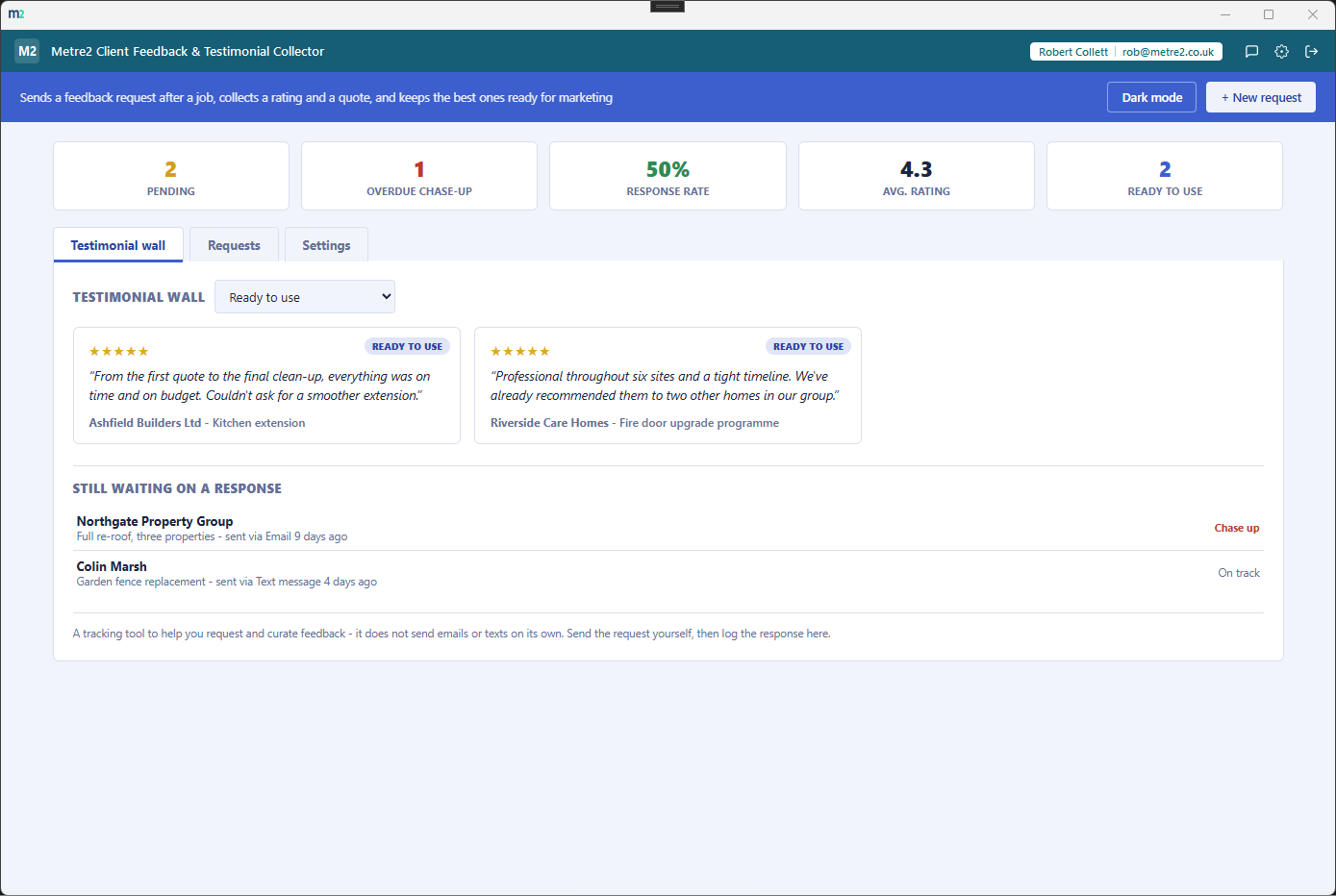
The testimonial wall curating your best quotes, the Requests tab tracking every feedback request from sent to responded, and logging a new request.
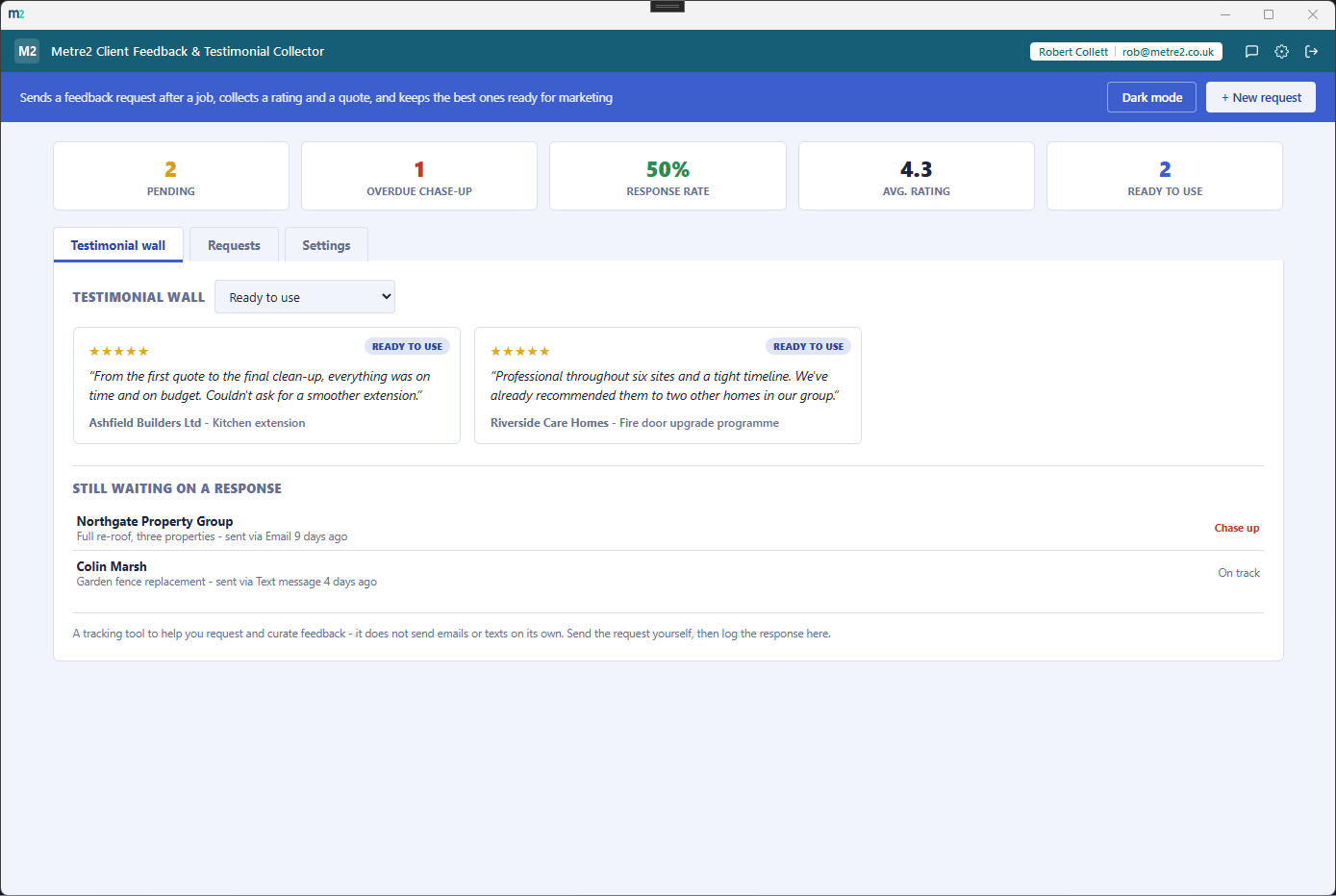
Testimonial wall - a masonry board of your strongest quotes, ready to reuse
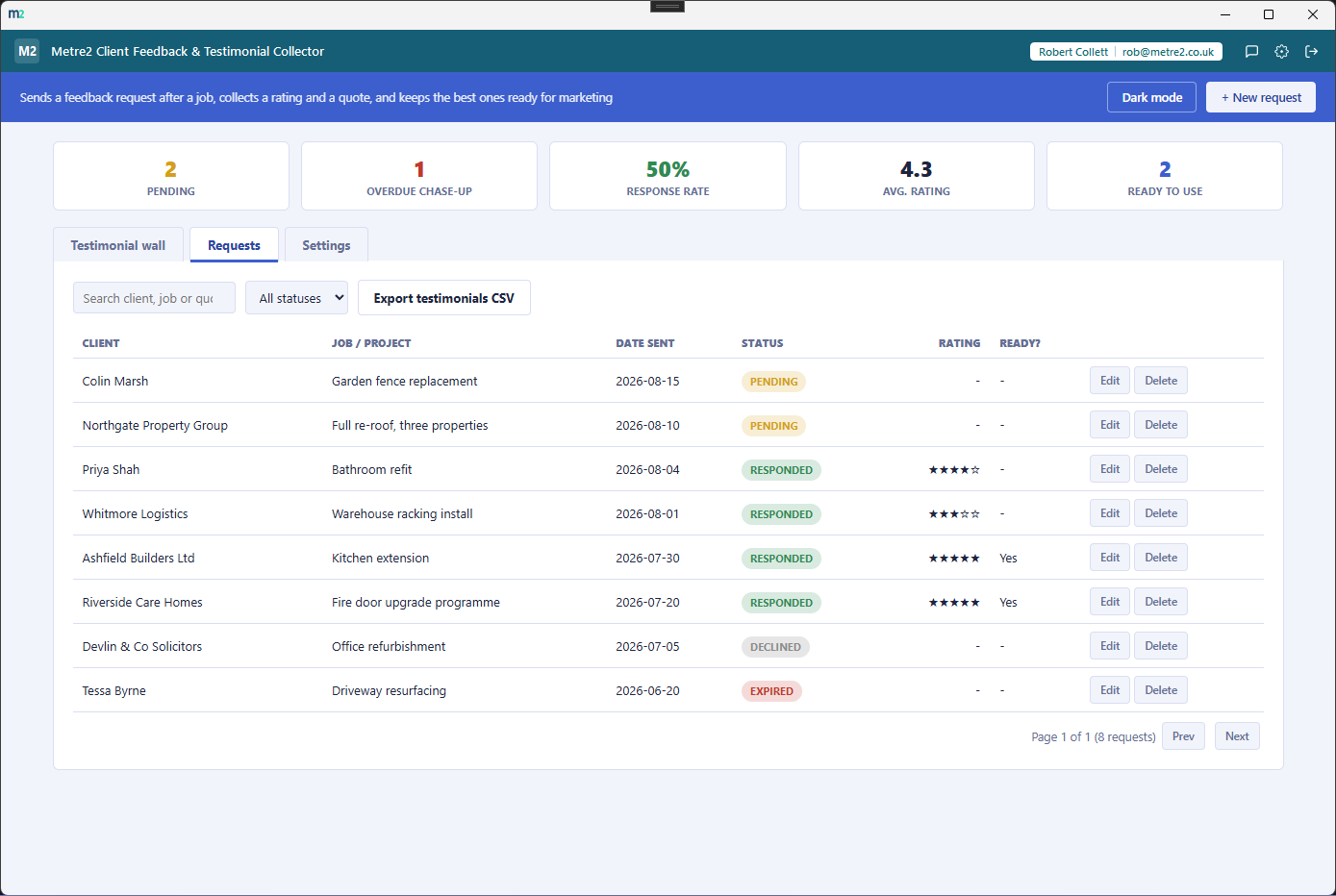
Requests - every feedback request, searchable, sortable and filterable by status
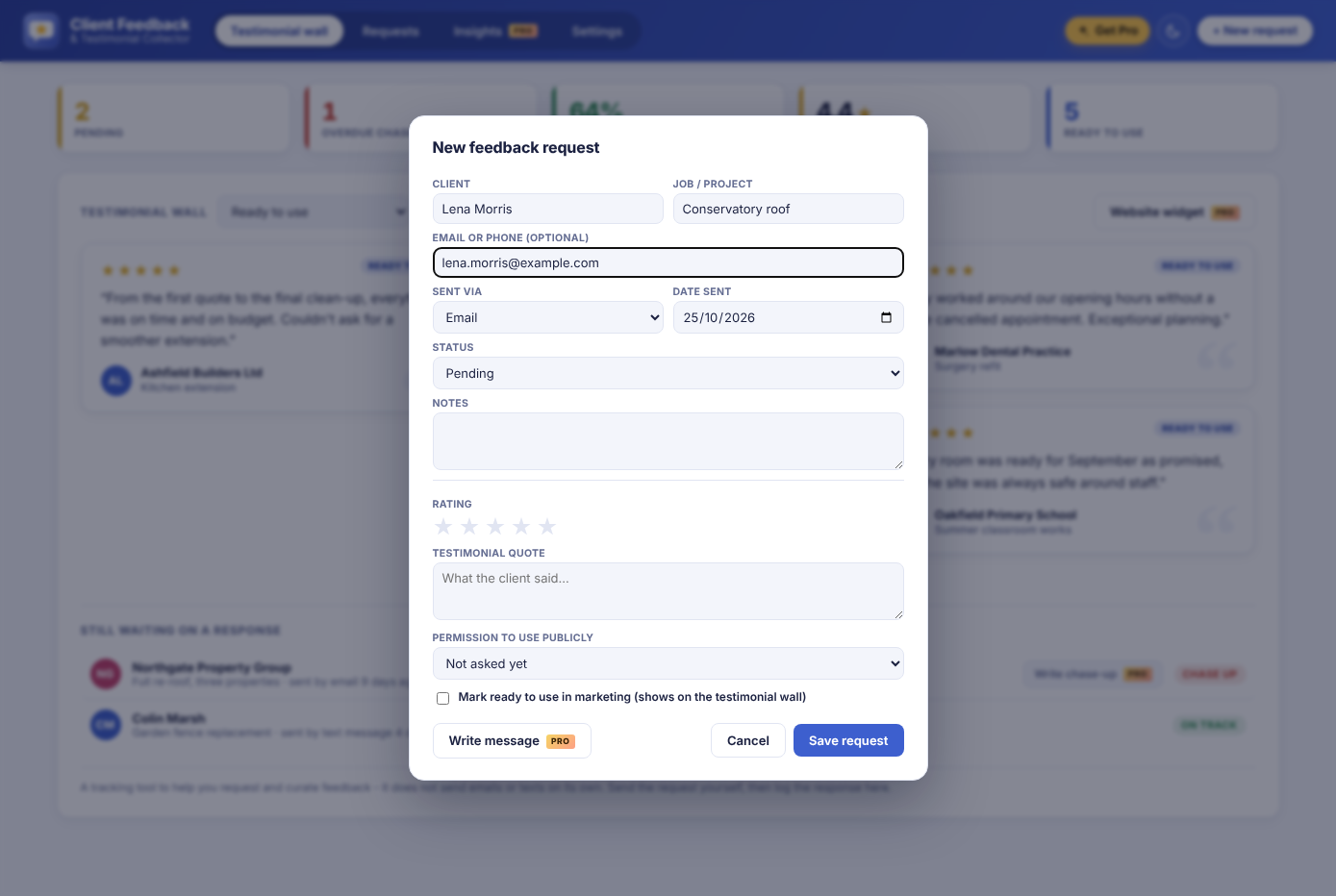
Log a new request in seconds - client, job, contact and how you asked
Every response with a written quote becomes a card on a masonry wall, sorted by star rating and recency. Filter to "ready to use" only for the ones you've cleared to feature in marketing.
Log a response once and it captures the star rating, the quote itself, whether they've given permission to use it, and whether it's ready to feature - everything marketing needs to reuse it, in one place.
Pending requests are ranked longest-waiting first, so a request that's gone quiet gets chased before it's forgotten - instead of just sitting unanswered in an inbox somewhere.
Set how many days a request can sit unanswered before it's flagged overdue, and how long before an unanswered request is treated as expired - tune both to how your follow-up process actually works.
The stat strip totals pending, overdue and responded requests into a response rate and an average star rating, so you can see how well your follow-up habit is actually working.
Every request's on the Requests tab too, searchable by client or job reference, sortable on any column, and filterable by status - for when you need the full picture, not just what's outstanding.
Export every responded request - client, rating, quote and permission status - to CSV any time, for a backup, a spreadsheet pivot, or handing a set of testimonials to someone else on the team.
A light/dark toggle that remembers your choice, and "Load sample data" fills in a realistic set of requests across every status so you can see the wall and the waiting strip working before entering your own.
No CRM, no email sending, no review-site integrations - just the one job that matters once work is finished: getting a testimonial, and keeping the good ones ready to use.
Everything lives in local storage on your device - no account or sign-in, no server, no internet connection required to use it day to day.
Dedicated review and reputation-marketing platforms automate sending requests across multiple review sites and charge a recurring subscription for it. Here's how a focused, free tracker that leaves the sending to you compares.
| Feature | Client Feedback & Testimonial Collector | A typical review-request SaaS tool |
|---|---|---|
| Pricing model | Free. Optional Pro, £4.99 one-off | Per-user or per-location monthly subscription |
| Works fully offline | ✓ | ✕ (cloud-hosted) |
| Sends the request for you automatically | ✕ (you send it, then log it here) | ✓ (usually) |
| Posts straight to Google/Facebook review pages | ✕ | ✓ (usually) |
| Curated testimonial wall for your own marketing | ✓ | ~ (often a paid add-on) |
| Ready-written request and chase-up messages | ✓ (Pro) | ✓ |
| Testimonial widget for your own website | ✓ (Pro) | ~ (often a paid add-on) |
| Set-up time | Minutes | Hours (integrations, templates, review-site connections) |
| No account required to set up | ✓ | ✕ |
General comparison as of October 2026 - features and pricing vary by vendor. Not sponsored by or affiliated with any review-request or reputation-marketing platform.
Tracking requests, logging responses and the testimonial wall stay free. Client Feedback Pro is a one-off £4.99 upgrade inside the app for getting more testimonials and putting them to work, bought through the Microsoft Store - no subscription and no account.
Feedback requests, chase-ups and permission requests with the client and job already filled in - copy them or open them straight in your email.
Turn any testimonial into an image for social media, in three styles, square or wide.
Copy-and-paste HTML for your best testimonials - only the ones that are ready and have permission. No scripts.
Monthly trends, ratings, reply times and which channel gets the most responses. Plus your own message templates.
| FEATURE | FREE | PRO £4.99 |
|---|---|---|
| Track requests, log ratings, quotes and permission | Yes | Yes |
| Testimonial wall and waiting list | Yes | Yes |
| Response rate, average rating and CSV export | Yes | Yes |
| Ready-written requests and chase-ups | No | Yes |
| Share cards for social media | No | Yes |
| Website widget | No | Yes |
| Insights | No | Yes |
| Your own message templates | No | Yes |
It's a free Windows app from the Microsoft Store, for Windows 10 and 11. Install it from the Store and start straight away - there's no account to set up.
Customer Contact Book and Client Relationship Manager manage your ongoing contacts and pipeline. Client Feedback & Testimonial Collector does one job after a job finishes: chase a rating and a quote, and curate the best ones onto a testimonial wall ready to reuse. It isn't a CRM and doesn't try to be one.
A masonry-style wall of quote cards built from every response with a written quote. Filter it to show everything, or just the ones you've marked "ready to use", sorted by star rating and then by how recently they responded.
Log a request against a client, job and channel (email, SMS or post) when you send it. It sits as Pending until you record their response - Responded, with a star rating, quote and permission-to-use status, or Declined if they don't want to. A configurable reminder window flags anything left Pending too long as overdue, and an expiry window marks anything with no response as Expired.
Yes - each response records a permission-to-use status and a "ready to use" flag you set once you're happy to feature it, alongside the star rating and quote itself. Only responses with a quote appear on the wall at all.
No - it's a tracking and curation tool, not an email or SMS sender. You send the request yourself by whichever channel you'd use anyway, then log it here and record what comes back.
Yes - tracking requests, logging ratings and quotes, the testimonial wall and CSV export are free. Client Feedback Pro is an optional one-off upgrade (£4.99) that adds ready-written request and chase-up messages, share cards for social media, a website widget and Insights. If you bought the app before it went free, Pro is already unlocked for you.
The app works fully offline with no server dependency - your data is kept on the device between sessions, though it doesn't currently sync between multiple devices.
Microsoft and the Microsoft Store logo are trademarks of the Microsoft group of companies.