A referral logged is a reward that won't get forgotten
Log every referral the moment it comes in - who sent it, which client or lead it turned into, and what happens next - on a Dashboard built around a referral chain: connector cards flowing from referrer to client, newest first, each carrying its own outcome and reward badge. Reward tracking stays deliberately simple: none, a monetary amount, or a non-monetary reward by note, never owed until the referral is actually won. An optional on-device AI assistant can draft a thank-you note for a won referral, or turn your outstanding rewards into a plain-English summary - fully local, nothing ever leaves your computer.
The full Referrals log, and the Edit Referral panel with the on-device AI thank-you note for a won referral.
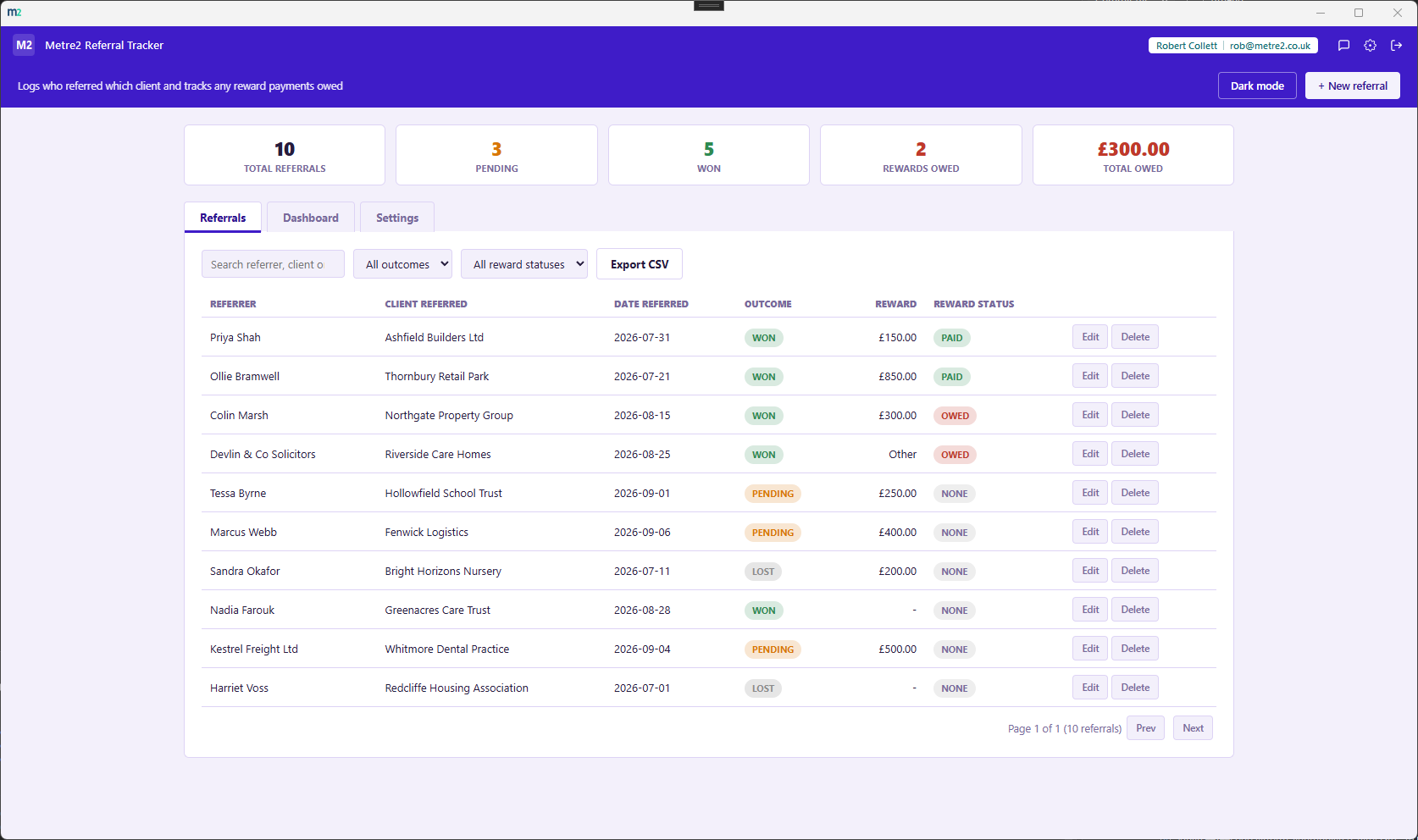
Referrals - the full log, searchable, sortable, filterable by outcome and reward status

Edit Referral - reward details and the on-device AI thank-you note, once won
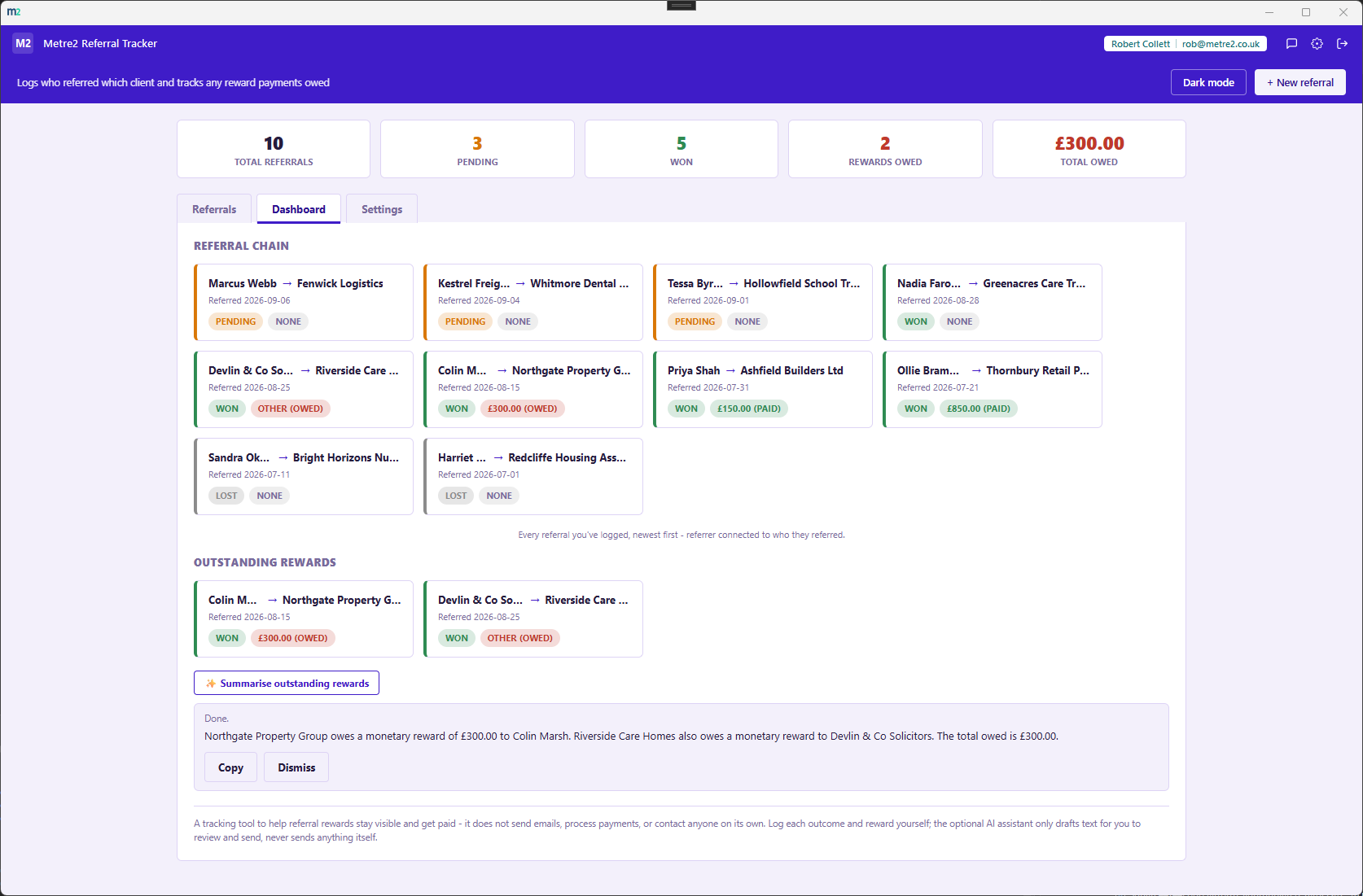
Every referral as its own connector card, referrer through to the client they referred, with outcome and reward badges, newest first - one glance shows the whole chain of who's brought you business.
None, a monetary amount, or a non-monetary reward by note - you enter the amount you already know is owed, whether that's a flat fee or a percentage you've worked out yourself. Never owed until the referral is actually marked Won.
Once a referral is marked Won, draft a short thank-you message to the referrer in one click - runs entirely on your own computer, and you review and copy it yourself before anything goes anywhere.
Turn the current list of what's owed and to whom into a plain-English paragraph for whoever handles payments - it never recalculates or restates the totals differently than what's already on file.
Every referral on the Referrals tab, searchable by referrer, client or notes, sortable on any column, filterable by outcome and by reward status.
Pending, won, lost, how many rewards are owed, and the total outstanding - all on the Dashboard, updating as you log outcomes.
No payments processing, no general contact management, no automatic sending - just the one job that matters: knowing who's owed what for a referral, and whether it's been paid.
Export the full referral log to CSV any time - for a backup, a quick review, or handing a snapshot to whoever handles payments.
A light/dark toggle that remembers your choice, and "Load sample data" fills in a realistic set of referrals across every outcome and reward type so you can see the chain working before entering your own.
Everything lives in local storage on your device - no account or sign-in, no server, no internet connection required to use it day to day. The on-device AI assistant works fully offline too.
It's a Windows desktop app, available now on the Microsoft Store.
The Dashboard's headline visual - every referral shown as its own connector card, referrer through to the client they referred, with outcome and reward badges, newest first.
Deliberately simple. A reward is either nothing, a monetary amount, or a non-monetary reward tracked by notes. You enter the amount you already know is owed - whether that's a flat referral fee or a percentage you've worked out yourself - the app never calculates a percentage of a job value it doesn't have. A reward only ever becomes "owed" once the referral is marked Won.
No. The on-device AI can draft a thank-you note for a won referral, or summarise your outstanding rewards, but it never sends or acts on anything by itself - you review and copy the result yourself, every time.
Entirely on your own computer. A small language model is bundled with the app and runs locally through LLamaSharp/llama.cpp - nothing about a referral or its details is ever sent anywhere, and the feature works with no internet connection.
No - it's a tracking tool, not a contacts manager or a payments product. It does not process payments and does not replace a general contact book like Customer Contact Book; it's specifically about the referral relationship and what's owed for it.
Everything is saved locally between sessions rather than uploaded anywhere - the app has no server dependency and runs fully offline. It doesn't sync across multiple devices yet.
