A request logged is a deadline you won't miss
Logs every data subject access, correction or deletion request the moment it comes in, and tracks its statutory response deadline automatically - one calendar month from receipt, or three months for a request you flag as complex, with the separate extension-notice deadline tracked too. The Dashboard's urgency leaderboard ranks every open request soonest-deadline-first, so nothing quietly goes overdue, and every request gets a real outcome, a timestamped history, and a one-page print summary. Deliberately thin: a tracking tool, not legal advice or a full compliance suite.
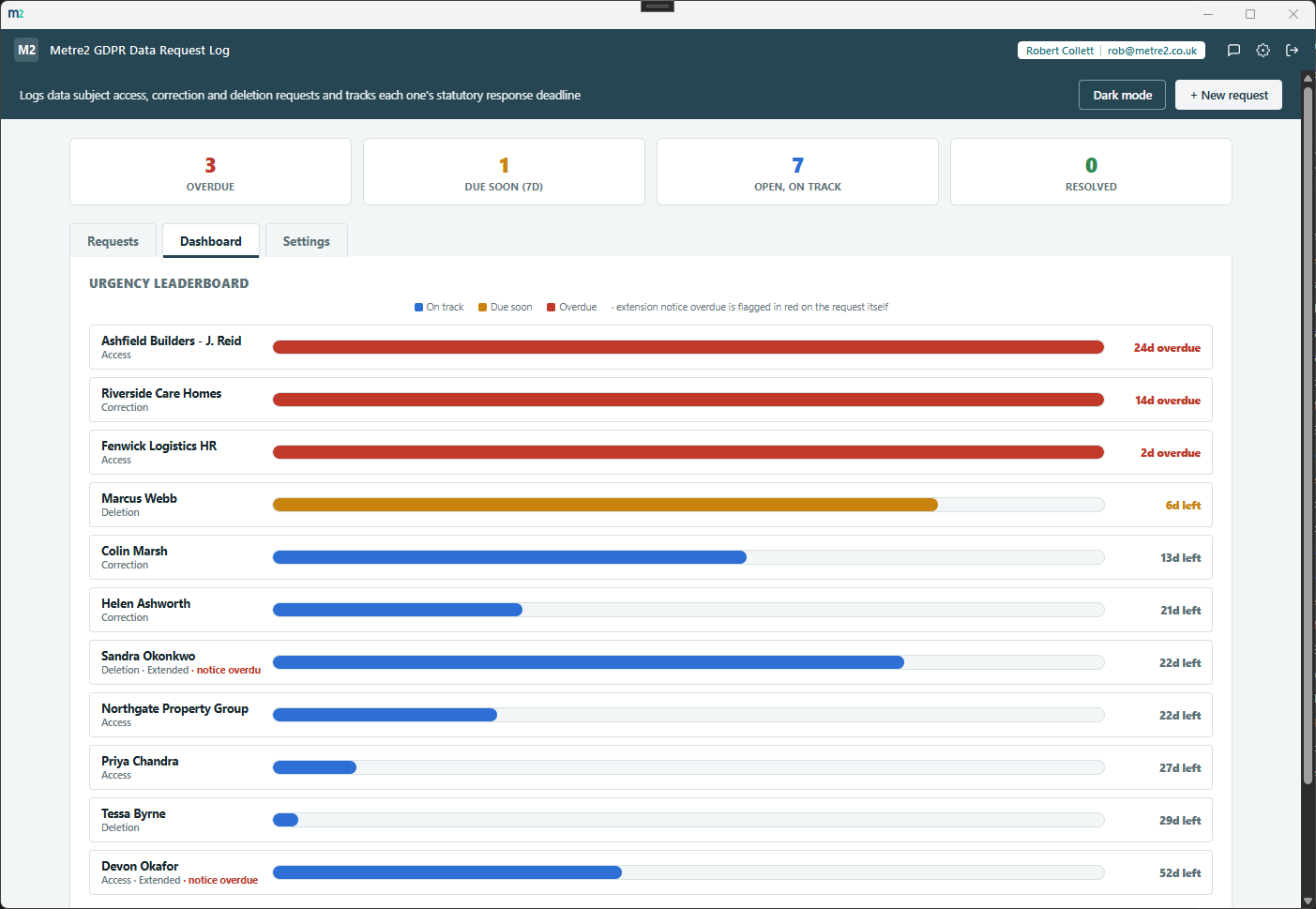
The Dashboard's urgency leaderboard, the Requests tab with outcome actions and extension/notice flags, and the Settings tab for tuning the due-soon threshold.

Dashboard - the urgency leaderboard, every open request ranked soonest-deadline-first
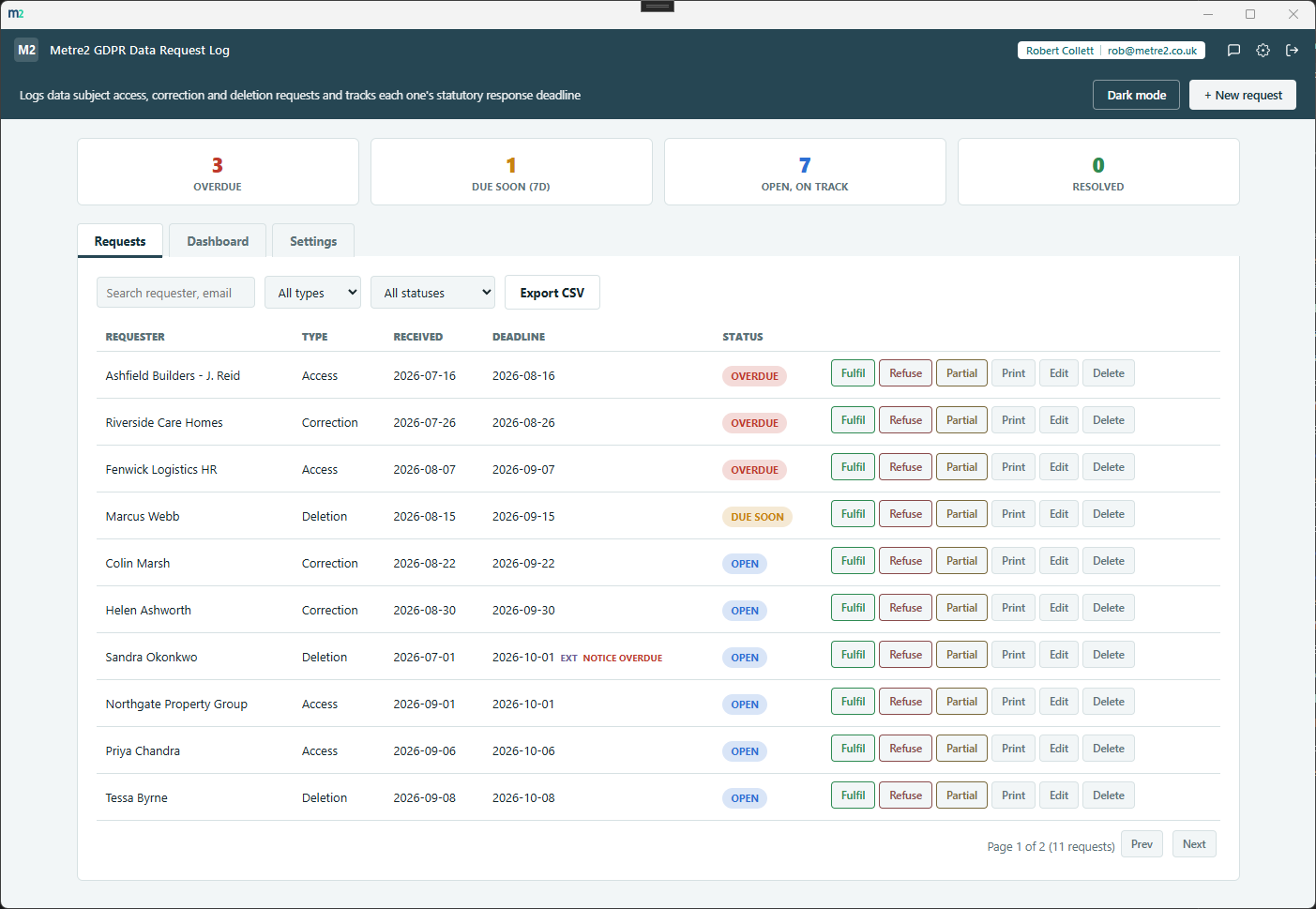
Requests - the full log, with Fulfil/Refuse/Partial actions and extension-notice flags
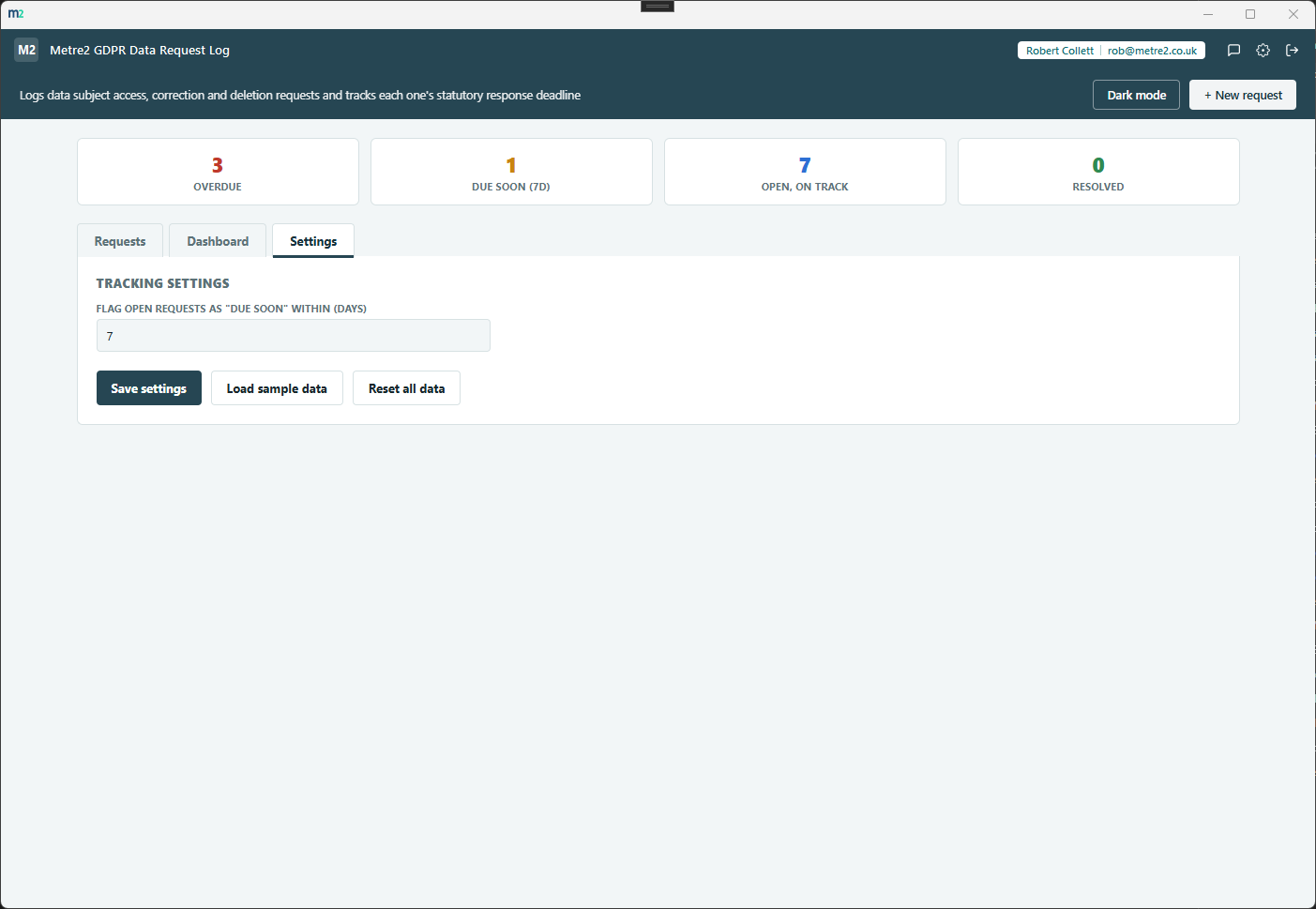
Settings - the due-soon threshold, sample data and reset
Every open request ranked soonest-deadline-first, each with its own bar showing how much of the statutory window has already elapsed - one glance tells you what needs attention today.
One calendar month from receipt, calculated properly - not a rough 30-day guess. Leap years and month-end dates (31 January, for instance) are handled correctly.
Flag a request as extended and the deadline moves to three months total - you decide what counts as complex, the app just tracks the date from there.
Every request on the Requests tab, searchable by requester, email or notes, sortable on any column, filterable by type and status - for the full log, not just the leaderboard view.
Close a request as fulfilled, refused, or partially fulfilled - GDPR genuinely allows refusing a manifestly unfounded request, so the log records what actually happened, not one undifferentiated "done". Once resolved, it's never re-flagged as overdue.
UK GDPR requires telling the requester about an extension - and why - within the first month, a distinct obligation from the extended three-month response deadline itself. Metre2 GDPR Data Request Log tracks it as its own pending, notified, or overdue state, previously easy to miss entirely.
Logged, extended, notice sent, identity verified, outcome recorded, reopened - a lightweight audit trail built automatically as you work, with no extra data entry.
Flag a requester's identity as verified when you've checked it. It's a record of what you did, not advice on how to verify - that judgement call stays yours.
Print a clean, formatted summary of any request - requester, dates, deadline, status, identity check and full history - built from data already on file, ready for a paper or PDF record.
A light/dark toggle that remembers your choice, and "Load sample data" fills in a realistic set of requests across every type and status so you can see the leaderboard working before entering your own.
Export the full request log to CSV any time - for a backup, an audit trail, or handing a snapshot to your DPO or a colleague.
Access, correction and deletion requests only. No data management, no response drafting, no legal advice - just the one job that matters: knowing every deadline before it's missed.
Everything lives in local storage on your device - no account or sign-in, no server, no internet connection required to use it day to day.
Most small businesses either track data requests in a spreadsheet they have to remember to check, or don't have a system at all until a request actually arrives. A full DPO/ compliance platform solves it, but is usually far more than a small business handling the occasional request actually needs. Here's how a dedicated, focused tracker compares.
| Feature | GDPR Data Request Log | A spreadsheet | Full compliance suite |
|---|---|---|---|
| Pricing model | £2.99 one-off after a 7-day free trial | Free (if you already have Excel/Sheets) | Per-user monthly subscription |
| Works fully offline | ✓ | ✓ (local files) | ✕ (cloud-hosted) |
| Automatic deadline calculation | ✓ | ✕ (build a formula yourself) | ✓ (usually) |
| Urgency leaderboard visual, not just a filtered list | ✓ | ✕ | ✓ (usually) |
| Set-up time | Minutes | Minutes, but easy to forget to check | Days (workflows, fields, permissions) |
| No account required to set up | ✓ | ✓ | ✕ |
General comparison as of September 2026 - features and pricing vary by spreadsheet tool and by compliance-platform vendor. Not sponsored by or affiliated with any spreadsheet or compliance-software vendor. Not legal advice - see the FAQ below.
It's a Windows desktop app, available now on the Microsoft Store.
No. GDPR Data Request Log is a tracking tool, not legal advice, a DPO service, or a full compliance suite. It calculates the standard statutory response window as a guide only - always verify actual deadlines against current ICO guidance for your specific case, especially what counts as a "complex" request eligible for the three-month extension.
The Dashboard's headline visual - every open (not-yet-completed) request ranked soonest-deadline-first, each shown as its own bar indicating how much of the statutory response window has already elapsed, colour-banded on track / due soon / overdue.
One calendar month from the date received, matching the standard UK GDPR response window - not a rough 30-day approximation. If you flag a request as extended for genuine complexity, the deadline moves to three months total. You decide what counts as complex; the app just tracks the date.
Access (subject access requests), correction, and deletion - the three types businesses handle most often. Restriction of processing, data portability and the right to object are out of scope for this version, kept deliberately thin.
No - it's a tracking tool, not a data management or response-drafting product. It logs who asked for what and by when you need to respond; you handle the actual data and the response yourself.
No - you resolve it to a real outcome: fulfilled, refused, or partially fulfilled. GDPR genuinely allows refusing a manifestly unfounded or excessive request, so the log records what actually happened rather than one undifferentiated "done" bucket.
A separate obligation from the extended three-month response deadline: you must tell the requester about the extension, and why, within the first month. The app tracks this as its own pending, notified, or overdue state alongside the main deadline.
Everything is saved locally between sessions rather than uploaded anywhere - the app has no server dependency and runs fully offline. It doesn't sync across multiple devices yet.
