Drag recipes onto the week, and the shopping list builds itself

Metre2 Meal Plan Calendar

A drag-and-drop weekly meal planner: keep your recipes in a searchable box, drag them onto any day and meal slot, and watch the shopping list build itself from that week's ingredients - correctly scaled to the servings you actually planned, not just each recipe's own default.

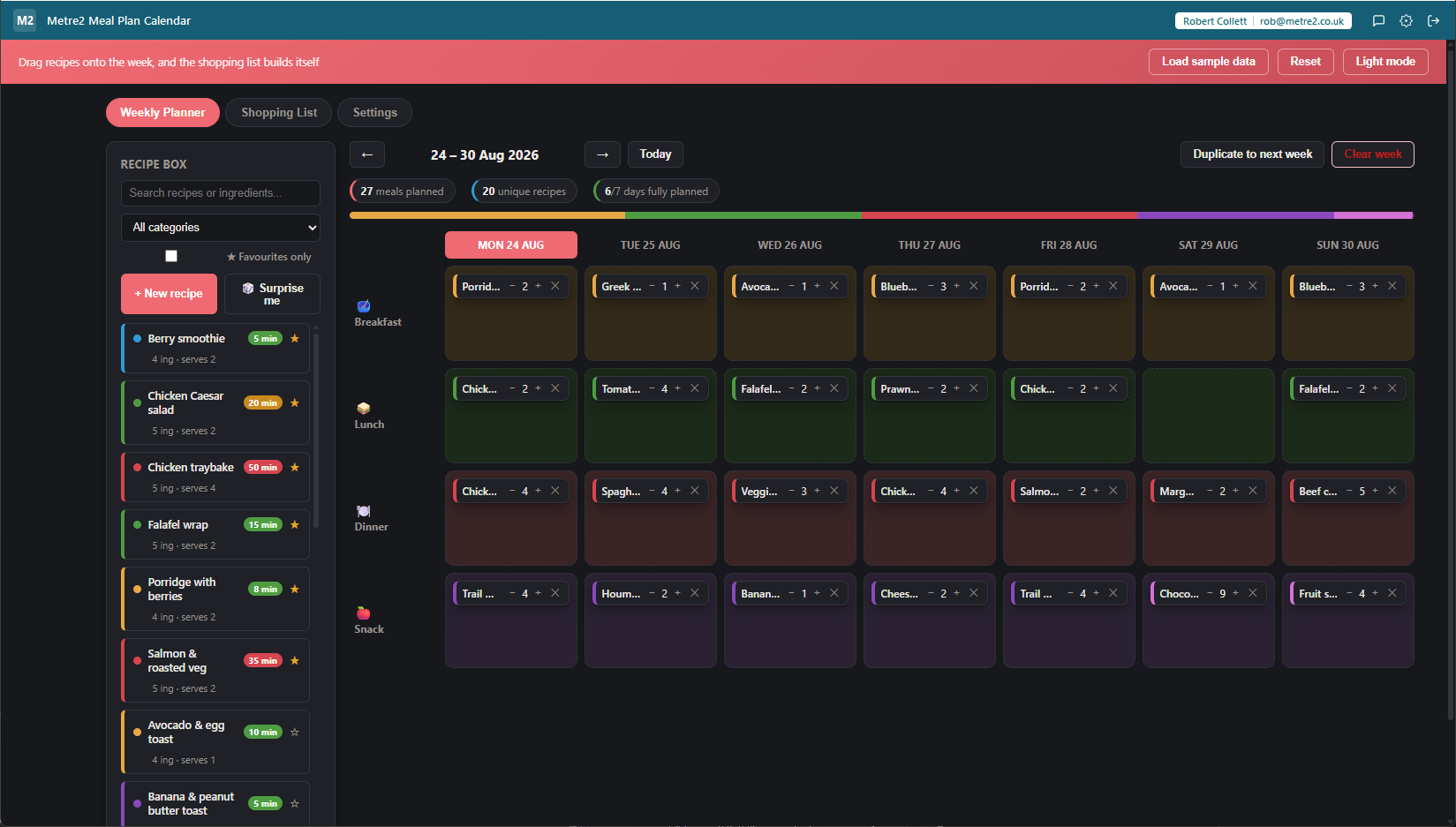
Metre2 Meal Plan Calendar Weekly Planner tab in dark mode showing a searchable recipe box on the left with favourite stars and prep-time badges, a category colour bar, and a seven-day drag-and-drop meal grid with recipe cards dropped onto most day/slot cells

Drag recipes straight onto the week

A seven-day grid with Breakfast, Lunch, Dinner and Snack rows. Drag a recipe card from the sidebar onto any day, or drag an already-planned meal to a different day or slot to rearrange the week without deleting and re-adding it.

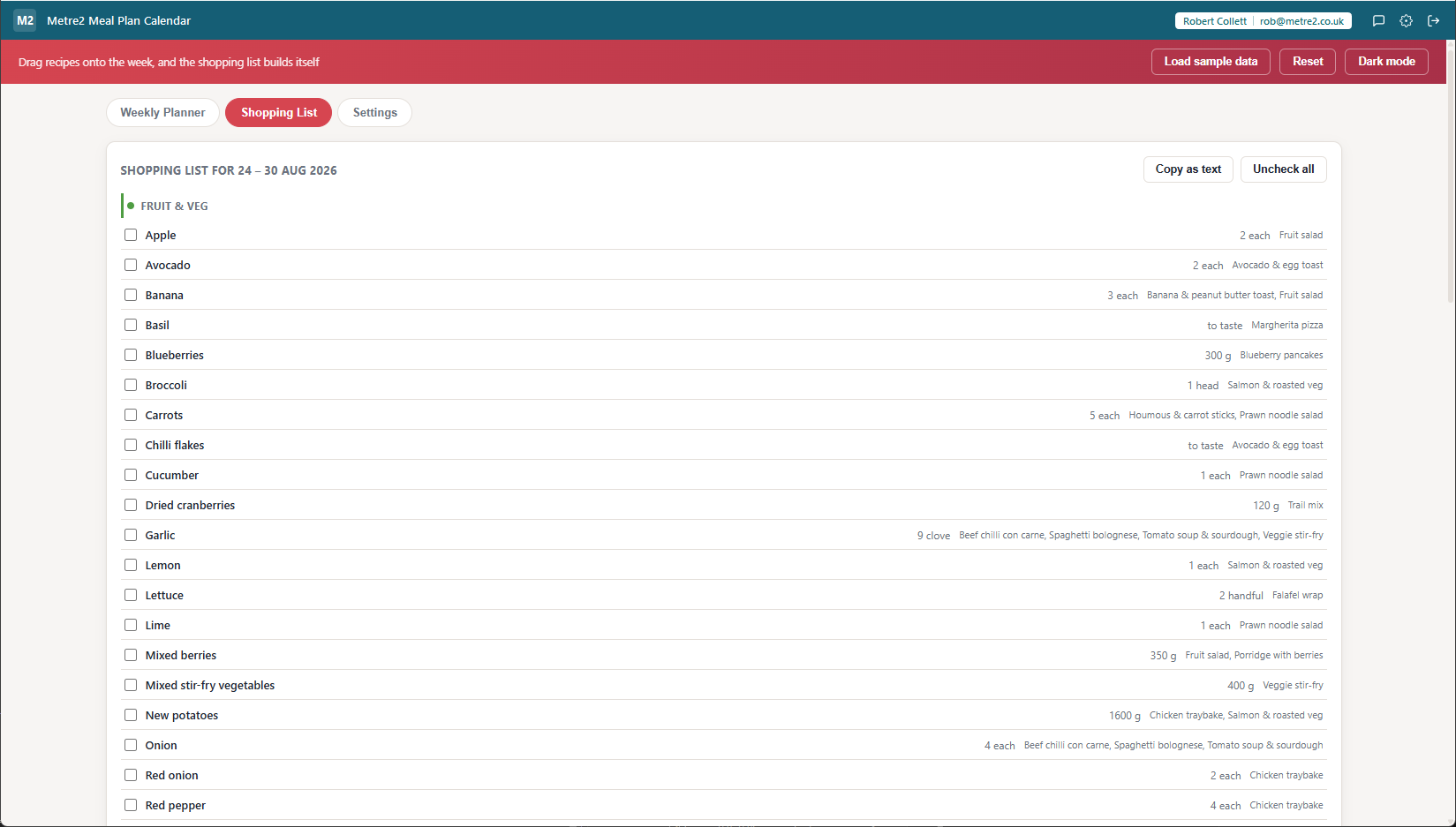
The shopping list writes itself

Every ingredient from every planned meal that week is combined automatically - matching ingredients with the same unit are added together into a single line, so you see "flour: 450g" once instead of three separate recipe entries.

Scaled to real servings, per meal

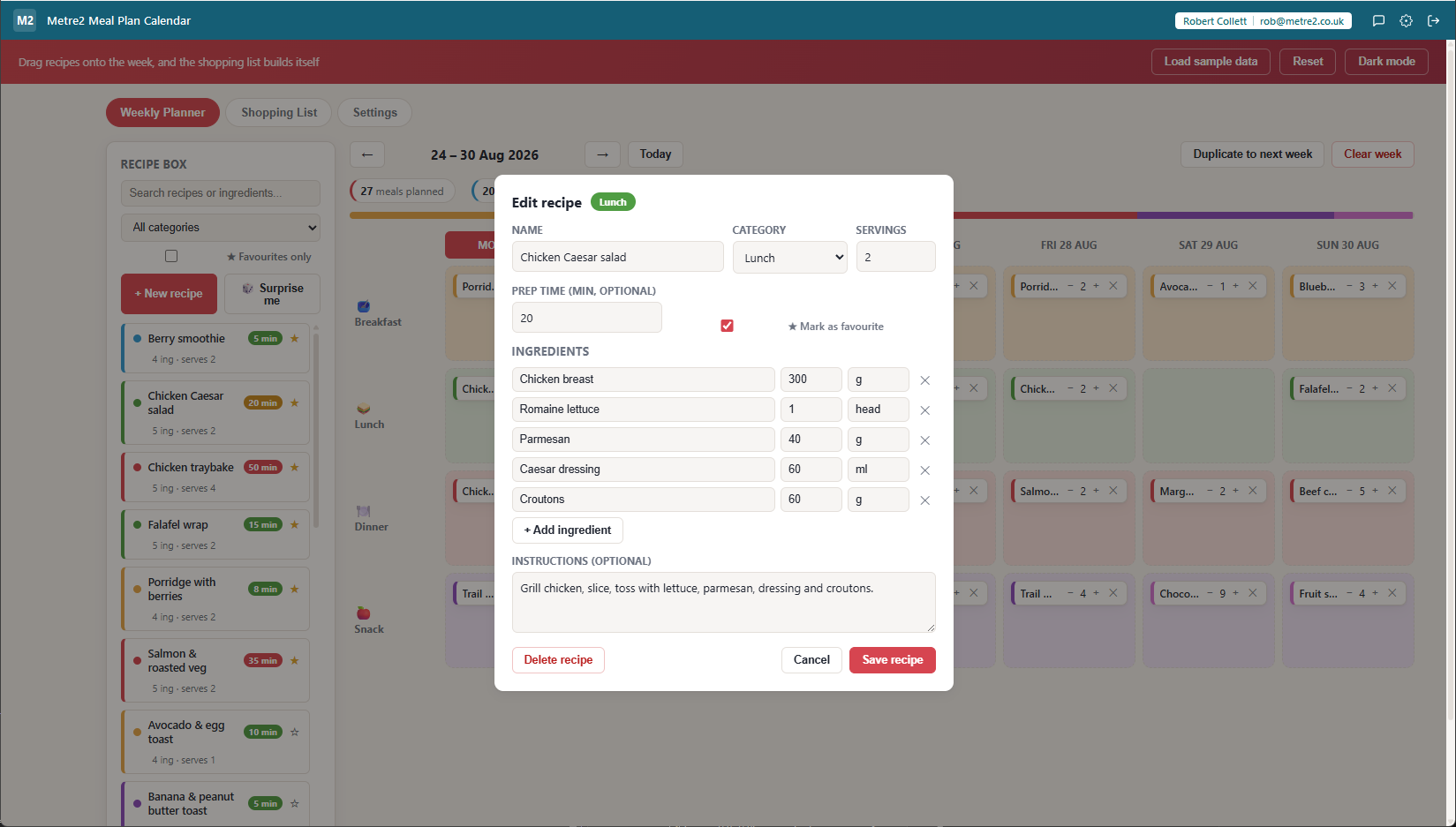
Each planned meal has its own servings stepper, independent of the recipe's own default. Cooking double for leftovers on Wednesday? Bump that one entry up and the shopping list quantities scale with it - no manual re-doing the maths.

Checks survive a re-plan

Tick items off as you shop. If you then move a meal to a different day, the list regenerates from the current plan but your checked-off items are matched back on by ingredient - a last-minute change doesn't wipe out your progress round the shop.

Duplicate a week you're happy with

"Duplicate to next week" copies every planned meal forward by exactly seven days. A week that worked doesn't have to be rebuilt from scratch - just carry it forward and adjust the odd meal instead.

A recipe box you actually search

Filter by category (breakfast, lunch, dinner, snack, dessert, drink) or search by name or ingredient - "chicken" surfaces every recipe that uses it, not just ones with "chicken" in the title.

A week at a glance, in numbers

A quick stats row shows meals planned, how many unique recipes are in the mix, and how many days are fully covered - useful for spotting a week that's leaning too heavily on the same three dinners.

Copy the list as plain text

One click copies the whole shopping list - with checked/unchecked state - as plain text, ready to paste into a messaging app or a phone's own notes app for the actual trip round the shop.

"To taste" ingredients handled properly

Salt, pepper and other no-quantity ingredients don't force a fake number - they show up on the shopping list as "to taste" rather than a nonsense "0g" that undermines trust in the rest of the list.

Your household's own defaults

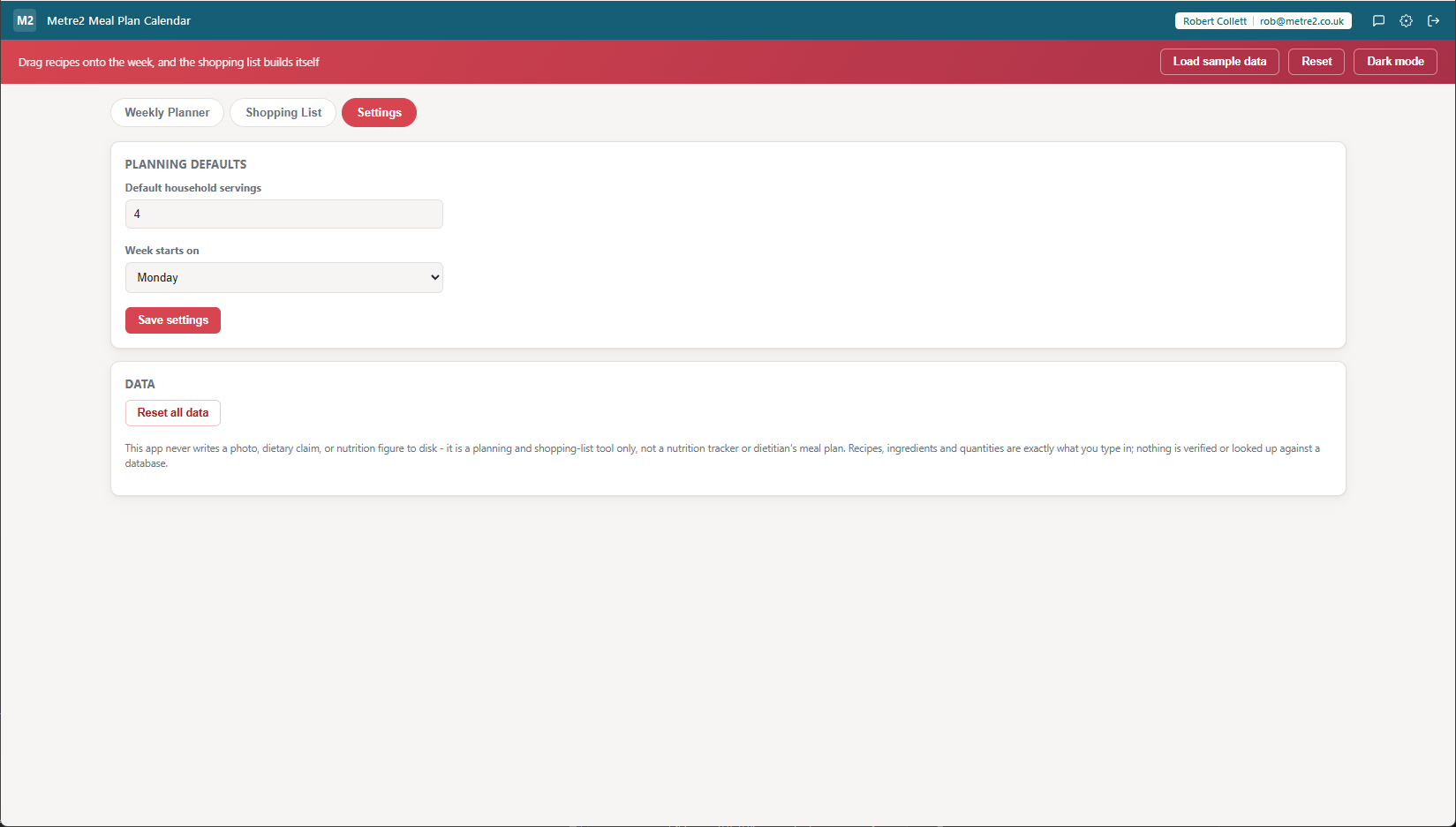
Set a default household servings count and which day the week starts on (Monday or Sunday) in Settings, so every new recipe and every fresh week starts from what's normal for your kitchen.

Not a nutrition tracker

This is a planning and shopping-list tool, not a calorie counter - it doesn't calculate nutrition figures or verify ingredient quantities against any database. What you type in is exactly what you get out.
How it compares to a plain recipe list or notes app

Most people plan a week's meals in a notes app, a spreadsheet, or just from memory at the shop. Here's how a dedicated drag-and-drop planner compares.

Feature Metre2 Meal Plan Calendar A notes app or spreadsheet A recipe-box app with no calendar
Pricing model Free Free (general-purpose) Varies
Visual drag-and-drop week view
Shopping list built automatically (merged across recipes, servings-scaled) - manual copy-paste Rare, and usually per-recipe only
Per-meal servings, not just per-recipe
Checked items survive a re-plan N/A - no plan to change
Duplicate a whole week forward - manual retyping

General comparison as of August 2026. Not affiliated with any recipe database, notes app, or spreadsheet vendor.

Metre2 Meal Plan Calendar, in practice

Frequently asked questions

How does the shopping list get built?

Every recipe you drag onto the week has its own ingredient list and a servings count. When two planned meals share an ingredient with the same unit, the app adds the quantities together automatically - and everything is scaled to the servings you actually set for that meal, not just the recipe's default.

Can I plan for more or fewer people on different days?

Yes. Each planned meal has its own small servings stepper, separate from the recipe's own default servings count. Cooking a double batch on Sunday for leftovers? Bump that one entry up and the shopping list scales with it.

What happens to checked-off shopping list items if I move a meal?

The shopping list regenerates from the current week's plan, but your checked-off items are matched back onto the new list by ingredient, so ticking things off as you shop doesn't get wiped out by a last-minute change to the plan.

Can I reuse a week's plan?

Yes - "Duplicate to next week" copies every planned meal forward by exactly seven days, so a week you're happy with becomes next week's starting point instead of being rebuilt from scratch.

Does it store any of my data online?

No. Recipes, the weekly plan and the shopping list are all stored locally on your device. There's no cloud sync and no external recipe database - everything you see is exactly what you typed in.

Is this a nutrition tracker?

No. It's a planning and shopping-list tool only - it doesn't calculate calories, macros or any nutrition figures, and ingredient quantities aren't verified against any database.

Ready to plan next week in five minutes?