How-to guide
Sheetwise prints the front of the sheet from one set of plates and the back from another. Work and turn puts both sides of a signature side by side on one plate: print the sheet, turn it over side to side, print again, and cut it in half to get two complete copies. Half the plates, half the sheets - if both formes fit. This guide compares the two on a 16-page A5 booklet in Metre2 Print Imposition Pro.
Open a booklet; the 16-page A5 sample is on SRA2, 500 copies, 4 colours both sides.
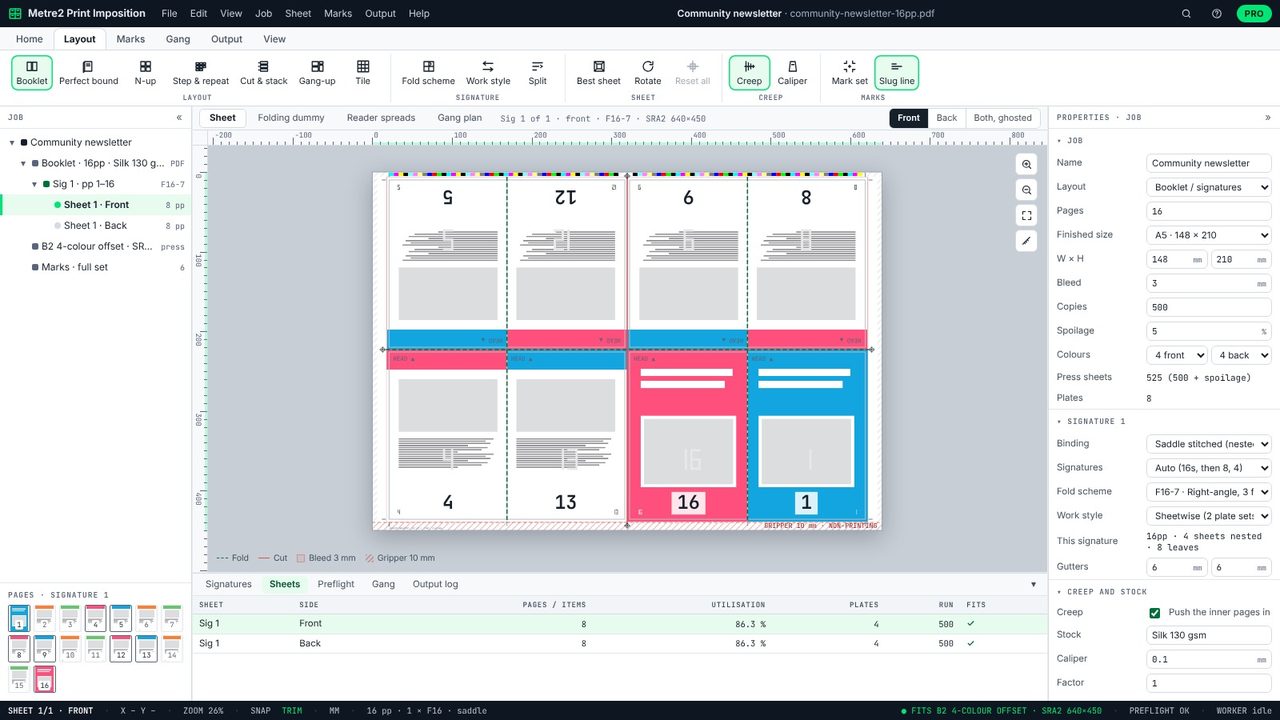
Work and turn needs room for both sides of a signature side by side. A whole 16-page A5 section is too wide for that, so set Signatures to 8s: two 8-page sections.
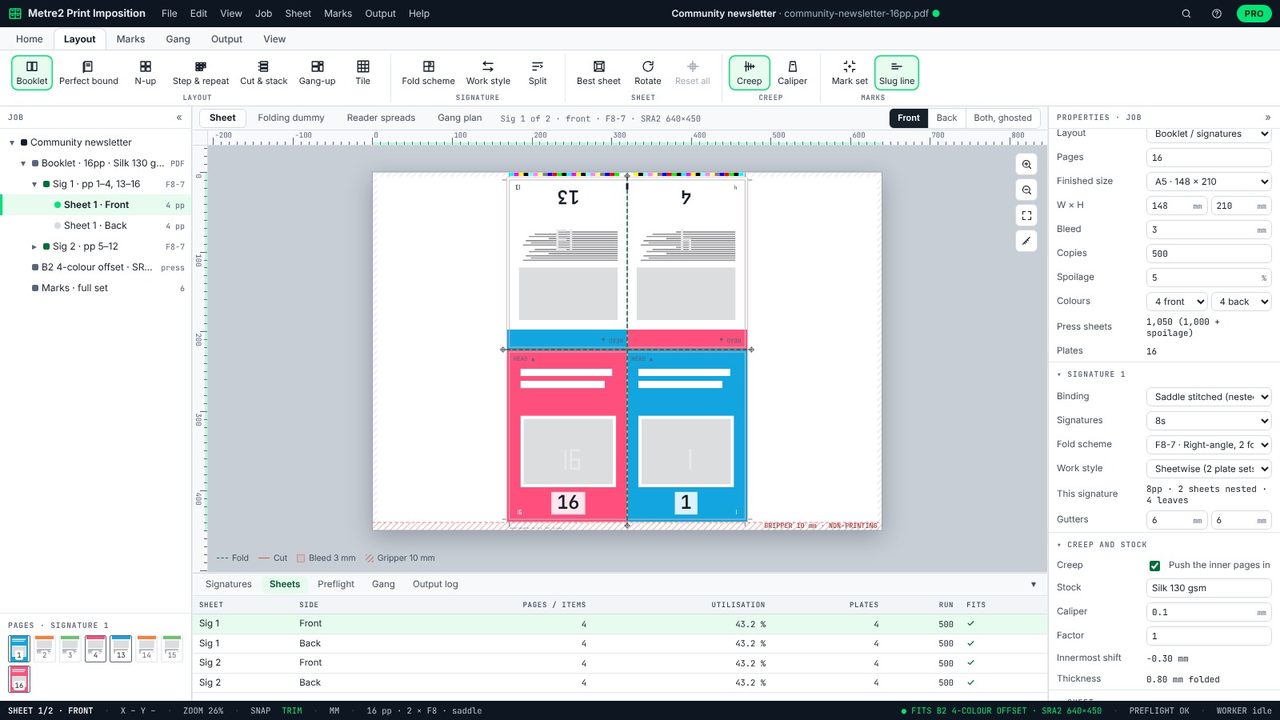
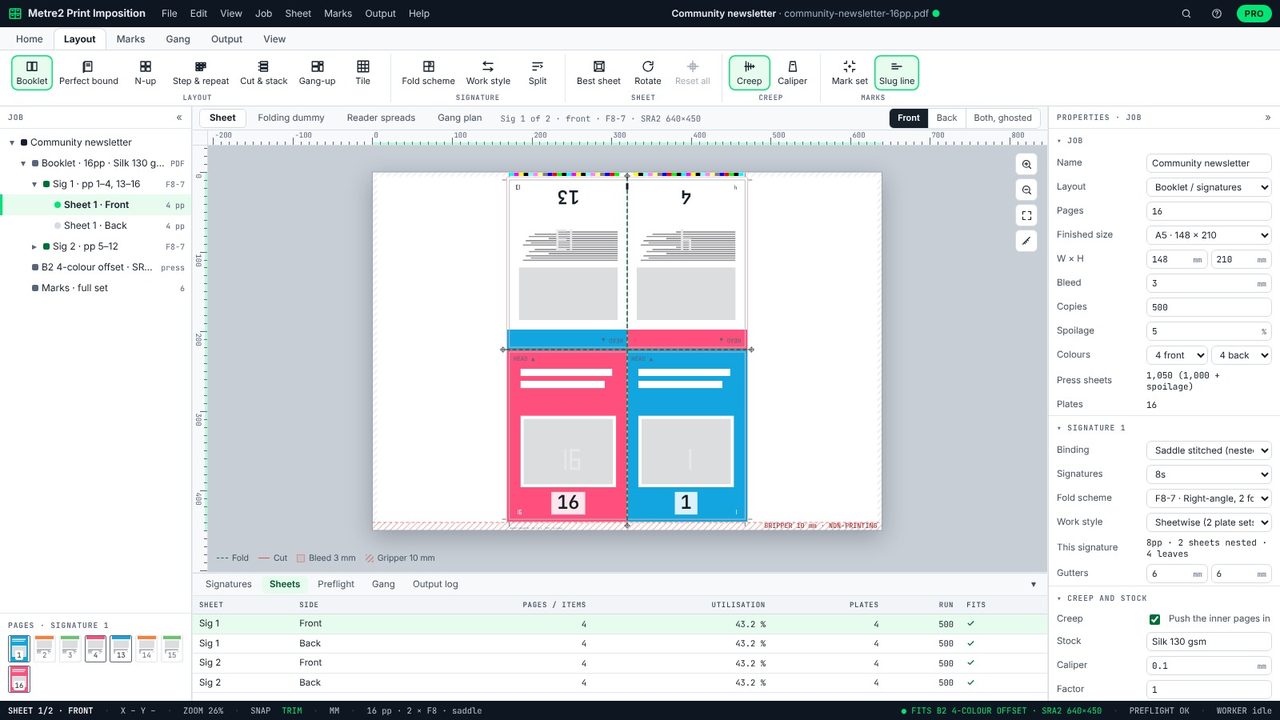
Sheetwise, each section needs a front and a back plate set: 2 sections x 8 plates = 16 plates, and 500 copies x 2 sections = 1,000 sheets.
Set Work style to Work & turn. The outer and inner formes now sit side by side on one plate. Print, turn the pile over side to side, print the other side, and cut each sheet in half: two complete sections per sheet.
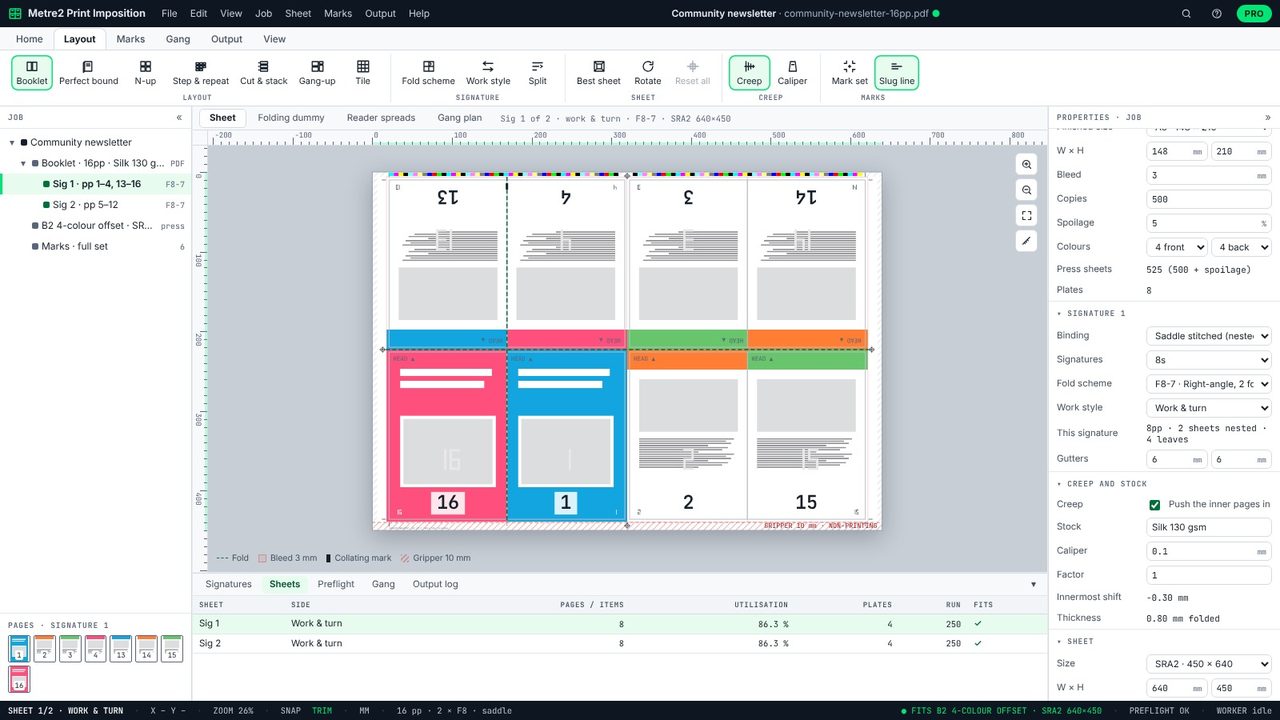
The same job now needs 8 plates and 500 sheets - half of each. The Sheets table shows work and turn on each signature.
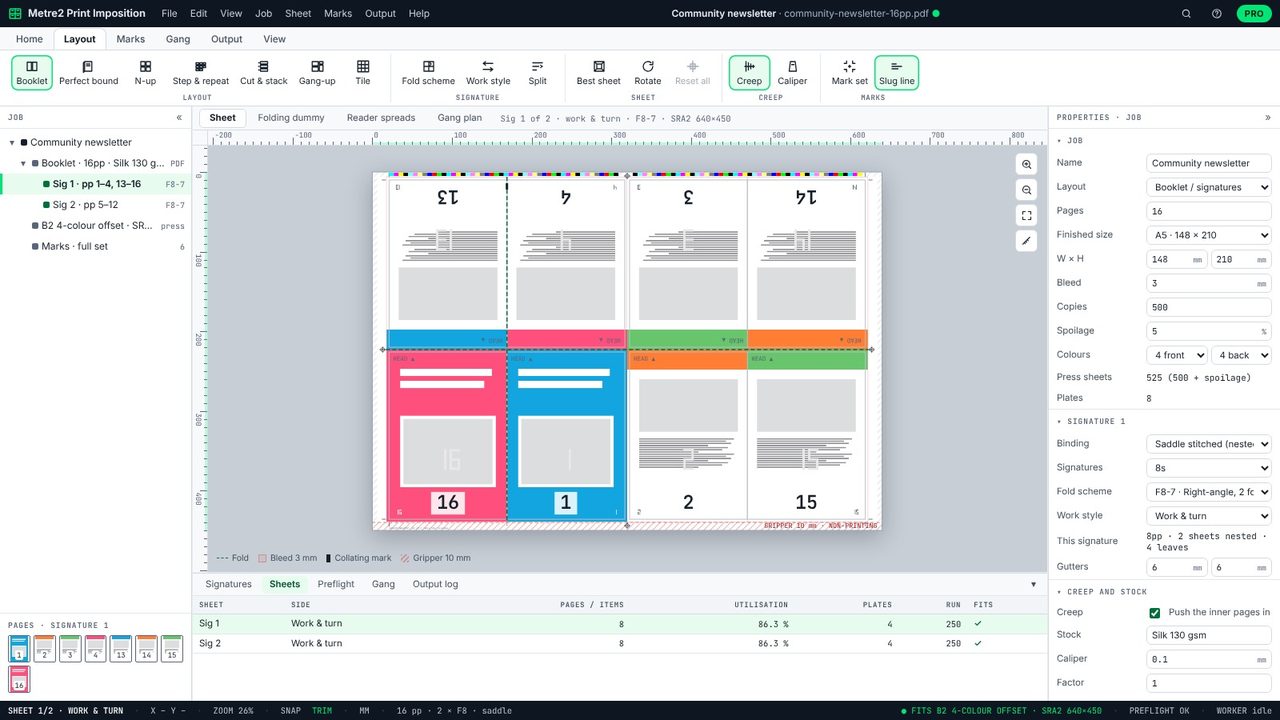
Sheetwise uses separate plates for the front and back. Work and turn puts both sides on one plate, prints the sheet twice (turning it side to side between) and cuts it in half, so you get two copies per sheet from one plate set.
Like work and turn, but the sheet is turned head to tail rather than side to side, so the other long edge goes to the gripper.
When both sides of the signature don't fit side by side on the sheet, or for very short runs where the saving is small.
Work and turn and work and tumble are in Print Imposition Pro, with a 7-day free trial. Sheetwise and perfecting are free.
