How-to guide
A programme is only useful if it is kept up to date. Each week or month the planner moves the data date to the end of the period, records what actually started and finished and how much is left of work in progress, and reschedules everything after it. Metre2 Programme Studio Pro does this as a short walk-through that lists only the activities that were due, so you answer for a handful instead of the whole programme, and saves each update as a revision.
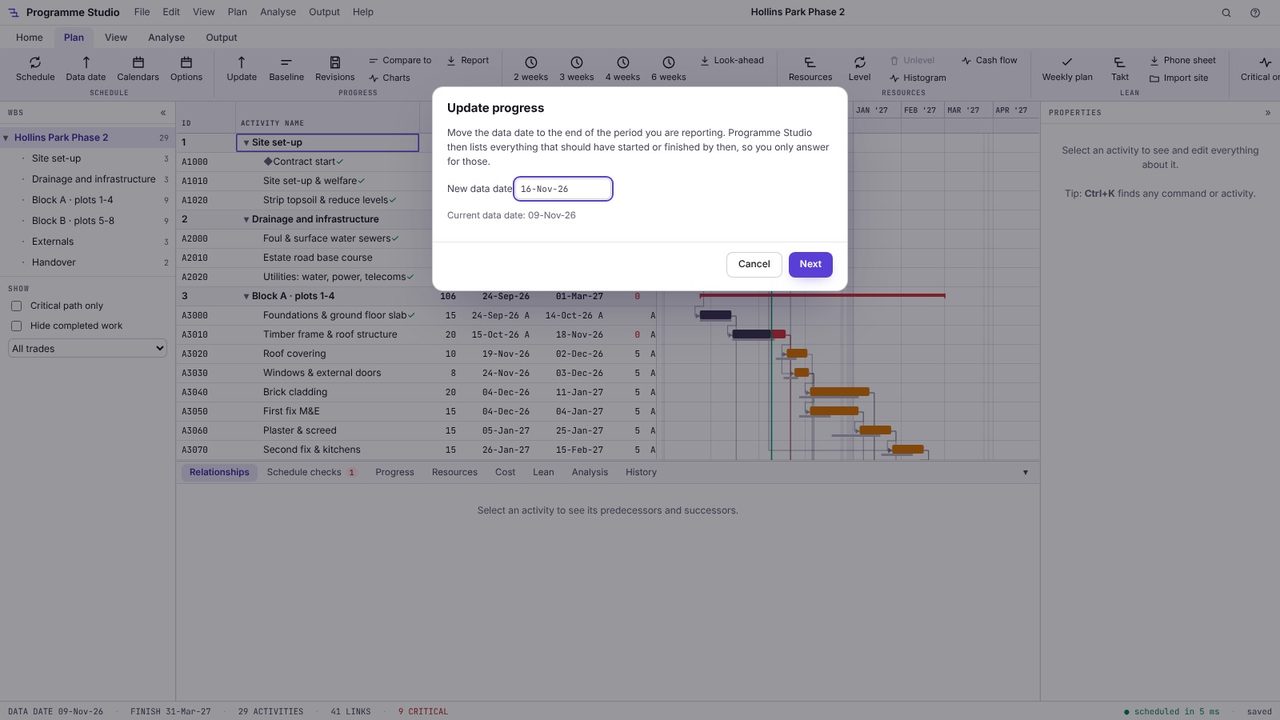
Open Plan > Update. Type the new data date, the end of the period you are reporting; Programme Studio suggests a week after the current one. Everything not yet done will be scheduled from this date.
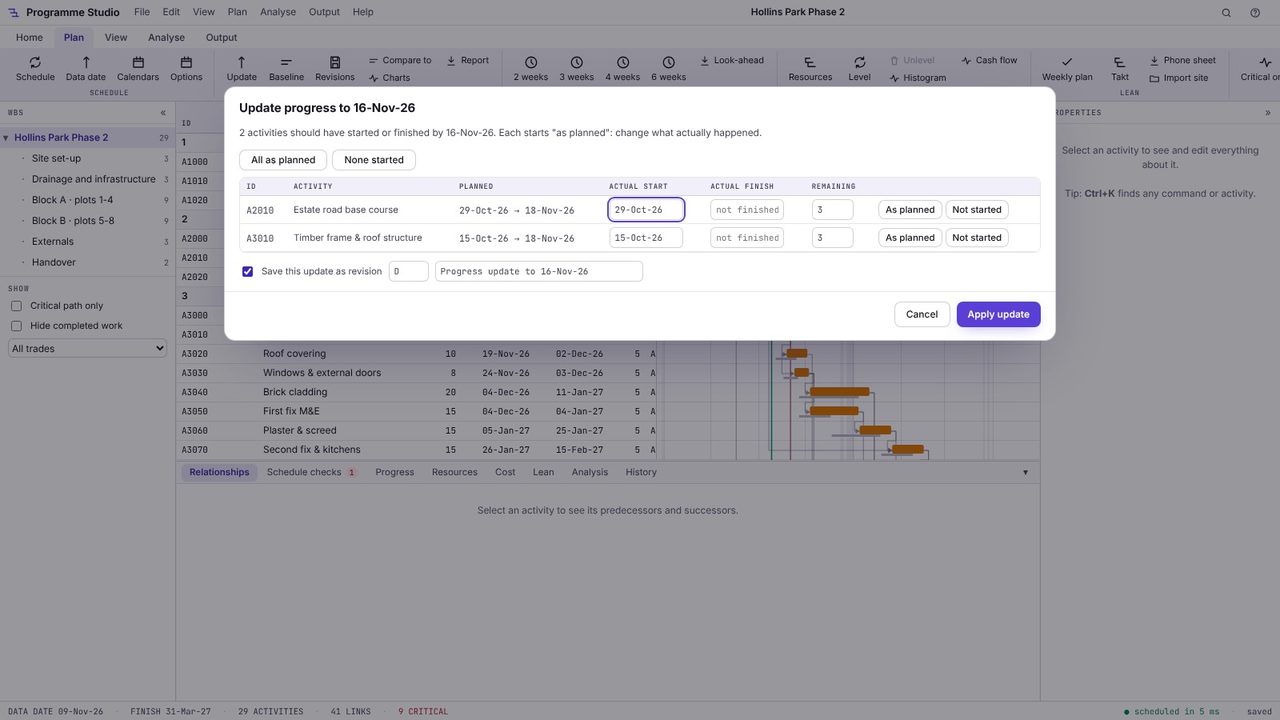
Choose Next. You get a list of only the activities that should have started or finished by the new data date, each filled in "as planned": actual start, actual finish and remaining duration. Anything that has gone to plan needs no more than a glance.
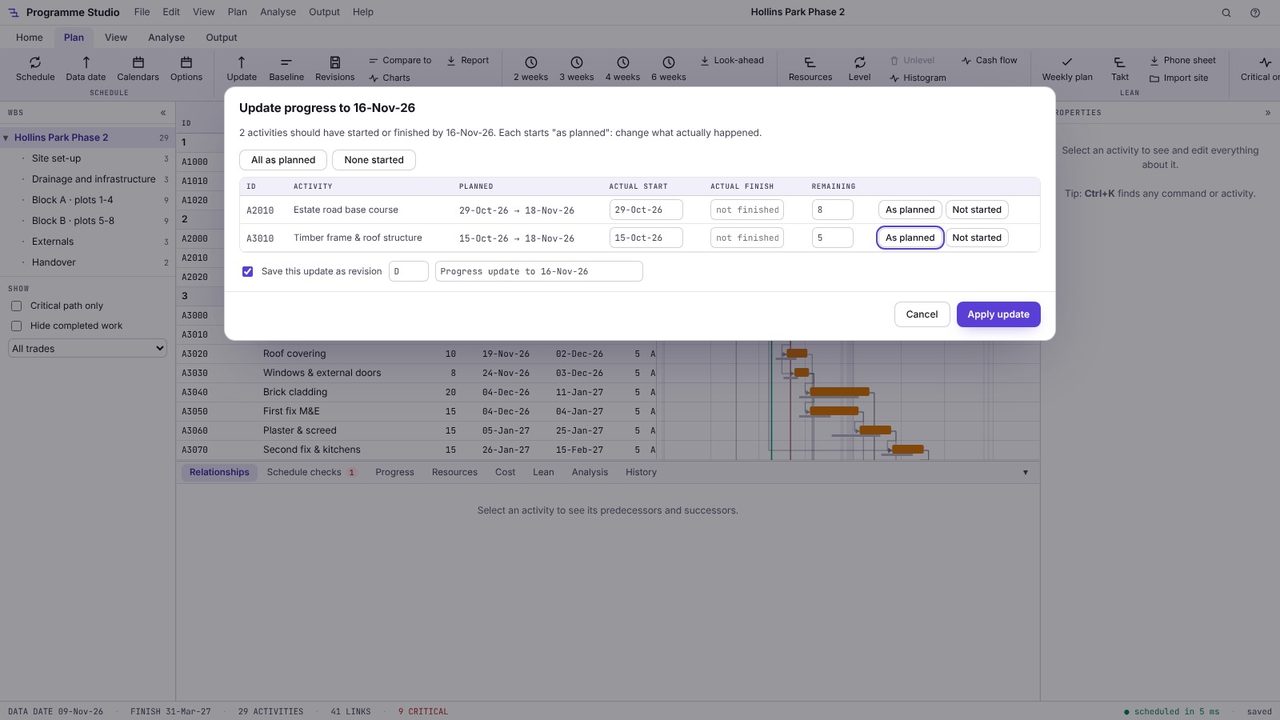
Change what was different. Type the remaining days for work in progress, an actual finish date for work that finished, or press Not started for anything that hasn't begun. Here the estate road and Block A's frame both have more left than planned.
Choose Apply update. Programme Studio records the actuals, moves the data date, reschedules everything after it and tells you how far completion has moved, here five days later, with Undo on the message. The update is saved as a revision (D) unless you untick it.
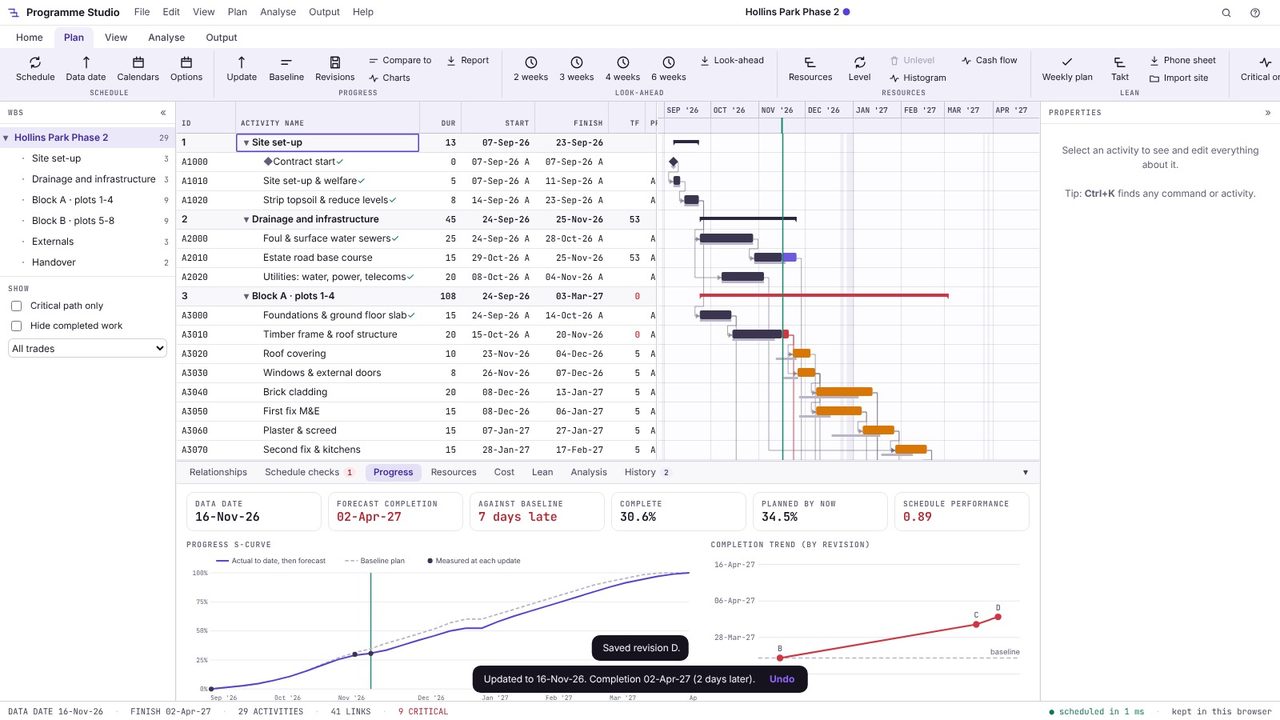
The Progress tab shows the forecast completion against the baseline (10 days late), percent complete against planned by now, the schedule performance index, the progress S-curve against the baseline plan, and the completion date at each revision, so you can see which way it is heading.
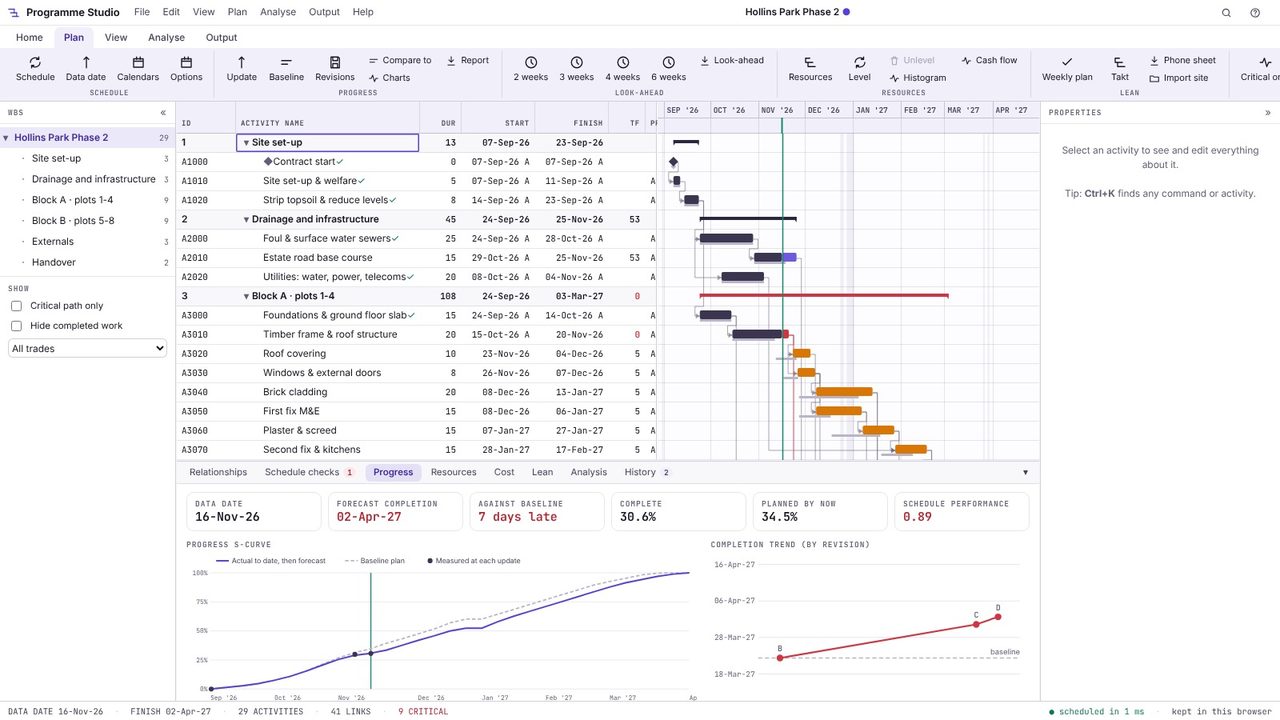
The data date (also called the status date or time now) is the date progress is measured to. Before it, the programme shows what actually happened; after it, everything still to do is scheduled forward from it.
For each activity that was due: its actual start, its actual finish if it is complete, and its remaining duration if it is still going. Then the programme is rescheduled from the new data date so the forecast completion reflects the real position.
Yes, with Programme Studio Pro. Open the .xer, update progress and export it back to P6 XER or XML with the actual dates, remaining durations and the new data date.
Programme Studio is free to open and view programmes of any size and to build or edit programmes of up to 50 activities. Pro adds this and every other planning tool, with no activity limit, for £29.99 a month or £249 a year. The 7-day free trial needs a Metre2 account but no payment details.
