How-to guide
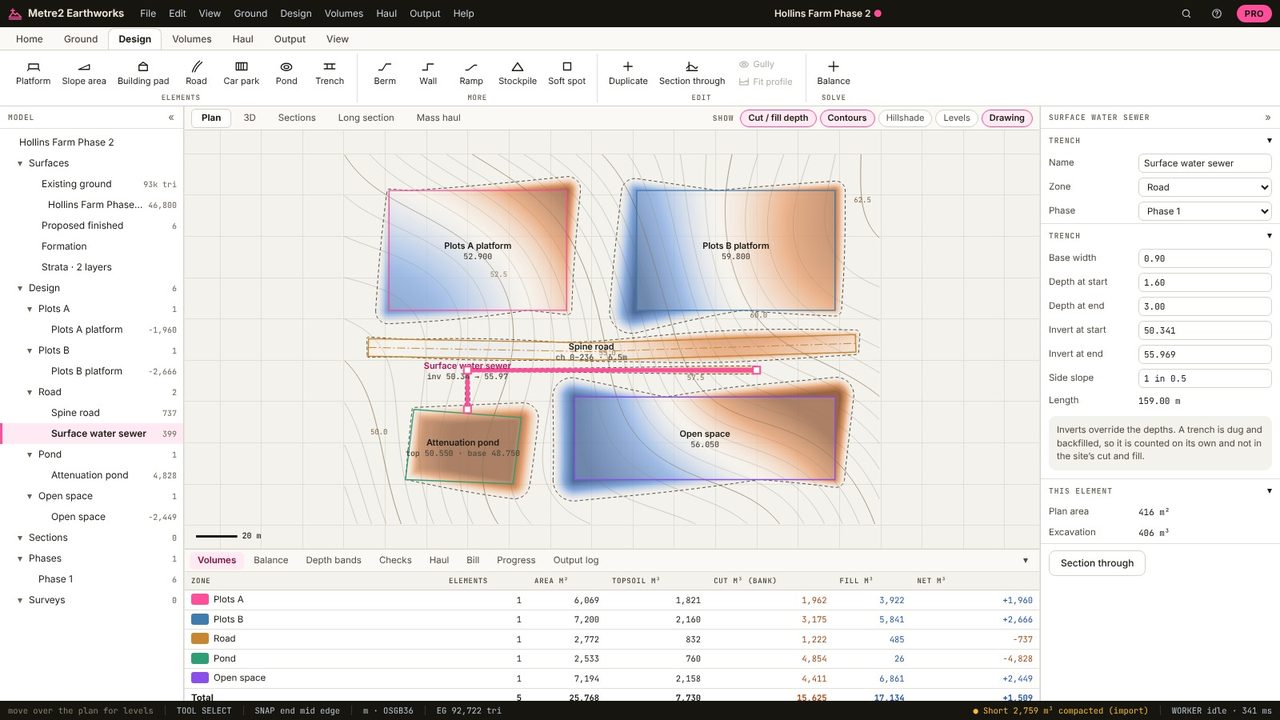
A drainage trench is dug along the pipe line from the ground down to the invert plus bedding, with vertical (supported) or battered sides. The ground isn't flat, so the depth varies along it. This guide changes the Hollins Farm surface water sewer trench in Metre2 Earthworks Pro and reads its long section and volume: 406 m³ over 159 m.
Draw a Trench by clicking along the pipe line (Design tab).
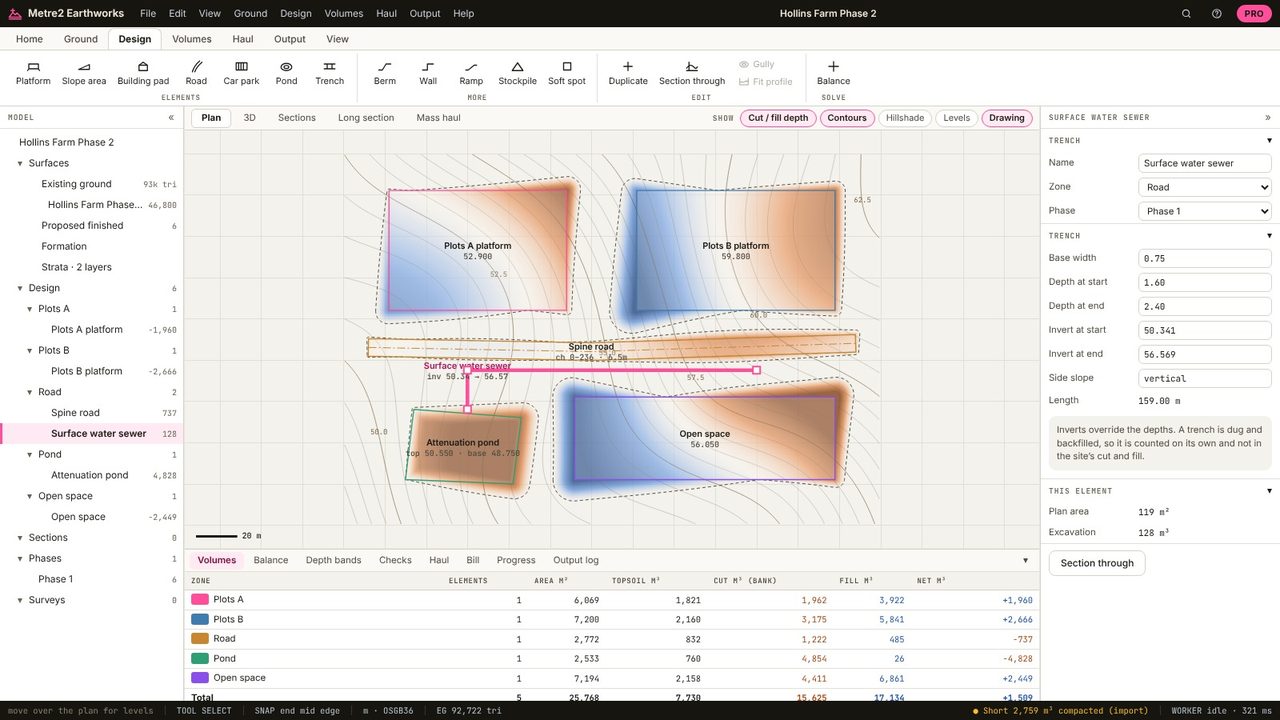
Give the depth below ground at each end (1.6 m and 3.0 m here), or the invert levels, which take precedence.
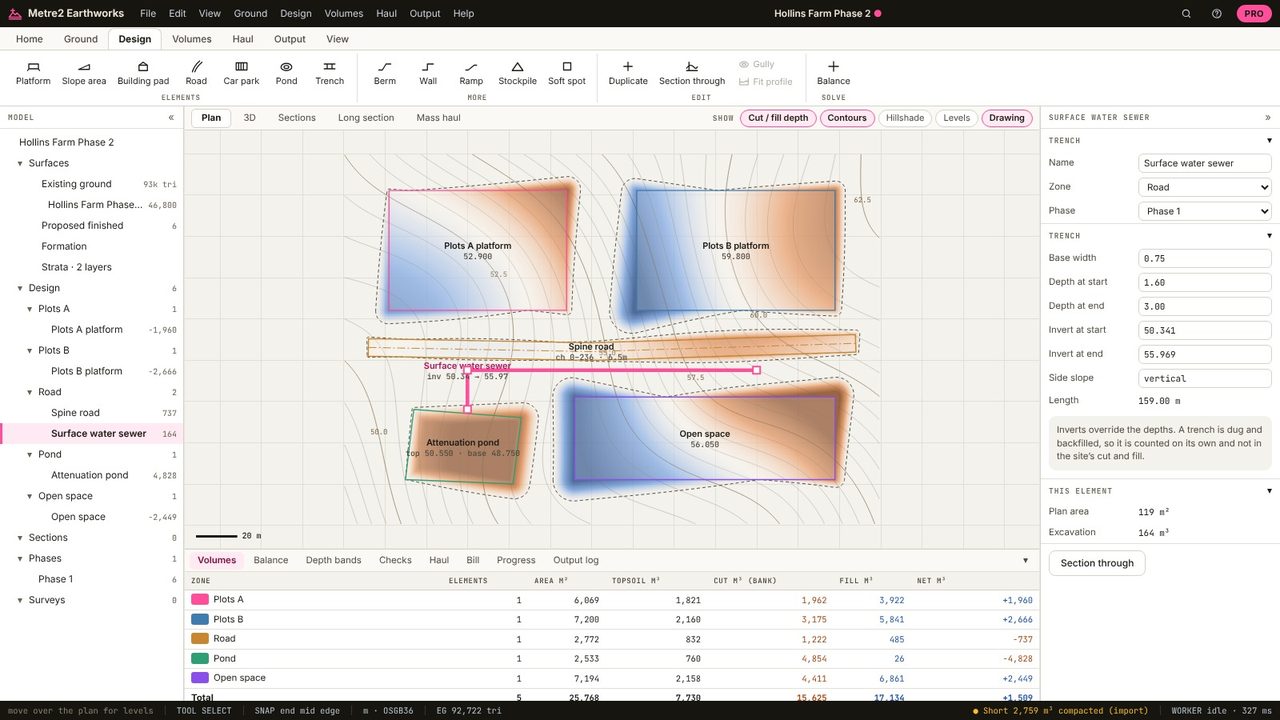
The base width (0.9 m here) and the side slope: vertical for a supported trench, or battered (1 in 0.5 here).
The Long section shows the ground and the trench bottom along the line. The volume is 406 m³, listed as trench excavation: dug and backfilled, so it's kept out of the site's cut and fill.
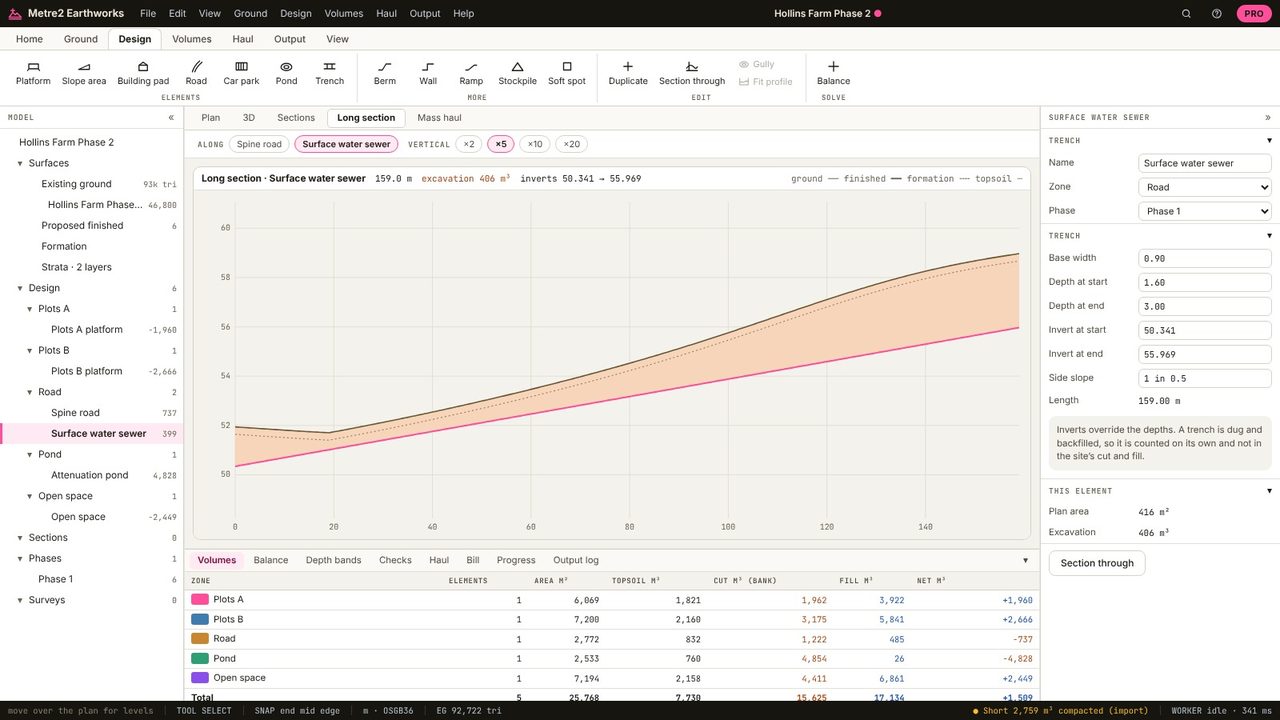
Length x width x average depth for a vertical trench, plus the side wedges for a battered one. Because the ground varies, Earthworks integrates it along the real ground surface.
Trenches are dug and backfilled, so they don't change the finished levels. Their volume is reported separately as excavation.
Trenches are in Earthworks Pro (£19.99 a month or £179 a year, with a 7-day free trial).
No. Earthworks runs in your browser: survey files, LIDAR tiles and PDF drawings are read on your computer and the project is kept in your browser until you save it as a file.
