How-to guide
When something outside your control delays the work - late information, a variation, access not given - you have to show how much it delays completion, not just that it happened. A time impact analysis does that prospectively: the event is modelled as a small network of activities (a fragnet), inserted into the programme at the time it happened, and the programme rescheduled to measure the effect on completion and the Key Dates. Metre2 Programme Studio Pro does it on a copy, so nothing changes until you choose.
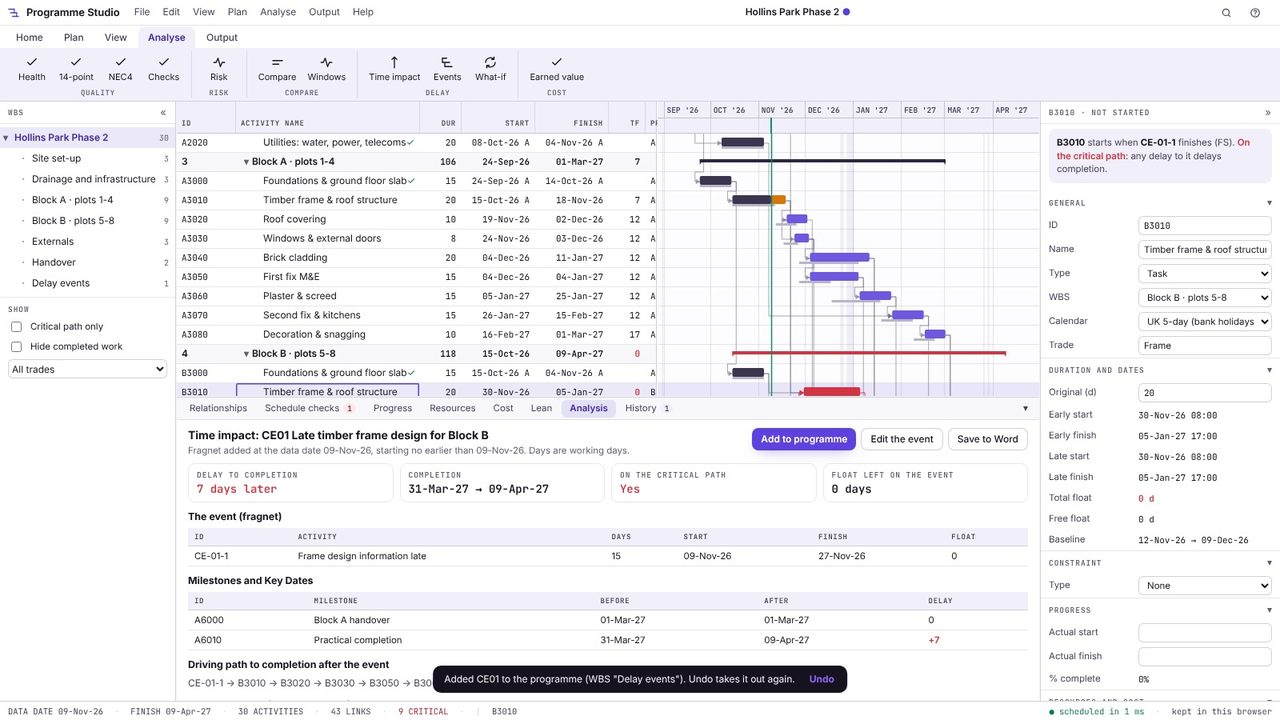
Select the activity the event holds up, here Block B's timber frame, and open Analyse > Time impact. Give the event a reference (CE01 for a compensation event), say what happened and when it started.
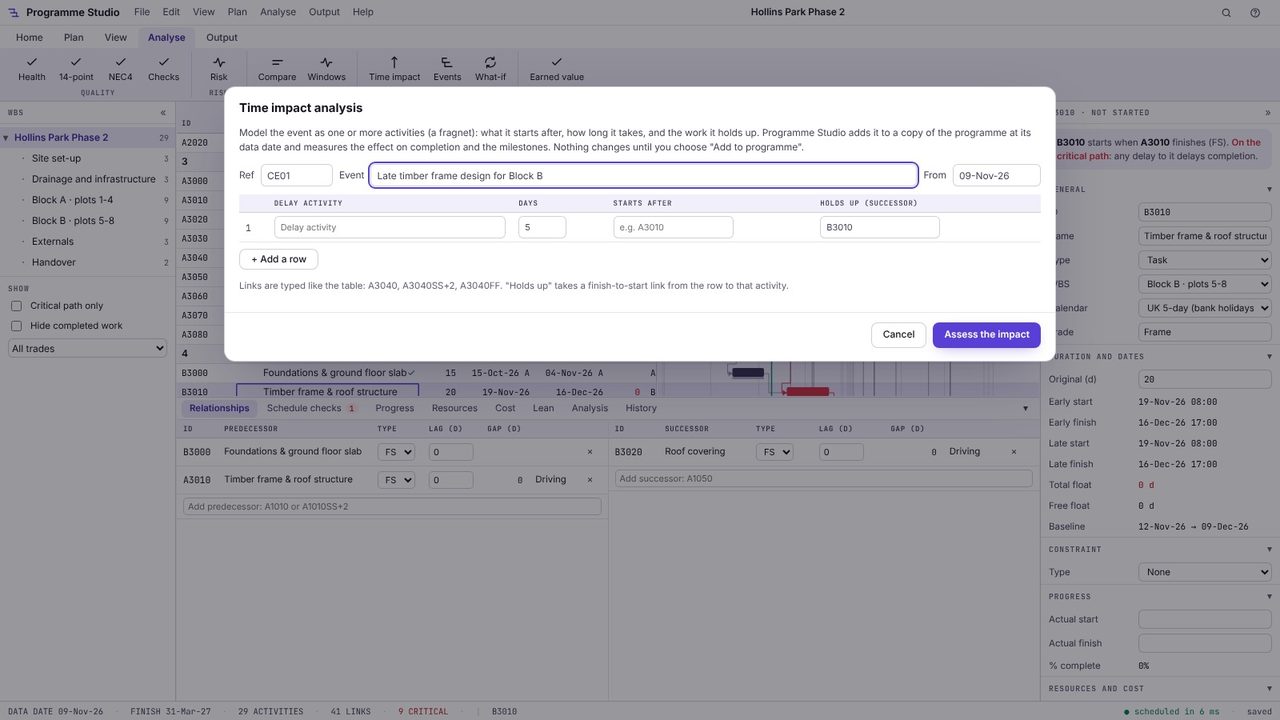
Add one row per delay activity: its name, how many working days it takes, what it starts after and what it holds up. Links are typed as in the table (A3040, A3040SS+2, A3040FF). Here the frame design information arrives 15 days late and holds up the frame. Add rows for a longer chain, such as redesign, approval and re-ordering.
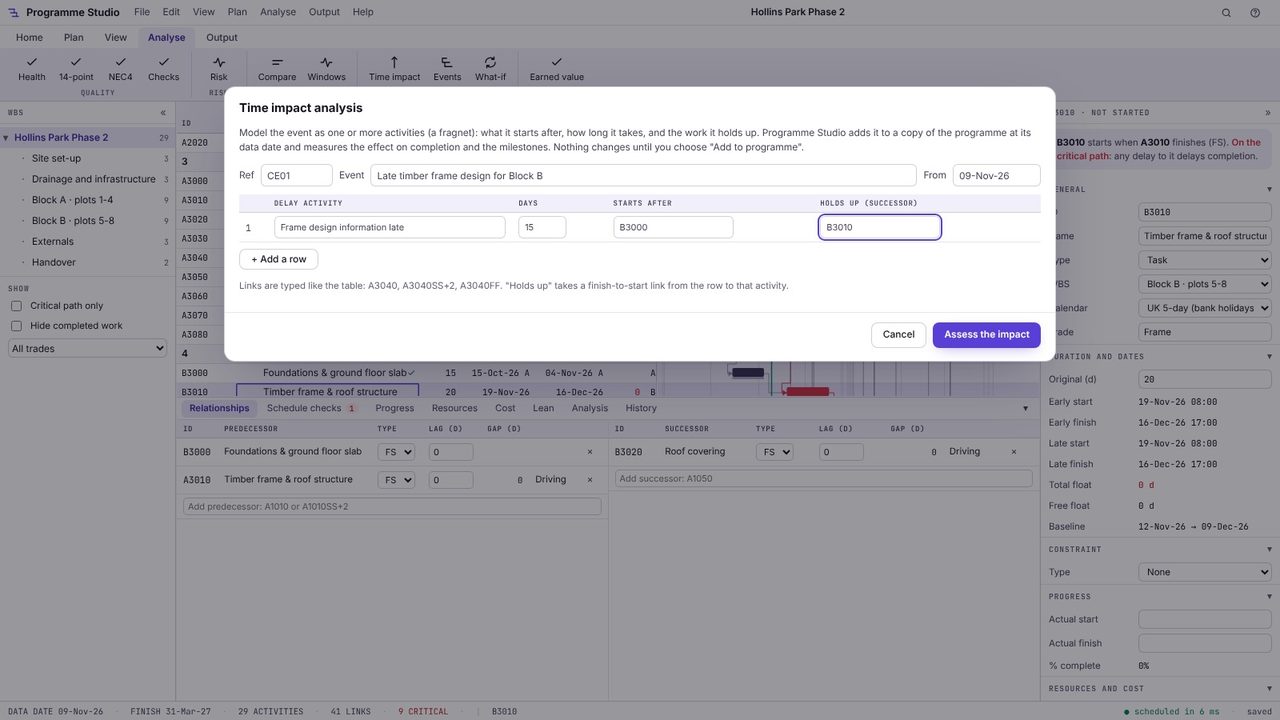
Choose Assess the impact. Programme Studio adds the fragnet to a copy of the programme at its data date and reschedules it. The result shows the delay to completion (7 days later), the completion date before and after, whether the event is on the critical path and the float left on it.
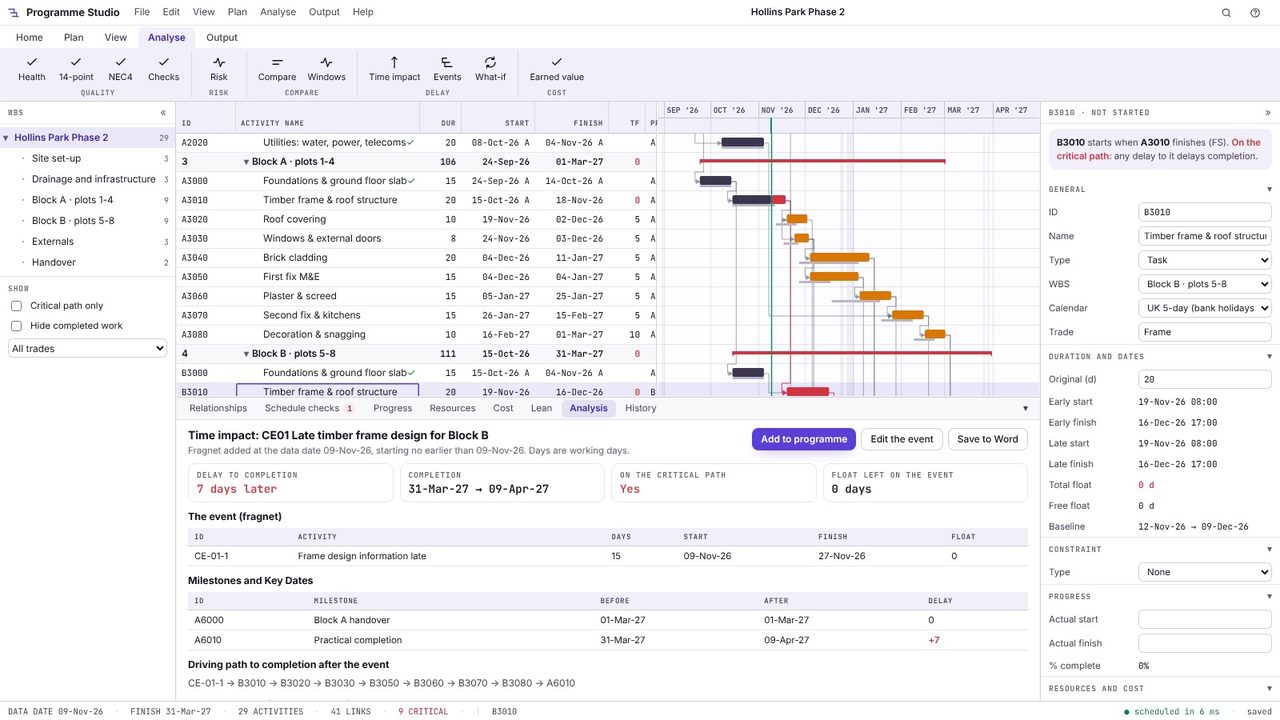
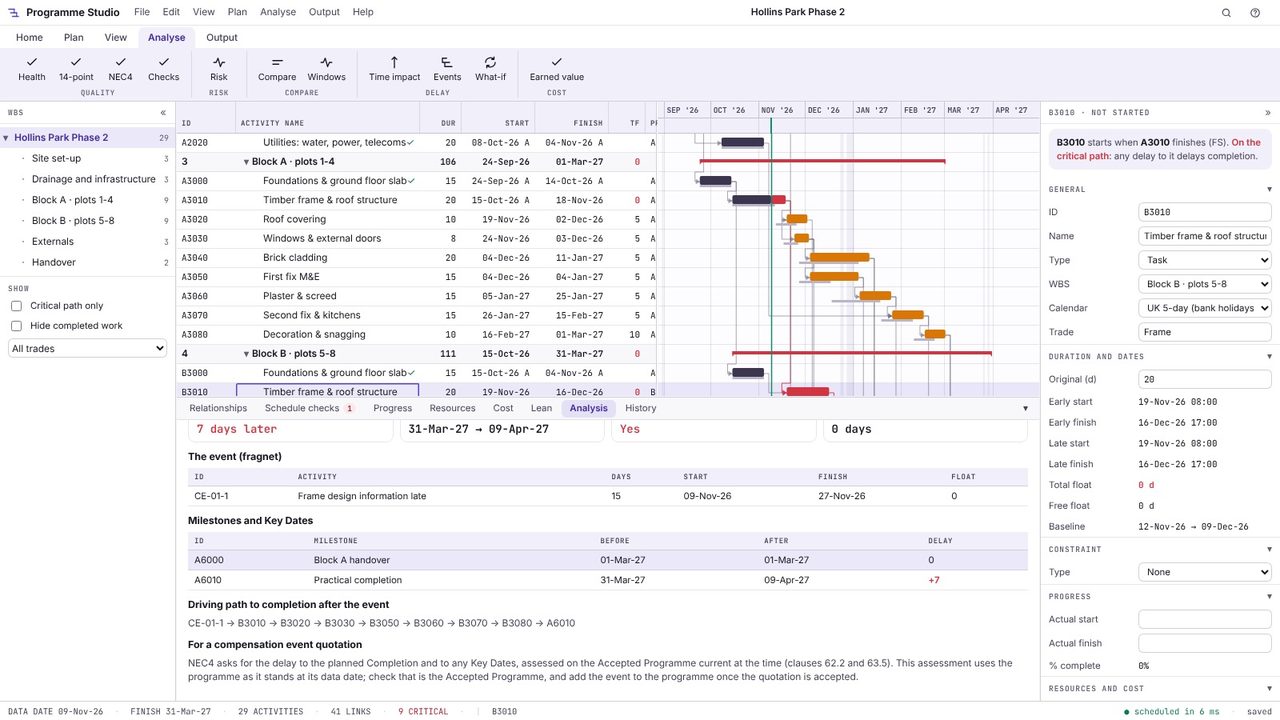
Below that are the fragnet's own dates and float, the effect on every milestone and Key Date, and the driving path to completion after the event, so you can show exactly why completion moves. Choose Save to Word for a report to go with the notification or quotation.
Once agreed, choose Add to programme: the fragnet goes into a Delay events WBS, linked as assessed, and the event is recorded in the delay events log (Analyse > Events) with its assessed delay. Undo takes it out again.
A prospective delay analysis method: a fragnet modelling the delay event is inserted into the programme current at the time of the event, the programme is rescheduled, and the difference in completion (and Key Dates) is the delay attributed to the event. It is one of the methods described in the Society of Construction Law Delay and Disruption Protocol.
A fragment network: a small set of linked activities that represents a delay event or a change, with links into the existing programme showing what it follows and what it holds up.
Yes. NEC4 asks for the delay to planned Completion and to Key Dates, assessed on the Accepted Programme current at the time (clauses 62.2 and 63.5). The time impact analysis measures exactly those; check the programme you use is the right one.
Programme Studio is free to open and view programmes of any size and to build or edit programmes of up to 50 activities. Pro adds this and every other planning tool, with no activity limit, for £29.99 a month or £249 a year. The 7-day free trial needs a Metre2 account but no payment details.
