How-to guide
Screed, flooring and ceilings are measured net of stair voids, lift shafts, openings and big columns. In Takeoff Studio, which is free on Windows, you measure the whole floor and cut the holes out of it, so you keep the gross and the net and can see exactly what came off. Your drawing never leaves your PC.
Open the drawing with Load PDF. In the PDF tab choose Set Scale from Title Block and set the scale it finds, or Calibrate (R) from a dimension you trust.
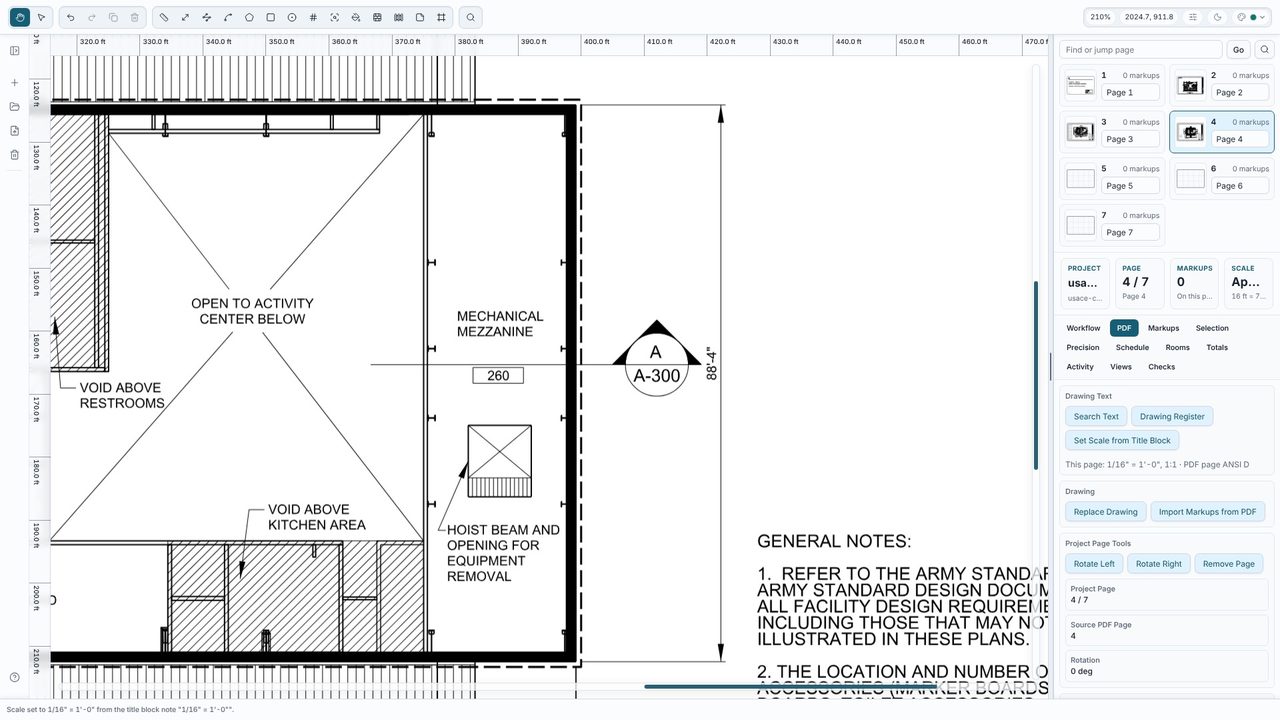
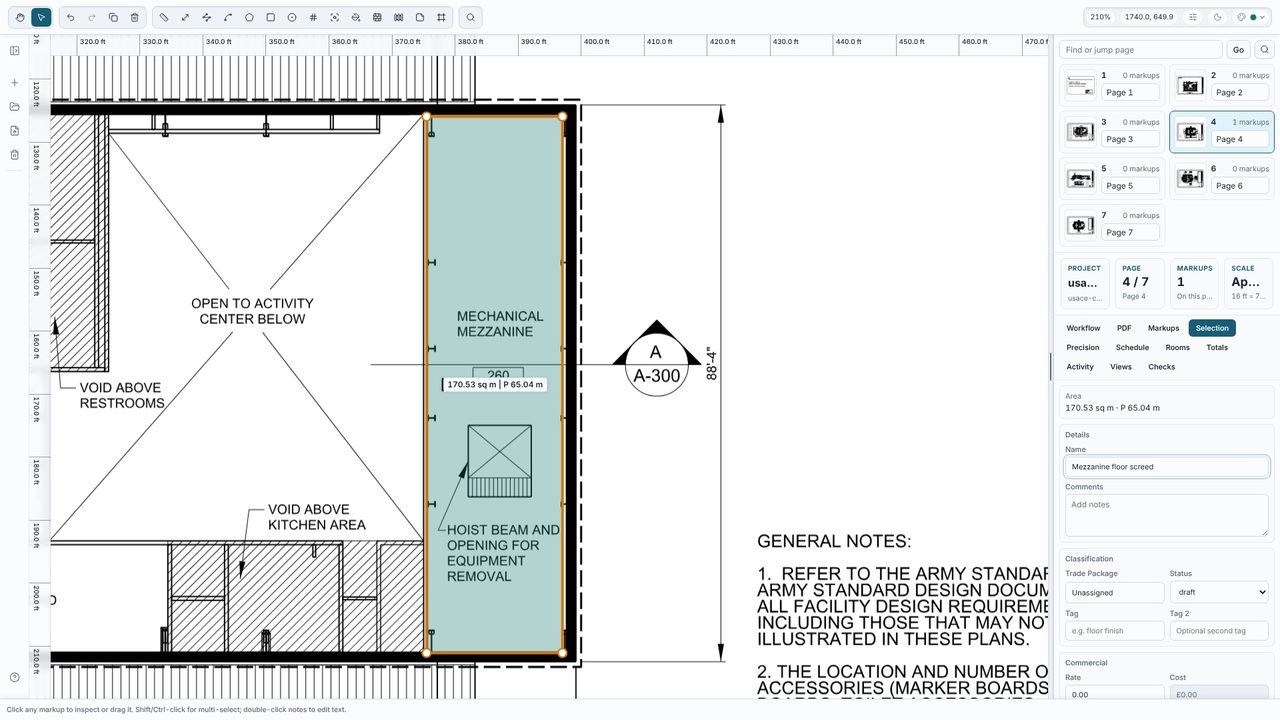
Draw round the floor with Rect (B) for a rectangle or Area (A) for any other shape, straight across the void - don't try to draw round it. Select it and give it a name in the Selection tab, such as Mezzanine floor screed. Here the gross area is 170.53 m².
With the area selected, choose Add rectangular cutout under Cutouts and click two corners of the opening. For a round or odd-shaped hole choose Add cutout and click round it, then double-click or press Enter. The hole shows as a gap in the fill, and you can add as many cutouts as the floor has voids.
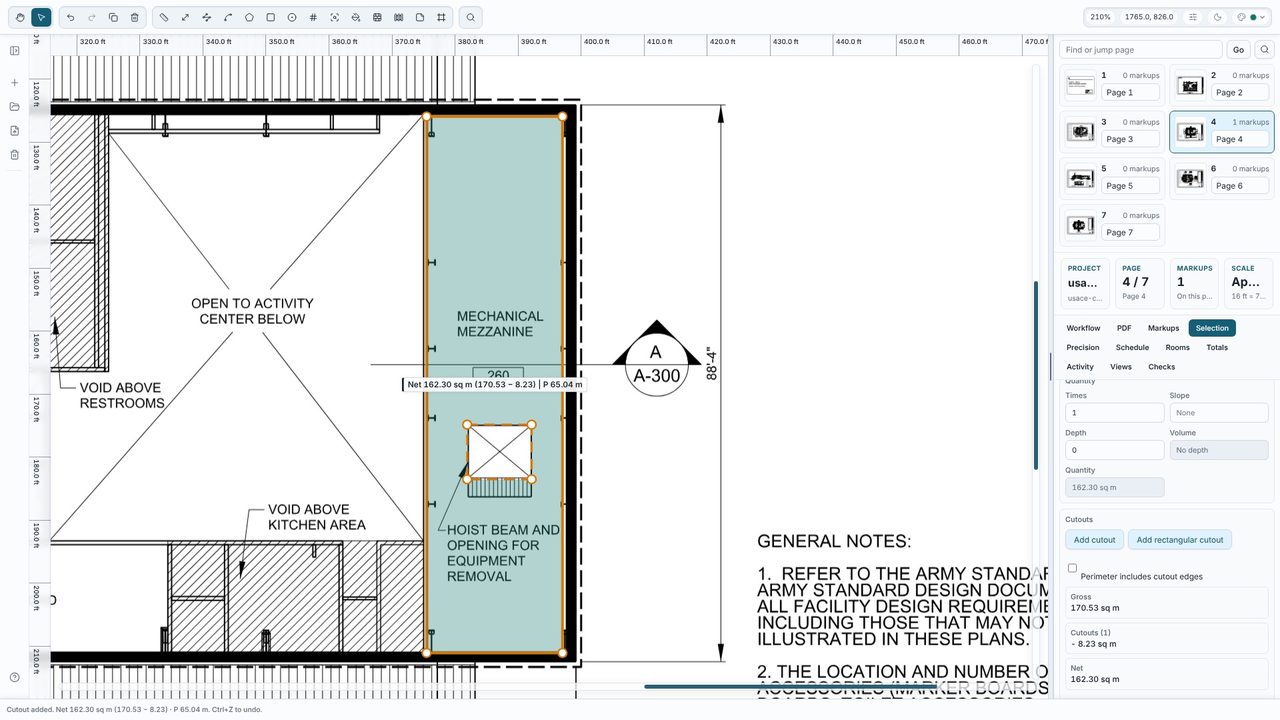
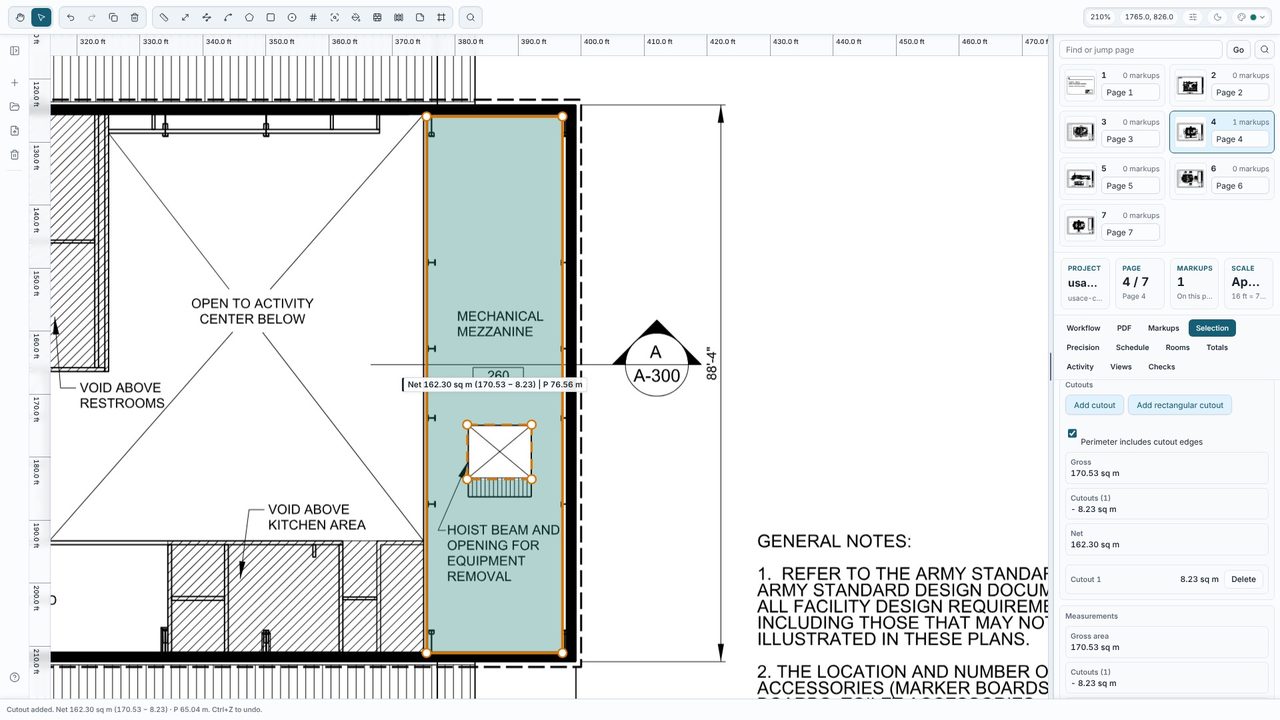
The Selection tab shows the gross area, each cutout and the net - 162.30 m² after an 8.23 m² opening. The label, the Totals, the schedule and exports all use the net figure. Tick Perimeter includes cutout edges if you need the edges of the void too, for nosings, upstands or edge trims.
Yes. Cutouts, areas and every other measuring tool are free in Takeoff Studio, with no account. Takeoff Studio Pro (£24.99 a month or £199.99 a year, first month free) adds exports, costed schedules, rooms and finishes and more.
Not by default - the perimeter is the outer edge, which is usually what you want for skirting. Tick Perimeter includes cutout edges to add the edges of the holes. The Selection tab shows the cutout perimeter either way.
Yes. Areas, rectangles and circles can all have cutouts.
No. Takeoff Studio is a Windows app and works offline - the PDF and your measurements stay on your PC.
