How-to guide
A long thread about a job can take ten minutes to read. Metre2 Mail's on-device AI gives you the gist in a few bullets - worked out on your PC by a model that comes with the app, so nothing you read is sent anywhere. Free.
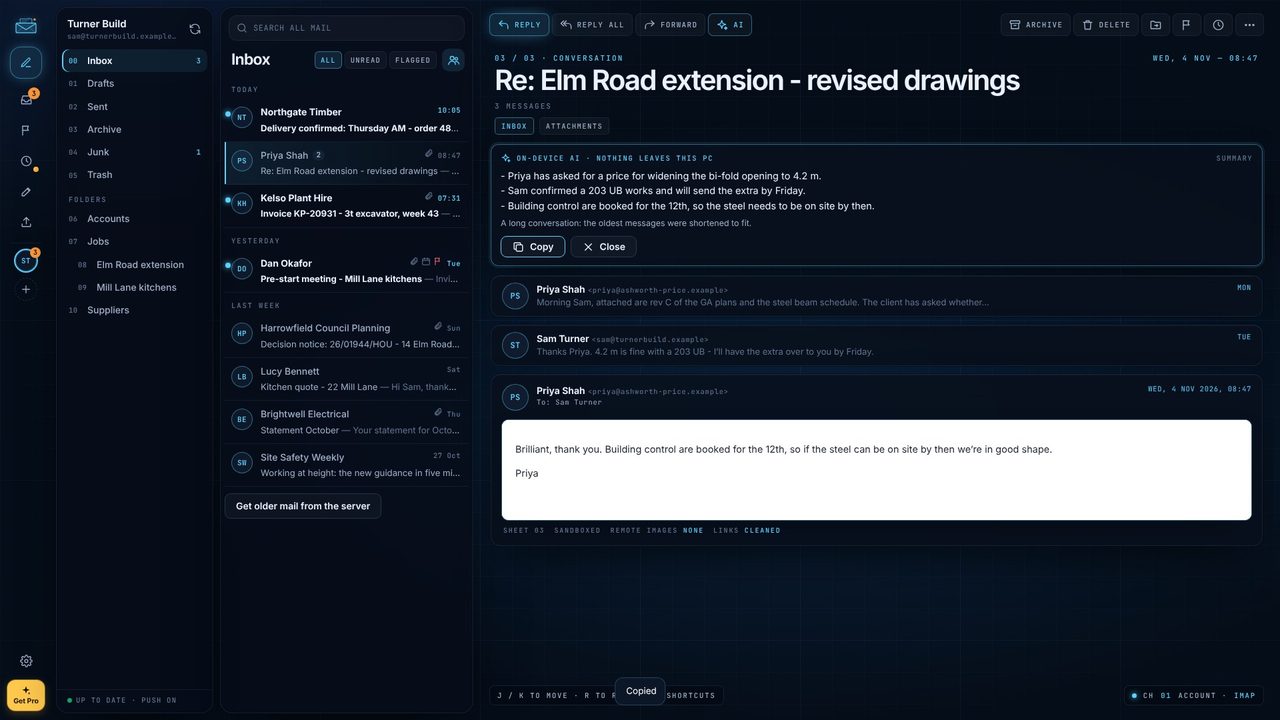
Open the email thread - three emails about an extension's steel beam here.
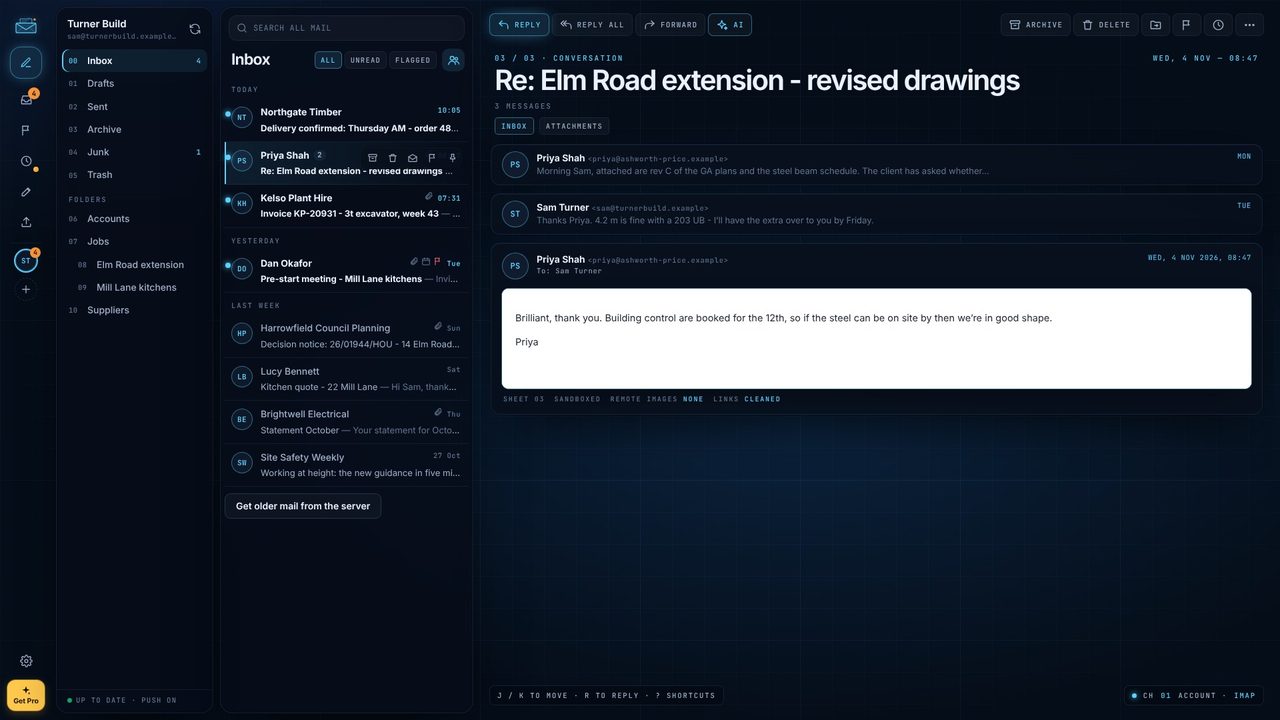
The AI button is in the reading pane's toolbar, next to Forward.
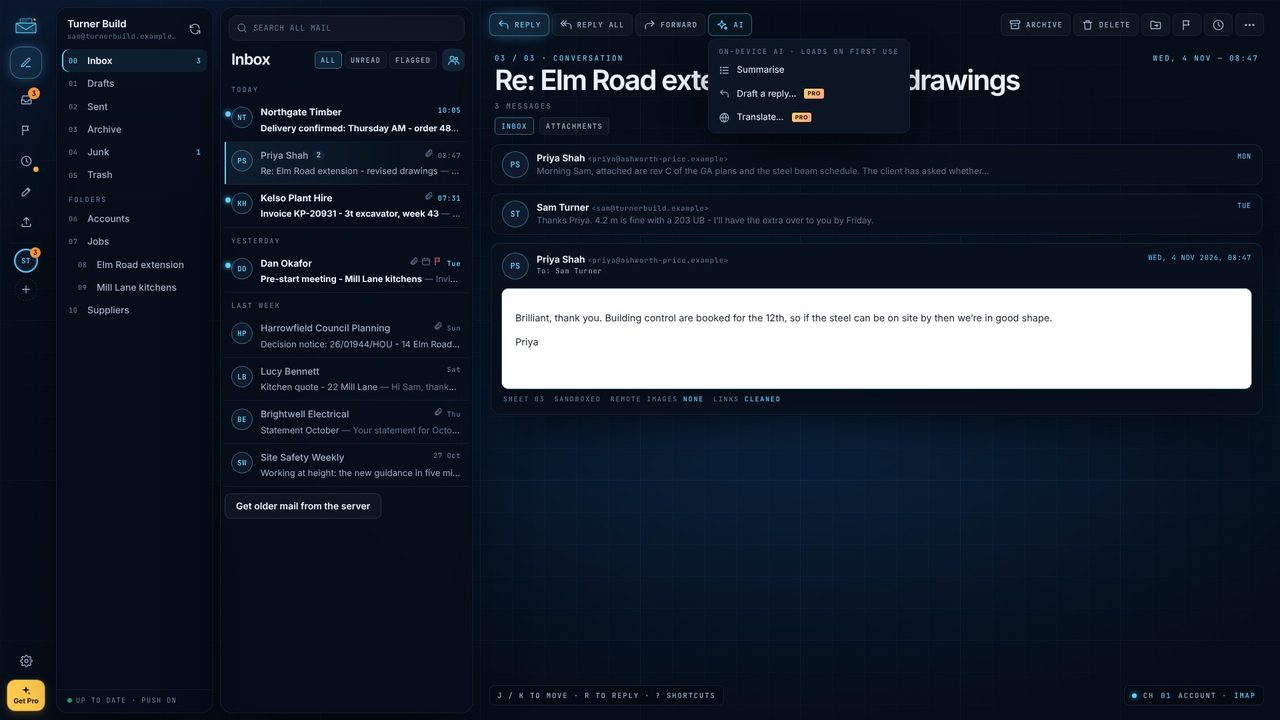
The summary streams into a card at the top of the conversation. The first time, the model takes a few seconds to load.
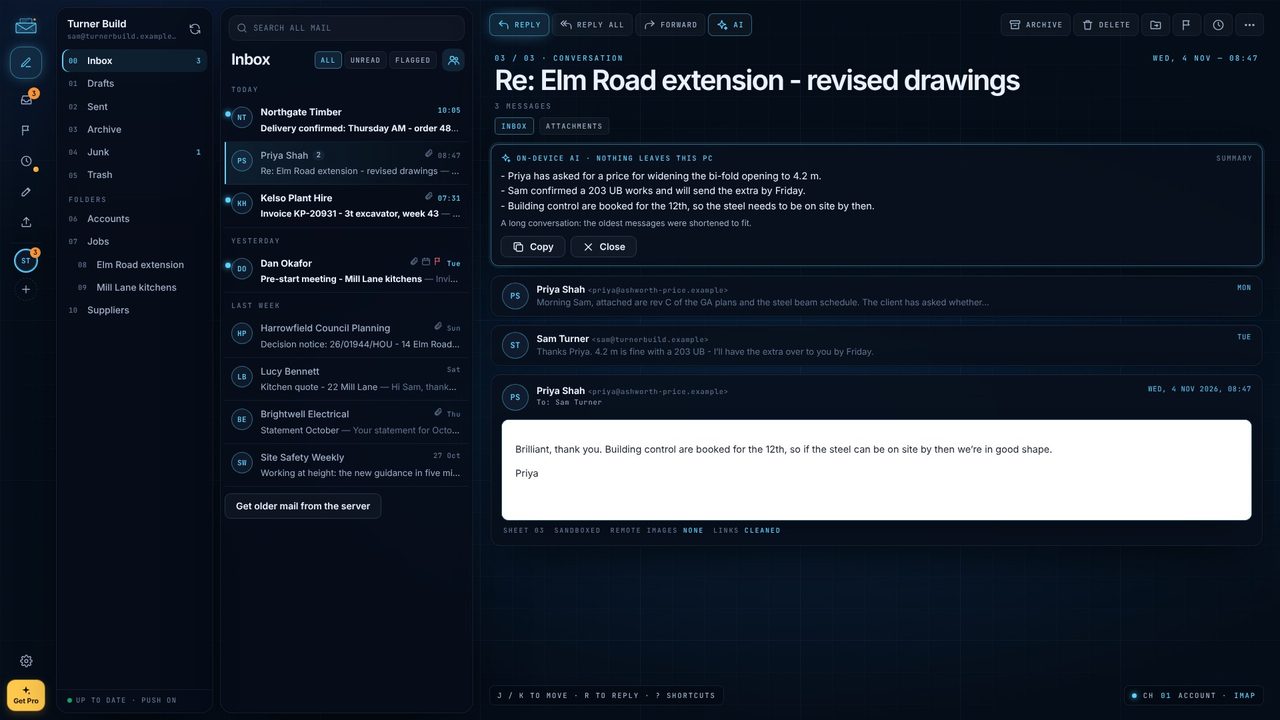
A few bullets: who wants what, what was agreed, what's next. The card says ON-DEVICE AI · NOTHING LEAVES THIS PC.
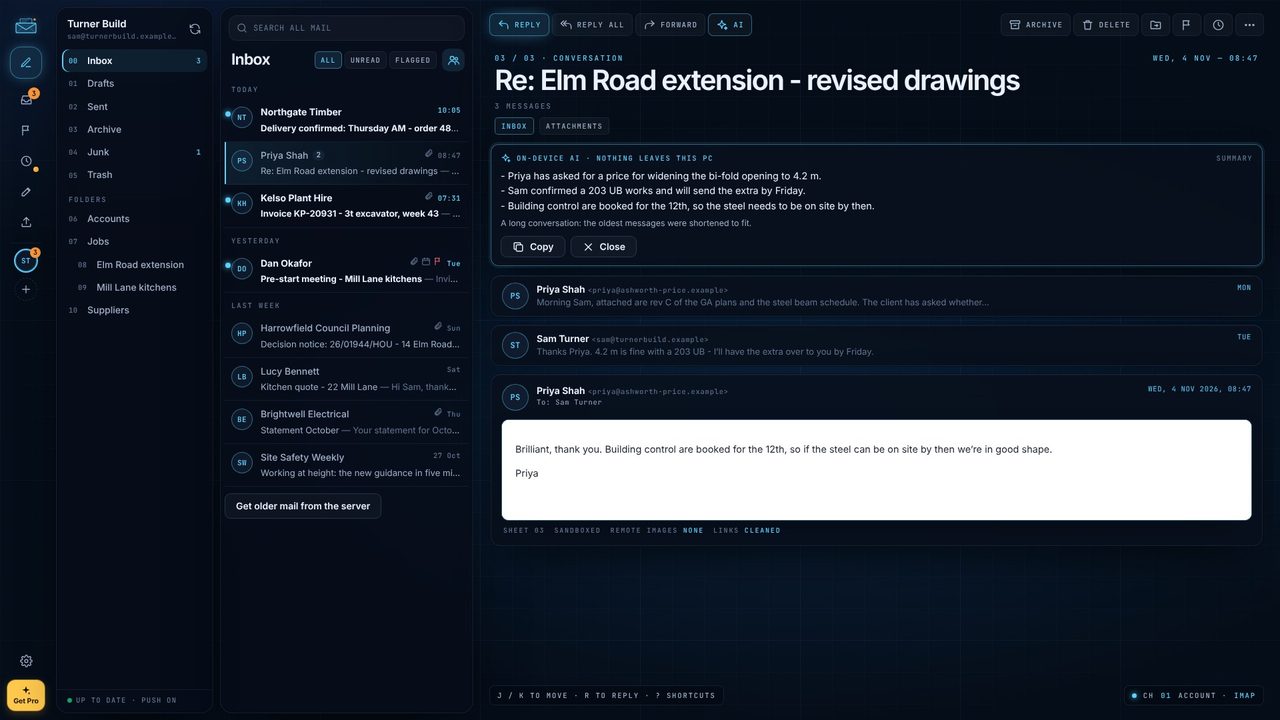
Copy puts the summary on the clipboard for a report or a message.
No. The model runs on your PC and nothing leaves it.
Yes - Summarise is free. Draft a reply and Translate are part of Mail Pro.
Any 64-bit Windows 10 or 11 PC (x64 or Arm). No special hardware.
