How-to guide
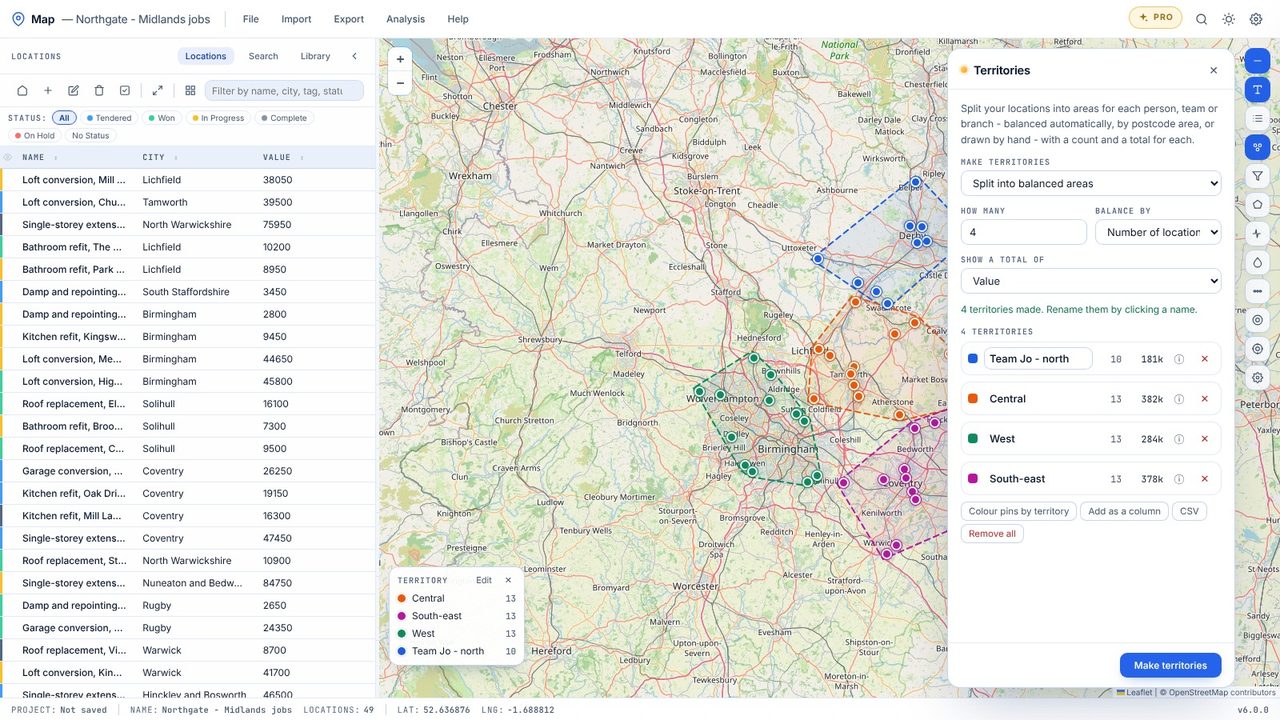
Map Pro splits your locations into areas for each person, team or branch - balanced by the number of locations or by a total such as value, by postcode area, or drawn by hand - and shows the count and total for each.
Choose Analysis → Territories.
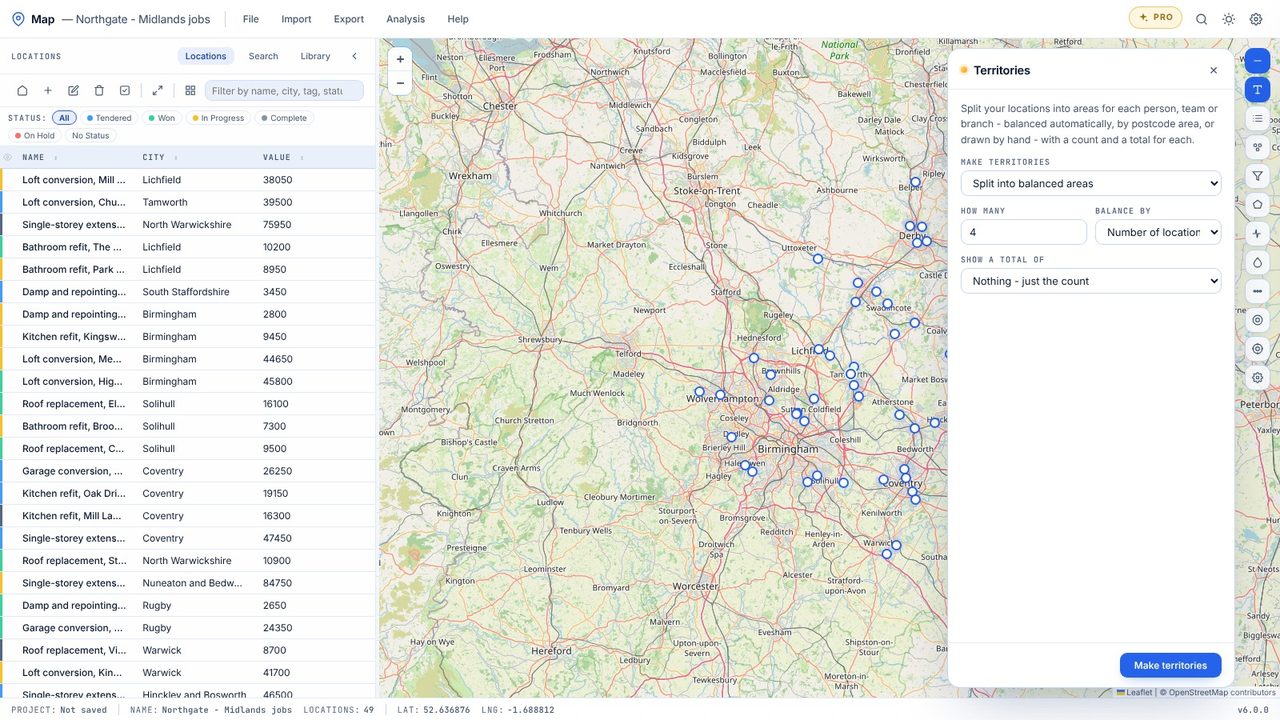
Split into balanced areas (how many, balanced by count or a number column), one per postcode area, or draw one on the map. Pick a column to total.
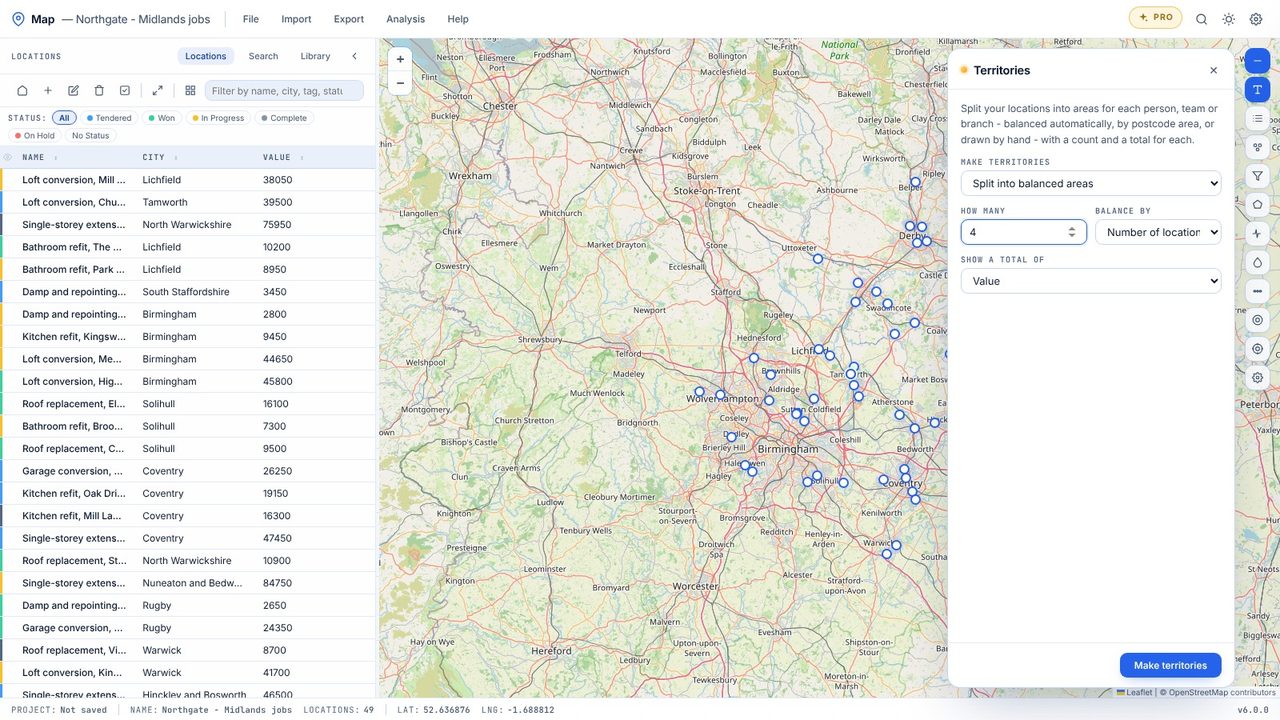
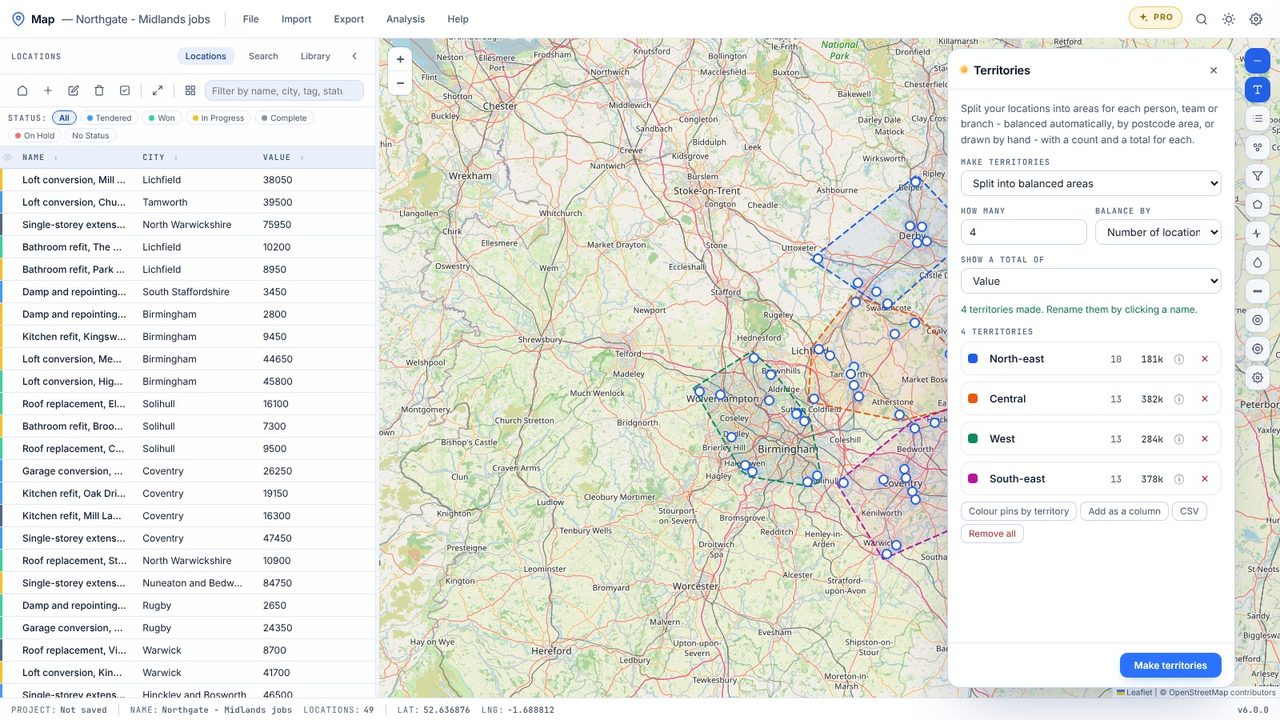
Click Make territories. Each one is outlined and named by where it sits - North-east, Central, West.
Colour pins by territory colours every pin, with a legend.
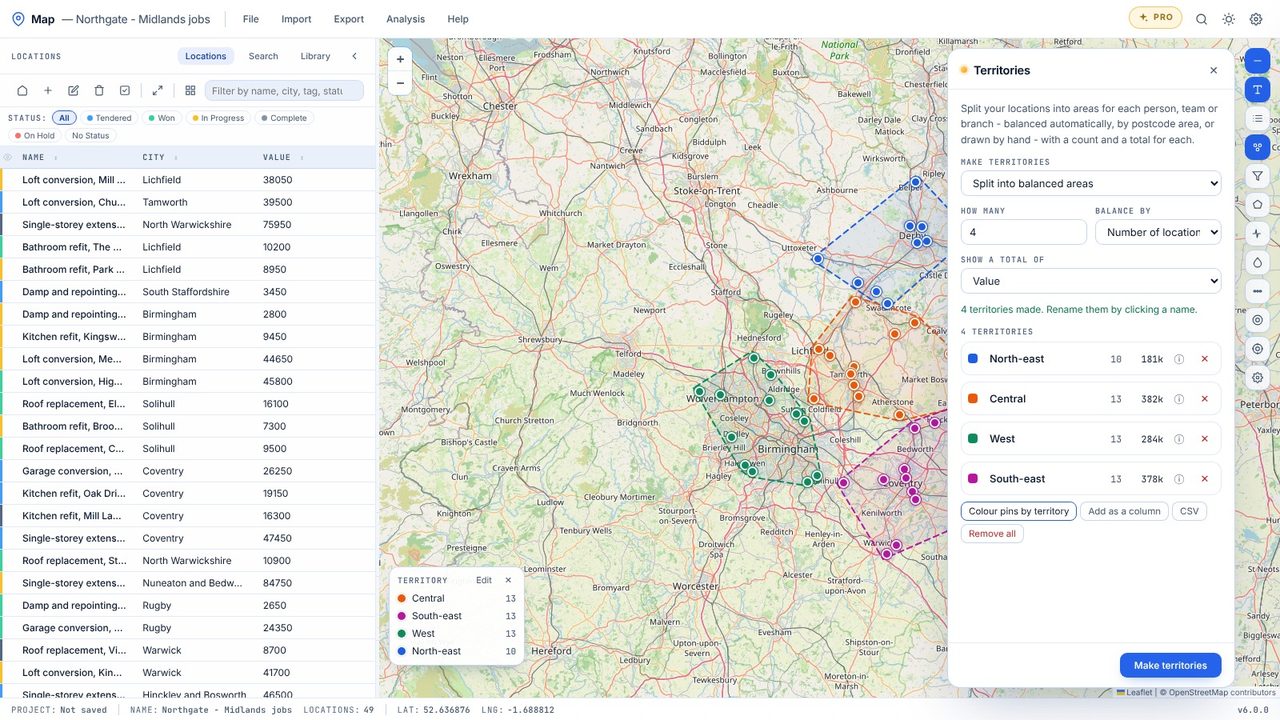
Click a name to change it to the person or team. Add as a column writes the territory to each location for export.
Territories are part of Map Pro (£19.99 one-off, 7-day free trial).
Map groups nearby locations and caps each territory at about an even share of the count or the total, so no area ends up much bigger than the rest.
