How-to guide
Windows search finds file names, but the clause you need is usually inside a document - page 4 of a specification, a cell in a cost plan, or the PDF attached to an email. Metre2 Document Vault reads the text of every PDF, Word file, spreadsheet and saved email in the folders you add, then searches all of them together and opens the preview at the match, highlighted. It's free, it works offline and your files stay where they are.
Click Add folder and pick a folder - your Documents folder, a project folder or a shared drive. Nothing is copied or uploaded: Document Vault remembers where each file is and reads it there. Subfolders are included.
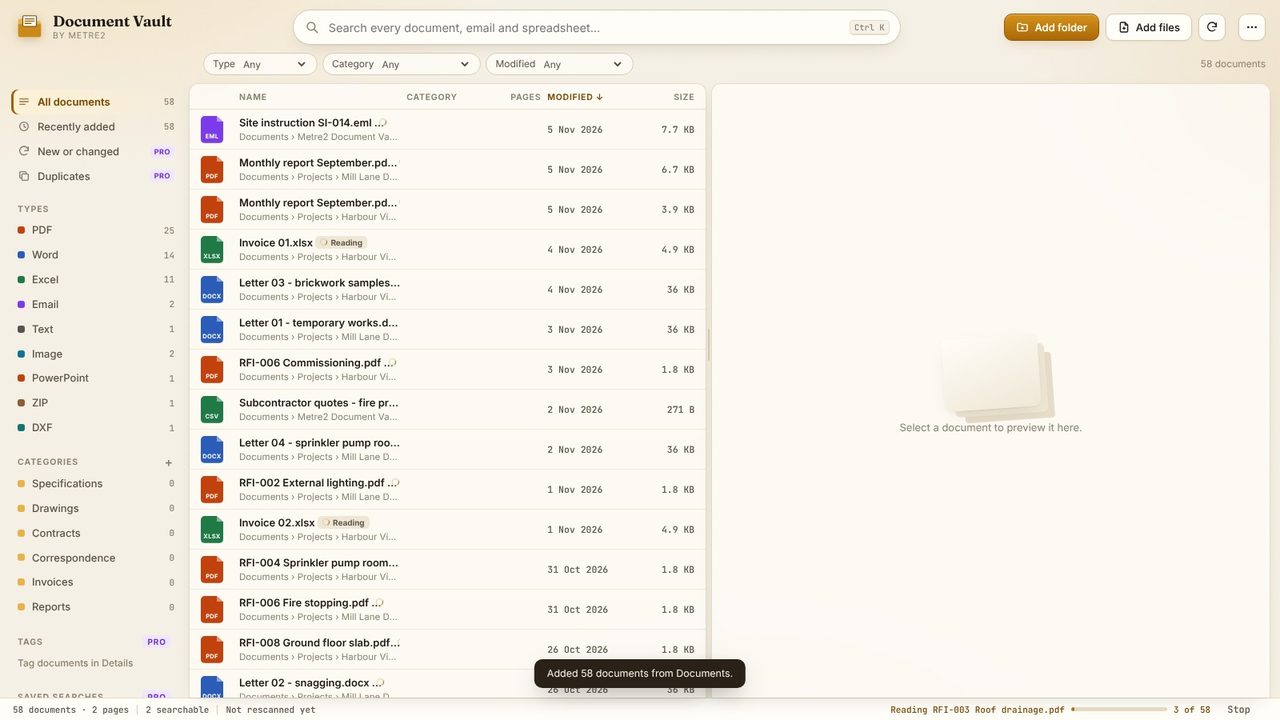
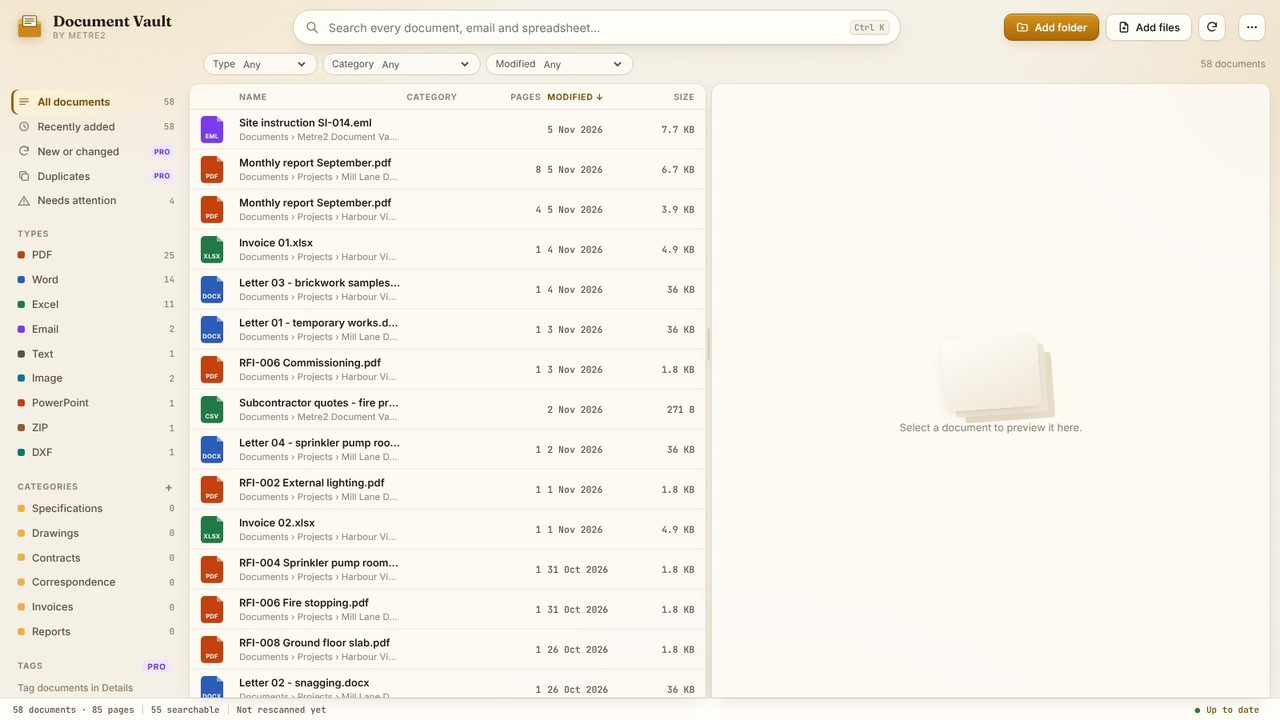
PDF, Word (.docx, .doc, .rtf, .odt), Excel (.xlsx, .xls, .ods, .csv), Outlook emails (.msg, .eml) and text files are read once and kept in an index on your PC, so later searches are instant. The status bar shows how far it has got.
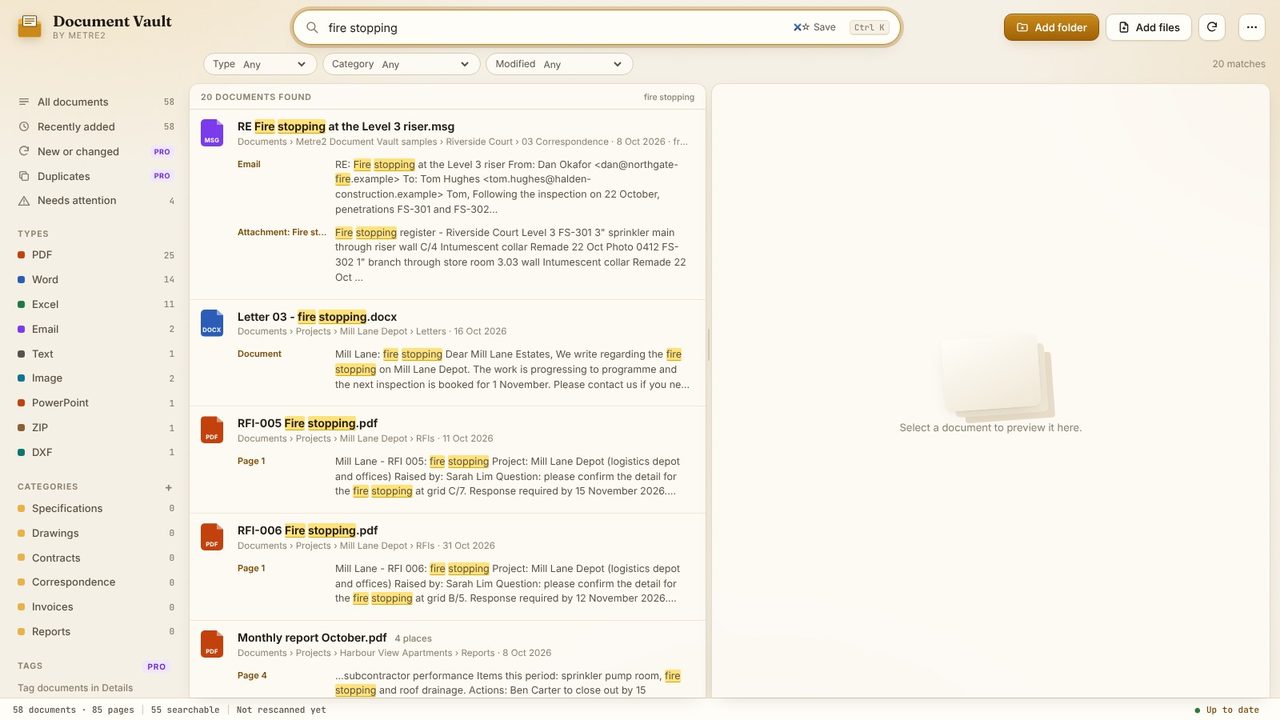
Type what you're looking for in the search box. Every document that contains all of your words is listed, with a snippet from each place they appear - the page, the sheet or the attachment. Put words in quotes, like "fire stopping", to find an exact phrase.
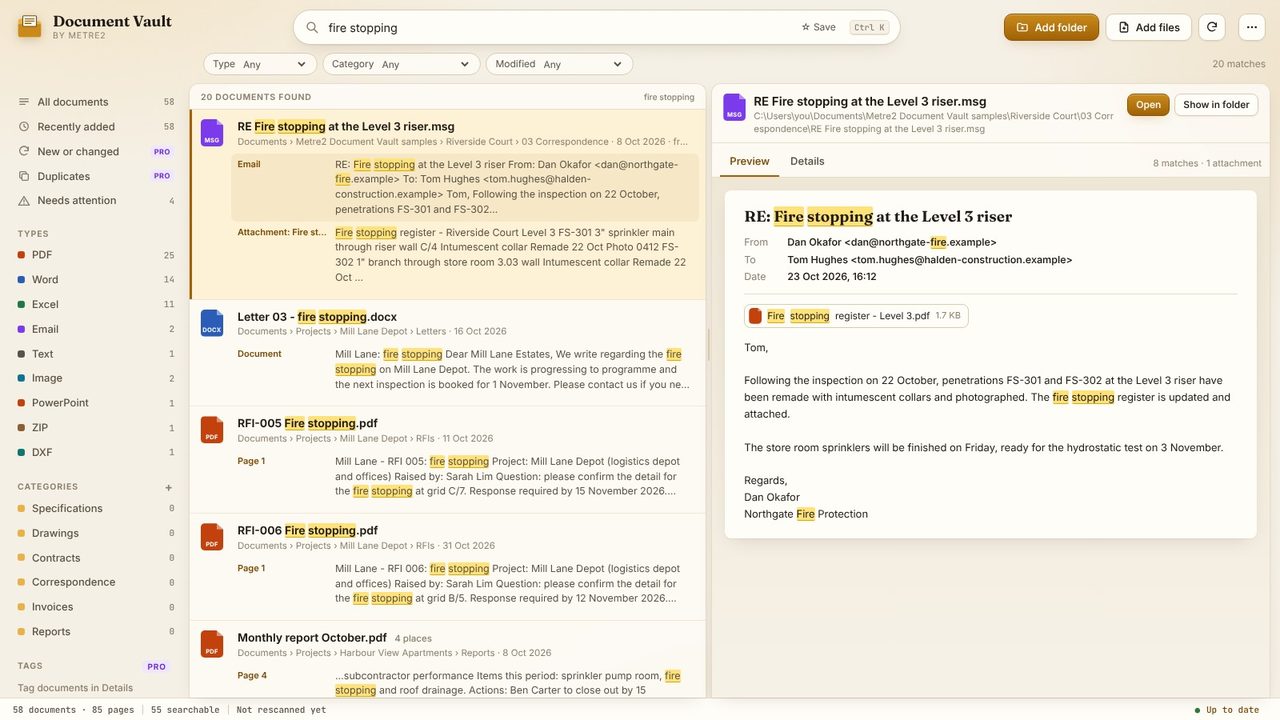
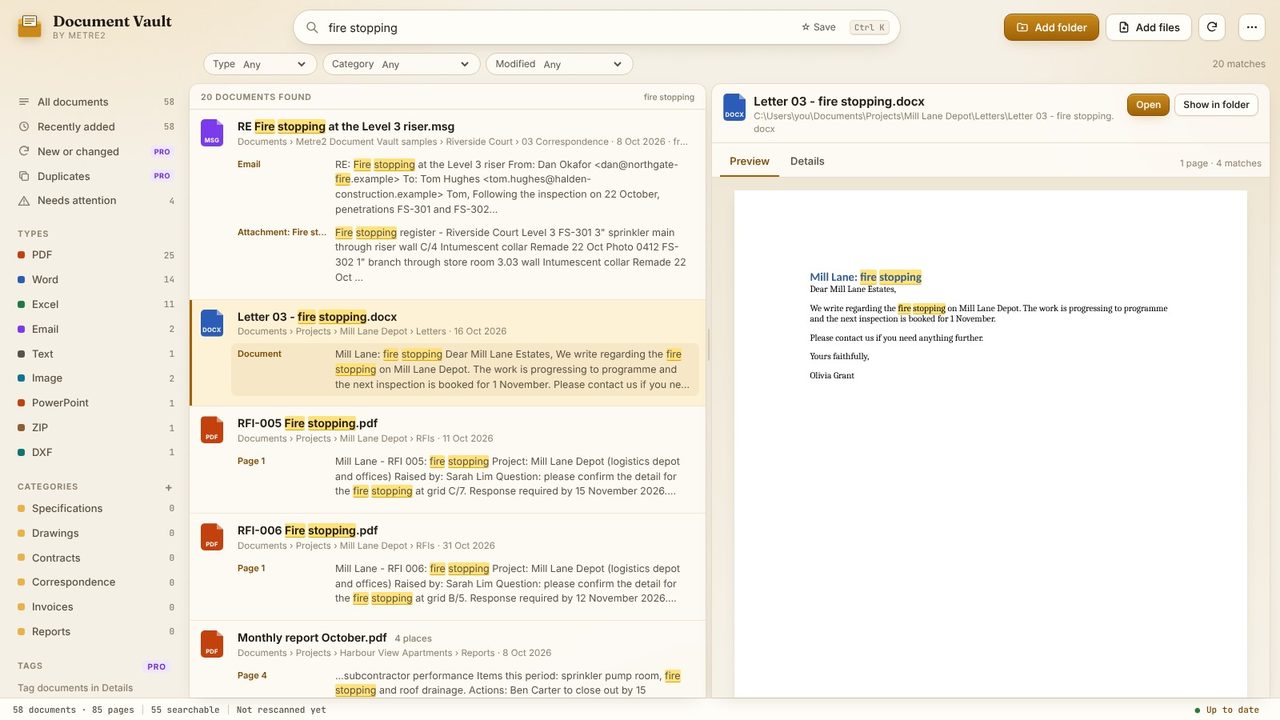
Click a snippet to preview it. An Outlook email opens with its sender, date and attachments, and the words you searched for highlighted - no Outlook needed.
Word documents are laid out as pages, with every match highlighted. Click Open to open the file in Word, or Show in folder to find it in File Explorer.
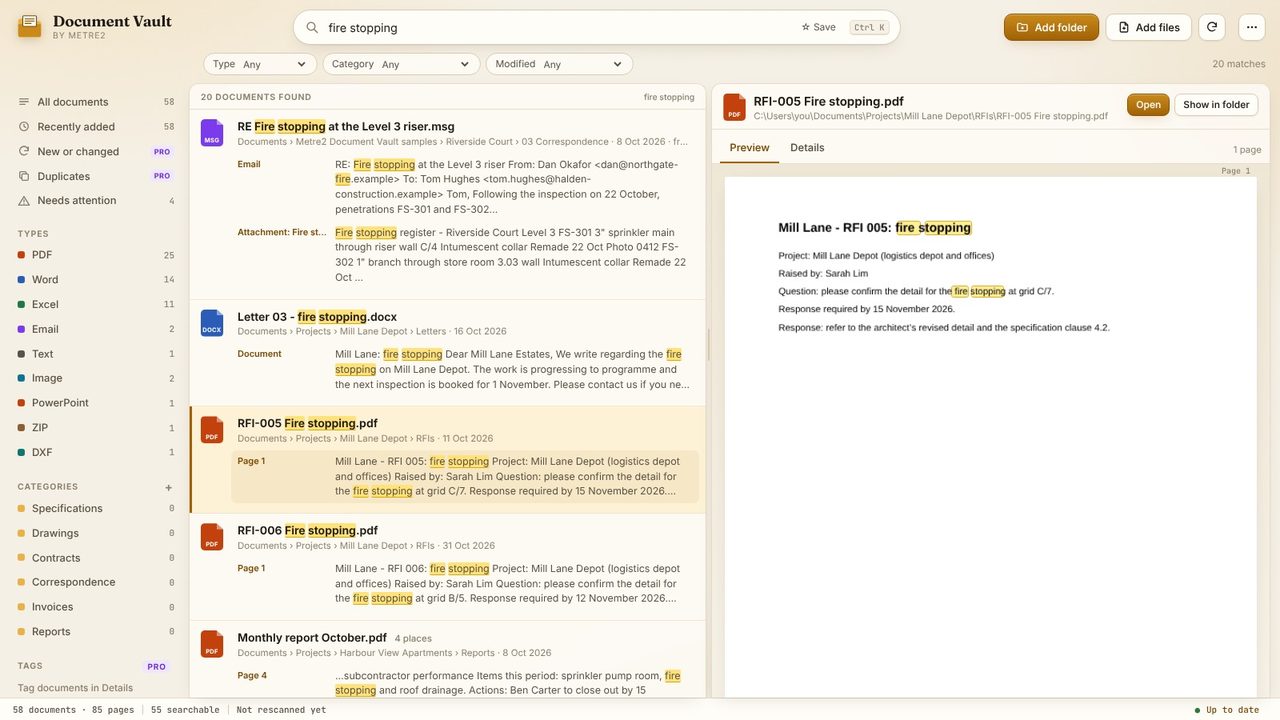
A PDF opens at the page that matched, with the words marked on the page. Long PDFs show a strip of just the pages that contain your search.
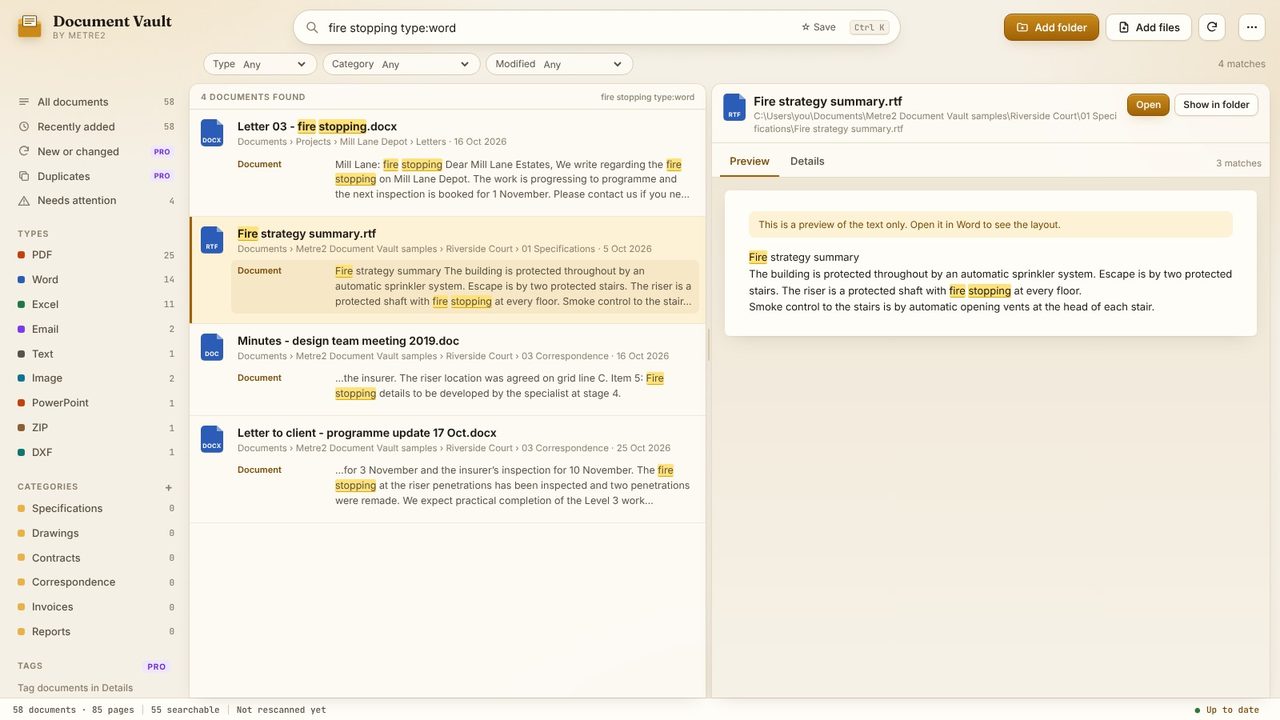
Add type:word, type:pdf, type:excel or type:email to the search, or use the Type, Category and Modified filters. -word leaves a word out. Here, type:word also finds an old .doc and an .rtf file.
Windows search can index file contents, but it often misses PDFs, ignores attachments inside saved emails and shows a list of file names rather than where the words are. Document Vault shows each place your words appear - page, sheet or attachment - and opens the preview there, highlighted.
No. Everything runs on your PC: the files stay where they are, the index is kept on your PC, and there's no account.
Free: PDF, Word (.docx, .doc, .rtf, .odt), Excel (.xlsx, .xls, .ods, .csv), Outlook emails (.msg, .eml) with their attachments, and text files. Document Vault Pro adds scanned PDFs and photos (text recognition), ZIP files, PowerPoint and DXF drawings.
No. Document Vault only reads them. Categories, tags and notes are kept in its own library, not written into your files.
