How-to guide
Clients, consultants and subcontractors are often sent a programme as a Primavera P6 .xer file with no P6 licence to open it. Reviewing it properly means more than reading the bars: is the critical path real logic, are there activities with no successor, what drives the key dates? Metre2 Programme Studio opens the .xer in your browser, free and without uploading it, reschedules it the way P6 does, and lists the logic problems for you. This guide reviews a health centre programme in under a minute.
Open Programme Studio and choose Open a file, or drop the .xer anywhere on the window. P6 XER and P6 XML, MS Project XML and .mpx, Excel and CSV all open. You see the WBS, every activity with its dates and float, the data date, and the Gantt chart with the logic drawn between the bars. The file is read by your browser and is not sent anywhere.
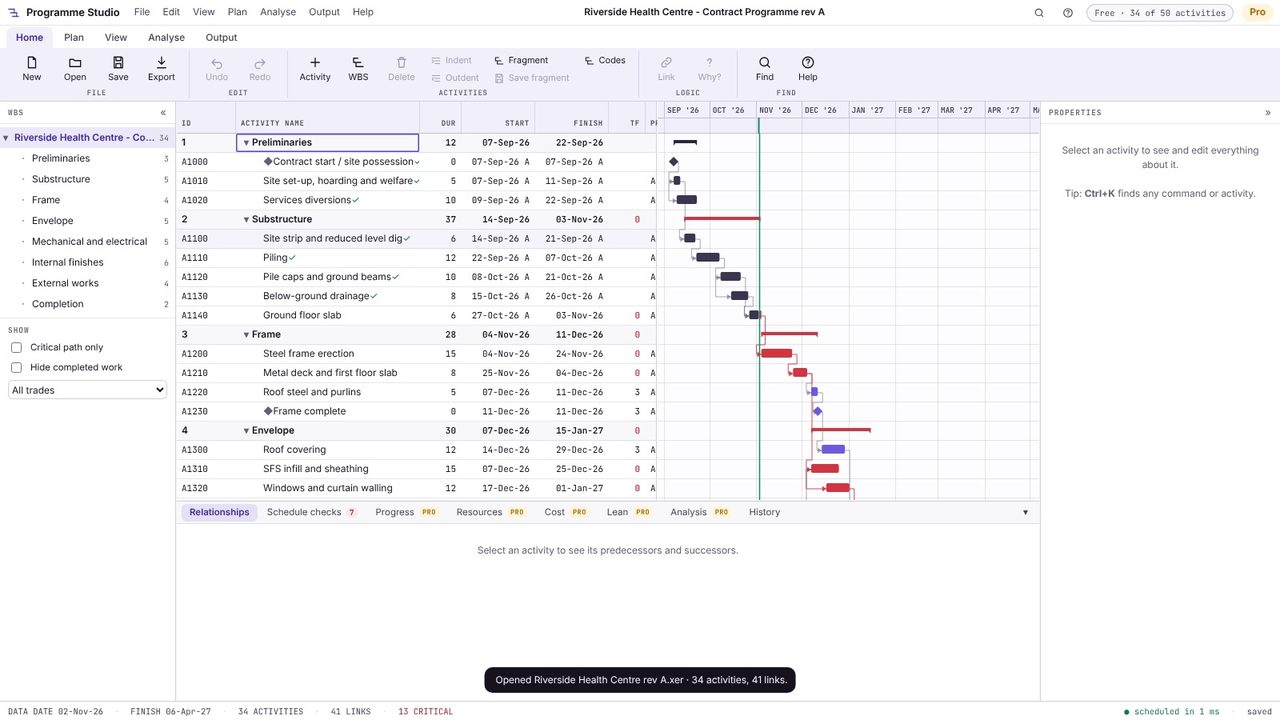
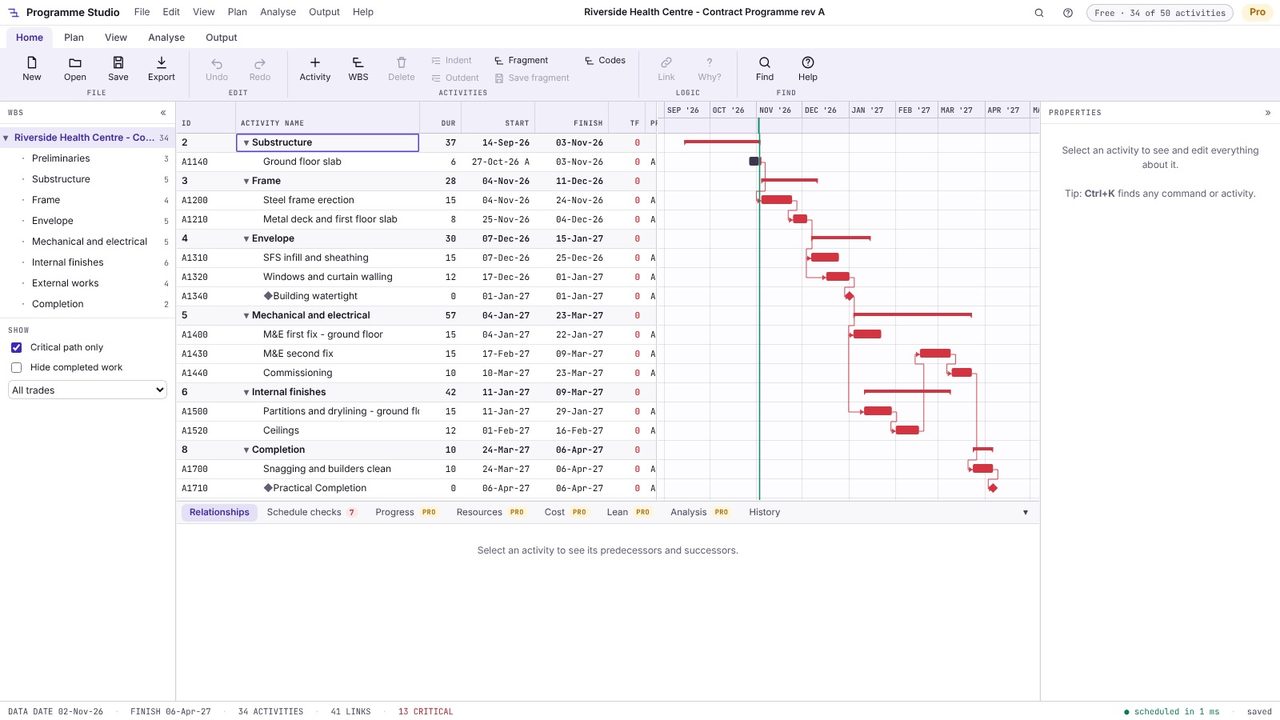
Programme Studio reschedules the programme with the critical path method on each activity's own calendar, as P6 does, so you see the critical path the logic actually gives. Tick Critical path only and check it is a sensible chain of work from today to completion, not a few activities held up by constraints.
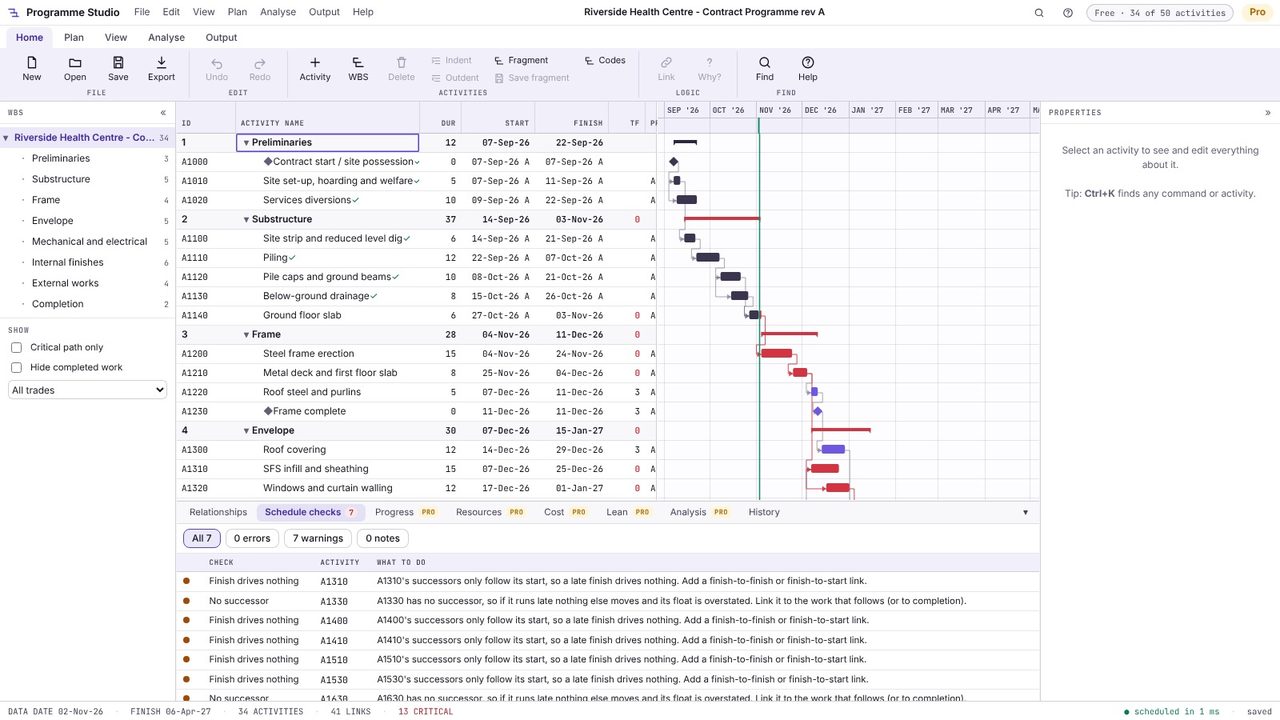
Open the Schedule checks tab in the bottom panel. It lists logic problems with what to do about each: activities with no successor, so a late finish drives nothing; finish-to-start logic missing where only a start is linked; loops, hard constraints and out-of-sequence progress. These are the points to raise with whoever wrote the programme.
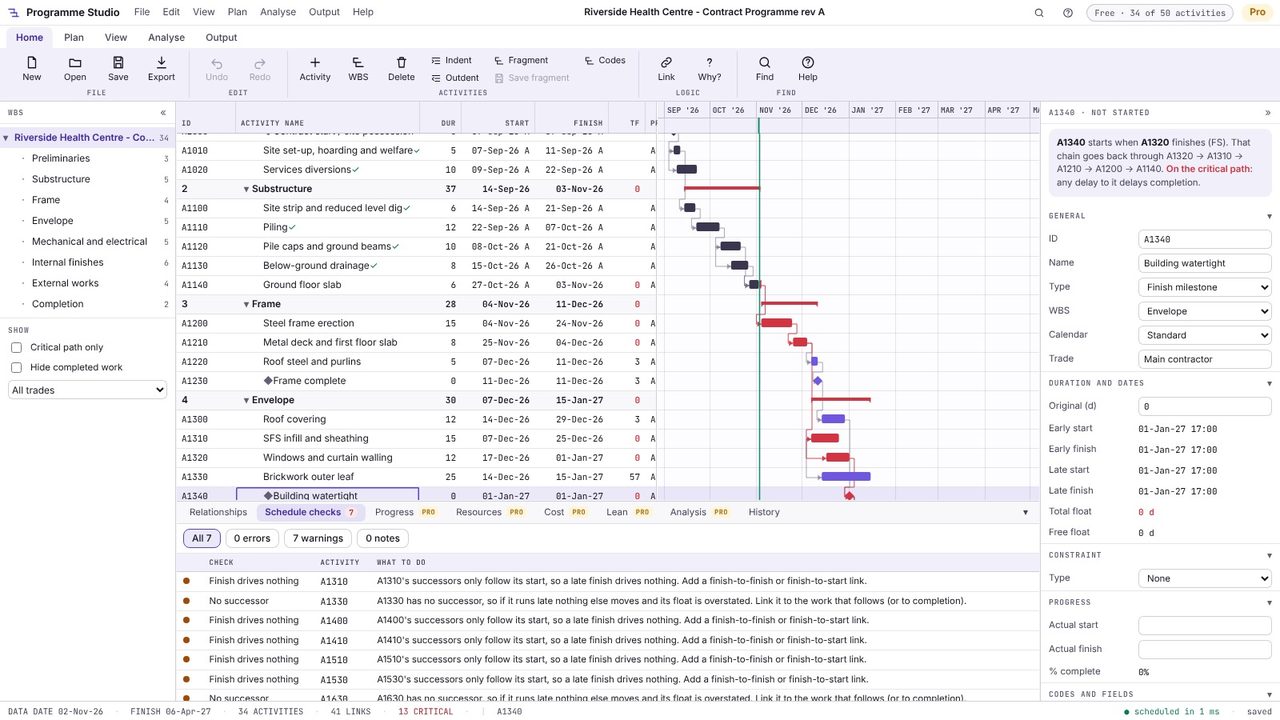
Click a key date or milestone, here Building watertight. The properties panel says what it is waiting for and traces the driving chain back (A1320, A1310, A1210, A1200, A1140) and whether it is on the critical path. Its float, its calendar and its constraints are all there too.
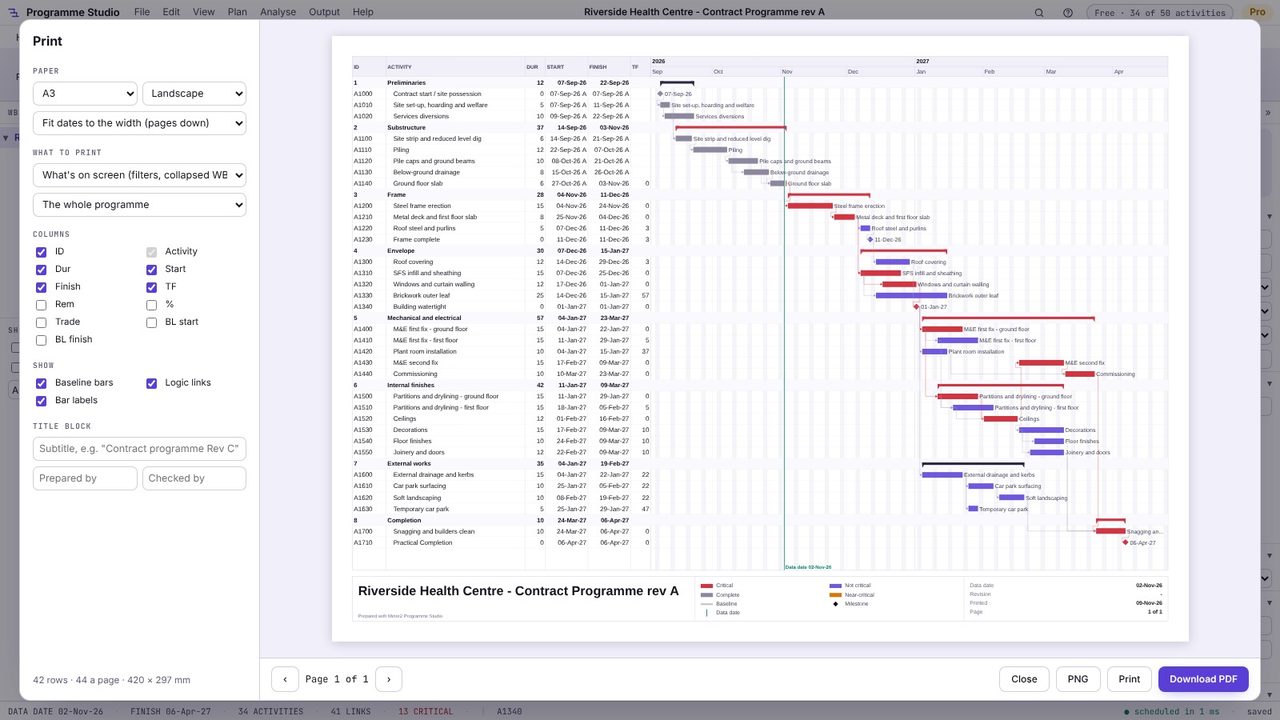
Press Ctrl+P (or Output > Print) for an A4 or A3 PDF or PNG of what is on screen: the columns you choose, baseline bars, logic links and a title block with the data date and revision. Filter to the critical path first and that is what prints.
Yes. Programme Studio opens .xer files from P6 Professional and EPPM in your browser, free, with their WBS, calendars, activity codes, user fields, resources and progress. There is nothing to install and the file is not uploaded.
Yes. Opening and viewing programmes of any size is free, including the critical path, total and free float, the schedule checks, the network view and A4/A3 printing.
You can edit programmes of up to 50 activities free and save them as .m2prog or CSV. Programme Studio Pro edits programmes of any size and saves back to P6 XER and XML and MS Project XML.
No. Programme Studio runs in your browser and your programme stays on your computer: it is kept in the browser as you work and saved as a file when you choose Save. The only exception is an MS Project .mpp file, which a browser cannot read: Programme Studio asks before converting it on Metre2's server, in memory, and nothing is kept.
