How-to guide
A programme that needs six M&E fitters when the subcontractor has four will not happen as drawn. Loading the programme with resources and looking at the histogram shows those peaks before they reach site, and levelling moves the work that has float so each gang stays within its limit. Metre2 Programme Studio Pro histograms every resource against its limit and levels on a copy, so you see the result before anything changes.
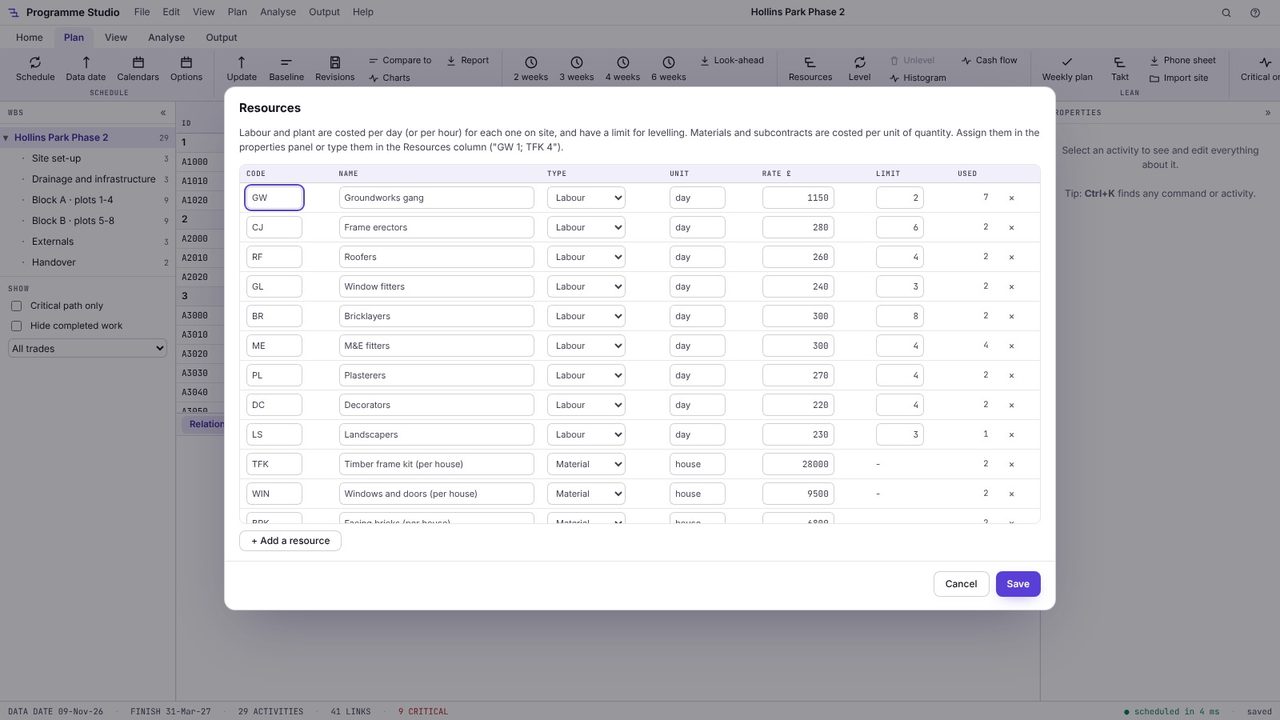
Open Plan > Resources. Labour and plant are costed per day (or per hour) for each one on site, with a limit for levelling; materials and subcontracts are costed per unit. Assign them in the properties panel, or type them in the Resources column as code and quantity, such as GW 1; TFK 4.
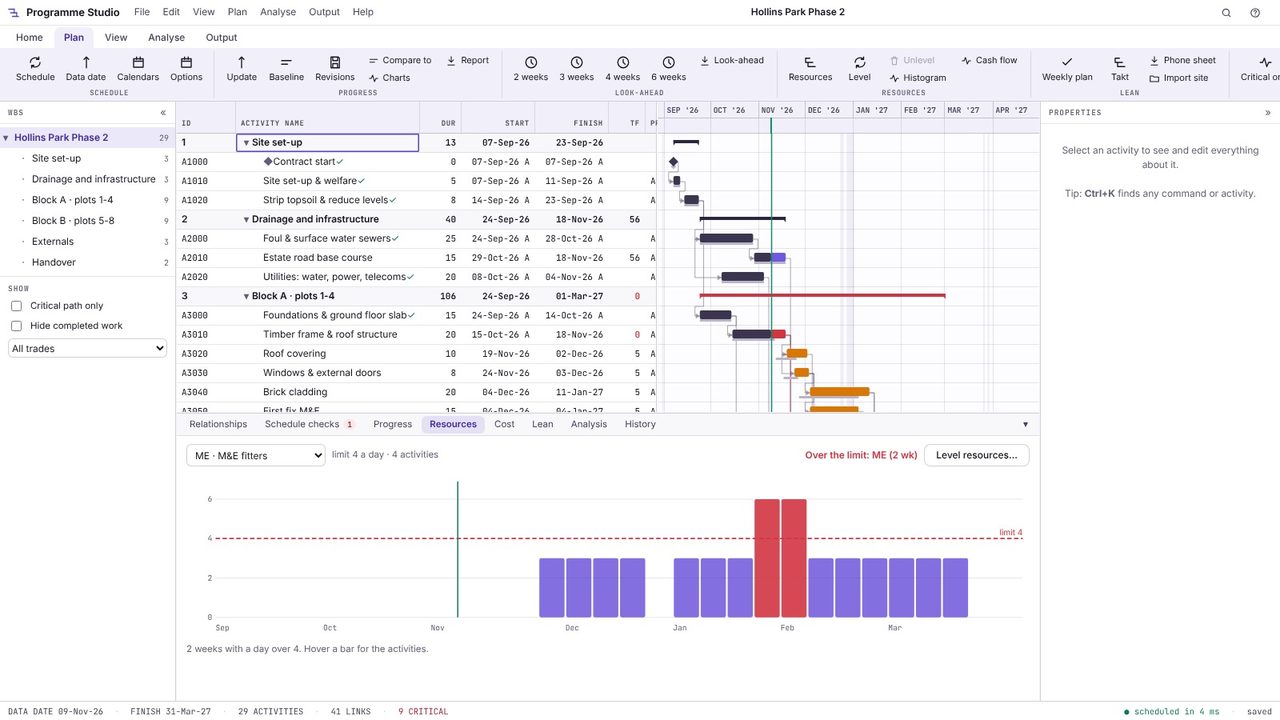
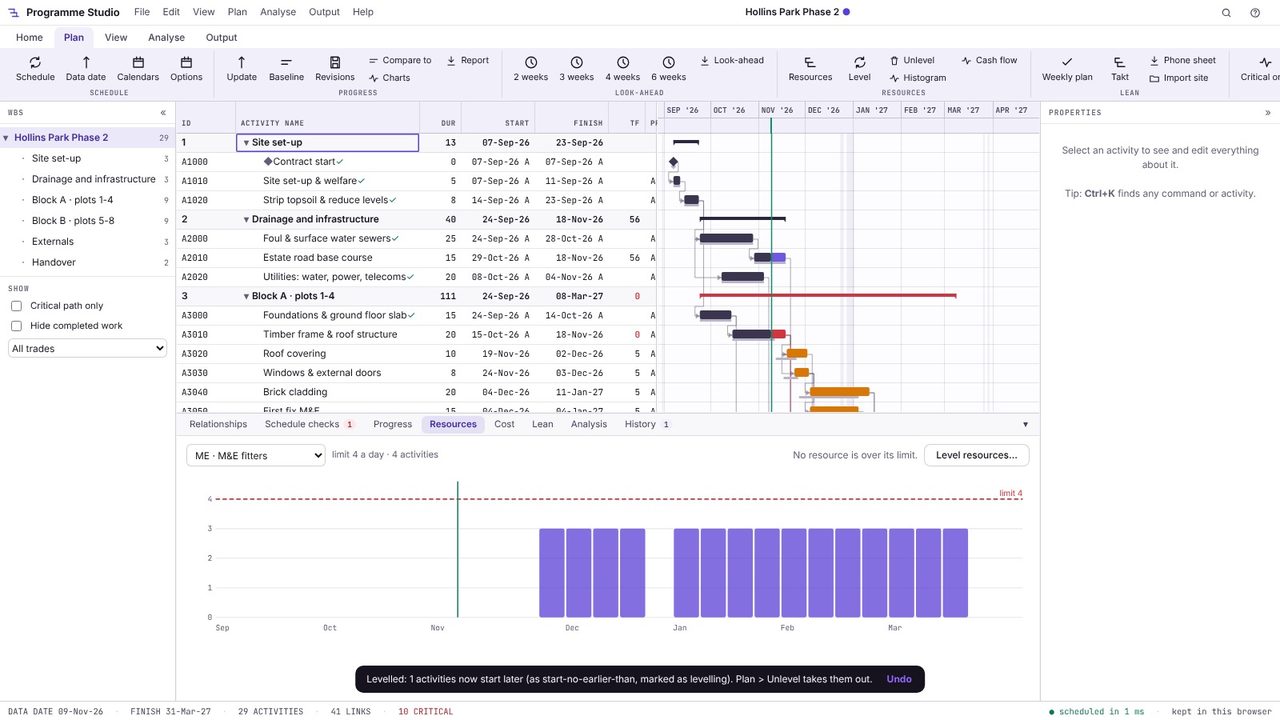
Open Plan > Histogram and choose a resource. Each bar is a week, the dashed line is the limit, and red bars are over it: the M&E fitters are over their limit of 4 for two weeks in February, where Block A's second fix overlaps Block B's first fix. Hover a bar for the activities in it.
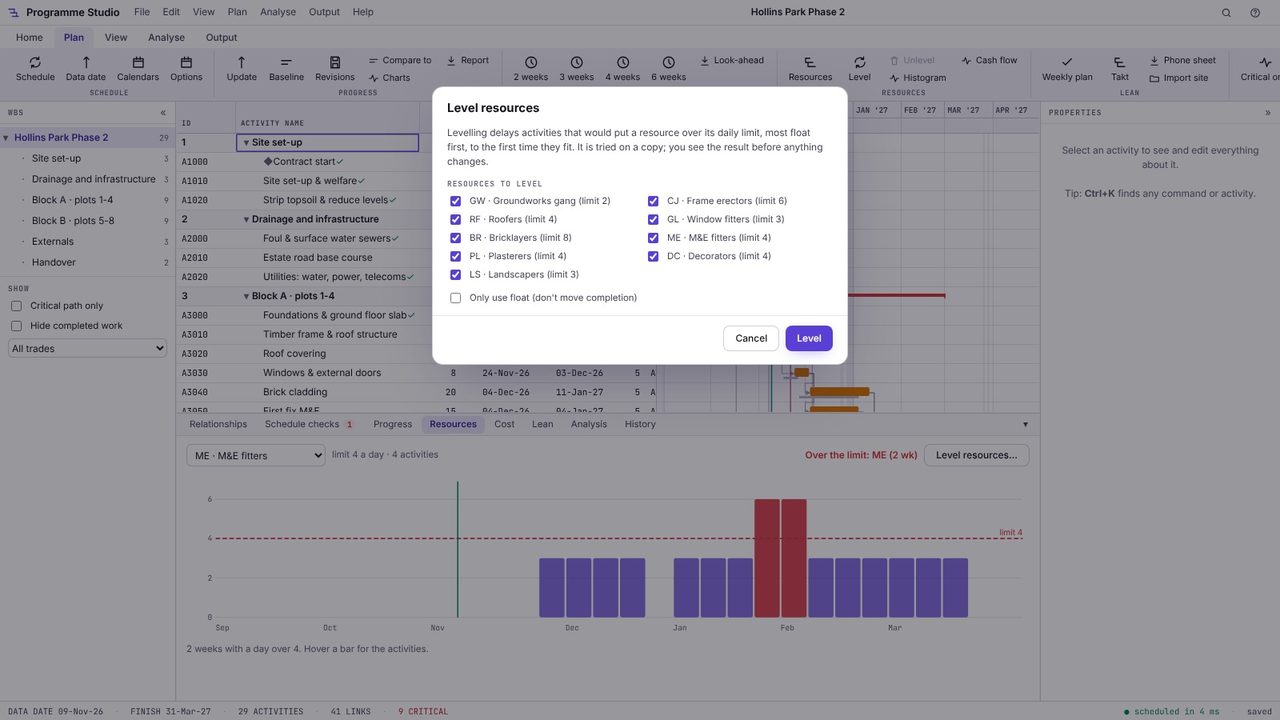
Choose Level resources. Tick the resources to level and, if completion must not move, Only use float. Levelling delays the activities that would put a resource over its daily limit, most float first, to the first time they fit.
Levelling is tried on a copy. The result lists each activity delayed, from when to when and by how many days, the effect on completion and anything still over its limit. Here one activity moves five days and completion does not change.
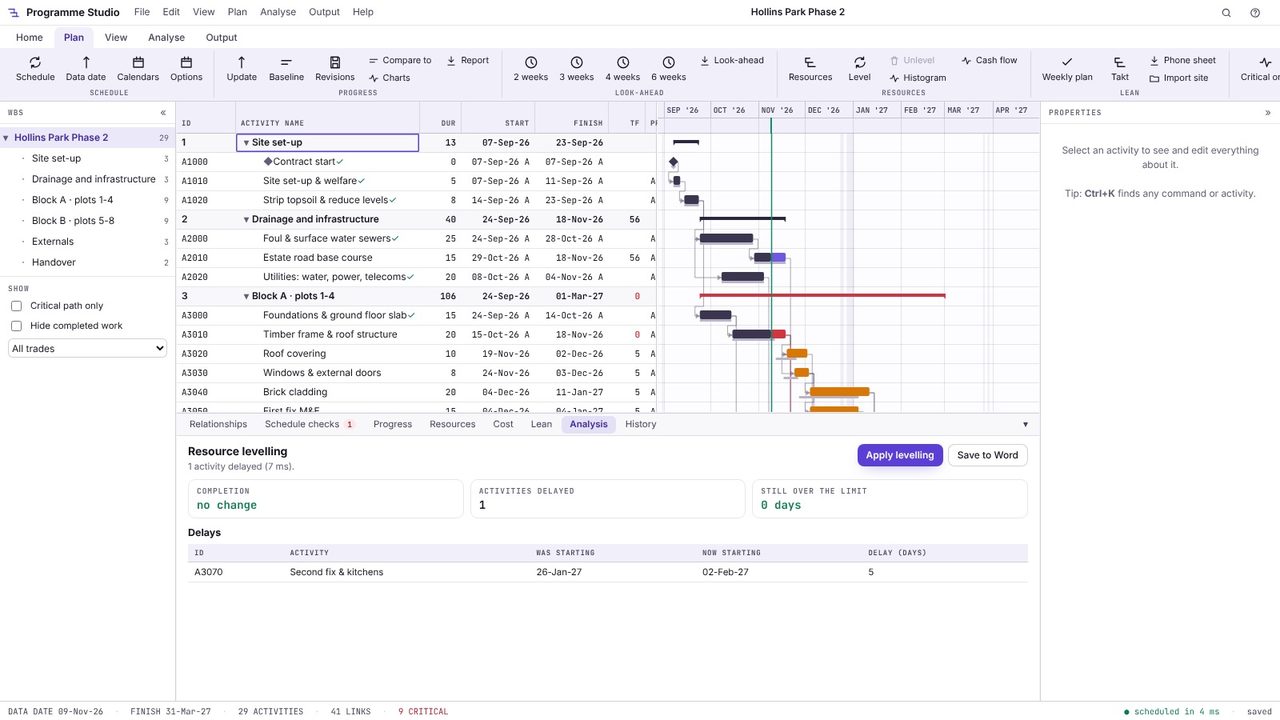
Choose Apply levelling. The delays are added as start-no-earlier-than constraints marked as levelling, so Plan > Unlevel can take them all out again, and the histogram is now within the limit.
Rescheduling activities so that no resource is needed beyond its available limit at any time, usually by delaying the activities with the most float first. Levelled within float, completion does not move; levelled without that limit, it may.
A bar chart of how much of a resource (labour, plant) the programme needs in each period, usually drawn against the limit available, so peaks and troughs show at a glance.
Set up the resources with their rates and limits, then assign them to activities with a quantity (two bricklayers, one excavator). Programme Studio spreads them over each activity's duration to make the histograms and the costs.
Programme Studio is free to open and view programmes of any size and to build or edit programmes of up to 50 activities. Pro adds this and every other planning tool, with no activity limit, for £29.99 a month or £249 a year. The 7-day free trial needs a Metre2 account but no payment details.
