How-to guide
However good the software, the programme on the site office wall and in the tender submission is still a printed one, and it needs to be readable and properly titled: the project, the revision, the data date, who prepared and checked it. Metre2 Programme Studio prints to PDF or PNG on A4 to A0 with a title block and a key; A4 and A3 are free and A2, A1 and A0 are part of Pro.
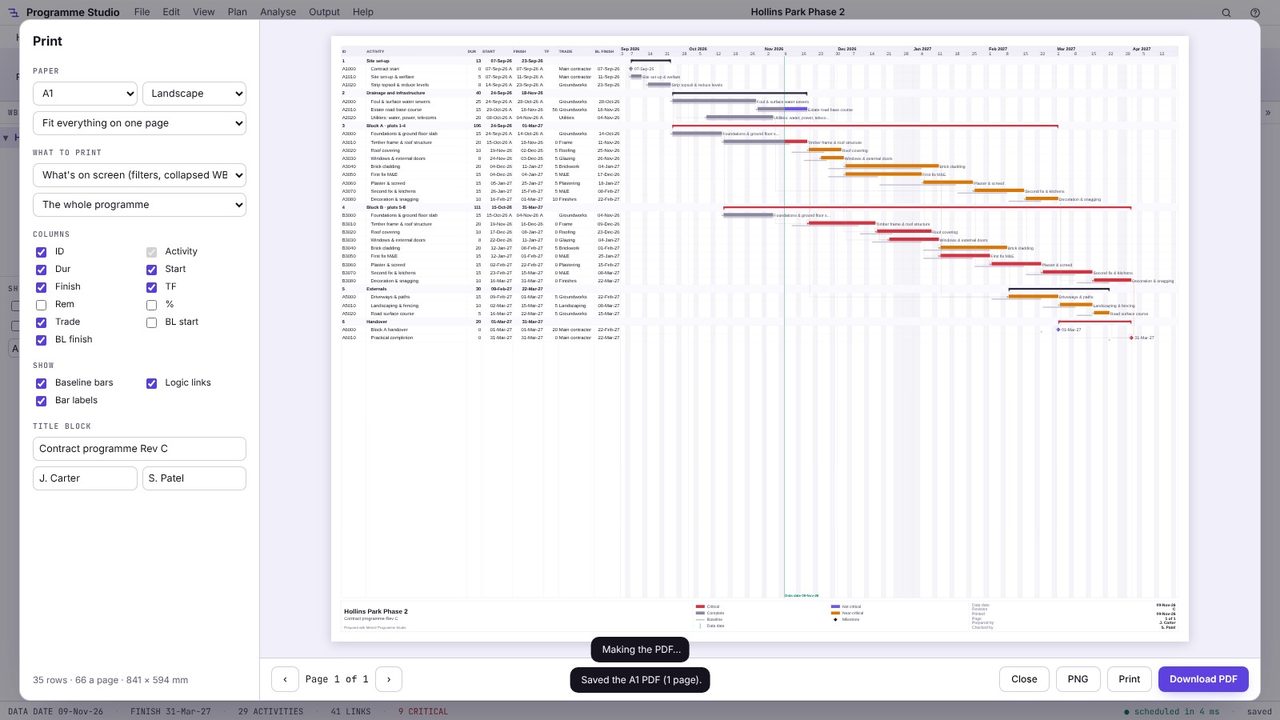
Press Ctrl+P or choose Output > Print. The preview shows the page as it will print, with the title block along the bottom: the programme's title, the key, the data date, the revision and the page number.
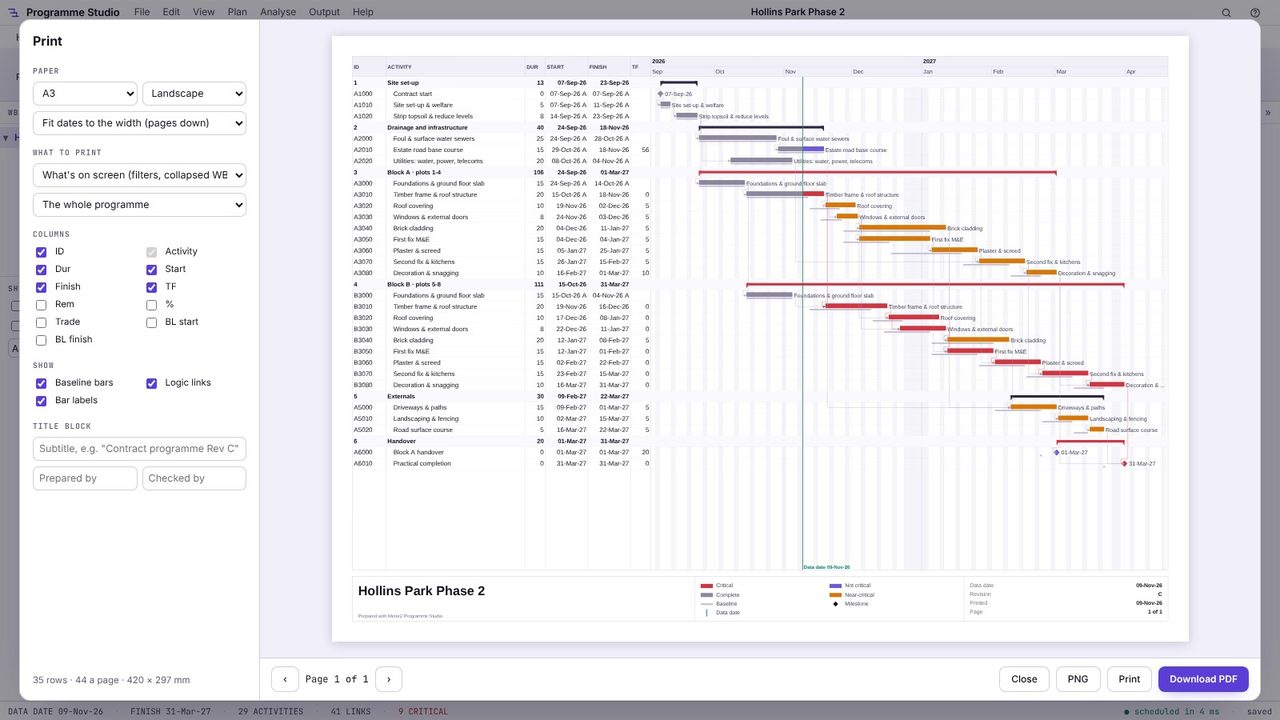
Pick the paper size (A4 to A0) and orientation. Fit everything on one page scales the whole programme onto the sheet; Fit dates to the width keeps the text size and runs onto more pages down. The page size and how many rows fit show at the bottom.
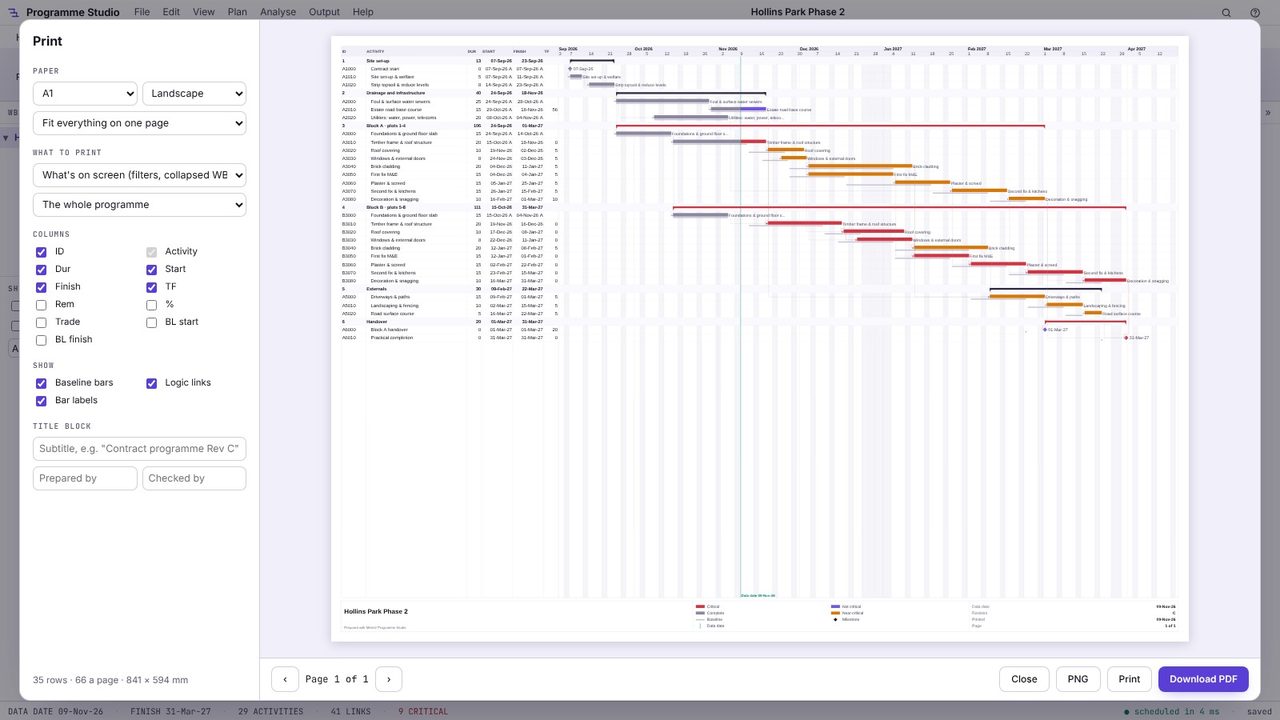
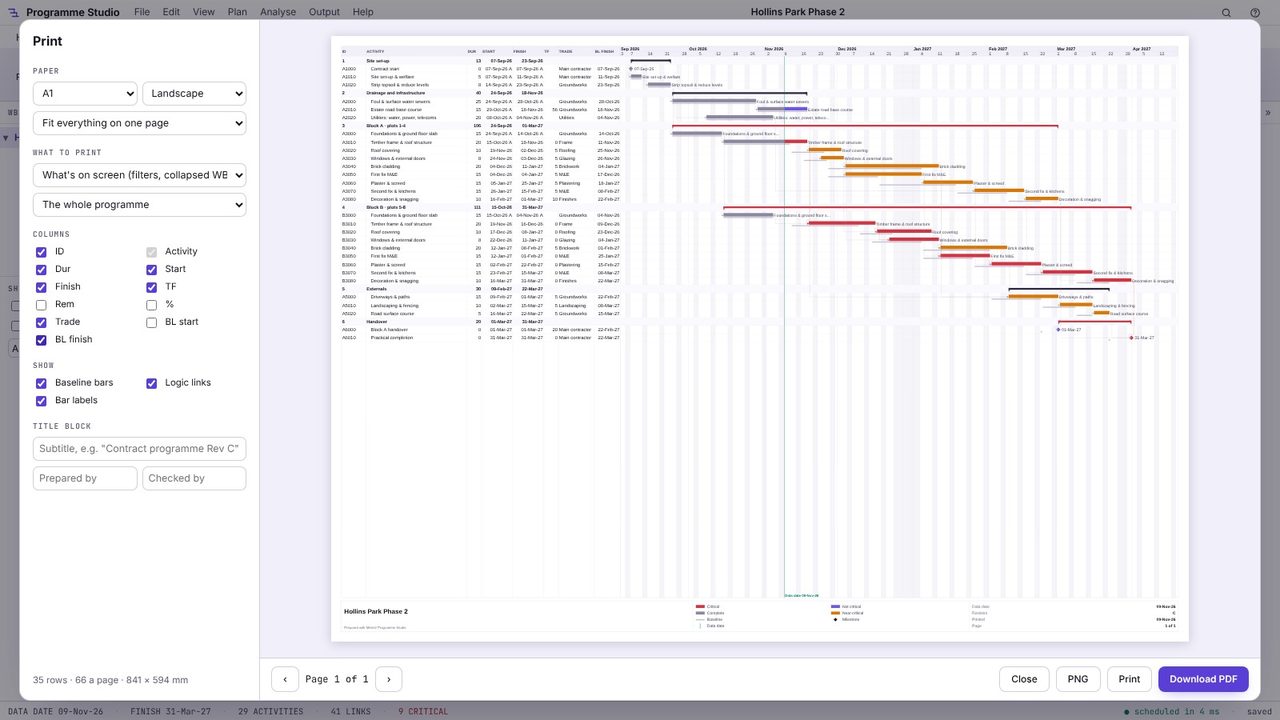
Print what's on screen (with your filters and collapsed WBS) or every activity, the whole programme, a 6-week look-ahead or between two dates. Tick the columns to show (here trade and baseline finish), and whether to draw baseline bars, logic links and bar labels.
Type a subtitle such as "Contract programme Rev C" and who prepared and checked it. The revision and data date come from the programme.
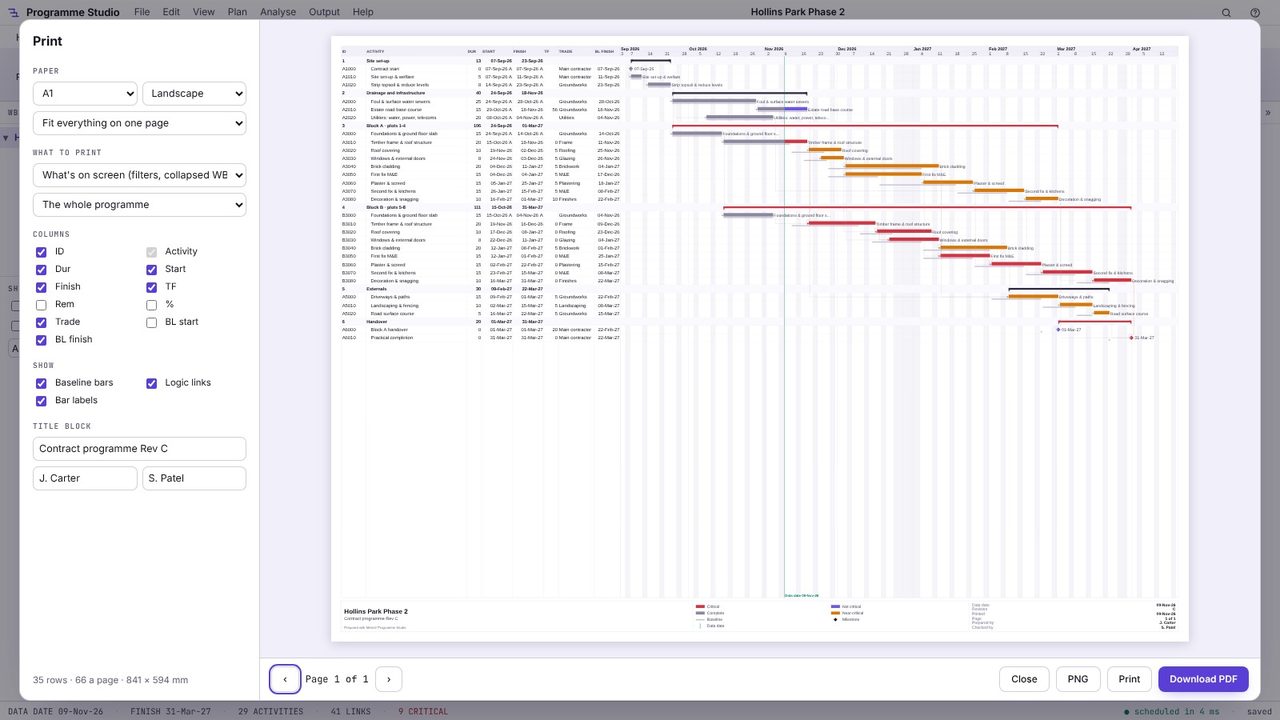
Choose Download PDF (or PNG for an image, or Print to send it to a printer). The PDF is drawn at the paper size, so it plots sharply on an A1 plotter.
In the print preview, choose Fit everything on one page and a paper size big enough for the programme to stay readable: A3 for a short programme, A1 or A0 for a long one.
The project and programme title, the revision, the data date, the date printed, who prepared and checked it, a key to the bar colours, and the page number if it runs to several sheets.
Yes. Open the .xer in Programme Studio and print it. A4 and A3 are free; larger sizes need Pro.
Programme Studio is free to open and view programmes of any size and to build or edit programmes of up to 50 activities. Pro adds this and every other planning tool, with no activity limit, for £29.99 a month or £249 a year. The 7-day free trial needs a Metre2 account but no payment details.
